-
-
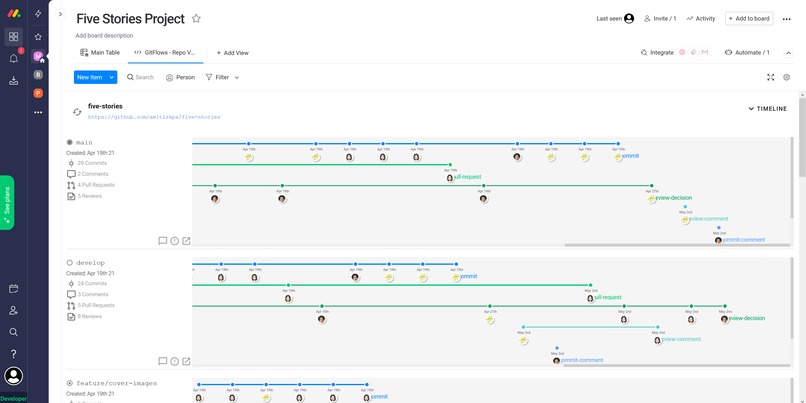
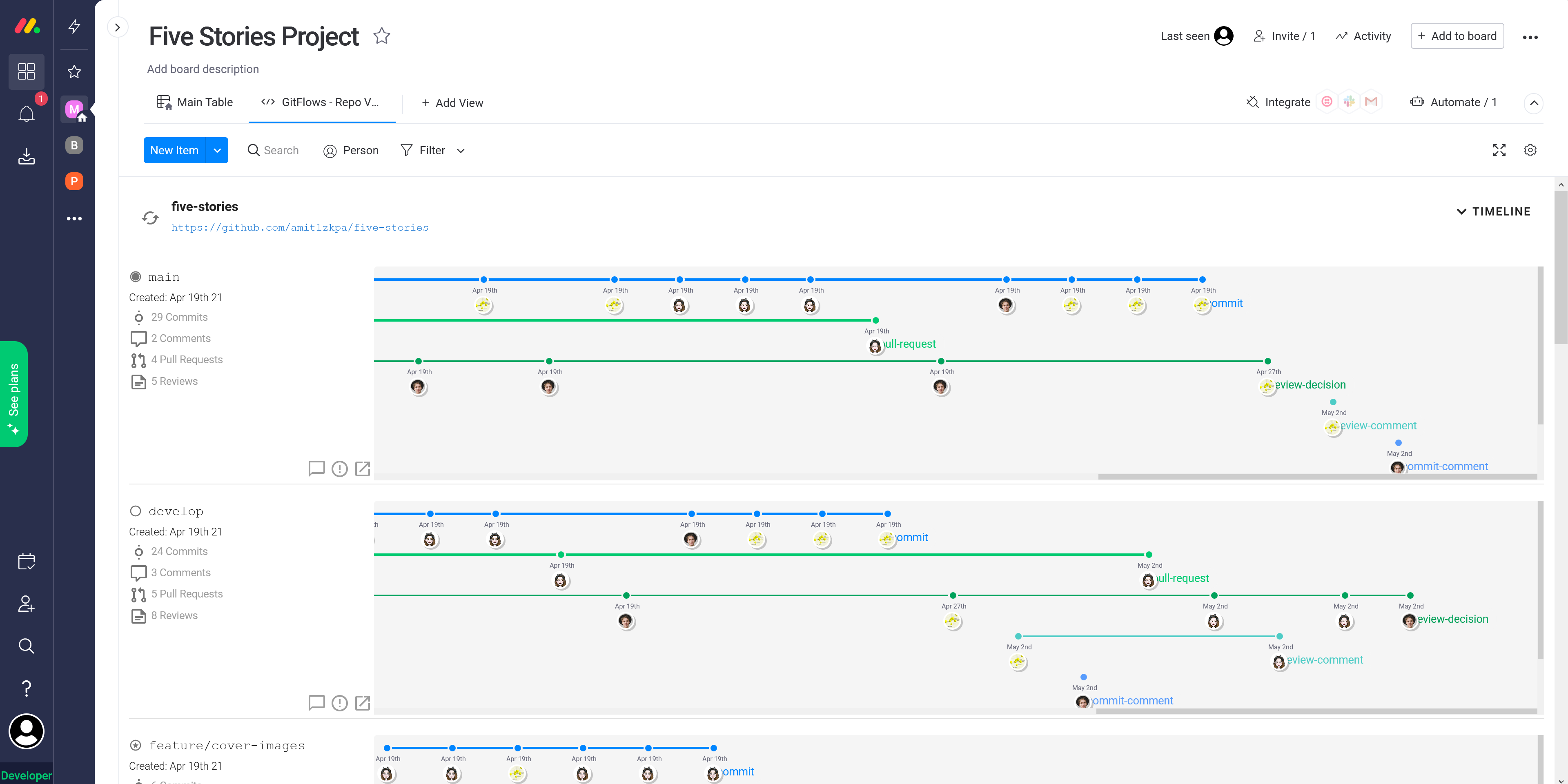
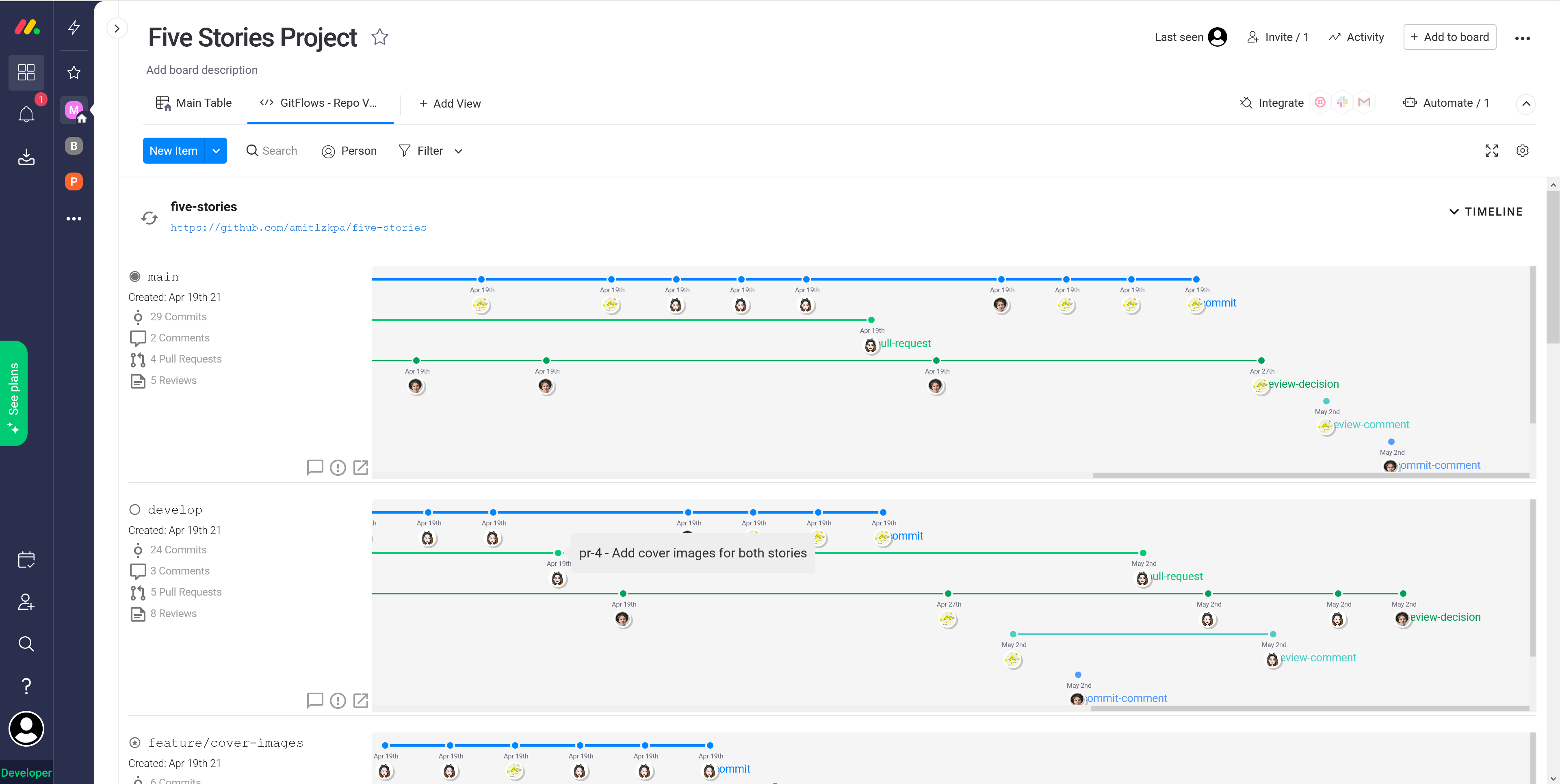
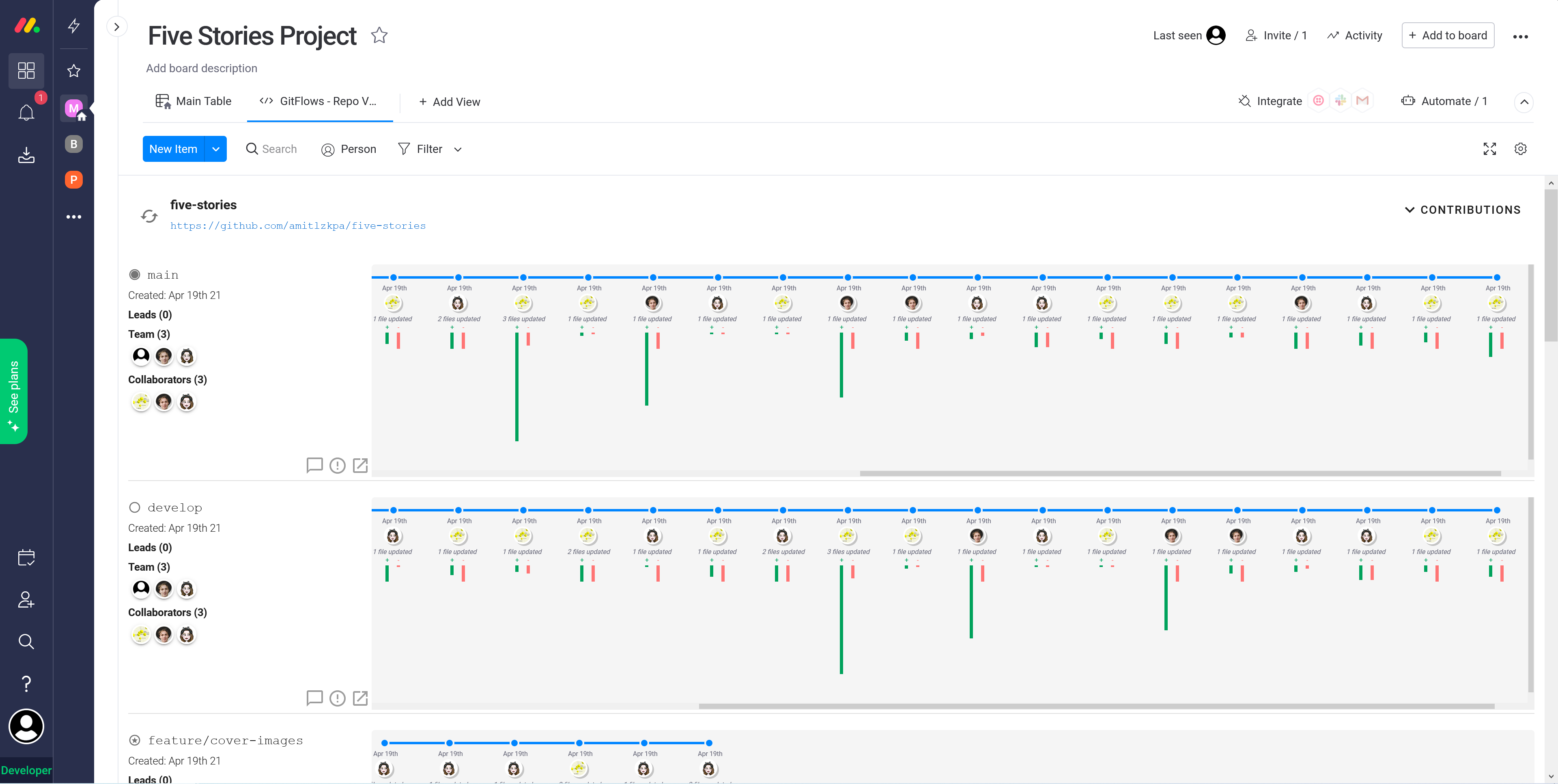
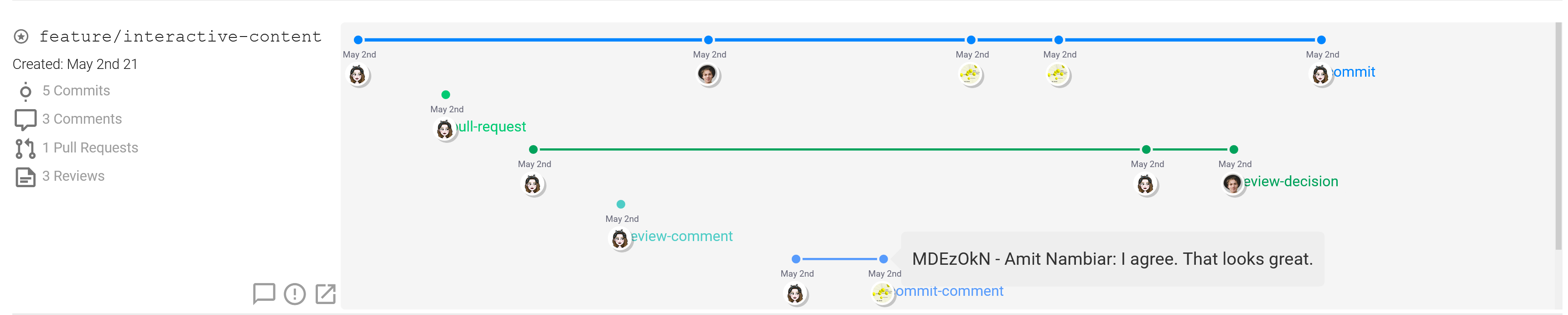
View progress on individual branches with all commits, pull-requests, reviews, comments shown in one neat timeline.
-
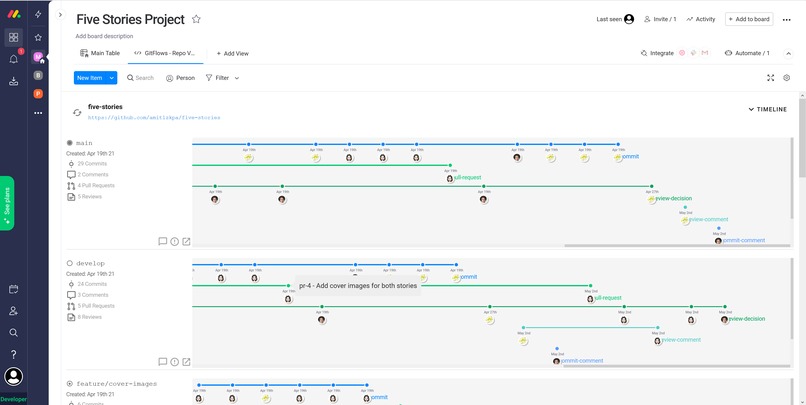
View progress on individual branches with all commits, pull-requests, reviews, comments shown in one neat timeline.
-
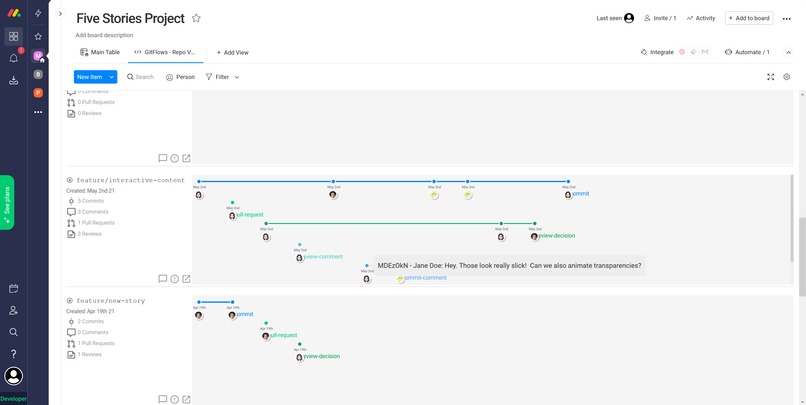
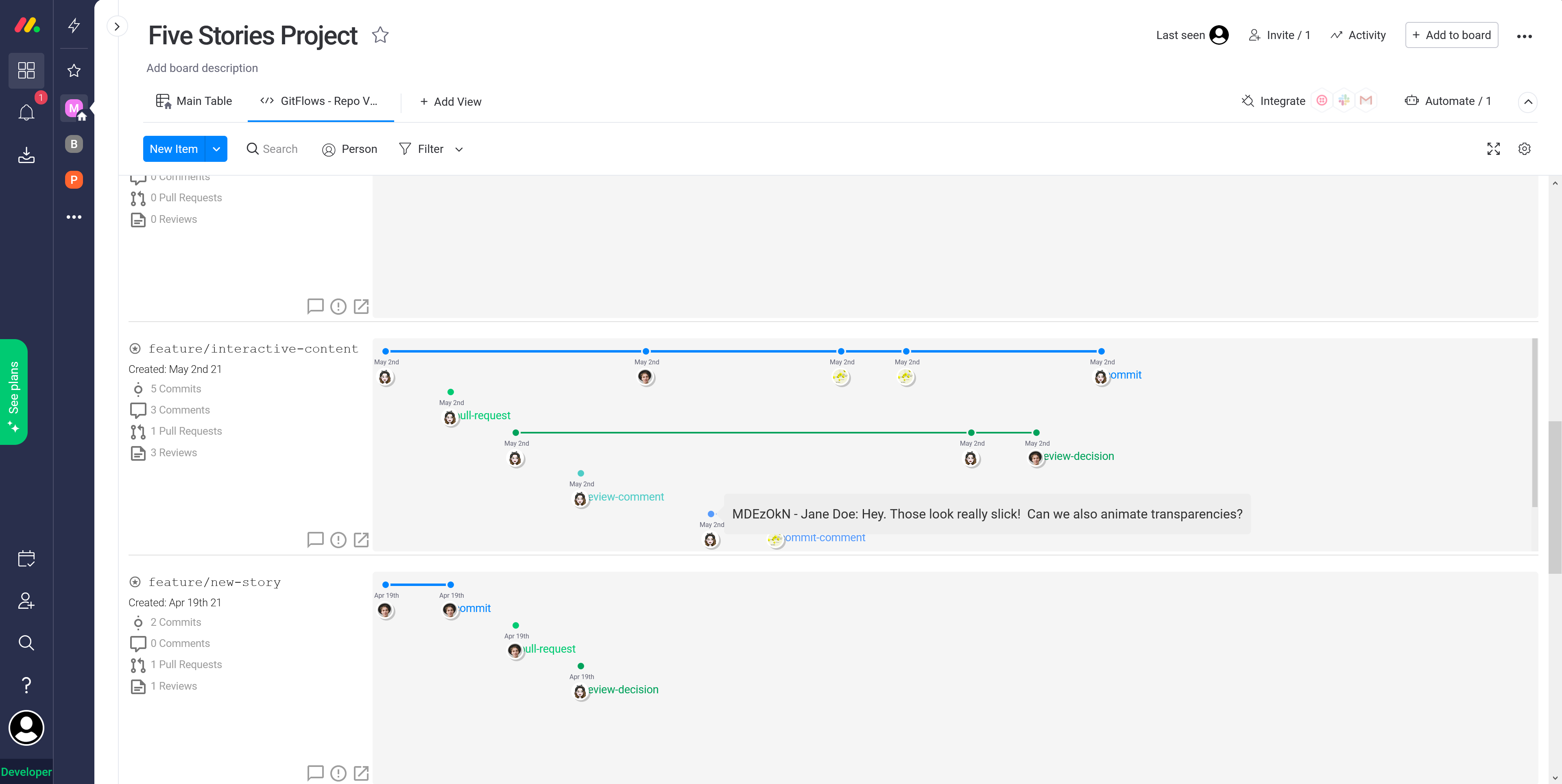
See what your teammates are discussing in full context.
-
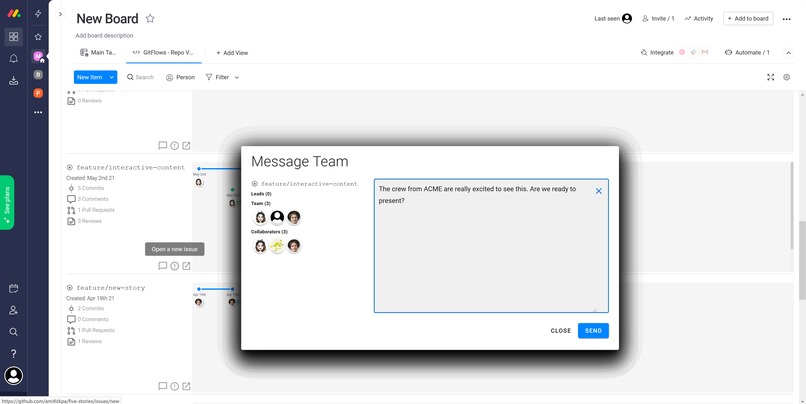
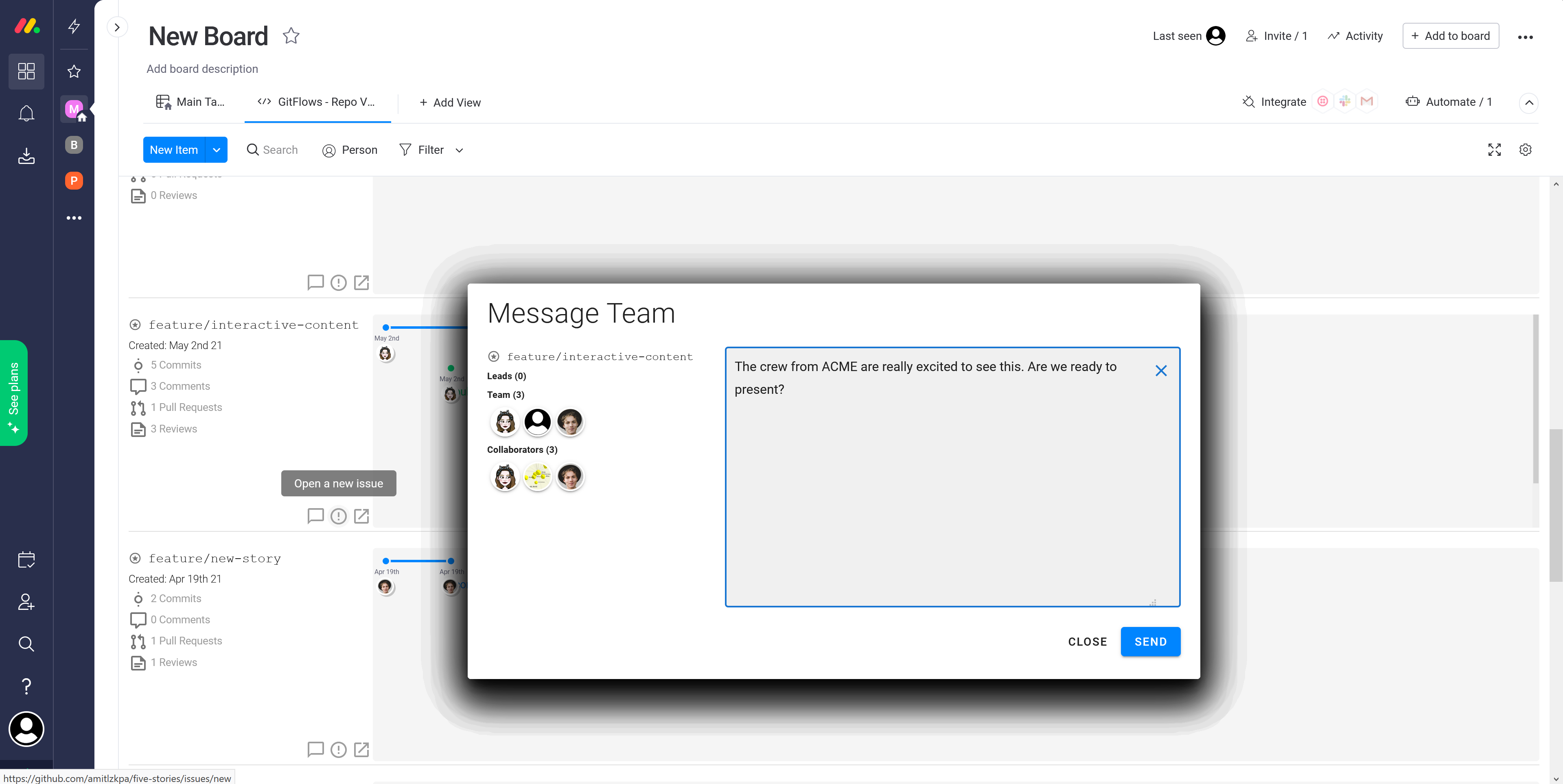
Send messages to your team right from the view.
-
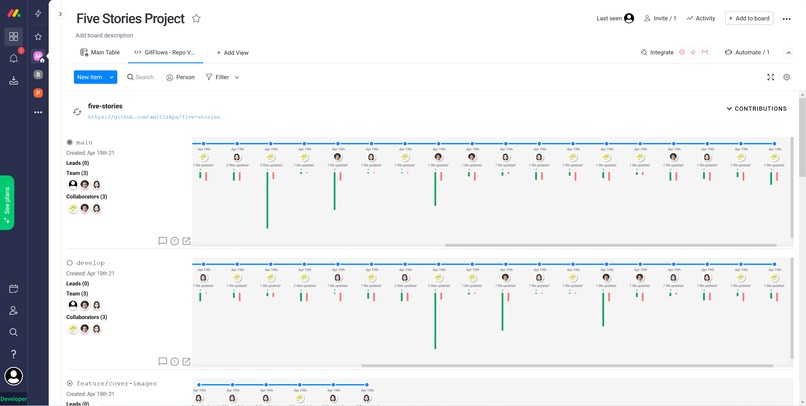
Visualize who is contributing how much over time.
-
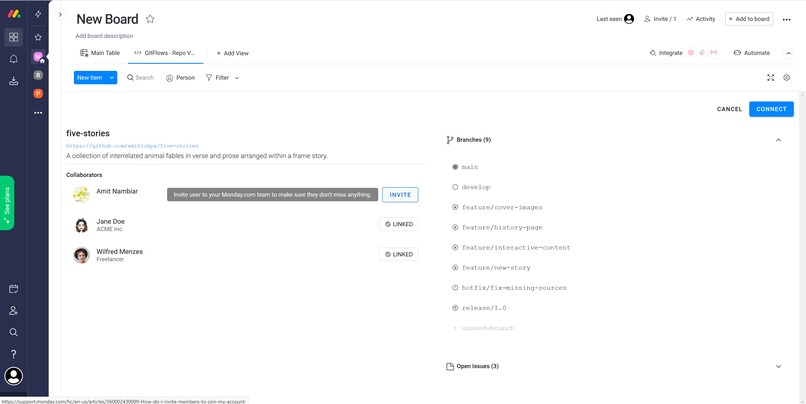
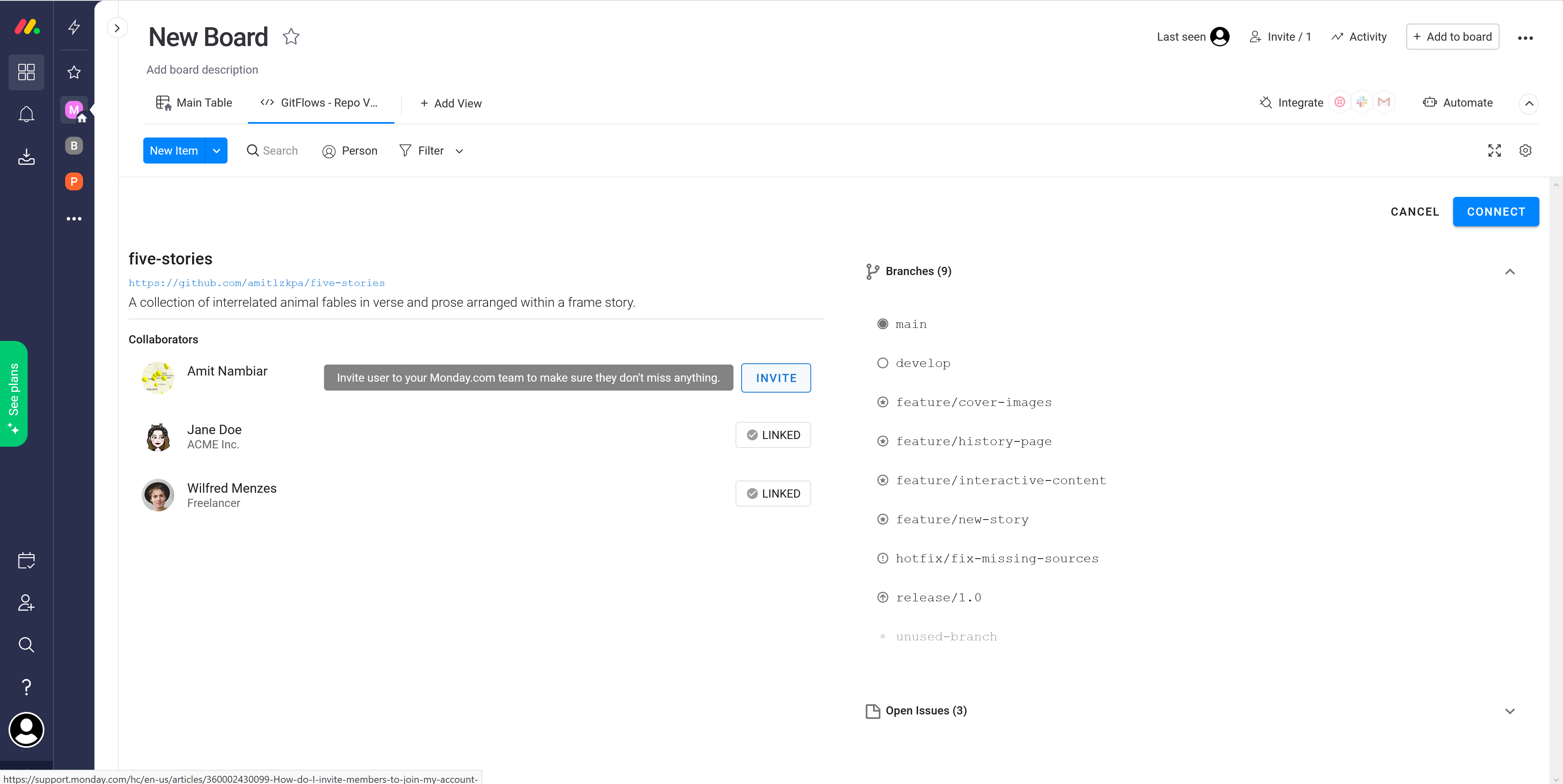
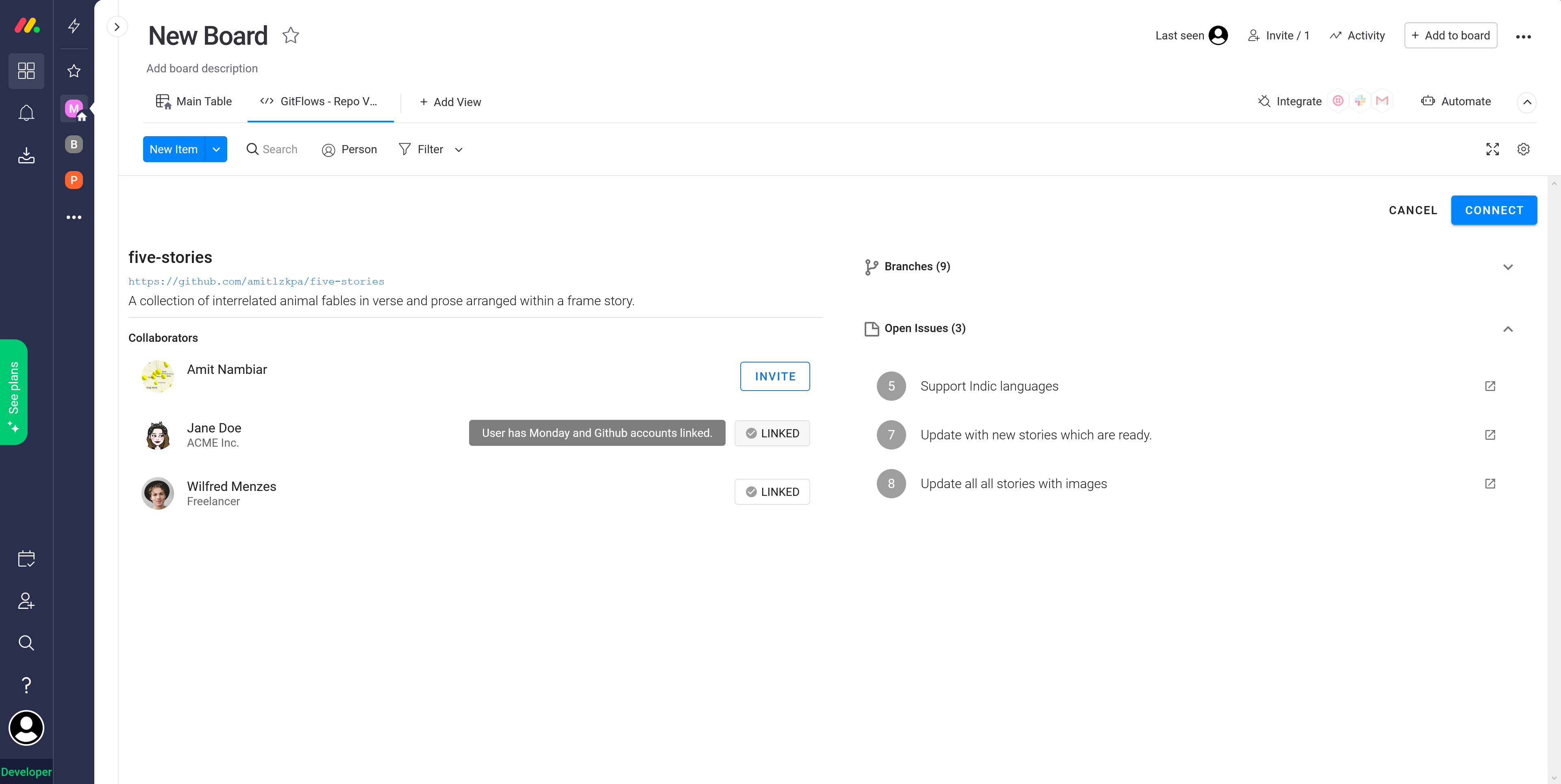
The preview view allows to see and filter project information before connecting it with the board.
-
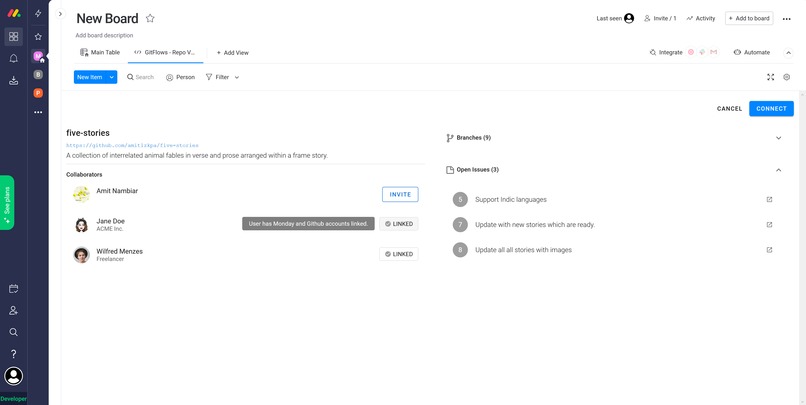
Team members who are already on monday.com are automagically identified and connected to streamline communication.
-
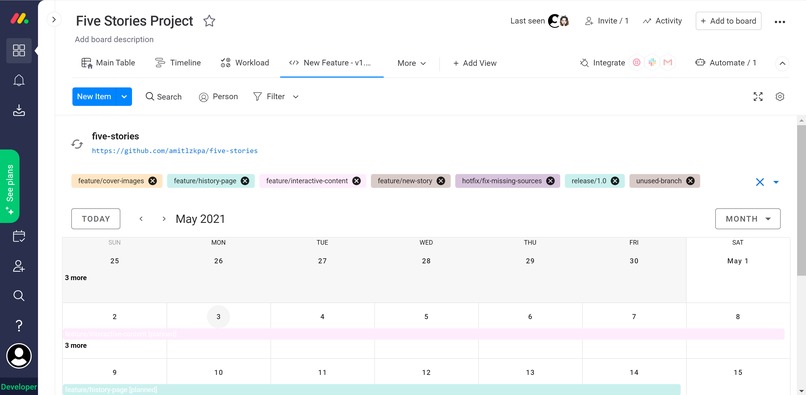
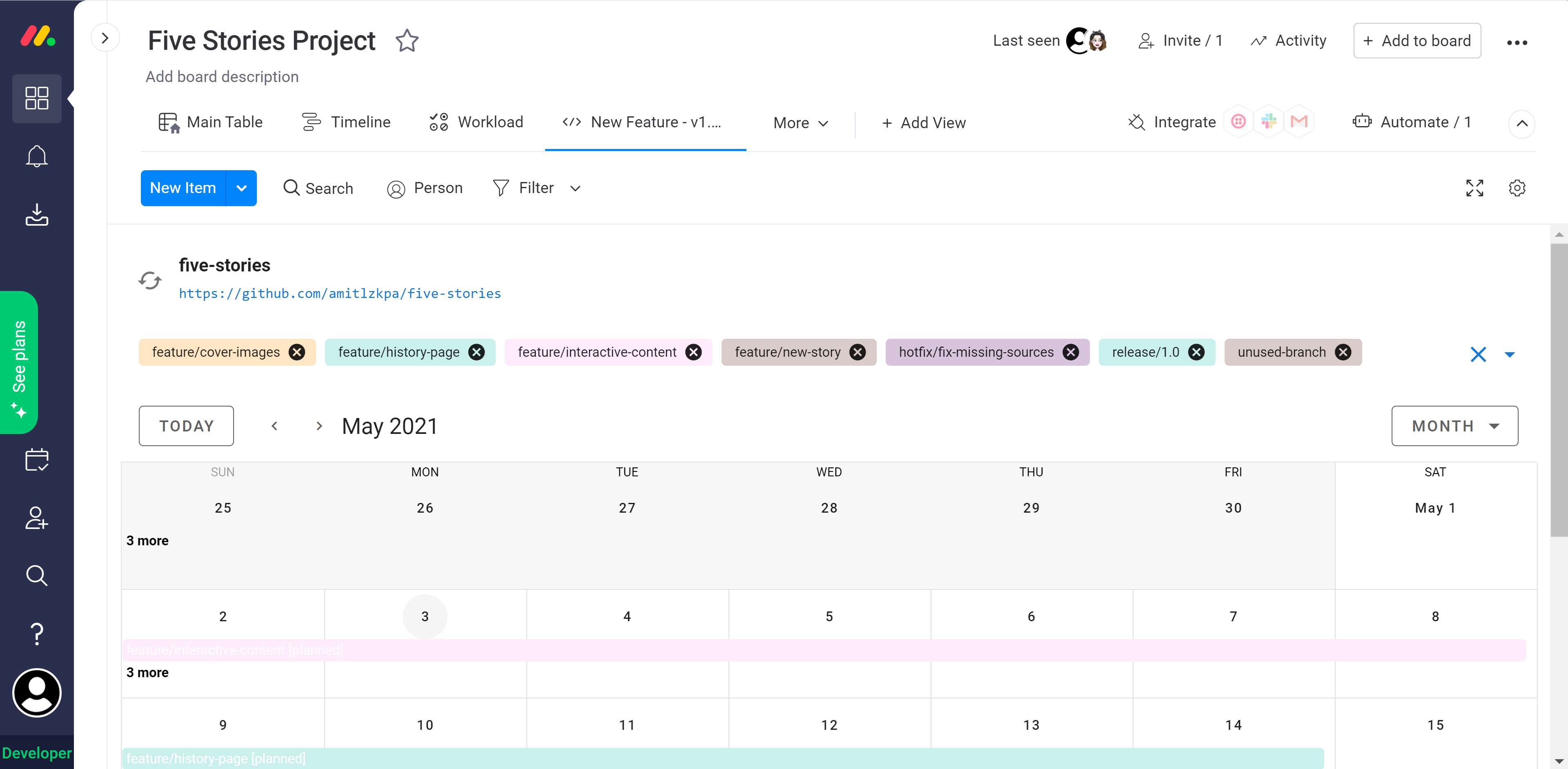
View the project history and do future planning in a smart calendar view.
-
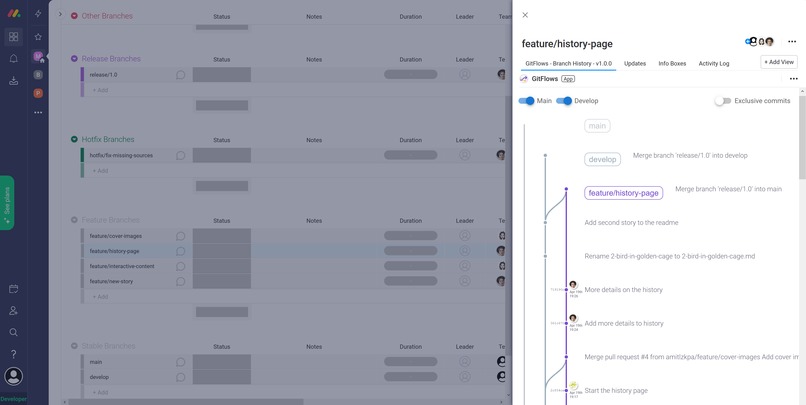
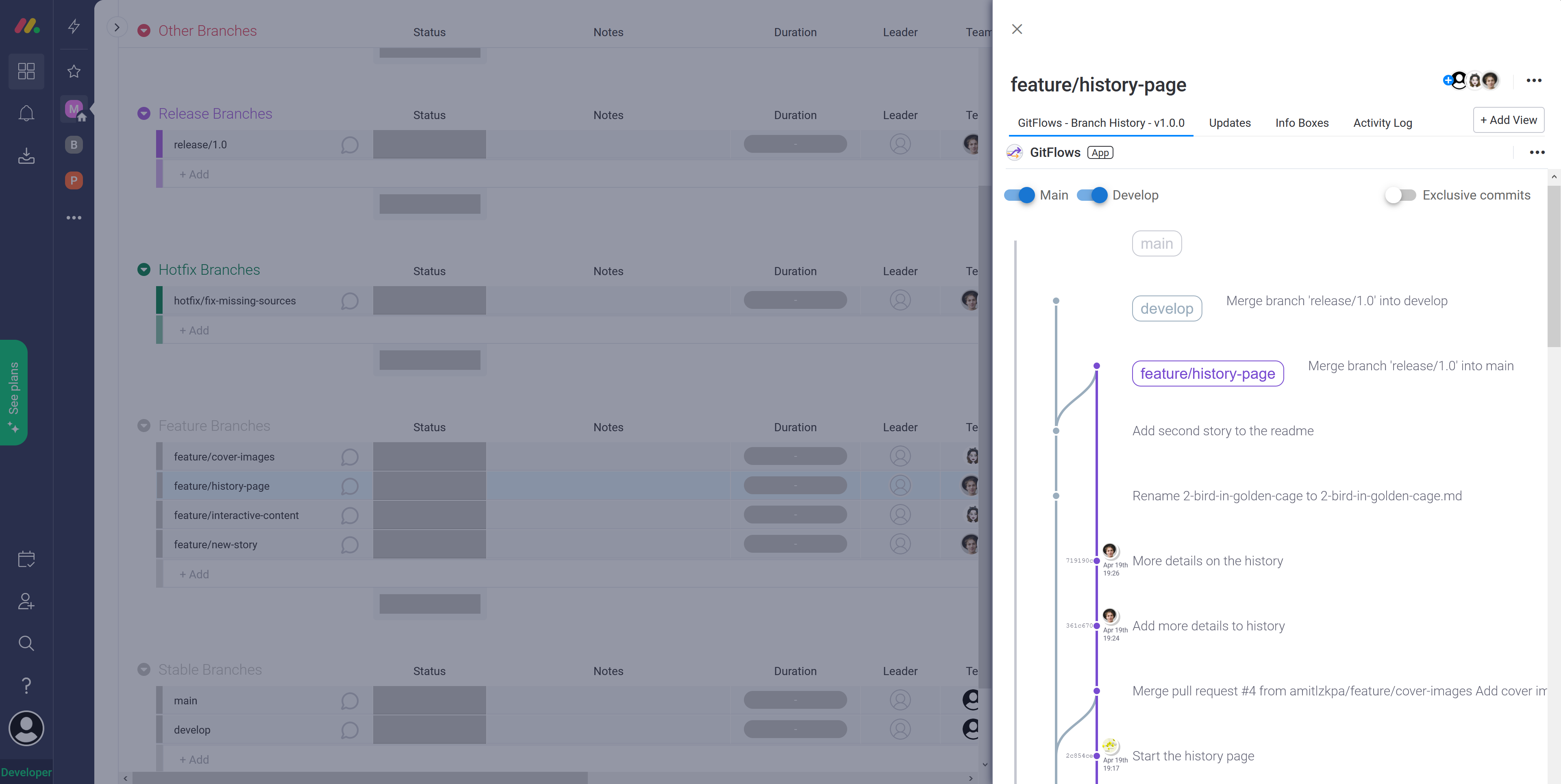
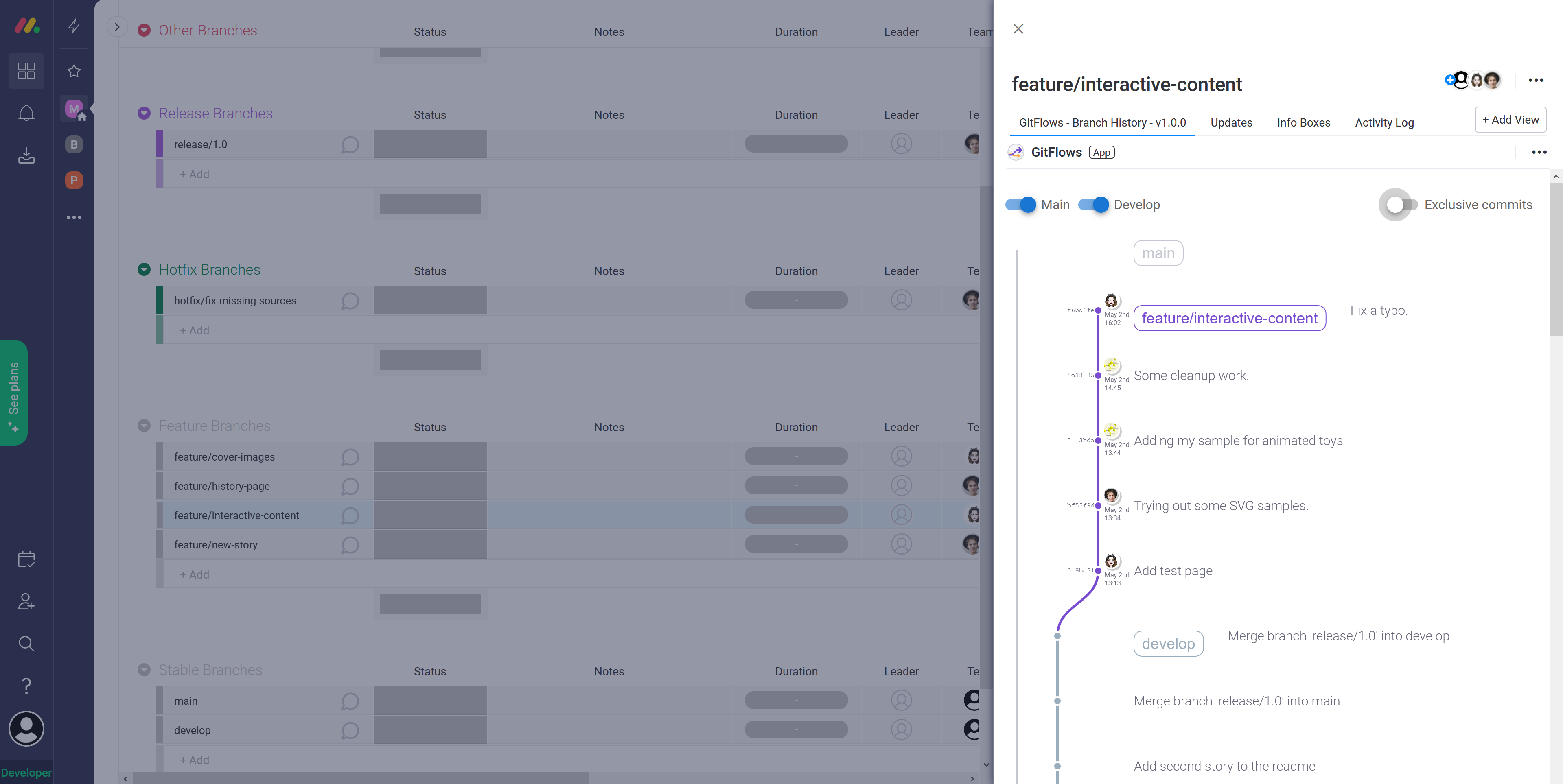
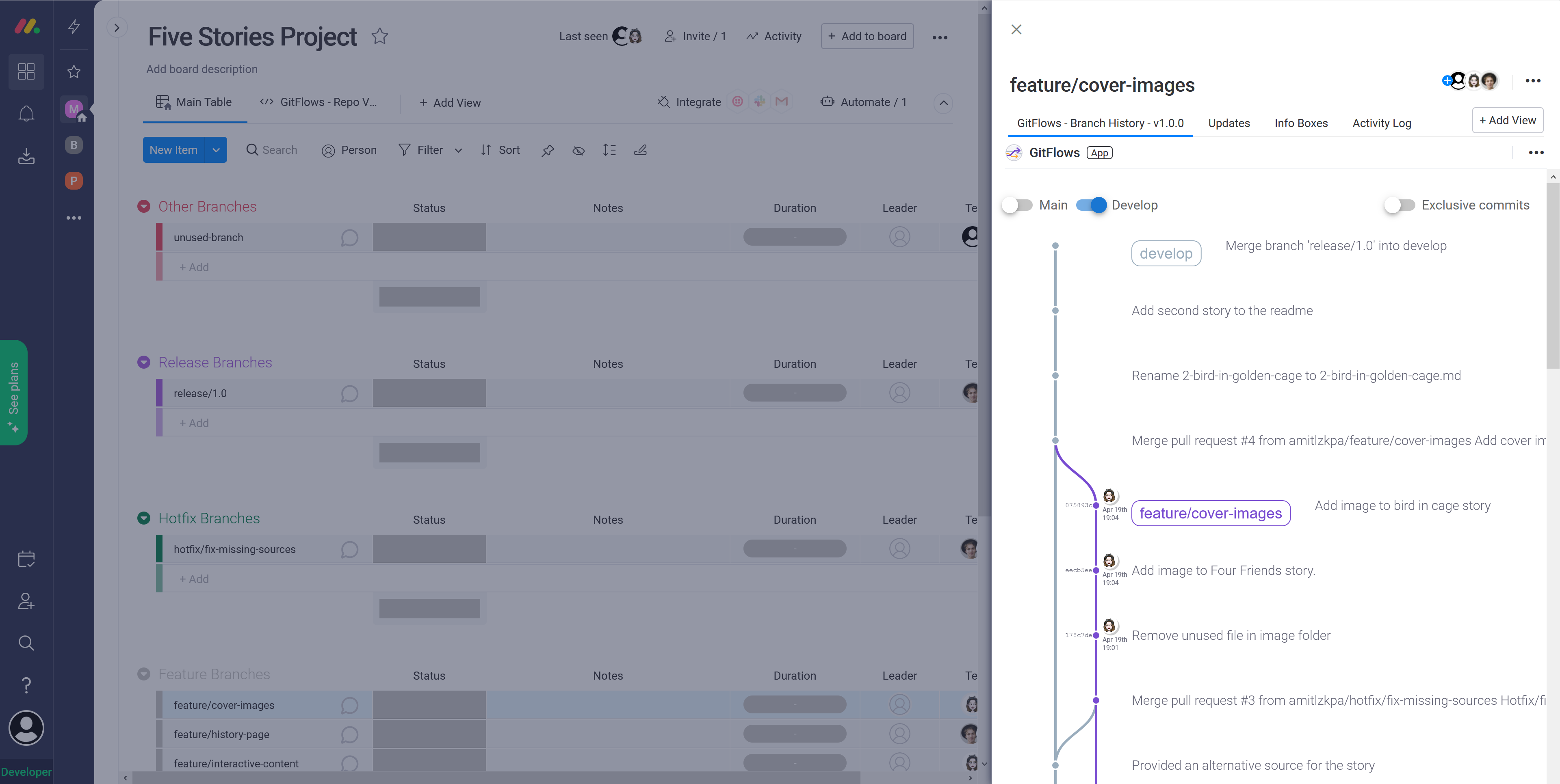
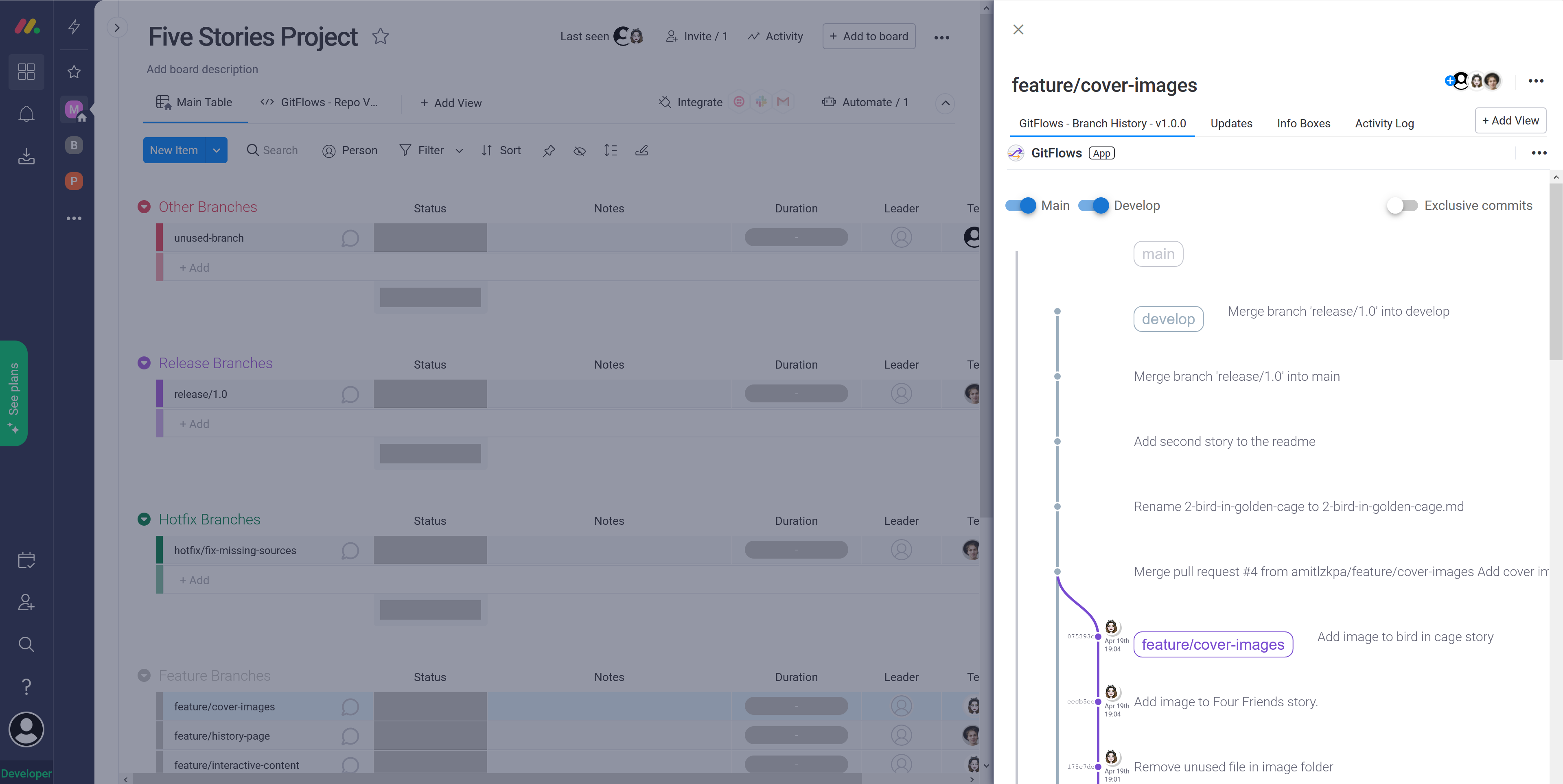
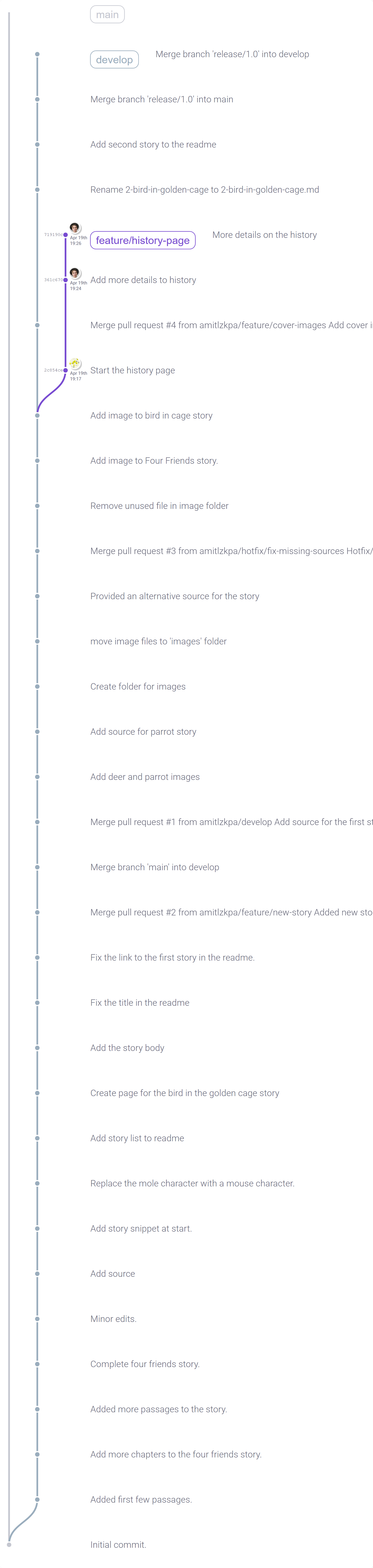
Detailed branching history helps you understand how much your feature branches differs from the stable branches.
-
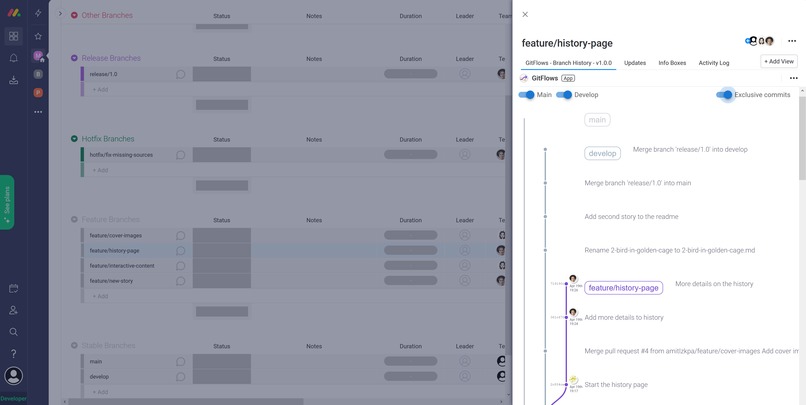
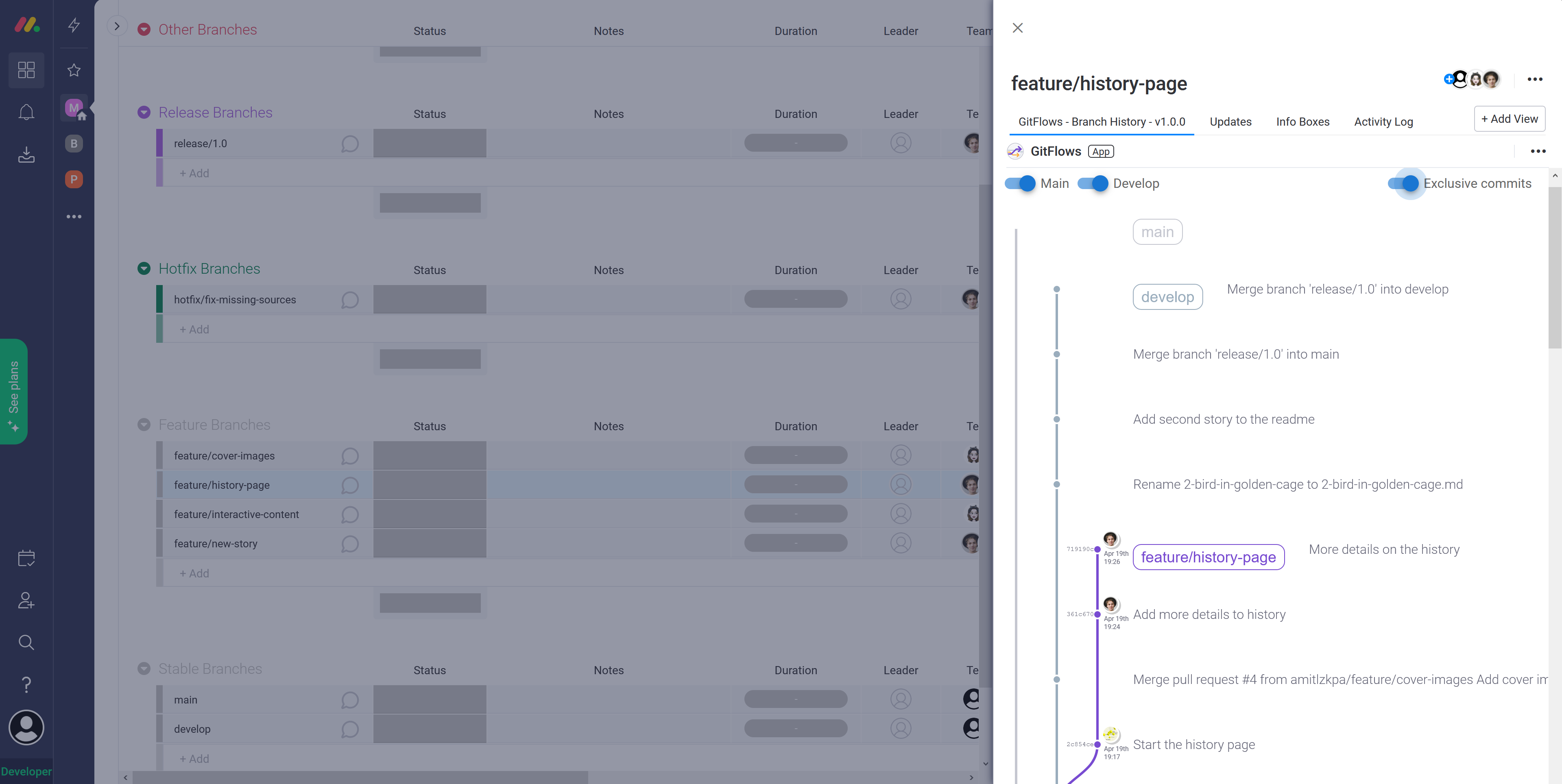
Check for "exclusive commits" which are changes made particularly for features on that branch.
-
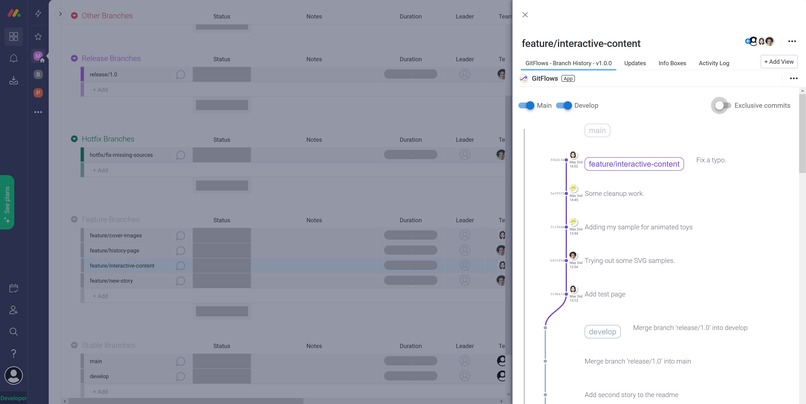
The algorithm smartly figures out the branching and merging to give you a clean, simple visual view of it.
-
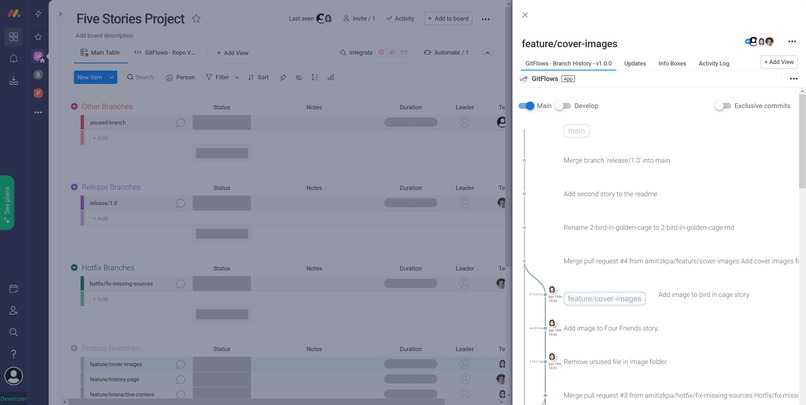
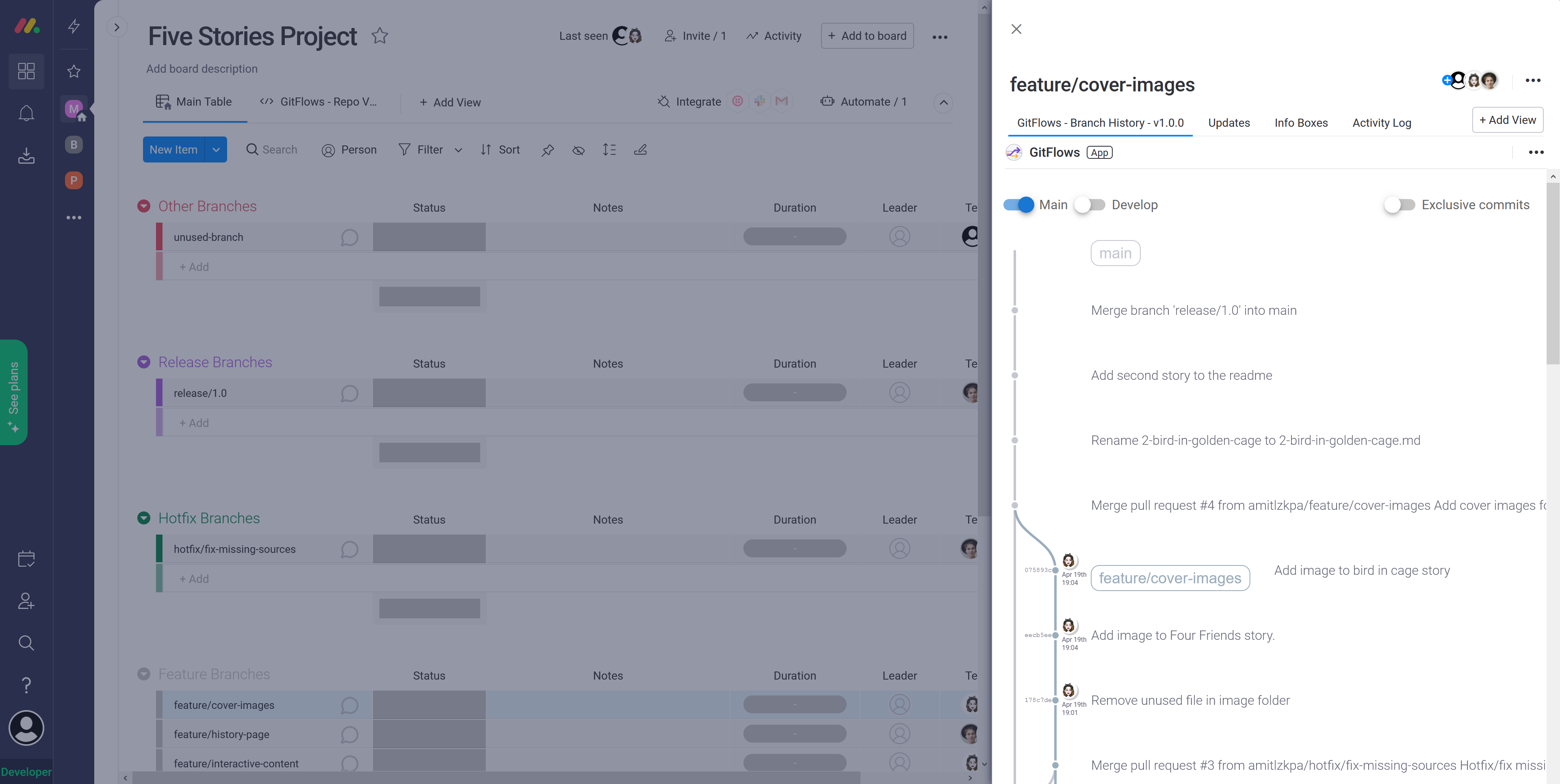
Show/hide other branches to clear unwanted data when not needed.
-
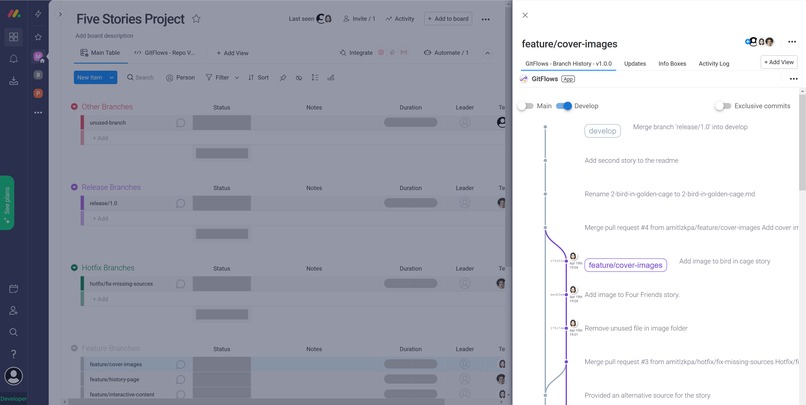
Show/hide other branches to clear unwanted data when not needed.
-
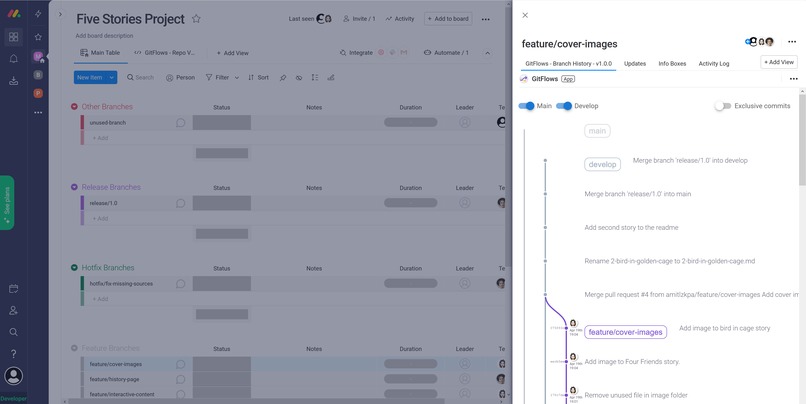
Identify lagging branches to avoid merge conflict issues early.
-
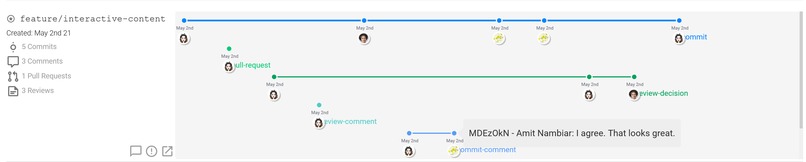
Sample of the branch timeline.
-

Sample of the branch contributions stats.
-
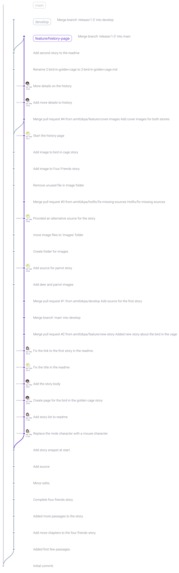
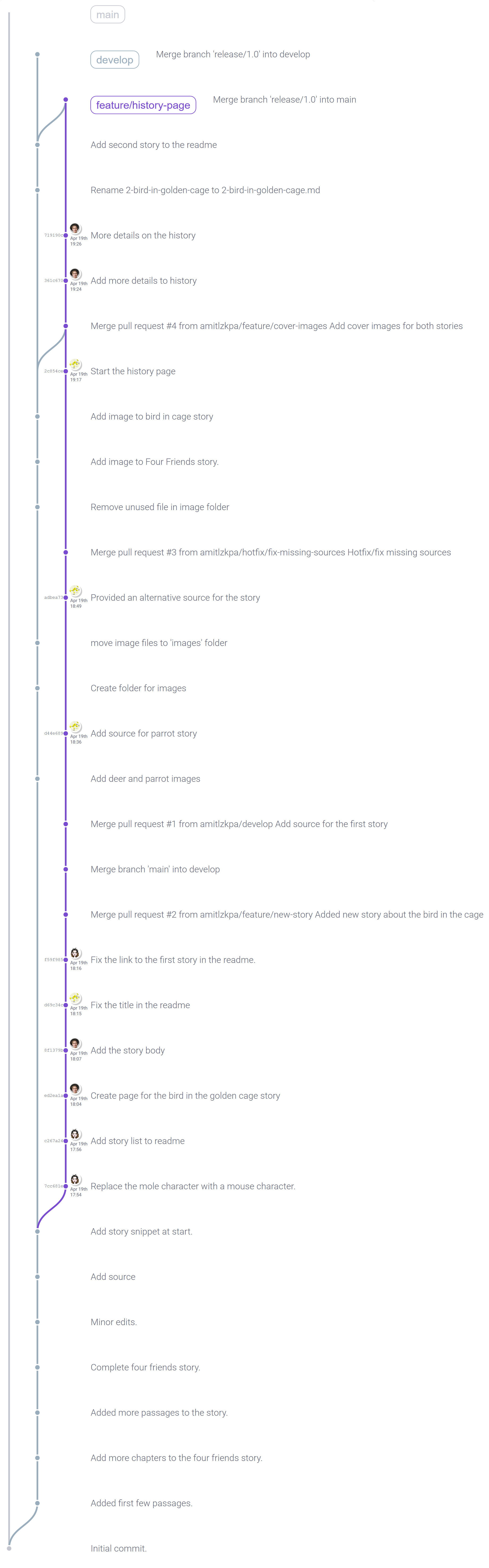
Sample of full branch history.
-
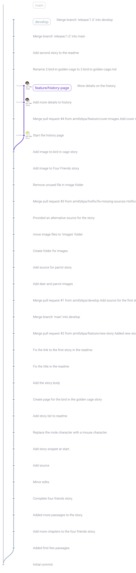
Sample of full branch history.
-
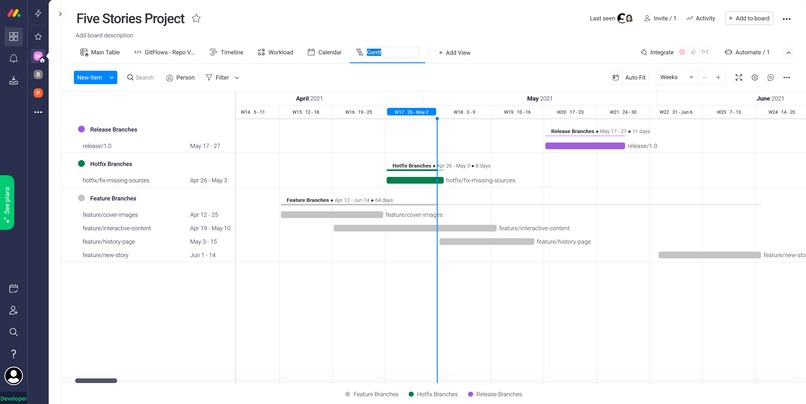
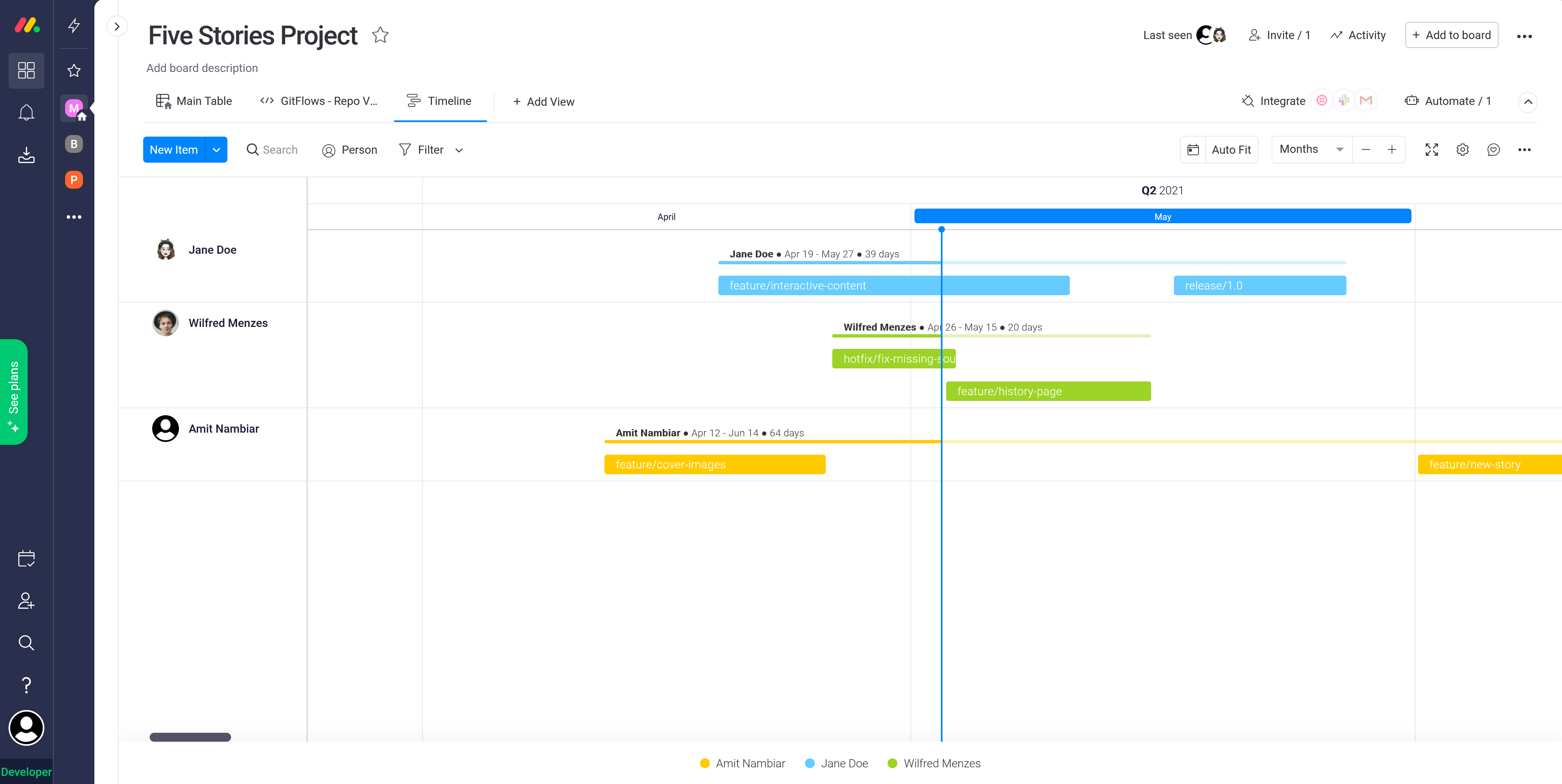
The connected data plays well with other monday.com boards. A sample of project timelines.
-
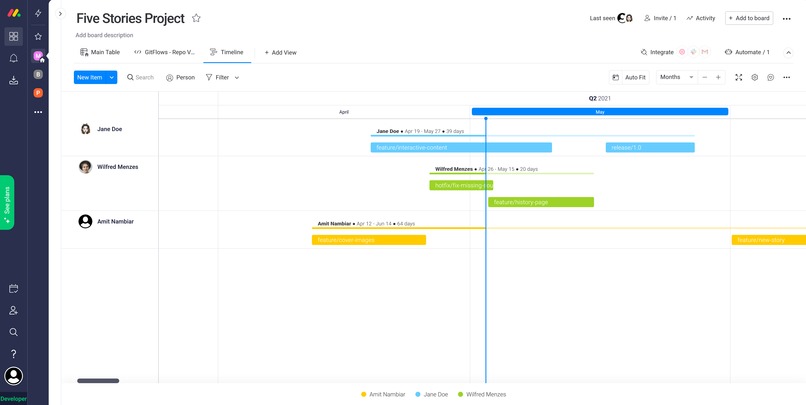
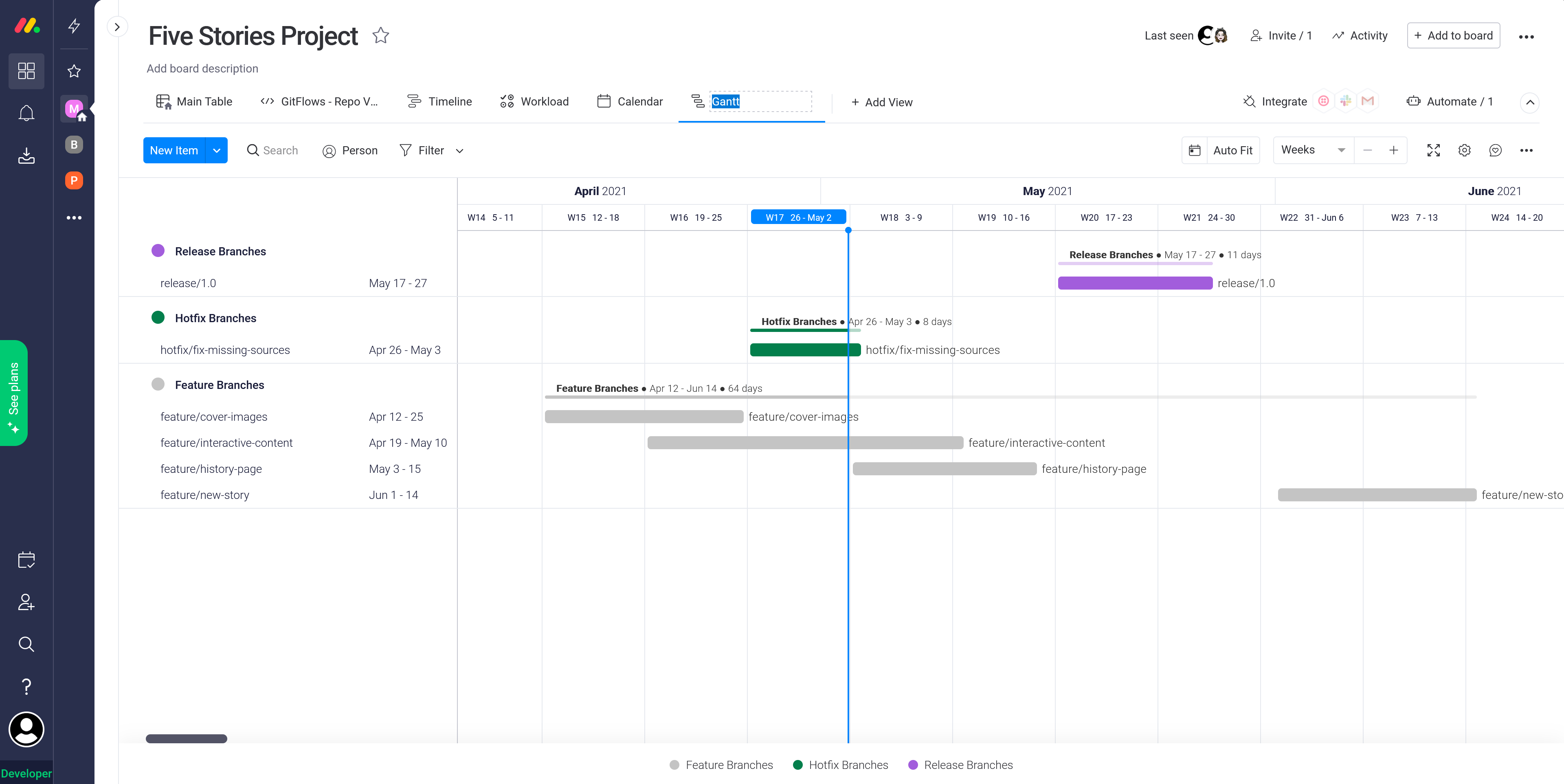
The connected data plays well with other monday.com boards. A sample of Gantt chart planning.
-
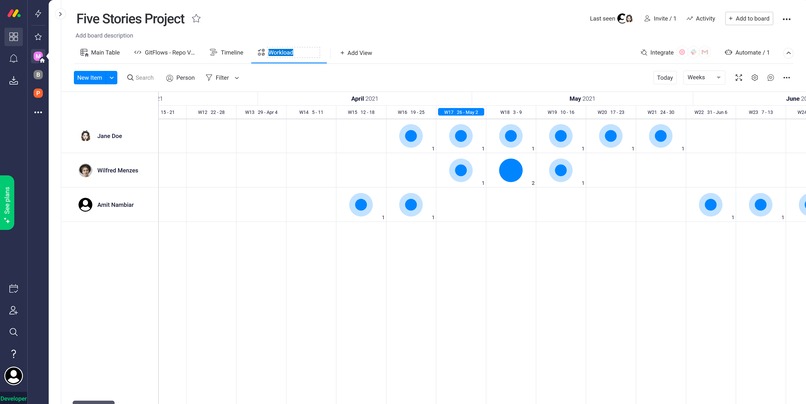
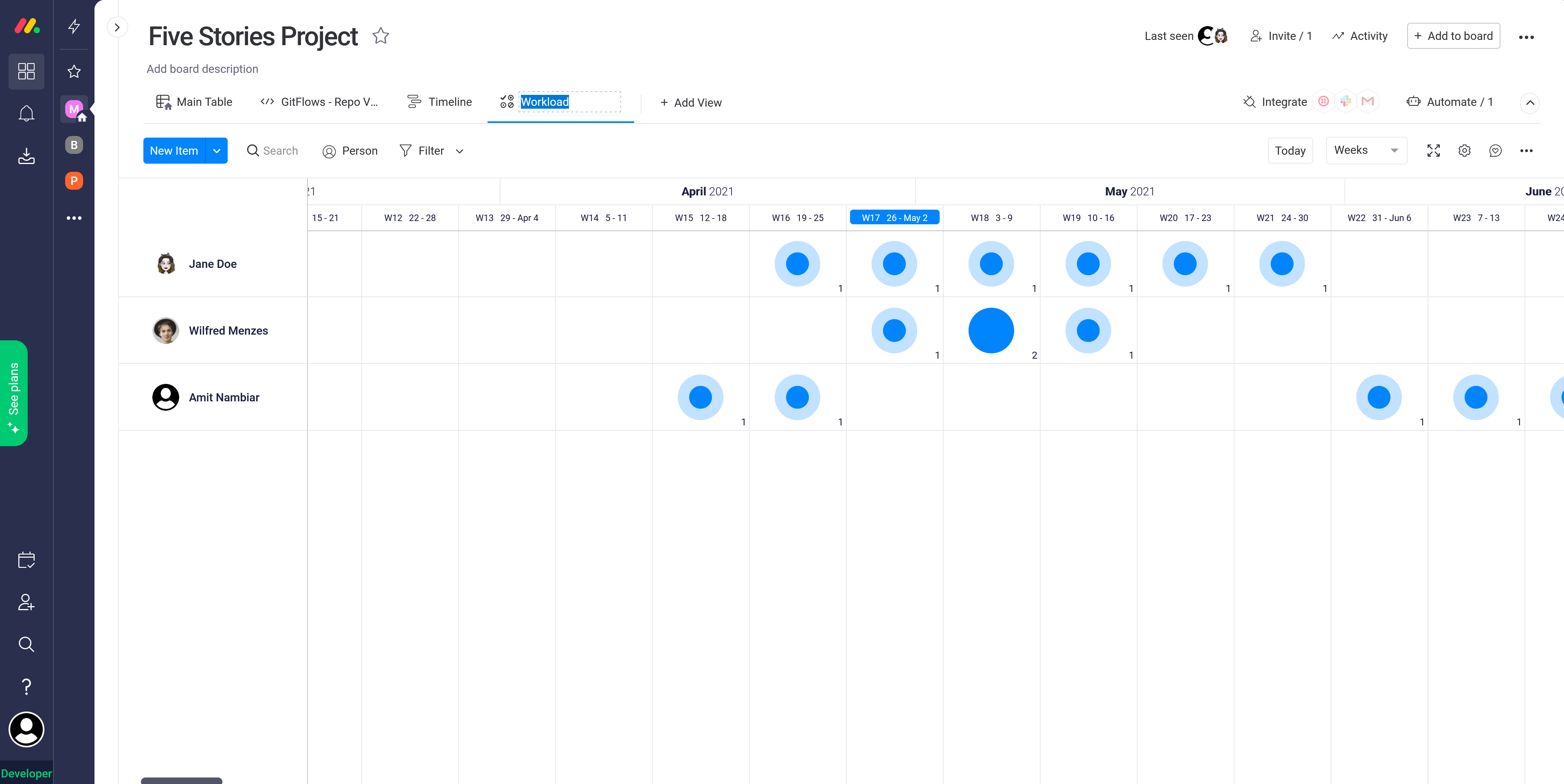
The connected data plays well with other monday.com boards. A sample of workload management.

Inspiration
We use git everyday at out workplace. A lot of time is spent on calls in trying to figure out the latest status of each branch and which branch should we be merging with which. This tool will hopefully make that process visually joyful!
What it does
A repository management system loosely based on the git-flow branching model. Git-flow is a git branching and release management workflow that helps developers keep track of their software projects. Code development is isolated into different types of branches and the team can discuss and coordinate the merging of these branches as they are ready. It helps developing products that evolve in value increments. At the same time it makes it easy to keep track of contributions from the team.
GitFlows uses this model to make managing the project easy on your team. It gives you detailed stats about the progression of features on your branches. It presents all the discussions happening around your project with the proper context as the development moves ahead. Track your star performers and manage workloads to avoid developer burnouts within your team. While it uses the git-flow terminology to describe the project it is much more flexible than that and can adapt to other workflows just as easily.
GitFlows comes with 3 handy monday.com features:
Repo Management Board View
Helps you keep track of all branches and follow discussions about the development process.
The timeline mode shows your all commits, issues, pull requests, reviews and comments arranged in a neat branch-wise topical format.
The contributions mode shows a plot of all contributors and who has been committing how much. Communicate with devs working on specific feature directly from the view.

Repo Planning Board View
A board view to visualize your project targets and goals.
Show the project history and plans in a smart calendar views. Use the nifty sorting, filtering and grouping features to highlight relevant information.
Assess developer workload and feature targets from a single window.

Branch History Item View
The most interesting asset of the package - it shows you branch history relative to your larger codebase.
The smart branch visualizing algorithm will lay out the history in an easy to understand manner so you can easily grasp which features originated from which branches.
Identify lagging branches to avoid merge conflict issues early. This single view can be a life-saver when preparing to make releases on a tight schedule.

How we built it
It's made with the javascript, vuejs, nodejs and integrated with monday.com and github through their APIs.
Accomplishments that we're proud of
I really liked the visuals created from the data. I've used it to understand some of my projects and it was something new.
What's next for GitFlows
- Allowing support for repositories of bigger sizes.
- Connect with GitLab.
- The Github starts hitting the rate-limit soon. Sort this out soon.
Built With
- github
- graphql
- javascript
- monday
- node.js
- vue

Log in or sign up for Devpost to join the conversation.