Inspiration
The developers are rarely fans of writing documentation of their code (let alone someone else's). It becomes problematic when other people with various technical knowledge are trying to guess what a script does. It may end with having to write multiple documents for technical and non technical audiences. I see generative AI as a perfect tool to solve this problem.
What it does
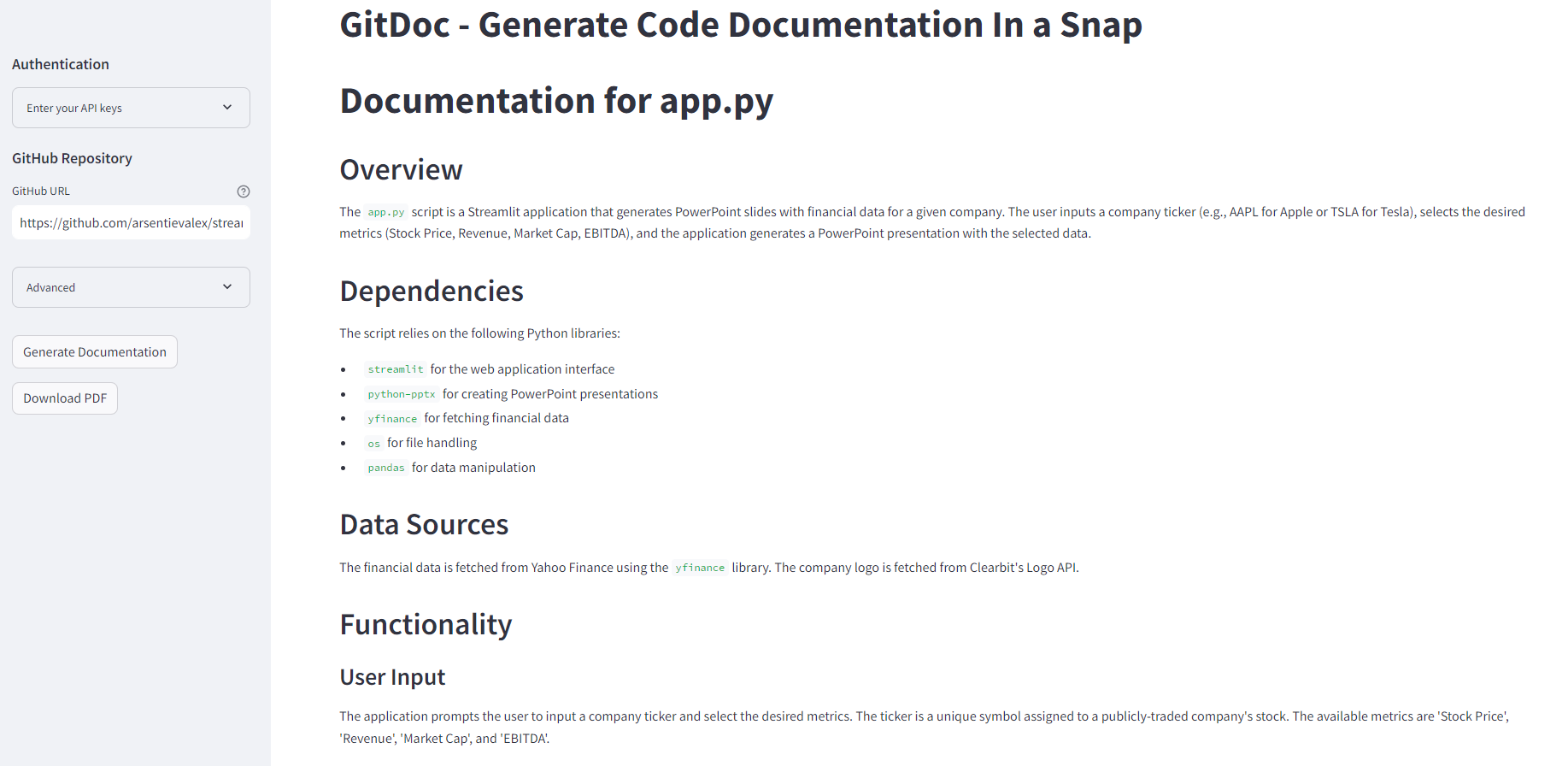
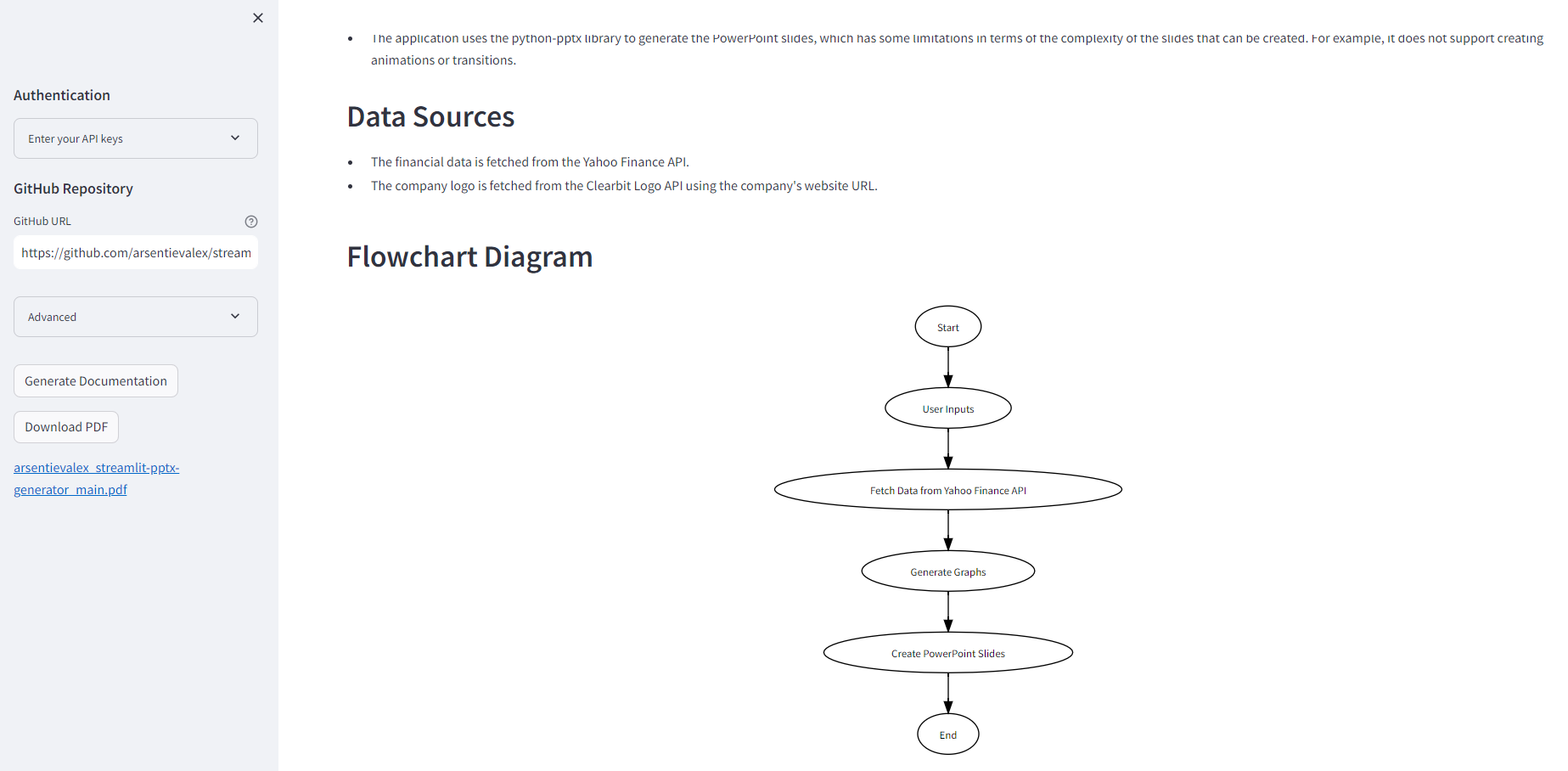
The app takes a GitHub URL of a repo and generates documentation of it. A user can specify which files to take into account (e.g all or only .py scripts), audience being technical or non-technical, and GPT model. The app also generates a flowchart using graphviz library and allows a user to download the whole thing in PDF.
How we built it
I used Streamlit for front-end and Llama-Index to take care of embeddings, creating an index and querying it.
The app queries GPT model twice: the first time for writing documentation and the second time to generate a code for showing a flowchart. The code is then extracted from the output and executed to be displayed on the Streamlit front-end.
The app is deployed to GCP Cloud Run using Docker and CI/CD with GitHub Actions.
Challenges we ran into
Inconsistent responses from GPT model, especially when it comes to the flowchart creation. GPT 4 model turned out to work much better than 3.5-turbo. The app is suitable for rather small to mid-size projects, as the model can get overwhelmed with the large number of files and GitHub directories.
Accomplishments that we're proud of
Being able to add functionality for PDF exports, and response streaming.
What we learned
It was a great opportunity to learn how to parse LLM response to get structured data (json or code snippets). I learnt how to use Docker to easily deploy the app to GCP Cloud Run and setup CI/CD pipeline.
What's next for GitDoc - AI-generated code documentation
Ability to generate specific documents (user guides, source code documentation, readme.md) Ability to select specific audiences (project manager, tester, developer) Improved prompts Integration with existing tools (save to Asana, Notion, etc). Fancier UI
Built With
- docker
- gcp
- llama-hub
- llama-index
- openai
- streamlit

Log in or sign up for Devpost to join the conversation.