-
Logo
-
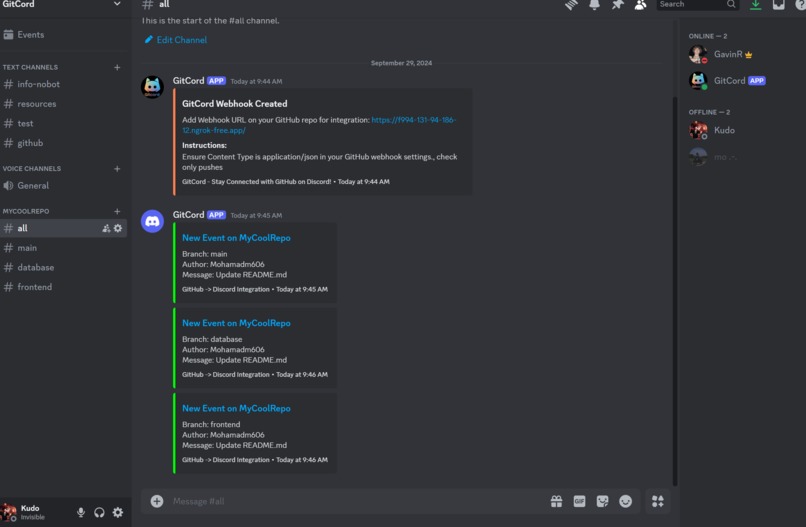
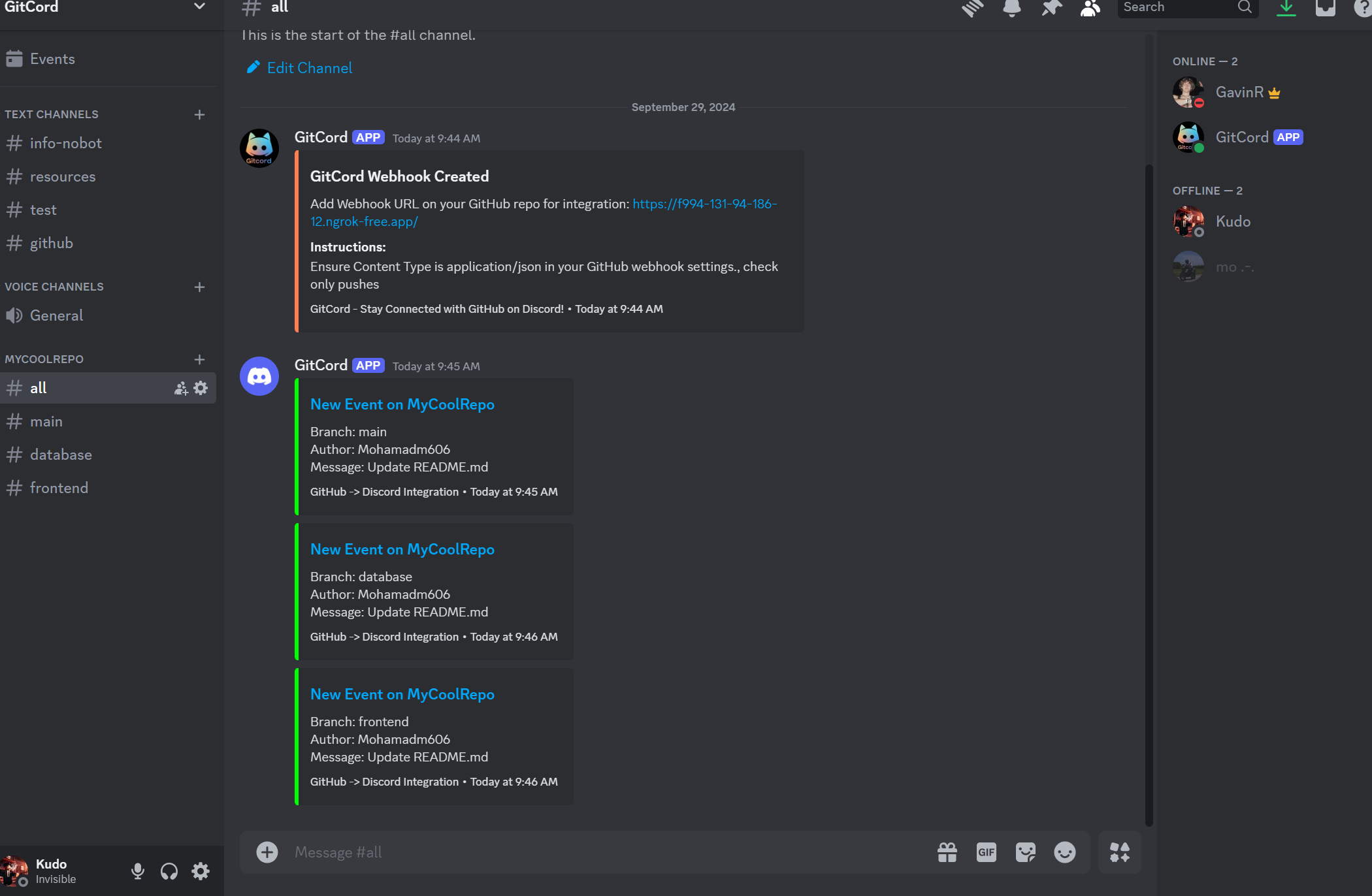
Example: all activity on github
-
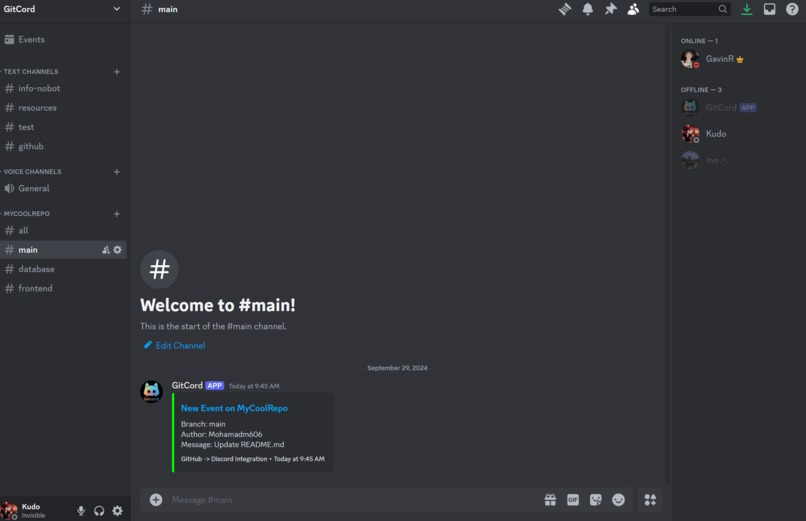
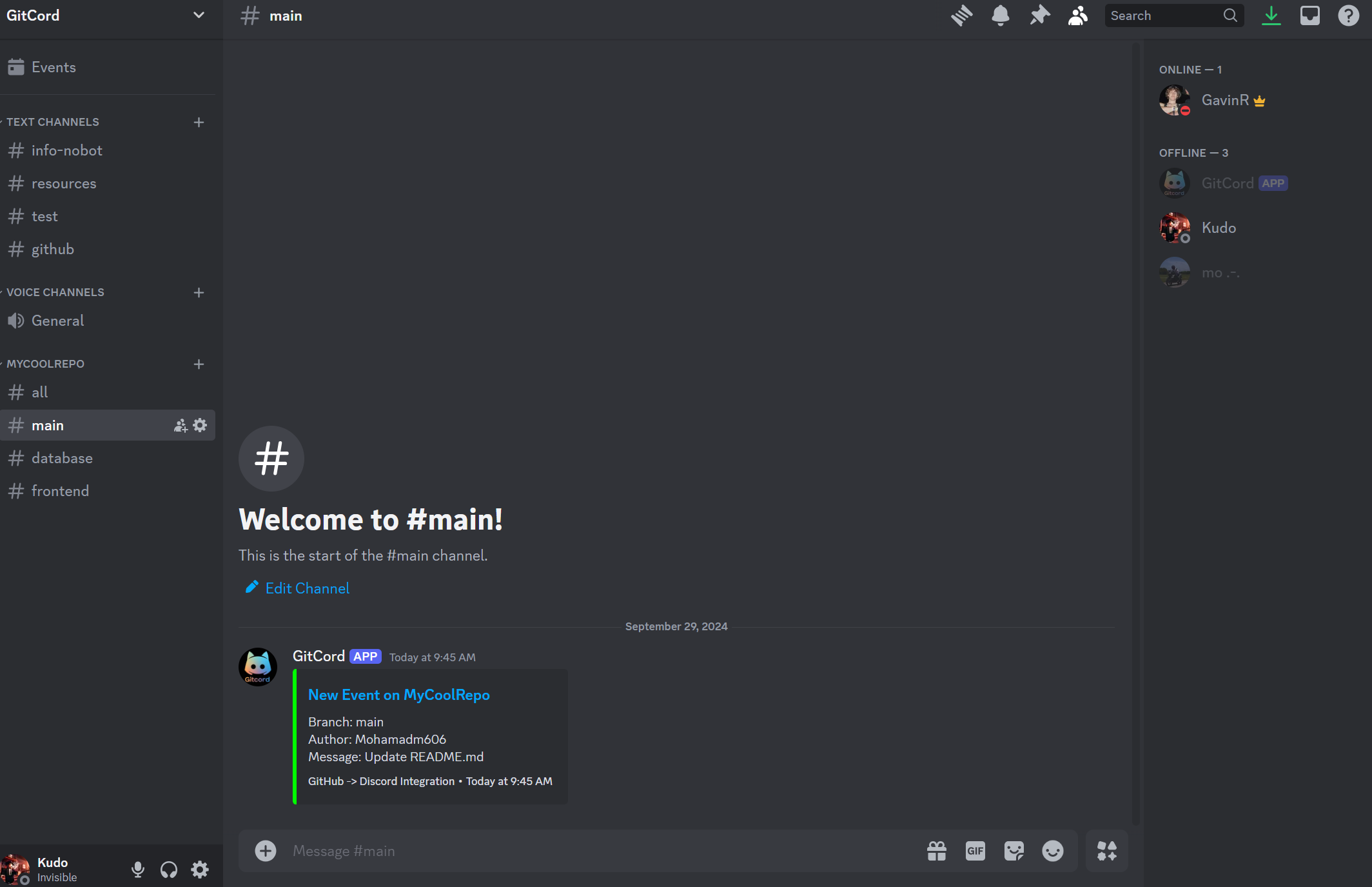
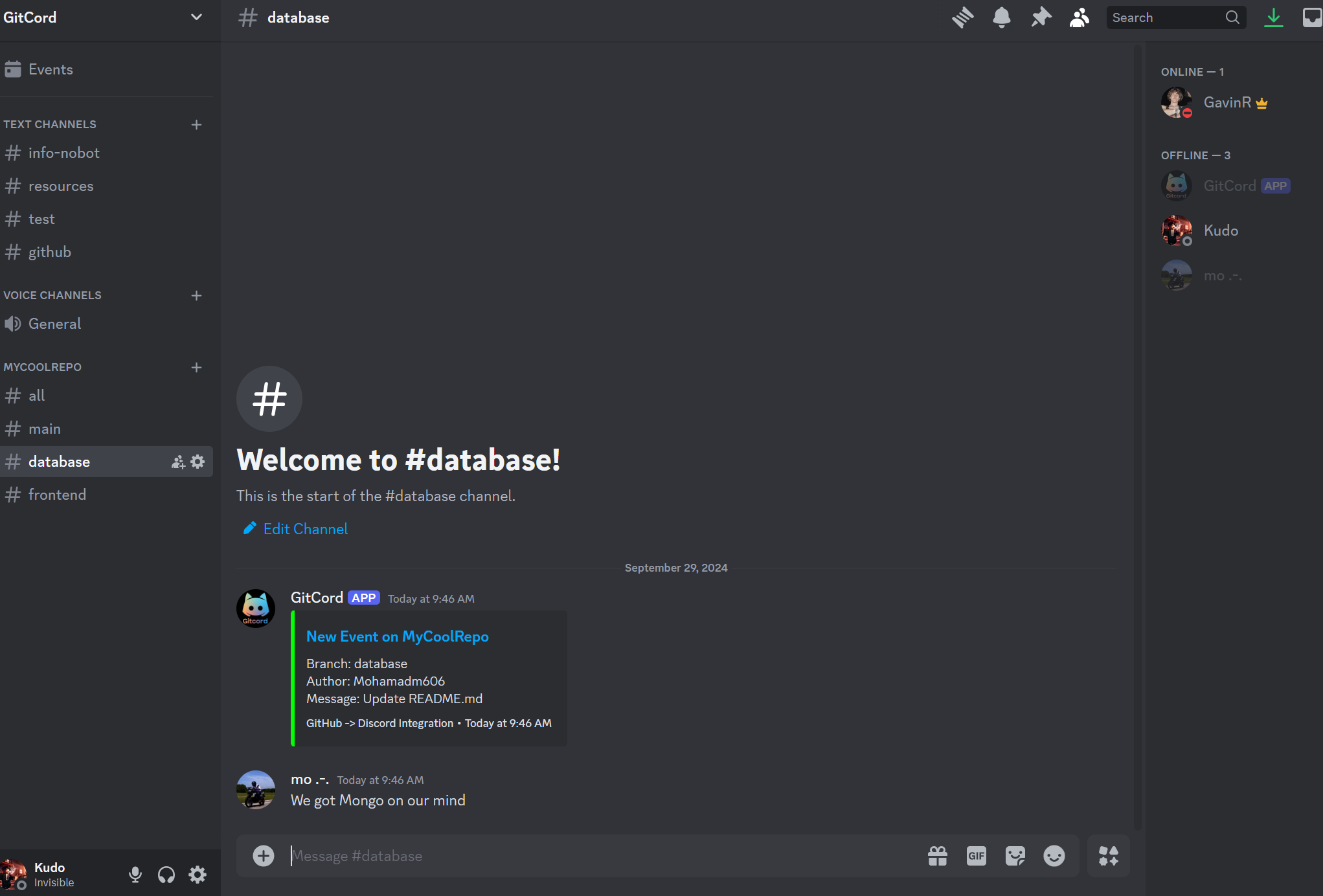
Example: branch
-
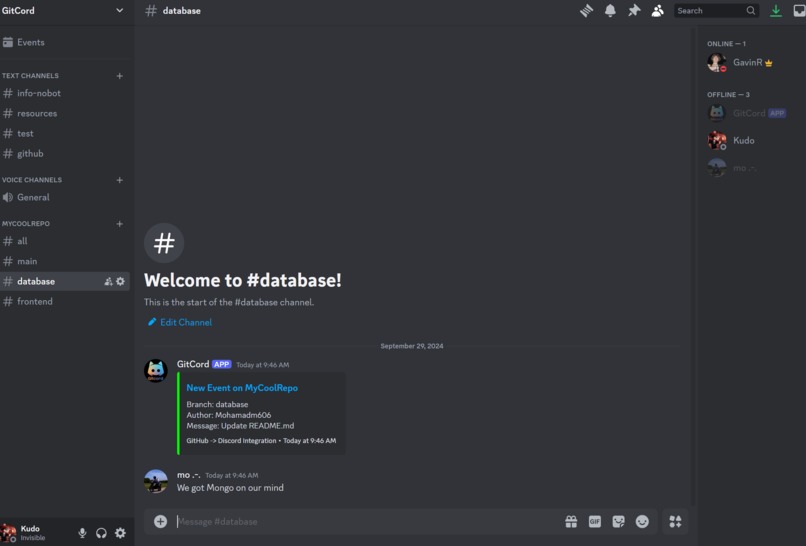
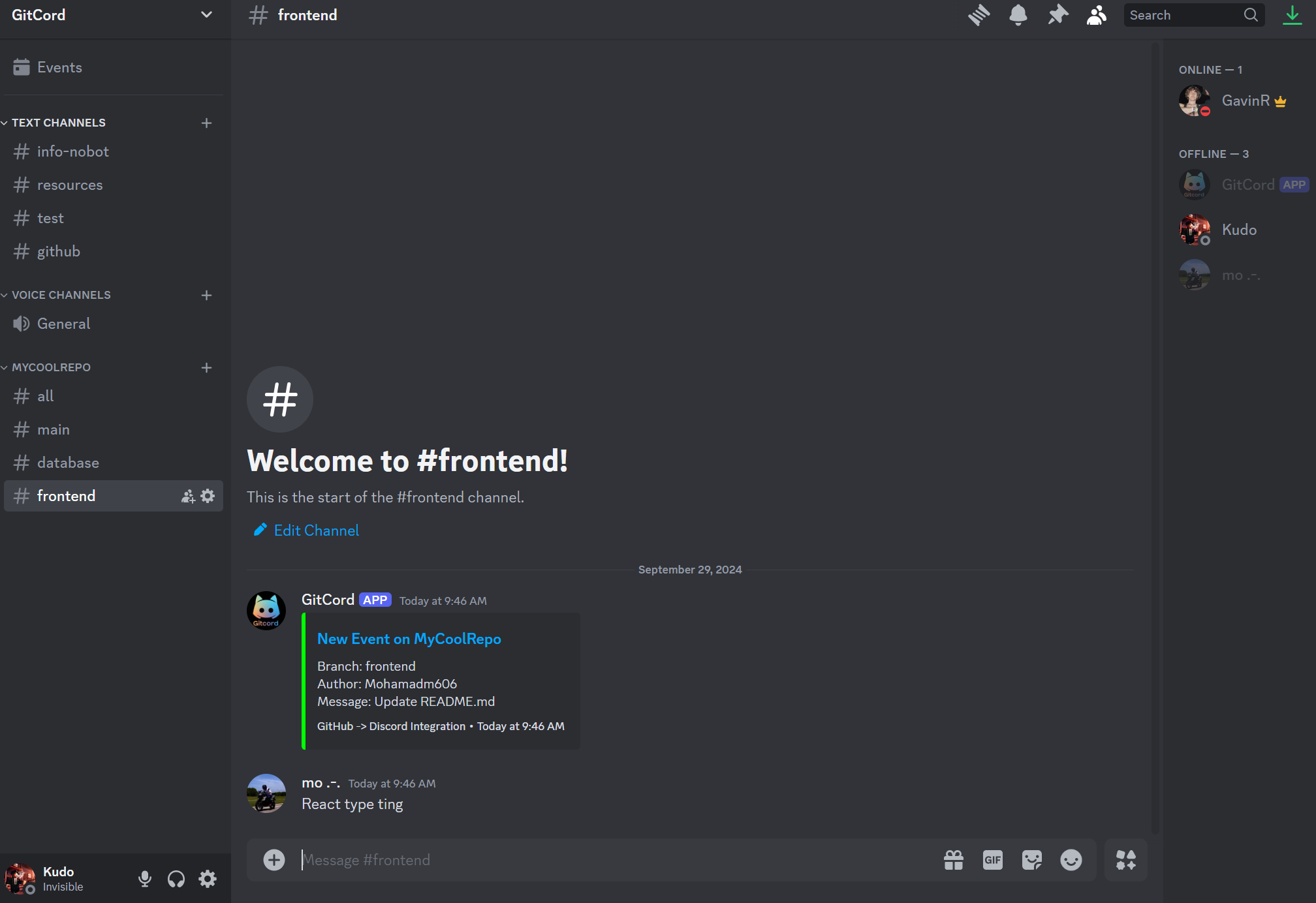
Example: branch
-
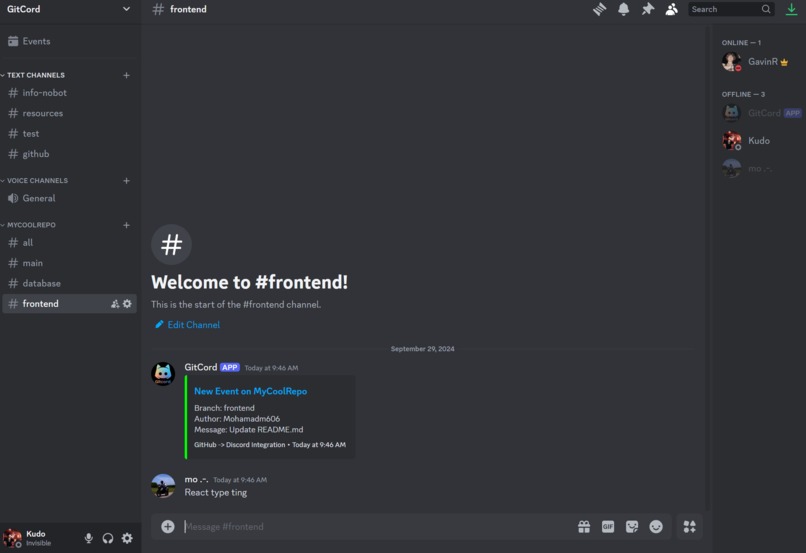
Example: branch
ShellHacks Finalist Project
Inspiration
When developing in our own projects and teams, we were having an issue of quickly checking who had worked on our app and what they did. We noticed that there was not a solution that was fully flushed out and allowed us to do this from anywhere. So, we chose to combine the great platform for working in teams, Discord, with the perfect codebase management software, Github, into one easy to access location in your team's Discord server.
What it does
GitCord is an easy to use Discord Bot that builds the subscribed Github in your Discord channel. When you subscribe to a Github, the GitCord bot makes a dropdown menu that contains multiple servers that will post the commit history as it gets sent out. It makes an #all channel, for every single commit message and activity in the project, while also dynamically adding and removing channels for each branch that is made. Those channels post the activity inside the respective branches. We also built in unsubscribe functionality, where the bot automatically removes all of the channels in the server associated to the Github.
How we built it
We mainly used the Javascript library, discord.js, to set up the bot. Along with Express, Node, and MongoDB to build the back-end framework. To communicate between Github and Discord, we chose to use webhooks instead of other avenues like the rest API. The webhooks allow for the sleekest user experience when connecting the bot to their Github repository.
Challenges we ran into
Originally when developing GitCord, we did not want to host our own server to manage the payload coming from the Github webhook, we ended up getting 70% of the main functionality with this implementation before hitting a wall. The Github webhook to Discord webhook implementation did not allow us to parse through the payload so we could not grab necessary branch information. That is when we decided to host our own server to receive the payload from Github webhook, parse and perform necessary actions, and send it to the Discord webhook to be posted.
Accomplishments that we're proud of
We're incredibly proud of the simple setup process for the bot. It is a three step set up experience for the user, which is quite user friendly for the 36 hour development window. We also used GitCord to watch the Github for our application, giving us a firsthand look of what the user experience is like. We also thought it was pretty meta to make the bot watch its own development.
What we learned
Walking away from this hackathon, we all have gained experience in building a Discord bot, a task that none of us had the skills of before attending ShellHacks.
What's next for GitCord
We would like to advertise our bot to college students working on teams, as Discord is the most popular choice for collaborating on tech projects in the college space. This project is very useful so it has a lot of potential to take off in the Discord development community.
Built With
- discord
- discord.js
- ember.js
- github
- javascript
- mongodb
- node.js


Log in or sign up for Devpost to join the conversation.