Inspiration
MCP landed this year and feels like a USB port for AI—finally a standard way for assistants to plug into the editor, files, and tools. As daily Cursor users we kept hitting the same wall: the why behind a change, the intent, and the next step kept getting lost across sessions. Rebuilding that context cost more time than writing code.
We didn’t just build a change logger. We built an AI-powered project memory layer: it captures the user request, the assistant’s plan and rationale, the impact on code, and the next actions; links entries to files and diffs; auto-tags and classifies work; surfaces relevant past context; and exposes everything through a fast, local-first dashboard and search. We started with Cursor where we work most, but because it runs over MCP, the same server can power consistent project timelines across Claude, Cherry Studio, and others—keeping progress portable across platforms while data stays private by default.
What it does
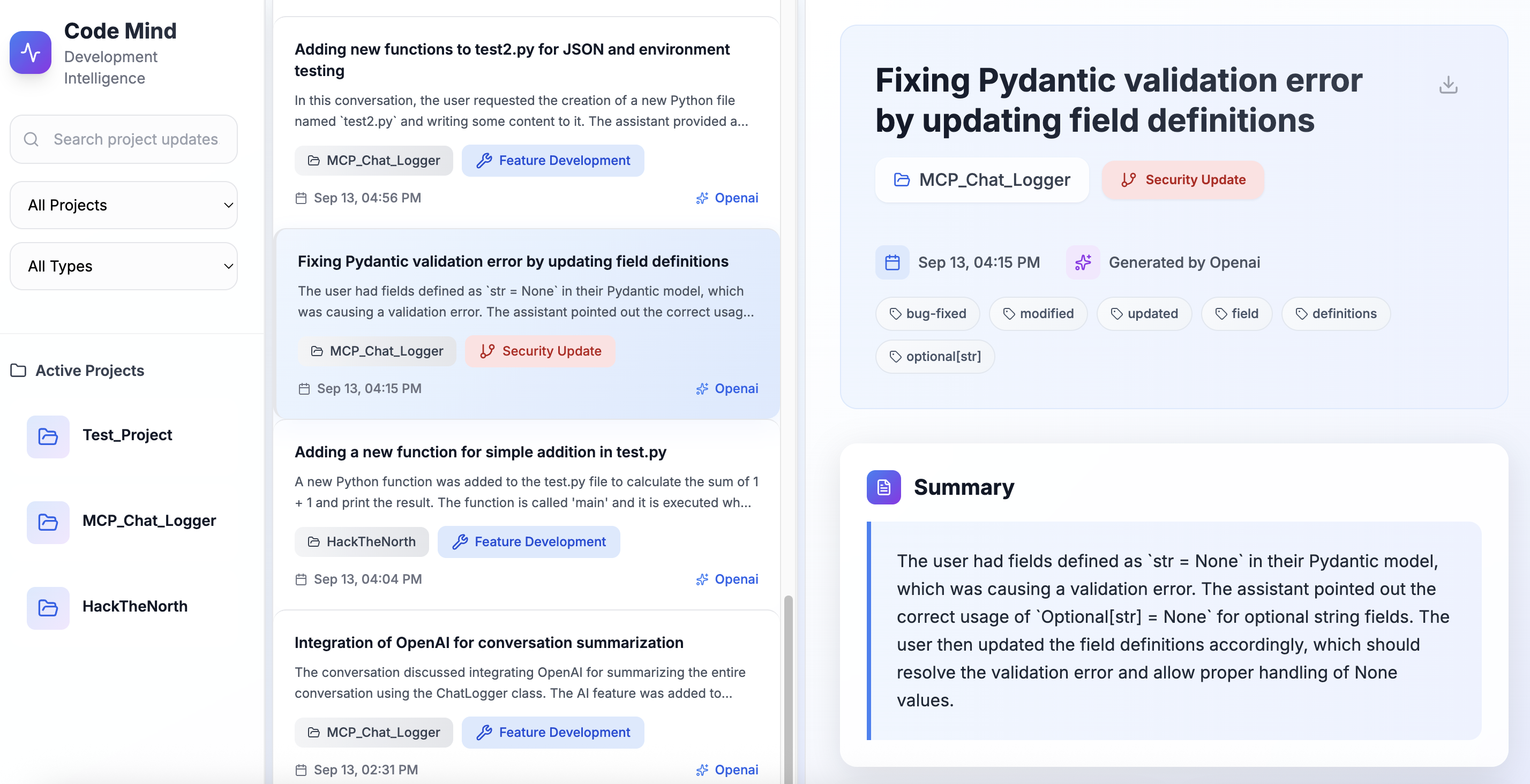
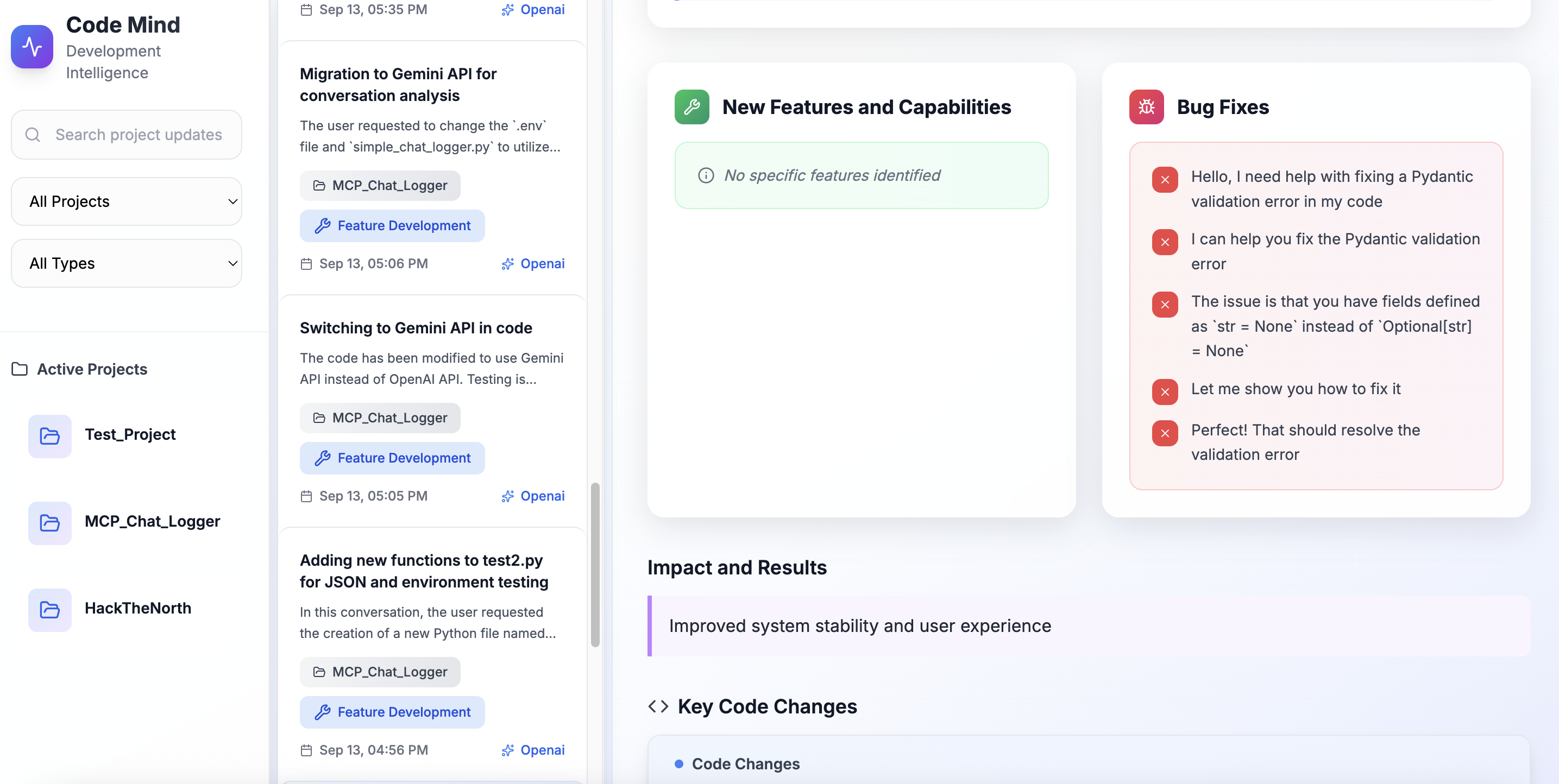
Our AI-Powered Conversation Logger & Dashboard transforms your AI conversations into intelligent project summaries. It automatically:
- Logs conversations from Cursor via MCP (Model Context Protocol) integration Analyzes content
- using OpenAI GPT-4 to extract key insights, project types, and impact assessments
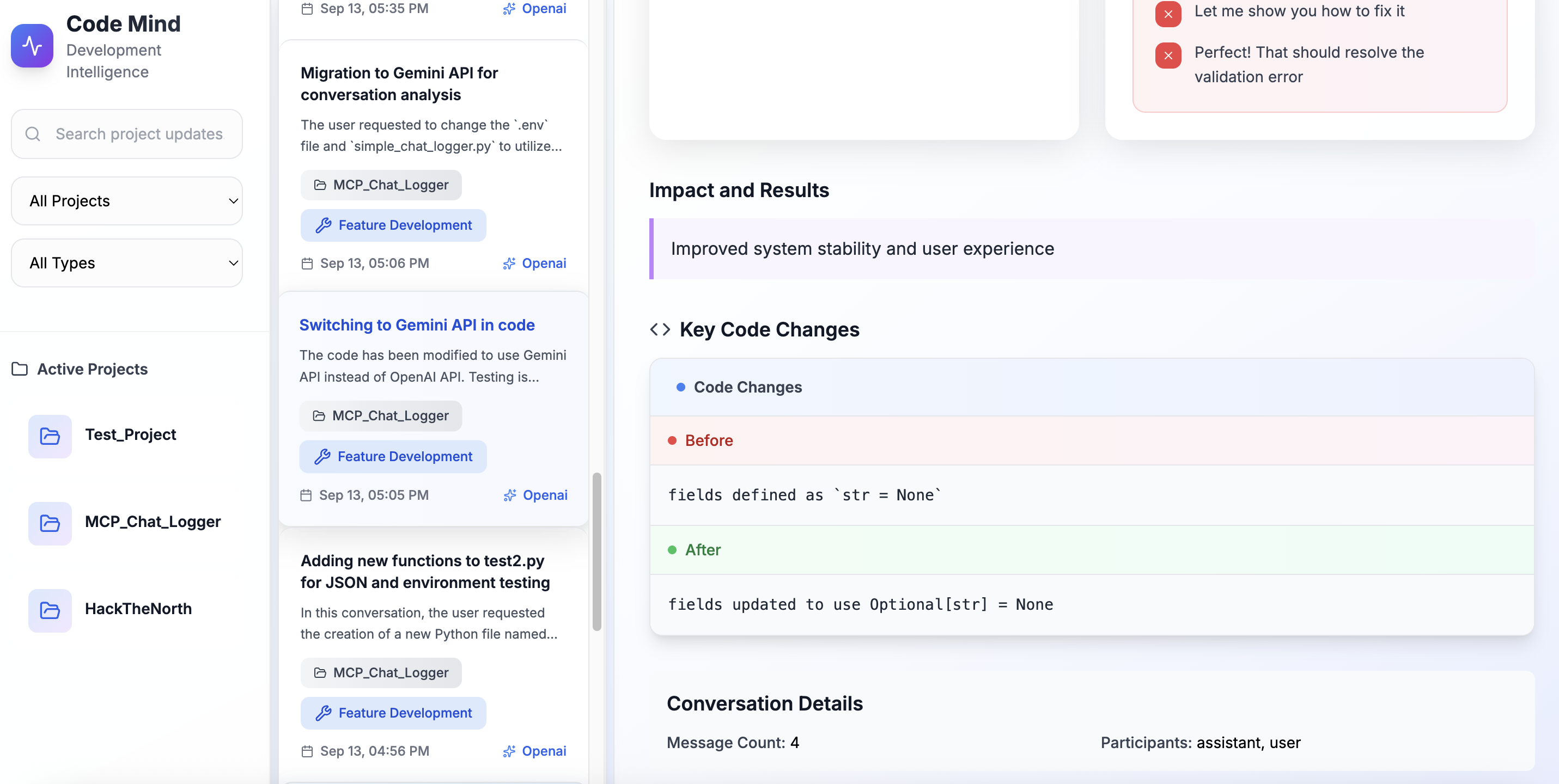
- Tracks code changes with intelligent before/after comparisons and automatic categorization 4. Generates smart tags that classify conversations by modification type, technology area, and specific identifiers
- Provides a beautiful dashboard for browsing, searching, and managing conversation summaries
- Offers visual code comparison with clean, modern UI for reviewing changes
How we built it
Backend Architecture:
- MCP Server: Custom Python server using FastMCP framework for Claude Desktop integration
- AI Analysis: OpenAI GPT-4 API for conversation processing and insight generation
- Flask Web App: RESTful API with intelligent data processing and JSON storage
- Code Analysis: Regex-based pattern matching for automatic code change detection
Frontend Development:
- Modern Web Interface: HTML/CSS/JavaScript with Tailwind CSS for responsive design
- Modular Architecture: Separated concerns with dataManager, uiComponents, and uiUtils modules
- Real-time Updates: Dynamic content loading and icon initialization
- Code Highlighting: Syntax-highlighted code blocks with side-by-side comparison
Challenges we ran into
Our first time with the Model Context Protocol, so we learned while building: tool schema design, stdio transport lifecycle, and process supervision. It's so excited to learn how to use mcp to connect AI with local/remote resources.
Accomplishments that we're proud of
- first to create a step by step record that saves the key changes to our project. In the future, once we integrate the MCP server into different AI platforms, we can store the project’s progress under multiple AI platforms.
- Intelligent Analysis: Created a sophisticated system that automatically categorizes conversations and code changes
What we learned
- MCP Protocol: Deep understanding of Model Context Protocol and how to build custom servers for AI tool integration
- AI Integration: How to effectively use OpenAI's API for content analysis and structured data extraction
- Frontend Architecture: Building modular, maintainable JavaScript applications with proper separation of concerns
What's next for Untitled
- Cloud Storage: Optional cloud storage integration for backup and synchronization
- Cross-platform progress saving.
Built With
- css
- flask
- javascript
- openai
- python


Log in or sign up for Devpost to join the conversation.