-
-
Built with a single prompt on Bolt.new
Inspiration
The inspiration for Git-Good comes from a universal developer truth: we all know we should write better commit messages, but we rarely do. We've all been guilty of a quick git commit -m "fixes" at the end of a long day. The result is a chaotic, unreadable git log that makes it impossible to understand a project's history. The Conventional Commits specification is a brilliant solution, but it introduces friction. You have to remember the types, the syntax, and the character limits. We were inspired to build a tool that would completely remove that friction. We wanted to make the right way to commit, the easiest and fastest way.
What it does
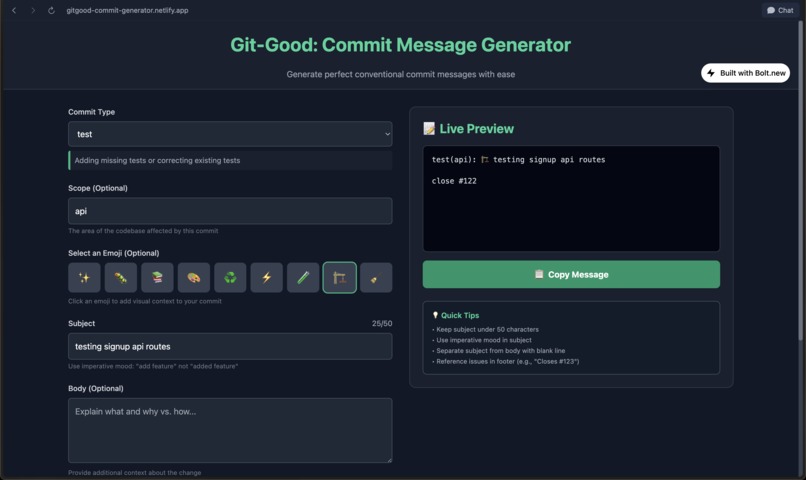
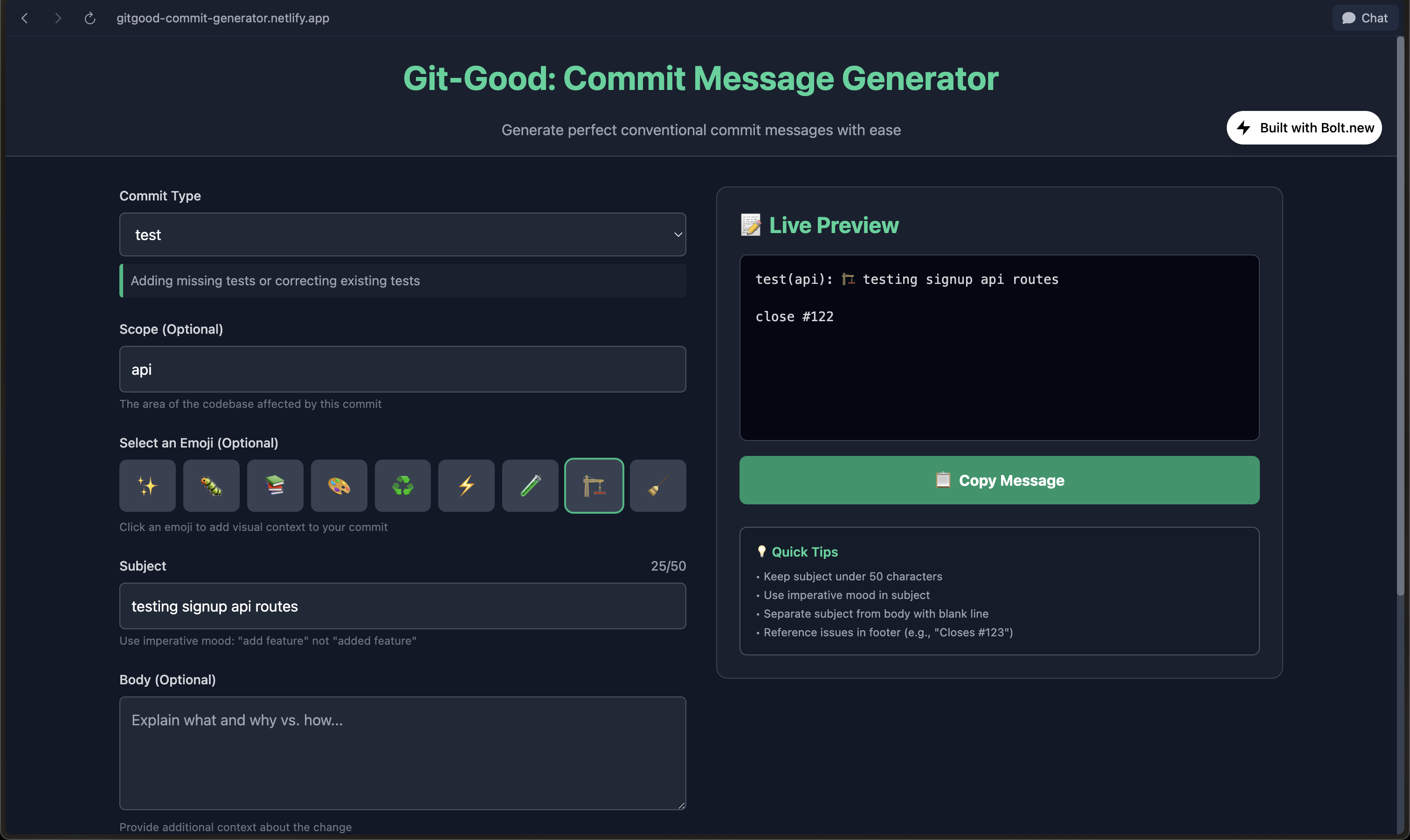
Git-Good is an interactive, single-page application that guides developers to create perfectly formatted, conventional commit messages in seconds. It’s a purpose-built workbench for your git commit workflow.
Guided Structure: It provides a simple form with dropdowns for commit types (feat, fix, docs, etc.) and inputs for scope and subject, ensuring you follow the correct syntax every time.
Live Feedback and Education: As you select a commit type, the app provides an explanation. As you type a subject line, a live character counter ensures you stay within the recommended 50-character limit, turning red if you go over.
Emoji Support: A simple emoji picker allows you to add a quick visual cue to your commits, making your git history even more scannable and engaging.
Instant Preview: A live preview pane on the right shows you the final, perfectly formatted commit message as you build it. No more guesswork.
One-Click Copy: Once you're done, a single button copies the entire message to your clipboard, ready to be pasted directly into your terminal.
How we built it
This project is a prime example of leveraging AI as a development partner. The entire Git-Good application was generated from a single, highly detailed prompt given to Bolt.new. We meticulously designed the complete user flow, component structure, and application logic before writing a single line of the prompt. The technology stack is purposefully minimalist and robust:
- HTML5 for the semantic structure.
- Tailwind CSS (via CDN) for the entire responsive, dark-mode UI.
- Vanilla JavaScript for all the client-side logic. We intentionally avoided any frameworks to keep the app blazingly fast and lightweight.
- Browser APIs: We made extensive use of the localStorage API to remember a user's last-used commit type and the navigator.clipboard API for the core "copy" functionality.
- The final product is a self-contained index.html file that runs anywhere, with no backend, no build step, and no dependencies.
Challenges we ran into
Crafting the Perfect Prompt: The main challenge was not coding but communicating. We had to create a prompt so precise that it left no room for ambiguity. This meant detailing not just the UI, but the event listeners, the logic for the live character counter, the state management for the selected emoji, and the exact structure of the final output string.
Cross-Browser Consistency: While modern browser APIs are excellent, ensuring a seamless experience for features like the Clipboard API requires graceful handling. We specified the logic clearly to ensure it would be robust.
## Accomplishments that we're proud of
Building a Truly Useful Tool: We are incredibly proud that we built something that solves a real, daily problem for developers. This isn't a theoretical project; it's a utility we will personally use every day.
The Single-Prompt Build: Creating a fully functional, polished, and interactive application from one prompt feels like magic. It's a powerful demonstration of the future of rapid application development.
The Frictionless User Experience: The final product is fast, intuitive, and does one job exceptionally well. The instant feedback loop between the form and the live preview makes the app feel responsive and alive.
What we learned
Planning is Everything: The success of an AI-generated project is determined long before you write the prompt. The time spent planning the features, data flow, and user experience was the most critical part of the process.
The Power of Constraints: The "single prompt, no backend" constraint forced us to be creative and lean. It led us to fully explore what's possible with just HTML, CSS, and modern vanilla JavaScript, resulting in a more efficient and elegant solution.
AI as a Force Multiplier: This project solidified our view of AI not as a replacement for developers, but as an incredible force multiplier. It handled the boilerplate, allowing us to focus entirely on the architecture, design, and user value.
What's next for Git-Good
Git-Good is incredibly useful as a standalone web app, but its true potential lies in meeting developers where they work.
- Browser Extension: The next logical step is to package Git-Good as a Chrome/Firefox extension, allowing developers to access it with a single click without leaving their workflow.
- VS Code Extension: The ultimate goal would be to integrate it directly into the VS Code source control panel, automatically populating the commit message box.
- Team Configurations: Allow teams to create a shareable configuration file (e.g., a simple JSON) with their own custom commit types and scopes to ensure company-wide consistency.
Built With
- css
- html5
- javascript
- tailwind-css
- typescript

Log in or sign up for Devpost to join the conversation.