-
-

-
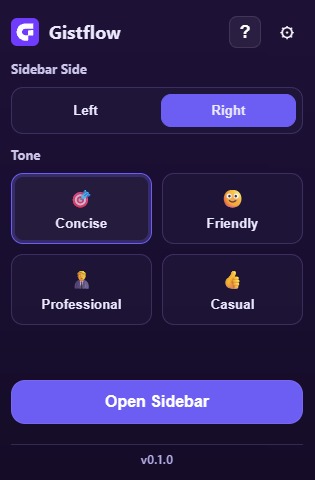
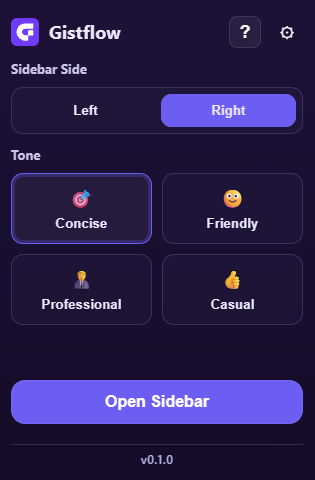
Main popup
-
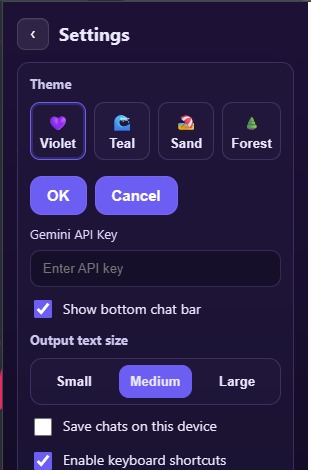
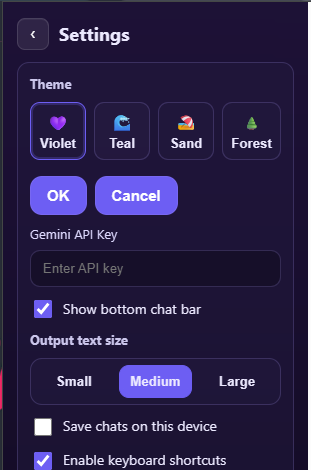
Settings Popup
-
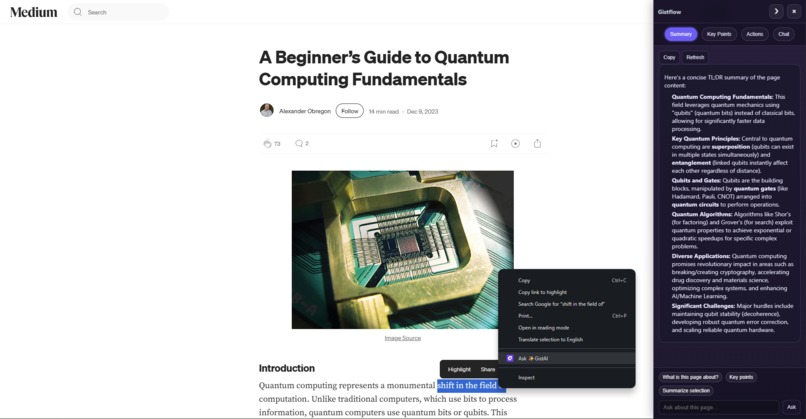
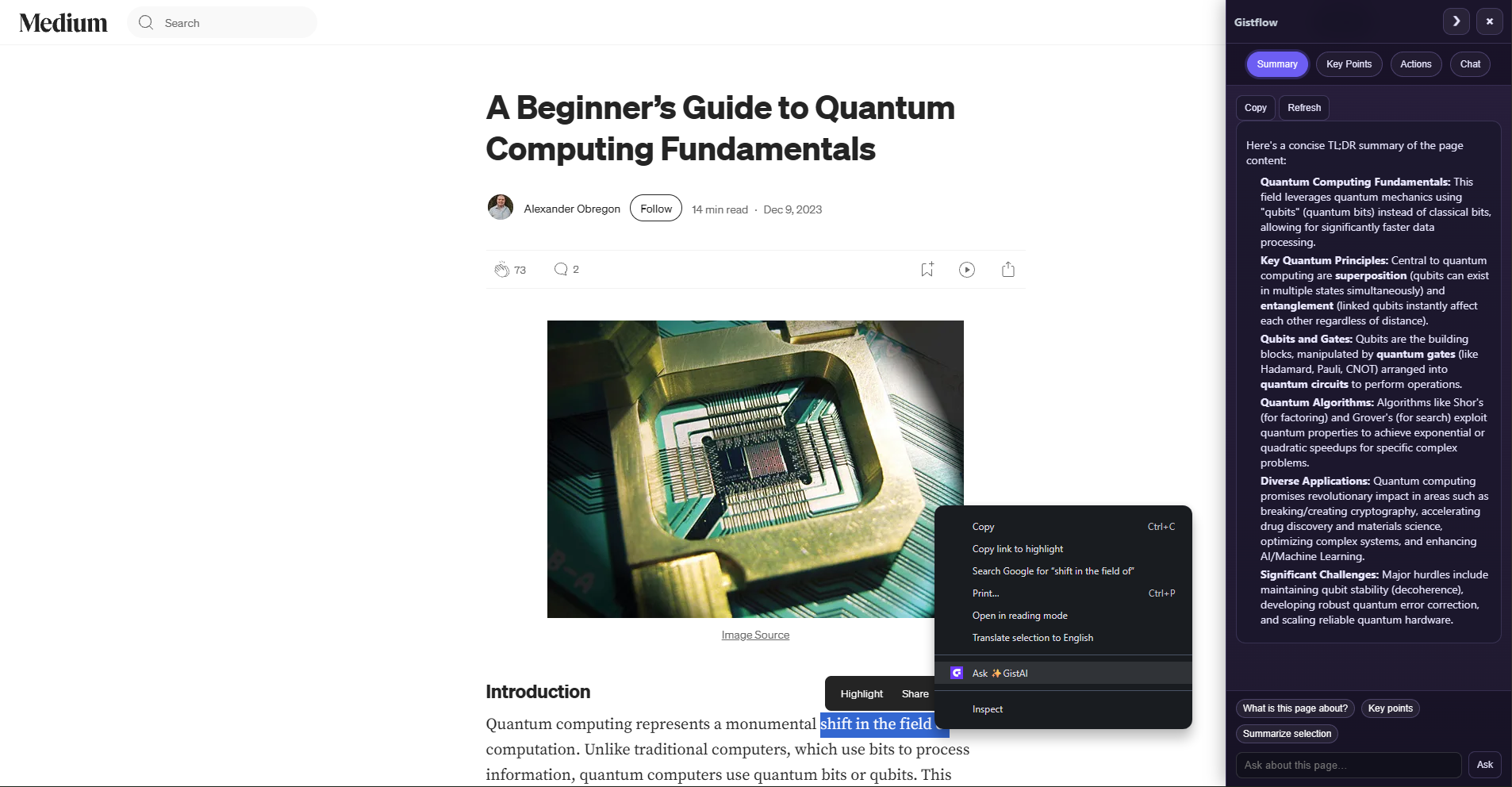
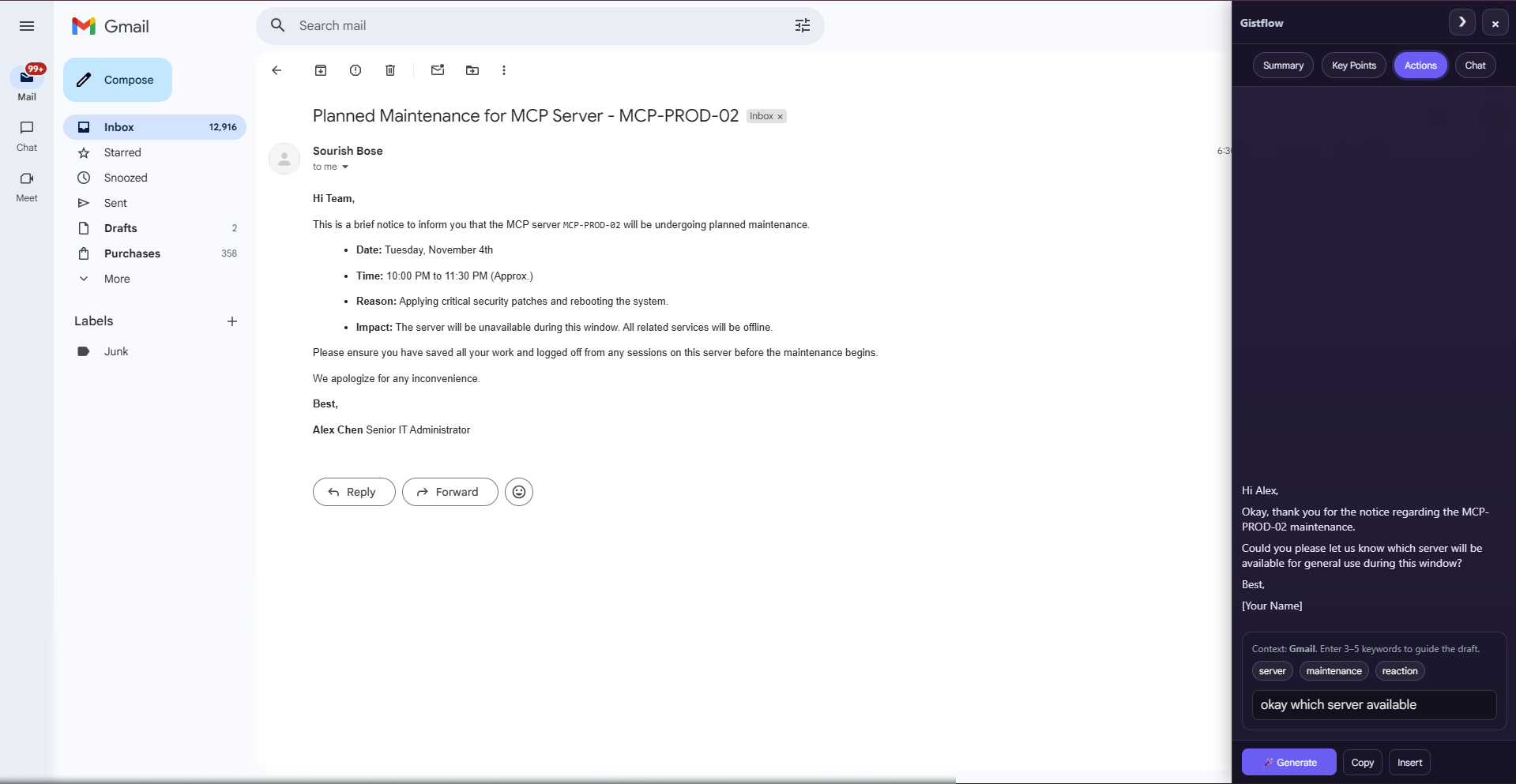
Sidebar
-
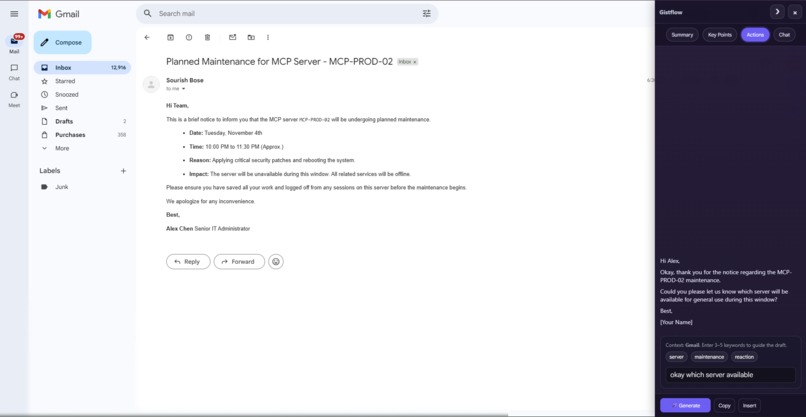

GistFlow
🌙 Inspiration
It started in the quiet of my room, long after midnight—30 tabs open, a YouTube lecture at 1.75×, a Gmail reply hanging over me, and that sinking feeling you get when your brain is tired but the work isn’t.
Every “quick” question meant copy-pasting into an AI tool, losing the context I was staring at, and breaking what little focus I had left. It felt wasteful and, honestly, demoralizing.
I remember thinking: what if the page could just answer? What if I could draft the email, summarize the paper, or pull key points from the video without leaving?
GistFlow is that wish turned into something real — on-page, site-aware help that keeps me in flow. Chrome leaning into built-in/on-device AI made it click: the browser can be the thinking surface.
This project is me making late-night study sessions a little kinder, a little calmer, and a lot more doable.
⚙️ What It Does
GistFlow injects a lightweight AI sidebar into any webpage, organized into four simple modules: Summary, Key Points, Actions, and Chat.
🧠 Key Feature: “Site-Aware” Actions
The Actions tab intelligently changes its tools to match the website you are on:
- Gmail: Drafts entire replies from a few keywords.
- GitHub: Summarizes issues, PRs, and helps draft review comments.
- YouTube: Summarizes video lectures and extracts key takeaways.
- Docs & StackOverflow: Extracts and explains code, or converts instructions into steps.
- Shopping: Summarizes user reviews into “Pros” and “Cons” and extracts product specs.
💼 Built for Real Work
- Contextual Chat: Ask questions directly about the page you’re on.
- Persistent & Fast: Summaries are cached per-URL and ready when you return.
- Customizable: Themes (Violet, Teal, Sand), tone presets (Concise, Friendly), shortcuts (Alt+S, Alt+C).
- Background Results: Summaries keep generating in the background.
- Helpful Memory: Per-site chat/actions history and per-URL summary cache.
- Right-Click “Ask GistAI”: Highlight any text/code → “Ask GistAI” to summarize or explain instantly.
🛠️ How We Built It
- Core Stack: Chrome MV3 Extension using Vite + TypeScript.
- Popup → lightweight React.
- Sidebar → plain TypeScript/DOM for speed.
Context & Site Detection: CSS selectors detect the site (Gmail, GitHub, YouTube, etc.) and extract relevant text.
AI Integration:
- Google Gemini API via three functions:
summarize(text),keyPoints(text),ask(prompt, context) - Prompts: short, practical (e.g., “friendly Gmail reply”, “explain like I’m 15”).
Site-Aware Actions:
- Draft Gmail replies, summarize GitHub issues, explain StackOverflow code, summarize YouTube lectures.
Performance & Reliability:
- Caching per-URL with
chrome.storage.local. - Race guards prevent results from appearing in wrong tabs.
Storage:
chrome.storage.syncfor settings (theme, API key).chrome.storage.localfor cache/history.
Polish:
- Themes, tone presets, keyboard shortcuts (
Alt+S,Alt+C,Alt+L).
🚧 Challenges We Ran Into
- Reliable insertion across Gmail/contenteditables/textarea edge cases.
- Preventing race conditions during tab switches.
- Balancing cache vs freshness (fast reopen, easy “Refresh”).
- MV3 constraints: storage latency, CSP, minimal permissions.
🏆 Accomplishments We’re Proud Of
- Site-Aware Actions that actually save time (Gmail/GitHub/Docs/YouTube).
- Per-URL cached summaries that are ready when you return.
- Insert-or-Copy workflow that just works.
- Clean, fast UI with full customization and keyboard shortcuts.
📚 What We Learned
- Chrome MV3 + APIs: Minimal permissions, smart use of
syncvslocal.
AI UX Lessons:
- Short, purpose-built prompts beat one giant prompt.
- Trim context → avoid token bloat.
- Cap tokens & handle timeouts gracefully.
Request Shaping: Gemini’s API likes concise intent + clear user text.
Caching & Race-Proofing:
- Per-URL cache = instant UX.
- Token + tab checks prevent render overwrites.
DOM Insertion:
execCommand/setRangeTextquirks → always ship a fallback copy mode.
🚀 What’s Next for GistFlow
- Streaming Answers: Token-by-token output with cancel/abort.
- Deeper YouTube Integration: Transcript + chapter summaries, “jump to” links.
- Google Docs/Sheets Actions: Summarize selections, draft comments, smart insert.
- GitHub PR Reviewer: Diff-aware suggestions, line-referenced comments.
- Snippet Vault: Save & reuse AI outputs across sites with tagging and local search.
- Adapters for Slack/Discord/Notion/Confluence: Reply drafts, thread summaries, fallback insert.
- Launch on Chrome Web Store.
💰 Profit Model
| Plan | Features |
|---|---|
| Free | On-device AI (when available), core Actions, user’s own API key. |
| Pro ($4–$7/mo) | Streaming, PR-diff review, Docs/Sheets actions, snippet vault, model selector, larger caches. |
| Teams ($3–$5/user/mo) | Shared presets/snippets, org policies, centralized settings. |
✨ GistFlow — Get the gist, find your flow. ✨
Built With
- css
- dom
- eslint
- gemini
- google-gemini
- html
- react
- rest
- typescript
- vanilla
- vite


Log in or sign up for Devpost to join the conversation.