-
-
Logo
-
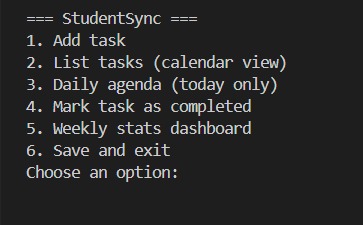
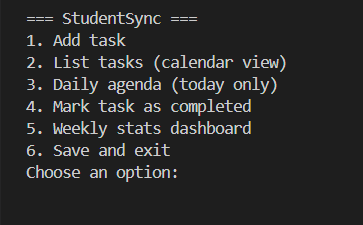
Main menu once started running.
-
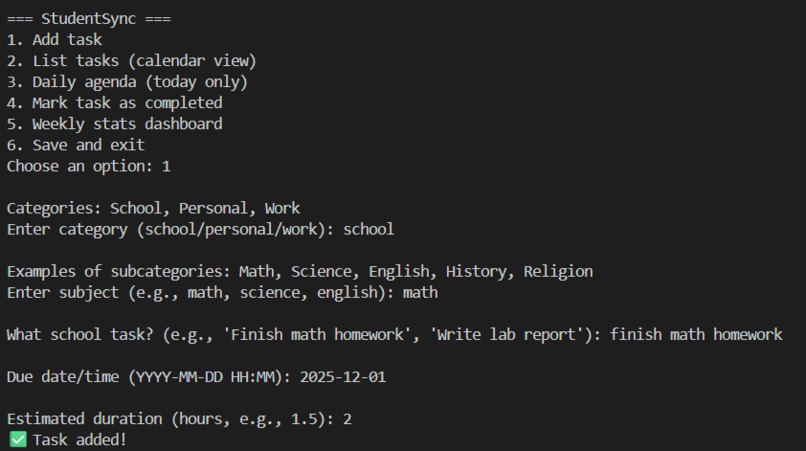
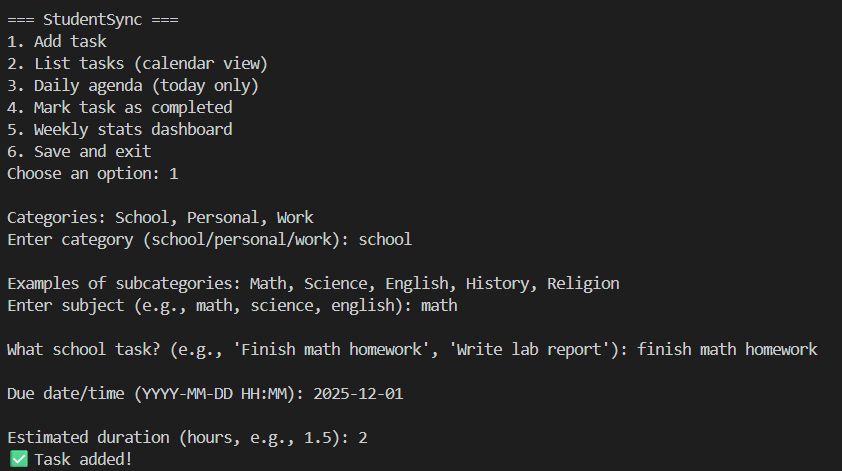
Adding a task.
Inspiration
We’re two grade 12 students who wanted to solve a problem we face every day: keeping track of school assignments, personal commitments, and part‑time work. Most productivity apps felt too complicated or generic, so we set out to build something simple, clear, and student‑friendly.
What it does
StudentSync organizes tasks into a calendar view, a daily agenda, and a weekly stats dashboard. You can add tasks with categories (school, personal, work), mark them as completed, and track your progress week by week. It’s more than a checklist, it’s a lightweight productivity assistant designed for students.
How we built it
We started with basic Python knowledge and learned as we went. We built a Task model, used JSON for saving and loading tasks, and created utilities for handling dates and times. The main program ties everything together with a menu interface for adding tasks, viewing the calendar, checking today’s agenda, marking tasks as done, and seeing weekly stats.
Challenges we ran into
- Learning how to handle datetime and group tasks by week.
- Debugging JSON save/load errors.
- Balancing simplicity with useful features.
- Staying motivated when early versions didn’t feel polished.
Accomplishments that we're proud of
- Building a working project from scratch with limited Python experience.
- Creating features that feel genuinely useful for students.
- Iterating quickly: removing the study planner when it didn’t work and replacing it with better features.
- Making StudentSync feel like more than just a task list.
What we learned
- How to design modular Python code across multiple files.
- How to use JSON for persistent storage.
- How to think about user experience and simplicity.
- That productivity tools are about clarity and motivation, not just storing tasks.
What's next for StudentSync
We want to add search and filter options, monthly summaries, and possibly export to .ics so tasks can sync with Google Calendar or Outlook. Long term, we’d love to make StudentSync a web or mobile app so students can access it anywhere.
Built With
- datetime
- json
- python
- windows-10
- windows-11

Log in or sign up for Devpost to join the conversation.