-
-
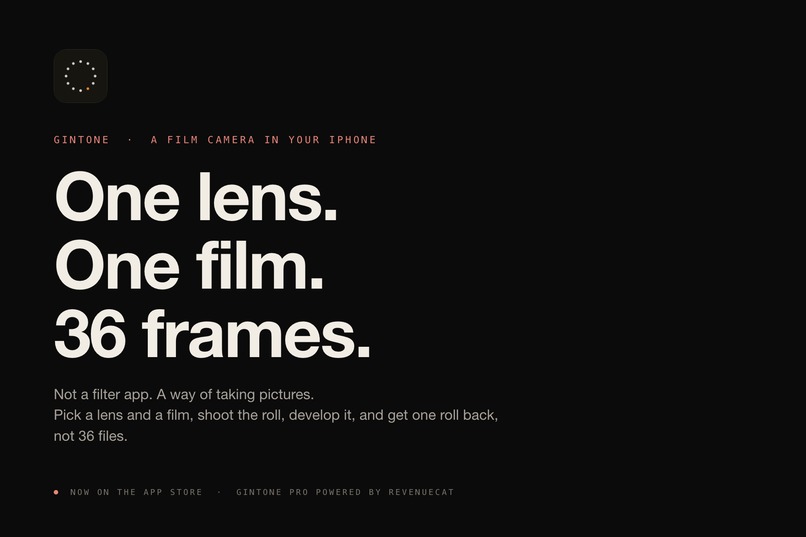
Gintone: one lens, one film, 36 frames. A film camera that lives in your iPhone.
-
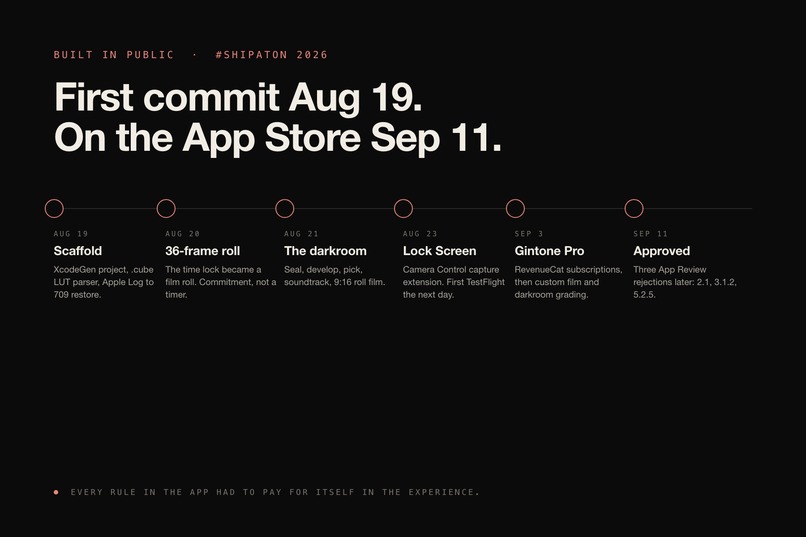
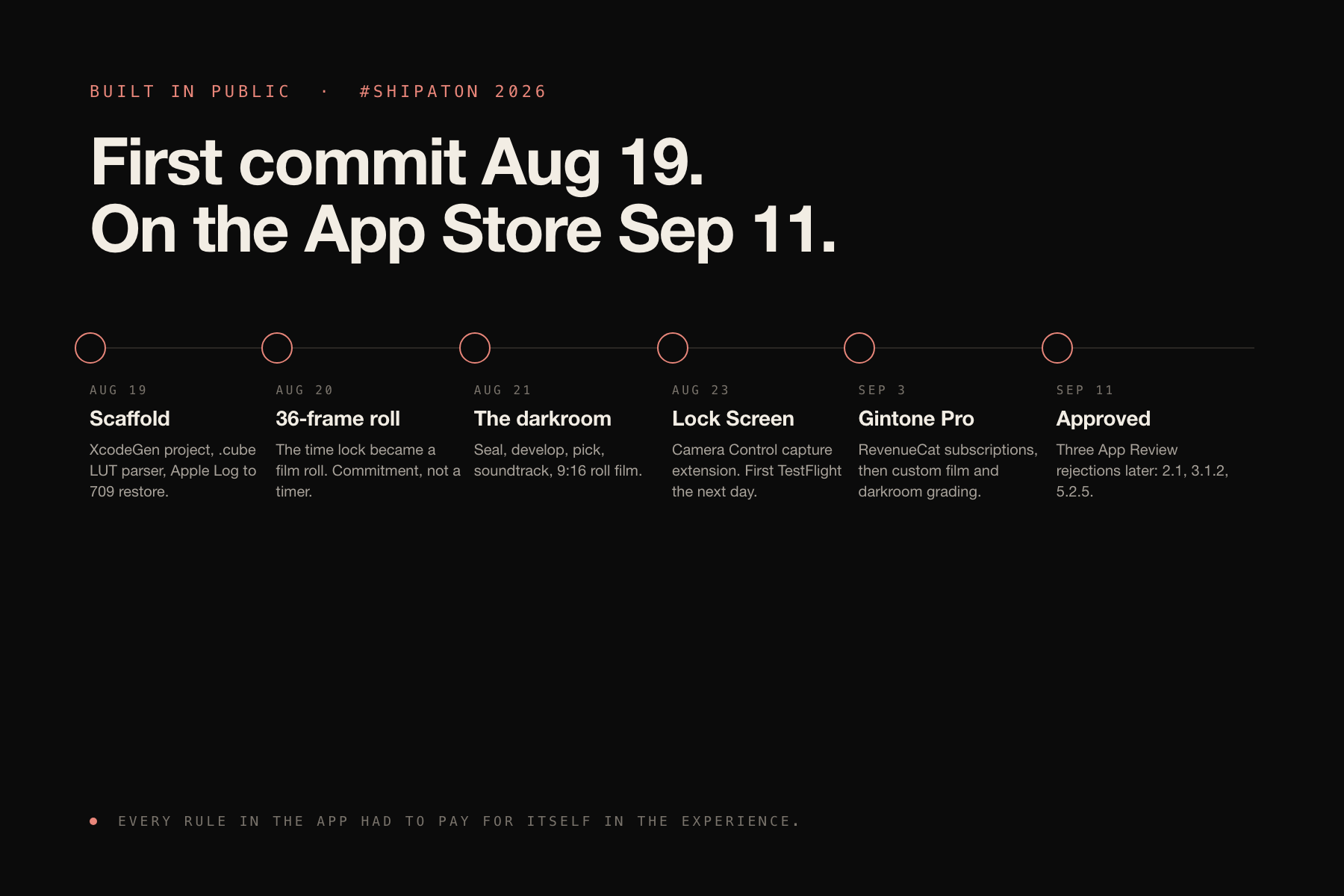
Built in public: first commit August 19, approved on the App Store September 11.
-
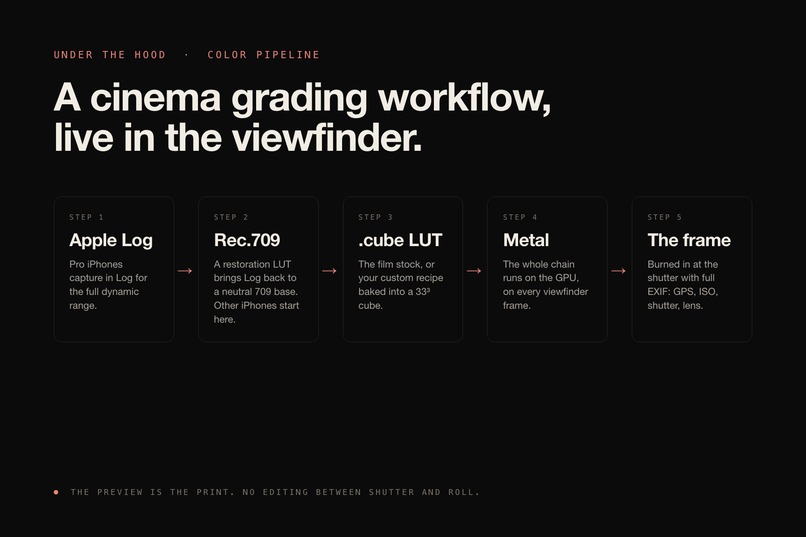
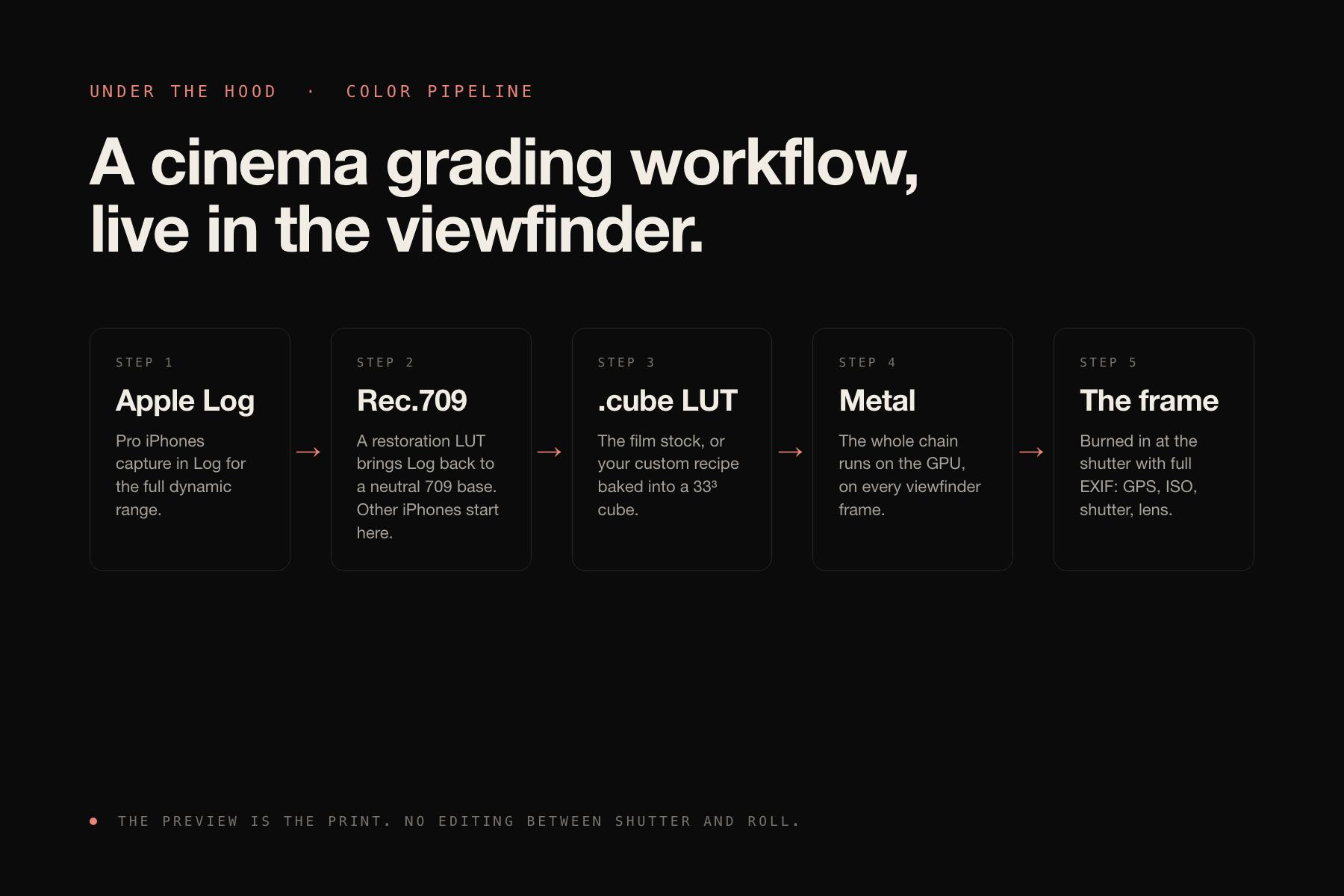
Under the hood: Apple Log to Rec.709 to .cube LUT, running in Metal on every viewfinder frame.
-
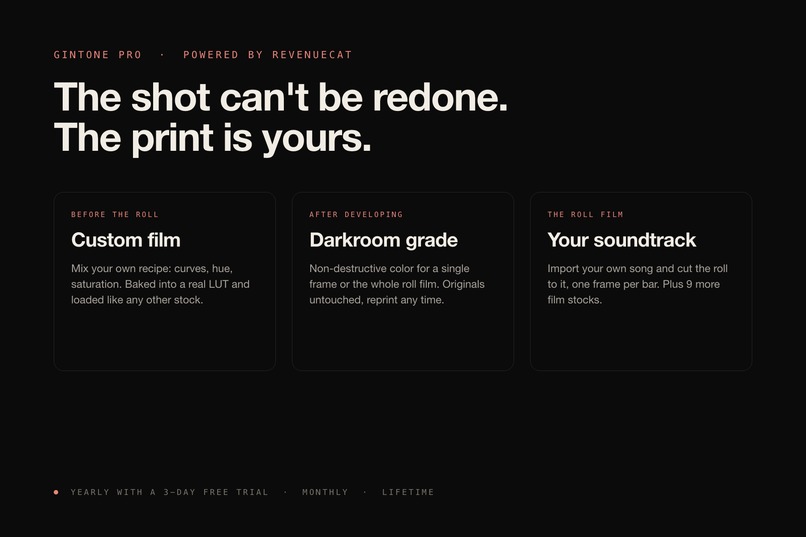
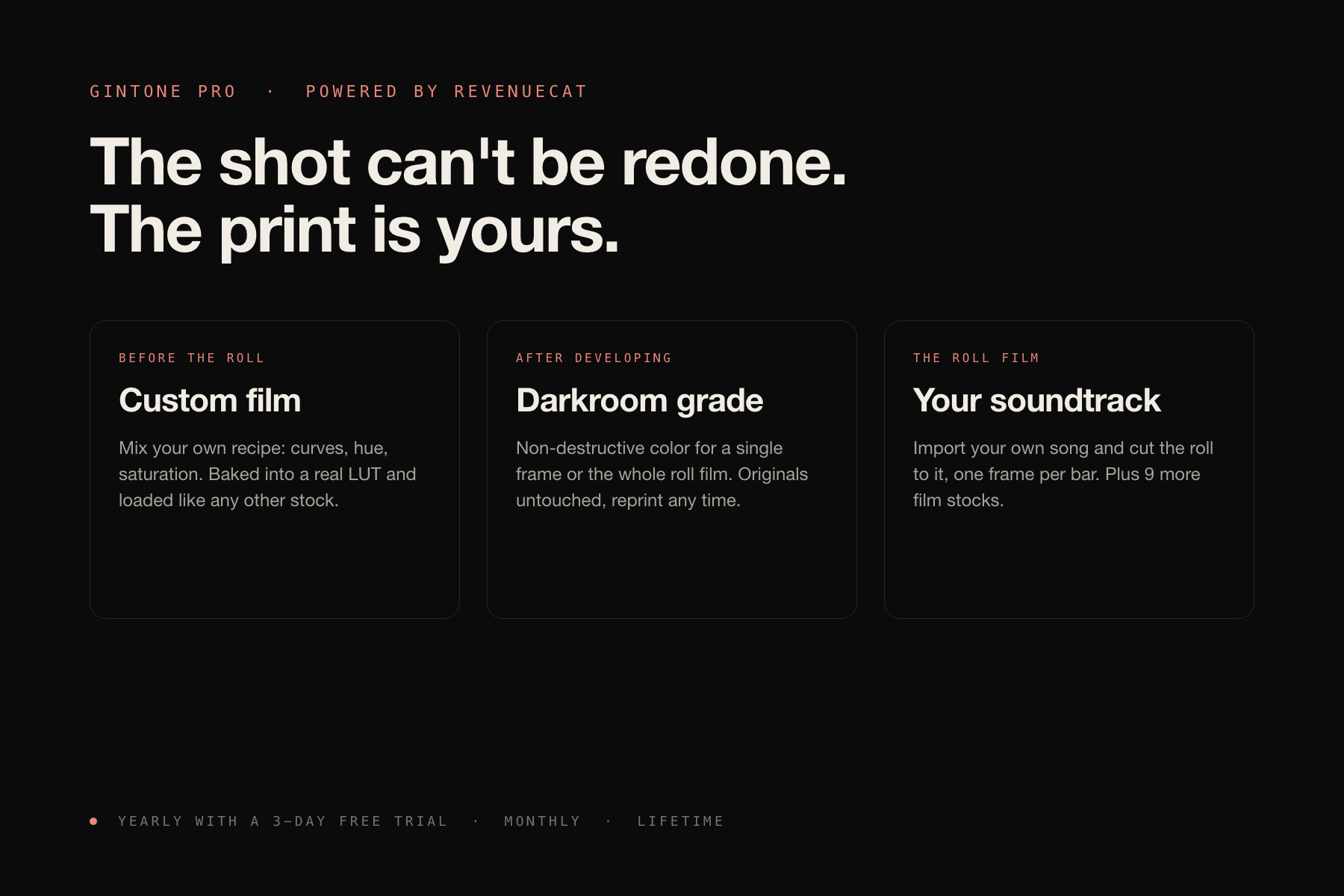
Gintone Pro, powered by RevenueCat: custom film, darkroom grading, your own soundtrack. Yearly with a free trial, monthly, or lifetime.
-
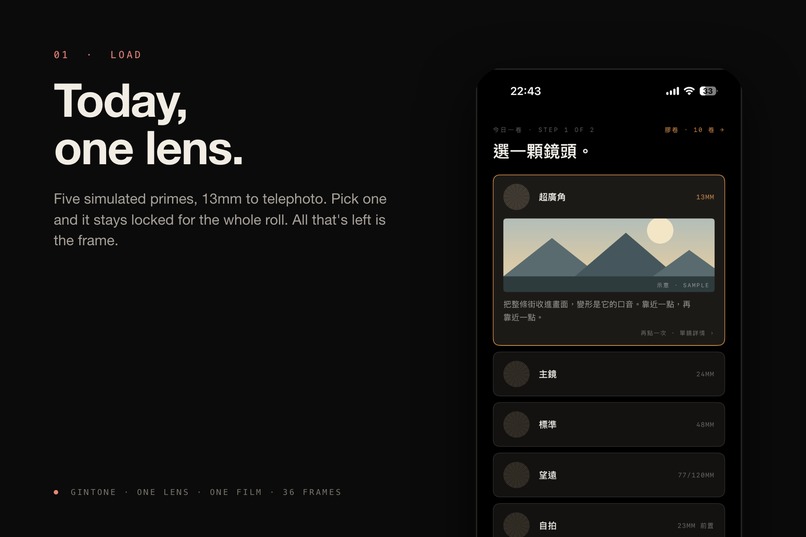
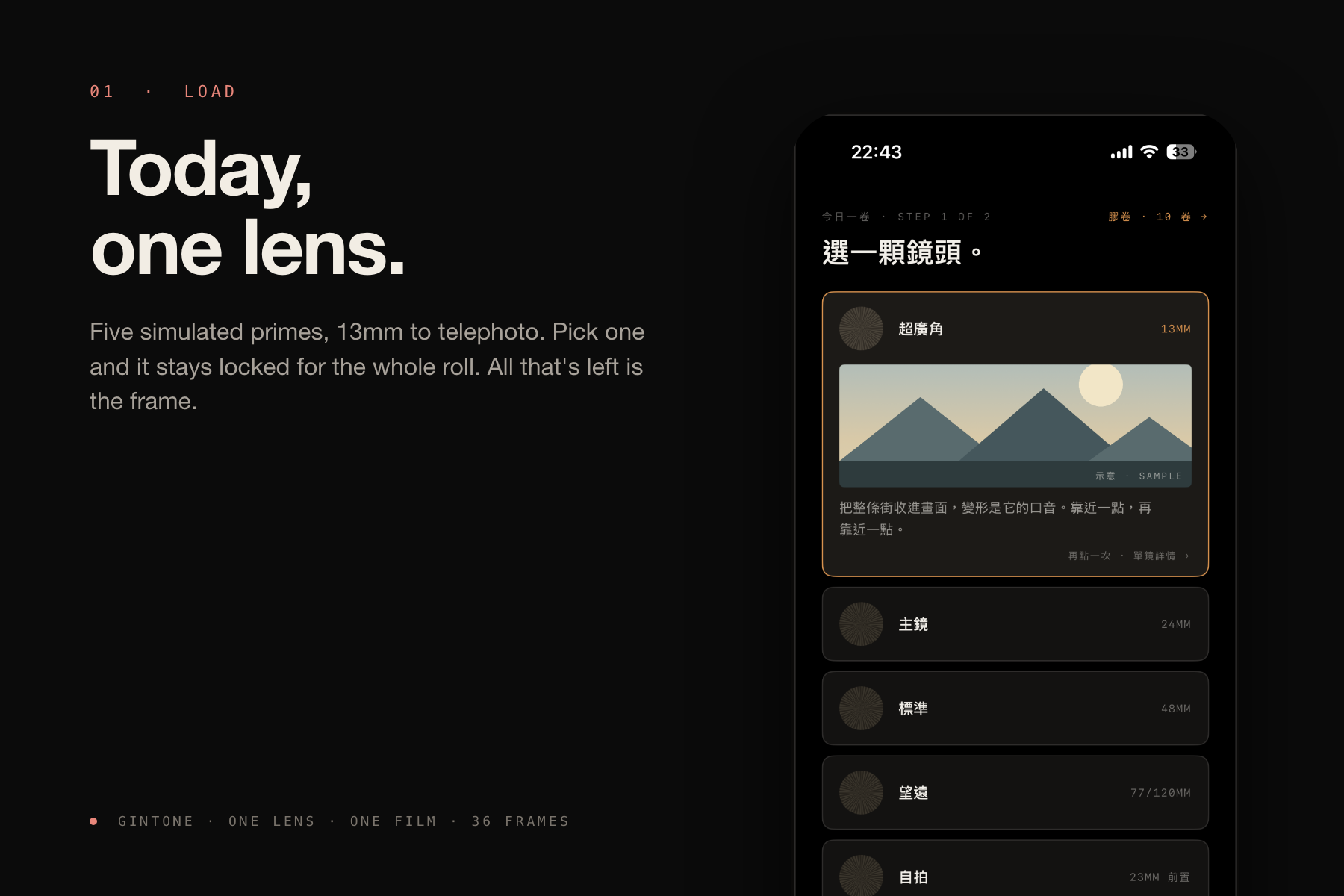
Load a roll: pick one of five prime lenses. It stays locked for the whole roll.
-
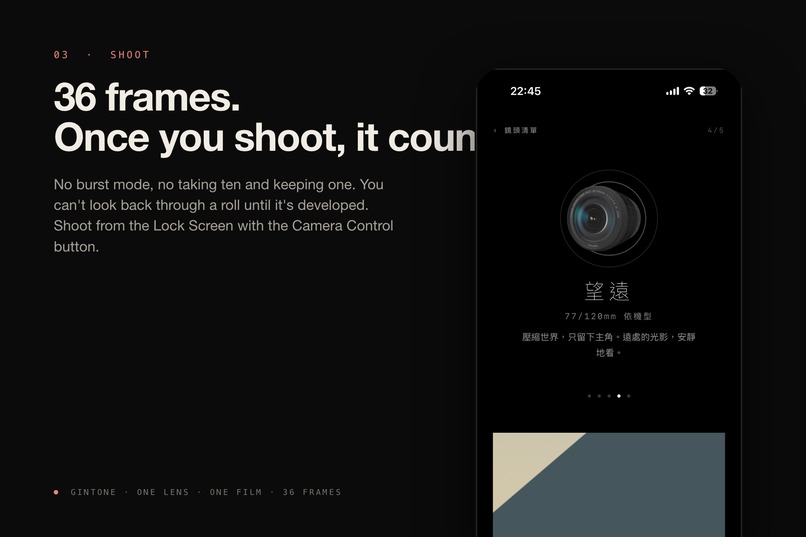
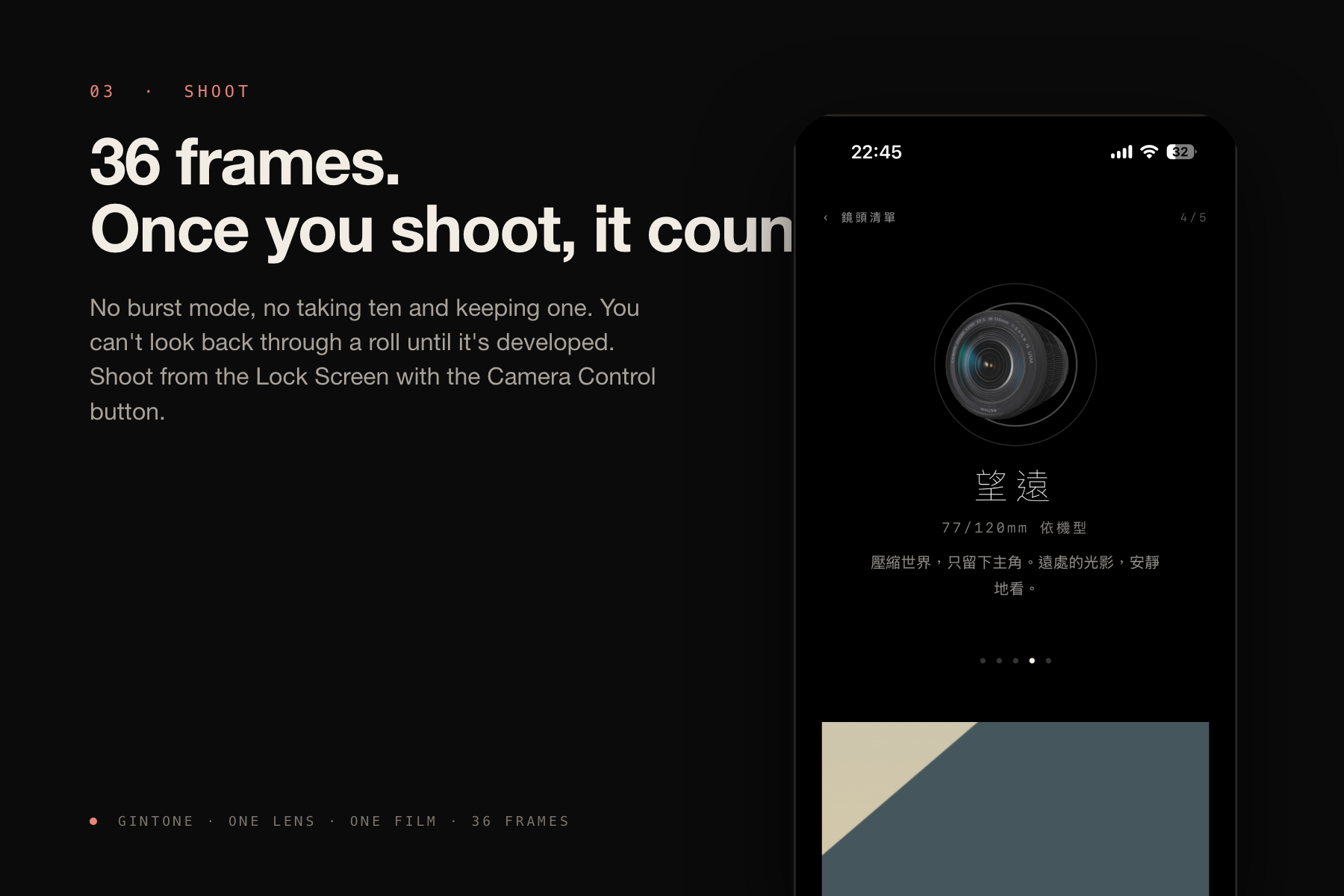
36 frames, no burst, no retakes. You can't look back until the roll is developed.
-
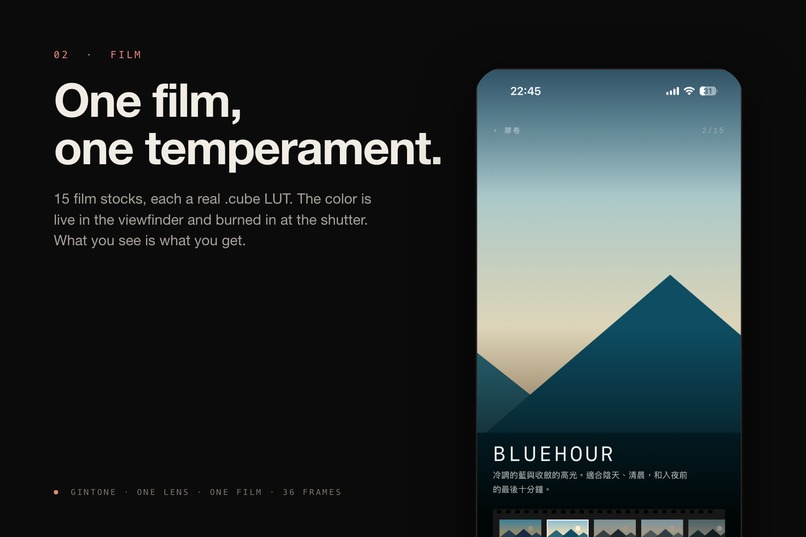
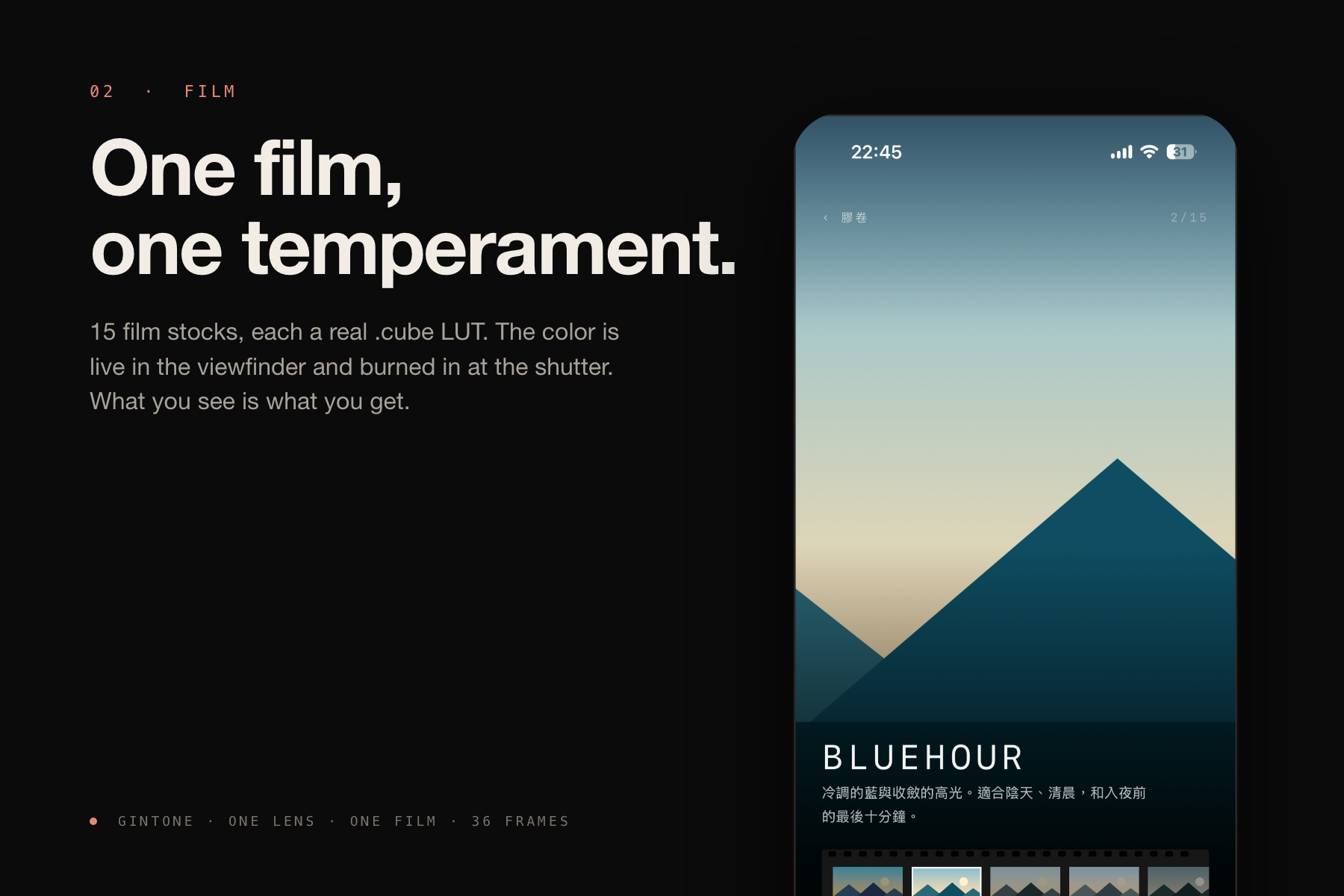
Pick a film stock. 15 stocks, each a real .cube LUT, previewed live in the viewfinder.
-
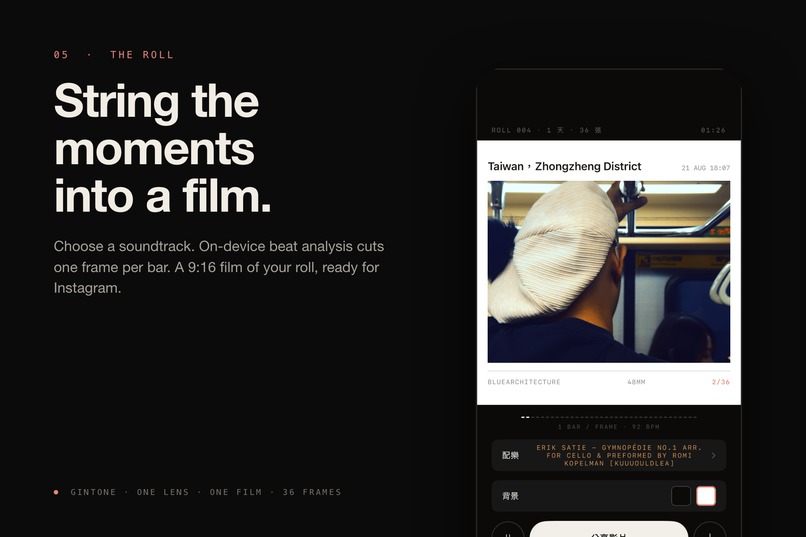
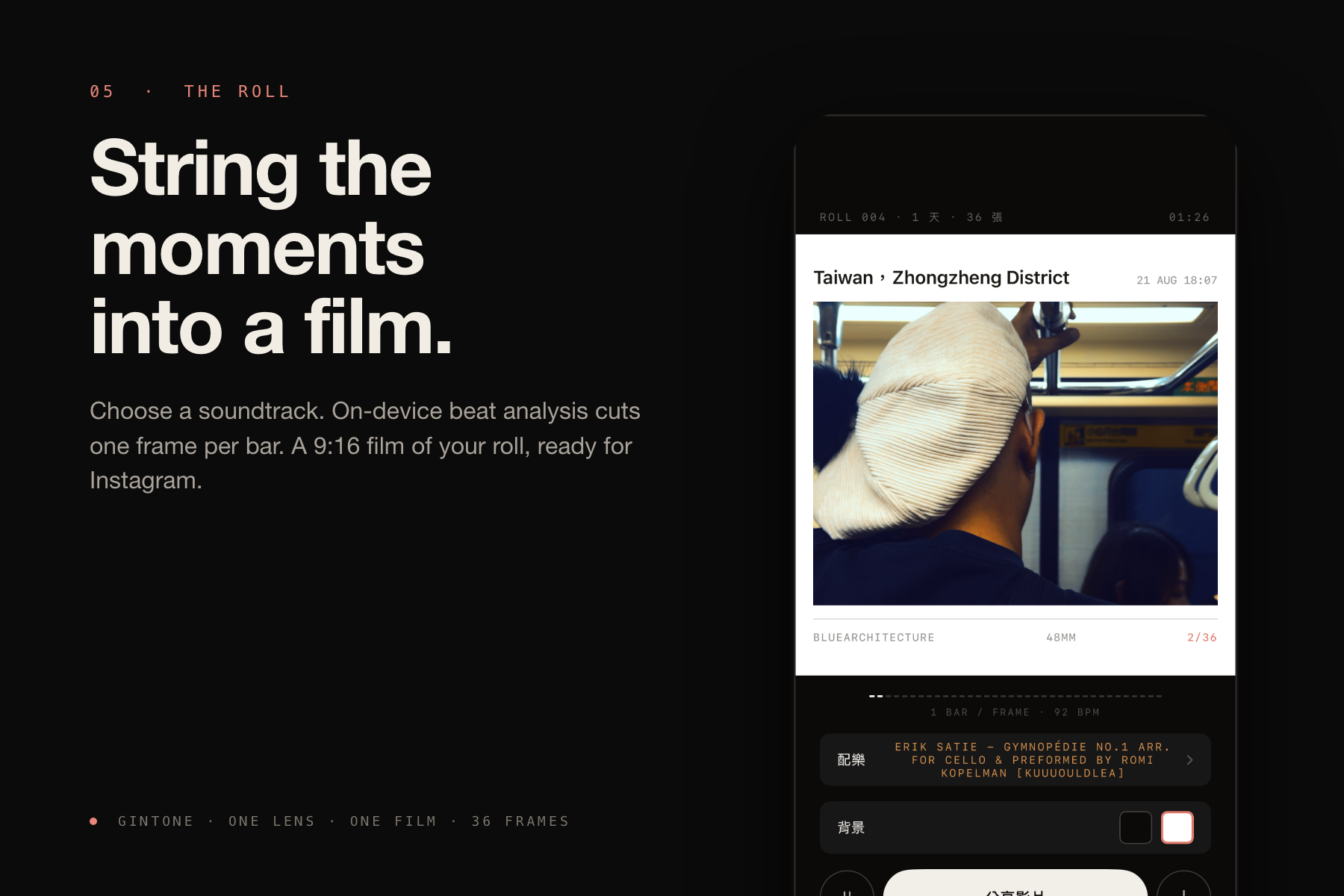
The roll film: pick a soundtrack, one frame per bar, 9:16 and ready for Instagram.
-
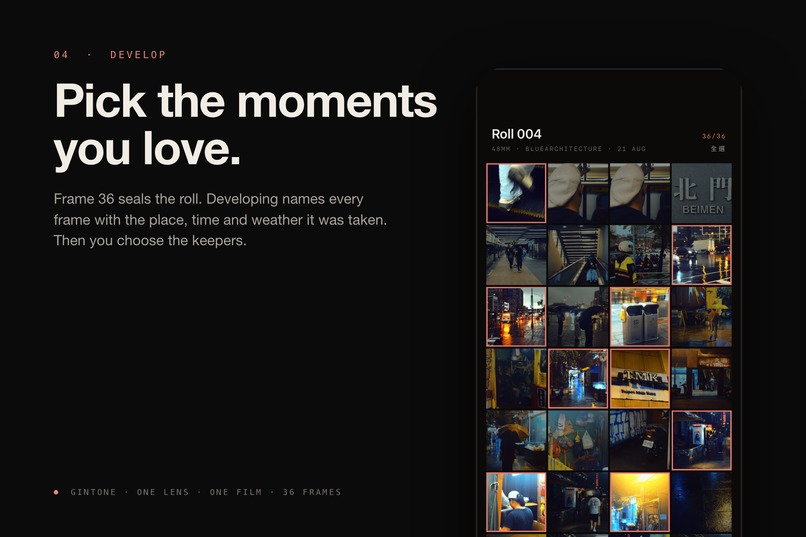
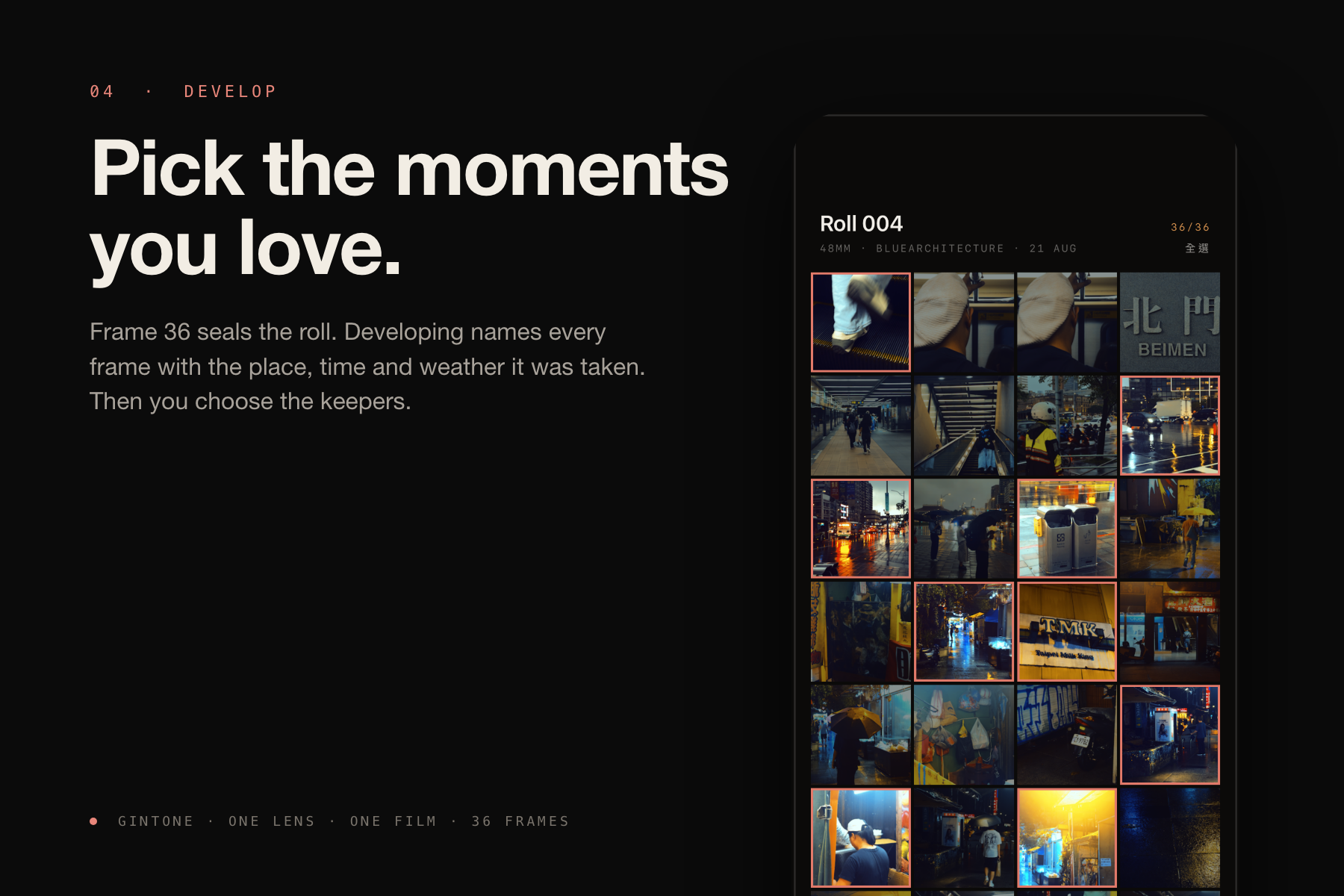
Frame 36 seals the roll. Developing stamps each frame with place, time and weather, then you pick the keepers.
-
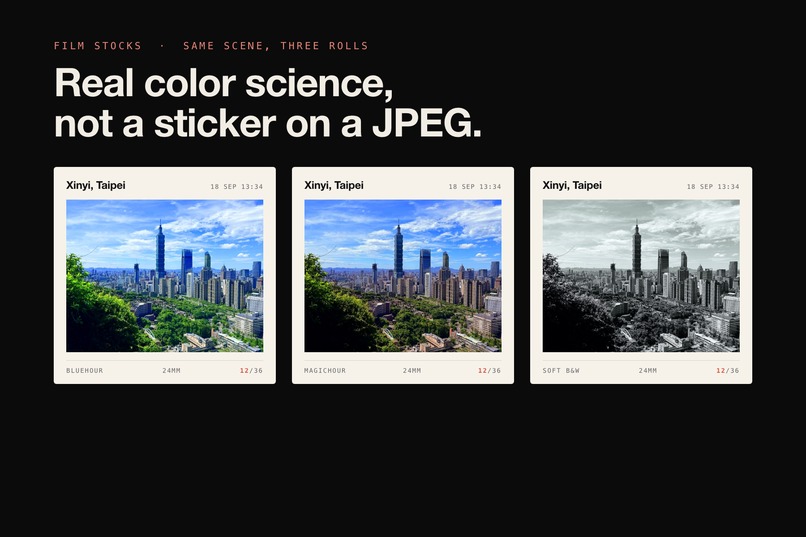
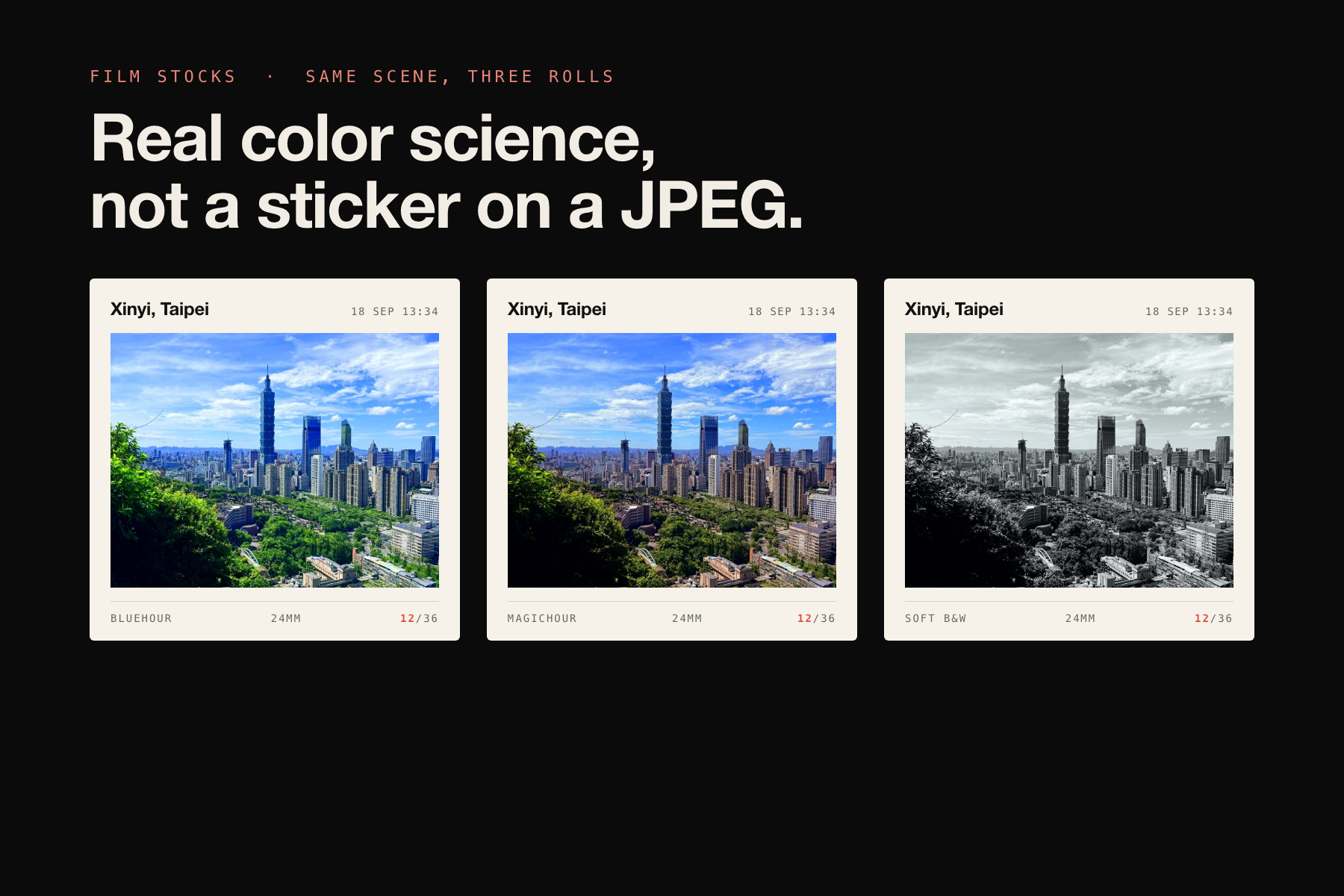
Same scene, three film stocks. Real color science applied at the shutter, not a sticker on a JPEG.
Gintone
One lens. One film. 36 frames.
Inspiration
Gintone started with a simple question:
What if a camera gave us fewer choices instead of more?
Modern camera apps hand us almost unlimited control: lenses, filters, presets, editing tools, endless retakes. The options are powerful, but they quietly turn photography into optimization. When you shoot, are you looking at the scene, or at the menu?
I wanted a camera that asks you to make a choice, commit to it, and then go out and shoot.
The name is personal. My name, Da Jun, sounds a little like "Da Gin" in English. Gin led me to the classic Gin & Tonic, a drink made from very few ingredients, where simplicity makes the quality and character of each choice visible.
That idea became the whole product.
Choose a focal length. Choose a film. Then live with those choices for one roll.
What it does
Gintone is a film camera that lives in your iPhone. Not a filter app. A way of taking pictures.
Load a roll. Before you shoot, you pick one lens from a 3D lens catalog and one film stock (15 stocks, each with its own character). Once the roll is loaded, both are locked. You cannot switch lenses halfway through, and you cannot change the look because the next scene might suit another color.
36 frames. Once you shoot, it counts. No burst mode, no taking ten and keeping one. The viewfinder shows the film's color live, so what you see is what you get. The color is burned in at the shutter. You can even shoot from the Lock Screen with the Camera Control button, and the photo goes straight onto the roll.
Seal it, then develop it. Frame 36 seals the roll. You cannot look back through a roll while it is still exposing. Developing is a short darkroom ritual: red light, a countdown, and every frame gets the name of the place where it was taken, along with the time and the weather at that moment.
You don't get 36 files. You get one roll. After developing, the roll opens up as a single piece: ledger-style frames with place and time on top, film and focal length below. You pick the keepers, choose a soundtrack, and Gintone cuts a 9:16 film of the roll that changes frames on the bar of the music, ready to share to Instagram. Every roll is archived in the library by number and date, like "ROLL 014 · 12–18 AUG".
Gintone Pro (powered by RevenueCat) adds the parts of the darkroom that belong to the photographer:
- 9 more film stocks, and every stock that lands later
- Custom film: mix your own recipe before you load the roll. Curves, hue, saturation, baked into a real LUT
- Darkroom grading after developing: non-destructive color for a single frame or the whole roll film. Originals untouched, reprint any time
- Import your own soundtrack and cut the roll film to your song
Yearly with a 3-day free trial, monthly, or a one-time lifetime purchase.
How we built it
Gintone was built around one principle:
The product rules should shape the technology, not the other way around.
A roll is a small state machine: Choose → Load → Shoot → Seal → Develop → Choose again. Everything else hangs off that.
- Color pipeline. Pro iPhones shoot in Apple Log. Gintone restores Log to Rec.709, then applies the film stock as an industry-standard .cube LUT. Other iPhones fall back to a 709 pipeline automatically, so every model can shoot. The LUT chain runs in Metal directly on the viewfinder, so the preview is the print.
- Lenses. Five simulated primes: 13mm ultra-wide, 24mm main, a 28mm ƒ10 zone-focus pancake, 48mm standard, and telephoto where the hardware allows.
- The roll. Every roll lives in its own archive with a manifest. The shutter only records GPS coordinates. Reverse geocoding happens during developing, in the user's language, so the wait is doing real work.
- The roll film. On-device beat analysis finds the bars of the soundtrack, and the film changes frames on the downbeat. The bundled soundtracks are public-domain recordings (Chopin, Satie), so every roll ships with music we are allowed to use.
- Lock Screen capture. A LockedCameraCapture extension makes the Camera Control button open Gintone without unlocking the phone, and the frame is filed onto the current roll.
- Custom film and grading. The recipe editor works in linear light with master and RGB curves, and bakes the result into a 33³ .cube LUT that flows through the same pipeline as the built-in stocks. Grading is stored as a recipe next to the original, and applied on display and export.
- Records. Every frame carries full EXIF: GPS, time, ISO, shutter, aperture, lens.
- Business. RevenueCat handles the three Pro plans and the entitlement. Localized in English, Traditional Chinese, and Japanese.
The first commit is dated August 19. The app went live on the App Store on September 11.
Challenges we ran into
The hardest part was still deciding what not to add. But shipping added a second kind of hard.
The develop step had to earn its wait. Early on, developing was just an animation. Testers asked why they had to wait at all. The answer was to give the wait a job: geocoding, weather, roll naming. Now developing is where the roll becomes a roll.
"No editing" turned out to be the wrong rule. For the first weeks, Gintone had zero post-processing on principle. Talking to film photographers changed my mind. Film never meant "no darkroom". It meant the shot cannot be redone, but the print is yours. That reframing became Gintone Pro: custom film before the roll, darkroom grading after it, and the original frame never touched.
A subscription can crash a camera. The RevenueCat SDK deliberately asserts in Release builds when it finds a test API key. Three TestFlight builds in a row crashed on launch before I learned that lesson. Then the paywall itself broke the camera: dismissing the paywall and opening the load-roll preview at the same time let two full-screen covers race and re-enter the capture session. Serializing camera configuration fixed it.
App Review, three times. Rejected under 2.1 for needing a demo of the camera flow. Rejected under 3.1.2 because a subscription requires the Terms of Use link in the store description. Rejected under 5.2.5 because Apple Weather data needs attribution on screen. And a lesson I will not forget: the first in-app purchase has to be submitted together with an app version. The approved build shipped with no purchasable plans, and the fix needed a whole new version number.
Hardware surprises. The iPhone 17 front camera previewed rotated 90°. Fixing it with a one-shot rotation sample from the RotationCoordinator then regressed iPhone 16, where the preview started following the body. Getting both right took two rounds with real testers.
Music you are allowed to ship. The beat-synced roll film is the most shareable thing in the app, which meant the bundled soundtracks had to be genuinely clear. That turned into an afternoon of licensing homework and a set of public-domain recordings.
Accomplishments that we're proud of
Gintone has a clear point of view, and it is now a real product on the App Store with paying users.
Every major decision still supports the same idea: one lens, one film, 36 frames. The lens lock, the sealed roll, the darkroom, the ledger frames, the roll film, the library, the name, the mark. None of it is a feature bolted on; all of it is the same rule seen from a different angle.
The color is real. A Log-to-709 workflow with .cube LUTs is how cinema is graded, not an effect pasted on a JPEG, and it runs live in the viewfinder on every iPhone model.
The output is a roll, not a pile. A roll of Gintone comes back with a name, a soundtrack, and a place-and-time narrative, cut to the beat, in a format that goes straight to Instagram.
And the Pro tier grew out of listening rather than out of a spreadsheet. The things people asked to pay for, custom film and the darkroom, are the things film photographers already understand.
What we learned
A limitation is the product. When every option is always available, no choice carries weight. Remove options, and choosing 28mm over 48mm suddenly matters.
Constraints need a reason the user can feel. Testers accepted 36 frames immediately and resisted a bare wait. The difference was whether the constraint was doing something for them. Every rule in Gintone now has to pay for itself in the experience.
"Cannot redo" is not the same as "cannot decide". Moving from "no editing" to "the shot is final, the print is yours" made the app more honest to film, not less, and it gave the product a place to grow without breaking its rules.
Building in public shortens the loop. The develop step, the grading feature, the roll library layout, and the decision to keep 36 instead of 24 all came out of posting the question and reading the replies.
Shipping is a feature. Signing, review guidelines, in-app purchase submission rules, and SDK behavior in Release builds cost as much time as the camera itself. Next time they go on the schedule from day one.
What's next for Gintone
The rule stays the same:
Gintone should grow without losing its constraints.
What we want to explore next:
- More carefully crafted film stocks, and the ability to share a custom recipe as a stock
- Contact sheets and printable rolls, so a finished roll can be an object you keep
- Filter intensity and RAW capture for Pro, inside the same one-lens, one-film rule
- Deeper Lock Screen and Camera Control support, so pulling out Gintone feels like pulling out a camera
Every future feature has to answer one question:
Does this help people take photographs more intentionally?
If it doesn't, it probably doesn't belong in Gintone.

Log in or sign up for Devpost to join the conversation.