-
Splash Screen
-

Onboarding Page
-
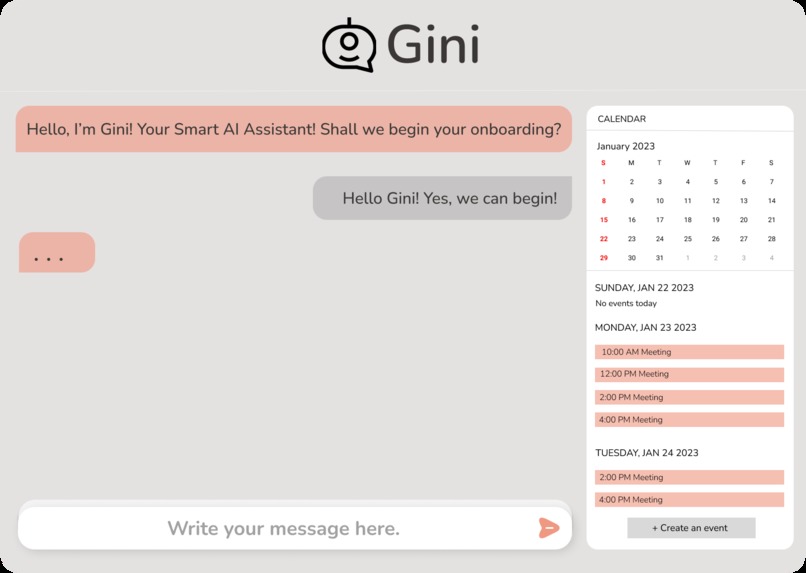
Gini - The Smart Onboarding Assistant
-
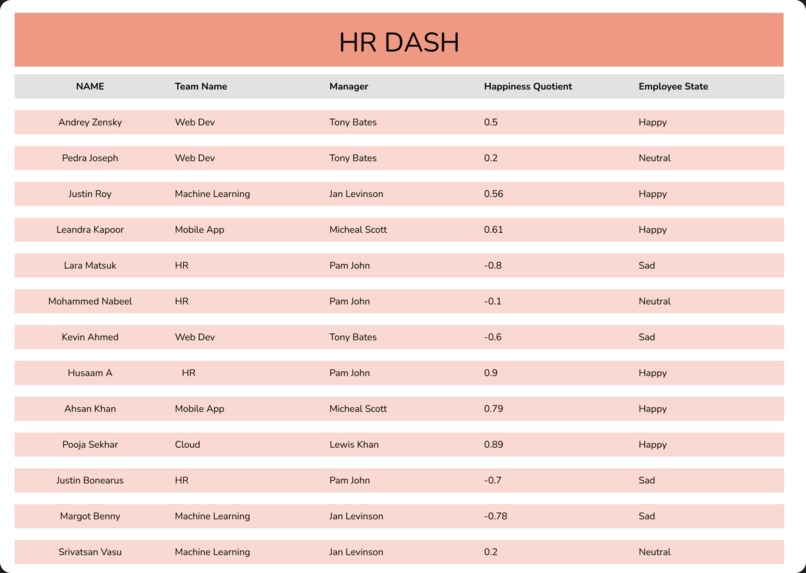
HR Dash
Inspiration
O.C. Tanner's report shows that 20% of employees leave their job within 45 days, often due to lack of proper training during onboarding. A poor onboarding can lead to employee turnover, while a well-planned onboarding program can increase employee productivity and benefit the organization.
The starting week of a job is one of the most important time for a new employee as it is the start of a new experience. We believe that every employee should feel included and happy with their job and thus we decided to create a smart AI Companion that does just that. Our goal was to learn new techniques to create data, clean data and train a bot to learn about human emotion and satisfaction.
The smart companion can provide personalized training plans, guide new hires through onboarding and manage calendars and resources. Our smart onboarding platform also provides a smooth line of communication and quick access to support resources, creating an interactive and engaging experience for new hires. They can also help new hires understand organizational policies and reduce the time needed to assimilate into the culture, saving time for employees and HR. AI Chatbots can also improve employee experience, reduce workload and engage and retain new hires. With the help of AI, Chatbots can mimic the support provided by HR.
What it does
The solution to the problem is a smart AI Companion , and we call it Gini - The Smart Onboarding Assistant. A bot that welcomes new interns in their journey at GSoft, and in a remote way. It also measures interns' happiness score and automatically lets their managers know their level of happiness and emotion state.
Gini has the following features:
- Prompts and guides new employees to sign up for company tools.
- Reminds employees about upcoming meetings.
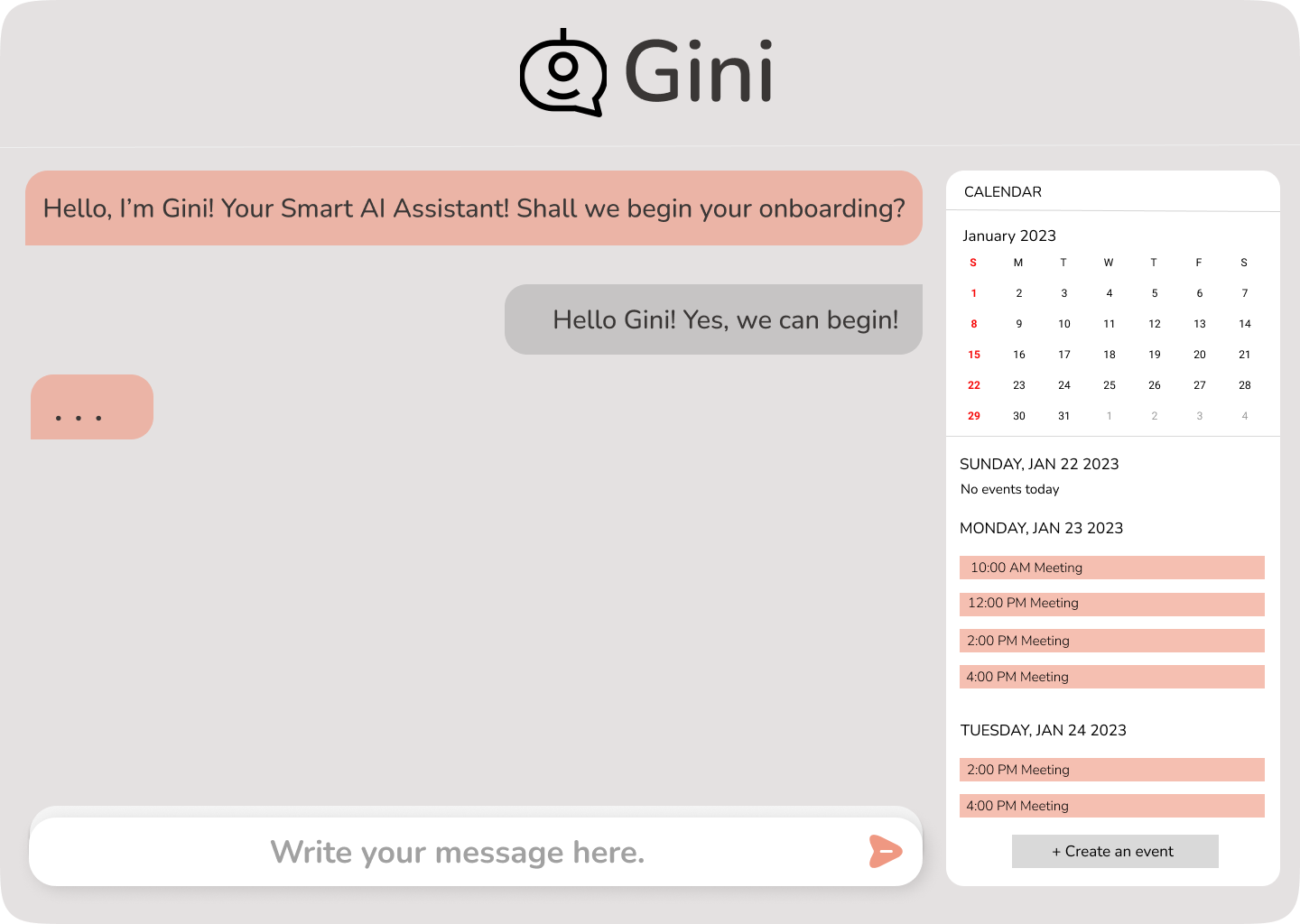
- A calendar on the side that displays all meetings.
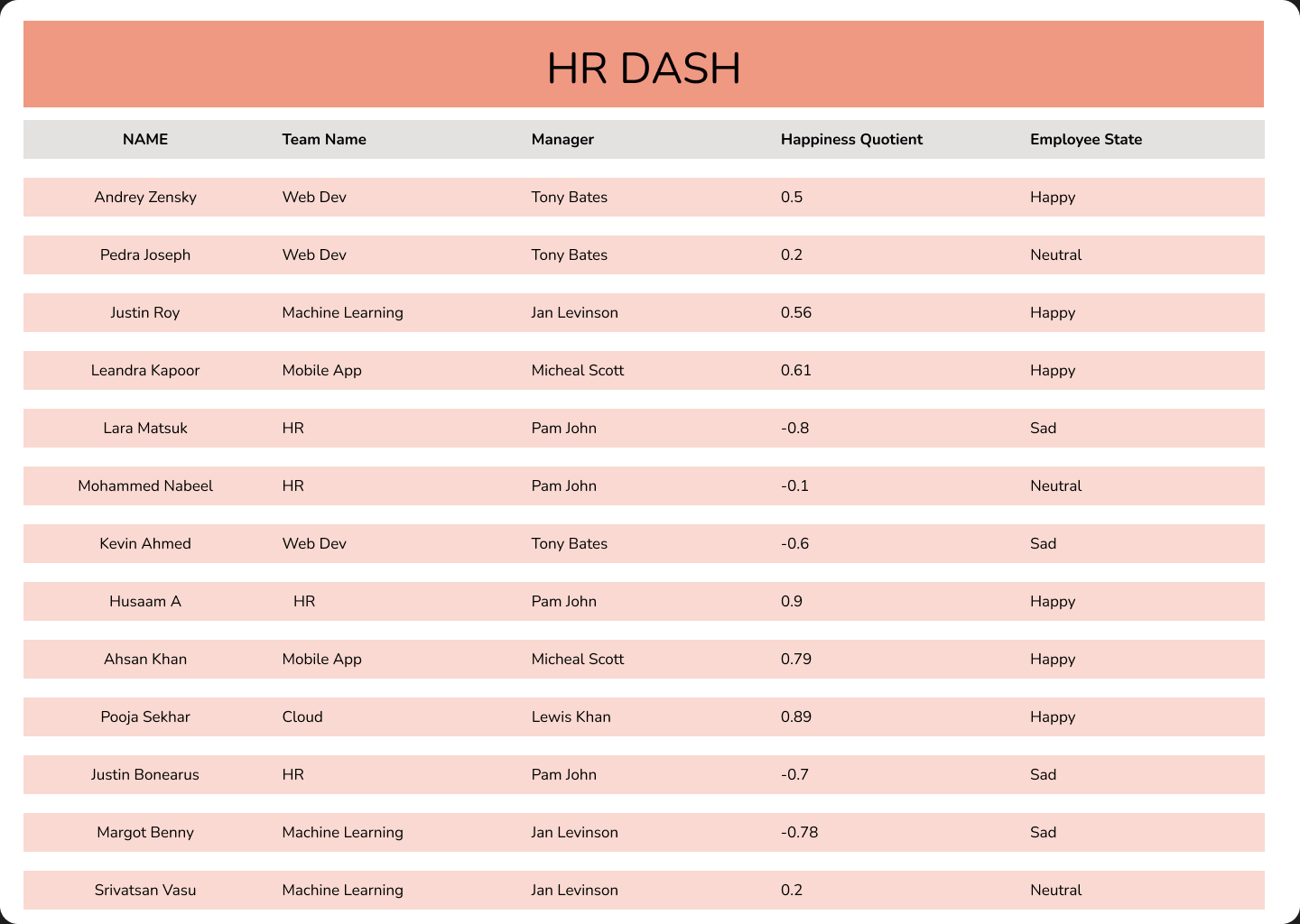
- HR dashboard that HR uses to monitor happiness level and see if the employee is happy, sad, or neutral.
- An AI chatbot so the employee can talk with the assistant.
How we built it
We designed our application using figma and programmed it using python. Our AI onboarding assistant uses the following technologies:
- Deep Learning to build a chatbot to respond to employee messages.
- Sentiment Analysis to analyse the employee's messages: by looking at how the employee is messaging and if they are completing all onboarding tasks, the assistant determines a happiness_score which is sent to HR.
- The smart assistant's GUI and the backend was build using python.
- Figma for designing our UI/UX.
Chatbot build using Deep Learning
We built a chatbot using deep learning to reply to employees with appropriate messages during their onboarding process. We designed a neural network using the TensorFlow library to train a model using a text dataset. We created this dataset manually and fed it into the neural network using the bag-of-words approach (NLP).
Sentiment Analysis
Sentiment Analysis uses natural language processing and machine learning techniques to read a piece of text and output a score from -1 to 1. Below zero represents a negative text, and above zero means a positive text.
Our employee happiness score is calculated by taking the average sentiment score for all the texts the employee responds to the chatbot. Using certain thresholds, we determine, based on the average sentiment score, whether the employee might be happy, sad, or neutral.
UI/UX
Figma is a powerful tool for creating user interfaces and user experiences. When designing a chatbot on Figma, it is important to create a clear and simple conversation flow, use a conversational tone, incorporate icons, emojis and images, maintain a consistent design, provide clear call-to-action buttons, design for different device sizes, use testing and feedback, and consider accessibility for inclusive design. This is how we designed Gini:
We obtained the inspiration for our design by observing GSoft's website (link). The same color theme was followed to ensure a personalized bot for GSoft.
Splash Screen: A splash screen will appear on the device's screen immediately after it is turned on which displays our Smart AI Assistant Gini's logo and name.
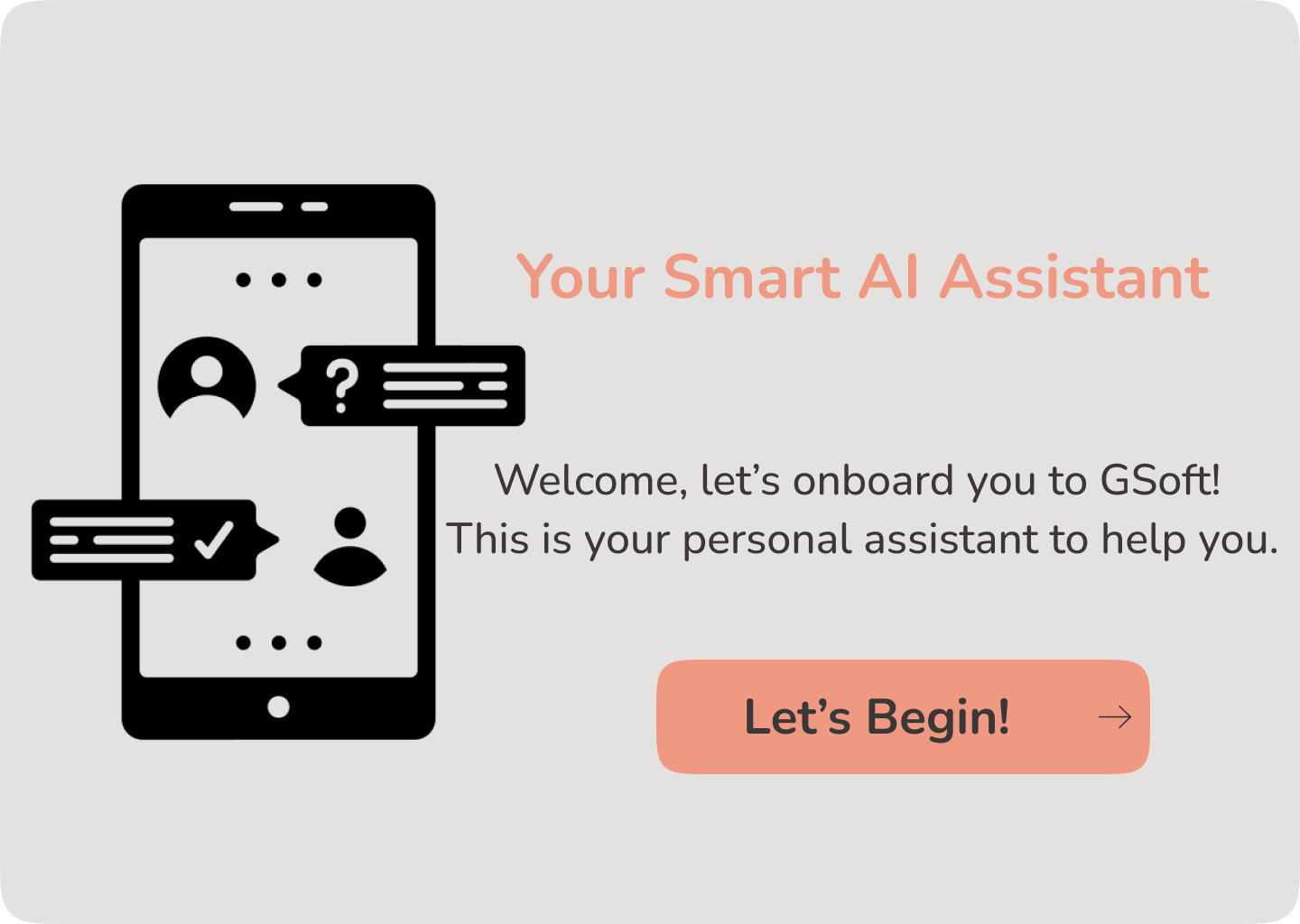
Onboarding Page: The onboarding page of Gini tells the employee about the itself and a button that would navigate it to the chatbot.
Gini - The Smart Onboarding Assistant: This is the screen where Gini would talk to the employee about the onboarding process and let the employee know about the various meetings scheduled for that particular employee. The employee can ask questions to Gini, and Gini would answer quickly and promptly.
Calendar: The Gini page also shows a calendar personally made for each employee that shows the meetings scheduled for him.
HR Dash: The HR Dash is specifically for the HR and the managers to see the happiness quotient and employee state.
Challenges we ran into
Designing an algorithm to determine employee state/mood (calculations and thresholds set).
Accomplishments that we're proud of
Some accomplishments we are proud of are that we built an entire application in a day with two AI technologies (chatbot & sentiment analysis) implemented. Our team worked very well, and the division of tasks was efficient.
What we learned
- Learned how to build chatbots using artificial intelligence.
- Learned how to use Figma to design applications.
- Learned how to implement sentiment analysis quickly.
What's next for Gini - The Smart Onboarding Assistant
The next step for Gini:
- Use the AI model: GPT-3, which powers chatGPT to create a more robust chatbot.
- Automatically email team members to reschedule the meeting if the user prompts it.
- Create Jira tickets via chat.
- To include voice recognition so that the employee can communicate to the bot by audio. -To improve the responses and create a better UI and UX, better responses, and more data collection that can be used to make Gini better than she already is.
Built With
- figma
- machine-learning
- natural-language-processing
- nltk
- python
- tensorflow

Log in or sign up for Devpost to join the conversation.