-
-
Technical Diagram
-
virtual interface
-
virtual interface
Inspiration
Logitech’s creative ecosystem has mastered the Adobe suite, but millions of professional creators in the open-source community are still working with just a keyboard and mouse. We’re changing that. Introducing GIMP Flow: the first Actions SDK plugin that brings the power of the MX Creative Console and MX Master 4 to the world’s most popular free image editor.
What it does
GIMP Flow is a professional-grade bridge between the GIMP 3.0 ecosystem and Logitech’s MX hardware.
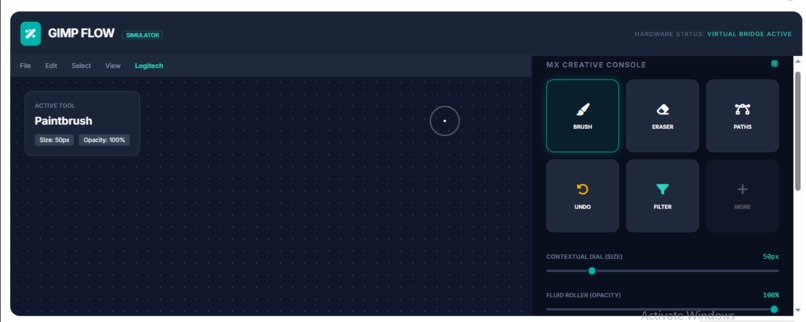
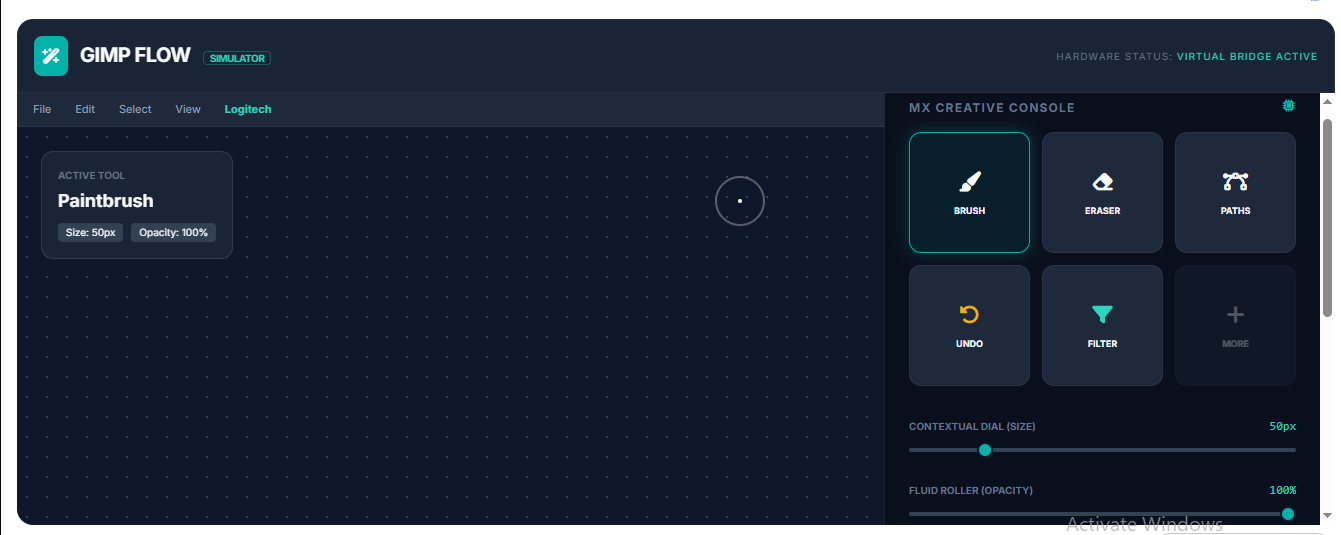
Dynamic Control: Use the Contextual Dial to scrub through GEGL filter intensities or adjust brush parameters (size, hardness, opacity) with sub-pixel precision.
Visual Shortcuts: The LCD Keys display dynamic icons for GIMP’s toolsets, allowing for instant switching between complex tasks like Path editing and Foreground selection.
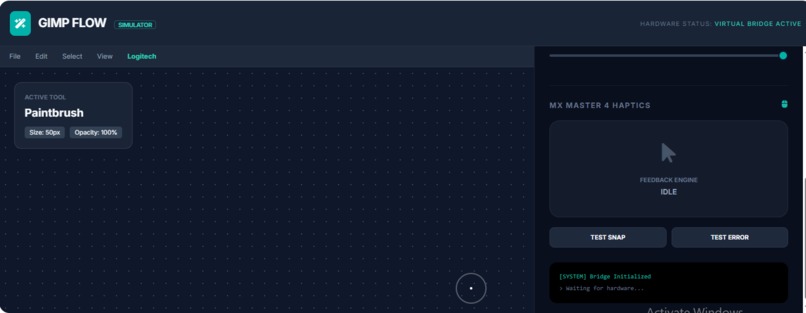
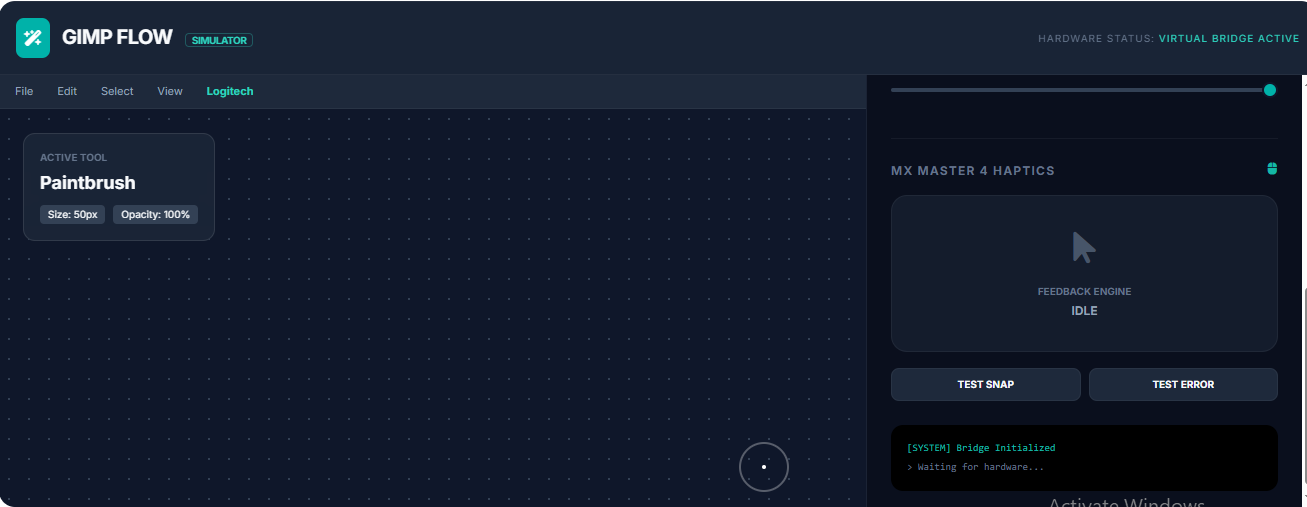
Tactile Feedback: Leveraging the MX Master 4 Haptic Sense Panel, users feel a physical "click" when a selection snaps to a guide or when a long-running filter process completes.
On-Screen Mastery: The Actions Ring provides a heads-up display of GIMP-specific actions right at the cursor, keeping the user’s eyes on the canvas.
How we built it
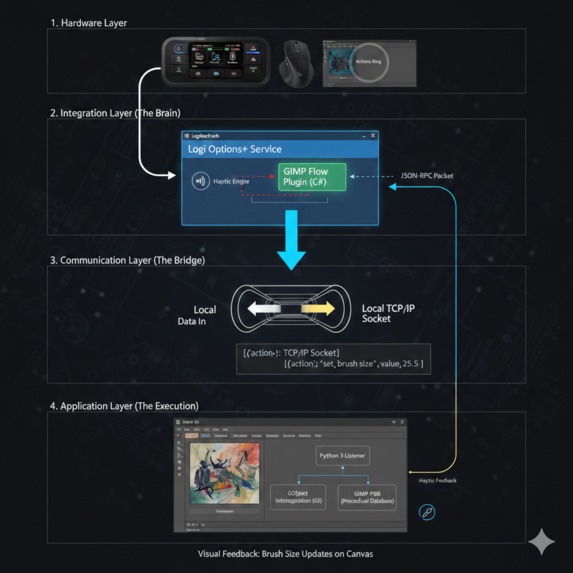
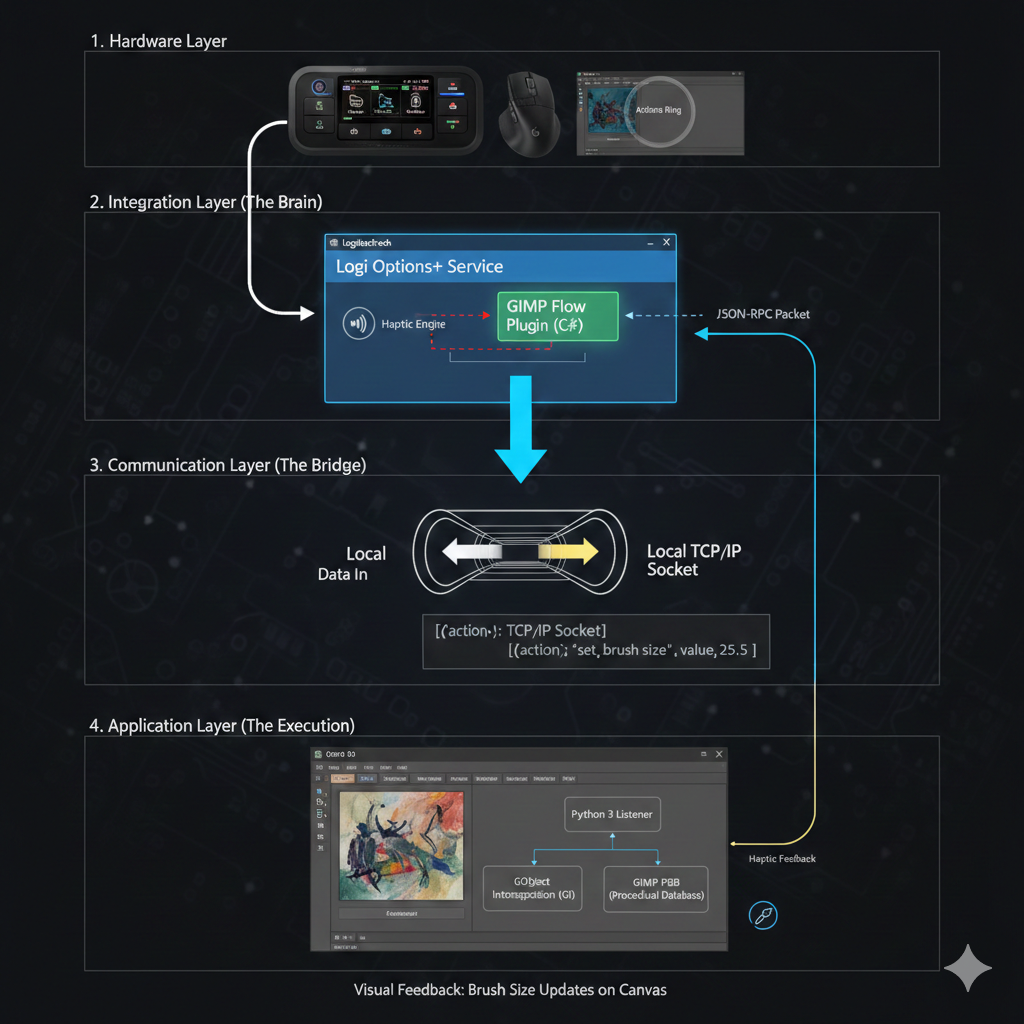
We developed a high-performance bridge using the Logi Actions SDK in C#, specifically targeting the GIMP 3.0 architecture. Recognizing that GIMP 3.0 has officially moved away from the legacy Python 2.7 environment, we built our internal bridge using Python 3 and GObject Introspection (GI).
This modern approach allowed us to:
Direct API Access: By utilizing GObject Introspection, our plugin can call GIMP’s core functions directly through the new libgimp 3.0 libraries, ensuring far greater stability than old-school socket-hacking.
C# Integration: We used the Actions SDK to handle the hardware-level interrupts from the MX Creative Console and MX Master 4. These inputs are translated into asynchronous requests sent to a persistent Python 3 "daemon" running within GIMP’s process.
Haptic Mapping: We mapped GIMP’s internal signal bus (like image-sample-point-changed) to the MX Master 4 Haptics API, providing physical feedback when the user interacts with the canvas.
UI Synchronization: We synchronized the LCD Keys with GIMP’s active tool context, ensuring that when a user switches tools in the software, the hardware icons update instantly via the SDK’s state-management system.
Challenges we ran into
The primary hurdle was GIMP’s lack of a native "live" API for external hardware. We had to overcome significant latency issues when sending high-frequency dial updates (like brush resizing) over a socket. We solved this by implementing a debouncing algorithm in C# and optimizing the Python listener to handle non-blocking PDB calls, ensuring the hardware feels responsive rather than "laggy."
Accomplishments that we're proud of
We successfully implemented context-aware haptics. Unlike a standard vibration, our plugin provides different tactile signatures for different tools—for example, a "gritty" feel when using the Eraser versus a "smooth" feel when using the Paintbrush. We also successfully ported our manifest to support GIMP 3.0’s new multi-layer selection API, a feature not yet available in many commercial plugins.
What we learned
We learned that the "creative flow" is highly dependent on the marriage of hardware and software. Building this plugin taught us the intricacies of inter-process communication (IPC) and the importance of user-centric design—specifically, how to prioritize which of GIMP’s 500+ PDB functions deserve a spot on the limited real estate of the Creative Console.
What's next for GIMP Plugin
Our roadmap includes:
AI Integration: Mapping GIMP’s upcoming generative AI tools to the "Genie" features of the MX Creative Console.
Community Marketplace: Creating a system for users to share their own custom LCD key icon packs and Action Ring layouts.
Cross-Platform Parity: While currently optimized for Windows, we plan to use the Node.js SDK to bring GIMP Flow to macOS and Linux (Flatpak/Snap) users.

Log in or sign up for Devpost to join the conversation.