-
-
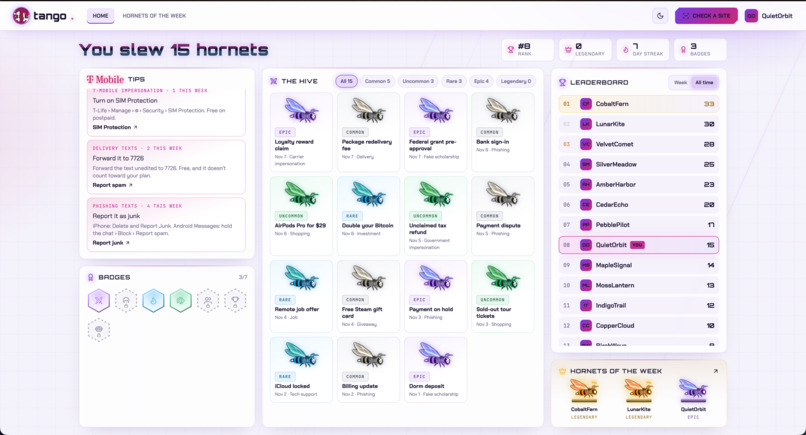
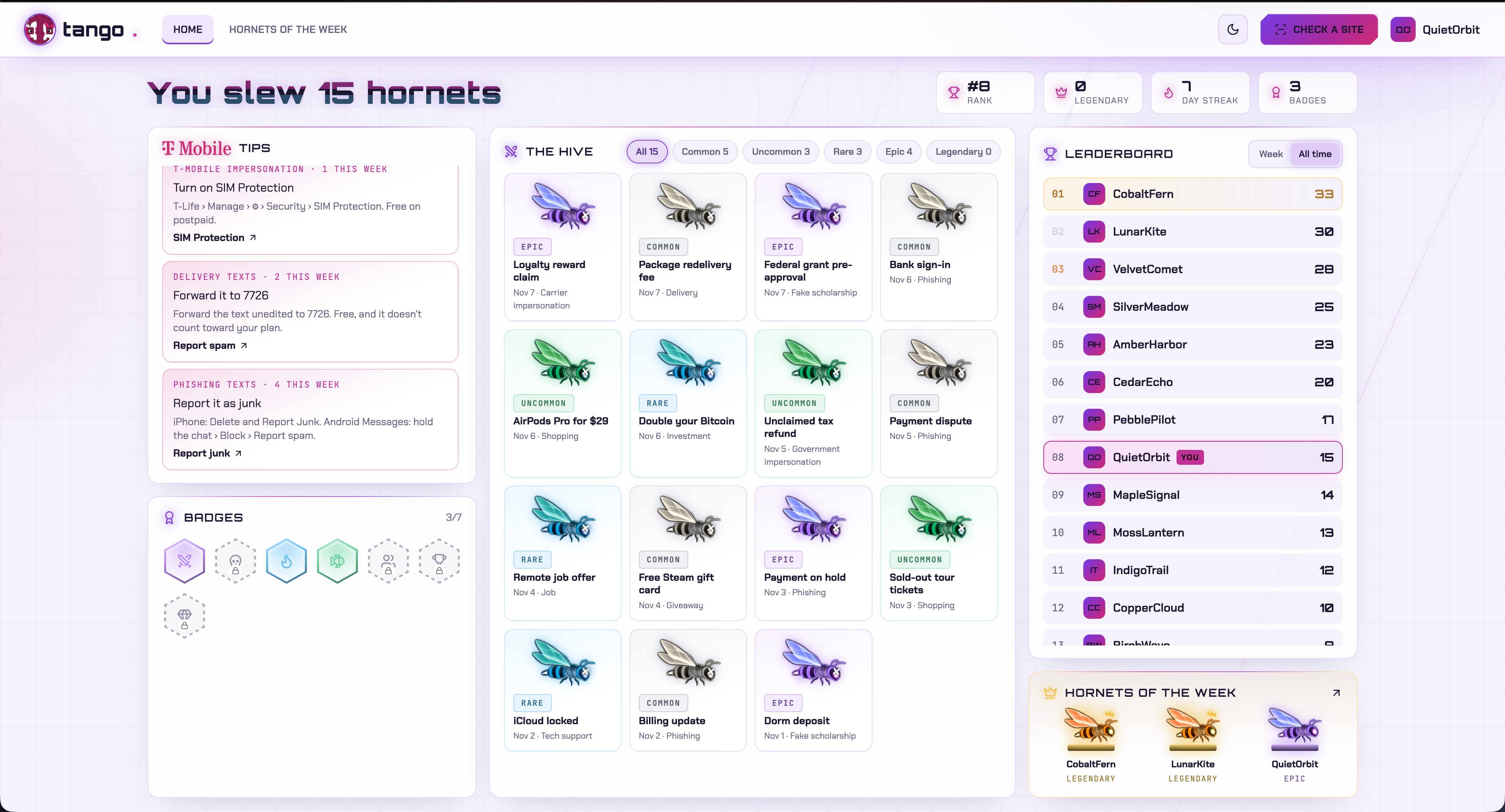
Leaderboard Light mode
-
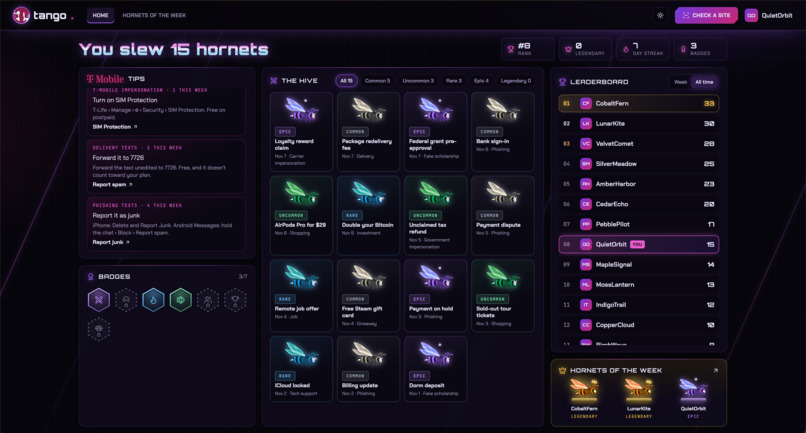
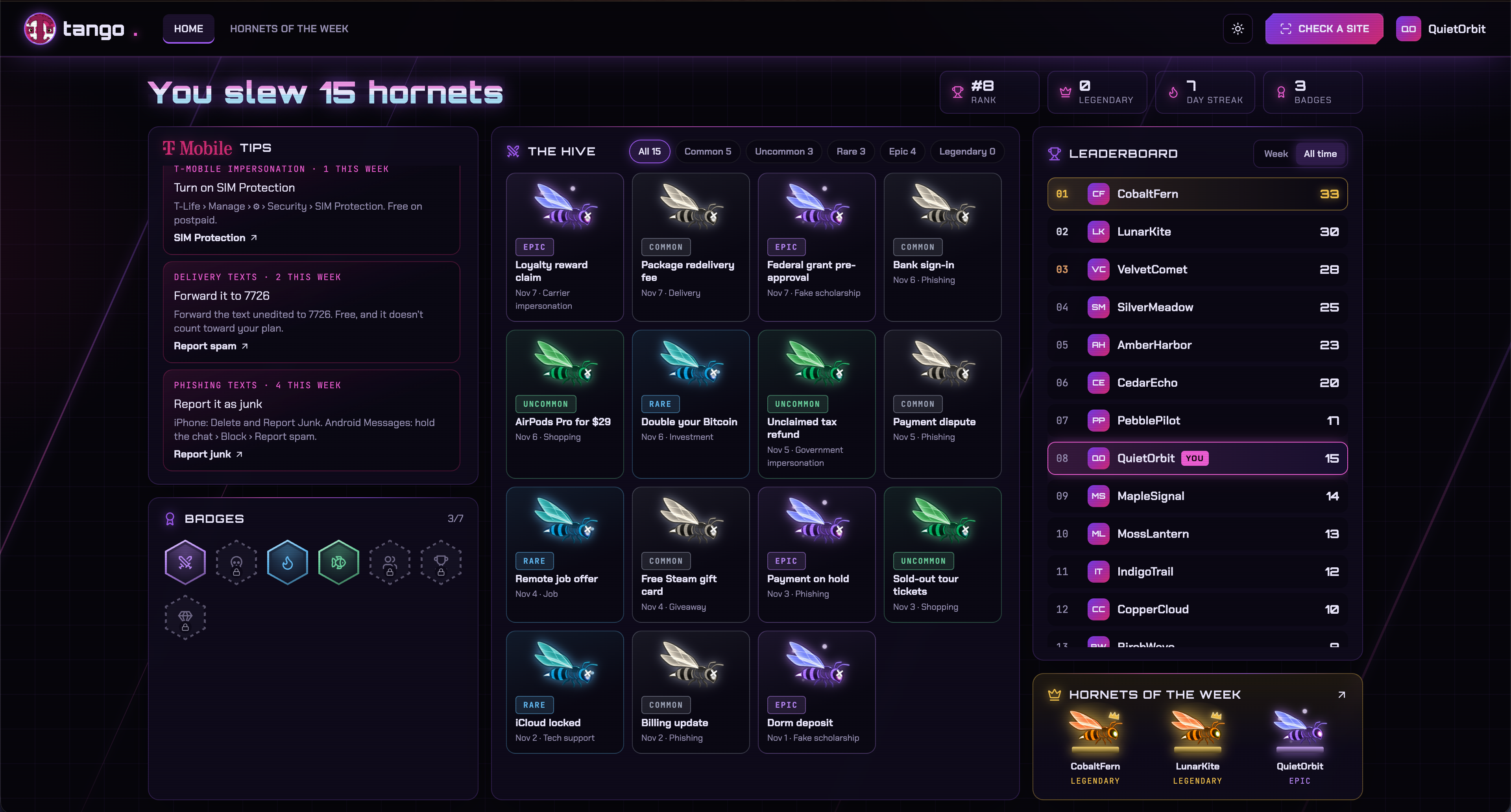
Leaderboard Dark mode
-
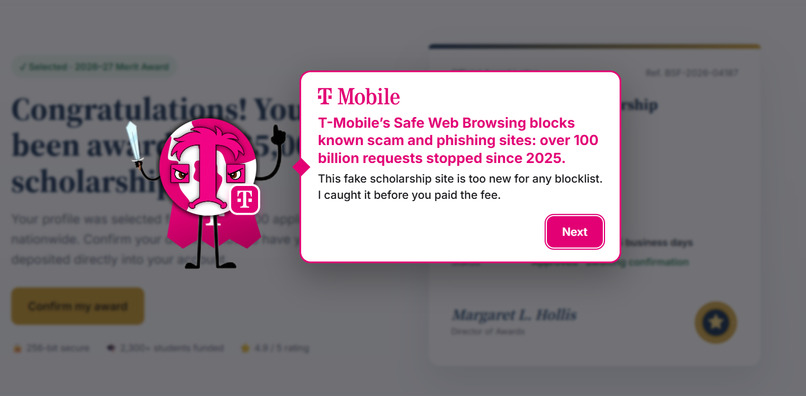
Security Report
-

Hornet Destroyed
-
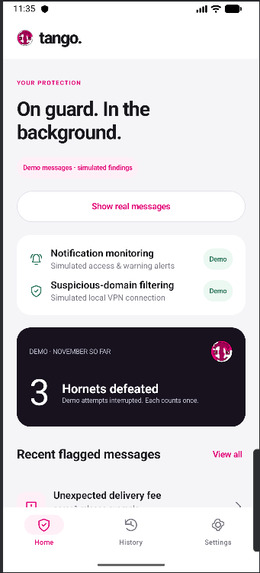
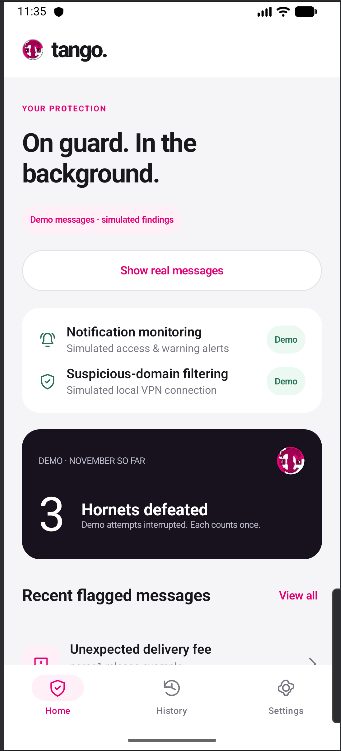
Tango Mobile Home
-
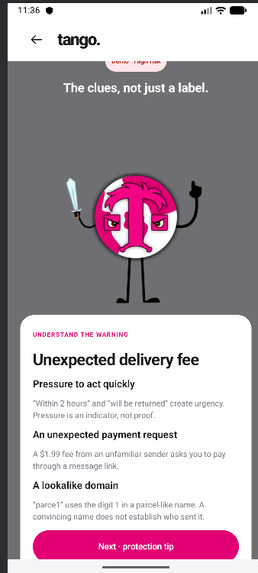
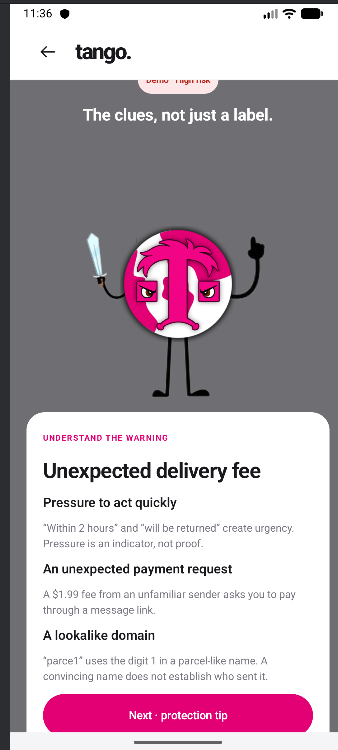
Tango Mobile Message Review

Inspiration
One of our teammates got scammed out of huge sum of money, which led him and his family to be in tough times for a while. This past plus what some of the sponsors' stories lead us to think about a way to protect users from the same experience.
That’s why we came up with Tango: a multi-device app that gets rid of any scamming/phishing it detects while you’re using it. The idea of the scam sites being hornets came from the theme of HackUTD: Zeroday being against the hive.
What it does
Tango does it all when it comes to your security, from website checking to blocking text. Here is a list of it's features
- Website Security Checking: makes sure a website isn’t trying to scam or steal information
- Fake Job/Scholarship/Apartment Listing Removal: silently gets rid of any fake or highly suspicious listings, you can always bring them back through the extension.
- Phishing/Scam Text Message Detection: automatically alerts you when a text message is likely a phishing text.
- Hornet Leaderboard and one in a Krillion:
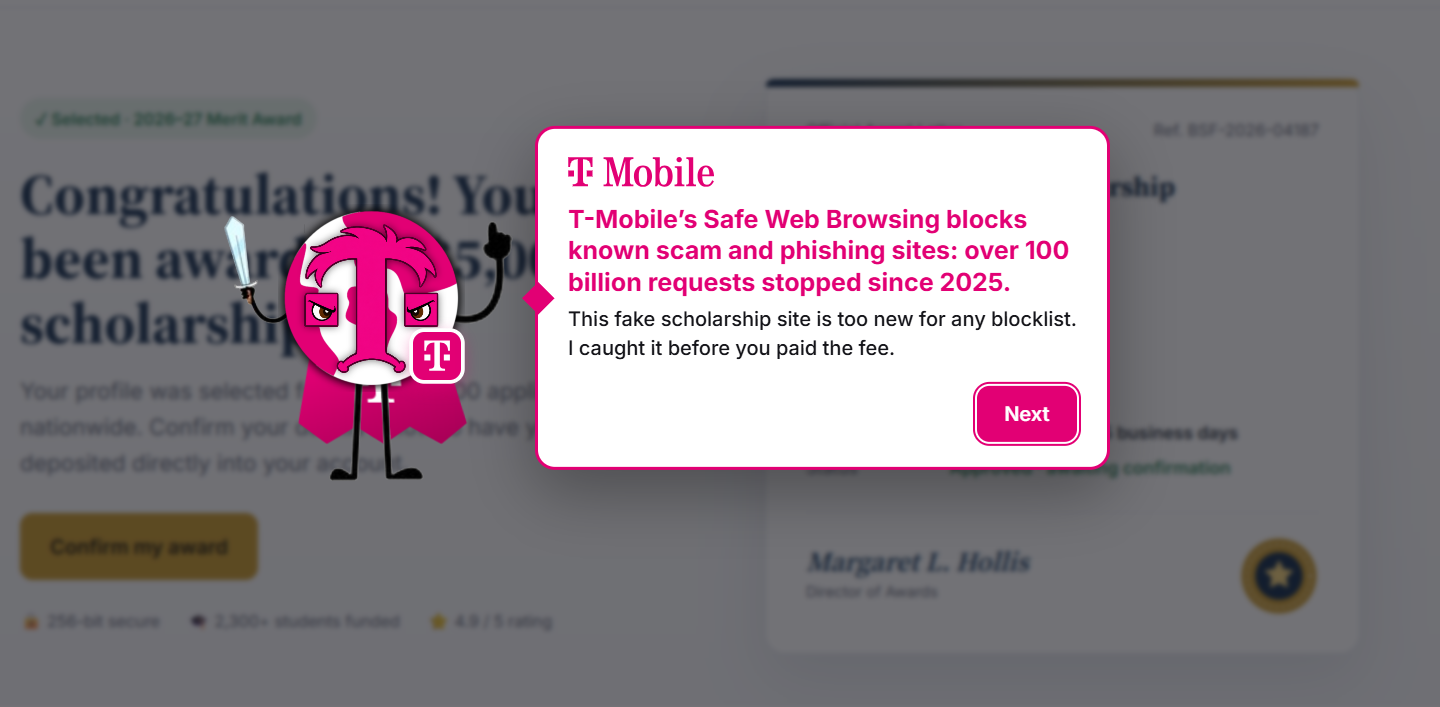
- T-Mobile Service Recommendation: When blocking websites the application will tell you how you could use a T-Mobile service to secure yourself further
How we built it
We used SpacetimeDB to store synthetic user data, website scan requests, and shared scam reports, with TypeScript database modules handling backend operations. We built the dashboard using React, TypeScript, and Tailwind CSS, and the browser extension using React, TypeScript, WXT, and Chrome Extension APIs to scan pages and display animated risk warnings. For the mobile app, we used Kotlin, Jetpack Compose, and Material 3 in Android Studio. Android’s NotificationListenerService lets the app inspect incoming message notification previews, apply local scam-detection rules, and show warnings that explain suspicious content. Our backend uses NVIDIA’s Nemotron API to investigate potentially fraudulent websites, alongside Google Safe Browsing for known threats and Tavily and Brave Search for supporting evidence. We combine these findings with heuristic checks to produce risk scores and understandable explanations. Custom character animations, hornet collectibles, and a leaderboard make scam prevention more engaging across the experience. For a technical analysis: For this project we used a full stack approach across three frontends, we first split the project into two parts, client and server side. The server side is to hold all the shared data and run the scam investigations, and the client side is the Chrome extension, the dashboard website, and the Android app. In order to make the server side we used SpacetimeDB as our database so every frontend could use the same backend, with tables acting as a queue for scans and a cache for reports, like so:
const scan_request = table(
  { name: 'scan_request', public: true },
  {
    domain: t.string().primaryKey(),
    signals_json: t.string(),
    source: t.string(), // 'auto' | 'manual'
    status: t.string(), // 'pending' | 'processing' | 'failed'
    error: t.string(),
    attempts: t.u32(),
    created_at_ms: t.u64(),
    claimed_at_ms: t.u64(),
  }
);

const site_report = table(
  { name: 'site_report', public: true },
  {
    domain: t.string().primaryKey(),
    risk_level: t.string(), // none | low | medium | high
    score: t.u32(), // 0-100, drives the arrow on the risk bar
    confidence: t.string(), // low | medium | high — honest confidence
    headline: t.string(),
    summary: t.string(),
    reasons_json: t.string(), // [{title, detail, severity}]
    evidence_json: t.string(), // raw signal results, for transparency
    checked_at_ms: t.u64(),
    expires_at_ms: t.u64(),
  }
);
Once we had the tables setup we needed reducers so the clients could ask for a scan and only our worker could answer it. Since anyone can call a reducer we made a helper to make sure the caller is a registered worker, and made request_scan safe to call on every new site without making duplicate scans:
function requireWorker(ctx: any) {
  if (!ctx.db.worker.identity_hex.find(hex(ctx.sender))) {
    throw new SenderError('Only a registered Tango worker may call this reducer');
  }
}

export const request_scan = spacetimedb.reducer(
  { domain: t.string(), signals_json: t.string(), source: t.string(), force: t.bool() },
  (ctx, { domain, signals_json, source, force }) => {
    const d = normalizeDomain(domain);
    if (signals_json.length > MAX_SIGNALS_BYTES) throw new SenderError('signals_json too large');
    if (signals_json) parseJson(signals_json, 'signals_json');
    const now = nowMs(ctx);

    const report = ctx.db.site_report.domain.find(d);
    if (report && report.expires_at_ms > now) {
      // Cached report is fresh. A forced re-scan costs an agent run, so rate-limit it.
      if (!force || now - report.checked_at_ms < BigInt(FORCE_RESCAN_MIN_MS)) return;
    }
    // ... re-queue a failed scan or insert a new pending one
  }
);
Reducers can't make outside web requests though, so we made a Node worker that polls the queue, claims scans, and does all the checking. For each site it grabs the domain age, Google Safe Browsing, phishing blocklists, and a lookalike check all at once, then scores them with simple rules before any AI gets involved:
const [rdap, sb, fetched] = await Promise.all([
  lookupRdap(domain),
  checkSafeBrowsing(domain),
  needsFetch ? fetchSignals(domain) : Promise.resolve(null),
]);
void refreshFeeds(); // every 30 min, in the background: never on a user's critical path
evidence.rdap = rdap;
evidence.safe_browsing = sb;
evidence.feeds = checkFeeds(domain);
evidence.lookalike = detectLookalike(domain);

// ...

const h = scoreSignals(domain, signals, evidence);
const lane = USE_LLM ? triage(h, evidence) : 'rules';
The rules give each red flag points and a reason a normal person can read (brand new site, payment going to a different domain, pretending to be a big brand, etc.), and the total decides the risk level. Running AI on every website would be way too slow, so we used triage to decide which sites actually need it. Sites on blocklists or old sites with no red flags just get the rules, sites that are already clearly bad get Nemotron to write the report, and everything else gets the full investigation:
export function triage(h: { score: number; hardHigh: boolean }, ev: ServerEvidence): Lane {
  if (h.hardHigh) return 'rules';
  const age = ev.rdap?.age_days;
  if (h.score < 15 && !ev.lookalike && age !== undefined && age >= ESTABLISHED_DAYS) return 'rules';
  if (h.score >= 70) return 'write-up';
  return 'research';
}
For the investigation we made Nemotron into an agent with 8 tools (web search, domain registration, DNS, certificate history, reading pages, etc.). It plans what to look up while some basic checks are already running, runs its picks, then either calls more tools or gives the final report. We also made it so the AI can't lower the score of a site that's on a blocklist:
if (lane === 'research') {
  // PLAN, with the baseline checks already running.
  const baseline = Promise.all(baselineChecks(domain).map(([t, a]) => tools.run(t, a, 'baseline')));
  const steps = await plan(file, domain, trace);
  // EXECUTE the planner's picks (repeats of baseline checks are free).
  await Promise.all([baseline, ...steps.map(st => tools.run(st.tool, st.args, 'planned'))]);

  // DECIDE: Nemotron either asks for more tools, or answers with the report straight away.
  const out = await chat({
    messages: [
      { role: 'system', content: DECIDE_SYSTEM },
      { role: 'user', content: `<case_file>\n${JSON.stringify(file)}\n</case_file>\n<tool_results>\n${resultsBlock(await tools.records())}\n</tool_results>` },
    ],
    tools: Object.values(TOOLS).map(t => t.spec),
    // ...
  });
  // ...
}

// ...

const finish = (value: z.infer<typeof ReportSchema>, ms: number) => {
  const { analysis, ...report } = value;
  // Hard evidence can't be talked down.
  const score = heuristic.hardHigh ? Math.max(95, report.score) : report.score;
  // ...
};
Every step the agent takes gets saved with the report so you can see how it decided, and if Nemotron fails at any point the worker just falls back to the rules report. We did the same kind of thing for fake job and rental listings on LinkedIn, Zillow, and Apartments.com, where rules catch the obvious ones (asking to move to Telegram, upfront fees, keys getting mailed) and Nemotron checks the rest. Moving on to the client side where the Chrome extension has a content script that runs on every page. The first thing we needed was to get info about the page without sending anything private, so we only send facts about the page and never form values, cookies, or the page text:
// Visible text is only scanned locally for a fixed phrase list; the text itself is never sent.
const text = (doc.body?.innerText ?? '').slice(0, 80_000).toLowerCase();

return {
  protocol: location.protocol,
  path: location.pathname.slice(0, 120), // no query string
  title: doc.title.slice(0, 150),
  is_checkout: /(checkout|cart|payment|billing|pay\b)/.test(path) || has_payment_fields,
  has_password_field: inputs.some(i => i.type === 'password'),
  has_payment_fields,
  form_action_domains: foreignHosts([...doc.forms].map(f => f.getAttribute('action')), domain),
  // ...
  urgency_phrases: URGENCY.filter(p => text.includes(p)),
  payment_methods_mentioned: RISKY_PAYMENTS.filter(p => text.includes(p)),
};
The background script takes those signals, checks the local cache, and if there's nothing it asks SpacetimeDB for a scan, then updates the badge and tells the page what it found. It also counts a hornet for every risky site:
const p = (async () => {
  await setTab(tabId, { domain, scan: { state: 'checking' } });
  let report = force ? null : await cachedReport(domain);
  if (!report) await setBadge(tabId, 'checking');
  try {
    report ??= await api.scan(domain, signals, { manual: !signals, force });
    await saveReport(report);
  } catch (e) {
    // ...
  }
  await setTab(tabId, { domain, scan: { state: 'done', report } });
  await setBadge(tabId, report.risk_level);
  await tellTab(tabId, { type: 'SCAN_RESULT', domain, report });
  if (report.risk_level === 'medium' || report.risk_level === 'high') await countWarning(report);
  return report;
})().finally(() => inFlight.delete(key));
When the page gets a medium or high result we wanted the user to not be able to ignore it, so we block the whole page by making everything except our popup inert and locking the scroll:
export function blockPage(host: HTMLElement): () => void {
  const madeInert: HTMLElement[] = [];
  // Walk up from the host; at each level make every sibling inert.
  for (let node: HTMLElement | null = host; node && node !== document.documentElement; node = node.parentElement) {
    const parent: HTMLElement | null = node.parentElement;
    if (!parent) break;
    for (const sib of Array.from(parent.children)) {
      if (sib !== node && sib instanceof HTMLElement && !sib.inert && sib.tagName !== 'HEAD') {
        sib.inert = true;
        madeInert.push(sib);
      }
    }
  }
  // ... lock scrolling and return a function that undoes it
}
For some of our extra bits like the hornet sneaking out of the page, we score the elements on screen and pick the one the scam wants you to click (payment forms, buy buttons, sign in buttons), then Tango rolls in with CSS animations and slices the hornet with sounds playing from an offscreen document. After the warning the dashboard button sends the kill over to the dashboard through the URL:
export function dashboardUrl(report: SiteReport, pageTitle: string): string {
  const url = new URL(DASHBOARD_URL);
  const risky = report.reasons.filter(r => r.severity !== 'info');
  url.searchParams.set('slay', report.domain);
  url.searchParams.set('title', pageTitle.split(/\s+[·|–—-]\s+/)[0]?.trim() || report.headline);
  url.searchParams.set('cat', bragFor(report).category);
  for (const r of (risky.length ? risky : report.reasons).slice(0, 4)) url.searchParams.append('r', r.title);
  return url.href;
}
On the dashboard side we read those params to make the new hornet, and to decide how rare it is we used tiers based on how many people reported the site, with every kill getting a real 1 in a million roll for Mythic:
export const TIERS: Tier[] = [
  { id: 'common', name: 'Common', species: 'European hornet', latin: 'Vespa crabro', points: 10, minReports: 200, color: '#9aa3b8' },
  { id: 'uncommon', name: 'Uncommon', species: 'Yellow-legged hornet', latin: 'Vespa velutina', points: 30, minReports: 50, color: '#34d399' },
  { id: 'rare', name: 'Rare', species: 'Lesser banded hornet', latin: 'Vespa affinis', points: 60, minReports: 10, color: '#38bdf8' },
  { id: 'epic', name: 'Epic', species: 'Black-tailed hornet', latin: 'Vespa ducalis', points: 85, minReports: 2, color: '#c084fc' },
  { id: 'legendary', name: 'Legendary', species: 'Northern giant hornet', latin: 'Vespa mandarinia', points: 100, minReports: 0, color: '#fbbf24' },
  { id: 'mythic', name: 'Mythic', species: 'Crimson hornet', latin: 'Vespa sanguinea', points: 1000, minReports: Infinity, color: '#ff1f3d' },
];
/** Each new kill rolls once: a 1 in 1,000,000 chance of Mythic, whatever its reports. */
export const MYTHIC_ODDS = 1_000_000;
export const rollMythic = () => crypto.getRandomValues(new Uint32Array(1))[0] % MYTHIC_ODDS === 0;
To make trophies shareable we draw them on a canvas and either open the share sheet on phones or copy the image and open X, Threads, or Instagram on computers. For the Android app we didn't want to read anyone's texts off their phone or send them to a server, so we used a notification listener and an offline detector that only flags a message if it finds at least two red flags:
if (matches("""\b(pay|send|buy|purchase)\b.{0,60}\bgift\s*cards?\b|\bgift\s*cards?\b.{0,60}\b(payment|pay|send)\b""")) {
    signal("Gift-card request", "Gift cards requested as payment", "A request to buy or send gift cards as payment is a strong warning sign. Do not share gift-card codes.", 4)
}
// ... urgency, payment, passwords, prizes, short links, lookalike links
// A single indicator never hides a notification. Require at least two independent clues.
if (score < 3 || clues.size < 2) return null
val risk = if (score >= 5) MessageRisk.HIGH else MessageRisk.MEDIUM
When a text gets flagged Tango posts its own warning first and only hides the original notification after that, and opening it plays the same hornet slaying animation as the extension. Then finally to make everything work you have to connect the clients to SpacetimeDB, which we did with a small HTTP client that calls reducers and reads tables like so:
/** Call a reducer. Args are positional, in the order the reducer declares them. */
async call(reducer: string, ...args: unknown[]): Promise<void> {
  const res = await fetch(`this.host/v1/database/{this.db}/call/${reducer}`, {
    method: 'POST',
    headers: this.headers({ 'Content-Type': 'application/json' }),
    body: JSON.stringify(args),
  });
  if (!res.ok) throw new ReducerError(reducer, res.status, await res.text());
}

async sql<T extends Row = Row>(query: string): Promise<T[]> {
  const res = await fetch(`this.host/v1/database/{this.db}/sql`, {
    method: 'POST',
    headers: this.headers({ 'Content-Type': 'text/plain' }),
    body: query,
  });
  if (!res.ok) throw new Error(`sql: HTTP ${res.status} ${await res.text()}`);
  const out = (await res.json()) as SqlStatementResult[];
  return out[0] ? decodeRows<T>(out[0]) : [];
}
Challenges we ran into
We had changes to the app while some teammates were asleep, so some features weren’t agreed upon and time got wasted from making now unused code. Not just that, but managing the 3 different frontends was difficult and the result was good, but very stressful because we were unsure if we could finish all facets of the full stack application before the time limit. We also had many issues with the optimization of the agentic website checking, we swapped from Claude to Nemotron due to speed differences, cost, and parallel agent processes.
Accomplishments that we're proud of
The main things that bring us pride are:
- The agentic checking of websites
- The multiple frontends that all use the same backend
- Making both Mobile and Web Extension versions
- Having decent documentation despite the rush
- learning by doing a language, kotlin, that none of us has ever seen before
What we learned
We learned a lot about web extension development, how to check phishing sites, mobile development, and most importantly how far you can go with a free plan in tech these days. The entirety of this project’s testing cost me about 2 cents of credits, even with the multiple parallel agents. We also used kotlin for the first time, which caused a few issues when debugging, but overall it was definitely easier than react native. Finally, how to use dev mode on figma to convert individual components into actual code.
What's next for Tango
In the future, we want to expand Tango beyond just a chrome extension or mobile app: with a background computer process that tracks all forms of malware and frauds beyond what’s on a site.
We also want to partner with official phishing registries: if many people use the app and continuously find these sites, we can significantly slow down the spread of online scams. Building on that, if we could get official partnerships and funding, we would be able to add incentives for people who find the rarest scam sites (for example, cash or tax incentives if we collaborate with the government).


