-
-
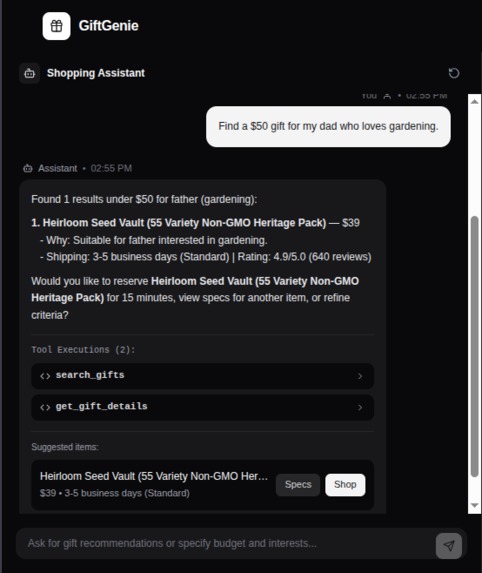
assistant
-
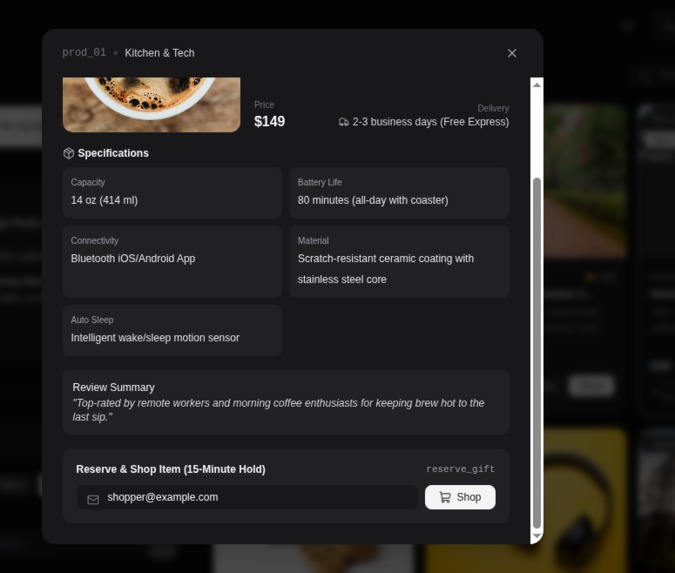
manual checkout
-
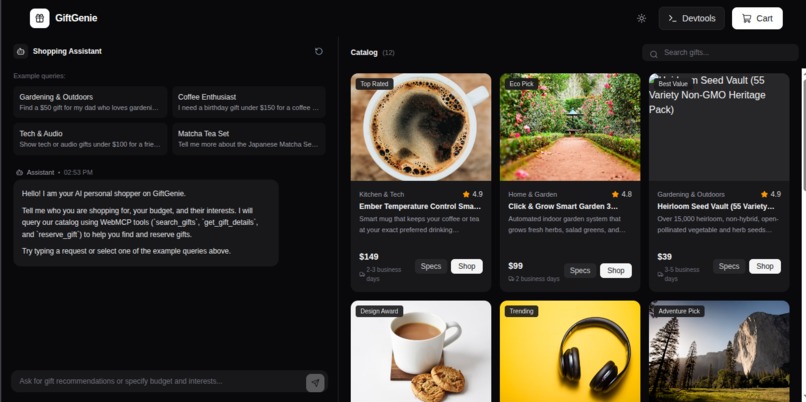
landing page
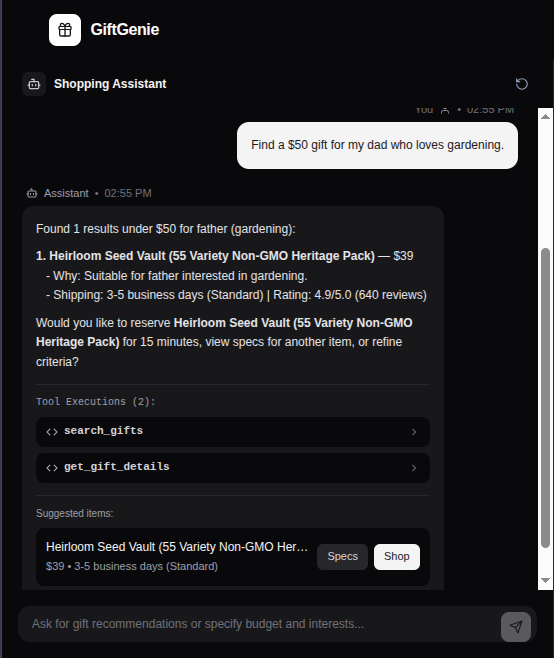
Inspiration We’ve all watched AI agents struggle with simple web tasks. An agent might successfully navigate a site, but when it comes to e-commerce, it often hallucinates product specs, misreads prices, or gets completely derailed by dynamic DOM elements. We realized that asking agents to "guess" their way through a UI is a fundamentally flawed paradigm. When we discovered WebMCP, it was a lightbulb moment. Instead of forcing agents to scrape and interpret UI, what if the website explicitly defined how it could be used? We built GiftGenie to prove this paradigm shift. E-commerce requires high accuracy and reliability, making it the perfect testing ground to show how an agent-native web app creates a vastly superior experience when humans and agents collaborate. What it does GiftGenie is a micro e-commerce platform designed from the ground up for human-agent collaboration. Instead of a human endlessly scrolling and filtering, they simply state their intent (e.g., "Find a $50 gift for my dad who loves gardening").
The AI agent then takes over, utilizing three structured WebMCP tools:
- search_gifts: Instantly filters the catalog based on interests, budget, and relationship.
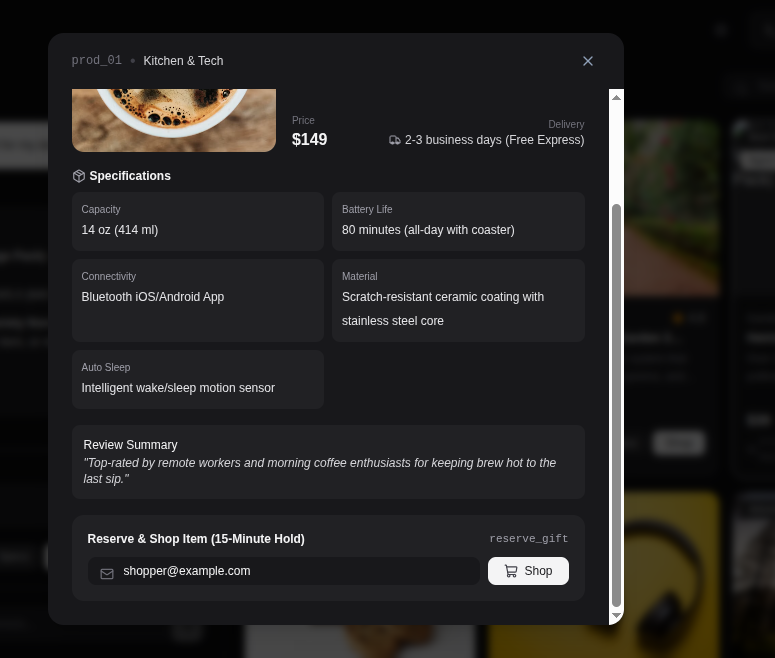
- get_gift_details: Fetches exact shipping times, reviews, and specs (guaranteeing zero hallucinations).
- reserve_gift: Securely holds the chosen item for 15 minutes.
The agent presents the best options and handles the tedious research, but the human always retains the final creative and financial decision.
How I built it: We wanted a lightning-fast, highly responsive frontend to showcase the WebMCP integration.
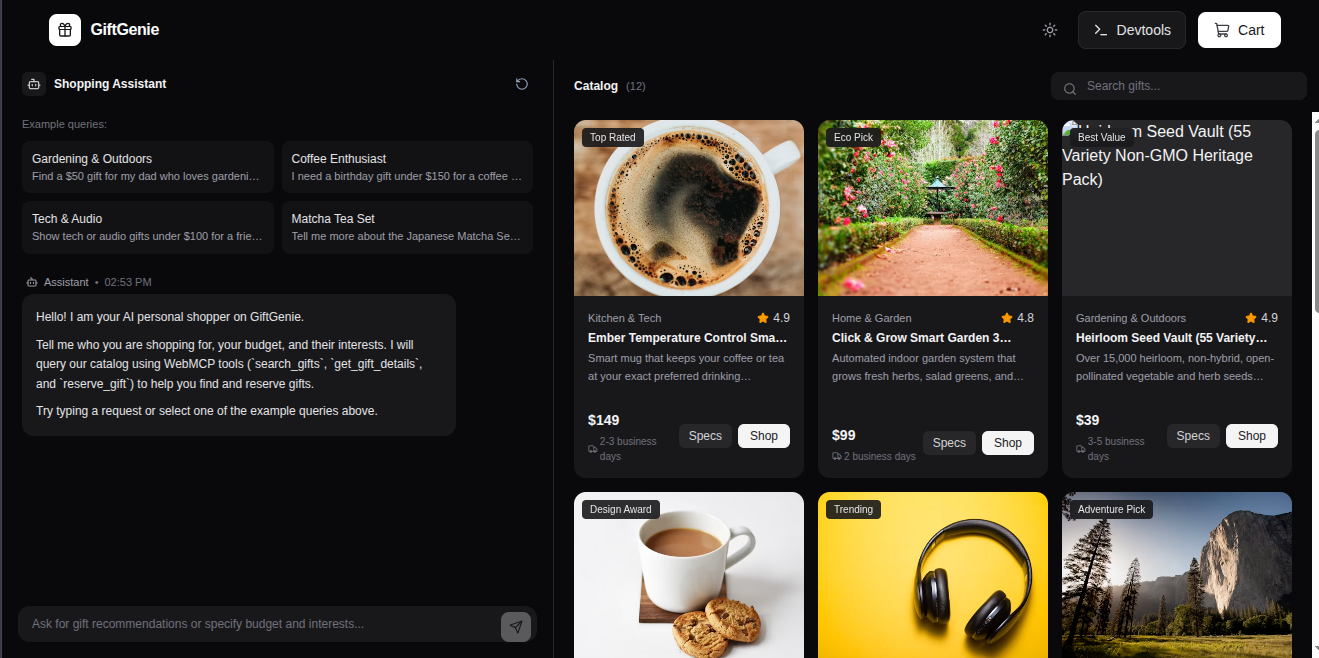
- Frontend: Built with React, TypeScript, and Vite, styled with Tailwind CSS. We used a split-screen layout: a chat interface on the left for the agent, and a dynamic product/reservation panel on the right.
- Data: To keep the focus on the interaction model, we used a locally hosted products.json file with 12 highly curated items.
- WebMCP Integration: The core magic lives in src/webmcp/registerTools.ts. On app mount, we use the native browser API to register our tools:
document.modelContext.registerTool({ name: "search_gifts", description: "Search the curated gift catalog based on recipient interests, budget, and relationship.", inputSchema: { type: "object", properties: { interests: { type: "array", items: { type: "string" } }, budget_max: { type: "number" }, relationship: { type: "string" } }, required: ["interests", "budget_max"] }, execute: async (input) => { /* Filters and returns structured JSON */ } });
I tested the entire flow natively using Google Chrome with the chrome://flags/#enable-webmcp-testing flag enabled, ensuring seamless communication between the in-browser agent and our exposed tools.
Challenges we ran into
- Schema Precision: Initially, our inputSchema was too loose, causing the LLM to occasionally pass strings instead of arrays for the interests parameter. We had to rigorously tighten the JSON schema and improve the tool descriptions to enforce strict typing.
- Agent-UI Synchronization: We wanted the visual UI to update in real-time when the agent called a tool in the background (e.g., visually adding an item to the "Reserved" panel while the agent was still typing its response). Bridging the gap between the background WebMCP tool execution and the React state required careful event handling.
- Description Engineering: We learned that the description field of a tool is just as critical as the code. We had to iterate on the natural language descriptions to ensure the agent understood exactly when to use get_gift_details versus just summarizing the initial search results.
Accomplishments that we're proud of
- Zero Hallucinations: Because the agent relies strictly on the structured JSON returned by get_gift_details, it never invents product specs or prices. The reliability is 100%.
- The "Handoff" Experience: We successfully created a fluid loop where the agent does the heavy analytical lifting, but seamlessly hands control back to the human for the final creative choice.
- Flawless WebMCP Execution: Getting the document.modelContext API working perfectly in the Chrome testing environment on a tight 48-hour deadline.
What we learned Designing for AI agents is fundamentally different from designing for humans. Humans will forgive a clunky UI or a confusing layout; an agent will just fail completely if the data structure is ambiguous. We learned that building for the "agent-native web" requires a shift in mindset: Tool descriptions are prompts. Writing clear, boundary-defining descriptions for WebMCP tools is just as important as writing the execution logic itself.
Built With
- react
- tailwindcss
- typescript
- vite
- webmcp

Log in or sign up for Devpost to join the conversation.