Inspiration
I got tired of the gap between what voice assistants promise and what they actually do on desktop. Siri can set a timer, but it can't open a specific spreadsheet, create a calendar event from a paragraph of text, and resize two windows side by side — all from one sentence. I wanted something that could actually drive my Mac the way I would, across any app, not just the ones with built in integrations.
What it does
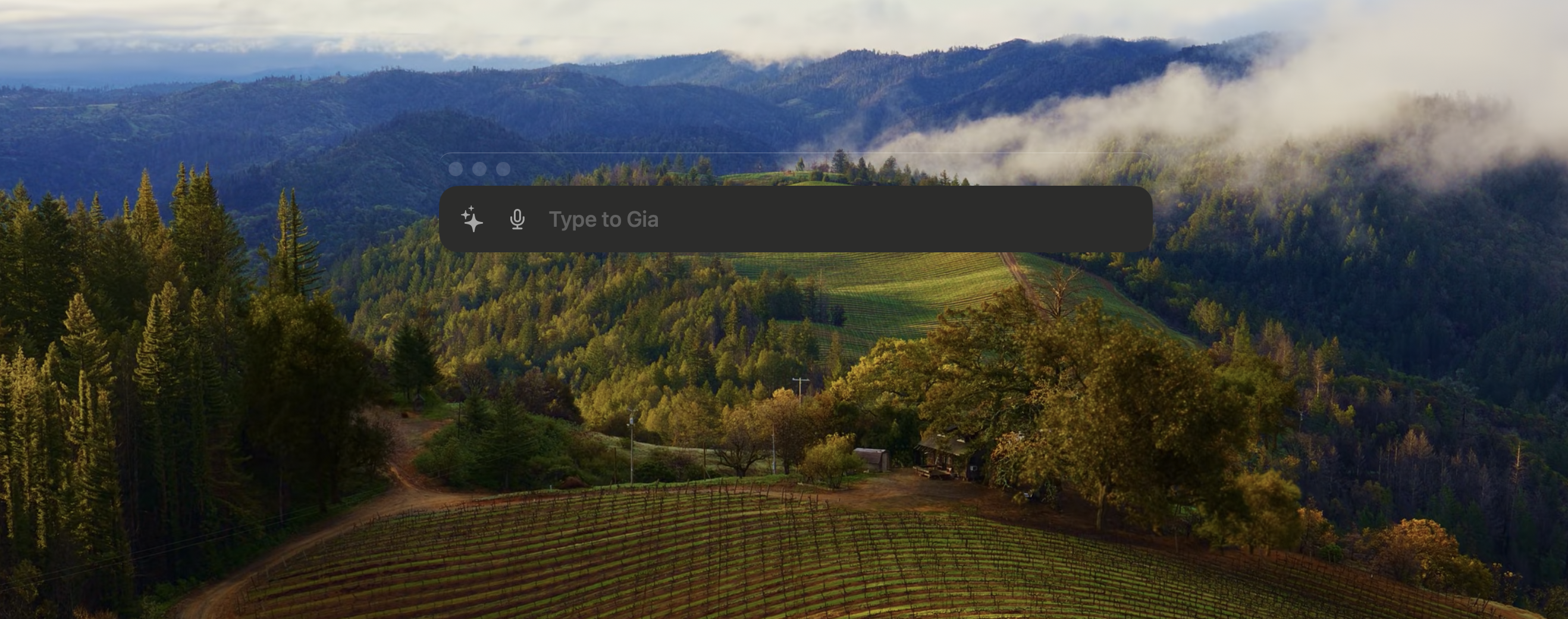
Gia is a macOS assistant you talk or type to. You say something like "find my resume and email it to Sarah" and it figures out which apps to open, generates the automation scripts, runs them, then takes a screenshot to verify it actually worked. If something went wrong, it tries to fix itself
It works across any macOS app. Calendar, Finder, Safari, Notes, Mail, Numbers, anything you can interact with on your Mac, Gia can too, because it writes AppleScript and Python to drive the actual UI.
How we built it
The whole thing is Swift and SwiftUI using Antigravity targeting macOS 14+. The core idea is a subagent architecture. Instead of one massive prompt trying to do everything, there's a fast orchestrator that classifies what you're asking for and routes to a specialized subagent (search, browser automation, script generation, or web research).
Voice input goes through Azure Speech-to-Text, I capture audio with AVAudioEngine and send chunks every 2 seconds for near-realtime transcription.
The browser automation was one of the more interesting pieces. Instead of Selenium (which spawns its own browser), Gia controls your actual Safari tabs via AppleScript, injects JavaScript to scan the DOM for clickable elements, asks Gemini 3 Flash what to click, and loops until the task is done.
For verification, after any automation runs, Gia captures the target window using ScreenCaptureKit, sends the screenshot to Gemini 3 with the original task, and asks "did this actually work?" If not, Gemini writes a fix script and tries again.
Challenges we ran into
Parallel execution on macOS was brutal. macOS has a single keyboard and window focus, so if you try to automate two apps at once and both need to type or click, they fight. I worked around this by having Gemini 3 generate Python scripts with threading, using direct API calls (like AppleScript document manipulation) instead of simulated keyboard input wherever possible, and having Gemini 3 group tasks that need focus sequentially.
Search was harder than expected. My first approach was hardcoded Spotlight queries, but they fell apart on anything fuzzy. I ended up having Gemini generate search scripts on the fly, with fallback to a fuzzy search service that tries hyphenated, underscored, and phonetic variants.
Prompt engineering at scale. I started with a single ~500-line prompt and it was slow and confused. Splitting into an orchestrator + specialized subagents was the turning point — responses got faster and more accurate because each subagent only has to be good at one thing.
AppleScript is a nightmare. Every app has its own quirks. Some support make new document, others need click button through System Events, and a few just don't expose their UI properly. A huge chunk of development was just teaching Gemini which patterns work for which apps and what anti-patterns to avoid (like clicking at screen coordinates, which breaks on different display setups).
Accomplishments that we're proud of
The subagent architecture is probably what I'm most proud of. Going from a single monolithic prompt that was slow and confused to a clean orchestrator-plus-specialists setup was a real "before and after" moment response quality jumped noticeably and latency dropped because each subagent only processes a small, focused prompt.
The visual verification loop is the other one. Most automation tools just run a script and hope for the best. Gia actually screenshots the result, asks Gemini "did this work?", and if not, generates a targeted fix script and retries. It catches real failures — like a dialog box popping up that blocked the task, or the wrong document being in focus — and recovers without the user doing anything.
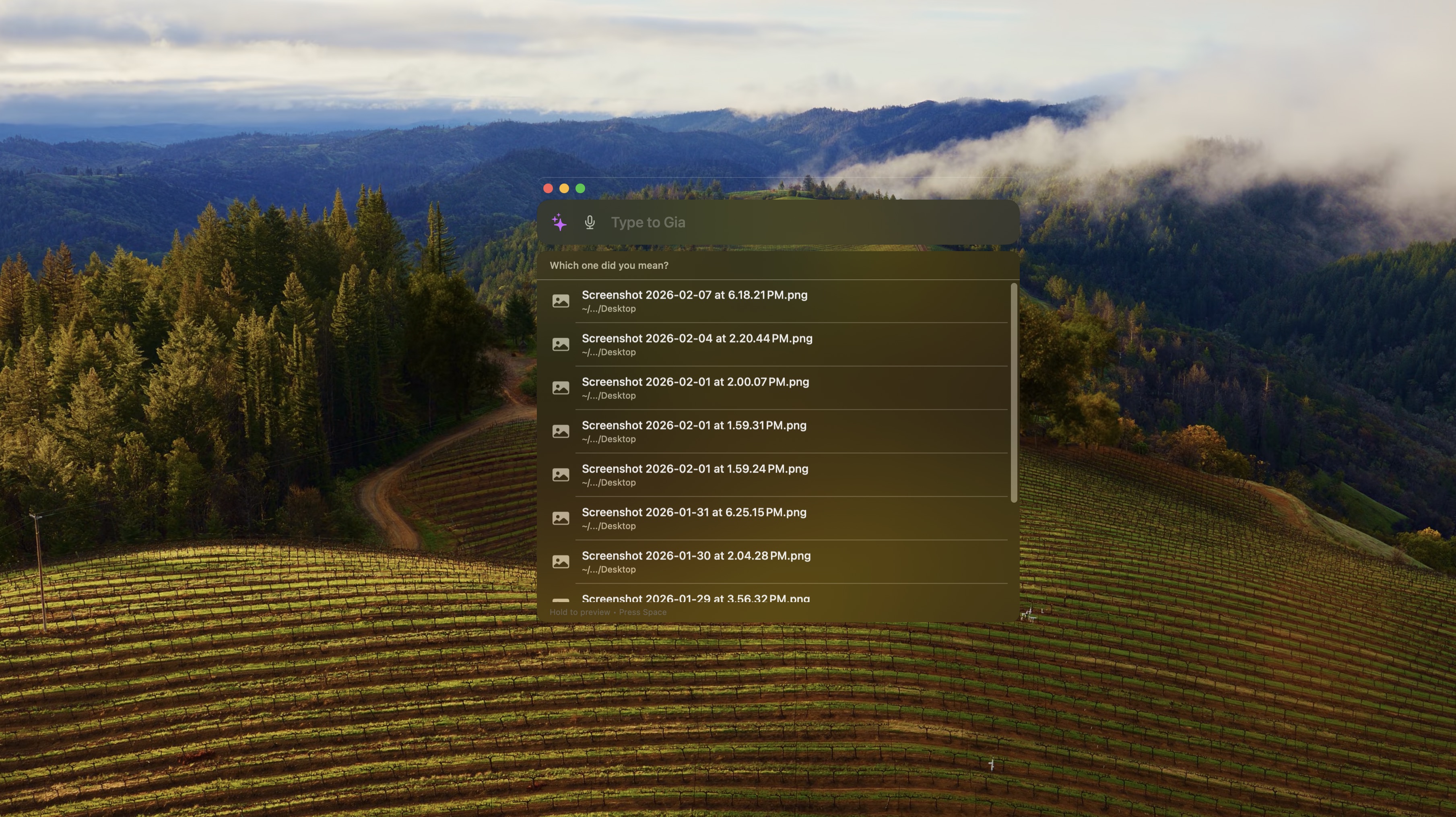
And honestly, the first time I said "find my resume and open it in Preview" and watched Gia generate a search script, find the file, handle disambiguation when there were multiple matches, and open the right one tat was the moment it felt like a real product and not just a demo.
What we learned
The biggest lesson was that prompt architecture matters as much as prompt content. I spent days tweaking a single giant prompt trying to make it handle every case. Splitting it into an orchestrator and focused subagents took an afternoon and gave better results than all that tweaking combined. Smaller context, clearer instructions, better output.
I learned a lot about macOS internals I never expected to touch, Accessibility APIs for extracting keyboard shortcuts from menu bars, ScreenCaptureKit for window-level screenshots, how AppleScript sandboxing actually works (and doesn't). Every app on macOS behaves slightly differently when you try to automate it, and there's no documentation for most of those quirks. You just have to try things and see what breaks.
I also learned that voice input is deceptively hard. Getting audio capture working is the easy part. Handling partial transcriptions, knowing when someone is done speaking, dealing with background noise — that's where the real complexity lives. Chunking audio every 2 seconds and sending it to Azure's REST endpoint ended up being simpler and more reliable than the WebSocket approach I tried first with Gemini Live.
What's next for Gia
I want to add Chrome support alongside Safari for browser automation. The AppleScript + JS injection approach should translate, but Chrome's scripting model is different enough that it'll need its own subagent tweaks.
Multi-turn task planning is the big one. Right now each command is mostly independent (with some conversation history for context). I want Gia to handle things like "research flights to Tokyo for next month, compare the top 3 options in a spreadsheet, and email it to me" — a chain of tasks where each step feeds into the next.
I'd also like to explore on-device models like Gemma for the orchestrator layer. The orchestrator prompt is small and the classification task is simple — running it locally would cut latency and API costs for the routing step, while still using Gemini for the harder subagent work.
And eventually obv, a menubar app with a global hotkey so you can summon Gia from anywhere without switching windows.


Log in or sign up for Devpost to join the conversation.