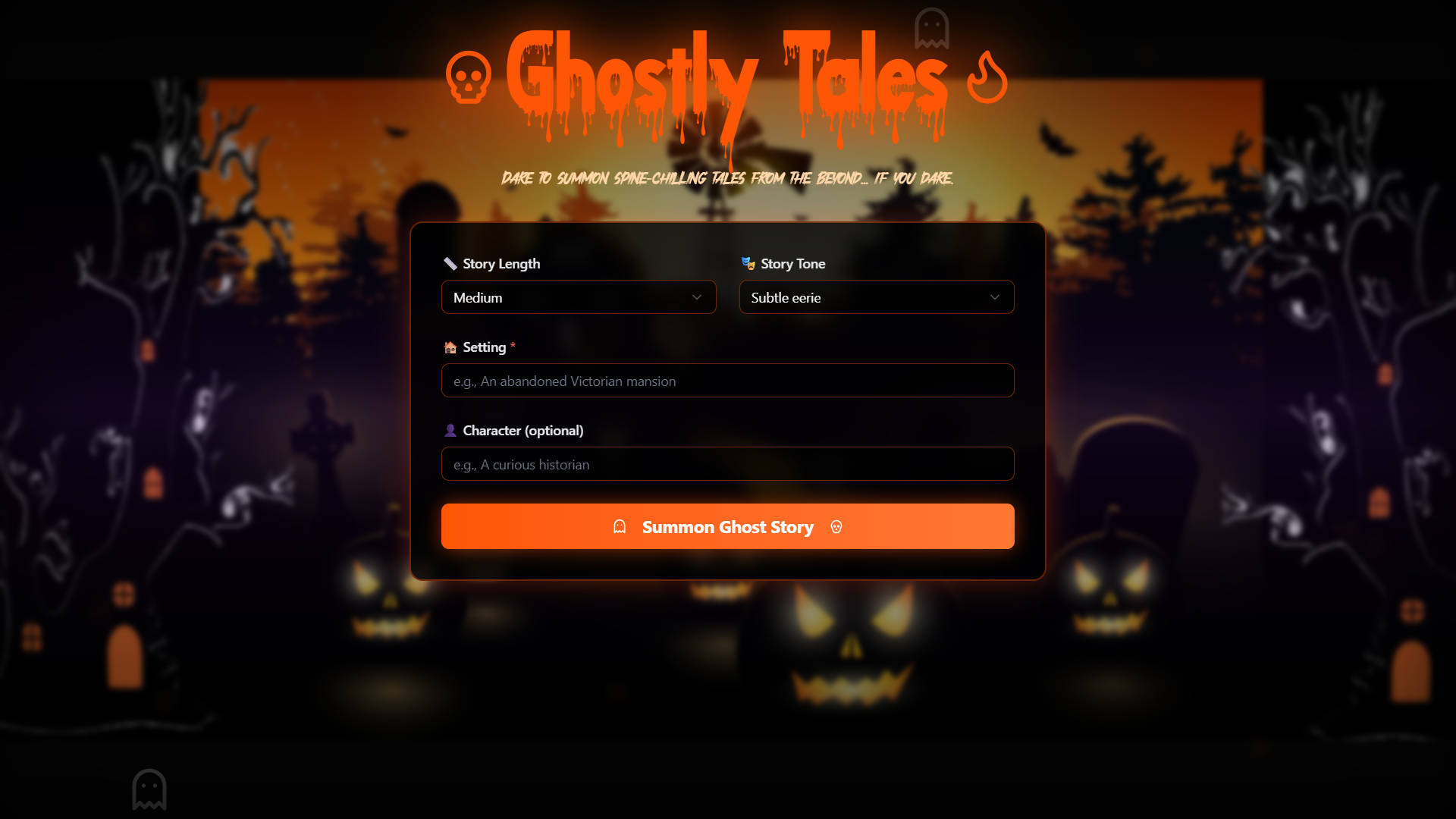
Inspiration
Every culture has ghost stories whispered through generations — short, eerie tales meant to unsettle the imagination. We wanted to capture that timeless feeling and bring it into a modern, interactive form. Instead of passively reading horror, we asked: What if you could summon a ghost story on command? And what if the interface itself felt alive — flickering, whispering, and reacting to you? That idea became Ghostly Tales, a blend of nostalgia, atmospheric UI, and AI-driven storytelling.
What it does
Ghostly Tales generates personalized horror micro-stories based on the user’s chosen setting, tone, characters, and story length. The output is revealed through an unsettling typing effect, simulating a tale being “channeled” from the other side.
Key features include:
- 🕯️ Minimal, cinematic horror UI with subtle ambient glows
- 👻 AI-generated ghost stories based on user inputs
- ⌨️ Real-time typing effect that feels supernatural
- 🔄 Regenerate or tweak stories with one tap
- 📋 Copy or share the final story
It’s fast, atmospheric, and designed to immerse the reader from the moment they click “Summon Story.”
How we built it
- Frontend: Next.js (App Router) + TypeScript + Tailwind + styled-components for the animated card wrapper
- Story Engine: AI text generation using prompt-driven inputs from the user
Animations:
- Ghostly typing effect built with React state and timed character rendering
- Ambient glow layers for cinematic horror lighting
Design:
- Hand-crafted black-and-orange theme inspired by vintage horror posters
- Soft noise textures, flickers, and gradients for atmosphere
We focused on performance, simplicity, and delivering vibes over complexity.
Challenges we ran into
Getting the horror aesthetic to feel “minimal but immersive.” Too many effects broke the mood; too few felt bland. We iterated heavily on glow strength, blur, and contrast.
Typing animation performance. Rendering long stories character-by-character can cause slowdowns. We optimized the loop and batching logic.
Ensuring the SVG displacement didn’t distort the content. We had to isolate the filter to the border only, not the story text.
Story quality variance. Balancing “scary but readable” required smart prompt engineering, especially for short story lengths.
Accomplishments that we're proud of
- Built a full, atmospheric storytelling tool in under a day
- Nailed the haunted-but-clean interface, with organic glows and distortions
- Typing effect feels genuinely spooky and cinematic
- Stories reflect user inputs meaningfully (tone, setting, characters)
- The entire experience feels cohesive — from the UI to the final tale
What we learned
- Small details (cursor blink timing, glow color, text spacing) massively impact emotional tone
- Minimal UI doesn’t mean simple — restraint is a design skill
- AI story generation can be shaped dramatically through prompt structure
- Horror relies more on pacing and reveal than long paragraphs
What's next for Ghostly Tales
- 🌒 Voice mode — AI narrates the story with a ghostly whispering voice
- 🕸️ Story timeline view — see how tales evolve as you tweak inputs
- 🩸 Illustrated horror mode — auto-generate images for key story moments
- 👫 Multiplayer “Campfire Mode” — friends generate interconnected stories
- 📚 Save & publish collections — create a personal anthology of ghost stories
- 🪄 Real-time ambient effects — screen flicker, vibrations, heartbeat pulses

Log in or sign up for Devpost to join the conversation.