-
-
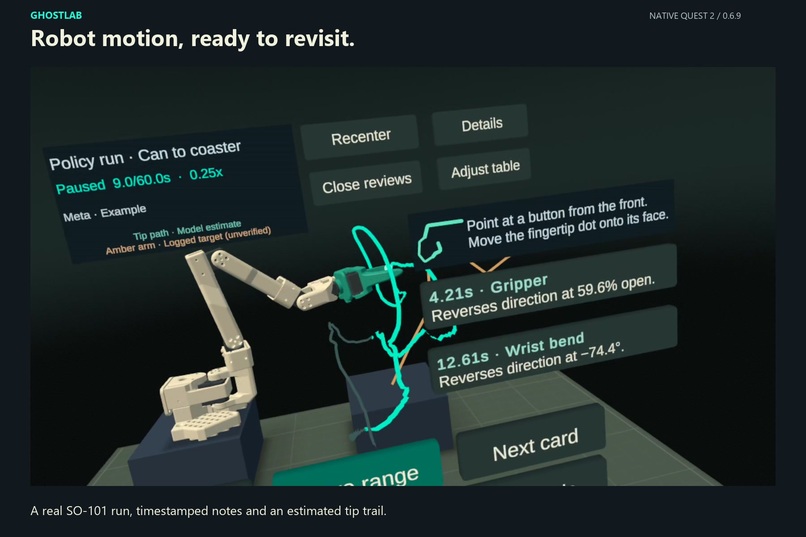
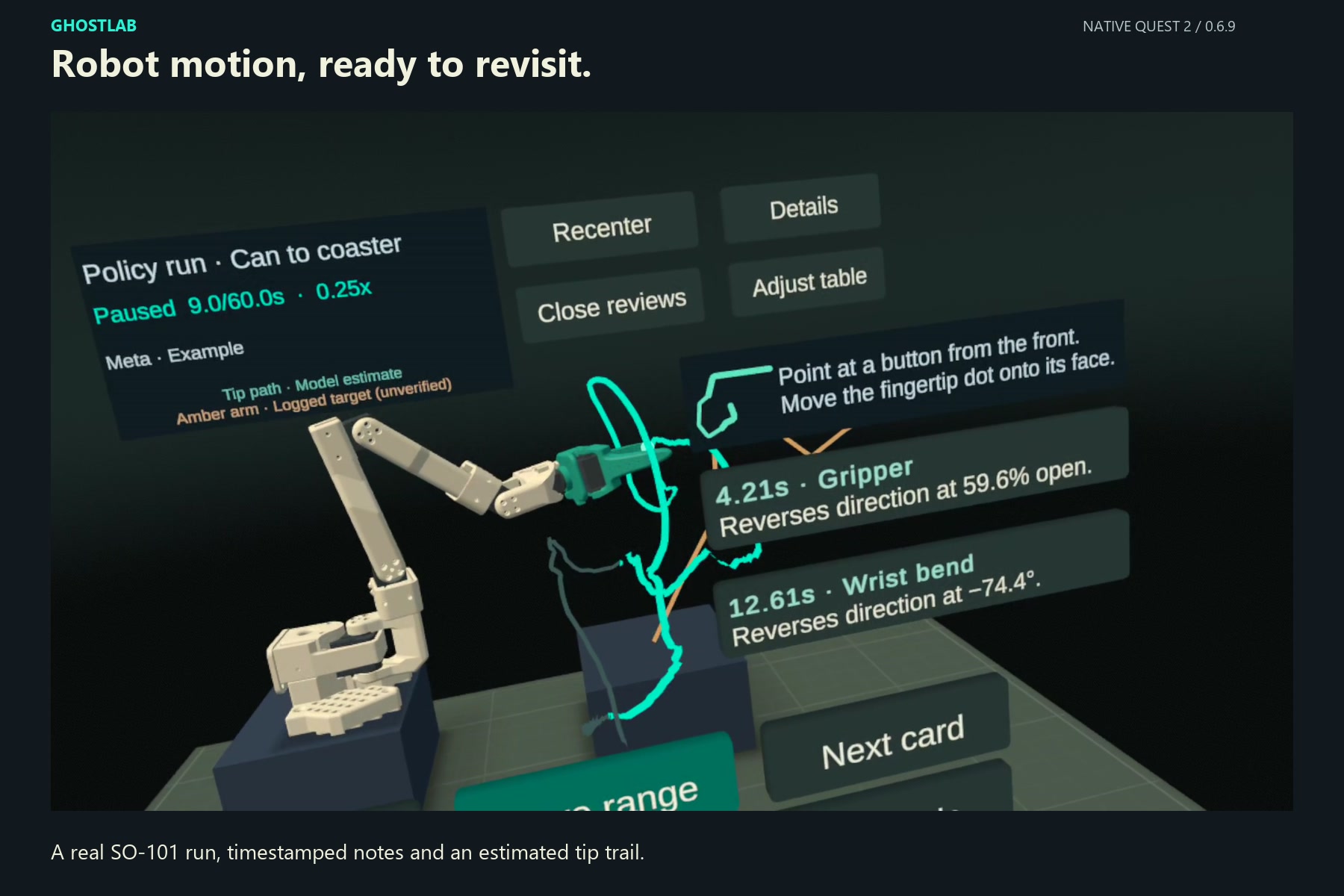
Review recorded robot motion in VR with your hands. The bundled Meta notes link each observation to a measured joint event.
-
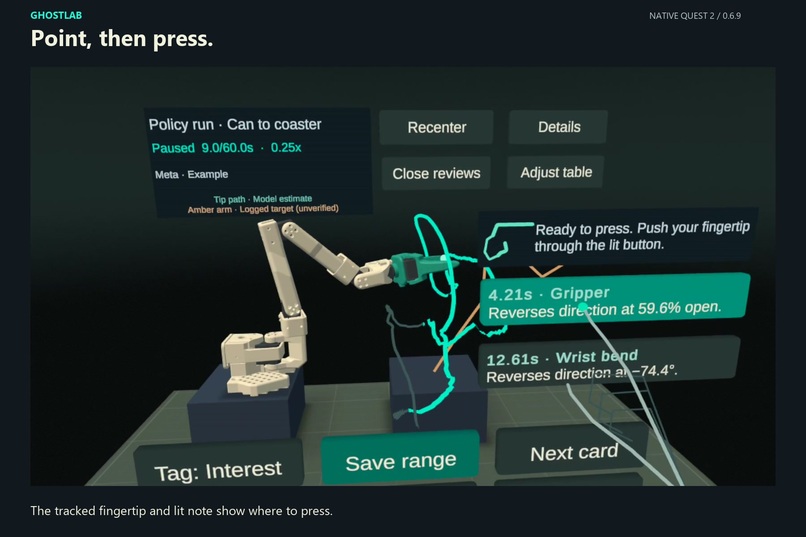
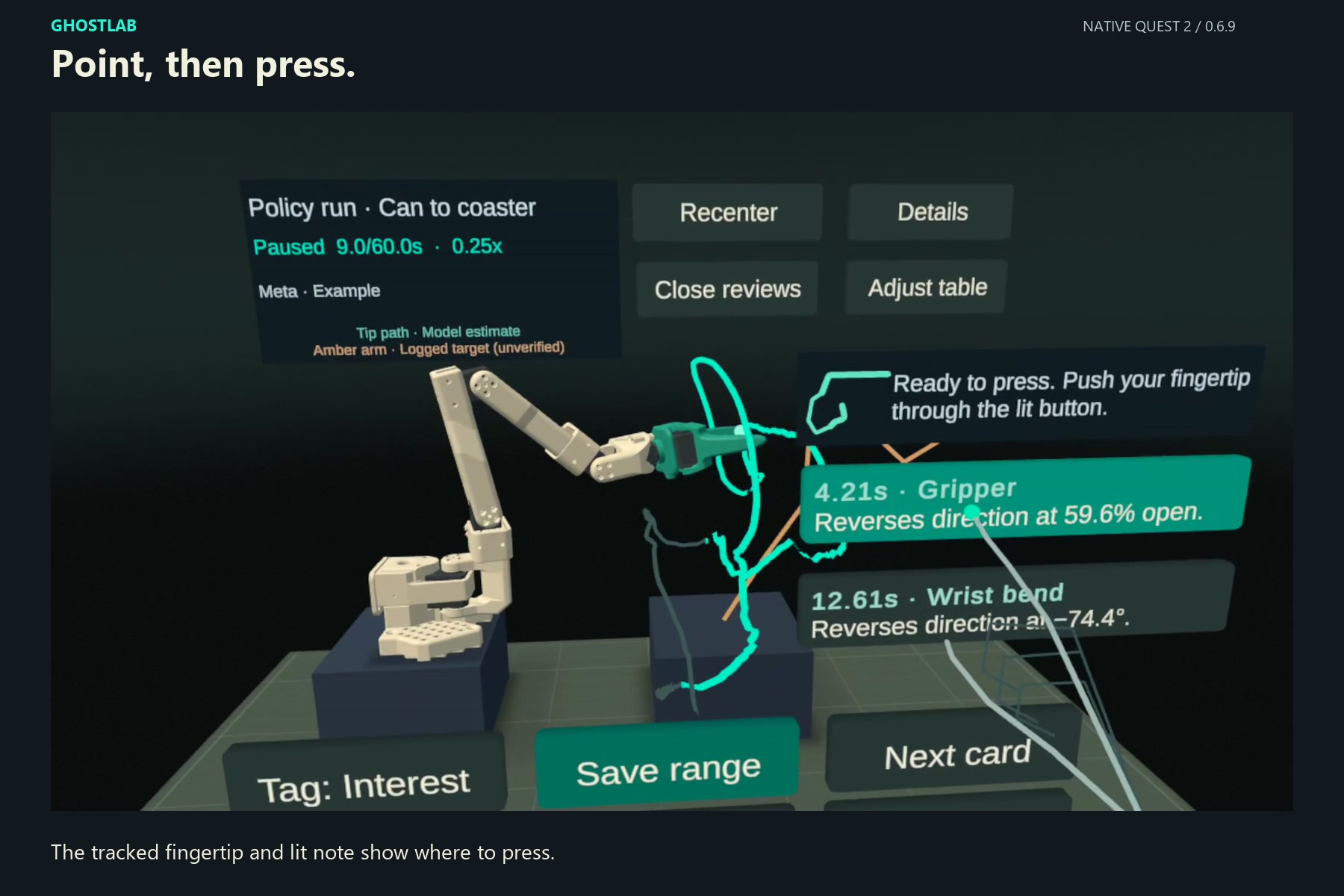
Point at a motion note. The tracked fingertip, highlighted target and Ready to press cue guide a direct finger press.
-
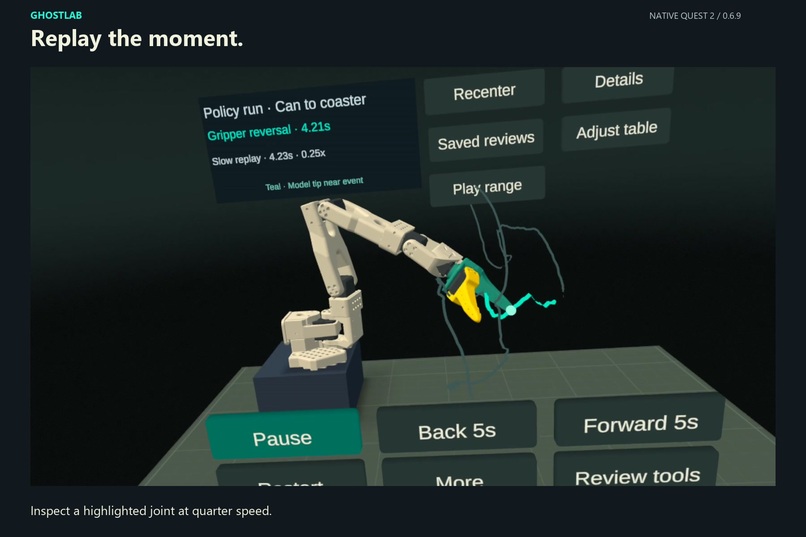
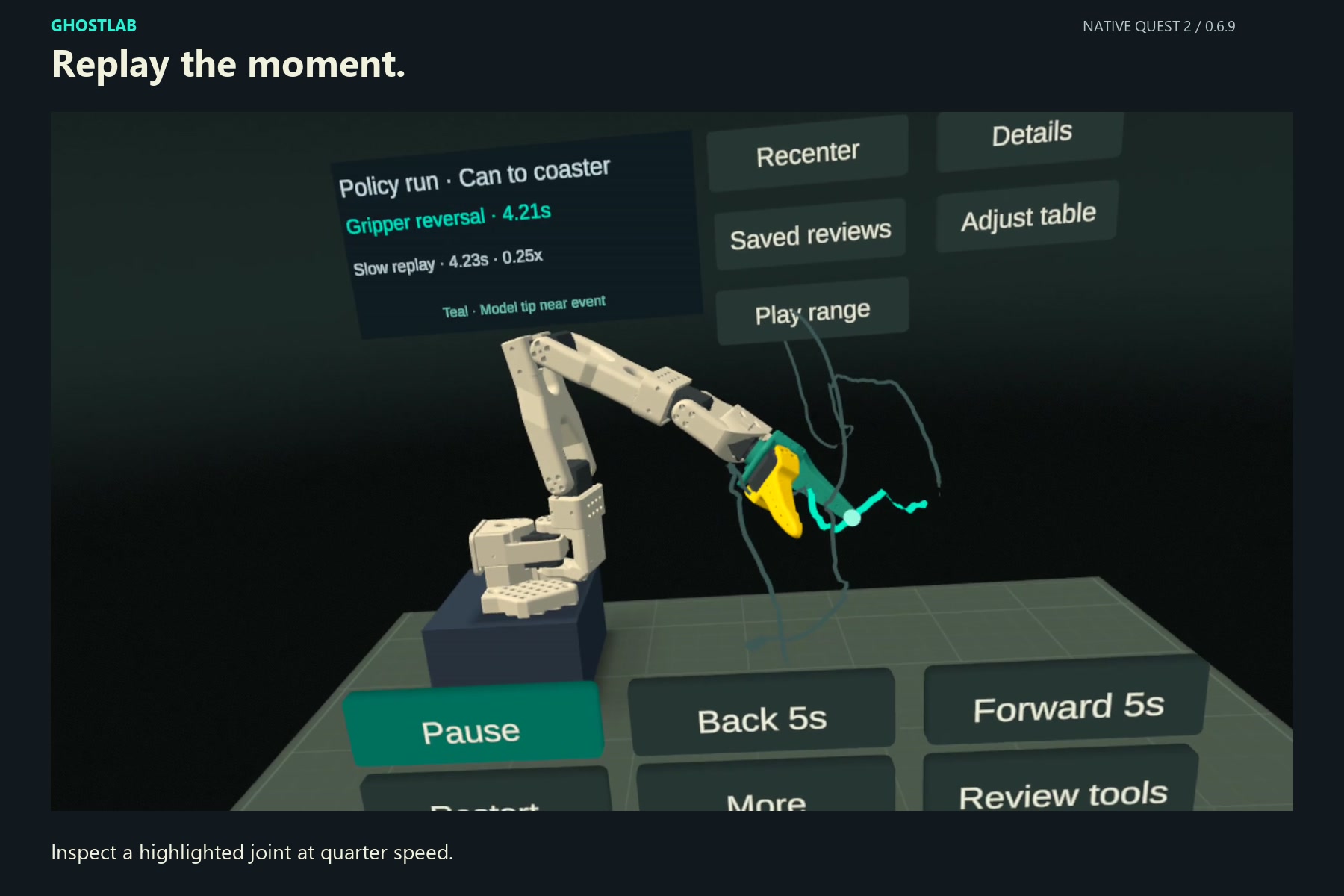
Select a timestamp and replay the highlighted joint at 0.25x. The gripper pulses at its recorded reversal.
-
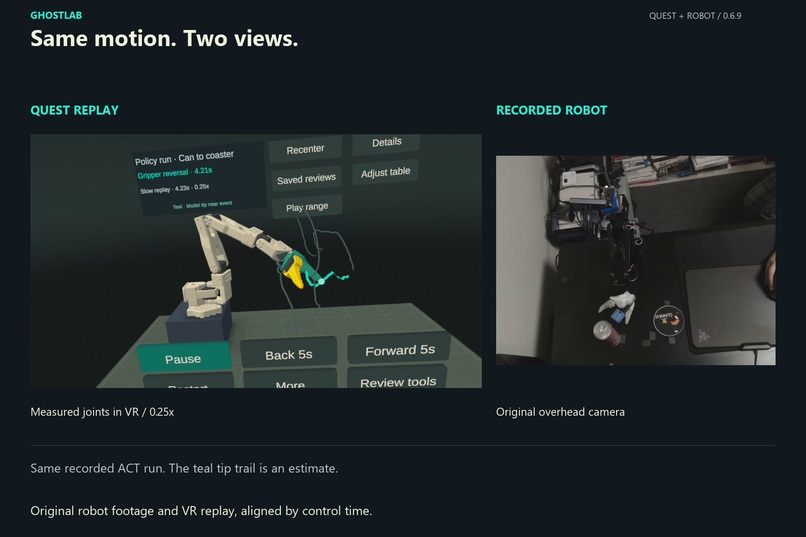
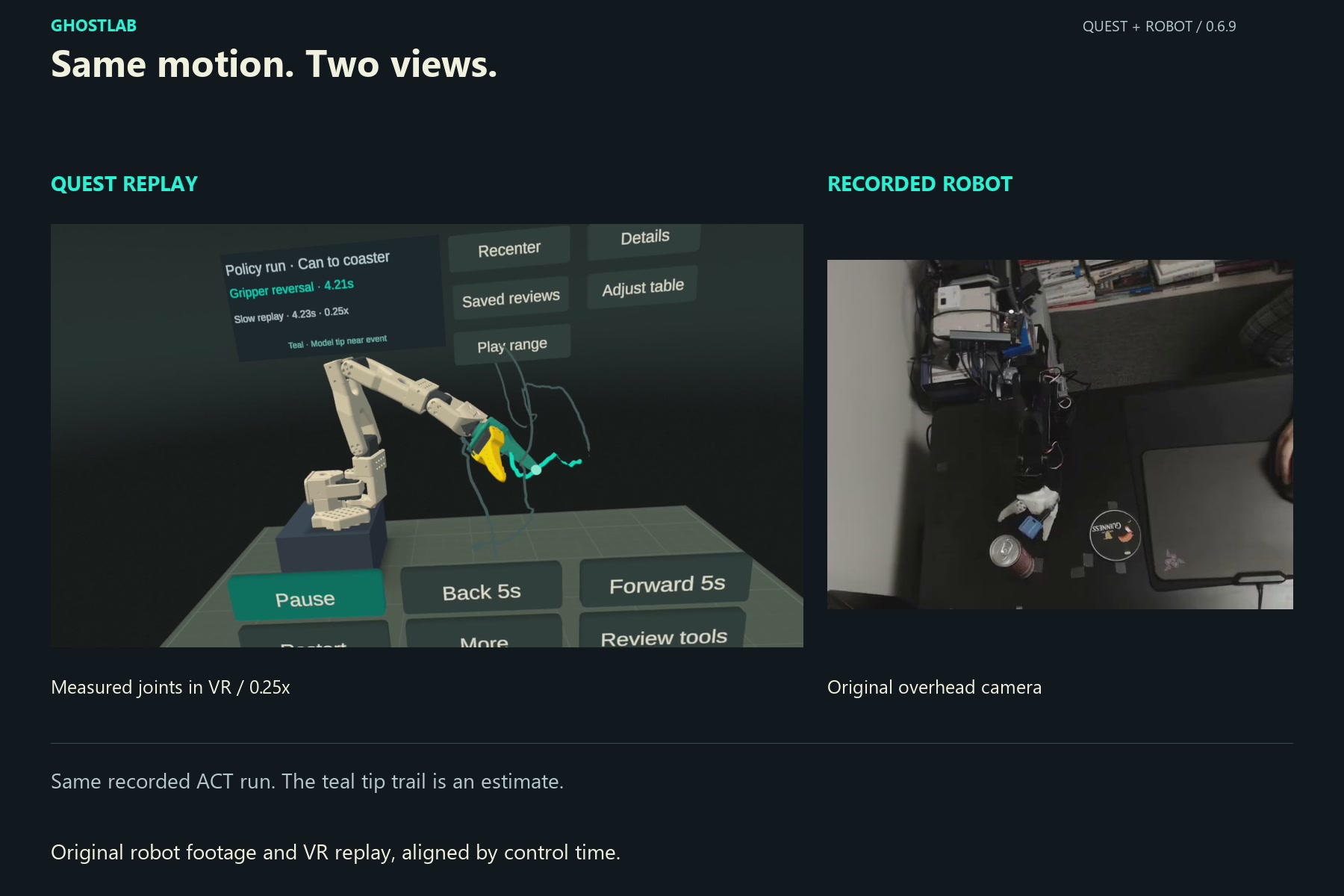
Compare the recorded SO-101 camera view with the same policy run in VR, matched by control time.
-
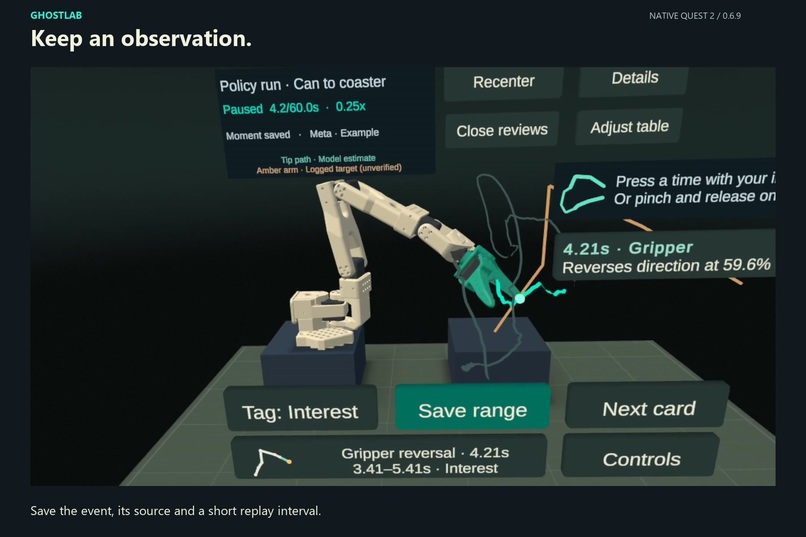
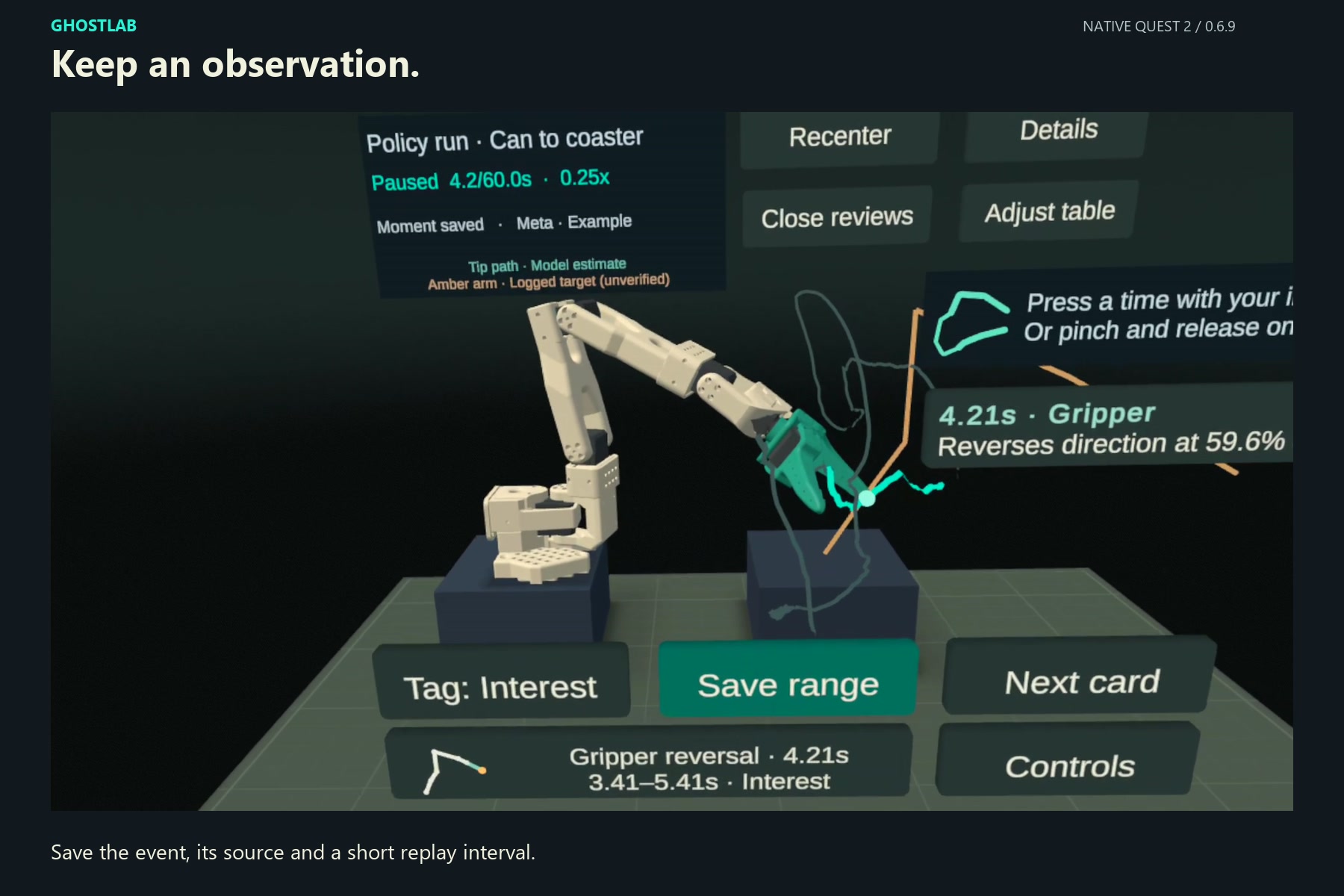
Save this moment creates a named review card. Reopen it to return to the original event and its short replay interval.
-
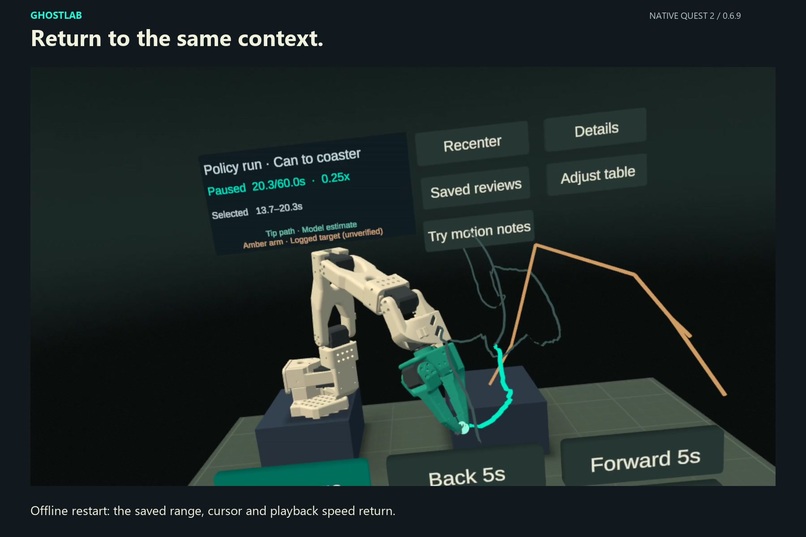
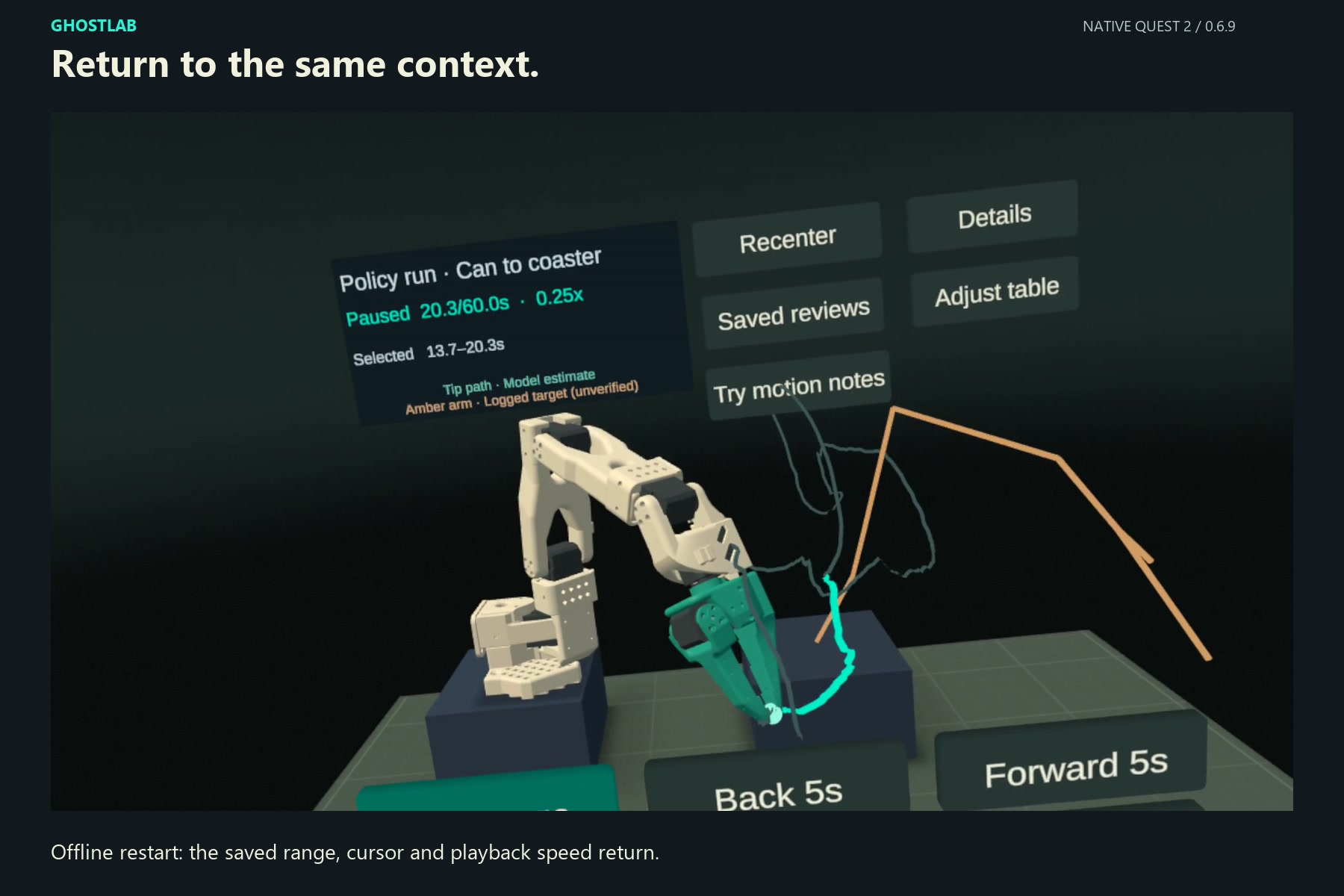
After an offline restart, the original recording returns with the saved 13.7-20.3s range, 20.3s cursor and 0.25x speed.
Inspiration
Low-cost arms such as the SO-101 learn from teleoperated demonstrations, then run learned policies on their own. On our bench we recorded 120 demonstrations of one task, published them on Hugging Face, and trained an ACT policy on 80 of them. After each run, someone must work out what the arm actually did, usually by scrubbing video and joint plots. We wanted that review in 3D, at arm's length, with hands.
What it does
GhostLab is a seated, hands-only Quest workbench for reviewing recorded robot motion. It is built for a five-minute review after every policy run. A four-step guide leads a first-time user from a note to a saved moment.
- Press or pinch a timestamp card. GhostLab jumps to the moment a measured joint changed direction and highlights that joint on a 3D model of the SO-101.
- Replay the moment at quarter speed. The joint pulses at the event, and a teal trace shows the estimated tip path around it.
- Save the moment, or your own range with a tag. Saved reviews reopen offline with their source, range, cursor and speed.
The app opens on a real 60-second SO-101 run (1,797 samples): our ACT policy picks up a cola can and stands it upright on a coaster. Two example notes ship with it, so the whole review works on the headset alone. GhostLab only reads recorded data and never sends commands to a robot.
How we built it
Unity 6 with OpenXR and XR Hands, no controllers. The review logic is a pure C# core covered by 111 EditMode and 40 PlayMode tests. It holds 72 fps on Quest 2 during review. The event detector reports a reversal only when the joint moves at least 8° (or 8 points of gripper travel) on both sides, and it never interpolates across gaps in the recording.
Python tools import the recording, check the joint mapping on the physical bench, and run an optional lab workstation streaming read-only telemetry and a wrist camera. When that workstation is paired, Meta's Muse Ember model writes English notes from up to four measured facts. Every verb and number must match its event, or the note is rejected.
Challenges we ran into
- Reliable pinch selection. We use pinch hysteresis, require an open hand after tracking loss, and select on release over the same target. Our first tester found the gesture unclear, so we added a fingertip illustration and step cues.
- Honest estimates. The tip path comes from forward kinematics. A holdout measurement on the real arm showed up to 18 cm of error, so the interface labels it an estimate.
- Never losing a review. Saves are staged, validated and published atomically, with a previous good copy kept.
What's next
- Place the workbench on the user's real desk in passthrough and scrub time by grabbing the tip trail.
- Open episodes from our public demonstration dataset beside policy runs, then add robots such as the Franka Panda and bimanual OpenArm.
- Explore AI-assisted review with Muse Ember: timestamped suggestions that people confirm or revise in VR and export as feedback for reward-learning experiments, starting in simulation.
Testing instructions
- Open the invite link on a phone or computer, sign in with a Meta account, join the channel and choose Install on headset: https://www.meta.com/s/caSHme36e
- Enable hand tracking and sit at a desk or table. Controllers are not needed.
- The app opens on the example run, Policy run · Can to coaster, with two timestamp cards beside the arm. A four-step guide in the information panel names the next action. Your cursor is the white dot between your thumb and index finger. If the bench is not in front of you, move the dot onto Recenter, touch thumb to index, then open your fingers over the button.
- Select either timestamp card the same way, or point with your index finger and press it: 4.21s · Gripper or 12.61s · Wrist bend.
- Select the green Replay moment button at the front of the bench. The highlighted joint replays at 0.25× and pulses at the event.
- When the replay finishes, select Save this moment in the same spot. A named card appears on the shelf.
- Close the app, reopen it (it works offline), open Saved reviews and select your card to return to the same moment.
Optional: Review tools → Set start / Set end, then Saved reviews → Save range, saves your own interval with a tag. More opens two extra virtual exercises, Simulation and Meta loop.
Live telemetry and the wrist camera appear only on headsets paired with our lab workstation and SO-101 arm.
