-
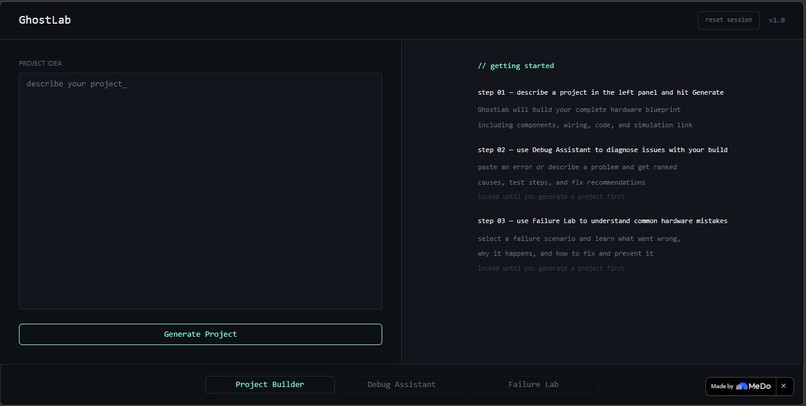
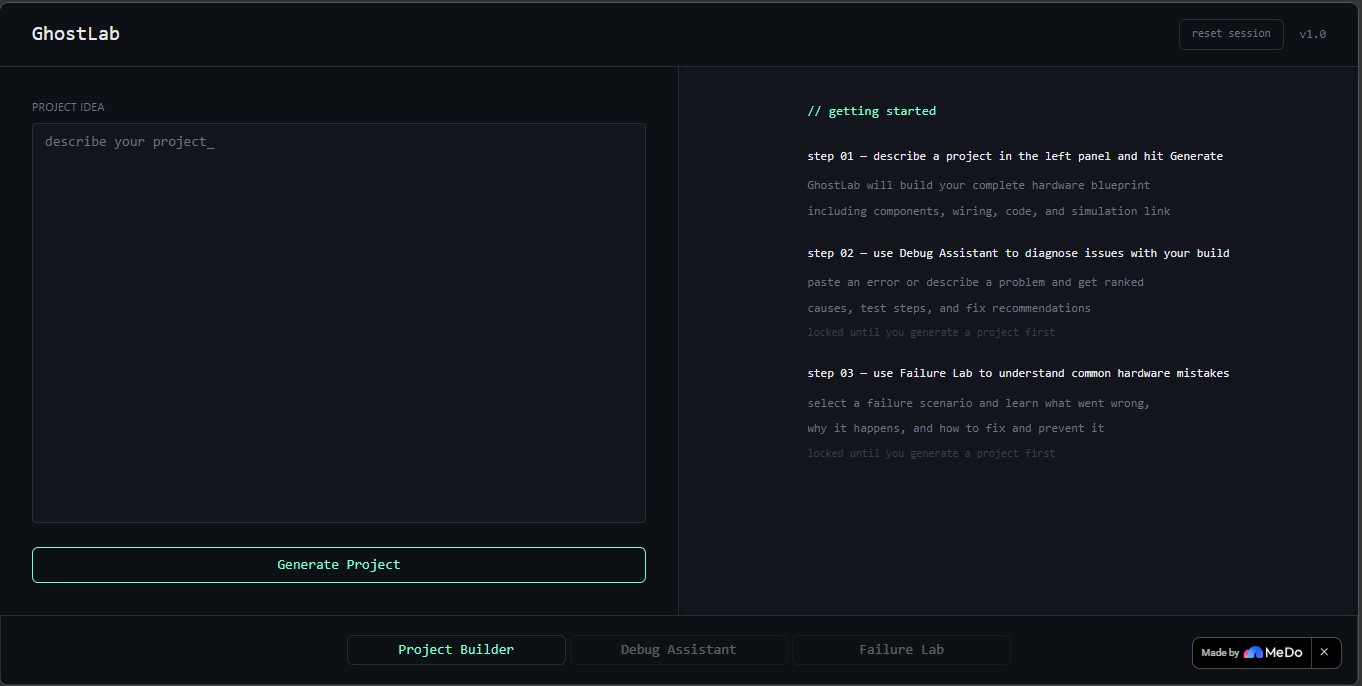
The hero shot
-
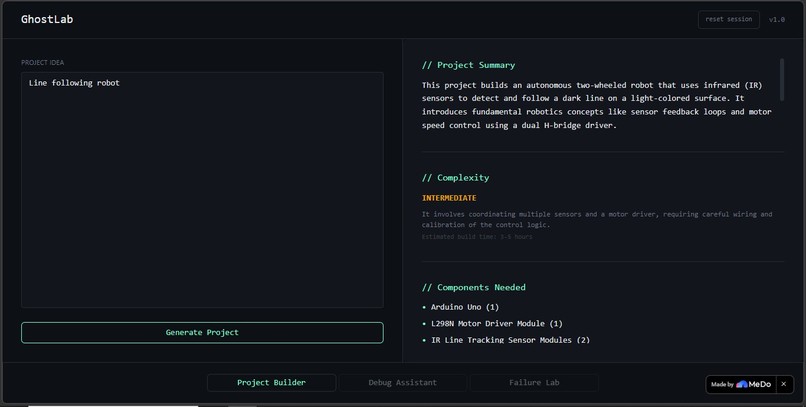
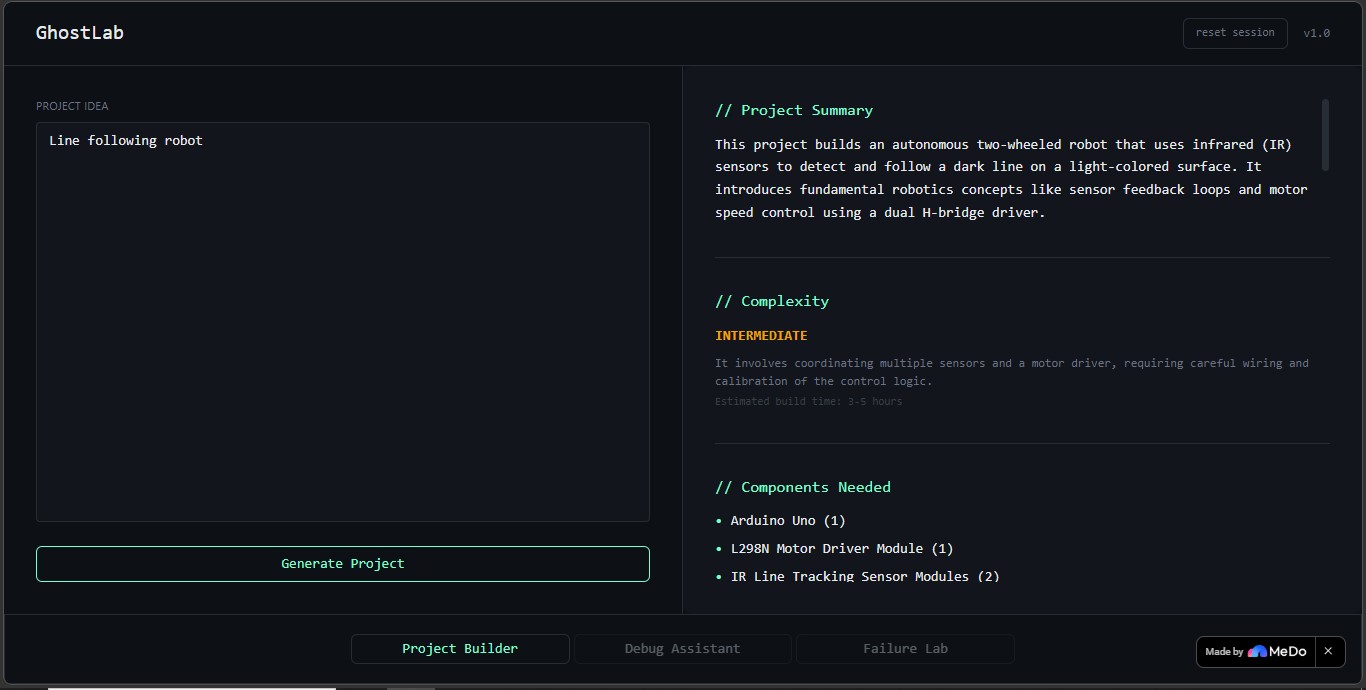
Project Builder in action
-
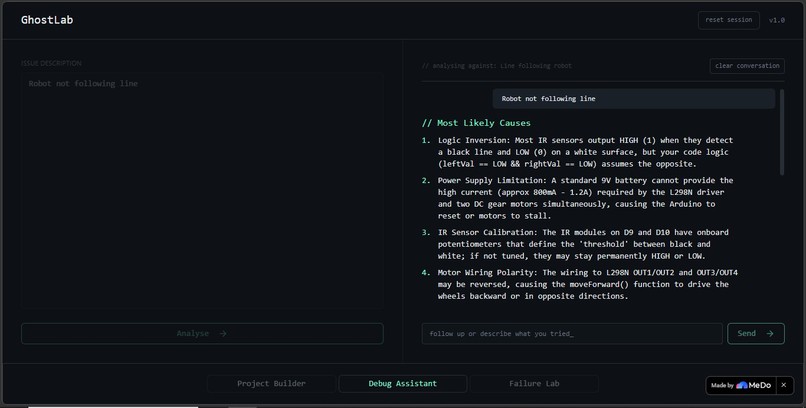
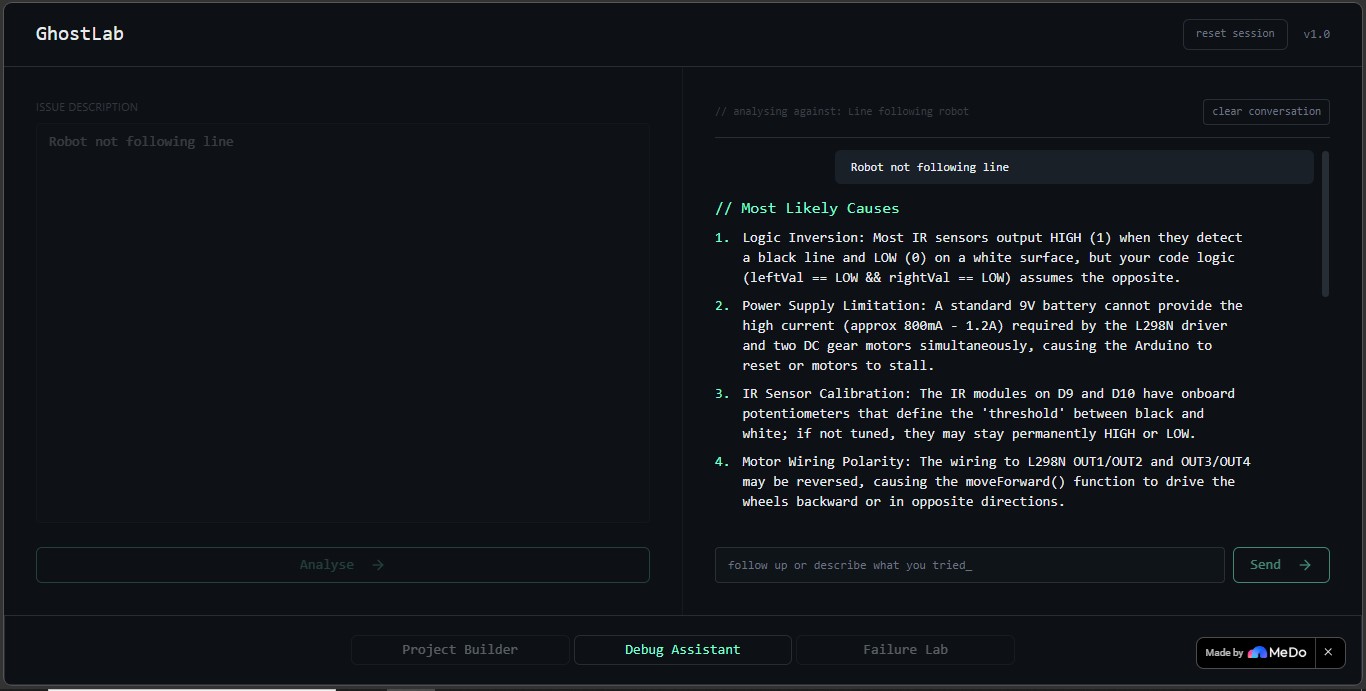
Debug Assistant mid-conversation
-
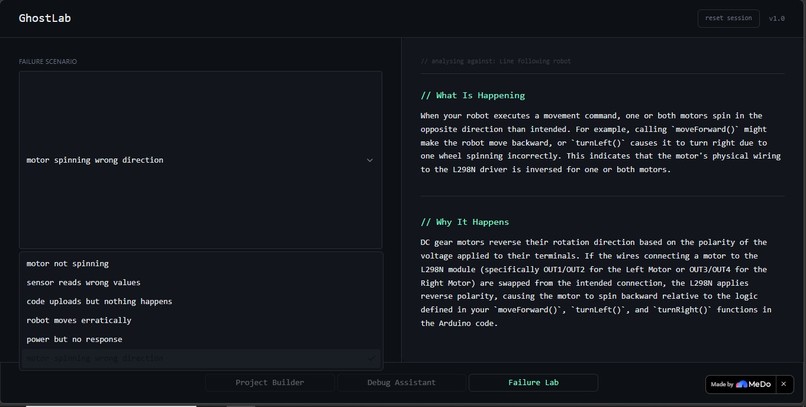
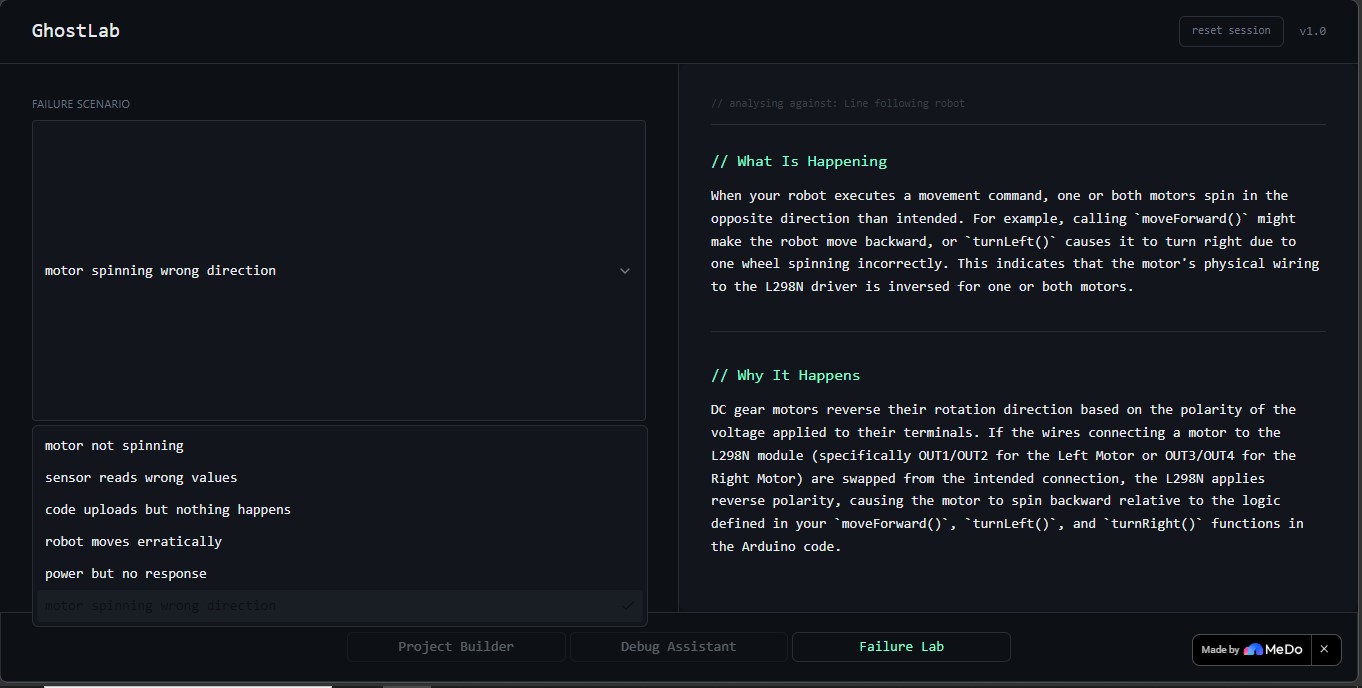
Failure Lab
Inspiration
Learning embedded systems as a beginner is brutal. Tutorials hand you code to copy and paste, but the moment something doesn't work and it never works first try you're completely alone. Stack Overflow doesn't know your wiring. YouTube doesn't know your components. Generic AI gives advice that could apply to any project on earth, not yours.
The real gap isn't information. It's guided thinking. Nobody teaches beginners how to reason through hardware problems systematically. GhostLab was built to fill that gap.
What it does
GhostLab is an AI-powered embedded systems learning environment that takes beginners through a complete hardware learning workflow in a single session.
Project Builder
Describe any Arduino project in plain language. GhostLab generates a complete hardware blueprint:
- Real components with quantities
- Step-by-step wiring instructions
- ASCII wiring diagram showing every pin-to-pin connection
- Functional Arduino code
- Relevant Arduino library links with registry URLs
- Honest complexity rating — Beginner, Intermediate, or Advanced
- Simulation links to Wokwi and Tinkercad
- Exportable
.mdblueprint file you can take to the lab
Debug Assistant
Describe what's wrong or paste an error. GhostLab already knows your exact components, pin assignments, and code from the project you built. Every diagnosis references your specific hardware — "check your L298N ENA pin connected to Arduino pin 9" — not generic advice. Follow-up questions maintain full conversation context across multiple turns so the AI remembers your previous diagnosis.
Failure Lab
Select from AI-generated failure scenarios specific to your project's components, or describe your own custom failure. GhostLab explains what is happening, why it happens, how to fix it, and how to prevent it — all referenced against your actual build, not a generic scenario library.
How i built it
GhostLab is built entirely on MeDo, using three architecturally distinct LLM call patterns running in coordination:
Structured Generation
Project Builder enforces a strict 10-section output schema on every generation. The AI cannot return freeform text — every response must follow the exact format or it is rejected. Input validation rejects irrelevant or nonsensical queries before any AI call is made.
Parallel Background Calls
Immediately after a project is generated, a second independent LLM call runs in the background to generate 6 failure scenarios specific to that project's components. This runs concurrently without blocking the main output, populating the Failure Lab dropdown before the user even switches tabs.
Stateful Multi-Turn Conversation
Debug Assistant maintains a rolling conversation history capped at 6 exchanges. Project context — components, full Arduino code, wiring summary — is injected as a system-level prefix on every single AI call. It never enters the rolling history and can never be dropped or overwritten by conversation volume. The AI always knows your build, no matter how long the conversation grows.
Design System
GhostLab uses a deliberate ghost-themed dark aesthetic built on a strict design system:
- Color palette:
#0B0F14base,#7CFFB2accent green,#C8D6E5ghost white - Typography: Monospace throughout,
//prefixed section headers - Border radius: Exactly three values — 4px inputs, 6px cards, 10px panels
- Interactions: No decorative animations, no gradients, no glow effects
- Security: Input sanitization on every user-facing field, never exposing verbose errors or internal API details
Challenges i ran into
Context integrity across turns: Ensuring Debug Assistant never loses project context as conversation grows was the hardest problem. The solution was architecturally separating context from history: project data is always injected fresh at the system level, while conversation history rolls and caps independently. These two things never mix.
Dynamic failure scenarios: Making Failure Lab generate project-specific scenarios rather than serving a static dropdown required a parallel background AI call with a strict JSON schema response. The tricky part was handling the silent fallback gracefully, if the call fails the user sees nothing unusual, generic scenarios load instead, and the experience is uninterrupted.
Avoiding the generic AI trap: Every single AI call in GhostLab includes explicit instructions to reference exact component models, pin numbers, and code logic from the stored project context. Getting the AI to consistently produce specific, accurate hardware advice rather than drifting toward generic responses required significant prompt engineering iteration.
Feature gating logic: Debug Assistant and Failure Lab are locked until a project is generated. Building the unlock logic, state persistence across tab switches, and clean session reset without any state leaking between features required careful architectural thinking.
Accomplishments that i am proud of
- Context-aware multi-turn debugging that references your exact hardware on every message — this genuinely feels different from any other AI tool i have seen
- Dynamic failure scenario generation that produces project-specific failure modes in the background without the user ever waiting for them
- A design system that holds every spacing value, color, border radius, and font weight references the same system. The ghost aesthetic is consistent from top bar to tab bar
- Zero placeholder behavior every feature in GhostLab works as documented. No "coming soon", no demo-only paths, no hardcoded outputs
- A complete learning workflow from describing a project to debugging a real issue to understanding failure modes to exporting a blueprint, a beginner can do everything in one session without leaving the app
What i learnt
Building GhostLab made one thing clear: the quality of an AI-powered tool is almost entirely determined by prompt architecture, not UI.
The features that feel most impressive to users, context-aware debugging, project-specific failure scenarios, honest complexity ratings are completely invisible in the interface. They exist entirely in how AI calls are structured, chained, and constrained. Spending time on prompt engineering rather than adding more features was consistently the right trade-off.
We also learned that security and UX are the same thing at the input/output boundary. Sanitizing inputs, rejecting irrelevant queries, and never exposing verbose errors aren't just security practices — they're what makes the app feel reliable and trustworthy to a beginner who doesn't know what to expect.
What's next for GhostLab
- Project history: save and revisit previous blueprints across sessions
- Community sharing: publish your GhostLab blueprint for others to build from
- Adaptive difficulty: detect user skill level from their inputs and adjust explanation depth automatically
- Physical hardware integration: connect to real Arduino boards for live debugging assistance
- Expanded component library: real-time parts availability and pricing from hardware distributors
- Mobile app: a native experience for students working at a hardware bench without a laptop
Built With
- arduino-library-registry
- large-language-model-(medo-llm-plugin)
- medo
- tinkercad
- wokwi

Log in or sign up for Devpost to join the conversation.