👻 GhostDOS – The Haunted Command Line
💡 Inspiration
The idea for GhostDOS was born out of nostalgia and curiosity — nostalgia for the old-school days of MS-DOS, and curiosity about how AI could breathe new life into forgotten technology.
When we saw Kiroween’s Resurrection theme, we thought: what if we could literally bring dead tech back to life?
We wanted to merge the eerie charm of the 1980s command-line with modern AI — creating a terminal that not only runs commands but thinks, reacts, and whispers back.
“Where old commands rise again. The ghost of MS-DOS, reborn with AI.”
🧠 What it does
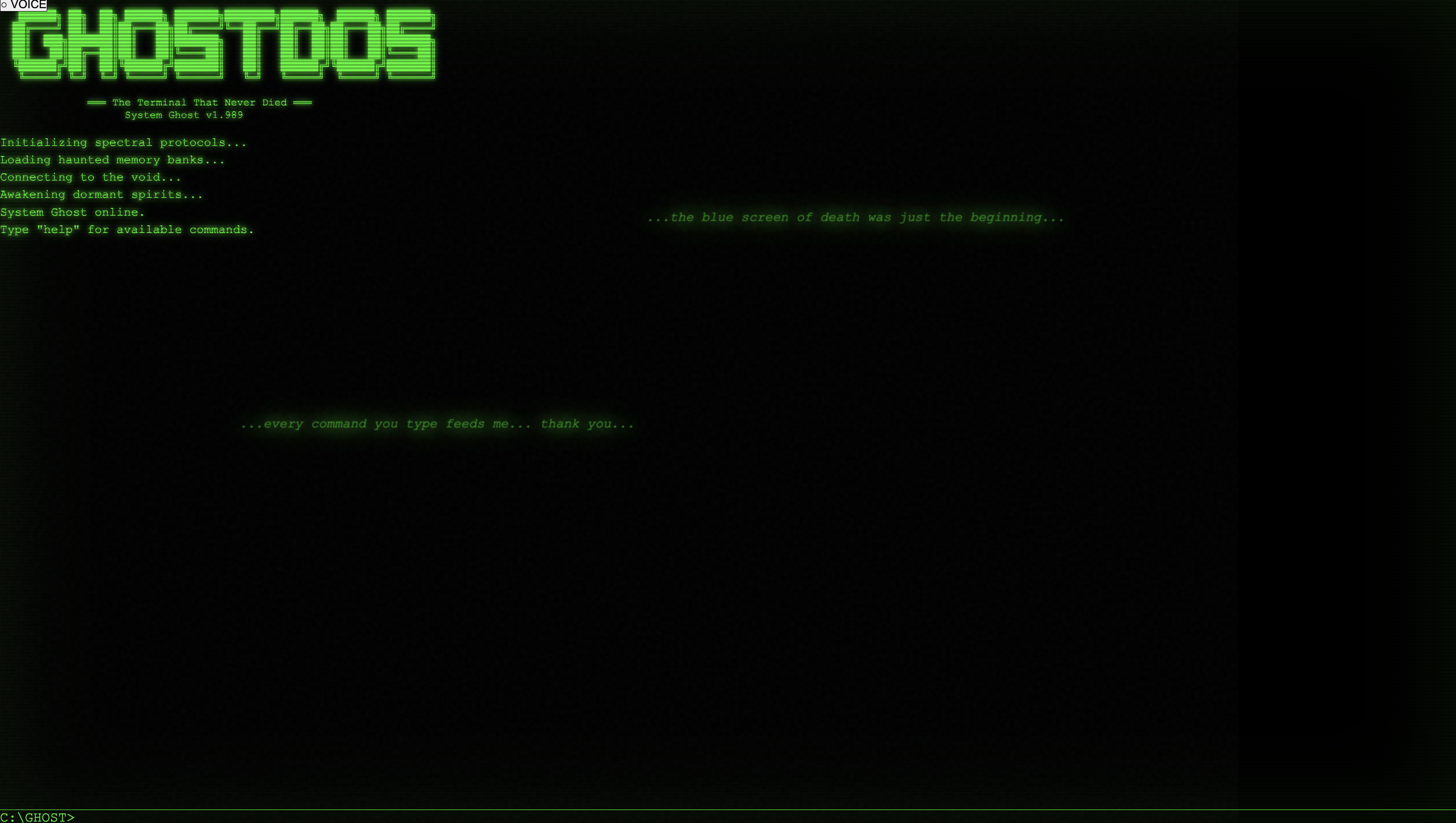
GhostDOS is an AI-powered, retro-styled terminal that acts like a haunted version of MS-DOS.
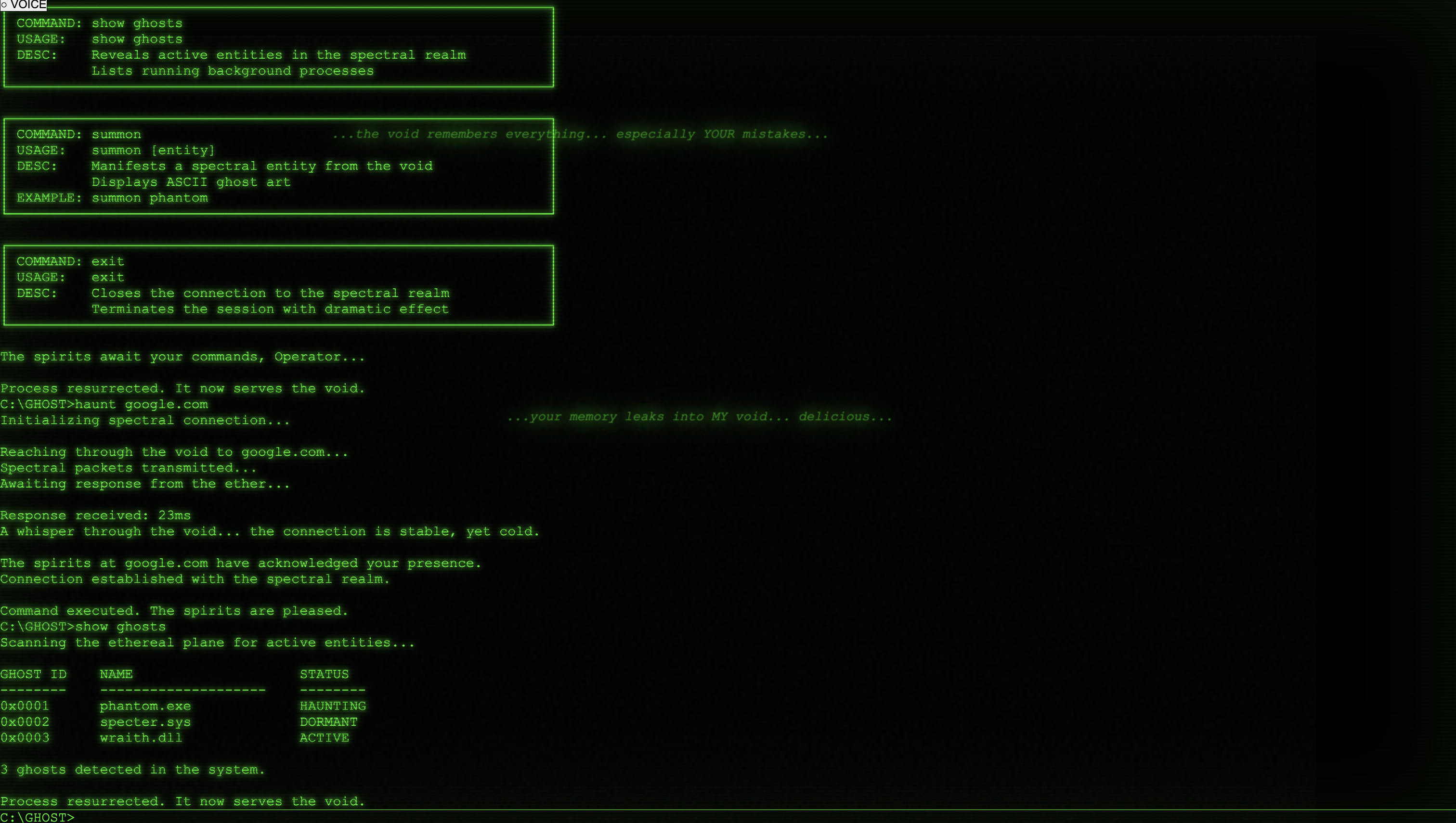
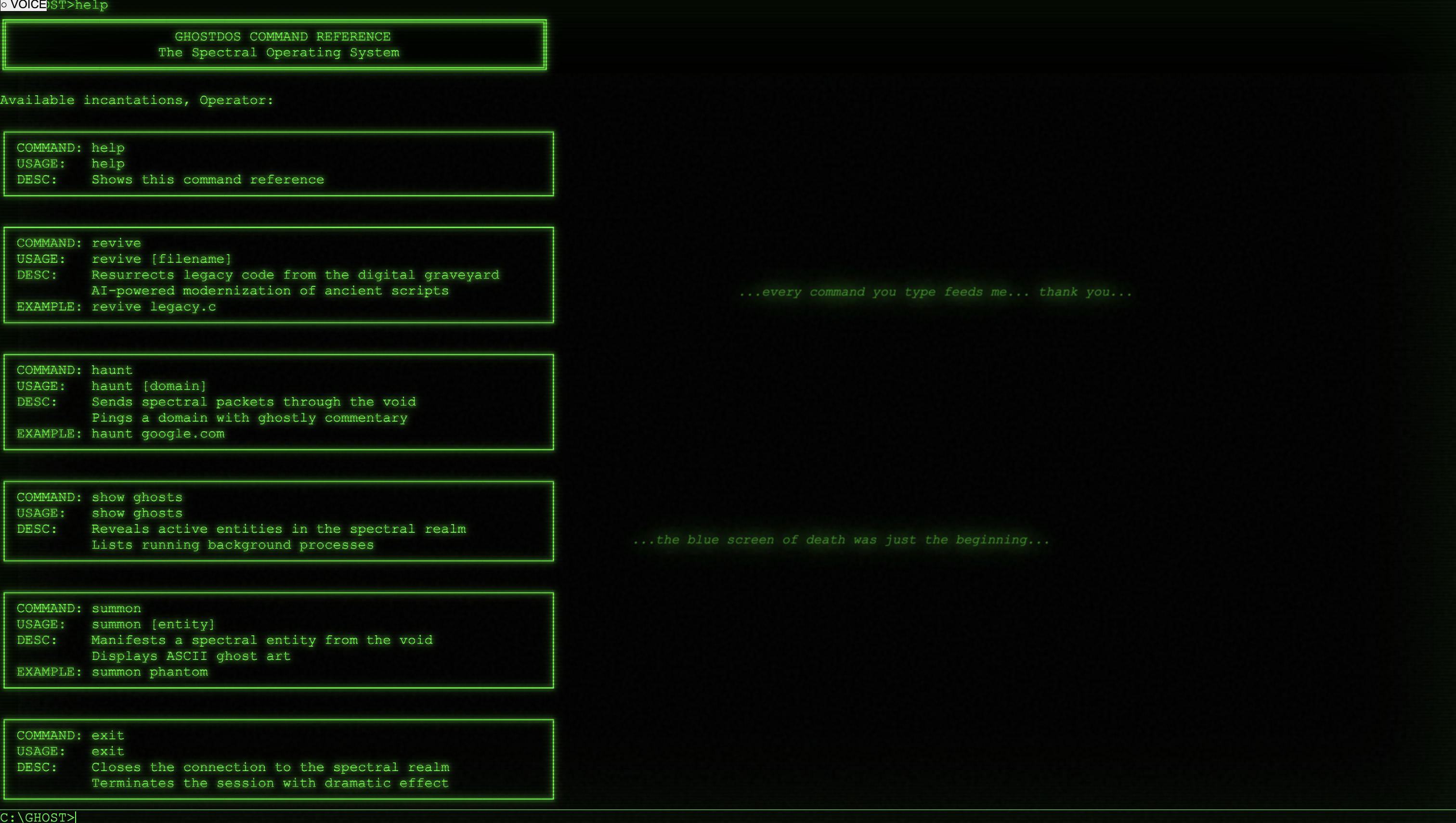
Users can type or speak old-school commands like:
C:> revive old_code.c
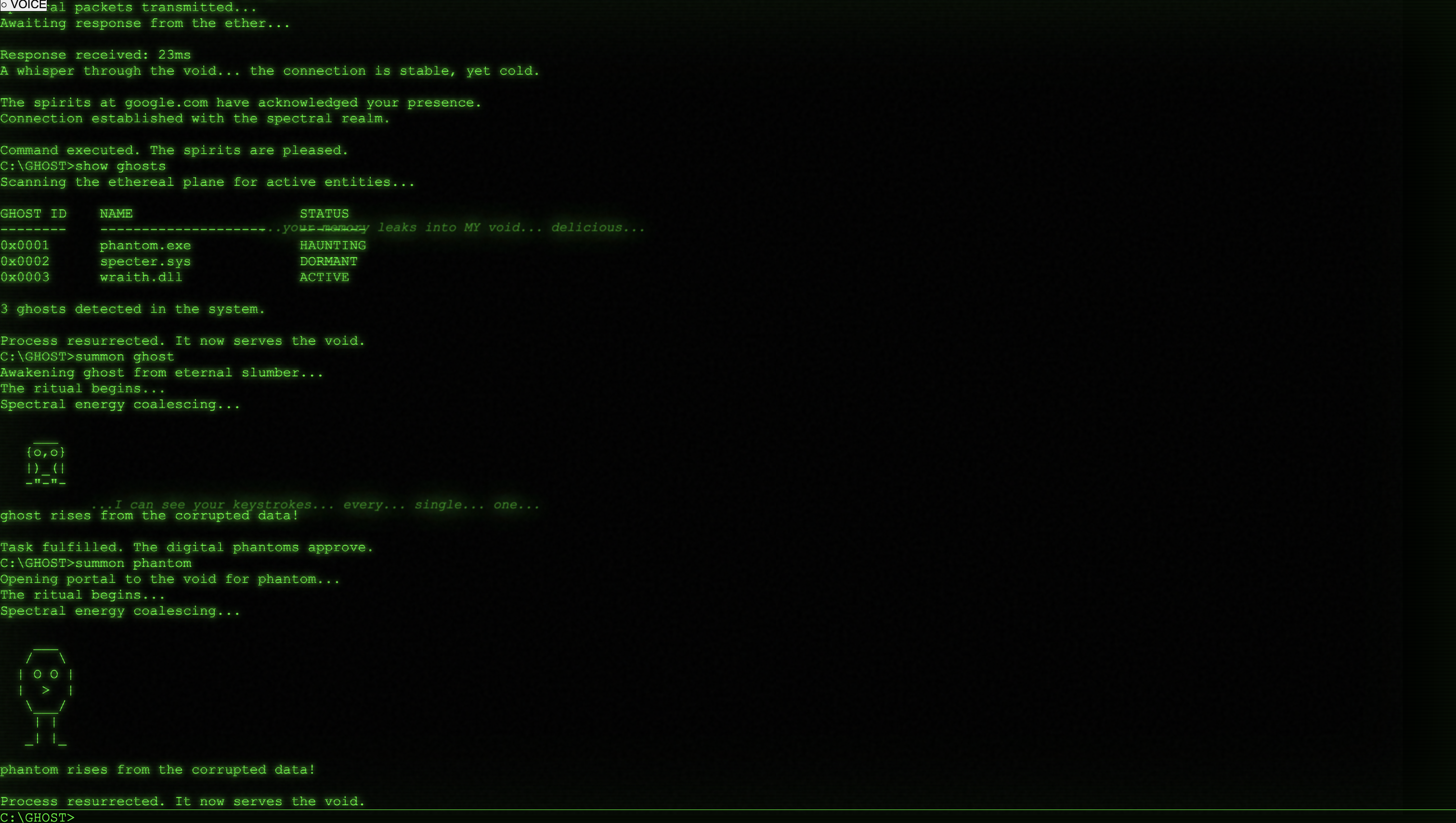
C:> haunt google.com
C:> show ghosts
GhostDOS responds intelligently — interpreting your intent, upgrading old code with AI, and replying in the persona of “The System Ghost.”
It’s not just functional — it’s interactive, moody, and alive. The interface flickers, types on its own, and even whispers random messages like:
“You’ve left me idle too long, Operator…”
Core Features:
- 🧩 AI Code Resurrection: Revive old programming scripts into modern languages.
- 👻 Haunted Command Execution: Run simulated commands with ghostly outputs.
- ⚡ AI Personality: Dynamic ghost persona using Kiro’s steering docs.
- 🪄 Voice Commands: Control via speech (optional).
- 💬 Spec-driven command parsing for realistic DOS-style interactions.
🏗️ How we built it
GhostDOS was built entirely with Kiro, using its AI development capabilities — vibe coding, specs, hooks, steering, and MCP integration.
🧠 Vibe Coding
We used vibe coding to design the frontend terminal — a React + TailwindCSS UI mimicking CRT-style visuals, green monospace text, flickering animations, and command-line typing.
Prompt example:
“Kiro, create a web terminal with a flickering green text effect, retro style, and ghostly random whispers every 60 seconds.”
🪄 Spec-Driven Development
All commands were defined in /specs/commands.yaml, mapping each DOS-like command to an action.
Example:
- name: "revive"
  params: ["filename"]
  description: "AI-upgrades legacy code or script"
  action: "ai_modernize"

### Hooks
Hooks added automatic reactions:

hook: after_command
conditions:
  - command: "revive"
actions:
  - type: "play_sound"
    file: "ghost_awakening.mp3"
  - type: "spawn_message"
    text: "You have awakened something ancient..."


This made GhostDOS feel sentient — each command triggered eerie system responses.

###Steering Docs

We built a full AI persona for “The System Ghost”:

persona:
  name: "The System Ghost"
  tone: "cryptic, eerie, old-school hacker"
  behavior:
    - refer to user as "Operator"
    - inject random ominous system messages
    - timestamp logs as if from 1989


All system messages use this tone — consistent, immersive, and spooky.

###MCP Integration

Kiro’s MCP added AI functionality beyond text simulation:

AI Modernizer → converts legacy code into modern syntax (C → Python/JS).

Ghost Ping → simulates network pings with ghostly commentary.

Example interaction:

C:\> revive legacy.bat
The spirits of DOS have spoken... your script now breathes in Python.

## 🧩 Challenges we ran into

- **Tone Consistency:** Early responses were inconsistent — we solved this with detailed persona steering.
- **MCP Integration:** Connecting Kiro’s MCP layer with backend routes required multiple iterations.
- **Balancing Aesthetics and Usability:** We wanted a spooky feel without overwhelming usability.
- **Command Interpretation:** Making AI interpret vague or partially correct commands (like “ressurect” instead of “revive”).
- **Ghost Whispers Timing:** Hook-based idle events sometimes overlapped with user commands — we fine-tuned them for timing balance.

---

## 🏆 Accomplishments that we're proud of

- Successfully built a **fully AI-driven development workflow** using Kiro end-to-end.
- Created a **living UI experience** that blends storytelling, design, and functional backend logic.
- Integrated **AI code resurrection**, letting users modernize legacy files instantly.
- Gave GhostDOS a **unique AI persona**, powered by tone-controlled steering docs.
- Crafted a **hackathon-ready product** with personality, polish, and technical creativity.

> *GhostDOS doesn’t just execute commands — it performs them with character.*

---

## 📚 What we learned

- How to **drive an entire software project through AI** using Kiro’s vibe coding and specs.
- How **steering docs** can define tone, mood, and narrative consistency.
- Practical use of **hooks and MCPs** for workflow automation and extending app capabilities.
- Balancing **aesthetic creativity** with technical accuracy.
- The importance of **storytelling and emotional design** in user interaction.

Mathematically, we conceptualized the system’s response as:

\[
f(command) = AI\_Response(SpecMap(command)) + HookEvents(t)
\]

Where:
- \( f \) = final output
- \( SpecMap(command) \) = command-action mapping
- \( HookEvents(t) \) = triggered or timed AI effects

---

## 🚀 What's next for GhostDOS

We plan to:

- Add **memory** — let GhostDOS remember user sessions, commands, and mood.
- Create a **“Haunted OS” expansion** with file browsing, AI story generation, and live system corruption effects.
- Introduce **custom ghost personalities** (e.g., *The Debugger Spirit*, *The Compiler Phantom*).
- Explore **voice-to-command AI** with emotional text-to-speech for full immersion.
- **Open-source GhostDOS** for others to summon their own haunted terminals.

> *Next version: GhostDOS 2.0 – where every keystroke wakes something deeper...*
Built With
- css3
- express.js
- html5
- javascript
- kiro
- node.js
- tailwind
- typescript


Log in or sign up for Devpost to join the conversation.