-
-
test
-
weak spots
-
lesson hints
-
lesson ghost lines
-
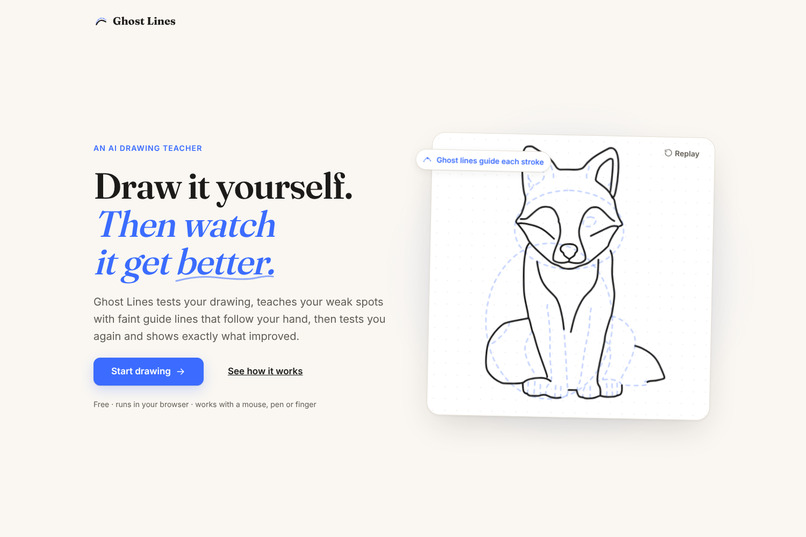
home page
-
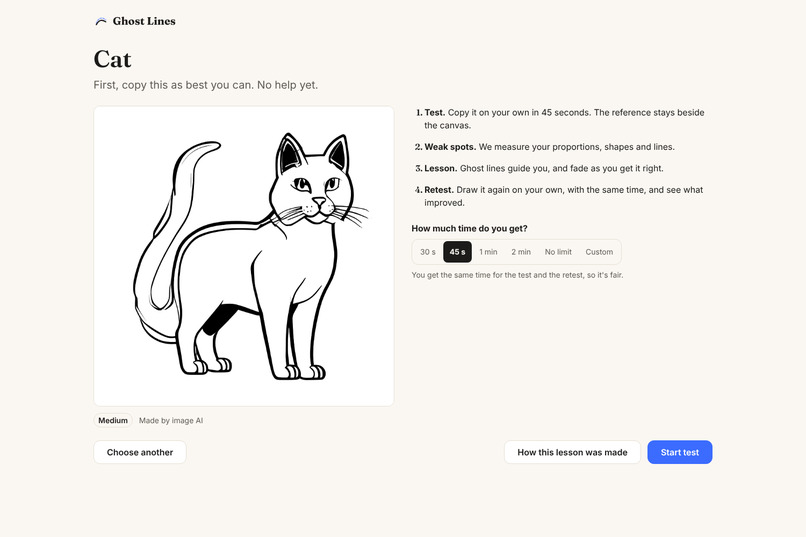
reference
-
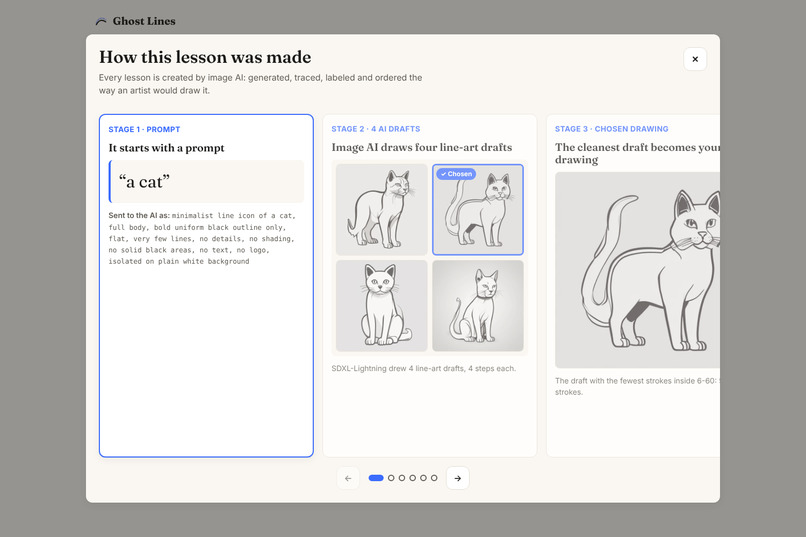
how this lesson was made
-
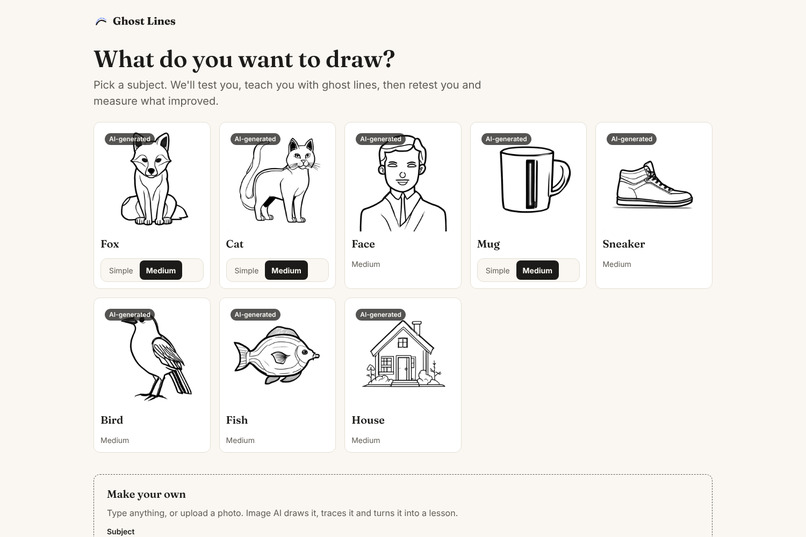
choose subject
-
report card
Ghost Lines Project Story: Aarush & Jeffrey
Inspiration for Ghost Lines
As art enthusiasts, one of the major problems we realized as a team is that many self-taught artists blame their failures on a lack of talent. However, we'd argue that it's not their inability to draw accurately, but their inability to see their own mistakes. The head comes out too big, the legs too short, and a video tutorial can't look at your drawing to tell you. Hence, beginners repeat the same errors for months without knowing whether they're improving.
We wanted a drawing teacher that actually watches you draw, teaches the exact things you got wrong, and then proves you got better by tracking your drawing accuracy throughout sessions and comparing your initial and final drawings.
What it does
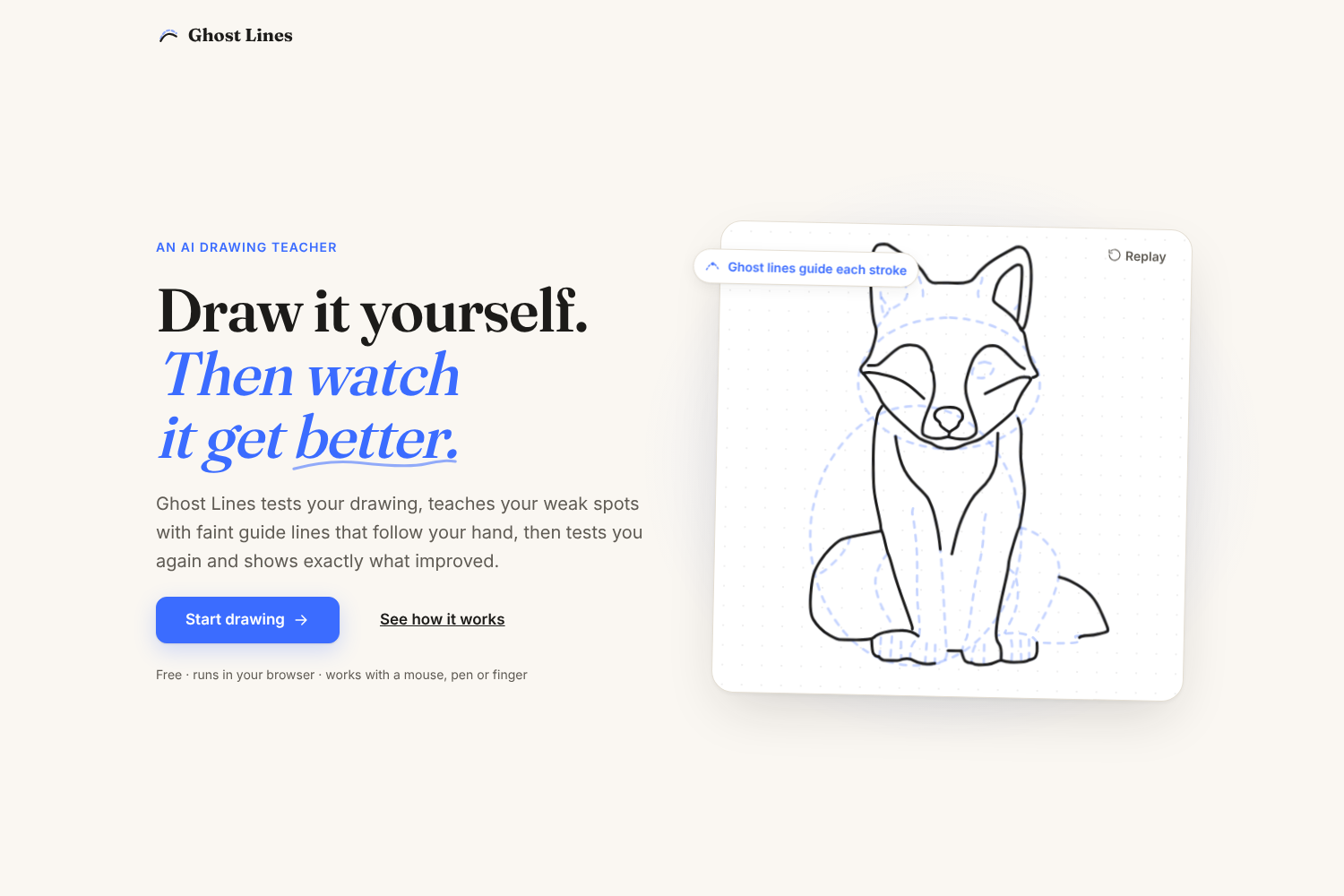
Ghost Lines turns any subject into a short, measured drawing lesson.
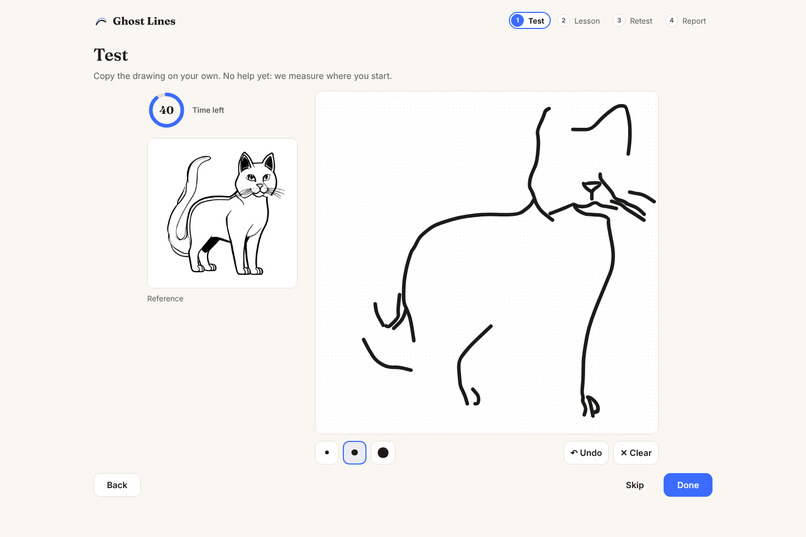
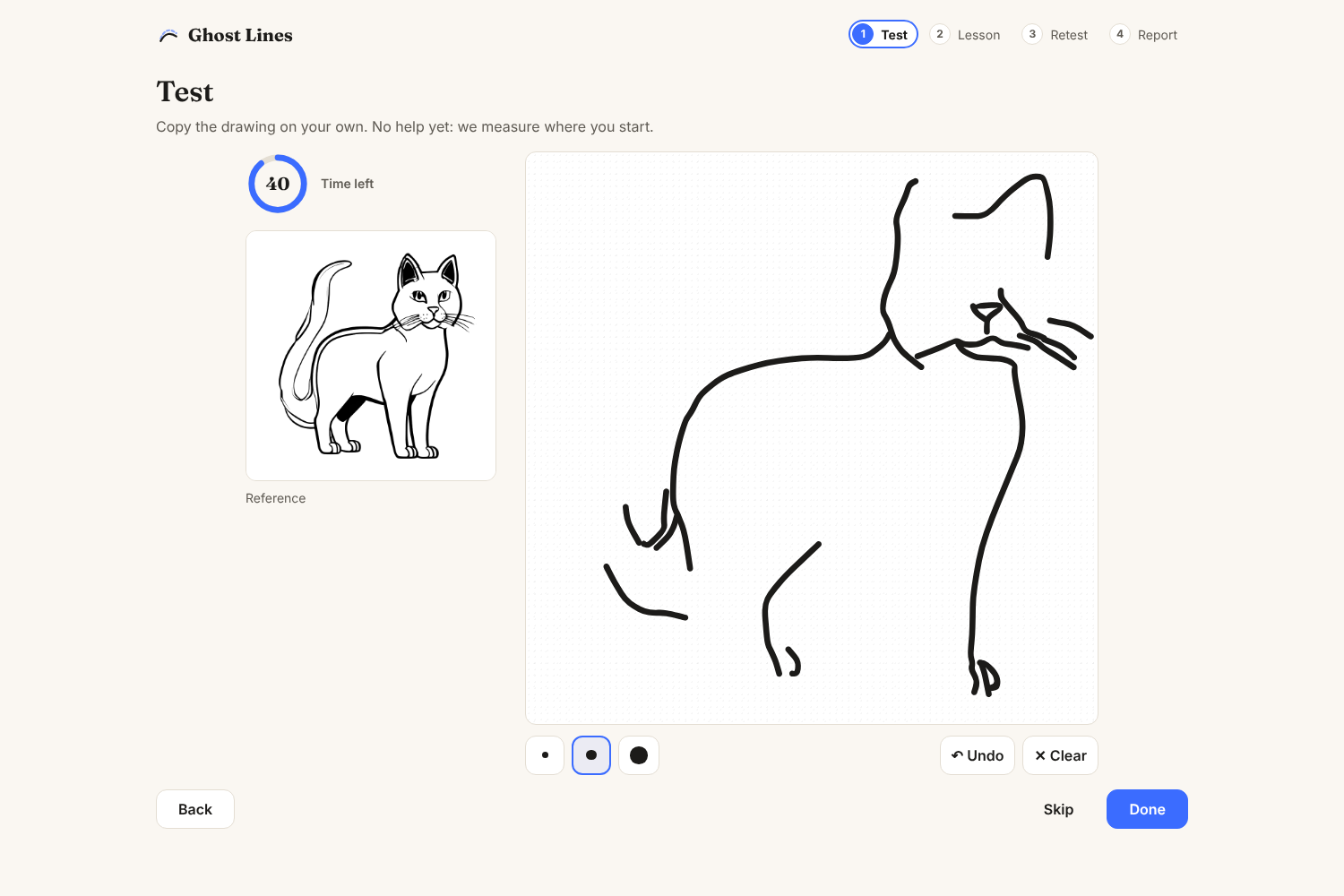
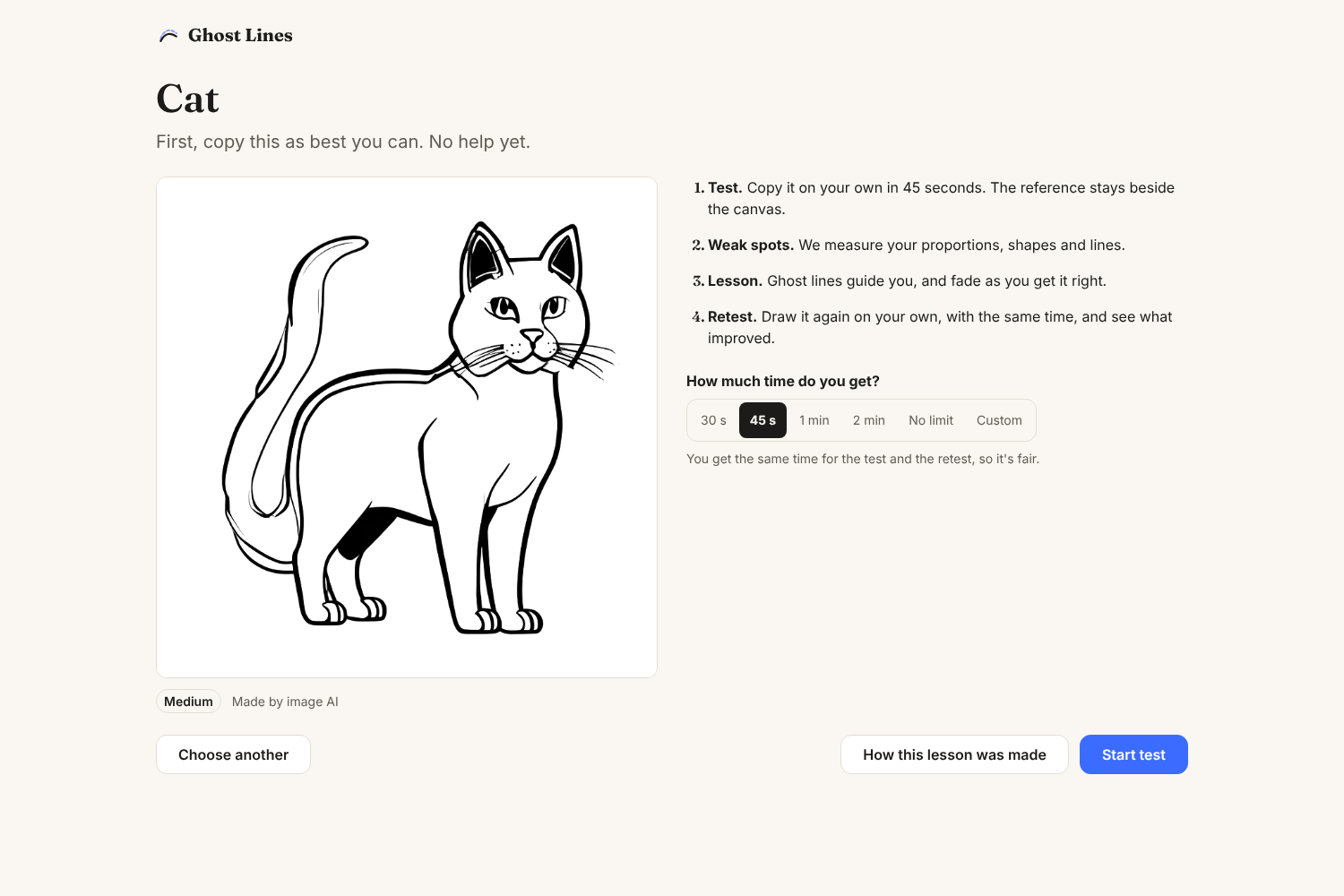
Phase 1: Test. In this phase, you copy a drawing on your own, with a timer you choose (30 seconds up to 10 minutes, or untimed). The reference sits beside the canvas (not under it) so you're copying the image, not tracing. You can zoom into the canvas to draw small details (pinch, or Ctrl + scroll), and the eraser rubs out just part of a line. This is to get a sense of what your current drawing skills feel like.
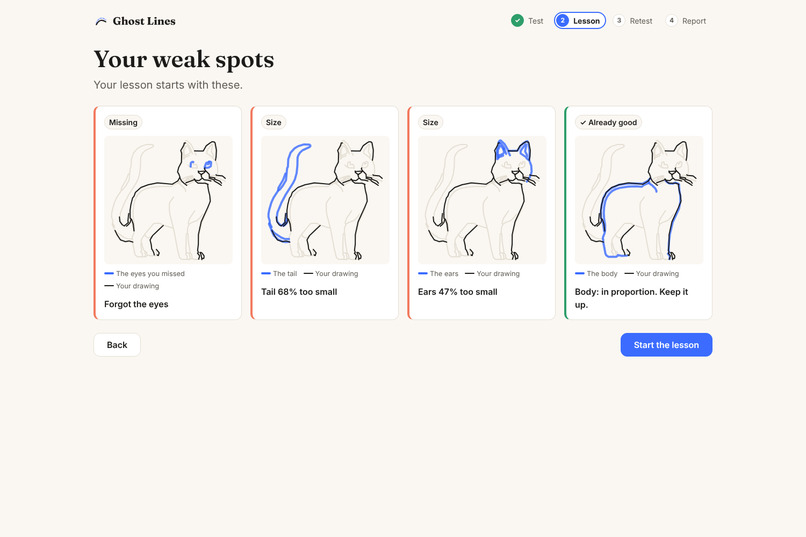
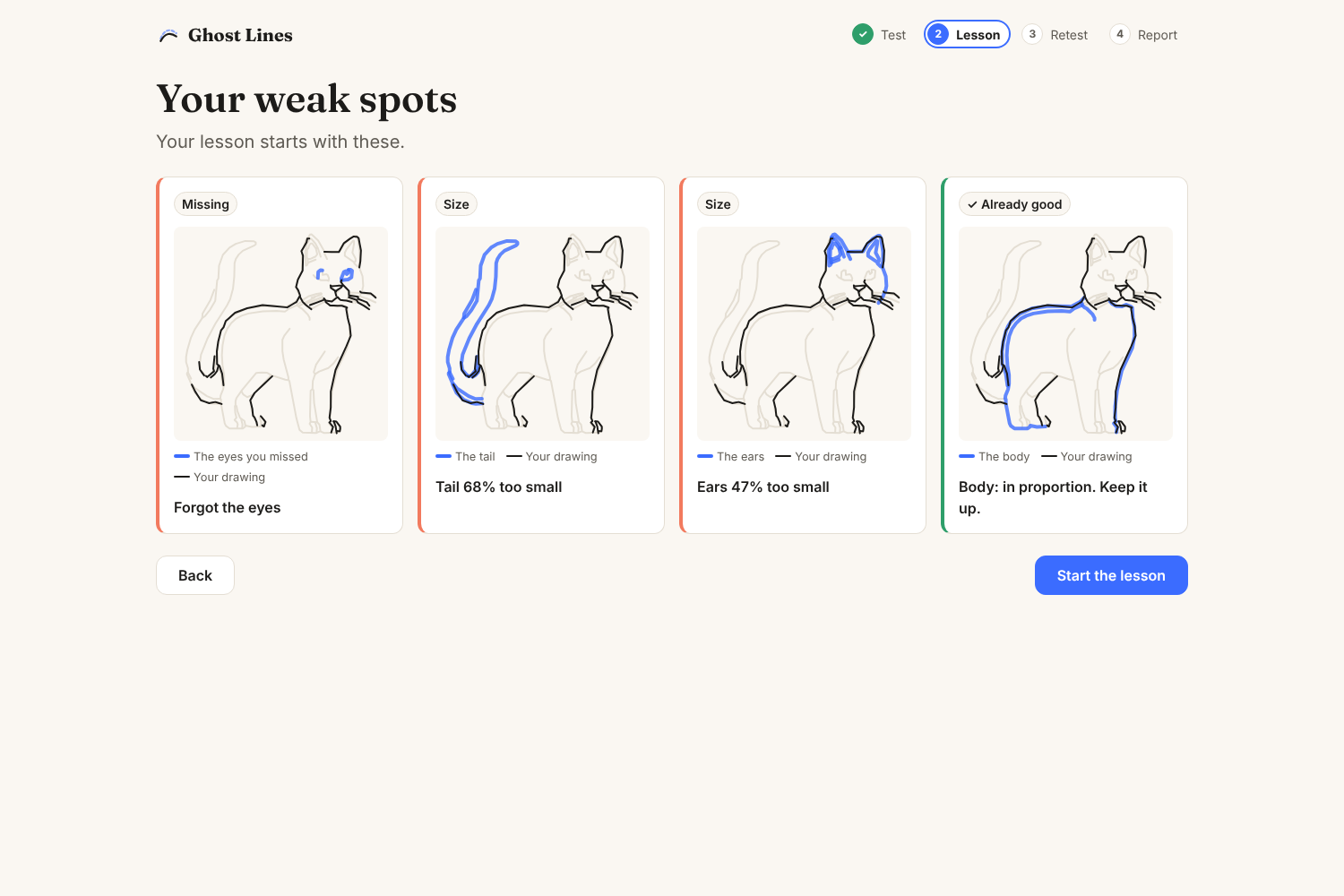
Phase 2: Weak spots. This phase measures every part of your drawing against the target and shows your biggest problems, like "Head 36% too big" or "Forgot the ears", with a picture of each part highlighted on your drawing and comparisons to what an accurate drawing would look like.
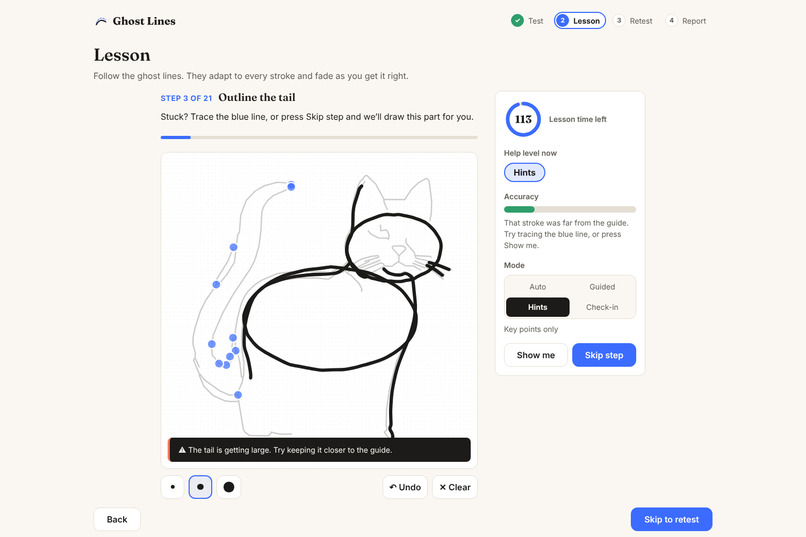
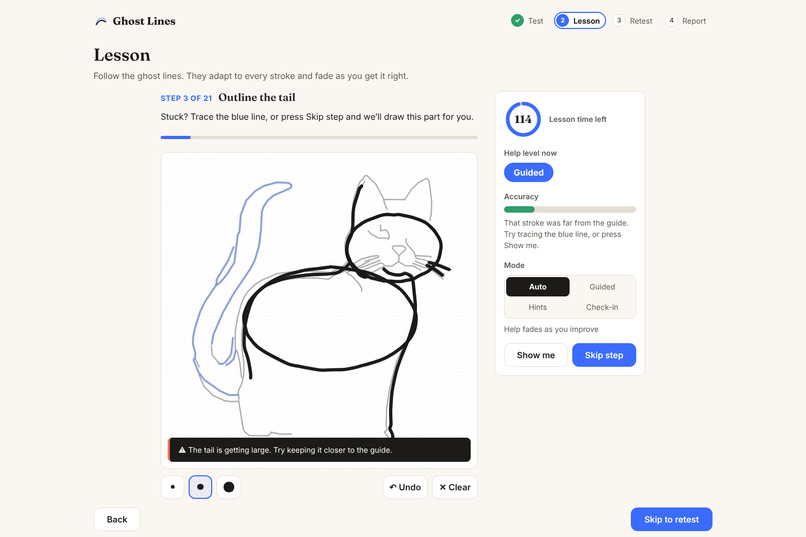
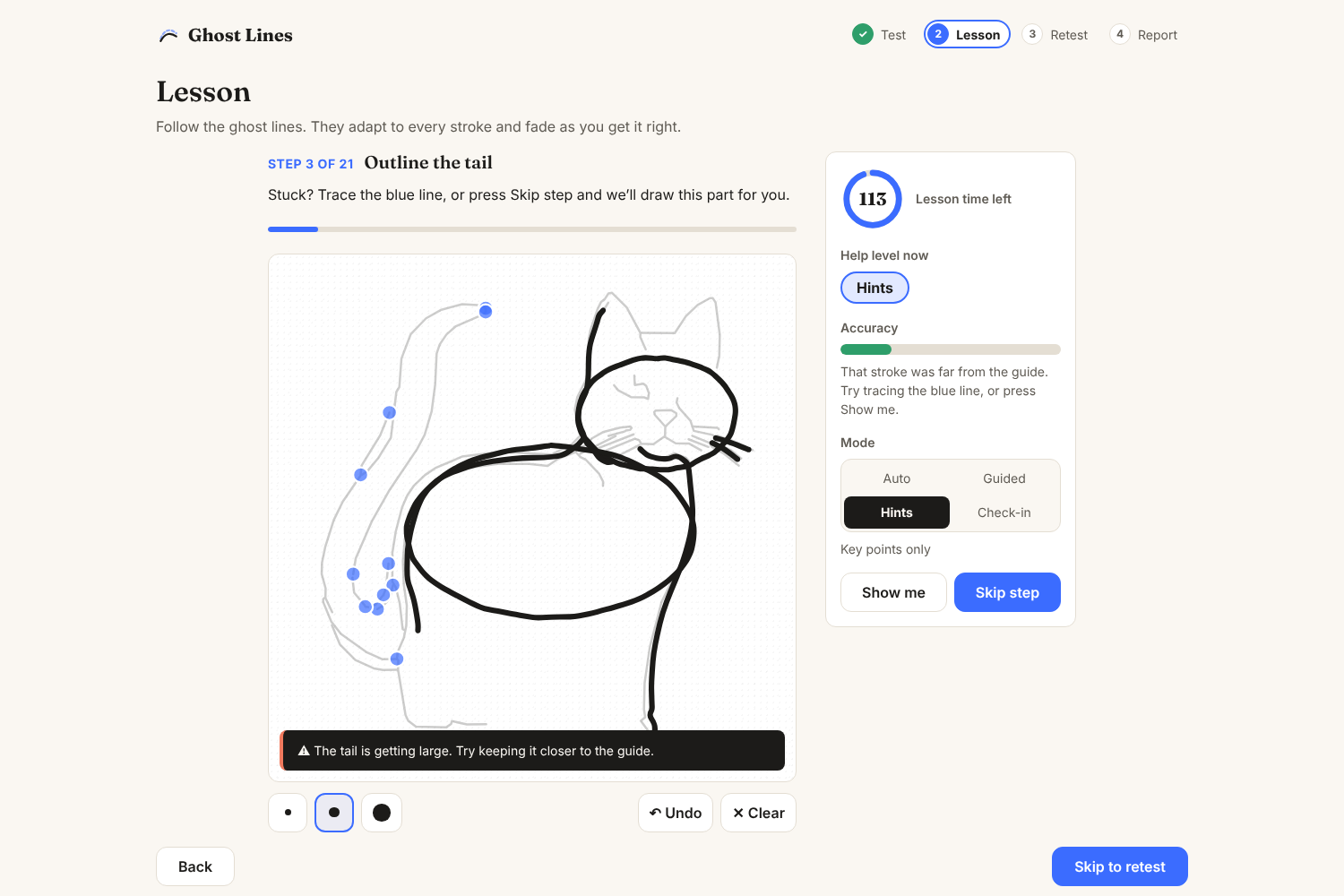
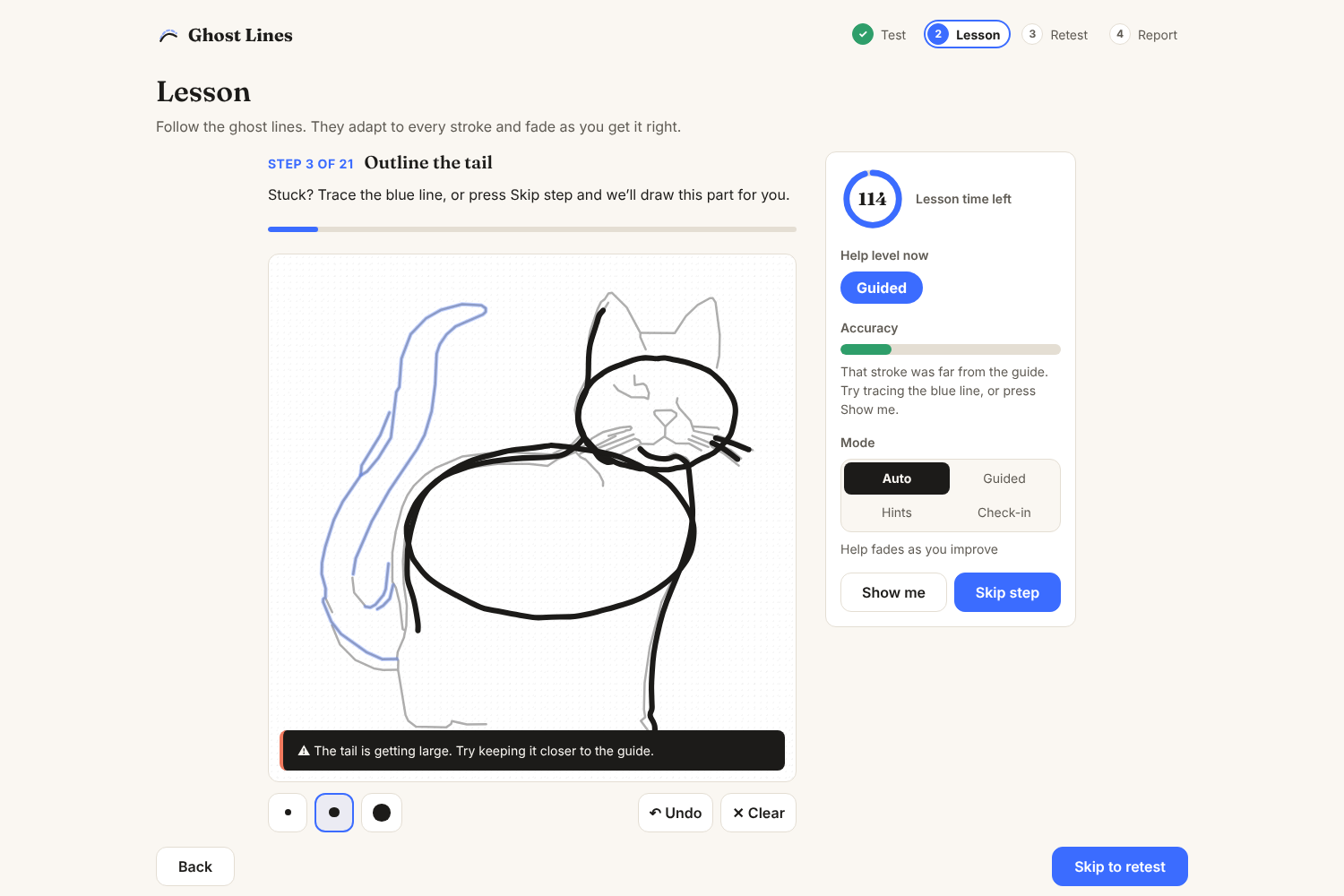
Phase 3: Teach. Faint blue ghost lines will appear on the screen to guide you step by step, similar to the way a real artist draws their imagination. Big construction shapes first, then outlines, then details. Every stroke is checked live and is evaluated against a stroke accuracy score that calculates how well your drawing is to the guideline.
- Each ghost line shows where to start (a dot) and which way to go (an arrow), and the parts you've already traced turn darker.
- The guides move and resize to follow your drawing, so drawing a bit bigger or off-center isn't punished (the entire system is dynamic).
- A faint trace of the real drawing builds up with every stroke.
- The help fades automatically from full lines → dots to connect → nothing as you improve, and comes back if you struggle. You can also pick a help mode yourself: Guided, Hints or Check-in.
- You can finish a line in several strokes, so you don't have to worry about drawing a very long stroke all at once.
- If you're stuck, the full guide appears, and Skip step draws that part for you.
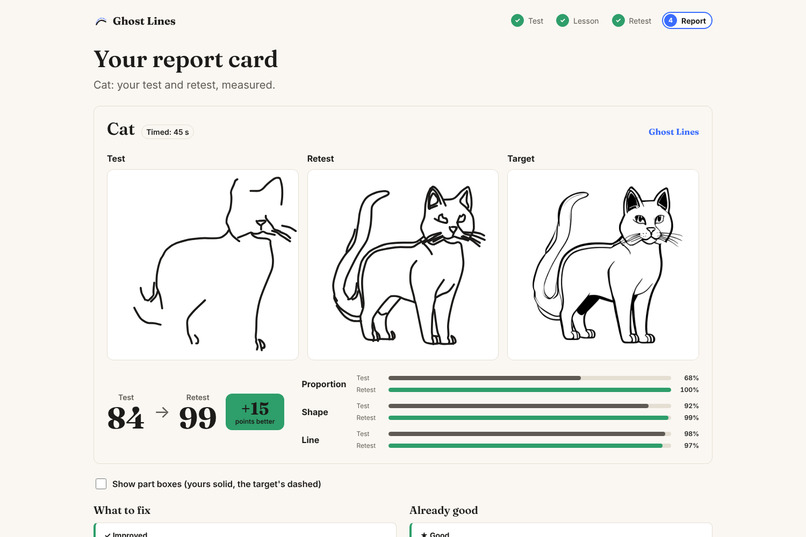
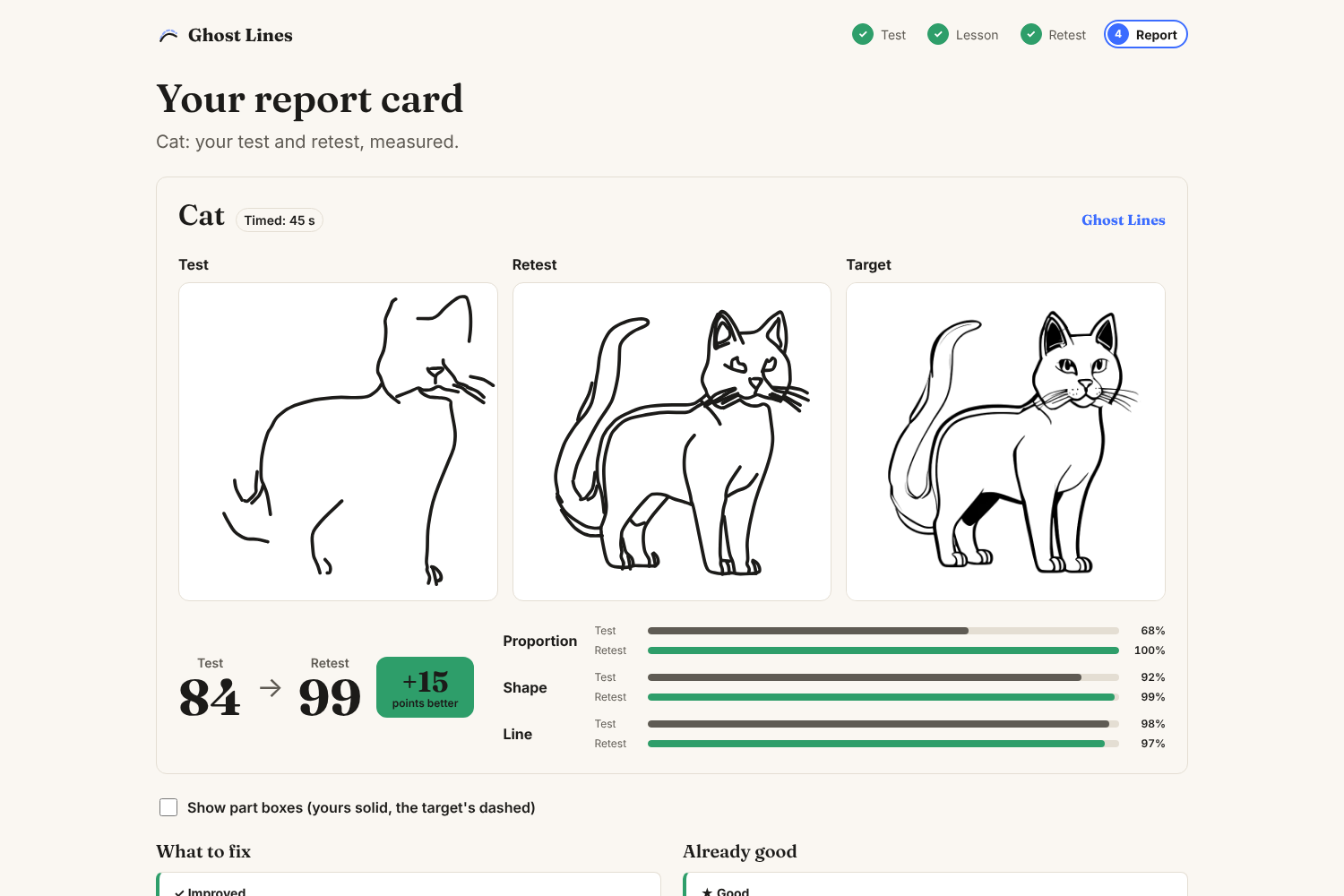
Phase 4: Retest and report card. This is the final phase where you draw everything by yourself. When you're done, a report pops up and shows your before and after side by side with the target, a score, and each weak spot marked improved or not yet, plus a 4× replay of your lesson.
Every finished lesson is saved to Your progress on the subject picker, which shows how many lessons you've done, your average and best gain, your day streak, a chart of your scores, and each recent lesson's test → retest score.
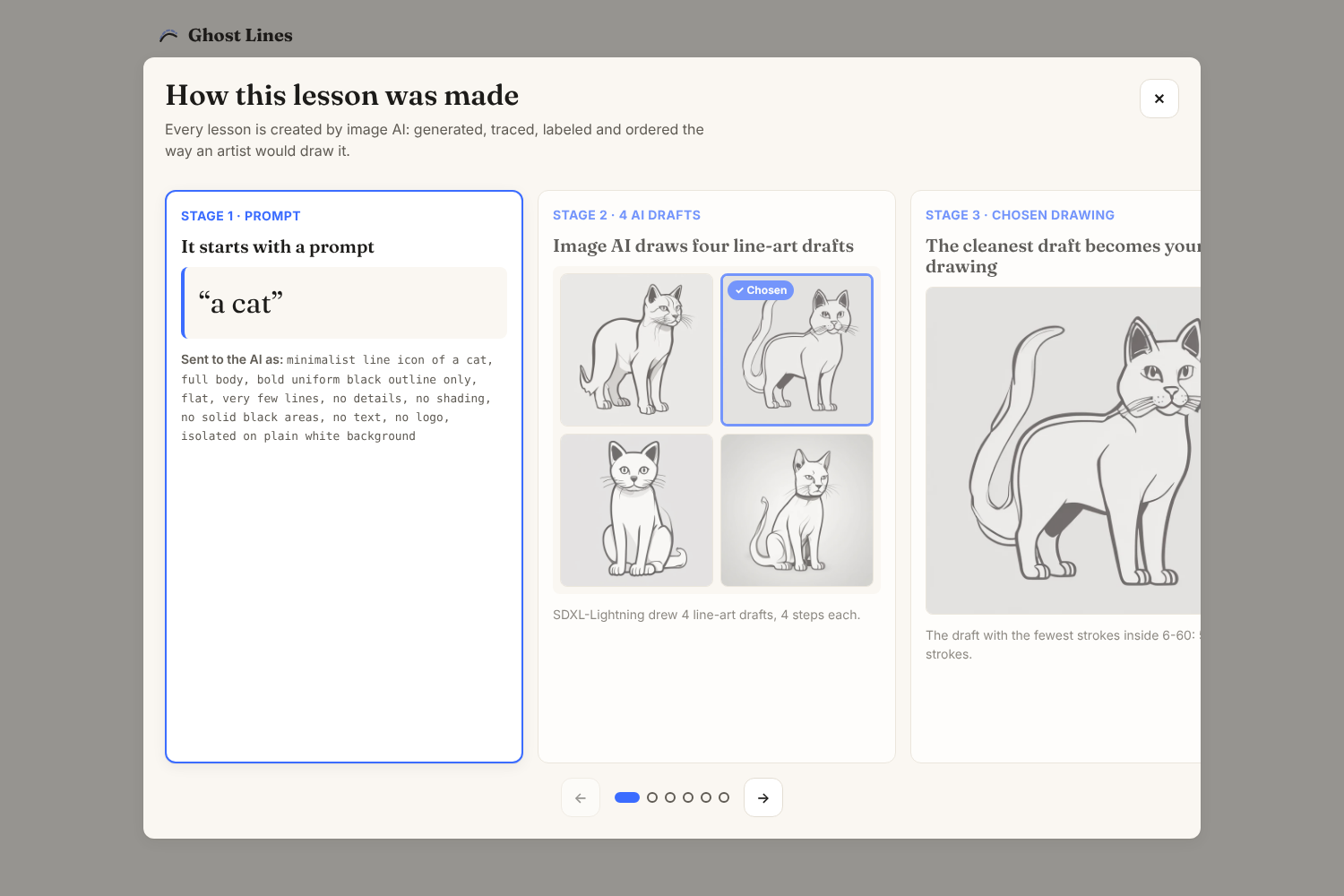
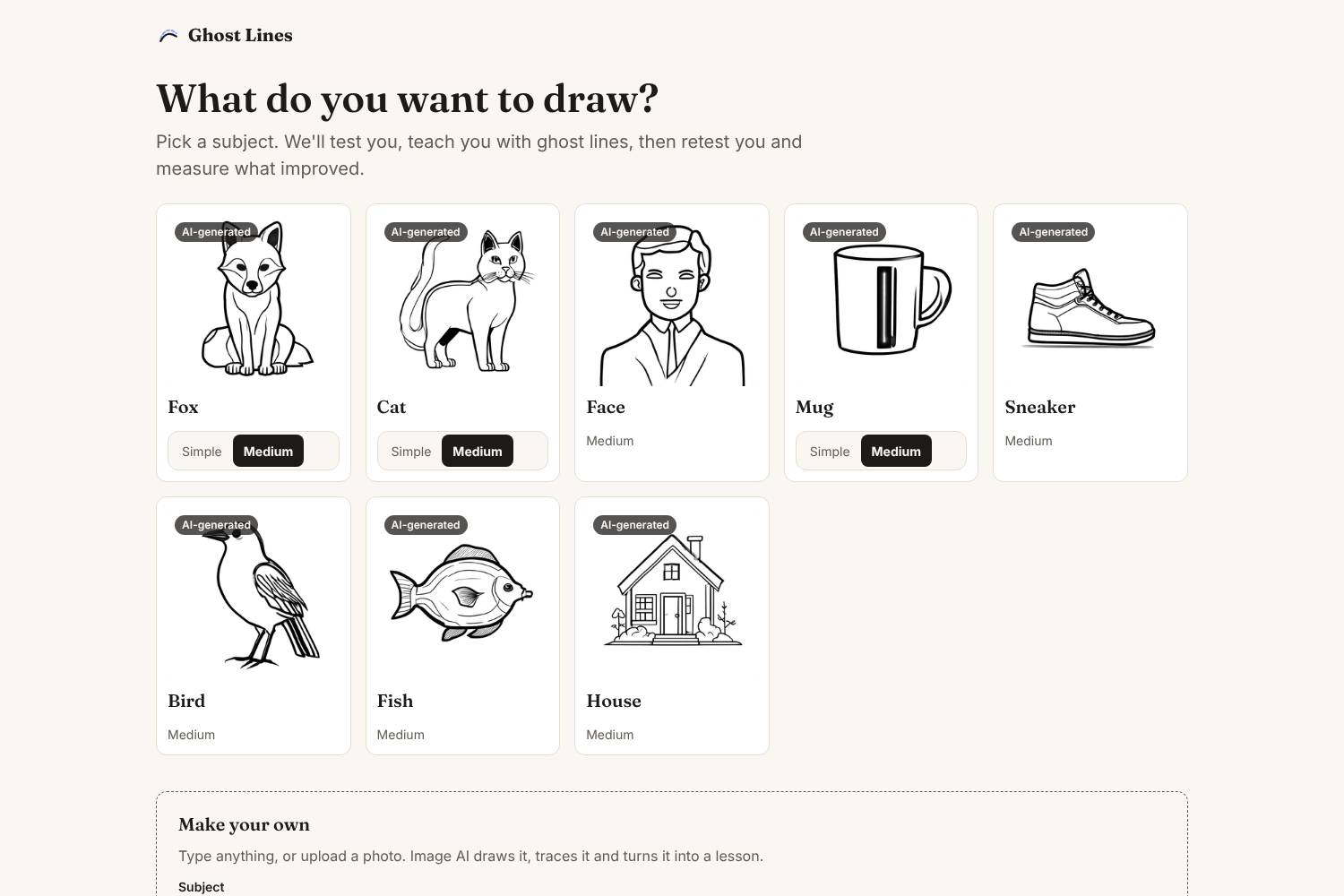
Every lesson is made by image AI. When our server is online, you can type any subject (like "a teapot") or upload a photo and get a brand-new lesson in under a minute.
You may also select one of the premade drawings if you just want to test the app out instead of making a custom drawing.
How we built it
We used Opus 5.5 and various add-ons + GitHub extensions to build the following app. To connect Claude with GitHub on the cloud, we had to download the Claude GitHub App so we could build the app on the cloud rather than locally on our hardware.
Below is some of the specific design mechanics that was used in our project (written by Claude):
Image AI pipeline (Python, on an RTX 4060 Ti):
- OpenAI's image model draws several line-art drafts for live lessons. The premade subjects were drawn by SDXL-Lightning (a 4-step version of Stable Diffusion XL) running on our own GPU.
- AI quality control: stray lines the AI adds around the subject (like a big arc over a car) are found and erased automatically, Google Gemini reviews every draft ("does it show the subject? is it clean?"), and if no draft is good, the AI is asked to draw again. A quality scorer then keeps the cleanest one.
- The lines are thinned to 1 pixel and traced into vector strokes using OpenCV and scikit-image.
- OWLv2, Google's open-vocabulary object detector, finds and labels the parts, like the head, ears or handle.
- The strokes are ordered the way artists draw them, and the result is checked against a shared JSON contract.
- Uploaded photos are named by Gemini ("a monkey", "a person"), and the lesson is drawn from that name.
- A FastAPI server, exposed through a Cloudflare Tunnel, makes live lessons. It has a prompt blocklist and an image safety check, and it never stores photos.
- The "How this lesson was made" panel in the app shows every stage of the pipeline.
Drawing engine (TypeScript, runs entirely in the browser, no AI needed):
- Fréchet distance (including a partial version) checks how closely each stroke follows its guide, even when you only draw part of a line.
- A rotation-limited Procrustes fit moves the guides toward where you're actually drawing.
- ICP (Iterative Closest Point) aligns your whole drawing to the target before measuring, so size and position don't count as mistakes.
- Then each part's size, position, shape and tilt is measured. The score is:
$$\text{score} = 40 \cdot \text{proportion} + 35 \cdot \text{shape} + 25 \cdot \text{line quality}$$
Web app: React, TypeScript and Vite, with perfect-freehand for smooth, pressure-sensitive ink that works with a mouse, stylus or touch. It's hosted free on GitHub Pages, and GitHub Actions runs over 430 tests on every pull request. Every number on screen comes from the engine's measurements. Nothing is made up.
Challenges we ran into
Like most vibe-coded apps, ours came with bugs, since AI models don't always output what you want. Our biggest one was stroke accuracy. Each stroke was originally scored on its own, by how closely it matched the faint ghost line. So if you drew one line in several strokes, your accuracy tanked and warnings popped up. Worse, lessons sometimes froze on a step when a stroke didn't fit the "one stroke equals one line" assumption.
We fixed this by judging each ghost line as a whole. The program tracks which parts of the line you've covered, so it can be finished in one stroke or five, and the piece that finishes a line is still scored against that line instead of whatever guide comes next. To make sure lessons never get stuck again, we wrote a test that simulates 8 drawing styles (backwards, in pieces, too big, all at once, and more) across
Built With
- claude
- claude-code
- cloudflare
- cuda
- diffusers
- fastapi
- github
- github-actions
- hugging-face
- numpy
- opencv
- owlv2
- perfect-freehand
- pydantic
- python
- pytorch
- react
- scikit-image
- sdxl-lightning
- stable-diffusion
- transformers
- typescript
- vite
- vitest

Log in or sign up for Devpost to join the conversation.