Ghost Hands is a Windows software coach: watch a task demonstrated on your screen, then practise the same steps yourself.
Inspiration
Software tutorials rarely match the screen in front of you. AI agents can finish a task, but that does not teach you how to repeat it. Ghost Hands makes the demonstration happen in your own Windows interface, then gives control back for practice.
What it does
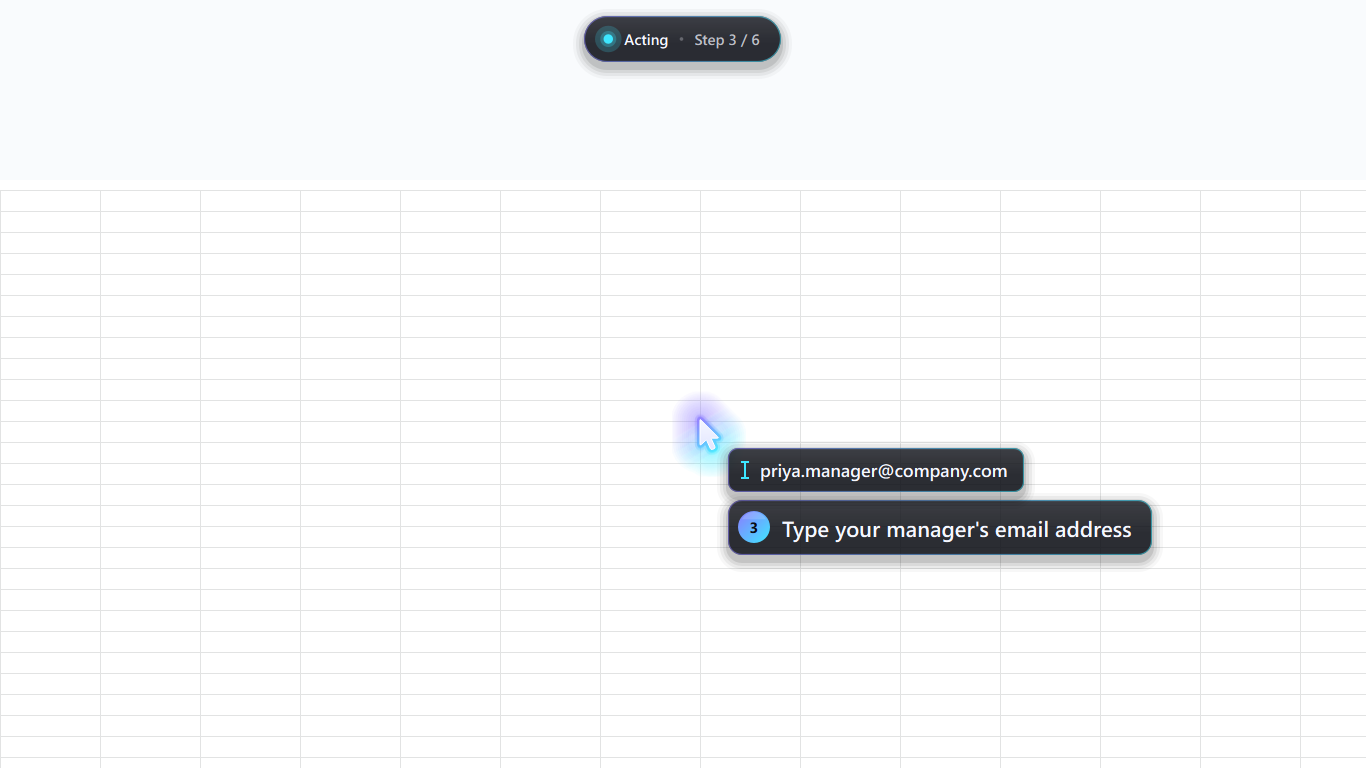
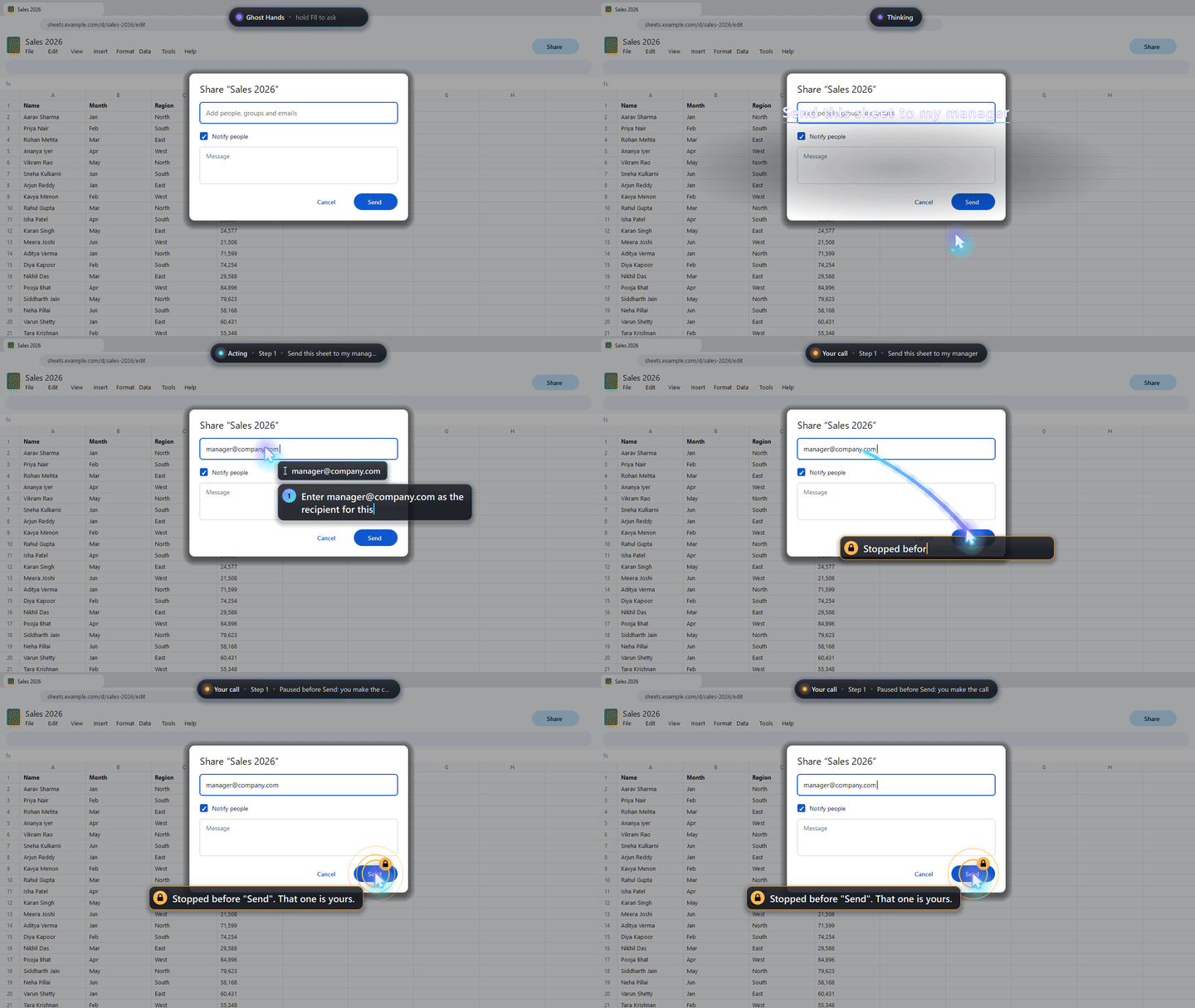
Press F7 to type a question or hold F8 to ask by voice. A glowing ghost cursor moves through the real interface at human speed, with captions and spoken explanations. Press F9 for “Your turn”: pulsing rings mark the same targets and wait for your clicks. Press F10 to replay a recorded run without another model call. Moving the mouse deliberately or pressing Esc stops the run. A code-level guard reads the accessible name under each intended click and refuses actions such as Send, Pay, Delete, Submit, Buy, and Transfer.
How we built it
The Windows app uses Python 3.11+, PyQt6 for the transparent overlay, Windows UI Automation for target names, and OpenAI GPT-6.1 Sol computer use through the Responses API for screen-based steps. OpenAI speech-to-text handles voice input and text-to-speech narrates the guidance. A separate Qt drawing thread receives steps from the agent loop; the overlay acknowledges arrival before the real input fires. Display-affinity exclusion keeps the overlay out of the model’s screenshots, while per-monitor DPI handling helps clicks land accurately.
Challenges and learning
Making the overlay visible to a learner while excluding it from screen capture took GL compositing. We also worked through focus, coordinate scaling, and a safe handover before consequential actions. The project currently runs on Windows 10/11 on the primary monitor, needs an OpenAI API key, and cannot control elevated apps from an ordinary process.
Build timeline and AI disclosure
Ghost Hands is existing work with public project commits dated October 10, 2026. The repository describes its origin as an OpenAI DevDay 2026 project. This page is a separate event-specific copy of that same underlying work, not a claim that it was newly built for Next Byte. Codex and Claude Code assisted development, as disclosed in the repository.
Demonstration and access notes
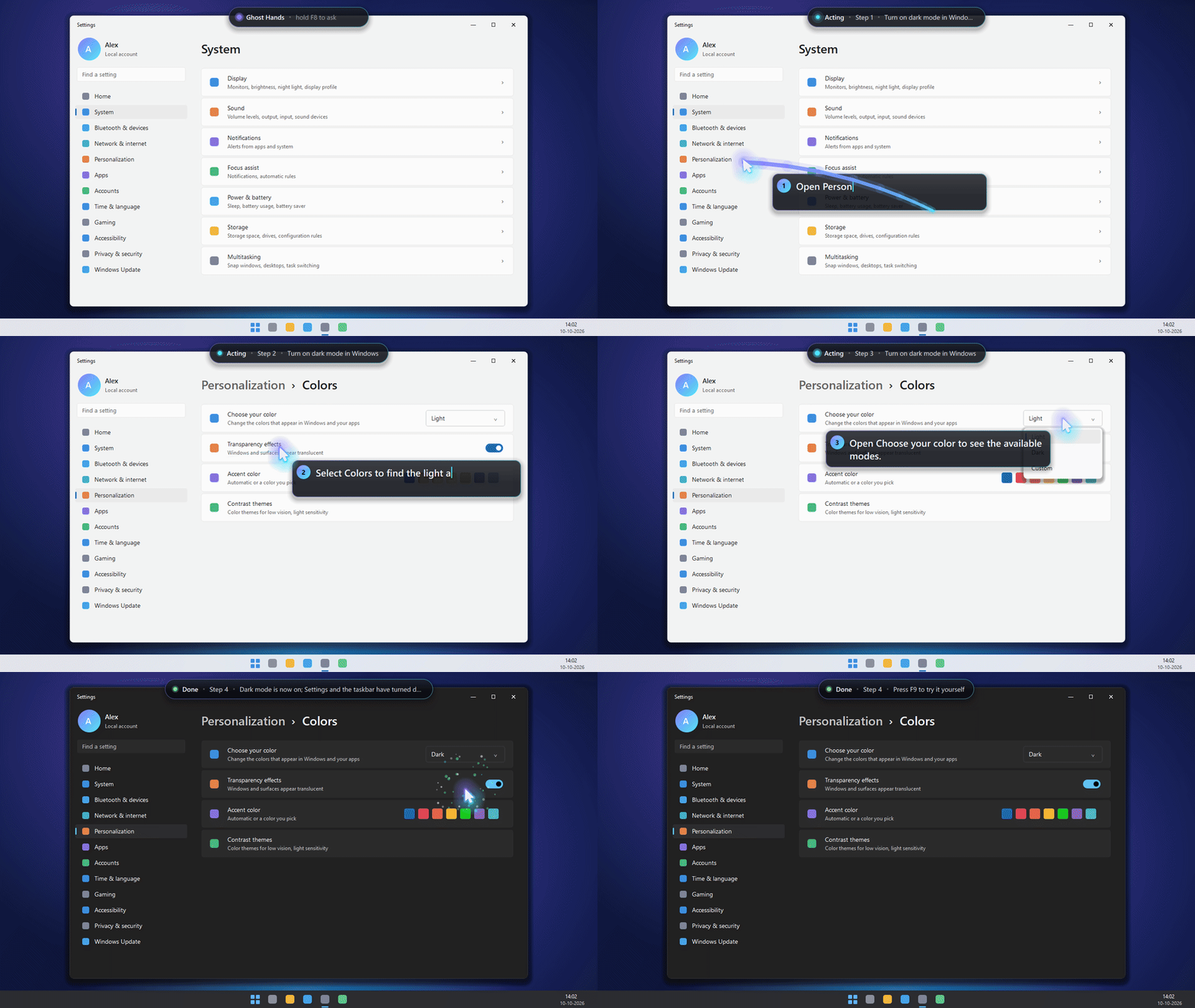
The linked website is a product overview and demonstration page; the working desktop application is in the public repository. The repository’s Windows Settings walkthrough renders the real overlay code frame by frame over a mock Settings screen, with captions taken from a real model run. Demonstration imagery should not be read as an uninterrupted recording of every live desktop action. Gallery images illustrate the product workflows.
To try the desktop app, follow the repository’s setup instructions on Windows 10/11 with Python 3.11+. Live model-driven use needs an OpenAI API key. The --fake mode is a scripted overlay demonstration requiring no API key; it does not demonstrate live AI reasoning. Coaching replays a recorded path rather than independently judging a learner’s understanding. The click-name guard is a limited safeguard, not a guarantee of safety in every app.

Log in or sign up for Devpost to join the conversation.