-
-
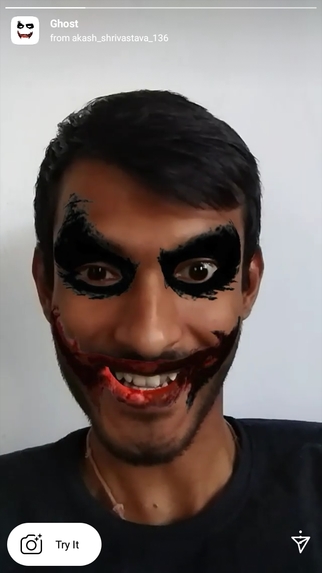
Ghost Effect Cover

Inspiration
Horror movies excite many of us, right ? So, here I am with my Ghost Effect filter. I got this idea of making a ghost filter while watching a horror show
What it does
This effect uses face tracker to place the ghost mask on user's face. Meanwhile, background music plays continuously which is a scary sound. The effect instructs the user to open their mouth. When the user opens their mouth, a horror sound effect plays till the time mouth is open. As soon as the mouth gets closed, the horror sound stops, but the background sound is still playing.
How I built it
I built this effect using Spark AR . In this, I have used face tracker which is used to put the ghost mask onto the user's face. Also, I've added two background sound effects out of which one plays continuously while the other plays only when the user opens his/her mouth. This makes it feel more scary !
Challenges I ran into
The only challenge which I faced were adding sound effect on users's mouth gestures. Well, thanks to Spark AR Documentation which helped me a lot in overcoming this challenge.
Accomplishments that I'm proud of
I'm proud that I created my first filter for Instagram using Spark AR. And the best part of it is that it's approved by Spark AR Hub and is now live on Instagram. So, why wait, go and try this Ghost effect here
What I learned
I learnt how to create cool filters for Facebook and Instagram using Spark AR. And this excites me to dive in further into the world of AR.
What's next for Ghost Effect
I'm planning to make this effect more interactive by adding some flying bats and scary trees in the background.
Built With
- sparkar


Log in or sign up for Devpost to join the conversation.