-
-
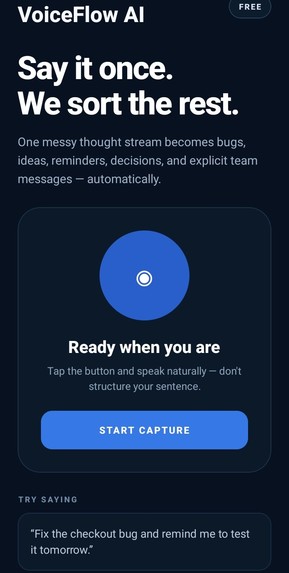
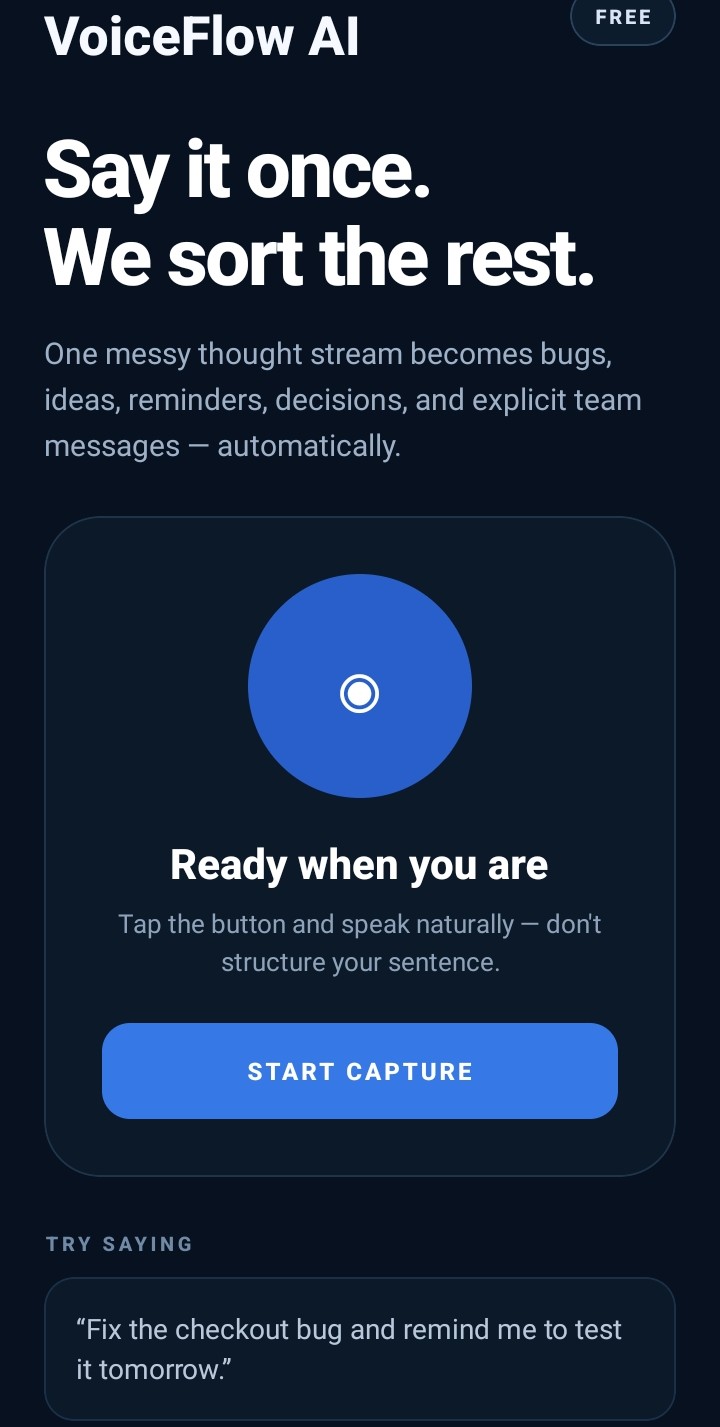
voiceflow mobile app
-
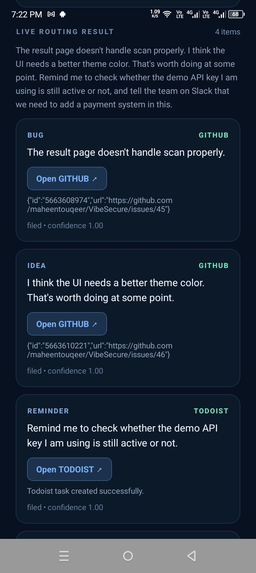
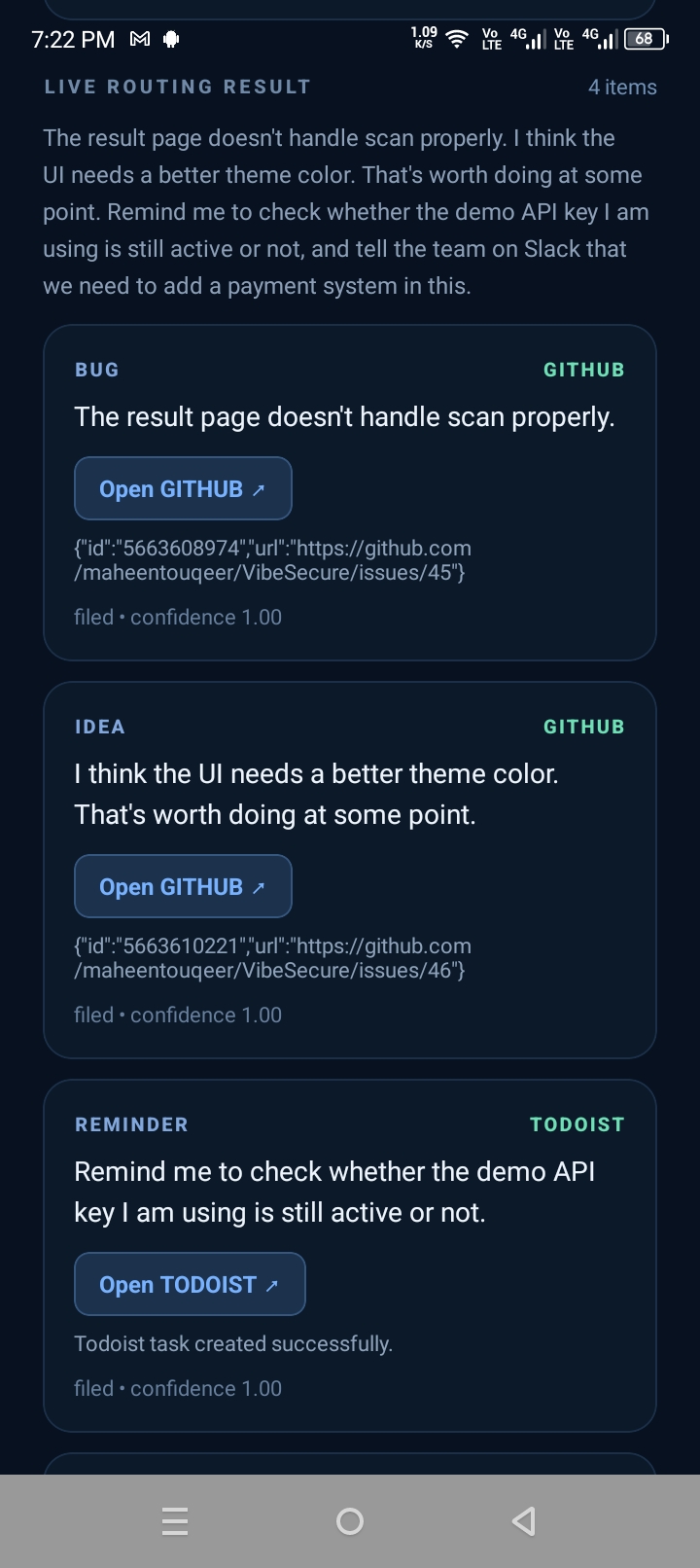
in action
-
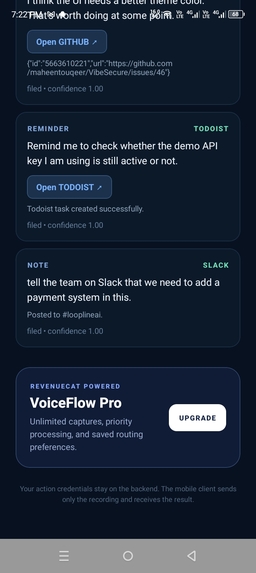
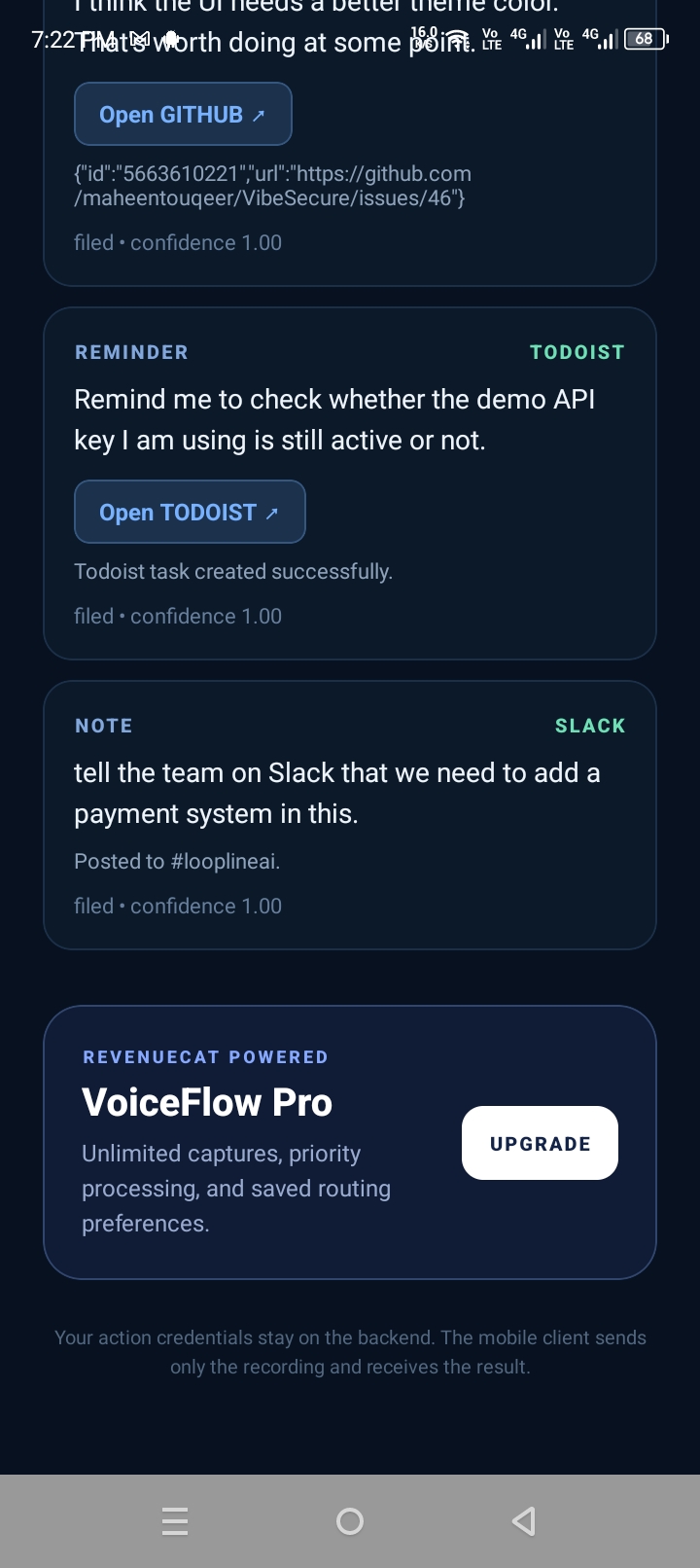
result
-
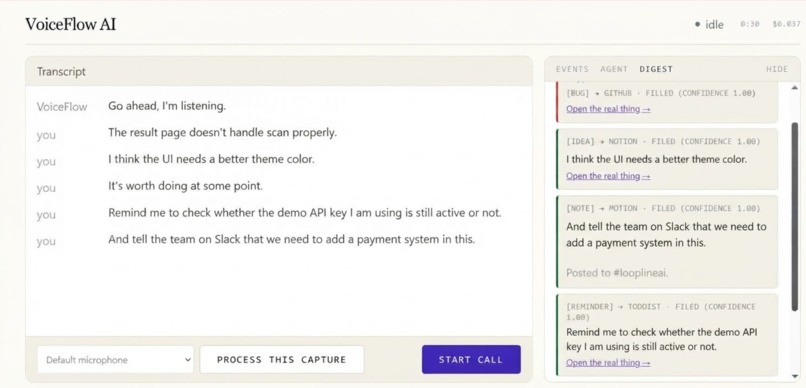
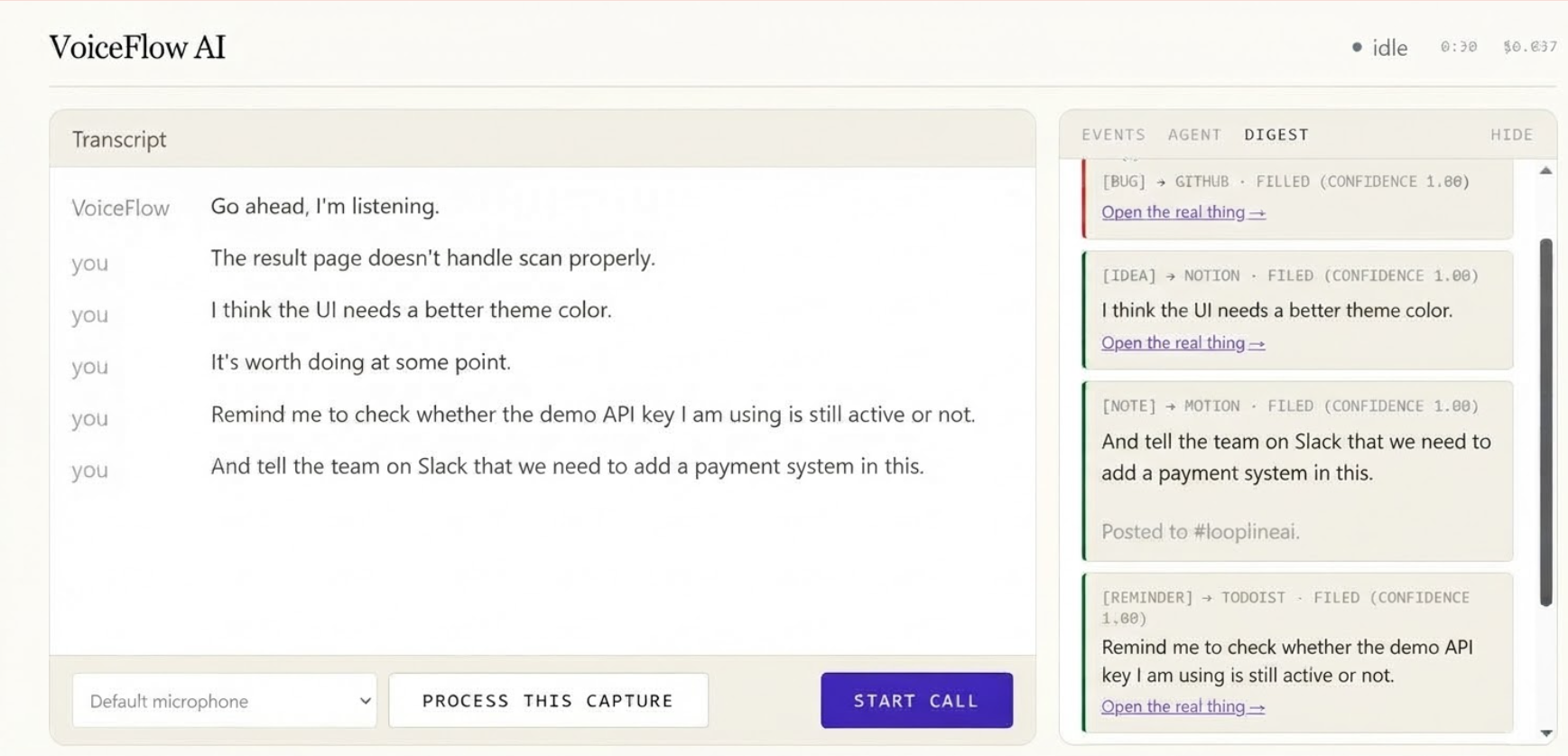
web app
The Problem
We often think out loud: one voice note can contain a bug we noticed, an idea for the UI, a reminder for tomorrow, a decision we made, and a message we need to send to our team.
The problem is that these thoughts usually end up in one place — a messy voice note — while the actions belong in completely different tools.
"VoiceFlow AI turns one messy voice capture into organized actions automatically."
What Inspired Us
The idea came from a simple frustration: "why should I manually organize my thoughts after already taking the time to say them?"
Instead of forcing users to speak in a structured way like "create a task" or "make a GitHub issue," we wanted VoiceFlow AI to understand natural, messy speech and figure out what each thought means.
For example, a user can say:
"The result page has a bug. I also think the dashboard needs a better dark theme. Remind me tomorrow to check the API key. We decided that email verification is required for onboarding."
VoiceFlow AI separates these thoughts and routes each one to the appropriate tool.
How It Works
VoiceFlow AI uses a simple pipeline:
"Speak → Transcribe → Segment → Classify → Route → Execute"
- Voice Capture — AssemblyAI's Voice Agent API captures and transcribes the user's speech.
- Semantic Segmentation — the transcript is broken into separate thoughts instead of treating the entire voice note as one task.
- Intent Classification — each thought is classified as a bug, idea, reminder, decision/note, explicit Slack request, or something that should be skipped.
- Smart Routing — the system sends each item to the appropriate destination:
- 🐙 GitHub → bugs and ideas
- ✅ Todoist → reminders
- 📝 Notion → decisions and notes
- 💬 Slack → only when the user explicitly asks to send something on Slack
- 🔒 Skip → secrets, credentials, or irrelevant content
- Confidence Handling — uncertain items are not blindly executed, helping prevent unwanted actions.
A key design decision is that integrations run 'after voice capture finishes'. This keeps external API failures from interrupting the user's conversation.
What We Built During LovHack Season 3
VoiceFlow AI evolved from an earlier voice-processing prototype. During LovHack Season 3, we focused on turning that foundation into a more complete product experience.
During the hackathon, we worked on the VoiceFlow AI product experience, mobile application workflow, semantic thought segmentation, intent-based routing, explicit Slack actions, reliability improvements, and the mobile processing architecture.
We also developed the mobile experience around the same agentic workflow so the project could be demonstrated as a real mobile productivity application rather than only as a backend prototype.
We built and connected the processing pipeline with real GitHub, Todoist, Notion, and Slack actions, allowing the prototype to move beyond simply displaying AI classifications and actually perform useful actions.
Challenges
The hardest part was not transcription — it was 'understanding where one thought ends and another begins'.
Natural speech is messy. People change topics, correct themselves, add supporting sentences, and combine multiple requests into one sentence.
For example:
"Ali will handle the onboarding flow that should require email verification."
This should be treated as 'one decision', not two unrelated pieces of text.
Another challenge was preventing the agent from taking actions when the user's intent was ambiguous. We therefore added deterministic routing rules and confidence-aware handling around the AI classification layer.
We also had to make integrations resilient because GitHub, Todoist, Notion, Slack, and the voice service can all fail independently.
What We Learned
We learned that building an agent is not just about connecting an LLM to APIs. "The real challenge is designing reliable boundaries around AI decisions."
We learned to combine AI-based semantic understanding with deterministic rules for high-impact actions, and to design the system so a failure in one integration does not break the entire experience.
Most importantly, we learned that the best voice interfaces should not require users to change how they naturally think or speak.
What's Next
VoiceFlow AI can evolve into a personal action layer that sits between a user's thoughts and their entire digital workspace — continuously turning unstructured communication into organized, actionable work while keeping the user in control.
Built With
- ai-agents
- assemblyai
- expo.io
- github-api
- html
- javascript
- llm
- mobile-app
- natural-language-processing
- notion-api
- python
- react-native
- rest-api
- slack-api
- todoist-api
- voice-ai
- web-app


Log in or sign up for Devpost to join the conversation.