-
-
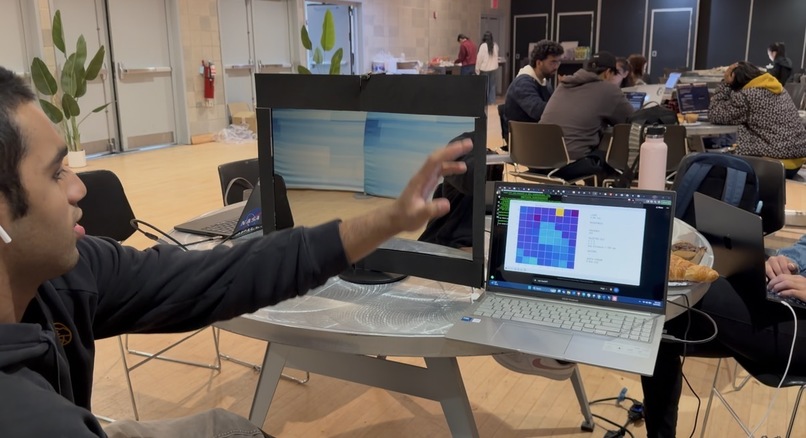
Swiping Testing
-
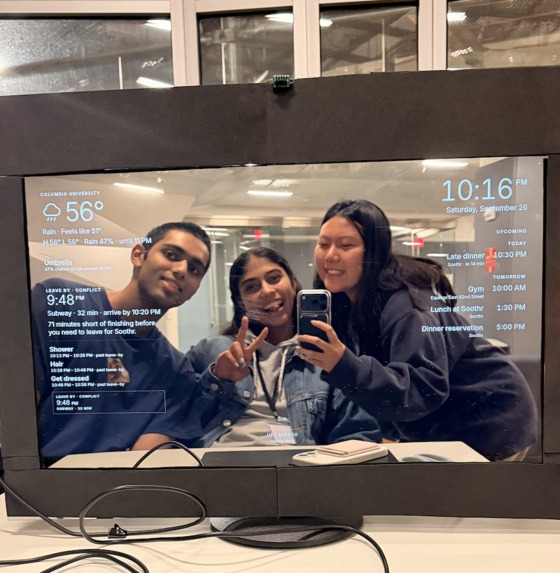
Proof of Concept
-
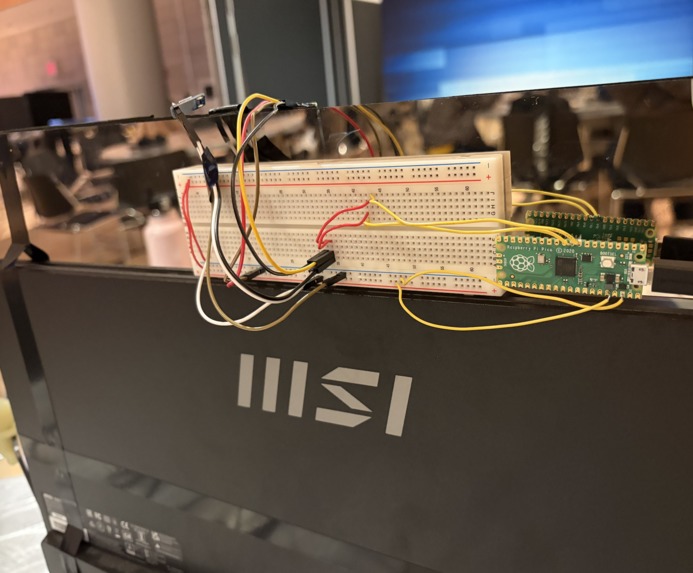
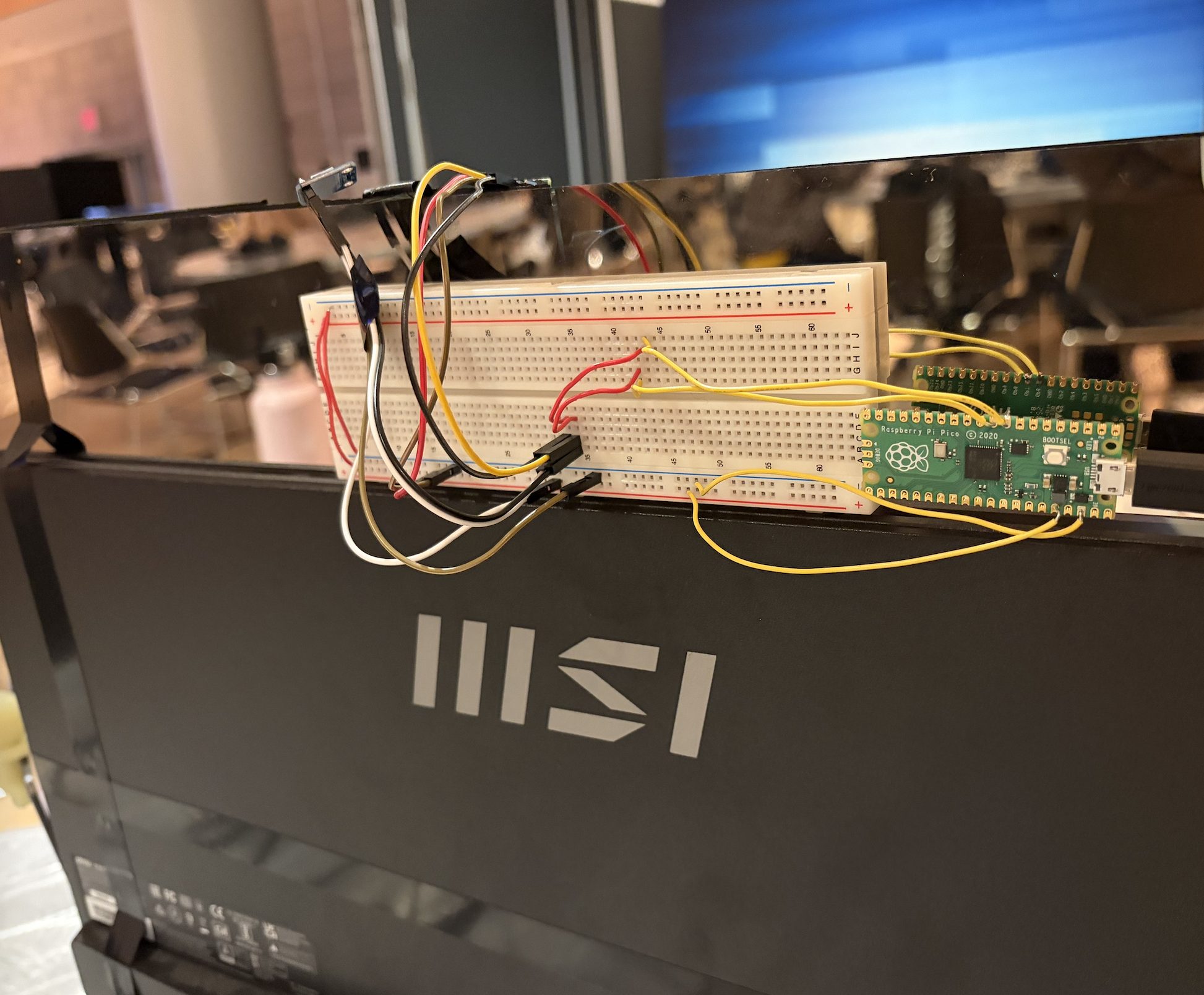
Pico and sensor wiring
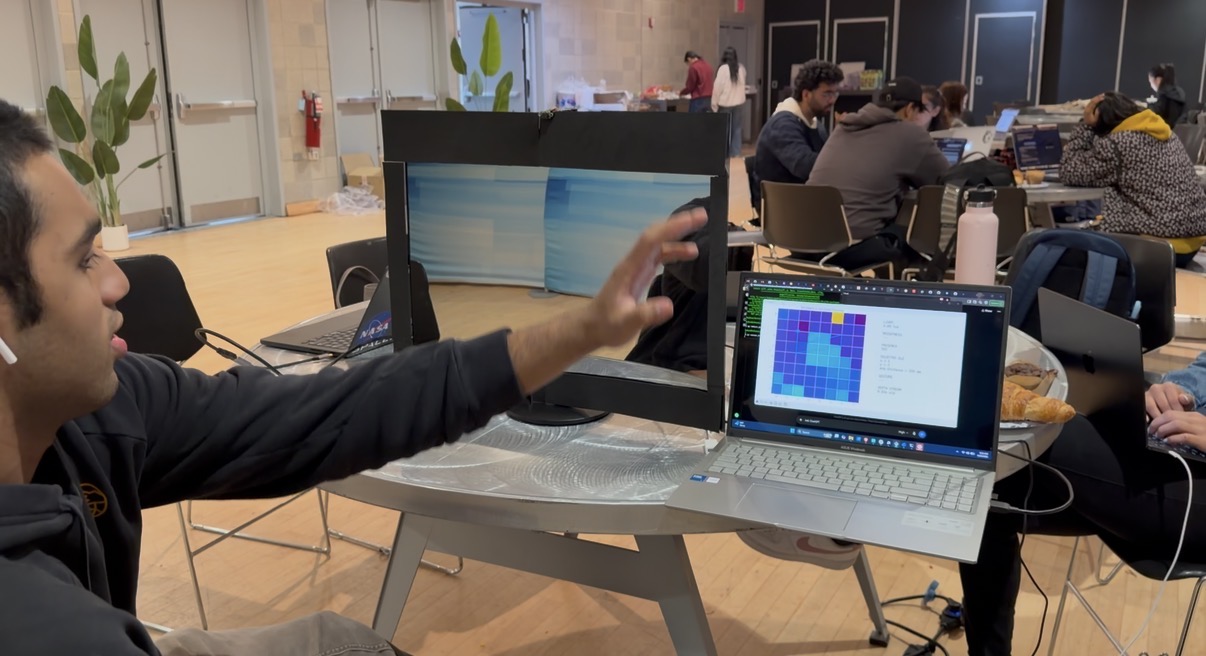
Get Ready With Mirror (GRWM)
Inspiration
A regular bathroom mirror already owns the most frantic minutes of the day: the ones between “I should get ready” and “I am late.” You stand there doing your hair, and doing leave-by math in your head while the clock on your phone stays face-down on the sink, just to step outside to the wrong weather for your outfit.
We built GRWM for a Live Better, personal-utility demo. The mirror is already in the room where the routine happens. Voice keeps your hands free. A leave-by time only counts if it is computed, not improvised.
What it does
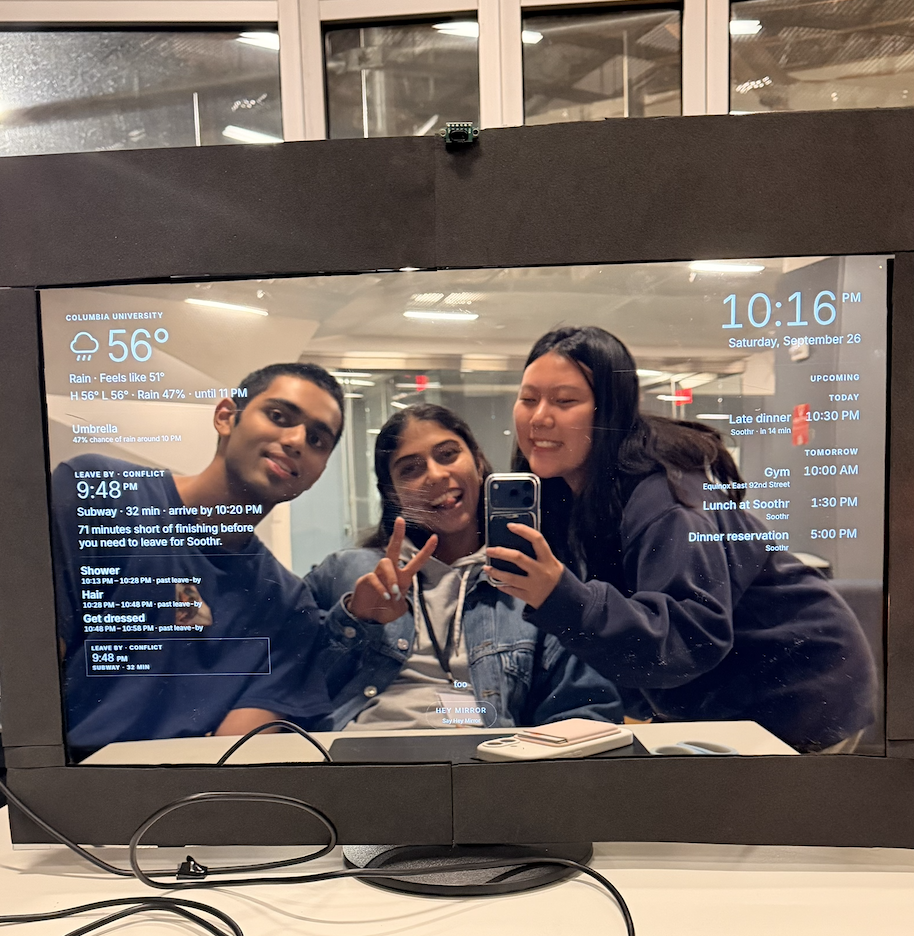
GRWM is a voice-controlled smart mirror that turns one upcoming event into a glanceable getting-ready plan. GRWM displays the essentials in the corner of your screen: The current time, your commute time and route, when you should start getting ready and when to leave by, what the weather looks like, and what you need to do and bring before you step out the door. To make sure you are on track, GRWM also has voice cues that vocally remind you to leave for when you can stay in the zone worry-free.
The laptop hosts the UI, the backend, Grok, and voice components, then projects over HDMI to a monitor behind a two-way mirror. Say the wake phrase Hey Mirror, and ask it with natural language to expand:
- live weather for the rest of the day, plus clothing and packing suggestions grounded in that forecast
- the upcoming event and map with route to destination
- a short getting-ready timeline
- a leave-by summary for the selected travel mode
Via an ElevenLabs and Grok-powered voice feature, GRWM can take natural language commands into actions, changing the UI depending on the user's requests. “Expand weather and recommend what I should wear and bring” opens the weather panel and fetches the forecast as the agent speaks. “Show my calendar” and “see my route” expand modules the same way. “When do I need to leave?” and “Plan my time. I need to shower, do my hair, and get dressed” go through the planner. “Give me 20 more minutes for my hair” recalculates. If the routine no longer fits, the mirror says so. It does not silently drop a task or move the dinner.
Using a VL53L5CX Time of Flight sensor, communicating through a Raspberry Pi Pico on USB serial, GRWM can detect swipe motions in a 8x8 depth field (45° x 45° FOV). A swipe left opens Unwind: rain, a morning alarm, a quieter weather glance, and the clock. A swipe right, “show overview,” or Escape returns to the dashboard. Perfect for when you want to swipe your problems away and unwind, and don’t feel like talking.
How we built it
We built a feature-first monorepo so weather, calendar, maps, planner, assistant, voice, and hardware could ship in parallel without sharing internals.
The speech loop is deliberately narrow. The microphone does not decide what the UI should do. ElevenLabs transcribes. Grok requests a named tool. The backend validates the name and arguments against an allowlist, runs the matching feature’s public service, sends tool results back to Grok, and only then lets it speak. React receives a typed UI event (expandWidget, showOverview, …) and owns the fade. Grok never writes JSX, never runs arbitrary code, and never looks up weather or routes on its own — server-side web search stays off.
The planner’s leave-by is ordinary time arithmetic:
$$ t_{\mathrm{leave}} = t_{\mathrm{event}} - b - d $$
where tevent is the reservation start, b is the arrival buffer (10 minutes in the demo), and d is the travel duration for the selected mode. Slack is whatever is left after the unfinished tasks:
$$ s = \left\lfloor \frac{t_{\mathrm{leave}} - t_{\mathrm{now}}}{60\,\mathrm{s}} \right\rfloor - \sum_i d_i $$
Pressure follows s directly: relaxed if s120, comfortable if s30, tight if s0, and a schedule conflict if s<0. A conflict is a successful answer. Feasible plans wait until the just-in-time start so the last task ends at leave-by; conflicts run forward from now so the overrun is visible.
Weather suggestions are the same idea. Rain probability >= 40%, or rain already in the hourly slice, suggests an umbrella. UV 3 suggests sunscreen. Feels-like below 50 degrees F suggests a jacket; below 32 degrees F a heavy coat. Each suggestion carries the reading that triggered it, so “umbrella — 70% chance of rain around 5 PM”.
The map's campus pins start Transitous at the 116 St Columbia University 1 train so the subway trip is the ~33-minute ride people actually take. The drive reflects real time drive time as well
The hardware is deliberately compartmentalized apart from the rest of the product. The Pico receives noisy measurements from the VL53L5CX, cleans up the data with clamping, then determines hand position (if any) in a 2x2 subgrid of the sensor output. If the hand moves from one side of the screen to another, then a “SWIPE” command is sent and interpreted by the backend to change what’s on the screen. All other noisy measurements are ignored, so only swipes change the mirror. The Pico also reports a “PRESENCE” indicator based on average distance in the center of the sensor grid. If the Python sensor dashboard already holds the serial port, it forwards gestures with POST /api/hardware/gesture; otherwise the backend reads serial and publishes server-sent events. React’s usePicoGestures maps them onto the same window.mirrorCommand path voice already uses.
Challenges we ran into
-The motion sensor takes in lots of information at once, and is quite noisy, so at times it does not recognize a hand swipe. There were many hours of debugging spent on this component. -The turnaround time between processing the users spoken words and taking action to change the interface varies, and is at times long.
Accomplishments that we're proud of
- A working hands-free loop: wake word, transcription, allowlisted tools, spoken reply, and UI expansion in one turn.
- A planner that will show a conflict rather than invent a feasible evening. At 6 PM, 30 minutes short is the correct demo, not a bug.
- Weather advice that cites a real Open-Meteo reading, including “what to wear and bring” without letting the model hallucinate rain.
- A map with travel routes pulling from Transitous
- Successful hardware integration, specifically with ability to reliably detect hand swipes and shift the mirror to unwind mode. Hardware added a whole new dimension of debugging and integration, making it a difficult feat.
- A codebase two people could extend without merging the same route file every hour.
What we learned
It’s important for other people, not just the developers, to test out the UI. We received great feedback from external users regarding the design of the interface and were able to shape our project to a much better-looking, working interface.
On the hardware side: stream sensors, decide in software. Keeping the hardware and software components separate (ie, allowing the Pico to do main classification) allowed for us to split up tasks more efficiently and have a cleaner workflow. We learned the ins and outs of Raspberry pi Pico programming and working with motion/light sensors.
On agents: an allowlist is a product decision. Ten tools, validated arguments, and a rejected call that the model may explain — that is enough intelligence for a bathroom, and safer than an open-ended one.
What's next for Get Ready With Mirror (GRWM)
- Saved routines: Task durations and “hair needs 20 more minutes” should persist without adding a database we do not need for the demo. Preferences and history are the first honest reason to add SQLite in the future.
- Richer Unwind: The rain page is a start: presence-aware dimming from the Pico lux/ToF stream, a real alarm, and a calmer end-of-day briefing.
- Confirmation that feels like a mirror: Spoken and on-screen yes/no before overwriting a saved plan or touching a real calendar event.
- Expanded Hardware: Light sensor integration (something we have but didn’t have time to implement), more hand commands with our motion sensor
Built With
- c++
- python
- raspberry-pi
- react.js
- typescript


Log in or sign up for Devpost to join the conversation.