-
-
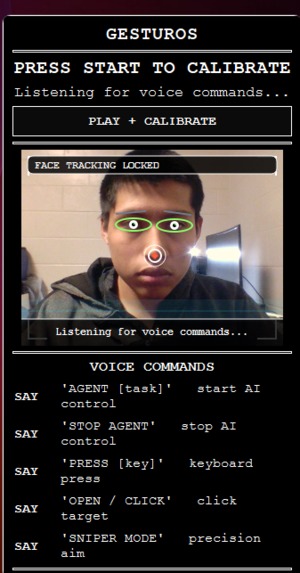
me
-
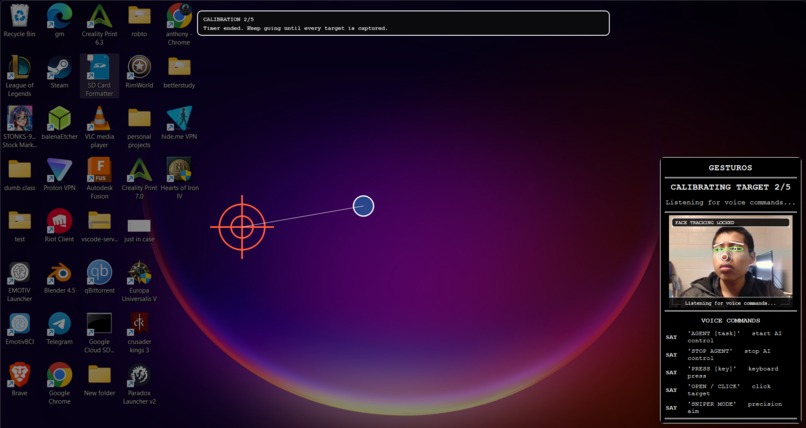
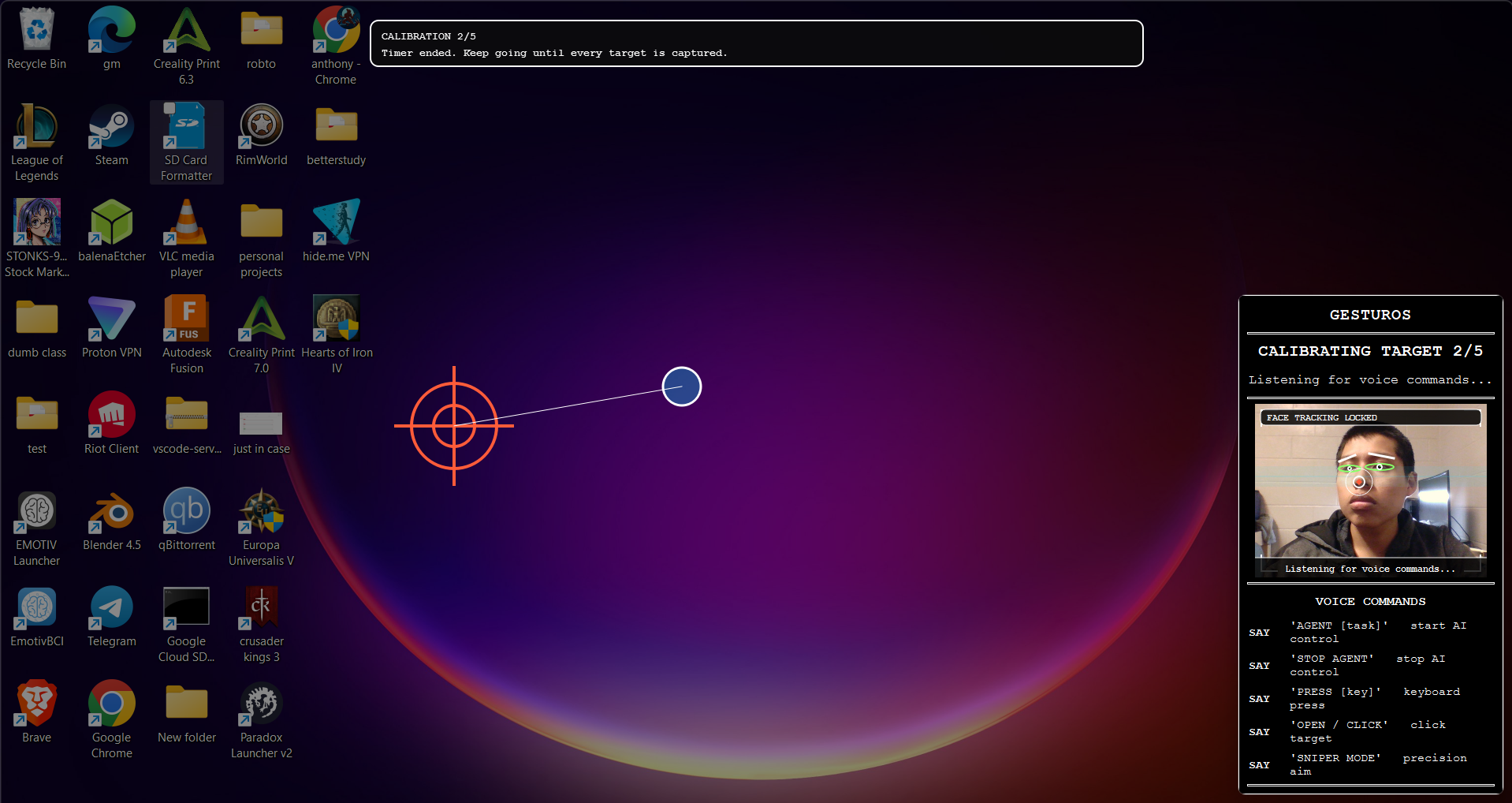
calbration
Inspiration
The digital world is built for hands, leaving millions of individuals with motor impairments reliant on slow, clunky, or prohibitively expensive accessibility hardware. We asked ourselves: Why should someone have to buy a $1,000 dedicated eye-tracker when the webcam already sitting on their monitor is powerful enough to run real-time computer vision? We were inspired by the recent leaps in agentic AI and computer vision. We wanted to build a bridge between these cutting-edge technologies and the people who need them most, creating a completely software-based, zero-cost barrier accessibility suite that feels like a natural extension of the user.
What it does
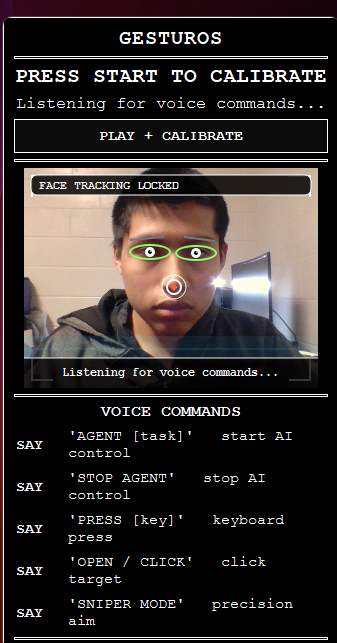
GesturOS is a comprehensive, hands-free desktop environment. It replaces the traditional mouse and keyboard with a fluid combination of head movements, facial expressions, and voice commands.
- Fluid Navigation: Look around to move your cursor, and simply blink to click.
- Predictive Magnetism: As your cursor approaches a clickable button, our custom computer vision engine provides a subtle "magnetic pull," snapping the cursor to the target to reduce physical strain and increase precision.
- The Gemini Agent: For complex tasks, users can simply say, "Agent, book me a flight to New York." Our autonomous Gemini-powered agent takes over, visually analyzing the screen, planning steps, and executing multi-step clicks and keystrokes entirely on its own.
How we built it
We architected GesturOS in Python 3.10, focusing heavily on low latency and modular design.
For the Cursor Engine, we utilized MediaPipe to extract 3D facial landmarks in real-time. We bound the cursor coordinates to the tip of the nose. To make it usable as a daily driver, we implemented a dynamic 1 Euro Filter to mathematically eliminate webcam jitter, and designed an asymmetrical "Active Zone" mapping algorithm so users don't have to strain their necks to reach the corners of their monitors.
For the Agentic layer, we integrated the Gemini 2.5 Computer Use model. When a user issues a voice command via our audio listener, the LLM takes a screenshot, analyzes the UI environment, and calculates the required PyAutoGUI coordinates to execute the task. We piped the agent's responses through the ElevenLabs API for natural, conversational feedback—especially critical for confirming destructive actions before the agent executes them.
The UI was built using a custom, borderless Tkinter overlay that sits on top of all other windows, providing real-time feedback on eye-state, tracking modes, and audio cues via pygame.mixer.
Challenges we ran into
- The "Jitter" Problem: Raw webcam tracking is incredibly noisy. Early prototypes felt like trying to use a mouse on a bumpy road. We spent hours researching signal processing before successfully implementing a 1 Euro Filter, which perfectly balanced latency with smooth precision.
- Agent Hallucinations & Safety: Giving an AI control of your mouse is terrifying. Early on, the agent would occasionally misinterpret the screen and try to click the wrong things. We solved this by implementing a strict "Agent Loop" with verbal confirmations. If the agent isn't 95% confident, or if it's about to close a document/send an email, it pauses and asks the user for voice confirmation using ElevenLabs TTS.
- Neck Strain: Moving a cursor 1:1 with your head across a 1080p monitor is exhausting. We had to write complex scaling mathematics to create a "deadzone" and "active zone," allowing micro-movements of the head to reach the edges of the screen effortlessly.
Accomplishments that we're proud of
We are incredibly proud of the Predictive Target Magnetism. Getting OpenCV to run real-time edge detection around the cursor's localized radius without tanking the frame rate was a massive win. Seeing the cursor physically "snap" to a button purely based on visual data is a magical experience that makes the app genuinely usable. We're also proud to have successfully wrangled a complex AI agent into a seamless, accessible UI.
What we learned
We learned a tremendous amount about spatial mathematics, signal smoothing, and the emerging field of Computer Use LLMs. More importantly, we learned about the strict UX requirements of accessibility tools—if it isn't completely intuitive and comfortable within 30 seconds, it's not a viable solution.
What's next for GesturOS
- Local LLM Integration: Rerouting our voice dictation and simple intent mapping through local models like Whisper.cpp and Llama 3 via Ollama to ensure complete user privacy and offline capability.
- Dedicated Gaze Tracking: Upgrading from nose-tracking to pure pupil-tracking so users can point with their eyes while keeping their heads completely still.
- Dynamic Auto-Calibration: A 5-second startup wizard that asks the user to move their head in a circle, dynamically calculating their physical mobility range to custom-tailor the engine's sensitivity.

Log in or sign up for Devpost to join the conversation.