Inspiration
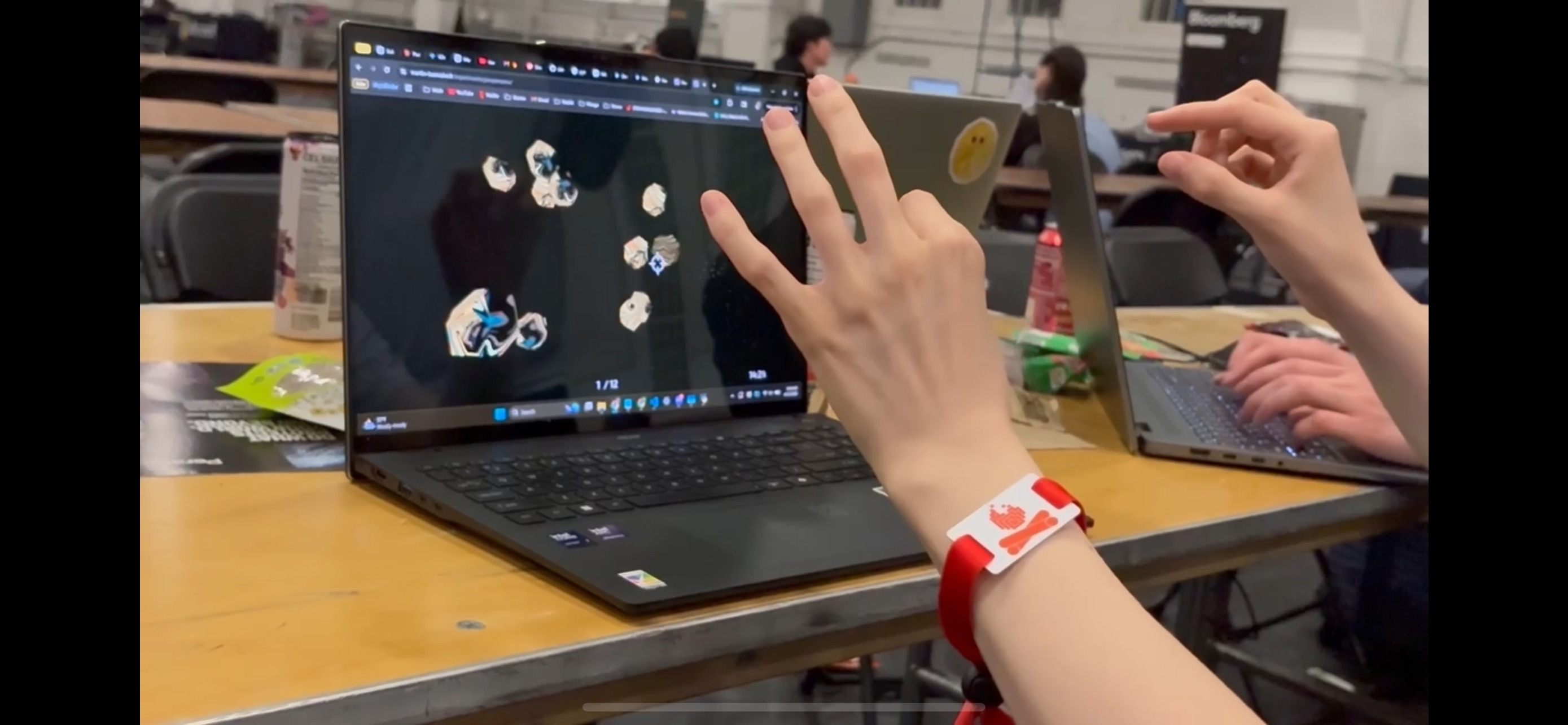
Our team member, Chris, has conceptualized the idea of using hand gestures as a control system for months. We had initially considered a system for directing the motion of an RC car, but another teammate, Gabby, suggested direct control of a computer user interface as a versatile and powerful tool. In the past, we have conducted presentations where we would have loved an option to simultaneously control what was happening on screen and keep focus on what the audience could see, without having to awkwardly lean down to use a mouse.
What it does
Gesturify is a script for using hand gestures to control the computer's cursor. The program receives live input from a webcam and converts it into on-screen actions. These are the current supported actions:
- move cursor: move right hand (any gesture) along direction you want cursor to travel
- left click (supports dragging): pinch index and thumb of left hand, with rest of hand relaxed
How we built it
We mapped OpenCV input from Python into Media Pipe and Ultralytics to average out center points of hands. This movement was then mapped to system mouse input with adjustments to clamp range and speed.
Challenges we ran into
Hand movement was challenging to map directly onto mouse movements. The program originally had a strong left bias and we needed to adjust its range to allow for clicking on the edges of the screen. Clicking also caused mouse movement which we solved by using a two-hand gesture system.
Accomplishments that we're proud of
We were able to make massive performance gains by eliminating redundant processing cycles and adjusting our inputting approach to access the systems mouse directly instead of using a python GUI library.
What we learned
We learned how to convert live video input into actionable data in Python. We applied our background in computer vision and opened up new avenues for potential future expansions of gesture-based control systems.
What's next for Gesturify
Our next goal is to refine Gesturify's user experience and add additional controls. We plan to clamp low distance hand movements to prevent jitter and smooth out mouse action. Future actions we would like to support include scrolling on web pages and triggering executables.

Log in or sign up for Devpost to join the conversation.