-
-
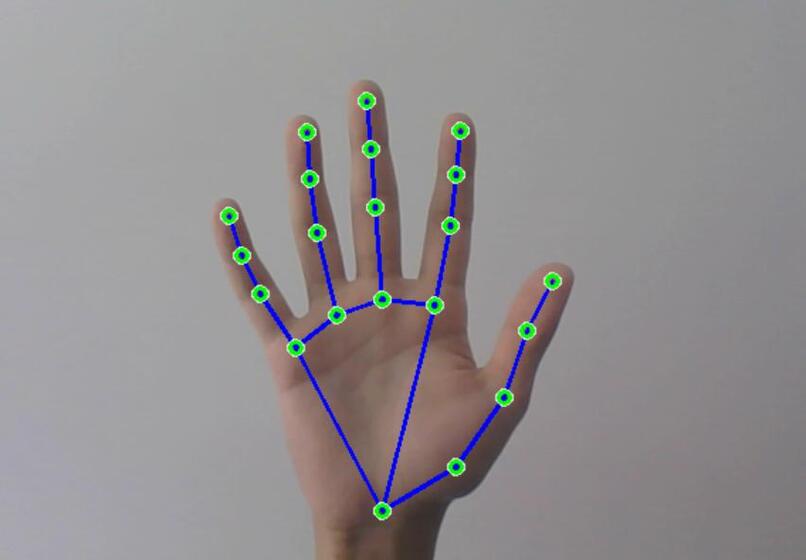
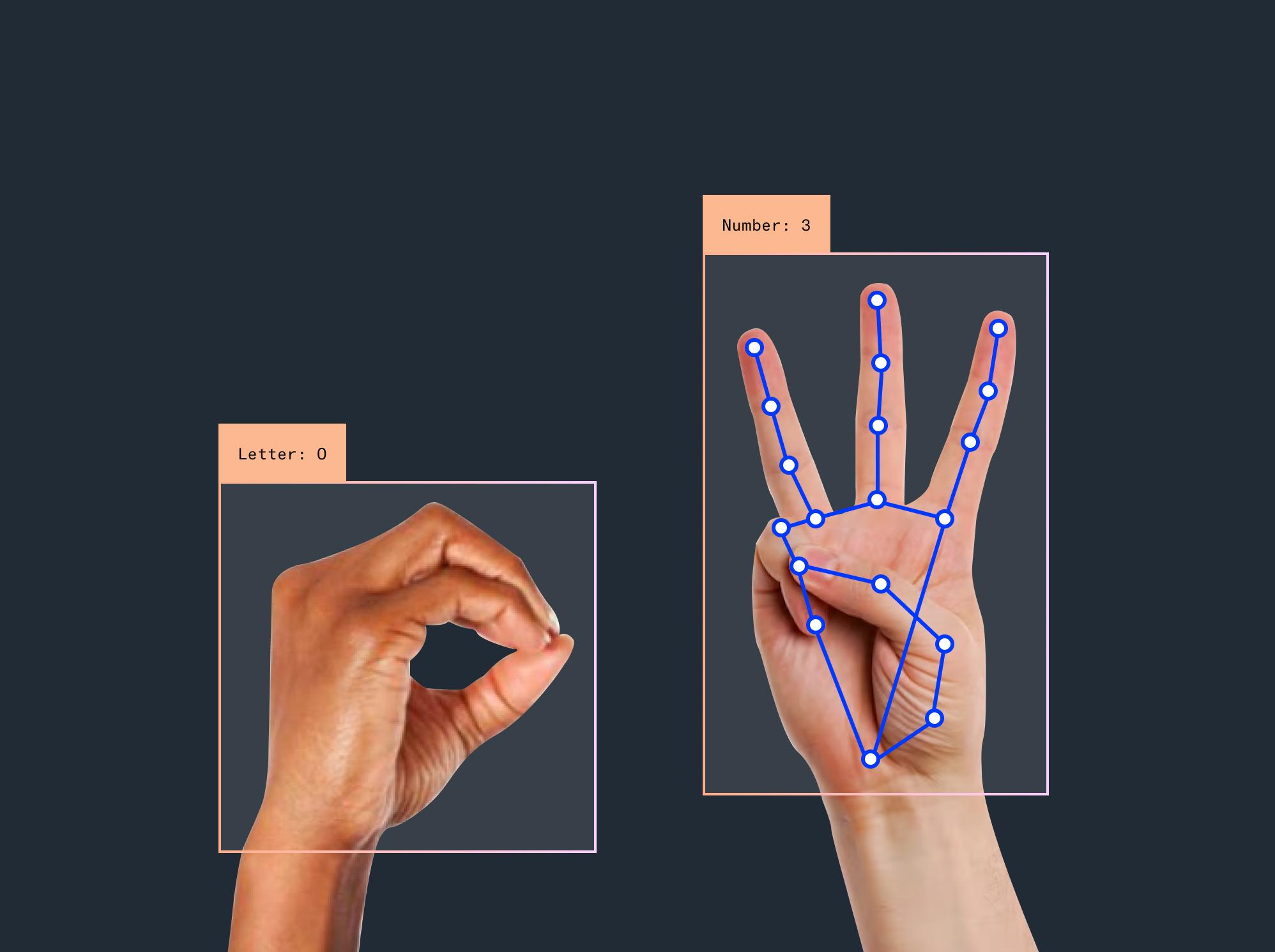
5 fingure
-
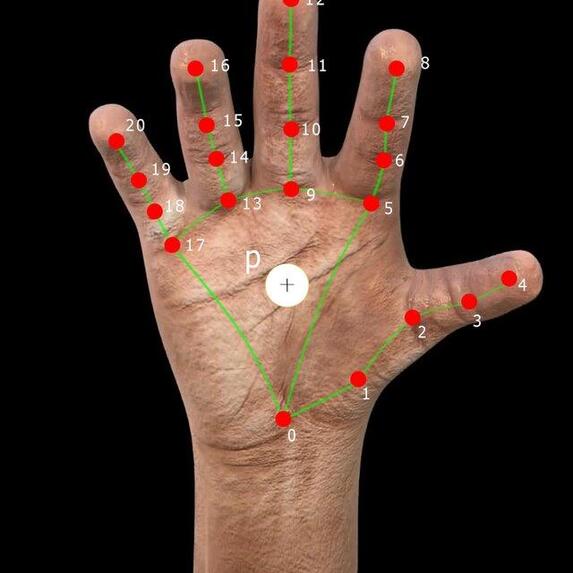
4 fingure
-
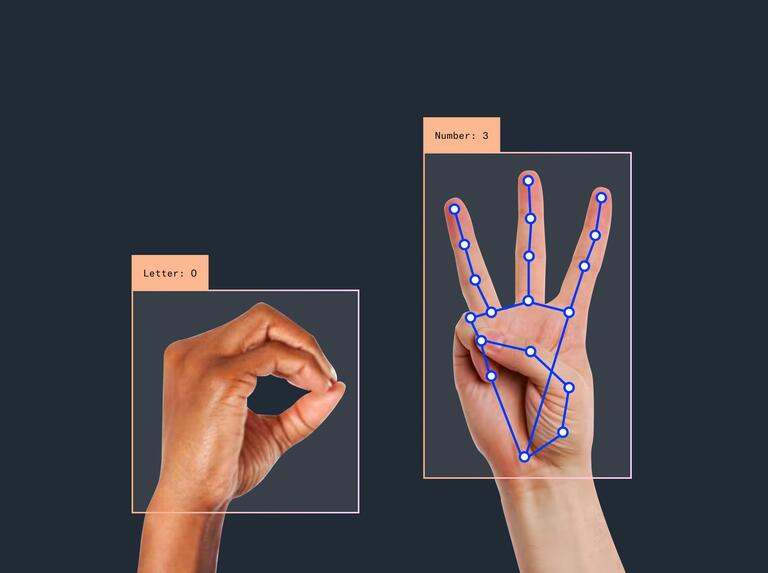
3 fingure
-
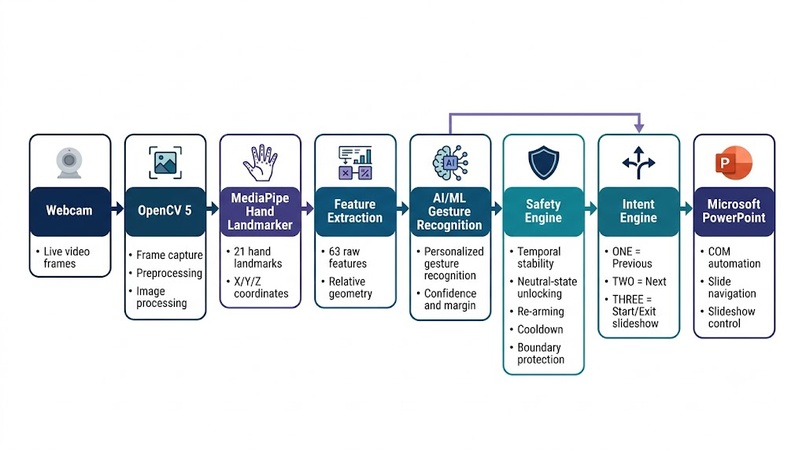
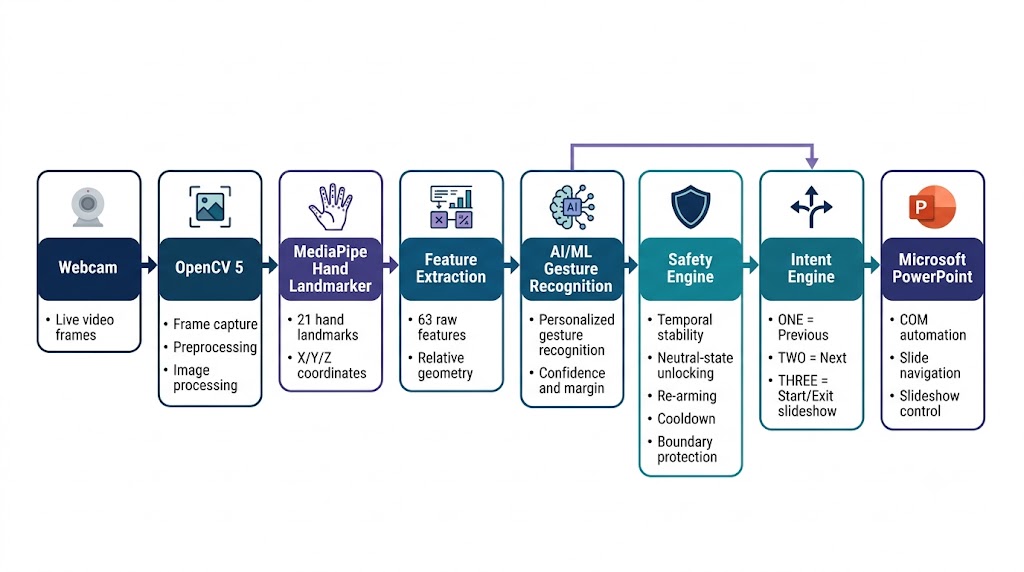
Main system
-
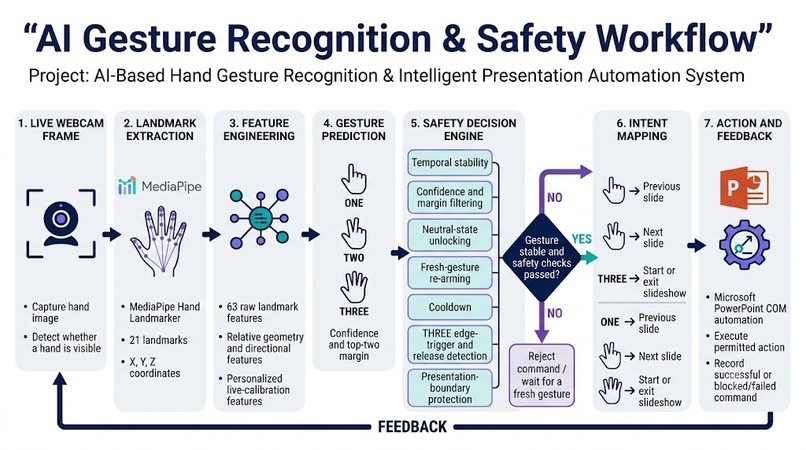
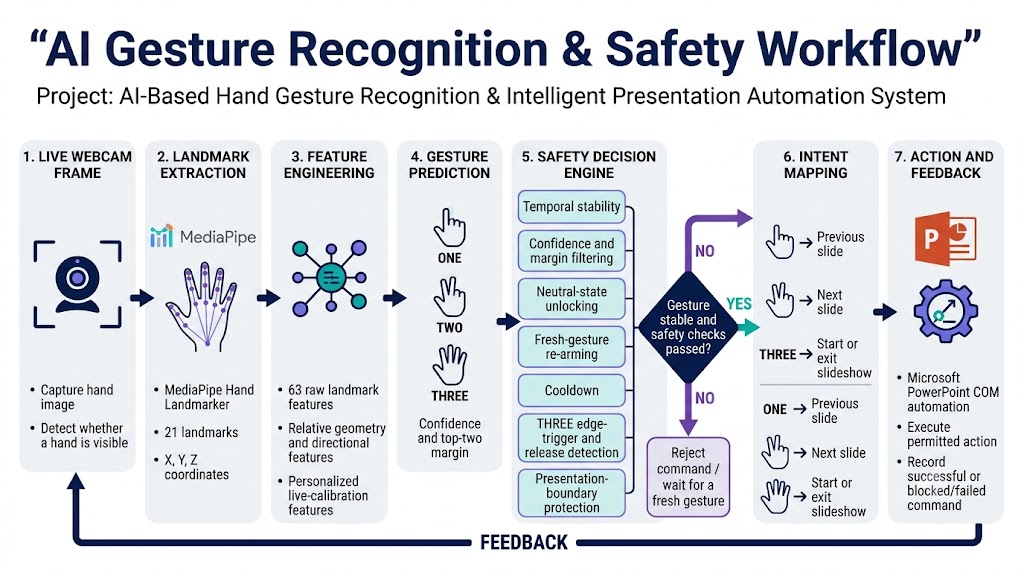
Gesture Recognition
-
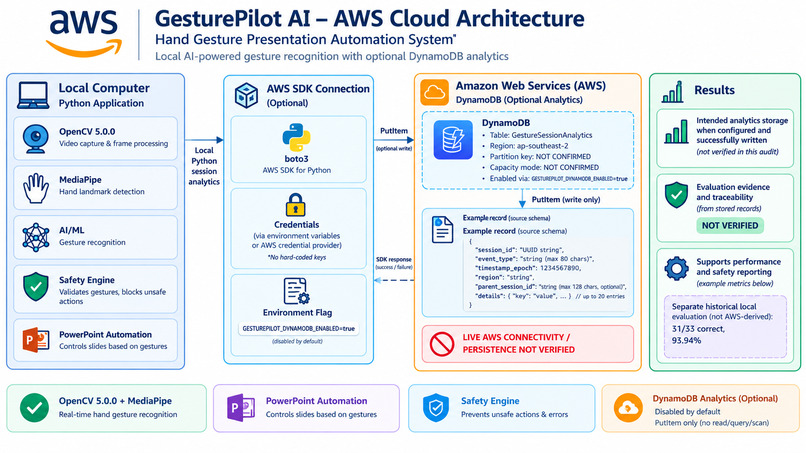
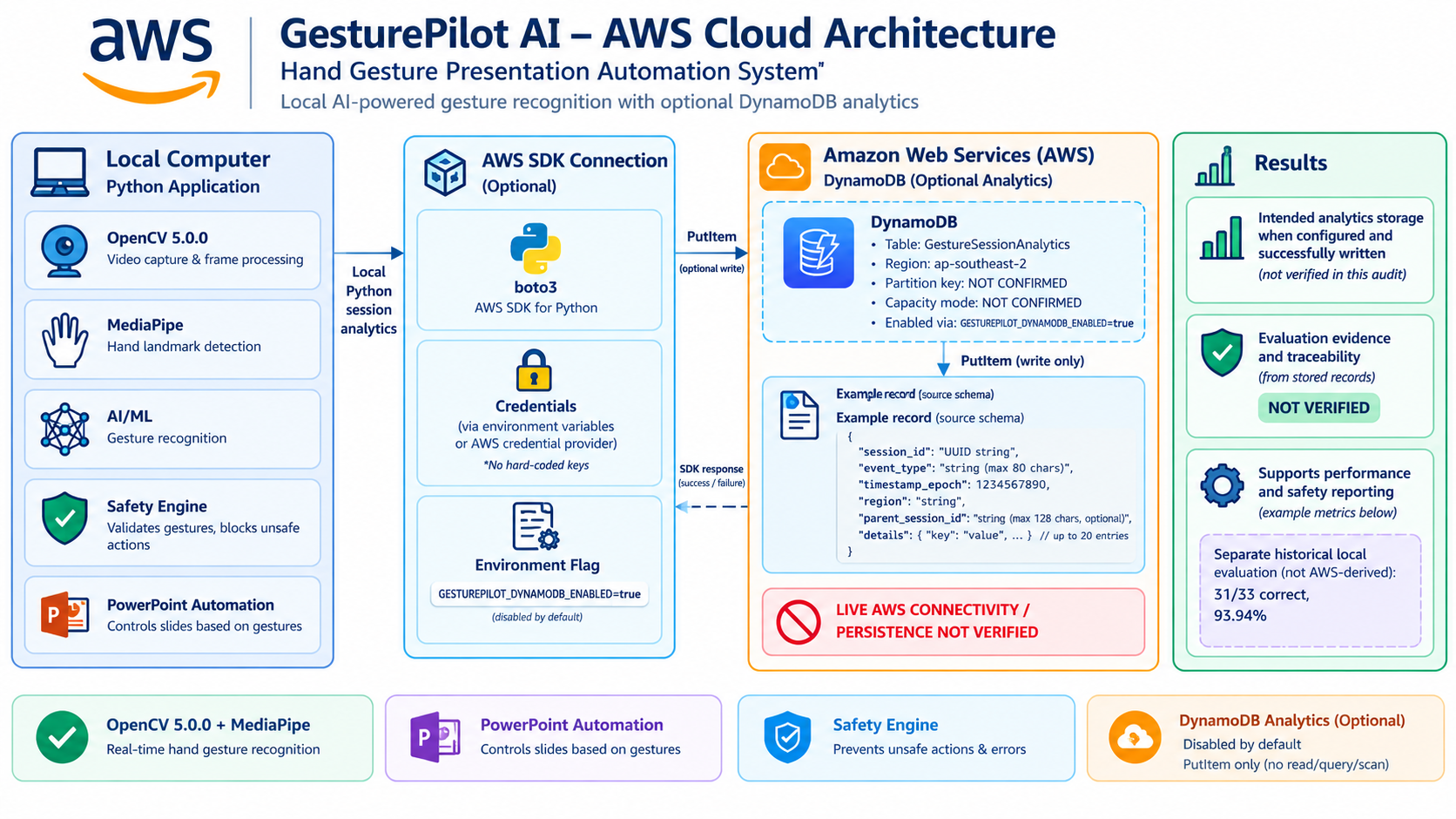
AWS cloud architecture
Inspiration
Human-computer interaction should feel natural, intuitive, and accessible. We wanted to explore how simple hand movements could become a way to interact with computers without relying entirely on a keyboard or mouse. This inspired us to build GesturePilot AI, a computer-vision project that recognizes hand landmarks and estimates raised fingers in real time, with the long-term goal of making presentation control more seamless.
What it does
GesturePilot AI is an AI-based hand gesture recognition prototype that uses a live camera feed to track hand landmarks and estimate the number of raised fingers.
Key features include:
- Real-time hand tracking: Detects and displays hand landmarks through the camera.
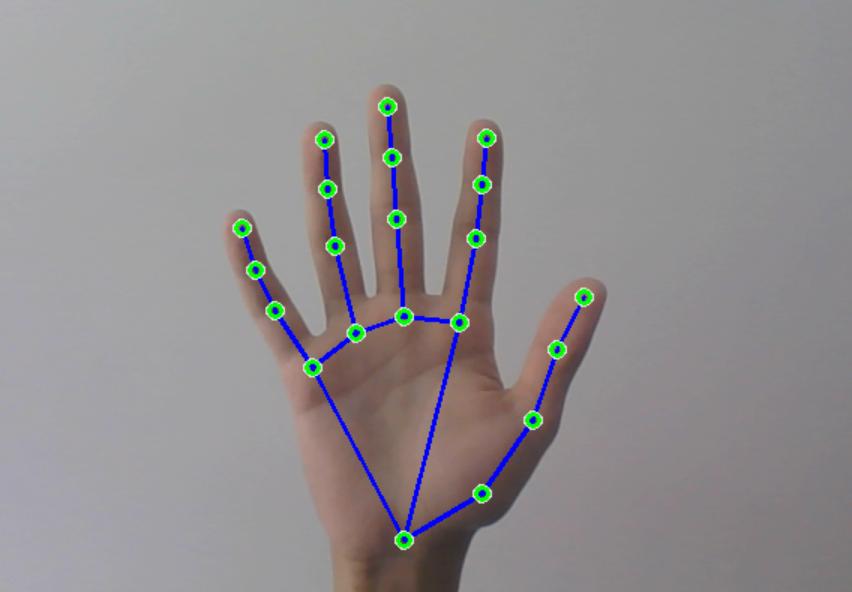
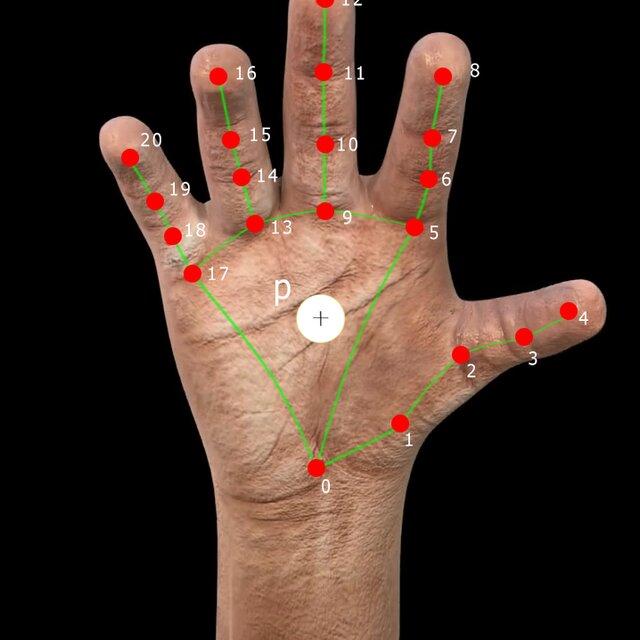
- Finger counting: Estimates raised fingers using landmark positions and geometric comparisons.
- Interactive dashboard: Displays the camera feed, tracking visualization, and finger-count result.
- Gesture-based interaction potential: Provides a foundation for mapping recognized gestures to presentation and computer-control actions.
The current dashboard demonstrates live hand tracking and finger counting. Full presentation automation is a development goal and depends on connecting the recognition system to a computer-control module.
How we built it
We combined computer vision, hand landmark detection, and a browser-based interface.
- Python: Supports the broader computer-vision and automation workflow.
- OpenCV: Provides camera access and image-processing capabilities in the Python workflow.
- MediaPipe: Detects hand landmarks used to interpret hand positions.
- HTML and CSS: Structure and style the dashboard.
- JavaScript: Processes landmark results, estimates raised fingers, and updates the dashboard in real time.
The dashboard loads the hand landmark detection model, processes camera frames, visualizes detected landmarks, and compares fingertip and joint positions to estimate finger counts. We tested the camera feed and finger-counting behavior during live demonstrations.
Challenges we ran into
One of the main challenges was making finger counting more reliable. Hand orientation, finger overlap, camera positioning, and differences in how people hold their hands can affect landmark-based decisions.
We refined the counting logic to compare fingertip positions with finger joints and used a separate geometric comparison for the thumb. We also worked through camera initialization, browser integration, and ensuring that the dashboard JavaScript loaded correctly.
Another important challenge was distinguishing a visual demonstration from complete automation. Reliable presentation control requires additional safeguards, such as gesture stabilization, cooldowns, and protection against repeated accidental triggers.
Accomplishments that we're proud of
- Built an interactive dashboard for real-time hand landmark visualization.
- Integrated live camera input with hand landmark detection.
- Implemented raised-finger counting using landmark geometry.
- Connected the recognition results to a responsive browser interface.
- Tested the dashboard with a live camera and prepared a shareable online demonstration.
Most importantly, we turned an idea about natural human-computer interaction into a working prototype that can be demonstrated and extended.
What we learned
This project strengthened our understanding of computer vision, landmark-based gesture interpretation, real-time camera processing, and frontend integration.
We learned that detecting landmarks is only one part of a reliable gesture system. Turning those landmarks into consistent actions requires careful logic, testing across different hand positions, and safeguards against false triggers. We also learned the importance of clearly separating implemented features from future improvements.
What's next for GesturePilot AI
Our next steps are to improve recognition stability across different lighting conditions and hand orientations, introduce gesture smoothing and configurable activation thresholds, and connect validated gestures to safe computer-control actions.
We also plan to develop presentation controls such as next slide, previous slide, and start or stop presentation, with cooldowns, an emergency stop, and user confirmation where appropriate.
Further work will explore model performance, accessibility, and deployment options. Any AWS integration will be added and documented when implemented and tested, rather than assumed as part of the current prototype.
Built With
- artificial
- computer
- css
- development
- gesture
- html
- intelligence
- javascript
- learning
- machine
- mediapipe
- opencv
- processing
- python
- real-time
- vision
- web

Log in or sign up for Devpost to join the conversation.