-
-
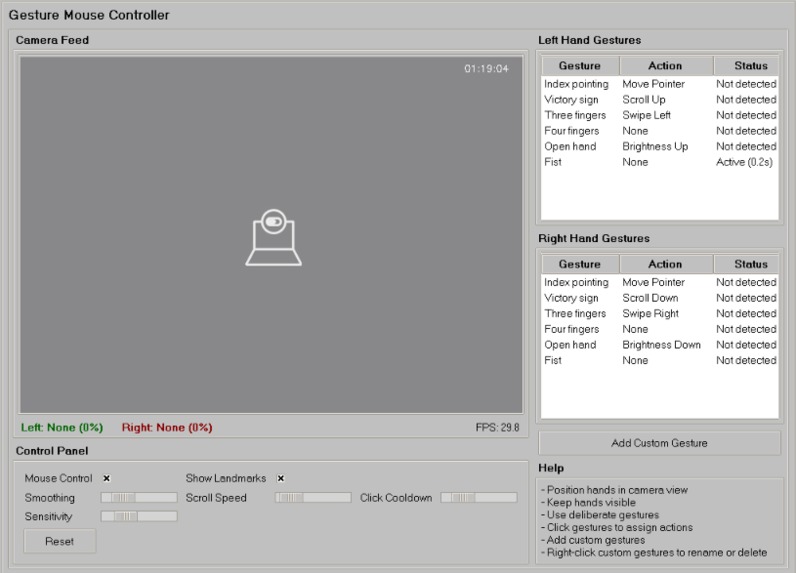
UI
-
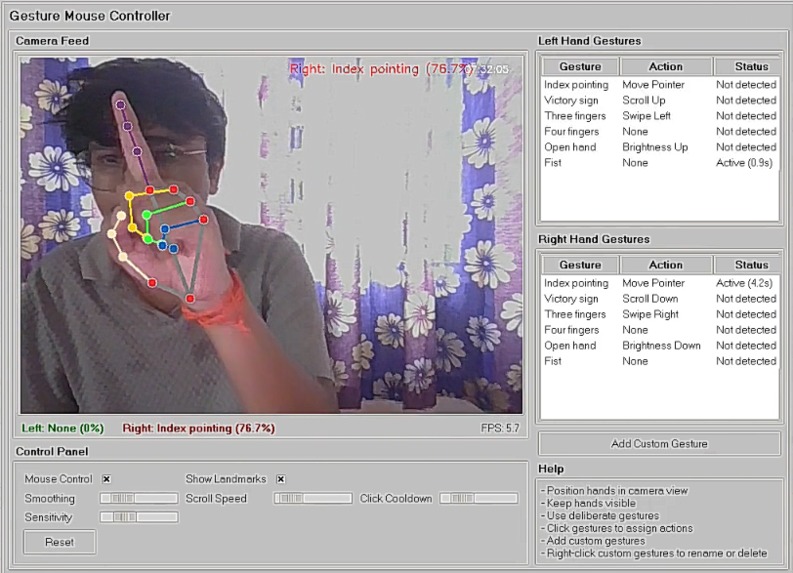
Gesture Example
-
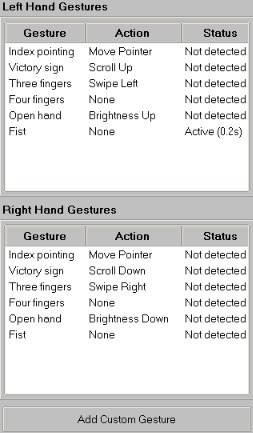
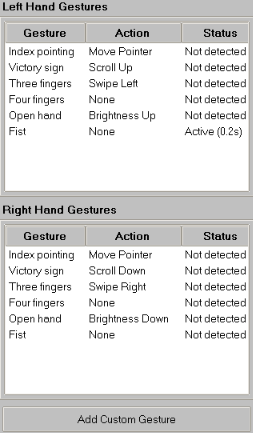
Gesture Panel
-
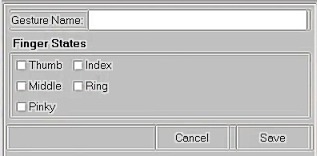
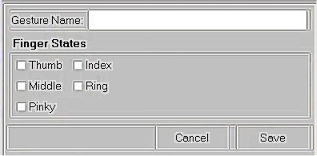
Custom Gesture Creating Panel
-
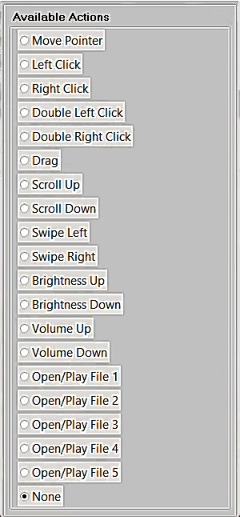
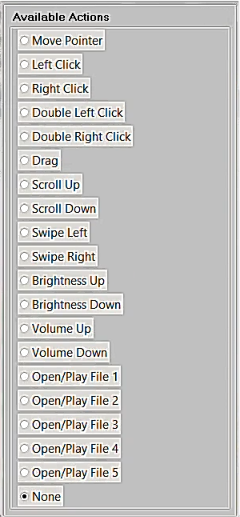
List of Available Gestures
-
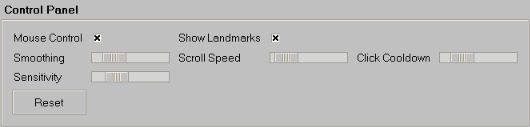
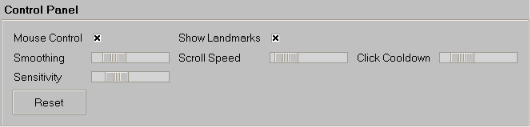
Control Panel
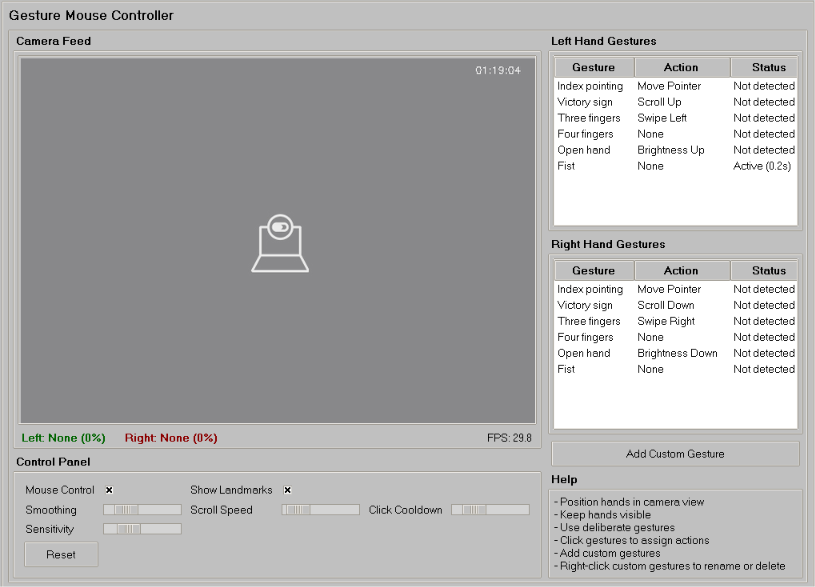
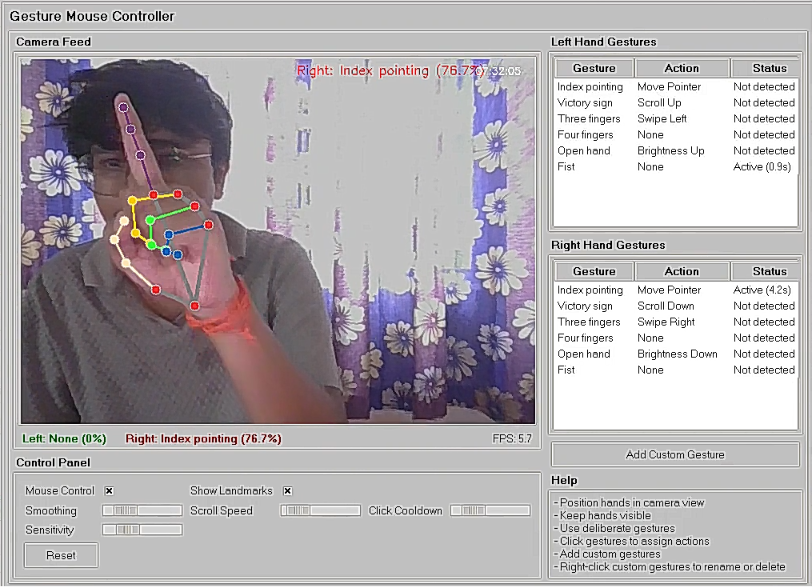
Gesture Controlled System
Problem Statement
Traditional computer interaction relies heavily on physical devices like mice and keyboards. However, there is a distinct need for practical, touchless computer interaction in everyday scenarios. Individuals with motor disabilities or conditions like carpal tunnel syndrome often struggle with traditional input devices. Additionally, professionals in specific environments such as surgeons who must maintain sterility or educators presenting away from their laptops need a way to interact with their systems without being physically tethered to hardware.
Solution Overview
The Gesture Mouse Controller is an interactive computer vision application that solves this problem by transforming a standard webcam into a fully functioning, hands-free mouse. By simply pointing a webcam at your hands, the program identifies 21 specific 3D hand landmarks and gestures in real time. It seamlessly maps these physical gestures to system actions on your computer, allowing you to execute full mouse controls entirely without touching a physical device.
Key Features
- Hands-Free Pointer Movement: Move the cursor smoothly across the screen using hand tracking.
- Clicking & Dragging: Perform left clicks, right clicks, and drag-and-drop file operations via intuitive pinch and tap gestures.
- Custom Gestures: Personalize your workflow by defining unique, custom hand signs to trigger specific macros or shortcuts.
- File & App Management: Instantly open, close, and switch between files and applications using dedicated hand motions.
- Scrolling: Scroll through web pages and documents effortlessly.
- System Controls: Adjust system volume and screen brightness without opening system menus.
- Optimized Smoothing: Uses predictive mathematical filtering to ensure cursor movement is buttery-smooth and free of webcam jitter.
Target Users
- Individuals with Physical Limitations: People with motor disabilities or carpal tunnel syndrome who require accessible alternatives to a traditional mouse.
- Healthcare Professionals: Surgeons and medical staff who need to interact with digital medical scans without breaking a sterile scrub.
- Educators & Presenters: Speakers who need to control media, click through slides, or interact with a screen while standing away from their laptops.
Technologies Used
I chose Python as the core language because of its incredible ecosystem of libraries. Here is a breakdown of the technology stack:
| Library / Tool | Purpose in Project |
|---|---|
OpenCV (cv2) |
Capturing live video frames from the webcam. |
| Google Mediapipe | Real-time machine learning inference to detect 21 3D hand landmarks. |
| PyAutoGUI | Translating calculated screen coordinates into actual OS-level cursor movements and simulated clicks. |
| Tkinter | Building the frontend user interface to display the camera feed and customize settings. |
| FilterPy | Providing the Kalman Filter implementation to mathematically smooth the cursor's movement. |
| Pycaw | Direct interaction with the Windows audio endpoint to control system volume. |
The Math Behind Coordinate Mapping
Once I had the coordinates of the index finger from the camera, I had to map them to my monitor's resolution. I used a simple linear transformation for this mapping. If the camera resolution is $$w_{cam} \times h_{cam}$$and the screen resolution is$$w_{screen} \times h_{screen}$$, the projected coordinates are:
$$x_{screen} = \left( \frac{x_{cam}}{w_{cam}} \right) \times w_{screen}$$
$$y_{screen} = \left( \frac{y_{cam}}{h_{cam}} \right) \times h_{screen}$$
The Challenges I Faced & How I Solved Them
Here is a quick summary of the main roadblocks I hit during development:
| Challenge | Impact on Project | How I Solved It |
|---|---|---|
| Jittery Cursor | The mouse shook violently making the app unusable. | Implemented a Kalman Filter to mathematically smooth out coordinate transitions. |
| Frozen Interface | The Tkinter UI wouldn't respond while the camera was on. | Moved the video processing loop into a separate Background Thread. |
| Library Errors | Confusing AttributeError messages crashed the app on startup. |
Downgraded and pinned Mediapipe to version 0.10.14 for Python 3.12 compatibility. |
1. The Jittery Cursor Problem
My biggest hurdle was that the raw landmark coordinates from the webcam were very noisy. If I mapped them directly to the mouse, the cursor shook violently and was impossible to use. To solve this, I had to dive into some mathematics. I learned about and implemented a Kalman Filter. A Kalman filter uses a series of measurements observed over time to estimate the unknown variables more accurately. The prediction steps I used look like this:
$$\hat{x}{k|k-1} = F_k \hat{x}{k-1|k-1} + B_k u_k$$
$$P_{k|k-1} = F_k P_{k-1|k-1} F_k^T + Q_k$$
Update Equations:
$$K_k = P_{k|k-1} H_k^T (H_k P_{k|k-1} H_k^T + R_k)^{-1}$$
$$\hat{x}{k|k} = \hat{x}{k|k-1} + K_k(z_k - H_k \hat{x}_{k|k-1})$$
By mathematically modeling the velocity and position of the hand, the filter smoothed out the noisy webcam data, resulting in a buttery-smooth cursor on the screen!
2. The Frozen Interface
Whenever I started the webcam loop, the Tkinter user interface would completely freeze. I didn't know why this was happening until I learned that Python runs sequentially on a single thread by default. The infinite while loop for the camera was blocking the UI from updating.
I solved this by learning about Threading. I moved the entire video processing loop into a background thread (threading.Thread(target=self.video_stream)), which allowed the Tkinter mainloop to run uninterrupted.
3. Confusing Library Errors
As a beginner, dependency management was a nightmare. I kept getting bizarre errors saying module 'mediapipe' has no attribute 'solutions'. After hours of searching, I realized that newer versions of the library had broken compatibility with my specific version of Python (3.12). I fixed this by carefully uninstalling the new version and pinning an older, stable version (0.10.14) in my requirements.txt.
What I Learned
Building this project pushed me far beyond simple Python scripts. I learned:
- Computer Vision Basics: How to read and manipulate video frames using OpenCV.
- Applied Mathematics: How abstract math concepts like Linear Algebra and Kalman Filters have incredible, real-world programming applications.
- Concurrency: How to keep applications responsive using multi-threading.
- Resilience: That programming is 80% debugging, and solving obscure library errors is just part of the developer journey!


Log in or sign up for Devpost to join the conversation.