-
-
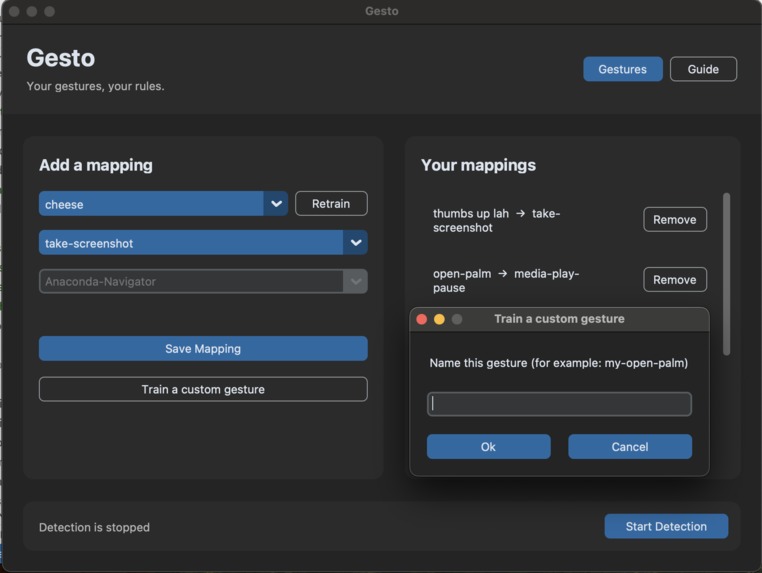
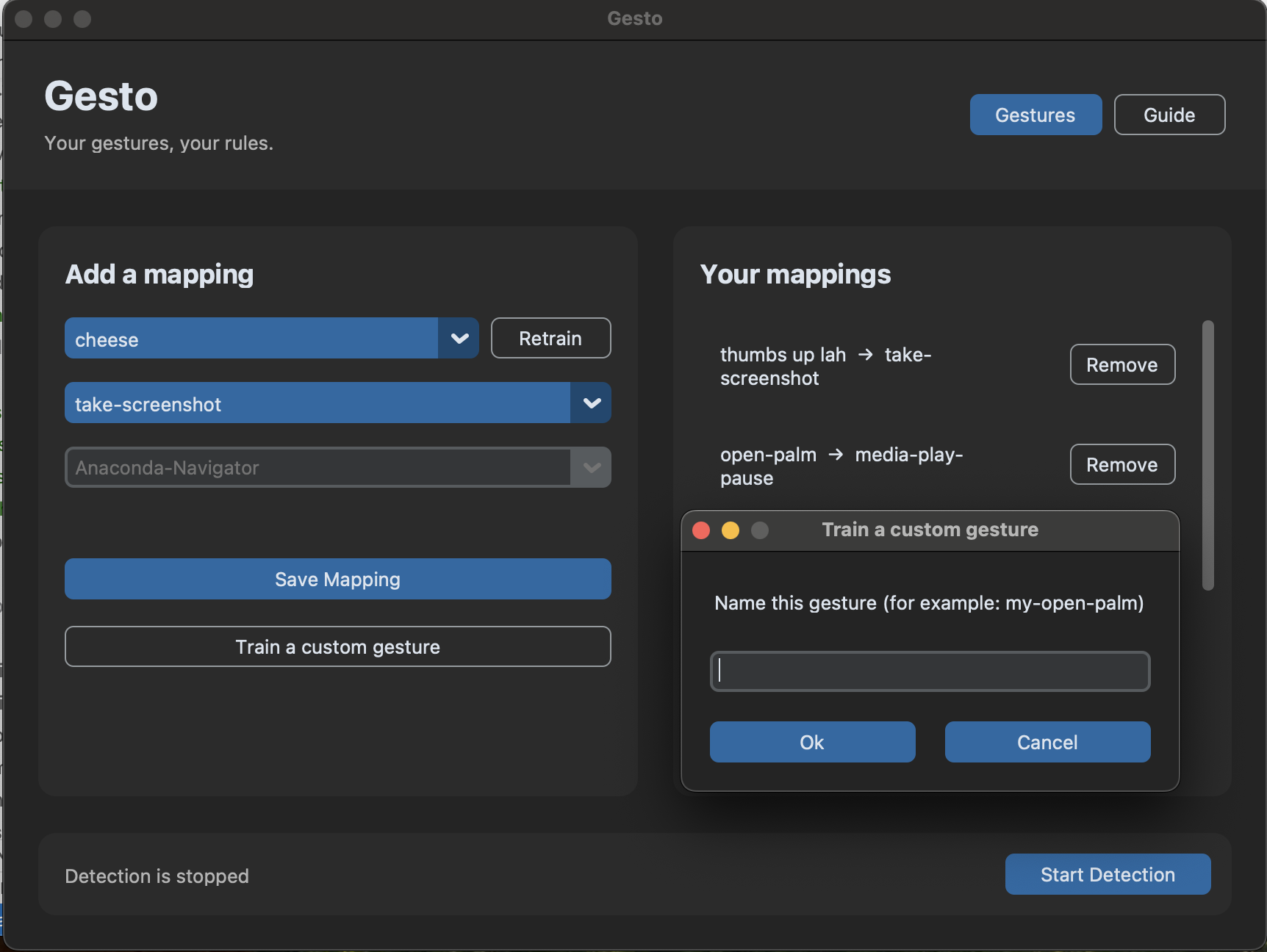
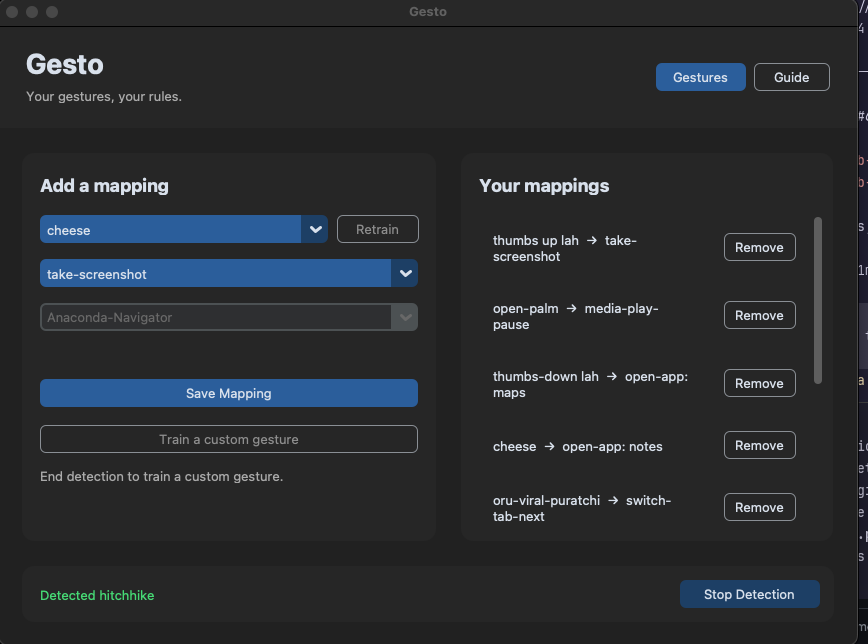
Train a custom gesture & Give the pose a name
-
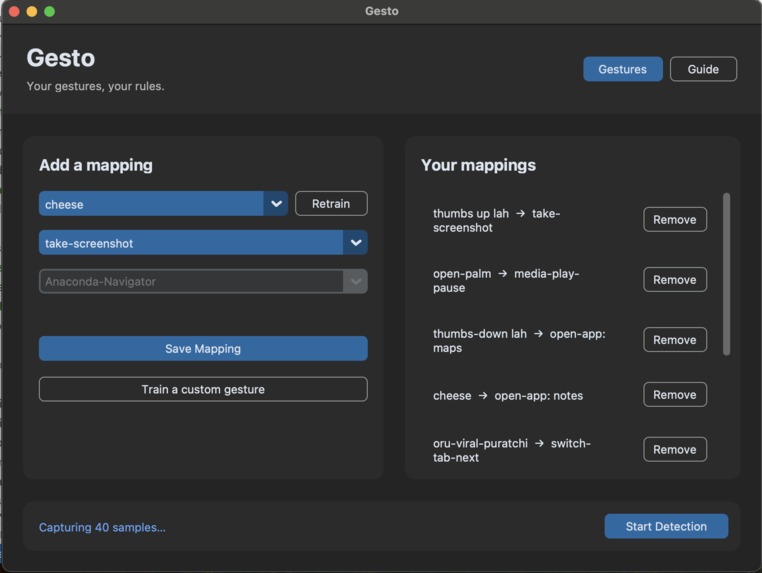
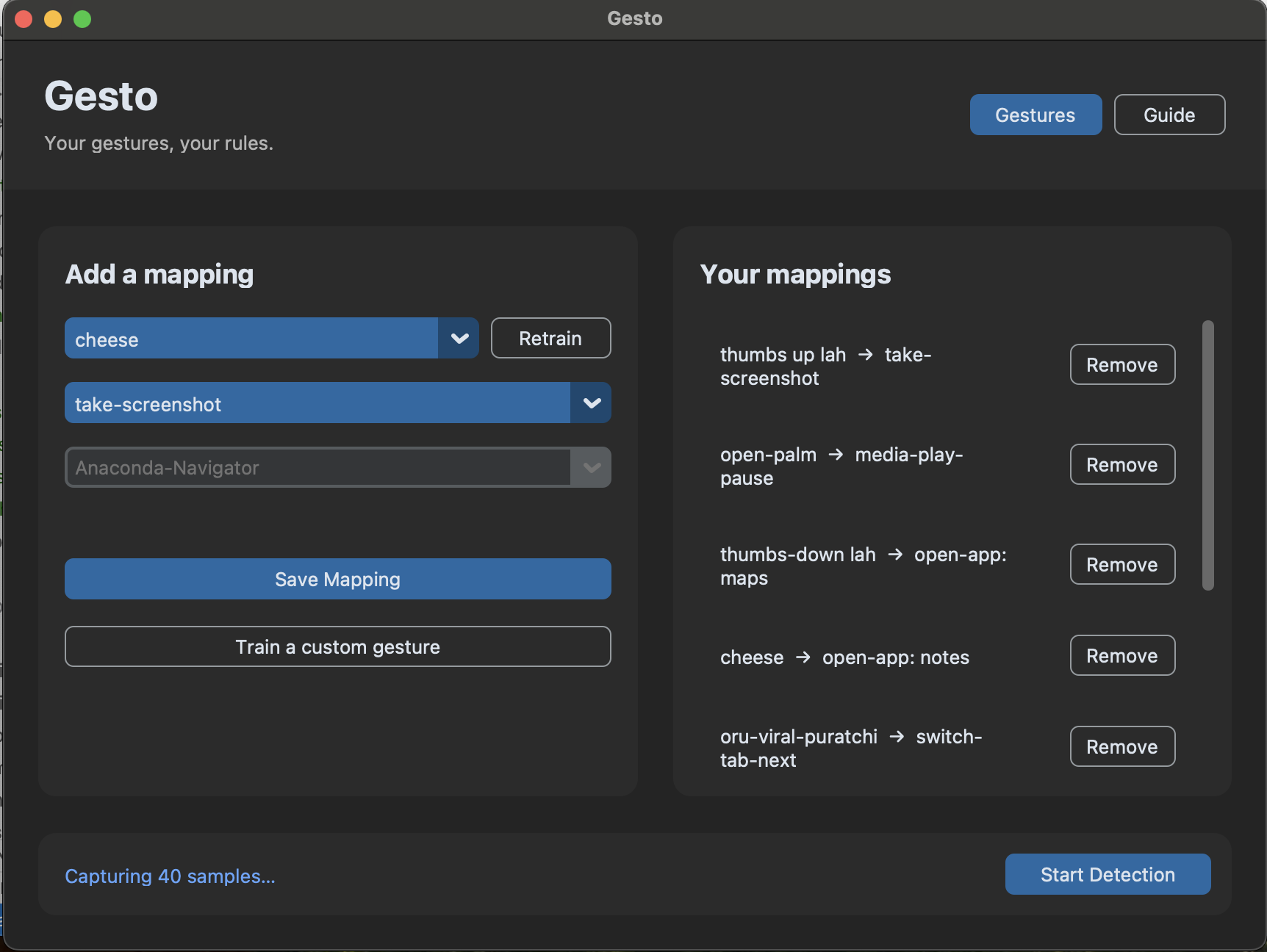
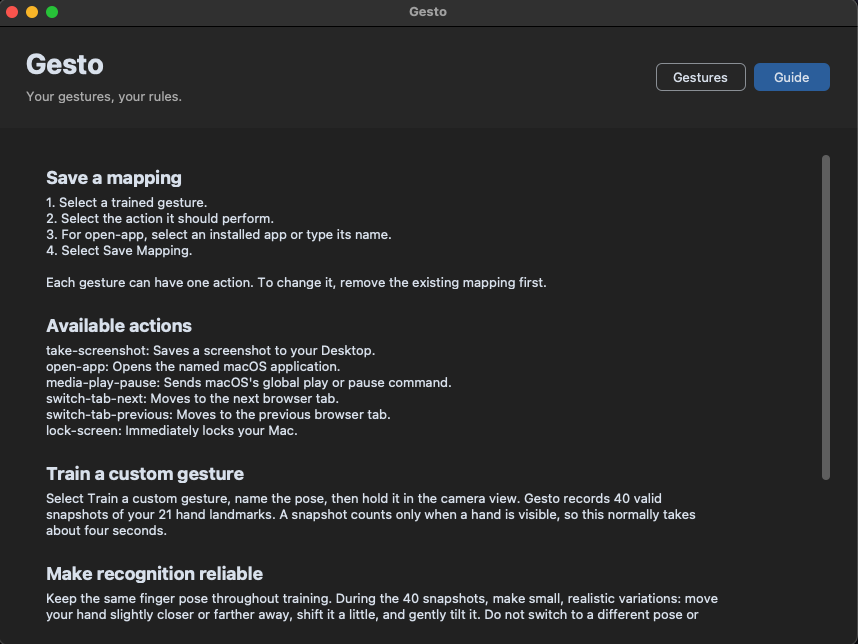
Gesto captures 40 valid hand-landmark samples
-
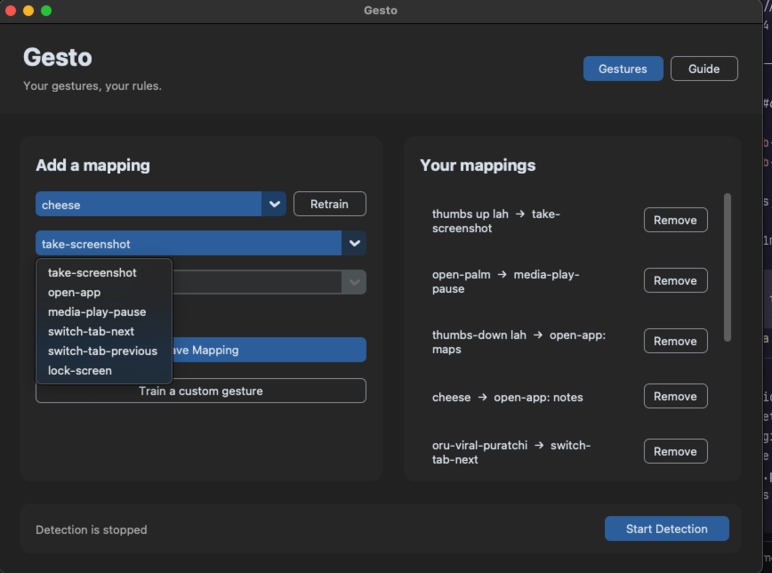
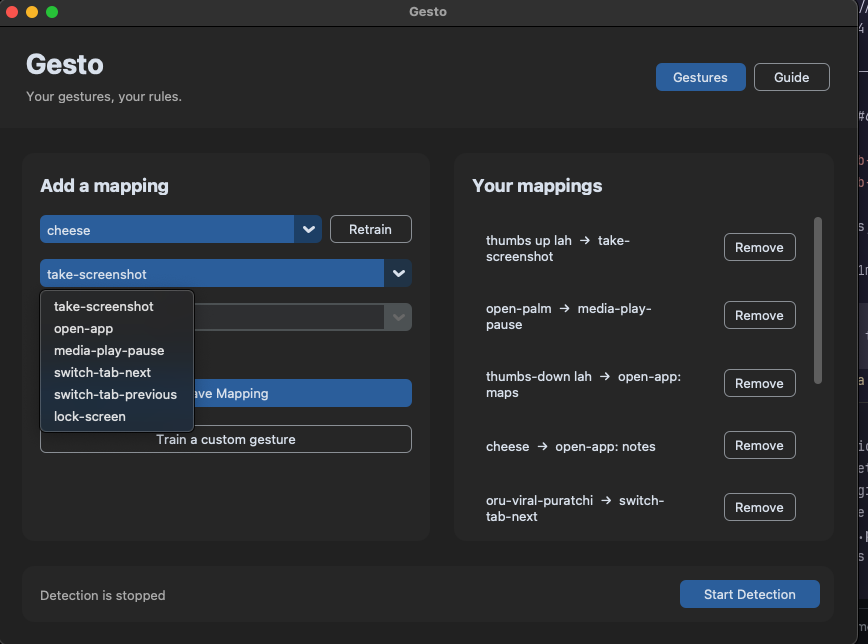
Map the gesture to an action
-
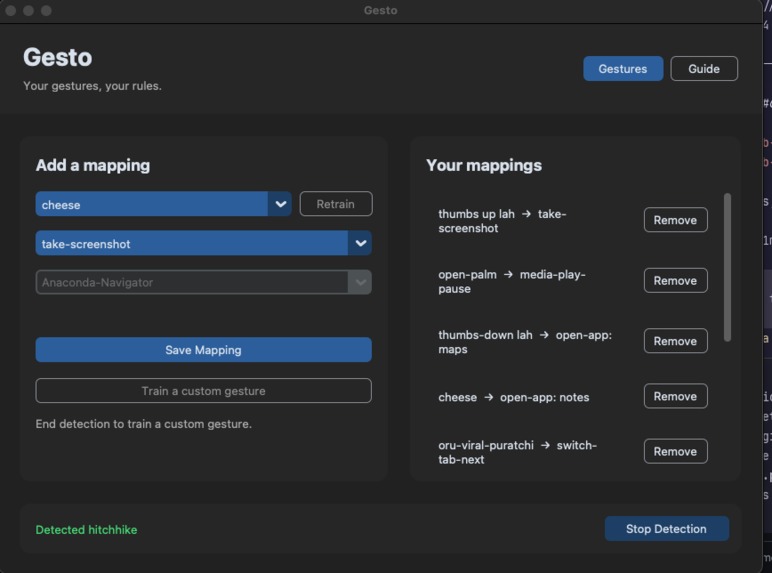
Start detection and use the gesture
-
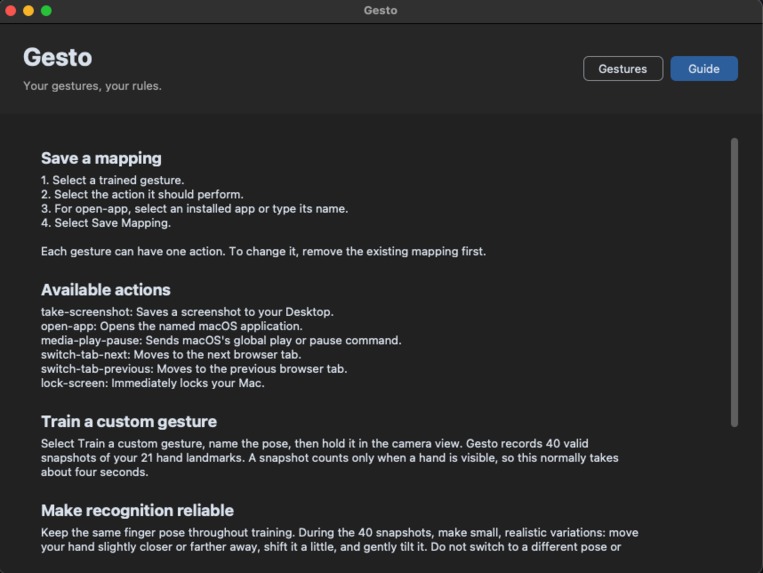
Use the in-app Guide
Inspiration
Gesto was inspired by an open source project that turned the space around a laptop into virtual buttons. I wanted to explore whether natural hand gestures could become useful shortcuts for everyday Mac tasks.
What it does
Gesto lets users train their own gestures and map them to actions. Gestures can open apps, play or pause media, switch Chrome tabs, take screenshots, or lock the Mac. Users can retrain gestures whenever needed.
How we built it
I used MediaPipe to extract 21 hand landmarks from the camera feed. Gesto normalises those landmarks and uses a K-nearest-neighbours classifier to recognise gestures trained by the user.
The app is built with Python, CustomTkinter, OpenCV, MediaPipe, and scikit-learn. Models and mappings are stored locally under ~/.gesto/. macOS actions use local system controls, and the app is packaged as a downloadable Gesto.app.
Challenges we ran into
The hardest parts were making recognition reliable and keeping detection responsive. I had to handle different hand positions, lighting, confidence thresholds, repeated triggers, retraining, and camera permissions. macOS permissions also created challenges because Accessibility and Screen Recording permissions can change when an unsigned app is rebuilt or replaced. Some media and browser actions also depend on whether the target application supports system shortcuts.
Accomplishments that we're proud of
I am proud that Gesto supports personalised, user-trained gestures instead of relying only on fixed gesture labels. The full workflow works locally, from training and mapping to live detection and action execution. I am also proud that the app has a simple desktop interface, custom gesture retraining, local persistence, privacy-focused processing, and a downloadable Mac release.
What we learned
I learned how to combine computer vision, machine learning, desktop UI development, and macOS automation in one project. I also learned that a gesture classifier needs more than a good model. It needs clear training guidance, confidence checks, cooldowns, and useful feedback.
What's next for Gesto
Next, I want to improve macOS permission handling, make more system actions work consistently across applications, improve browser support, and make release updates easier for users. I also want to explore movement gestures, better training feedback, and more ways for users to personalise how Gesto responds.
Built With
- customtkinter
- mediapipe
- opencv
- python
- scikit-learn

Log in or sign up for Devpost to join the conversation.