-
-
-
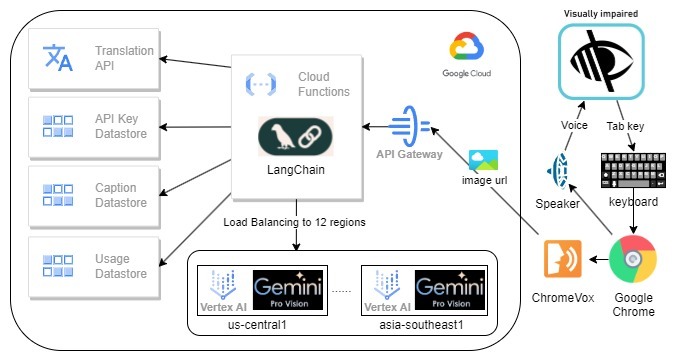
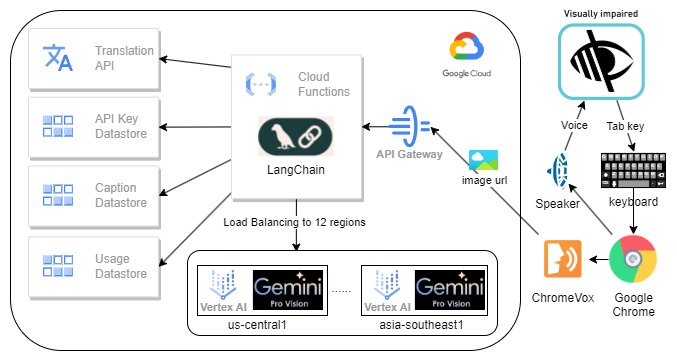
System architecture
-
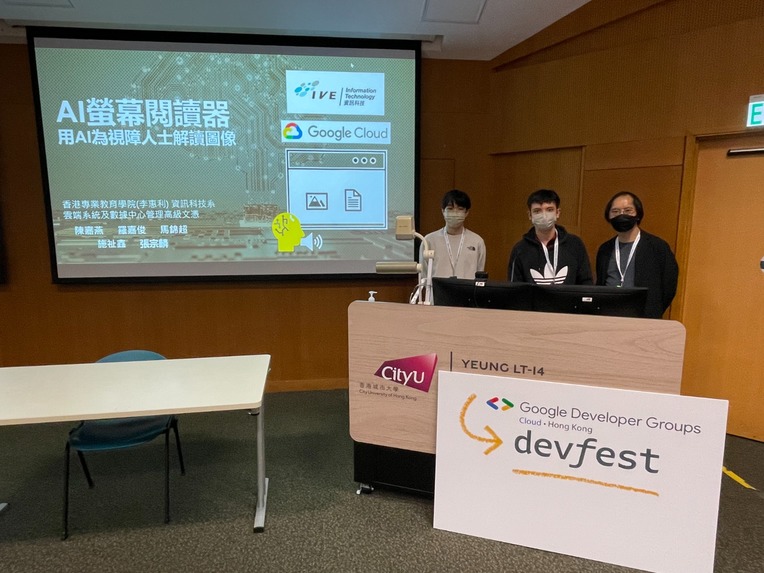
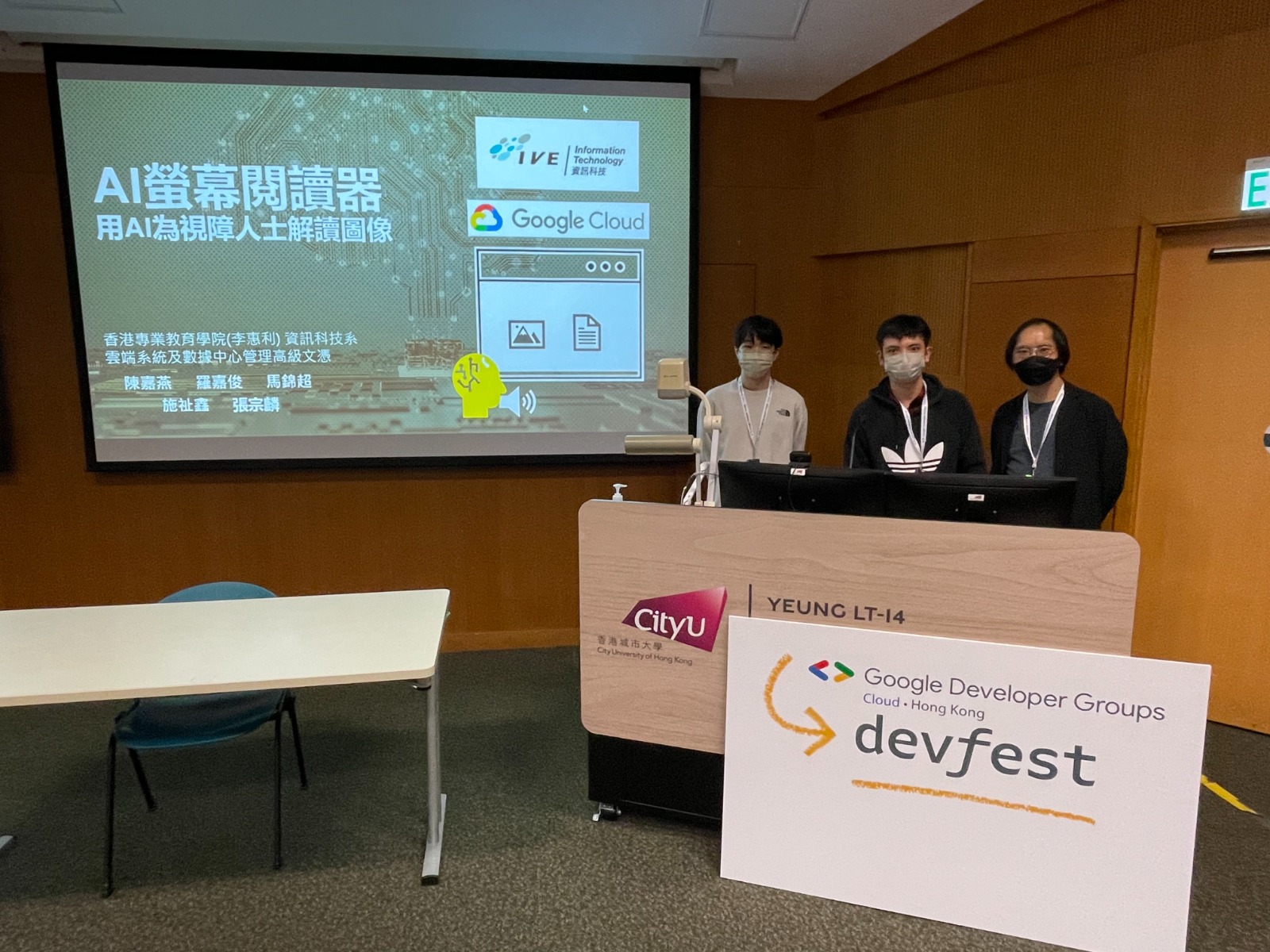
Presenting in the Google Developer Group Cloud Hong Kong DevFest
-
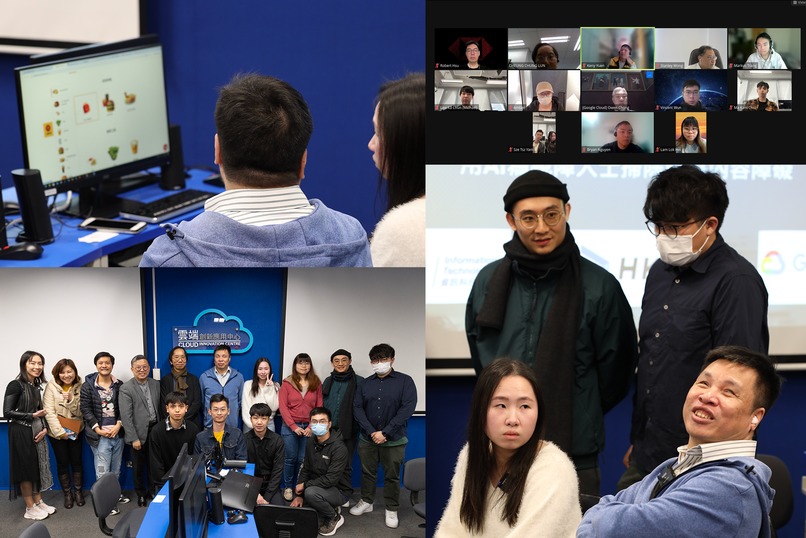
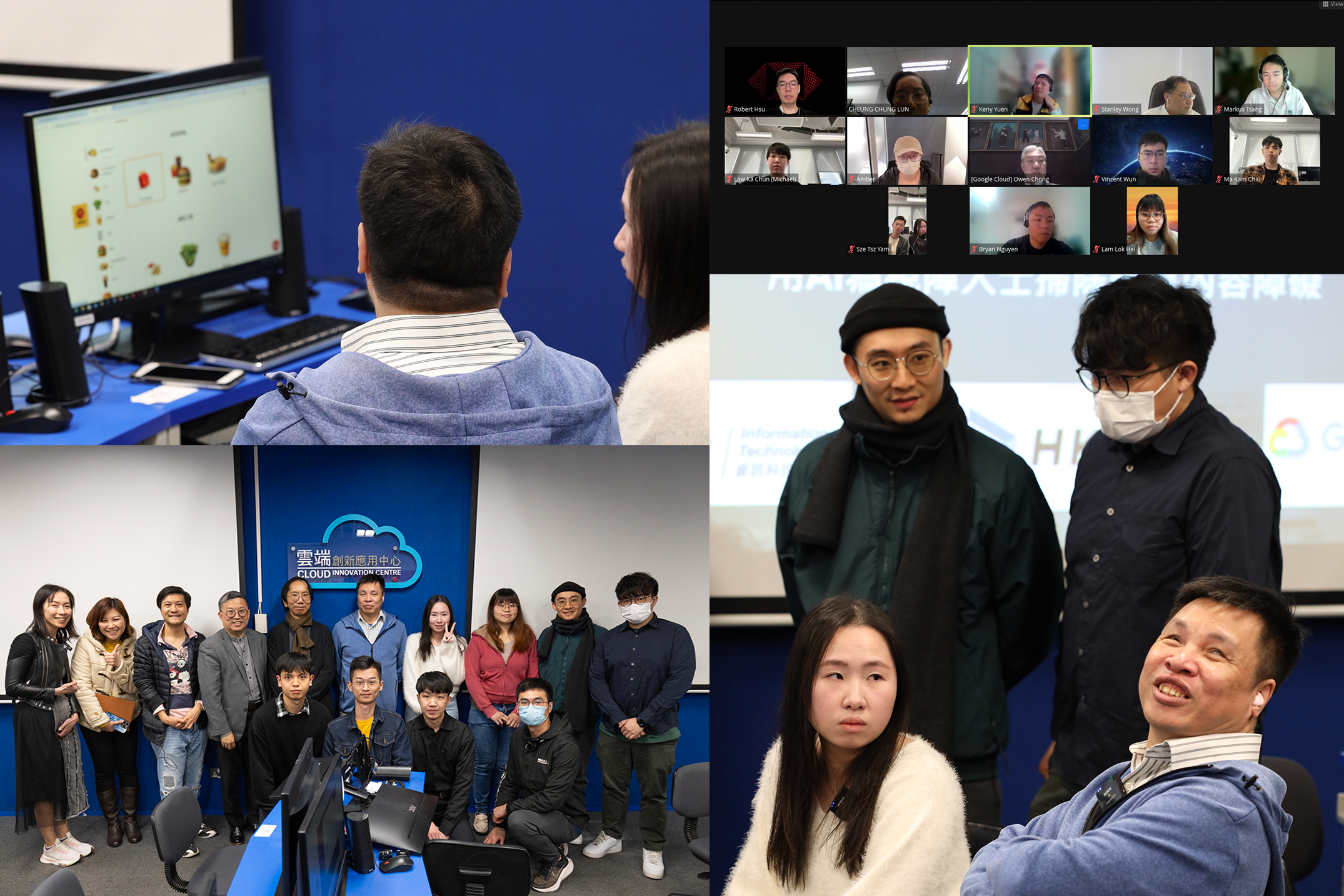
The project is being piloted in multiple Non-profit organizations and Youth Colleges in Hong Kong
Inspiration
The inability of visually impaired individuals access image information due to the lack of adherence to W3C web accessibility initiatives by websites. Currently, about 60% of websites lack meaningful alternate text for their images. Moreover, it is unfeasible to retroactively add descriptive text to all existing websites manually.
What it does
GeProVis is an abbreviated term for Gemini Pro Vision, and we have significantly enhanced the conventional Google ChromeVox Screen Reader by incorporating the robust capabilities of Google Gemini Pro Vision. In brief, ChromeVox can extract the image source url and send it to Google Gemini and return the description of the image.
How we built it
The system architecture

Frontend: The utilization of ChromeVox Classic screen reader, Cloud Function, and Google Gemini Pro Vision is prevalent. ChromeVox Classic is favored due to its comprehensive functionality and widespread acclaim. Cloud Function is employed owing to its adaptability, ready-to-use environment, superior scalability, and cost-effectiveness. Lastly, Gemini Pro Vision is chosen due to its prowess as the most potent AI model capable of describing an image in a split second, API-based, and its low usage cost. This project enhances the open-source screen reader, Google ChromeVox Classic, which serves as an extension to the Google Chrome browser. The extension module employs JavaScript.
Backend: The backend incorporates the Google Gemini Pro Vision API via the Google cloud function. This API generates descriptive text for images received in either URL or base64 format. The default language for this text is English, although this can be altered by supplying the ‘lang’ parameter. The text generated by the Gemini API is then sent to the Google Translation API for translation into the selected language and then returned to the front end.
Cloud Functions: Firstly, the user is retrieved through the API key. This process is protected by Google Cloud API Gateway, which also provides API key authentication and rate limiting. Following this, the image data is downloaded and if its size exceeds 3MB, it is adjusted. Then, gemini-1.0-pro-vision is invoked to acquire a caption for the image from all models’ available regions to maximize the rate limit, approximately 40 words long, based on the locale. Subsequently, the estimated cost for each AI call is computed. Finally, captions and usage are stored in the Google Cloud Datastore. To save cost and faster response, captions will be translated by Google translate on demand for duplicate image in different language.
Google Cloud Datastore: This contains three kinds: ApiKey, Caption, and Usage.
- ApiKey: Matches an API key to a User ID.
- Caption: Saves image hash to caption, which is a cache to skip AI calls for the same image. To protect piracy, we do not log down any URL.
- Usage: Records usage for each user, including the cost and time. Each API key has a daily cost limit for budget control.
Challenges we ran into
ChromeVox, behind the scenes, captures URLs and sends this information, along with the browser locale, to the Cloud Function. We have experimented with two different approaches. The first involves ChromeVox downloading the image and sending it to the cloud function, but this has occasionally encountered CORS permission issues. The second approach has ChromeVox sending the URL to the cloud function, which then downloads the image. However, this doesn’t work if the site requires a login to access the image.
Accomplishments that we're proud of
- This project is one of the top 100 candidate projects of the Google Developer Student Clubs — GDSC 2024 Solution Challenge.
- The project is invited to be presented in the Google Developer Group Cloud Hong Kong DevFest.

- The project is being piloted in multiple Non-profit organizations and Youth Colleges in Hong Kong, gathering feedback on the screen reader.

What we learned
No doubt, visually impaired individuals face numerous challenges when accessing web content, particularly when images lack descriptive information. This realization reinforced our commitment to developing a solution that leverages AI and machine learning to bridge this accessibility gap. One of the major challenges we encountered was accurately describing web images that lacked descriptive alt text or proper labeling. Thus, we found that the prompt statement submitted to Google Gemini API is hard to be generalized. Throughout the development, we recognized the importance of continuous improvement based on user feedback. We actively engaged visually impaired individuals and incorporated their insights into our development process. This iterative approach allowed us to refine our GeProVis AI Screen Reader and make it more user-friendly and effective in providing accurate and relevant web image descriptions.
What's next for GeProVis AI Screen Reader for visually impaired
The GeProVis AI Screen Reader not only helping visually impaired people but also reducing the manual efforts on maintaining the web accessibility. We will continue to share this project to various non-profit organizations. We will explore to expand the use cases of the project not only for visually impaired.
Built With
- google-cloud-api-gateway
- google-cloud-datastore
- google-cloud-function
- google-gemini-pro-vision
- javascript
- python


Log in or sign up for Devpost to join the conversation.