-
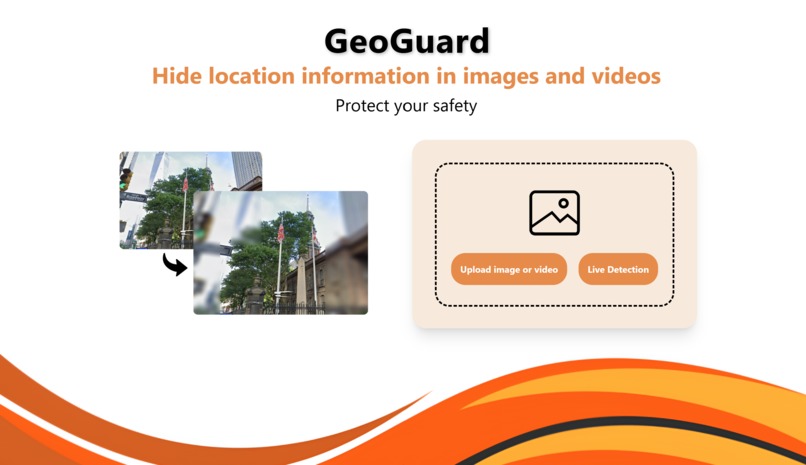
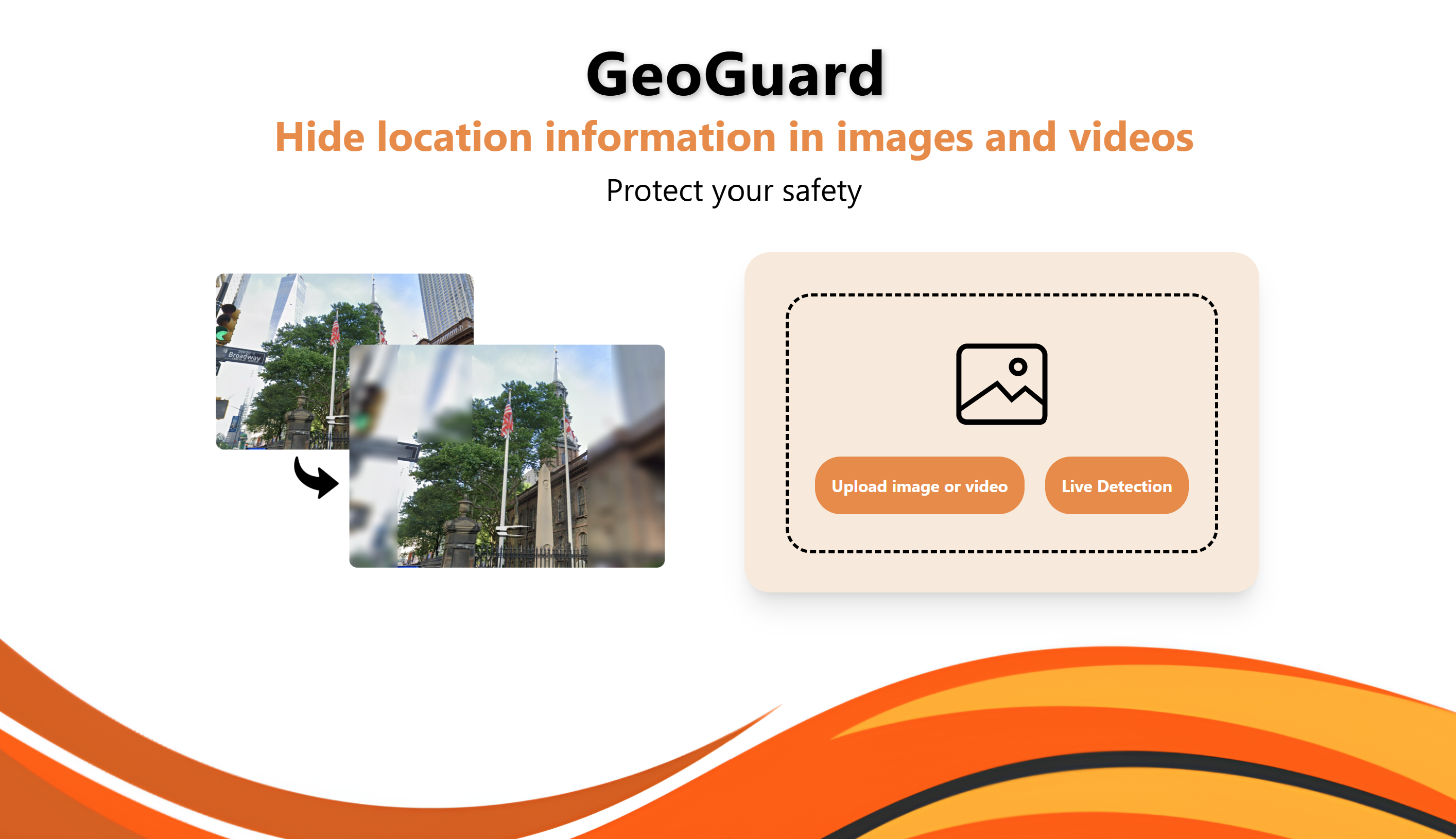
Home Page
-
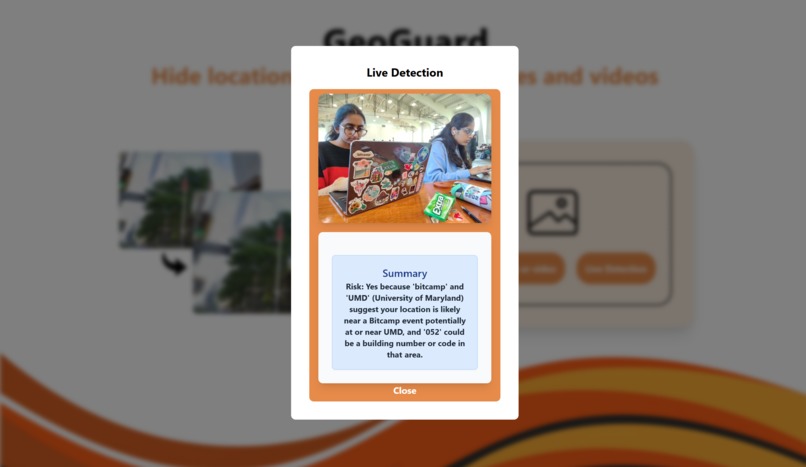
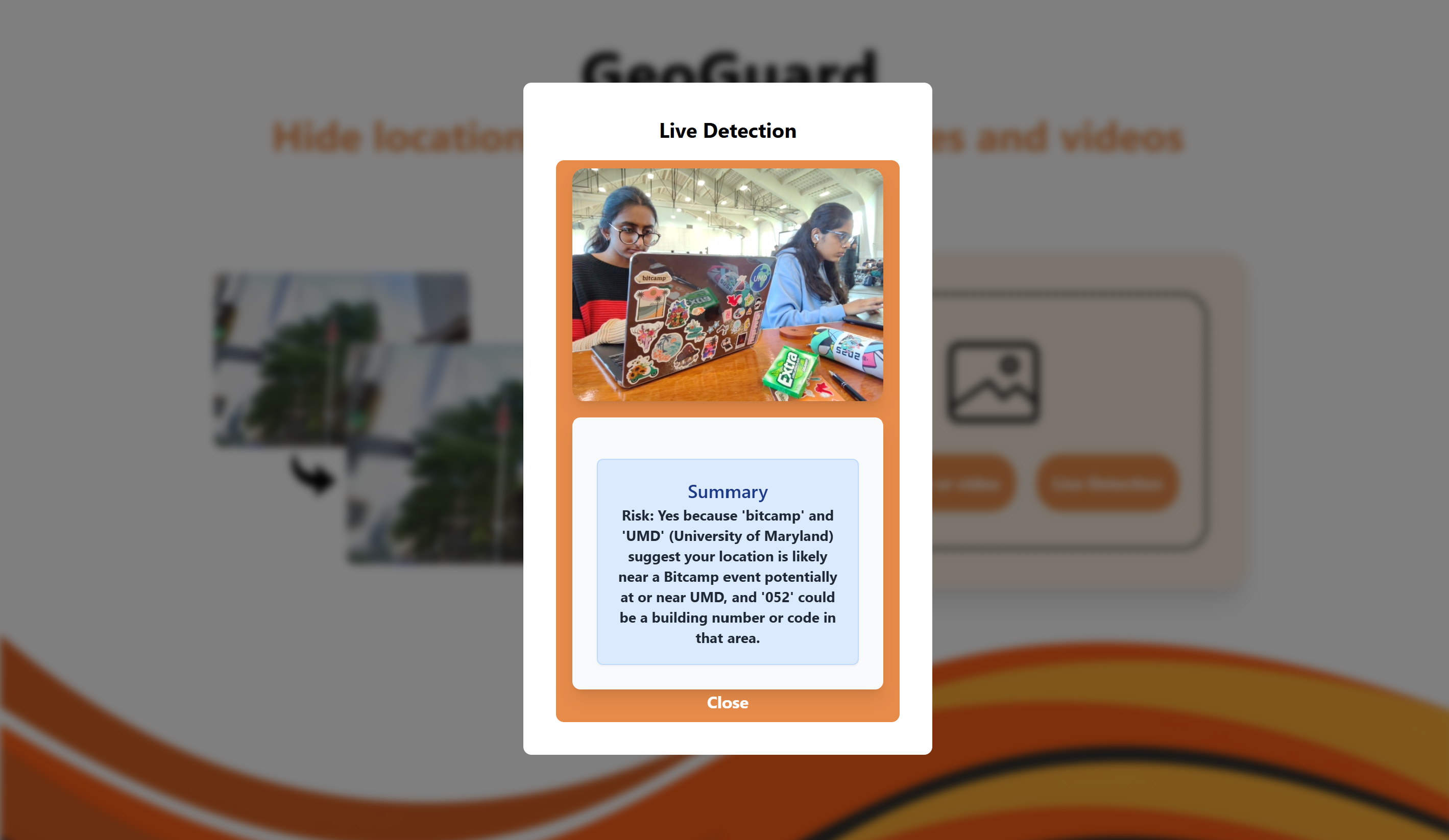
Live Camera Detection
-
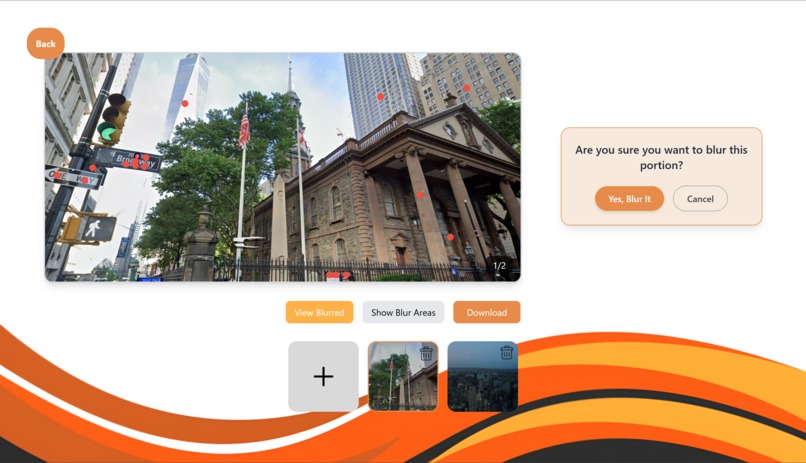
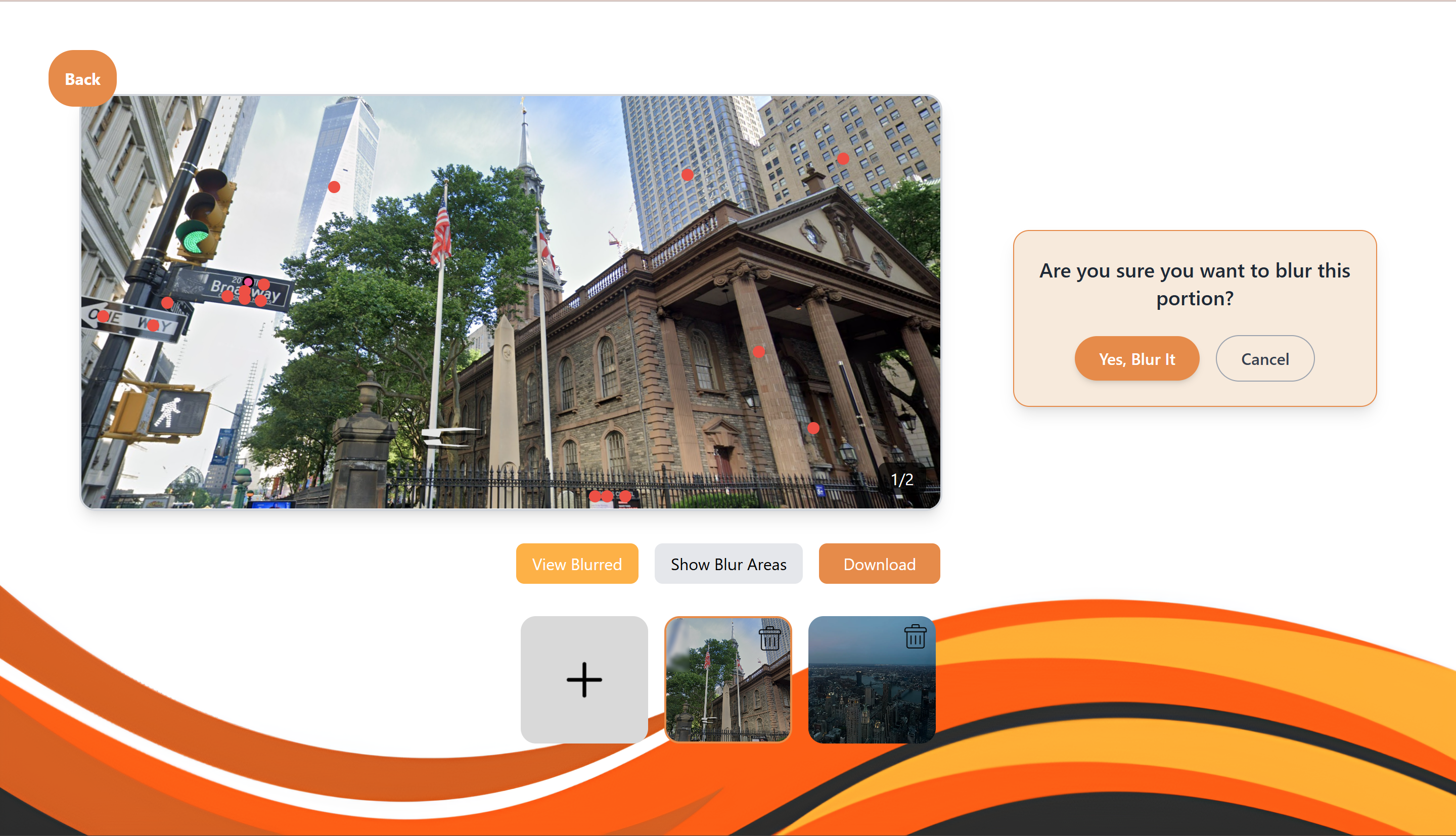
Areas of Potential Risks (Red Dots)
-
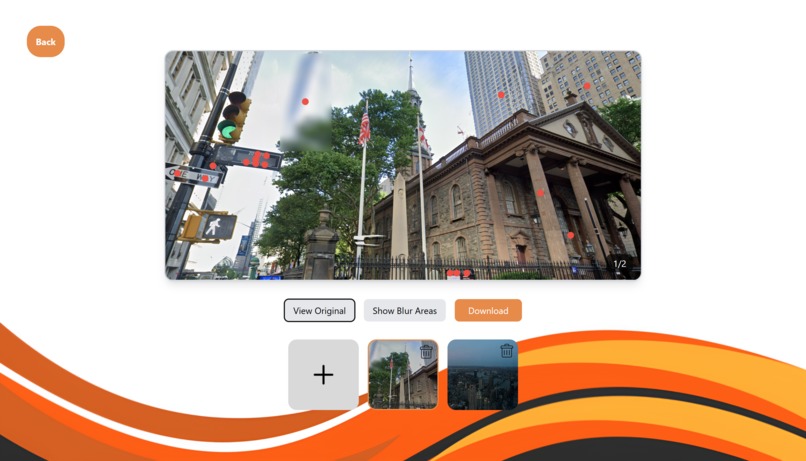
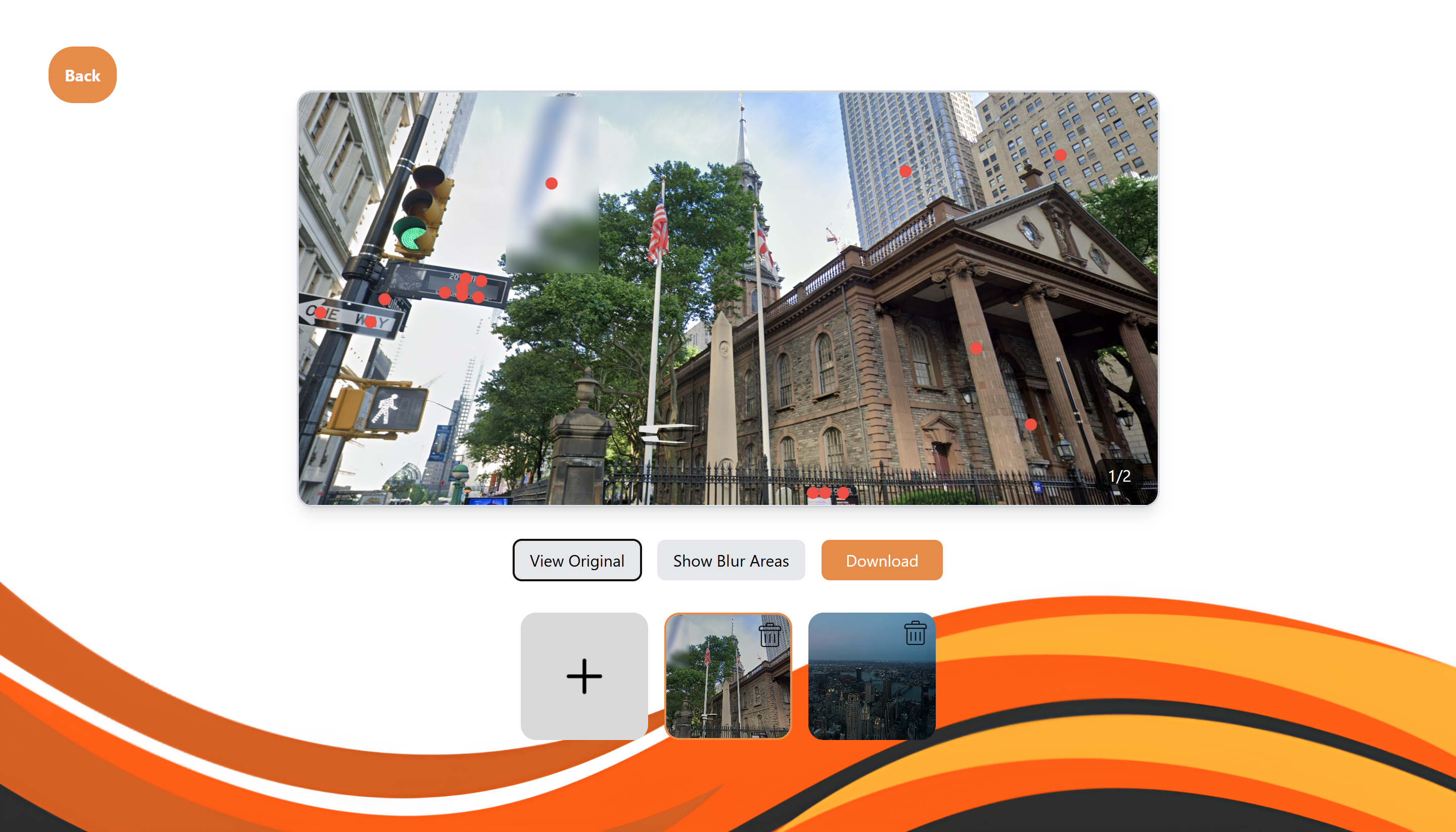
Blurred Tower
Inspiration
Social media has become more and more common in our everyday lives, to the point where it's basically a normal part of how people communicate and stay connected. It’s not just adults who use these platforms anymore. Many kids and younger teens now have easy access to social media apps and websites. Even though most platforms have age restrictions, it’s pretty easy for minors to get around those rules just by entering a fake birthdate or using someone else’s information. Because of this, there’s a growing concern about how safe the internet really is for younger users. With more children spending time online, the risks of being exposed to inappropriate content, interacting with strangers, or accidentally sharing private information are much higher. This makes online safety, digital responsibility, and awareness more important than ever.
What it does
Users can upload images directly to the website, where our tool automatically scans for sensitive location information, like street signs, building names, or anything that could give away where they are. The website then highlights these areas, and users get to choose whether or not they want to blur each highlighted region. After making their selections, they can download the edited version of the image, which helps protect their privacy before sharing it online. We also added a feature that lets users use their live camera. This is especially useful before things like video calls or livestreams. The tool scans the background in real time and checks for any location-sensitive details that might be visible. This gives users a chance to fix or hide anything before they go live, helping them stay safe and aware of what’s around them. We wanted to make sure the process was simple and easy to use, especially for younger users, so they can better understand how to protect their personal information online.
How we built it
To build our project, we started with the frontend using React, which is a JavaScript library that helped us create an interactive user interface. For styling, we chose Tailwind CSS because it made designing the pages quicker and easier with its simple utility classes. To make the website feel more dynamic, we added animations using Framer Motion, which helped make elements on the page move and change smoothly. On the backend, we built a Flask API to connect the frontend with different tools for detecting sensitive content. We used Google Vision, a machine learning tool, to analyze images and look for any location-revealing information like street signs, buildings, or addresses. This allowed us to identify and remove potentially harmful content in the images being uploaded or streamed. We also used Gemini, a large language model, to analyze the live camera feed. It looked at any text in the background, like signs or labels, to check if there was a risk of revealing someone’s location. This helped us assess whether the content needed to be blurred or removed for safety. Altogether, combining these tools helped us build a system that can better protect minors from unintentionally revealing their location online.
Challenges we ran into
Some of the challenges we faced during the project were related to detecting sensitive locations using Google Vision and integrating it with React. One of the biggest difficulties was figuring out how to coordinate the blur box coordinates with the location of the buildings in the images. Since the buildings could be in different positions, sizes, or orientations, it was tricky to match the coordinates of the blur boxes with the correct spots on the images. Another challenge we ran into was the process of merging our work together using GitHub. Since we split up the tasks, there were times when combining everyone’s individual work created conflicts, which made it harder to keep everything in sync. This slowed us down at times, especially when we had to fix merge issues or rework certain parts of the code. Lastly, detecting text and objects in a live camera feed was also difficult. Unlike working with static images, we had to deal with a continuous stream of frames from the video, which made the processing much more complex. We had to find a way to detect the sensitive content in each frame, which required more advanced handling to ensure we didn’t miss anything important while keeping the process efficient.
Accomplishments that we're proud of
We’re really proud of a few things we accomplished during this project. First, we’re excited about successfully using Google Vision for the first time. We’d never worked with this technology before, and it was a huge learning experience. We were able to get it working for both text detection and object detection, which allowed us to identify sensitive location information in images and blur it out. Another accomplishment we’re proud of is the UI and design we put together. We wanted the app to be easy to use, so we worked hard on making sure the design was simple and clean. We used React and Tailwind CSS to build the layout, and the result was a responsive design that looks great on any device. We also added some cool animations with Framer Motion, which made the app feel more interactive and fun to use.
Overall, we’re really proud of how everything came together, from using Google Vision to making the app look and feel smooth and easy to use.
What we learned
Throughout the project, we learned a lot about working with different technologies and improving our skills. One of the main things we learned was how to use the Google Vision API to analyze images and visual data. We got hands-on experience with extracting text and detecting objects, which was a key part of our project. By using Google Vision, we were able to locate sensitive information, such as location-revealing text, and we created coordinate boxes around these objects to define regions of interest that would be blurred for safety. We also deepened our experience with React during this project. As we worked with React to build the frontend, we learned more about handling state, managing components, and creating smooth user interactions. This experience helped us feel more confident in using React for future projects, and it was valuable in expanding our technical skills. Additionally, we explored using OpenCV, a computer vision library, to apply a Gaussian blur to the images. This allowed us to blur out sensitive information automatically in the regions we identified using Google Vision. By experimenting with OpenCV, we learned how to manipulate images and apply filters, which helped us improve the functionality of our project. Overall, this project gave us a chance to learn new technologies, overcome challenges, and improve our skills in both front-end and back-end development.
What's next for GeoGuard
One of our main goals is to incorporate our app as an extension for children’s cameras or social media apps. This way, the app can automatically screen photos and videos for sensitive information before they are uploaded, ensuring that nothing revealing or unsafe is shared. In addition to that, we plan to add a feature that sends notifications to parents via email. These notifications would update them on the status of their child’s social media posts, such as whether a post was approved, blurred, or flagged for sensitive content. This would give parents peace of mind while still allowing kids to use social media safely. Another key feature we want to work on is user login authentication. By adding a secure login system, we can ensure that users have personalized experiences and settings, and also help parents monitor and control the app’s functionality more easily. Finally, we aim to improve the app’s performance and scalability, so it can handle larger amounts of data and work efficiently for a wider range of users. We’re excited about expanding GeoGuard to make it even more helpful for keeping kids safe online and empowering parents with the tools they need to protect their children.


Log in or sign up for Devpost to join the conversation.