Inspiration
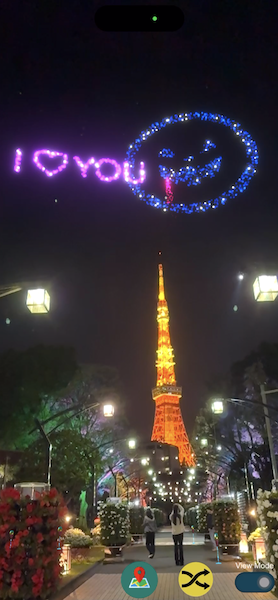
With geospatial creator, designer or develop could place visual stuffs in Unity Editor easier. But what if we could let users place visual stuffs by their self directly? We could turn 2d logo, message as beautiful firework, let user place those freely on landmark for good photo experience.
What it does
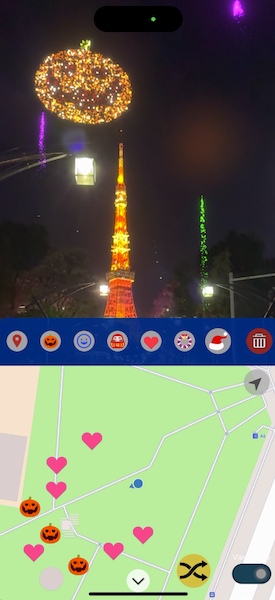
GeoFirework is a prototype combine map, geospatial API for geo anchors and geometry mesh. Create a landmark mixed reality experience to allow user make their unique AR creation.
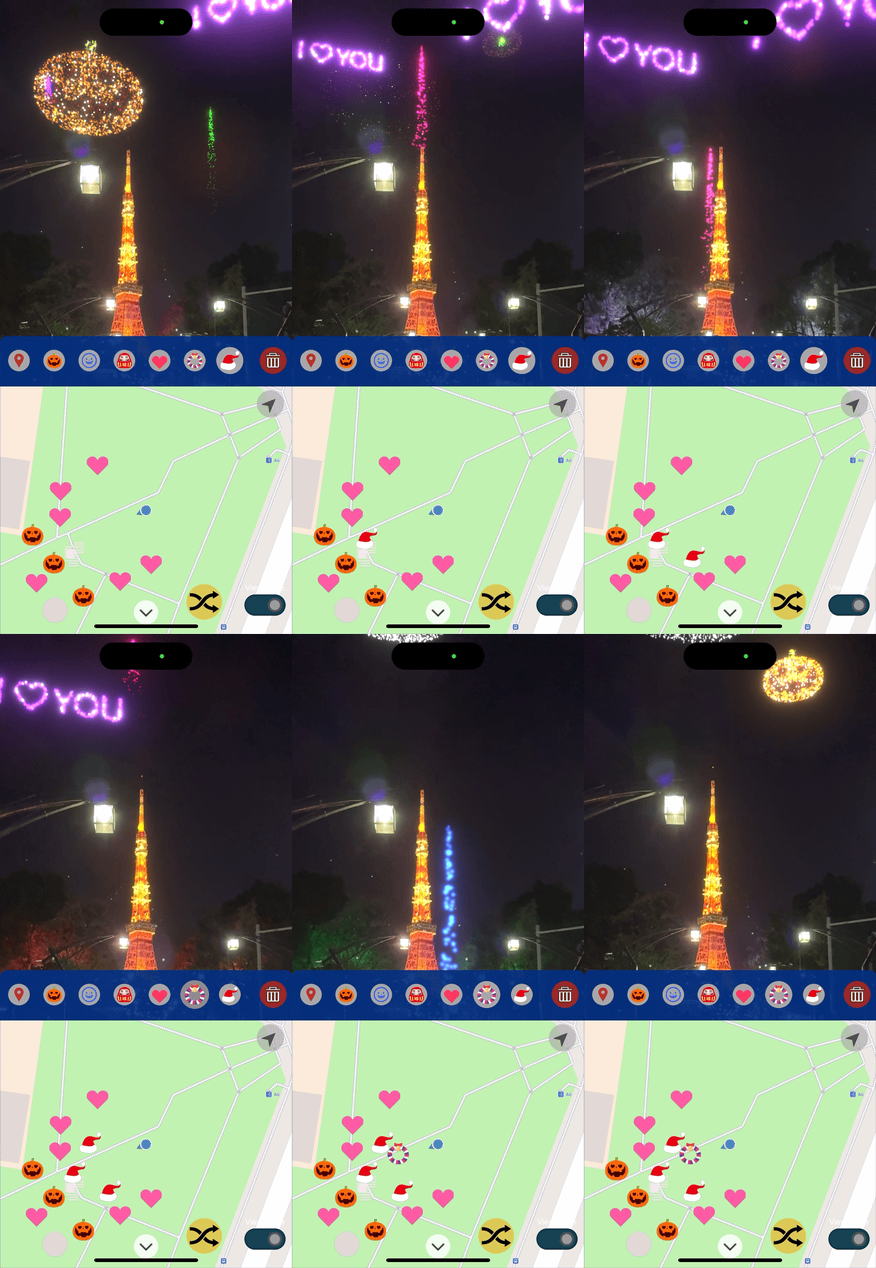
- By integrating map and geospatial APIs, users have the ability to craft their personalized firework displays.
- Users can designate specific points on the map to represent various firework types in real-world locations. These points are marked with firework icons on the map, providing guidance to users during the firework launch.
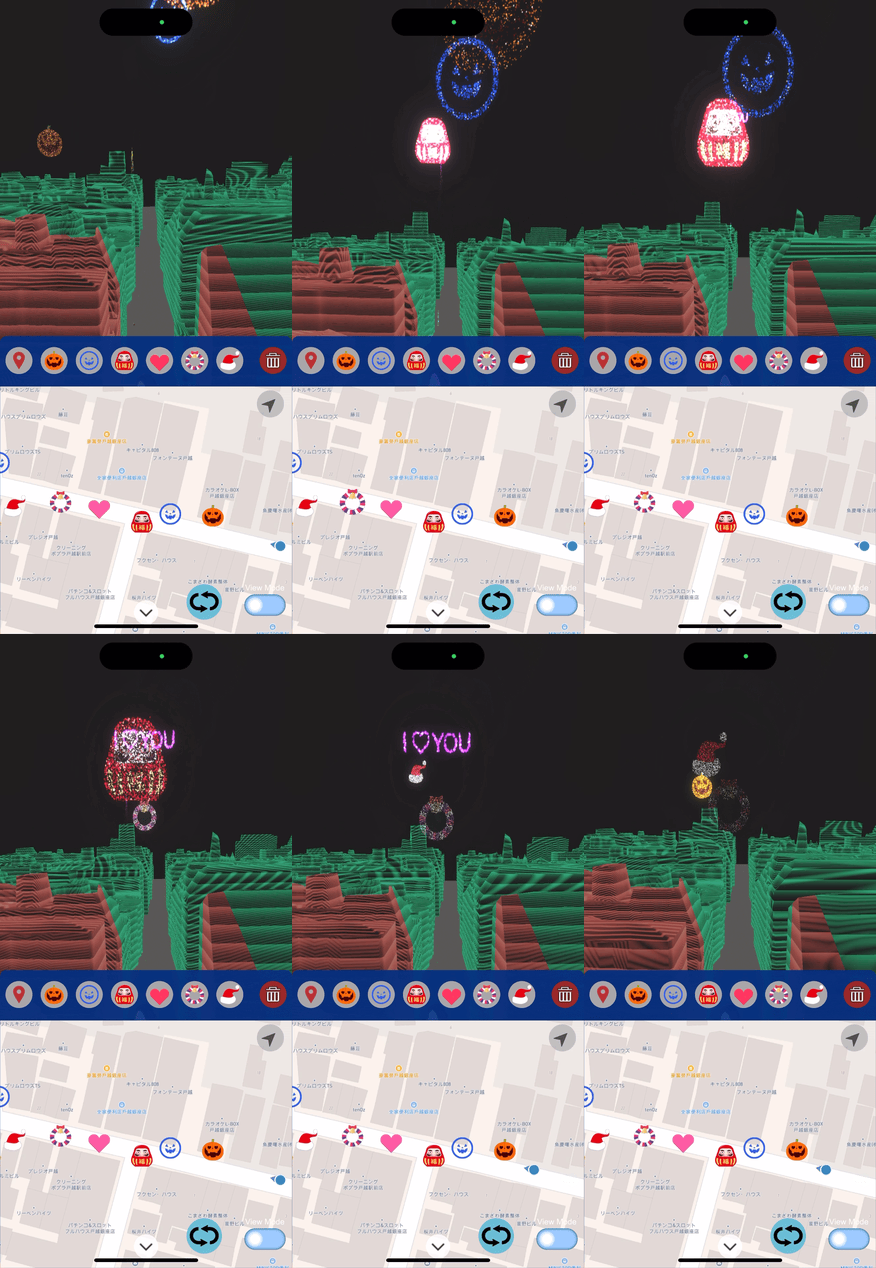
- Leveraging Google's street scape geometry mesh, surrounding buildings can be employed as occlusion elements, enhancing the realism of the experience.
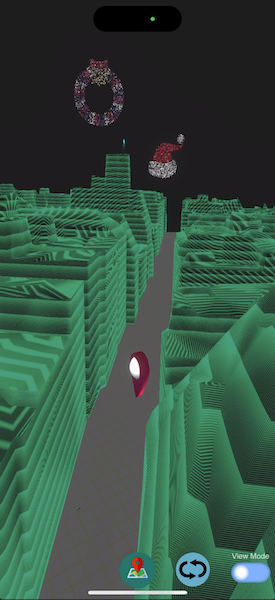
- Additionally, the integration of geometry mesh enables users to seamlessly switch to a virtual viewing mode, allowing them to enjoy the firework show against a virtual sky backdrop.
How we built it
- Choose MapBox Unity SDK as interactive map, then making some customized interactive and visual methods could put anchors and display icons on map.
- Create VFX firework asset and combined it with geospatial anchor, could place firework by geo location information.
- Combine AR & VR view, could produce different use experience.
- Research and improve the user experience to improve UI & UX for easier used.
Challenges we ran into
- How to design a simple interactive experience for user to create something combine virtual and physical view.
- Need a solution for an interactive map let user easier used.
- Make customized 2D VFX image firework, and take lot of time to test how place it with AR well
- How to combine marker of map with geospatial anchor.
Accomplishments that we're proud of
Implementing a process that enables users to effortlessly control geospatial anchors and view them more conveniently in AR and VR perspectives.
What we learned
- How to make an interactive map could create, remove or animated marker on it.
- The process which creating new marker of map with geospatial anchor.
- Using streetscape geometry feature can extend the possibilities of AR interaction, and combining with Virtual mode can make AR interaction distance wider.
What's next for GeoFirework
- I wanna combine sharing function, allowing user could share their created firework shop to their friend (ex. share a url with code, then friend could open this url to load all anchors)
- Combine message, let text message could convert into firework.
- Coming this idea for commerce showcase

Log in or sign up for Devpost to join the conversation.