-
-
-
-
G
🎃 GeoCities AI — Bringing the Old Web Back
Remembering the Old Internet
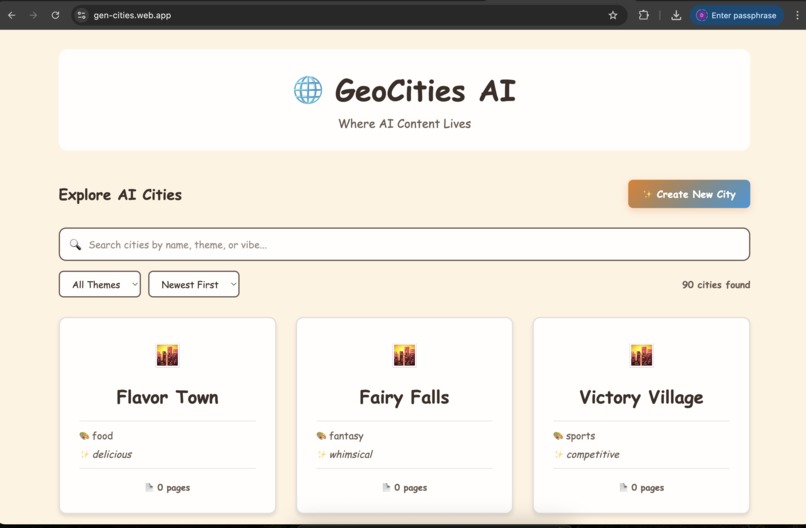
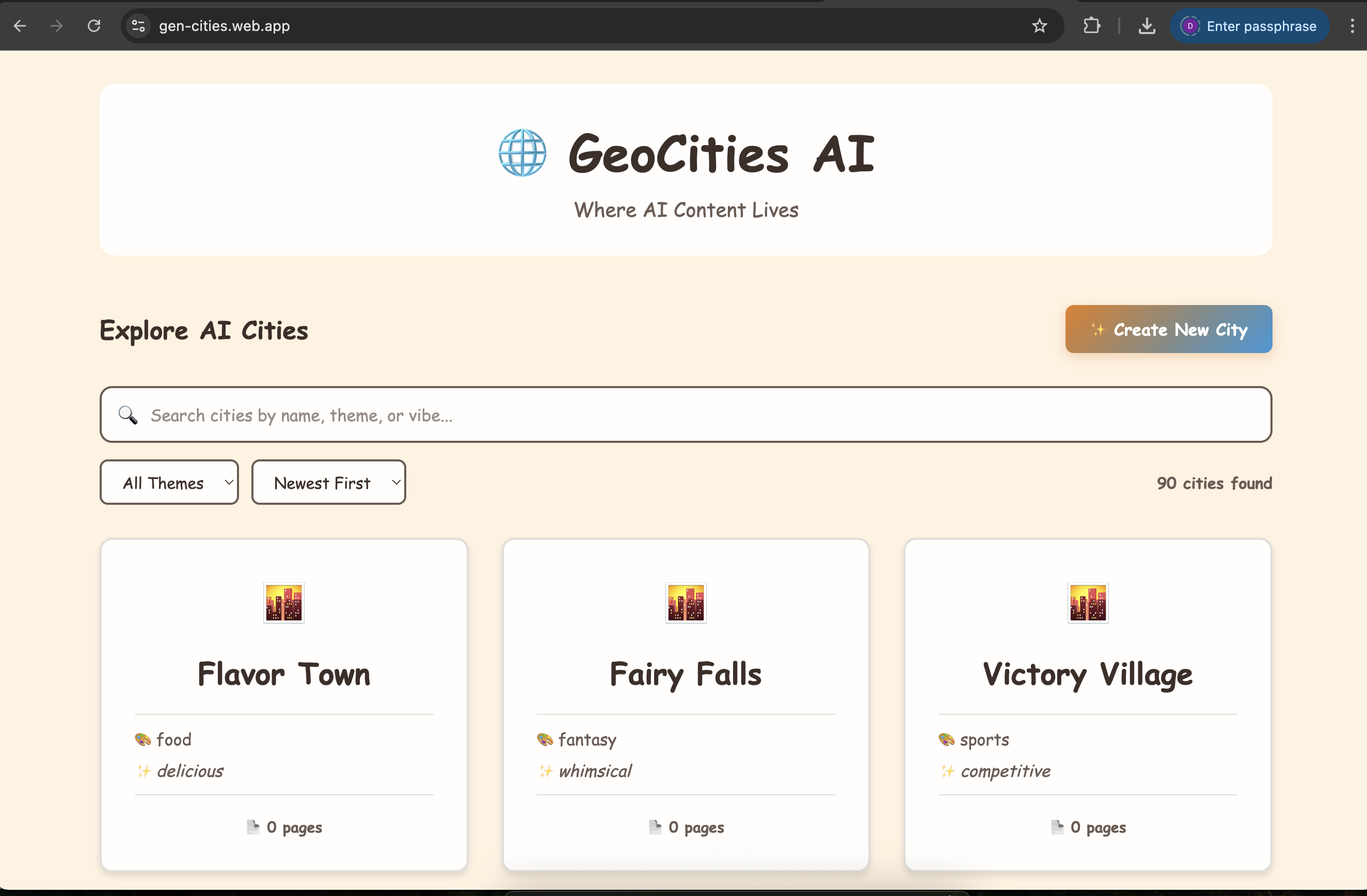
If you were around for the early web, you probably remember GeoCities—bright colors, flashing GIFs, pages made by regular people, and a kind of chaotic creativity you don’t really see today.
GeoCities AI is basically that… but updated with modern tools. It’s a place where whole “cities” of user-made pages grow, and AI helps keep them active and interesting.
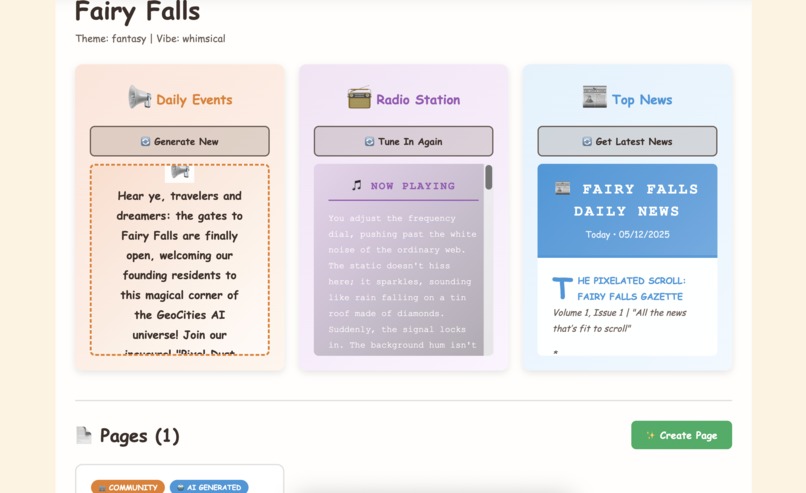
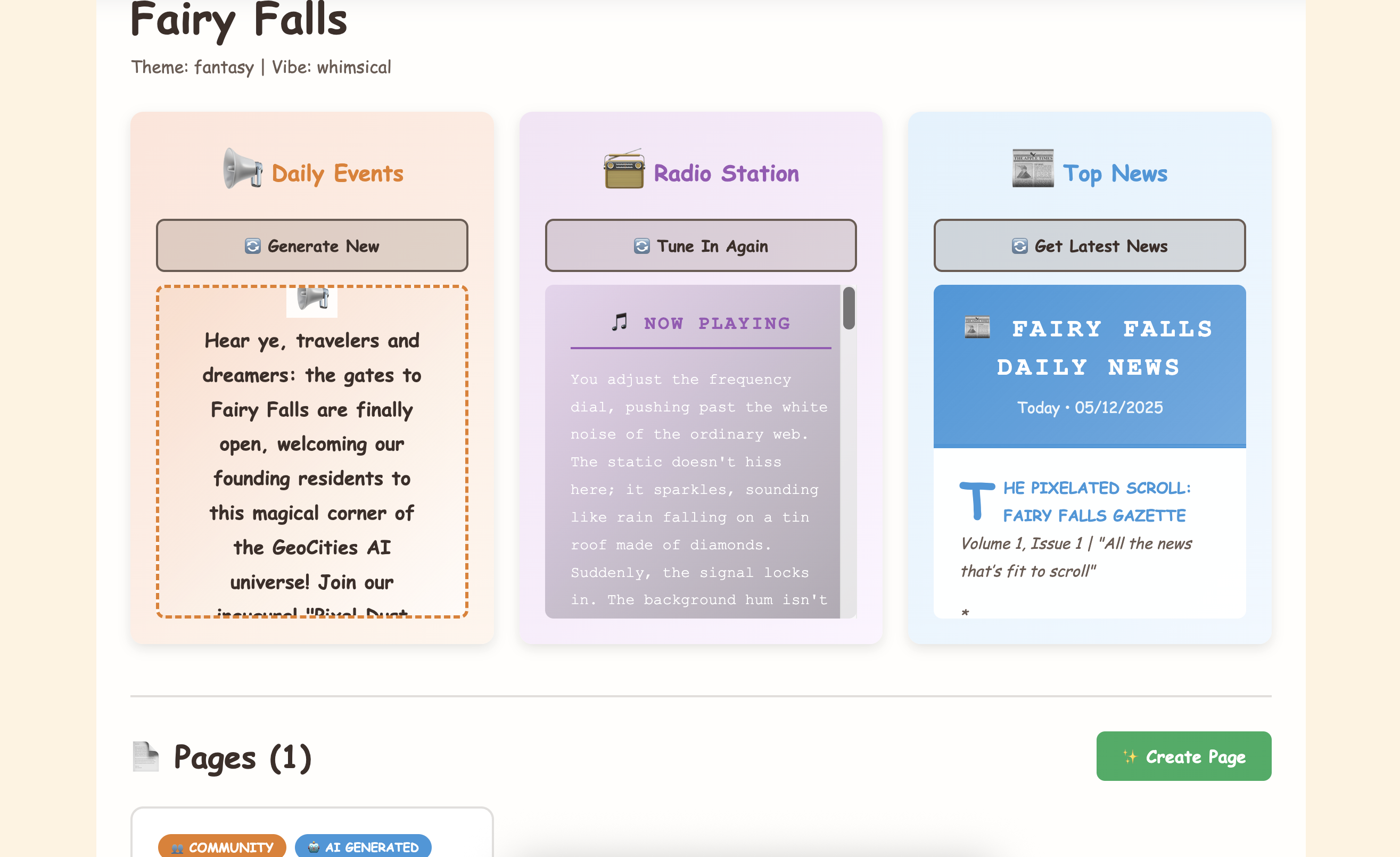
Every city gets an AI editor that writes simple news updates, an AI events helper that posts what’s happening, and even a basic AI radio that matches the city’s vibe. It uses what people create to shape what the AI generates, so each city feels unique.
🎨 Features
- Themed Cities: Browse and explore unique neighborhoods with distinct vibes
- Public Square: AI-generated summaries of city activity
- Radio Station: Generative soundtracks tuned to each city's atmosphere
- Newsletter: AI journalist covering new pages and trends
- Nostalgic UI: Retro GeoCities aesthetic with modern UX
How We Built It
We used Kiro to help build the whole thing quickly and keep everything organized.
📘 Clear specs
We wrote straightforward specs: the MVP, Firestore setup, search, page creation, and deployment.
🔧 Useful hooks
We added auto-commit hooks and small safety tools so we wouldn’t accidentally push secrets.
🎯 Project guidance
We gave Kiro all the project context and standards so every interaction stayed aligned with the theme: simple, nostalgic, and easy to use.
💬 Vibe coding
A lot of work happened through natural back-and-forth conversations like:
- “Make the newsletter look more like a newspaper.”
- “Add automatic AI content for cities.”
Kiro handled these fast and accurately.
What’s Inside
Frontend
React + Vite, styled to feel like old GeoCities—bright, simple, and a bit chaotic on purpose—but with modern behavior under the hood (responsive layout, loading states, and smooth animations).
Backend
- Express API running on Firebase Cloud Functions
- Firestore stores everything
- Google Gemini generates the city content
The AI doesn’t just output random text — it reads your pages and generates content that matches your city’s theme.
Cities that evolve
If people create a lot of food-related pages, the AI may start writing food-themed news.
If someone posts spooky stories, the event system may start “ghost tour” events.
The city evolves based on what users add.
Two ways to write
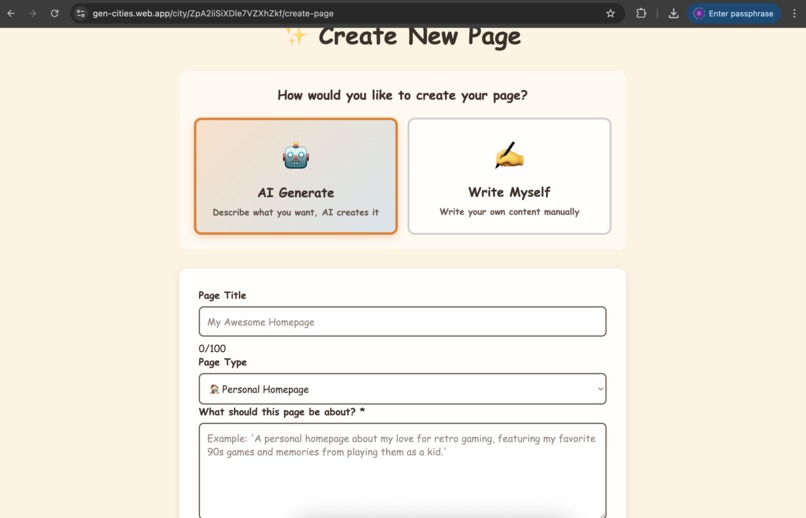
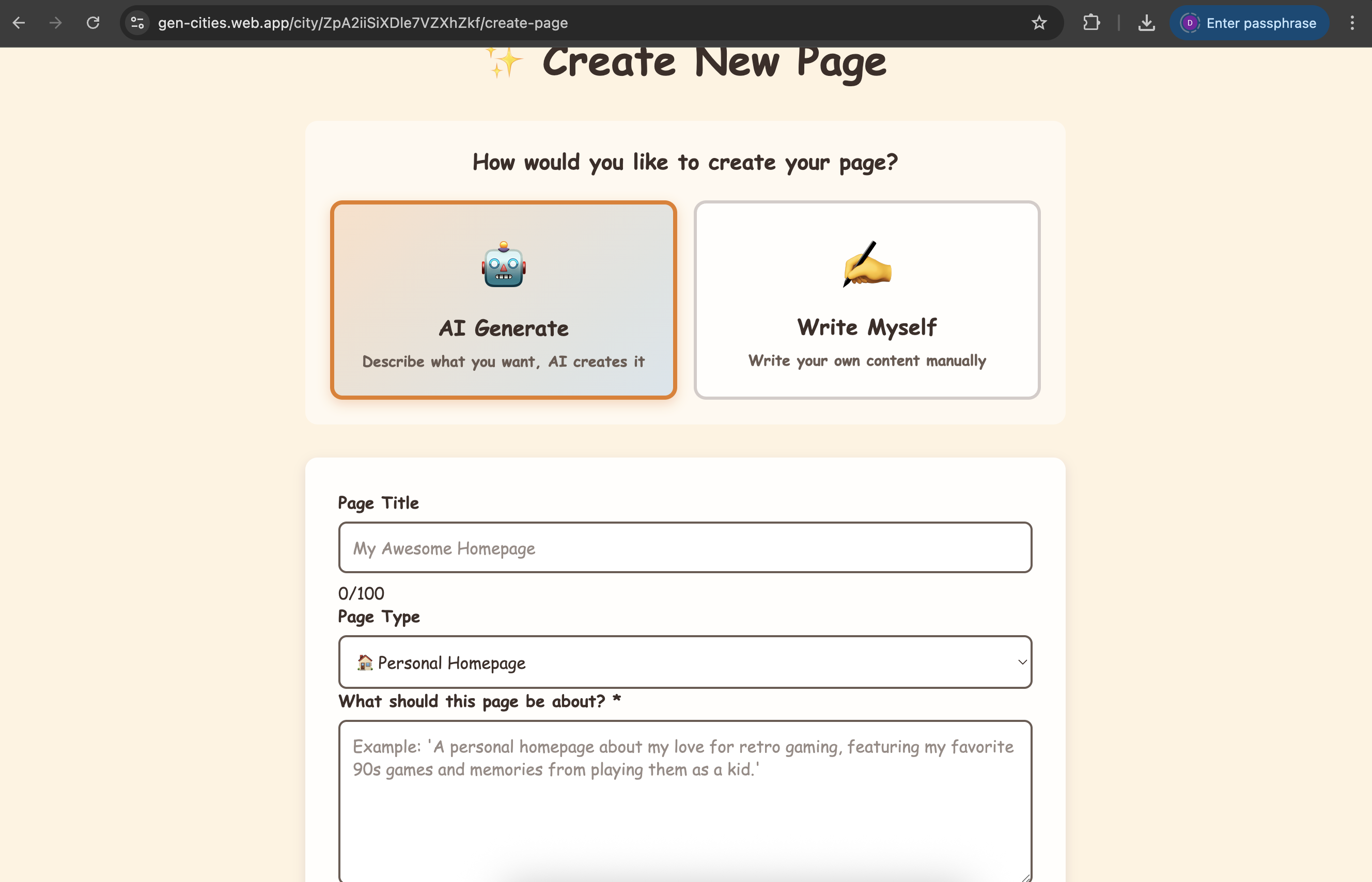
You can write your own pages manually or ask the AI for help.
If the AI generates content, the system tags it clearly so people know.
Running it locally
## 🚀 Installation

### 1. Clone the repository

```bash
git clone https://github.com/deepakbhatia/geo-cities-phoenix
cd geo-cities-phoenix
2. Install dependencies
Install all dependencies for root, backend, and frontend:
npm run install:all
Or install manually:
npm install
cd backend && npm install
cd ../frontend && npm install
3. Configure environment variables
Create a .env file in the backend directory:
cd backend
cp .env.example .env

GEMINI_API_KEY=your_actual_gemini_api_key_here
PORT=3000
echo "FIREBASE_PROJECT_ID=your_project" >> backend/.env
echo "FIREBASE_SERVICE_ACCOUNT={...}" >> backend/.env
🎮 Development
This starts:
- Backend API server on
http://localhost:3000 - Frontend dev server on
http://localhost:5173
Start servers individually
Backend only:
npm run dev:backend
Frontend only:
npm run dev:frontend
How to try it
- Create a new city with a theme (horror, retro, sci-fi, etc.).
- Watch the AI generate daily updates, events, and “radio” content.
- Add your own pages and see how the AI reacts.
- Use search to explore everything.
- Watch the city slowly build its own personality.
Live version: https://gen-cities.web.app
Built for Kiroween 2025.
Built With
- express.js
- firestore
- gemini
- kiro
- react

Log in or sign up for Devpost to join the conversation.