-
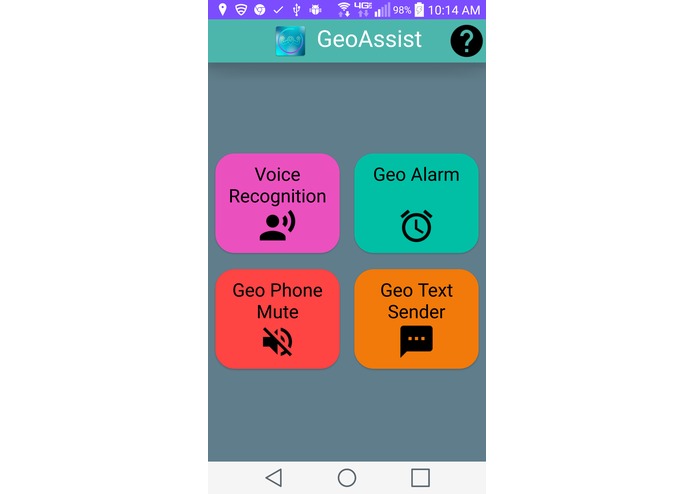
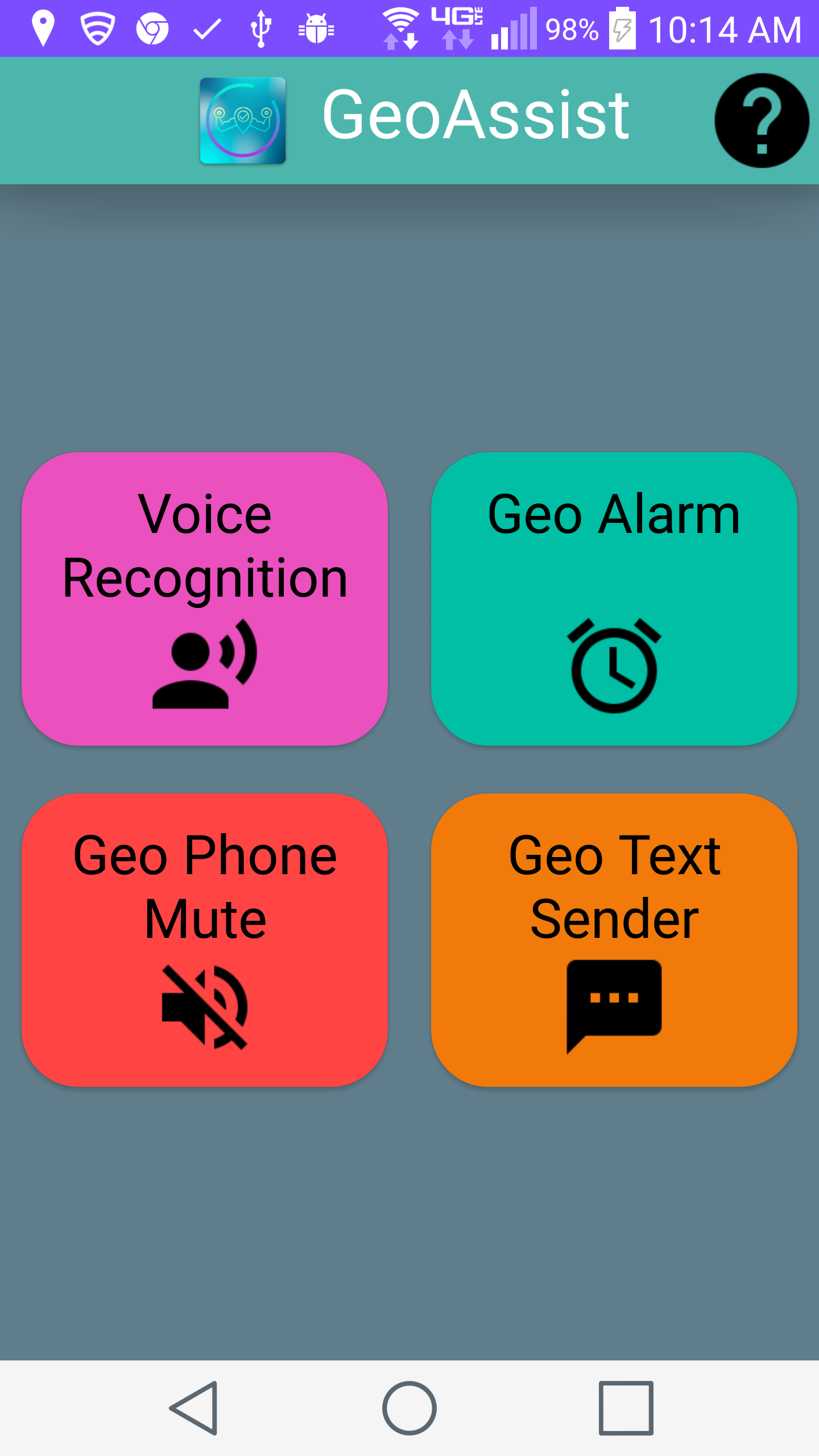
Home
-
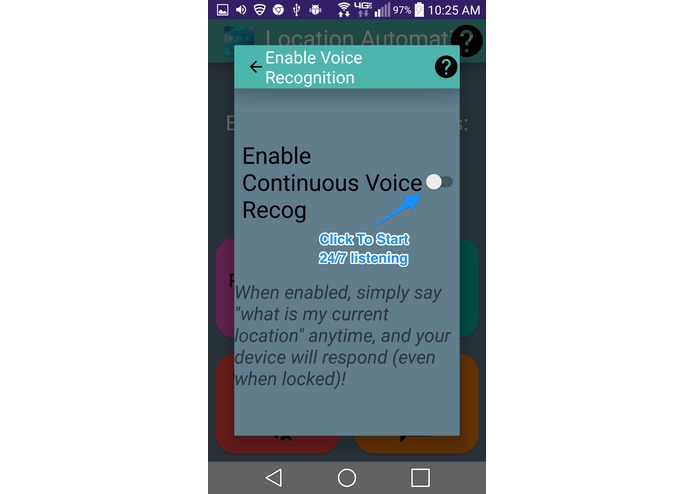
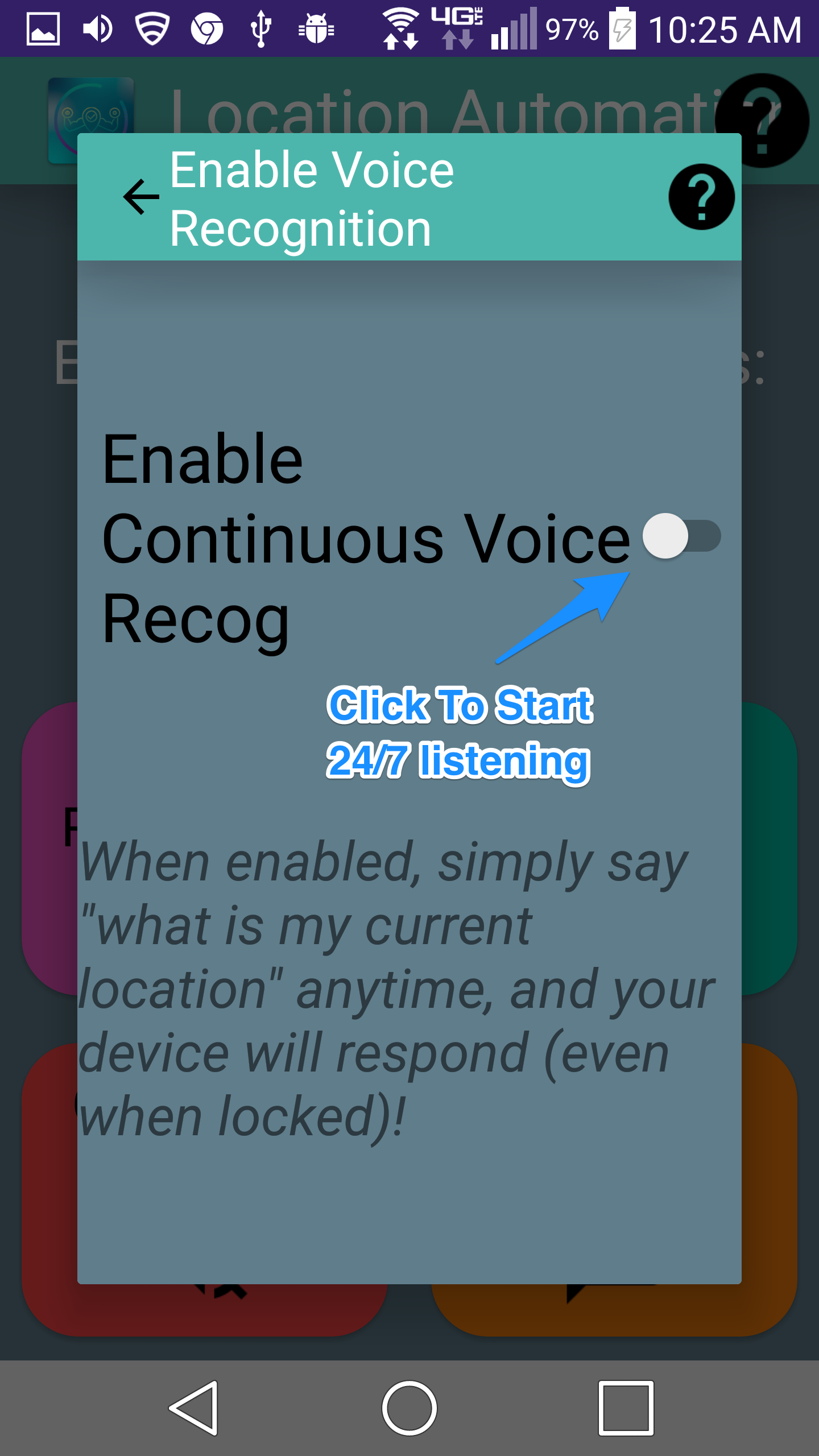
Feature 1 : Voice Recognition
-
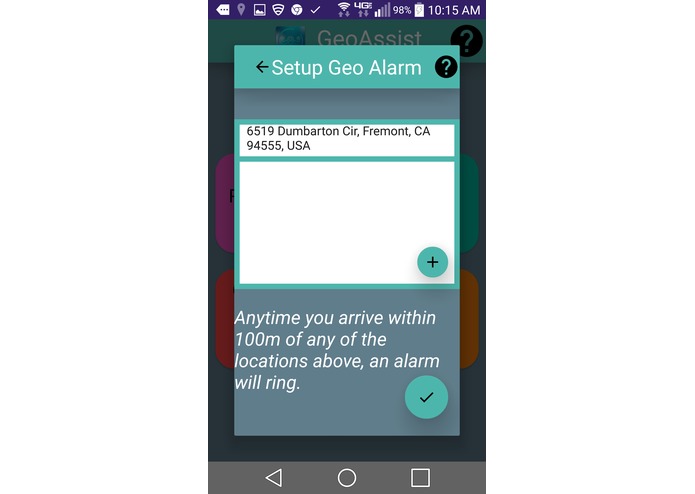
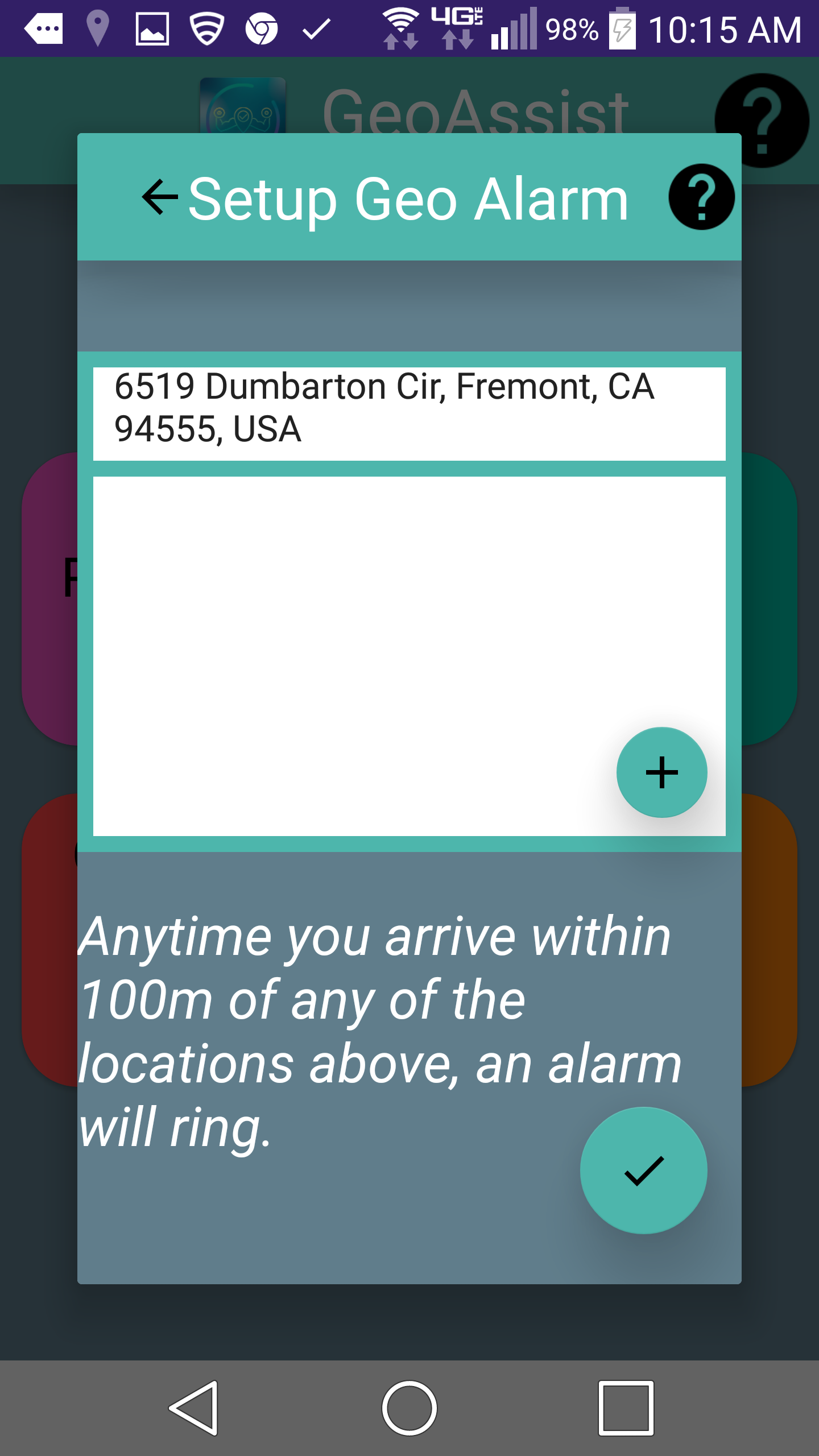
Feature 2: Geo Alarm
-
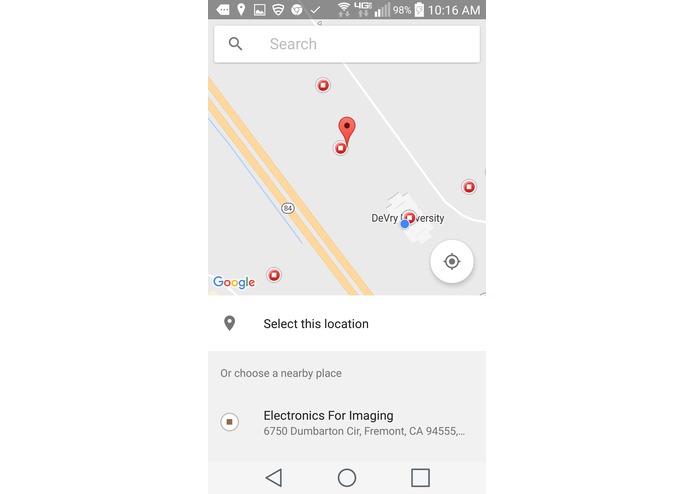
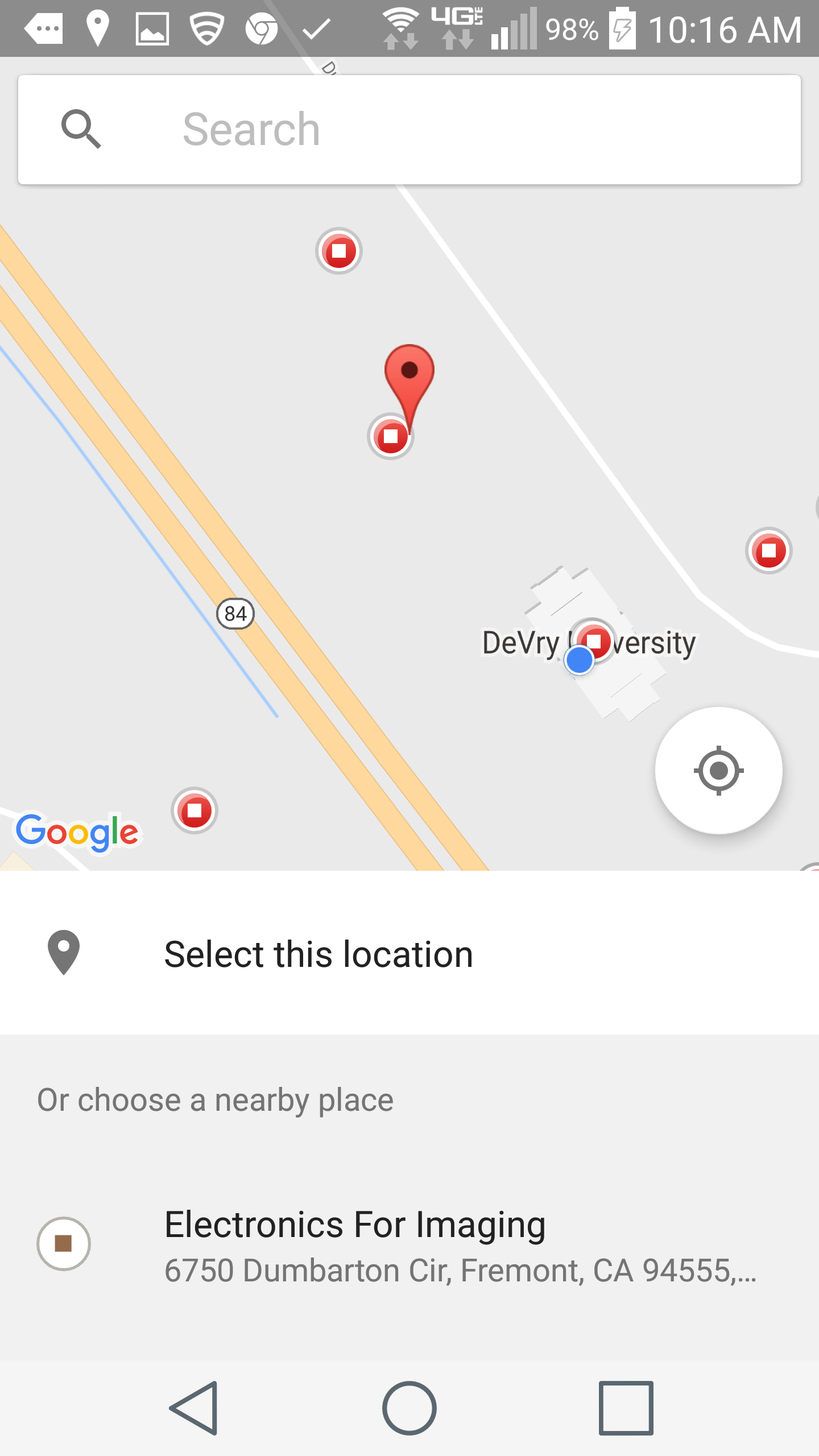
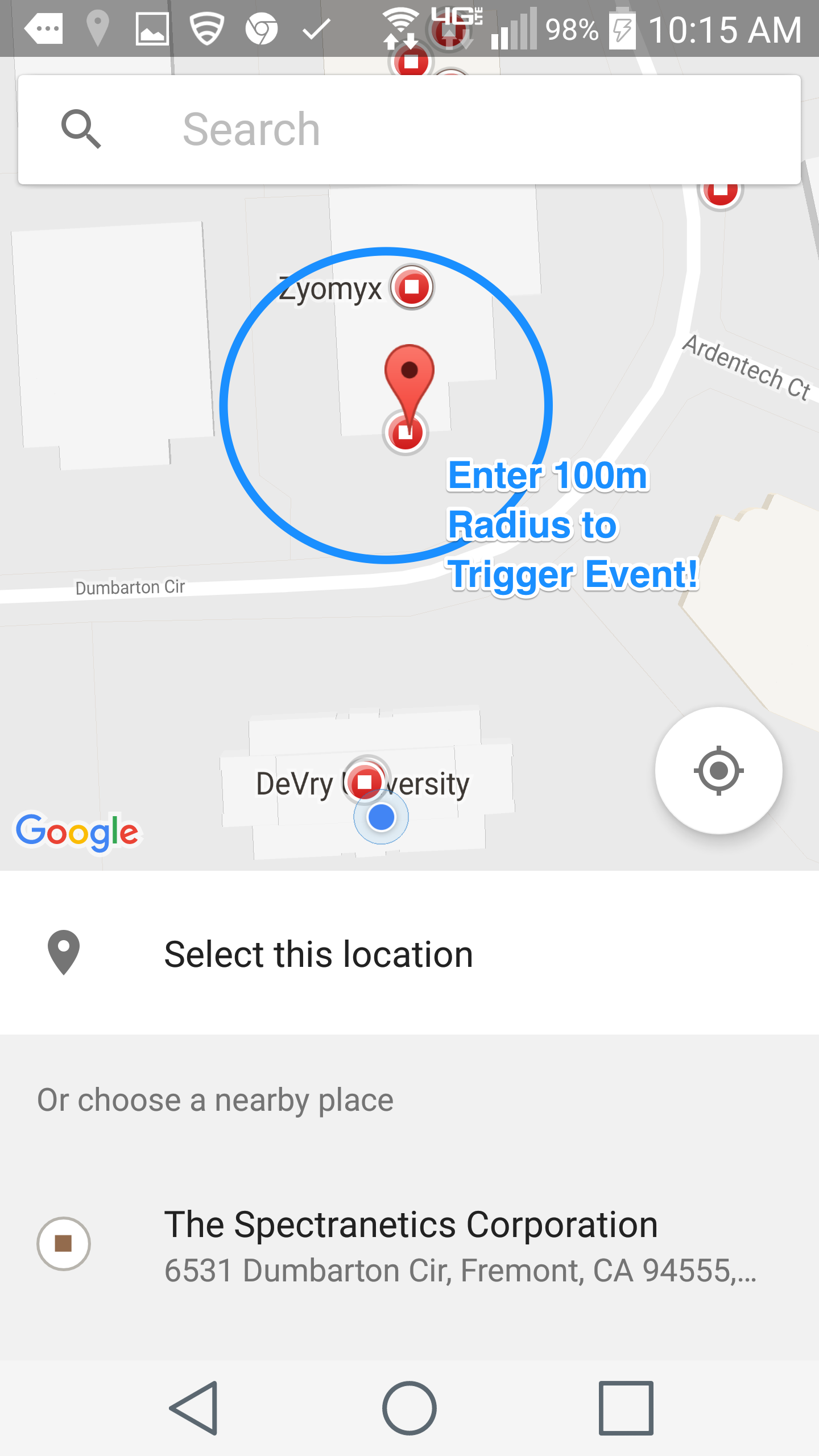
Feature 2: Selecting Location (has radius of 100 m) for Geo Alarm
-
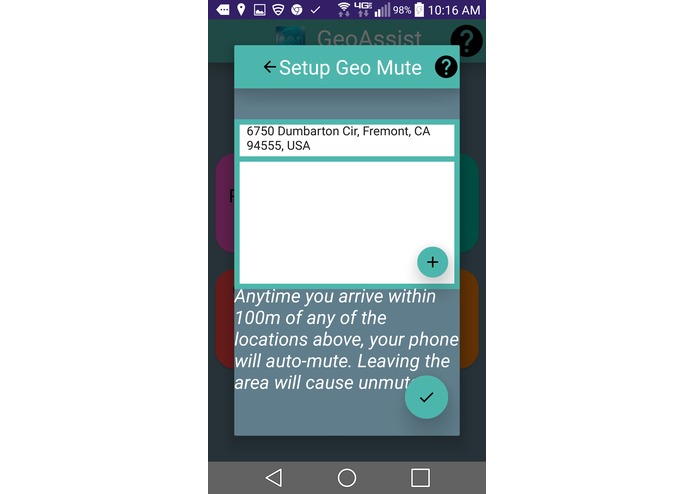
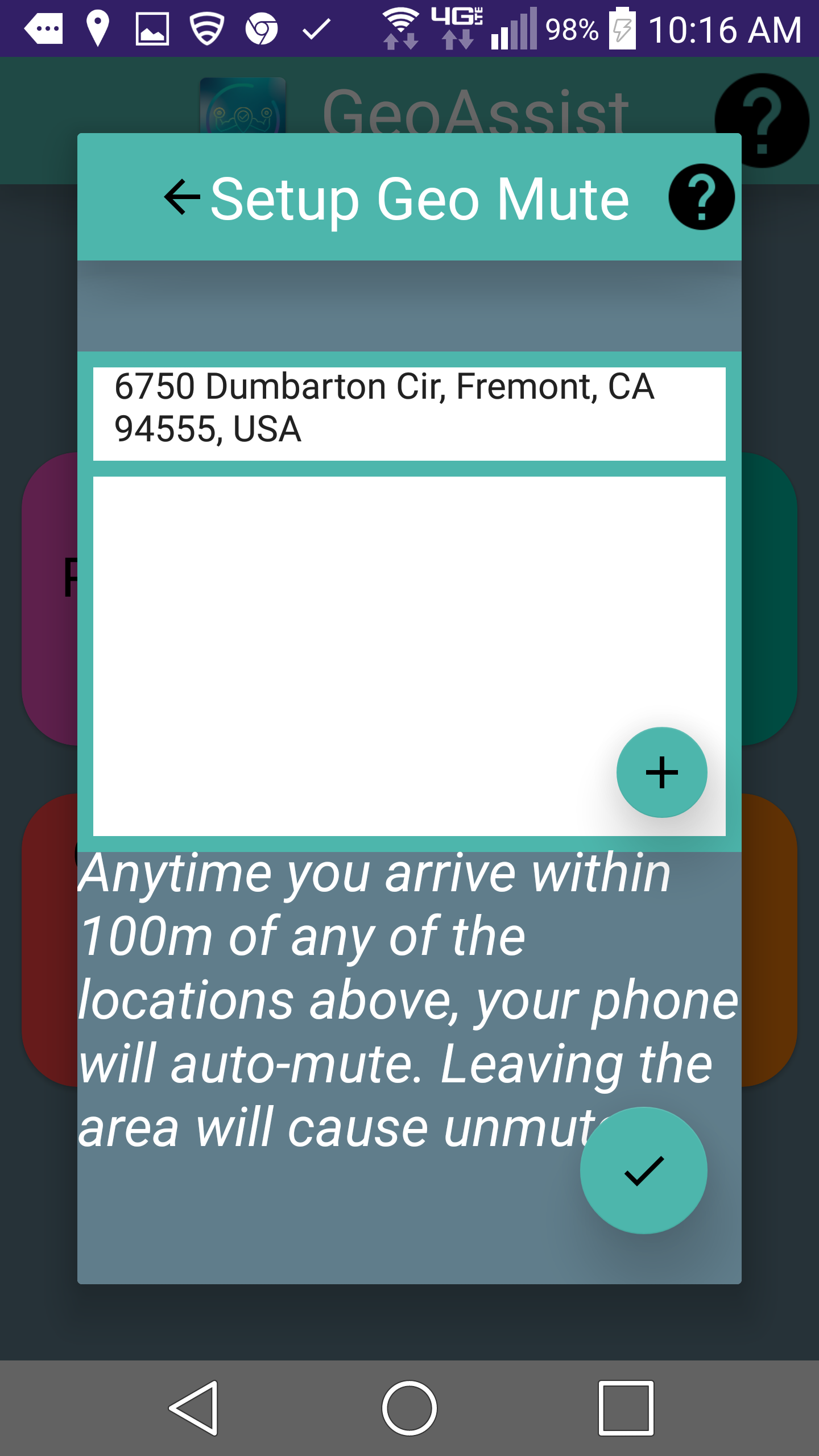
Feature 3: Geo Mute
-
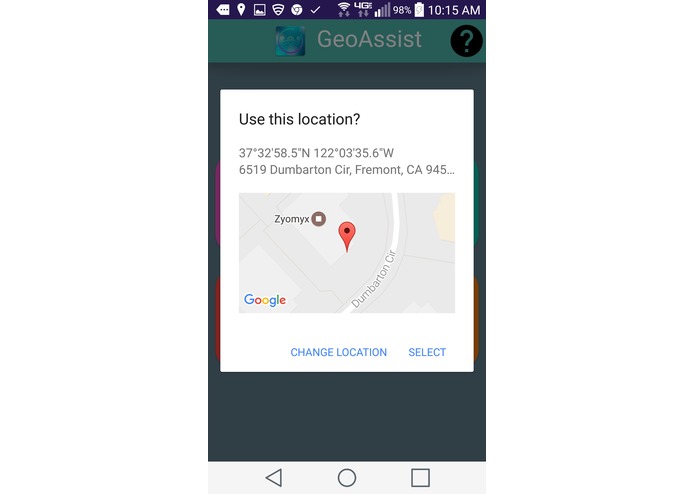
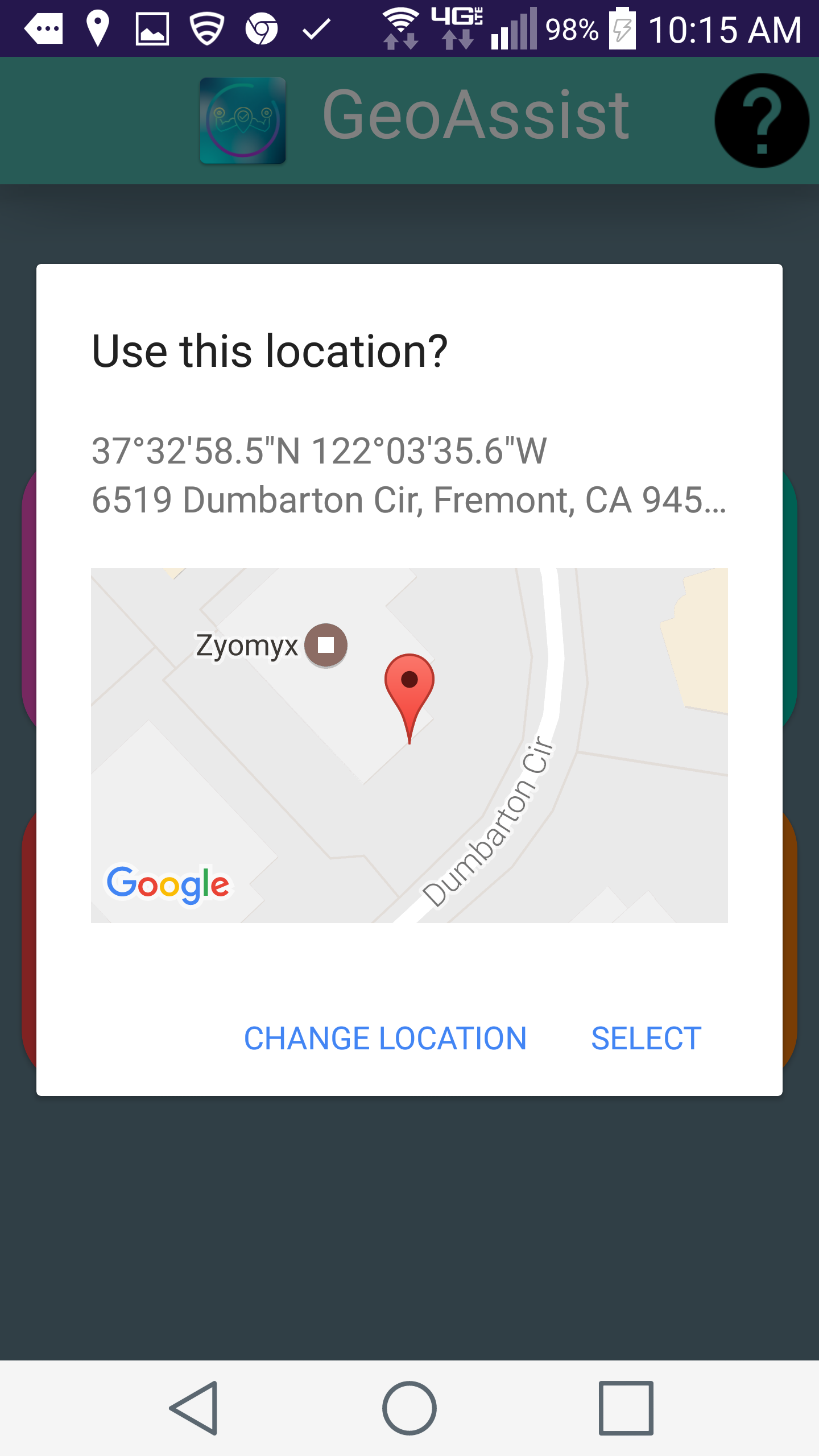
Feature 3: Location selection confirmation (has radius of 100m)
-
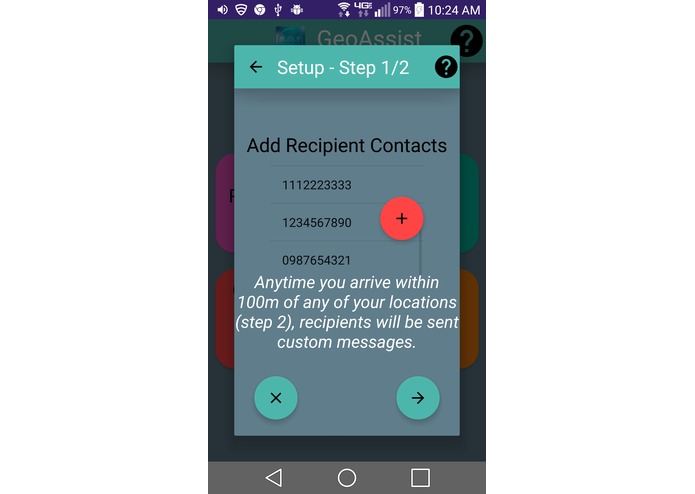
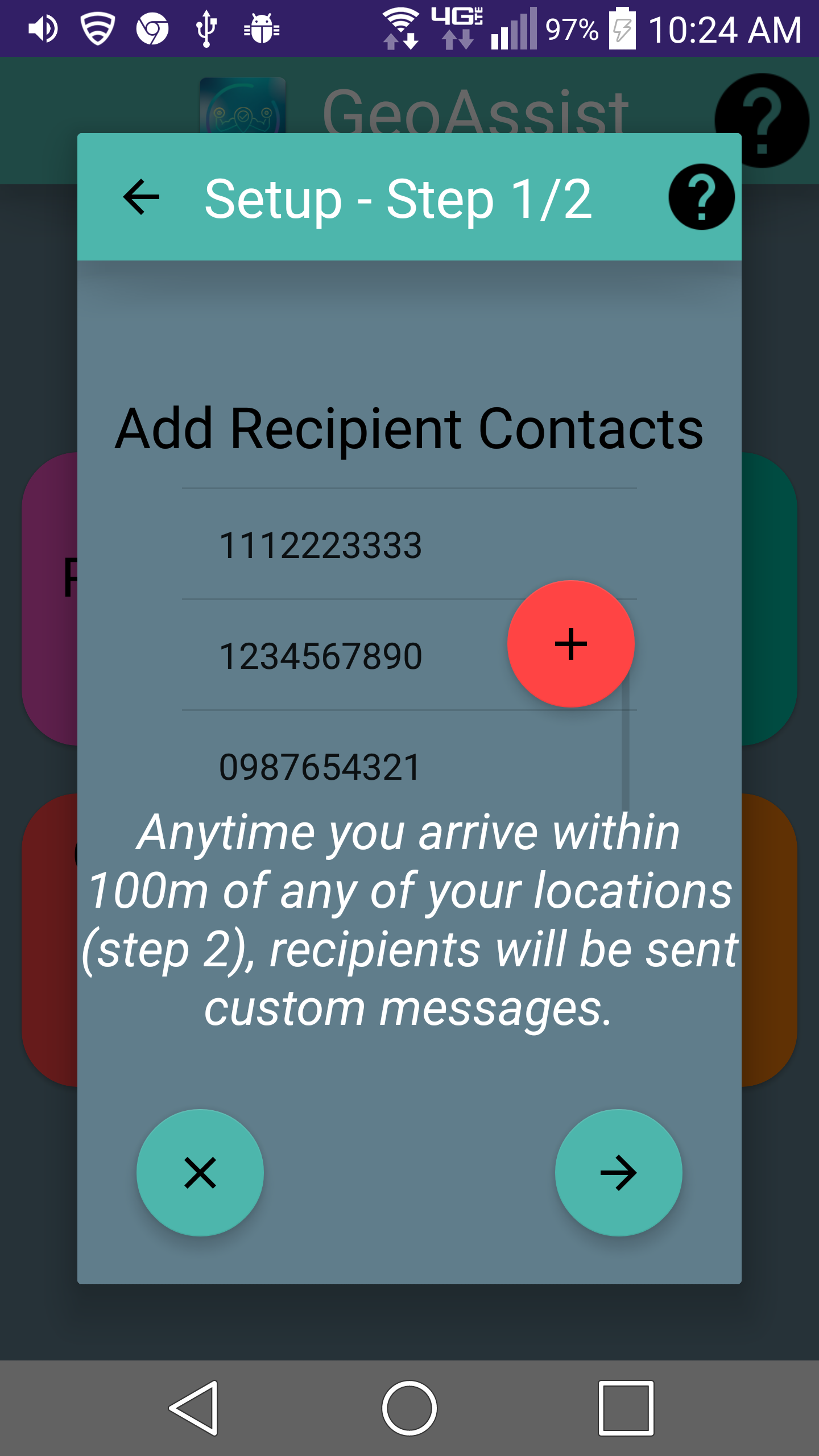
Feature 4: Step 1/2 Geo Text Send Setup
-
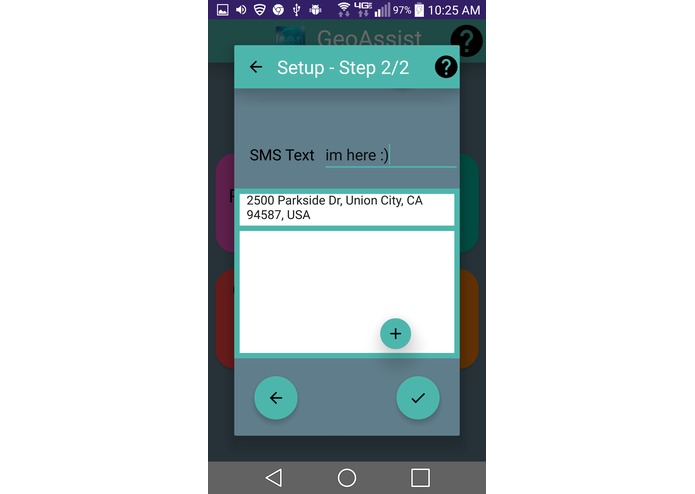
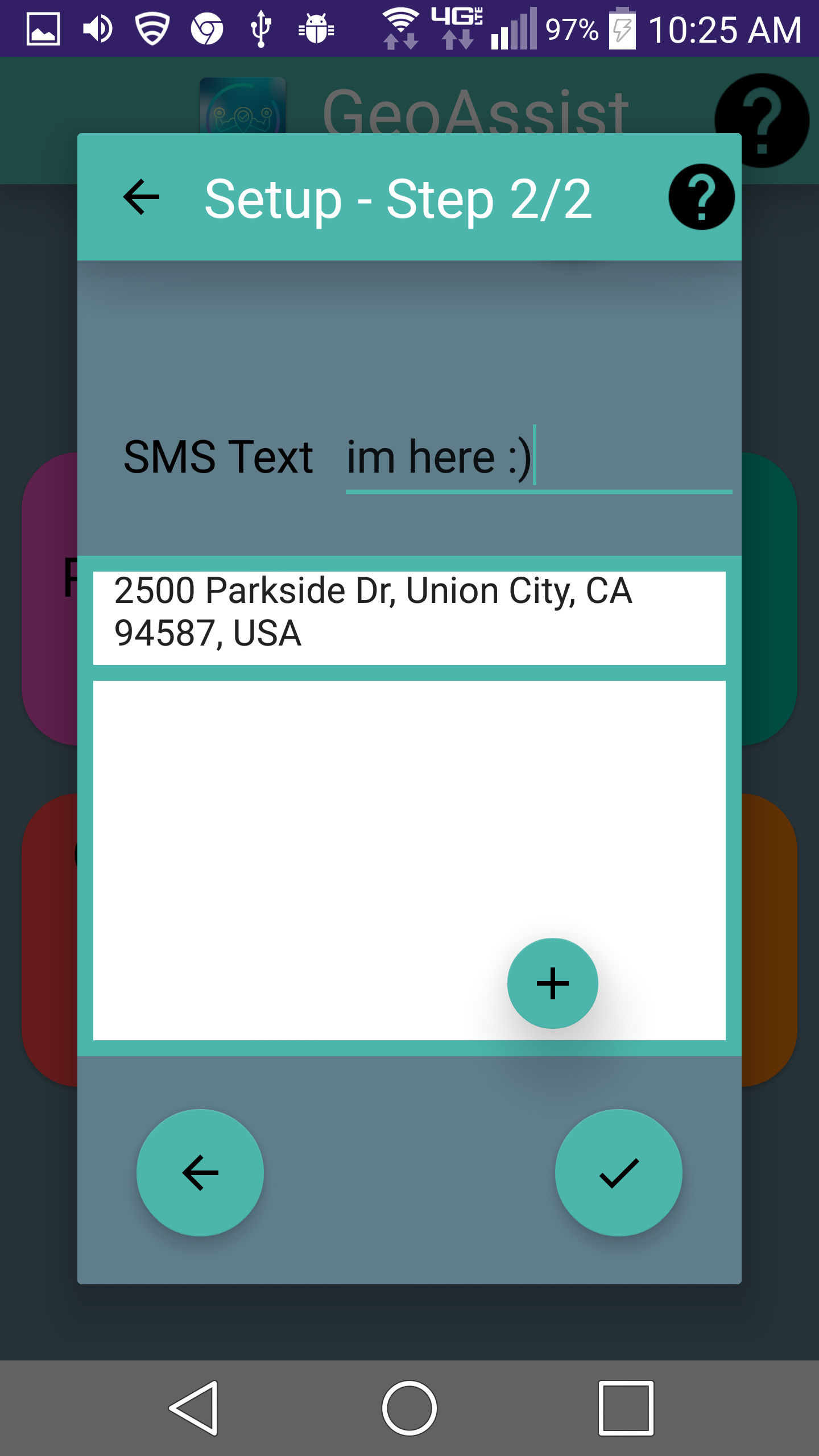
Step 2/2 Geo Text Send Setup
-
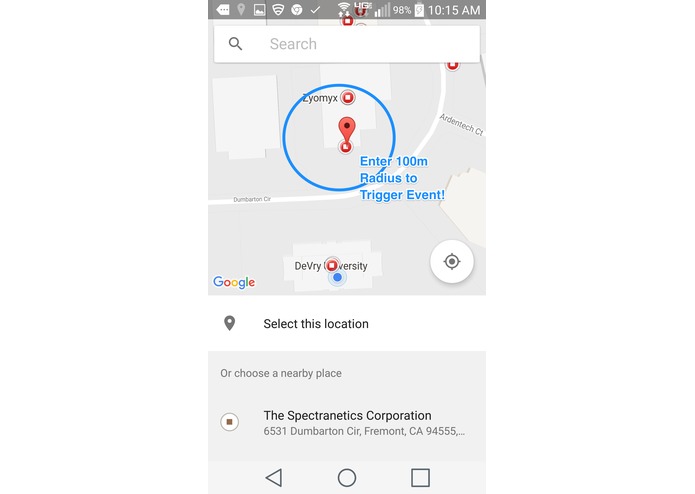
Map Logic
Inspiration
Coming into TinoHacks yesterday, I had no idea on what I wanted to do, or what I planned to make. But when I was standing in the registration line, my mom texted me from home, **"let me know when you reach"**. That's when it hit me: this weekend I was going to build an automated location application, that can let loved ones know of arrival to a location, wake one up with an alarm, mute the device, and even respond to with voice recognition.
What it does
 GeoAssist has four unique features.

      1. Voice Recognition
             _ Ask GeoAssist questions (even with the phone locked and in your pocket), such as "What is my current location", and it will use Text 2 Speech to recite the accurate answer _

      2. Geo Alarm
             _ GeoAssist will blare an alarm on arrival of a 100 meter radius from a user-set location. Now you can sleep in peace on the bus without missing your stop!_

      3. SelfSilencer
             _On arrival of a 100 meter radius from a user-set location, GeoAssist will automatically silence the device. Once you leave that location, the volume will return to normal. With GeoAssist, you don't have to worry about your phone blasting an embarrassing ringtone in the middle of an important meeting!_

      4. GeoTextAutomation
              _Going back to my inspiration—GeoAssist will text any specified contact(s) a custom message on arrival of a 100 meter radius from a user-set location._
How I built it
Challenges I ran into
-Directing the GeoFencing Pending Intent to a new Activity rather than an Intent Service, causing inactive GeoFence's. This simple challenge took me around 4 and a half hours to overcome!
-Generally learning to properly implement and use the GeoFencing API by google
-Accidentally switch the names of my stored latitude and longitude variables from my stored associated human-readable location address'; causing huge code confusions and hours of analysis to solve.
-Irresponsive UI due to heavy method loading in 'onCreate', solved by multithreading, adding a Splash Screen, and progress dialogs.
-GoogleApiConnections were not being made in time because of initialization in onCreate() rather than onStart()
-Accidental deletion of code --> Caused me to spend hours looking for the correct, most recent backup.
-MANY MORE!
Accomplishments that I'm proud of
Implementing Google's material design extremely well. In today's Hackathon, I also got to talk to many UI experts, and they loved the front-end of my application as well; this made me extremely proud. I also still can't believe I stayed up for 24 hours just coding! The drive to see the finished project kept me going, and I'm proud of myself for having that drive.
What I learned
Besides for technical lessons I learned (mainly mentioned in Challenges section), like how to use Google's Location API and how to create a fully-functional automation application, I learned how to persevere. There were times in the early morning of this hackathon when everyone around me was asleep, but I kept going, even pouring water over my head in the bathroom to stay awake, only because I wanted to persevere and be able to see my own fully finished project. If anything, from this Hackathon I've learned that if I have a goal in mind, I will do anything to persevere and accomplish it.
What's next for Geo-Assist
-Adding more voice recognition commands. -Customizable Alarm tones + light flashing in alarm -Better Logo -Instead of a distance based radius, develop my own location system based on time and speed using rate. So the faster you go, the earlier GeoAssist should Alarm you of a coming location. -Publishing on the Google Play Store
Built With
- android
- google-geocoding
- google-maps
- java
- material-design
- pocketsphinx
- text2speechsystem

Log in or sign up for Devpost to join the conversation.