Inspiration
When Steve Jobs introduced the iPhone, he explained how having a constant UI for smartphones didn't make sense. Each application requires a slightly different way to interact with information — something that fixed controls don't help with. A great example we like to use is that you'd much prefer a screen than a keyboard on the bottom half of your phone to play Clash Royale.

We believe that AI interfaces are currently at a similar inflection point.
 Despite LLMs being used in various different fields, the way we interact with it has been the same — text in, text out.
We want to change the way that people interact with structured and unstructured information. Our project explores how alternative visual outputs, like generative UIs, could help AI convey information in a way text cannot, and as a result, create what we believe what AI-native browsers should be like.
What it does
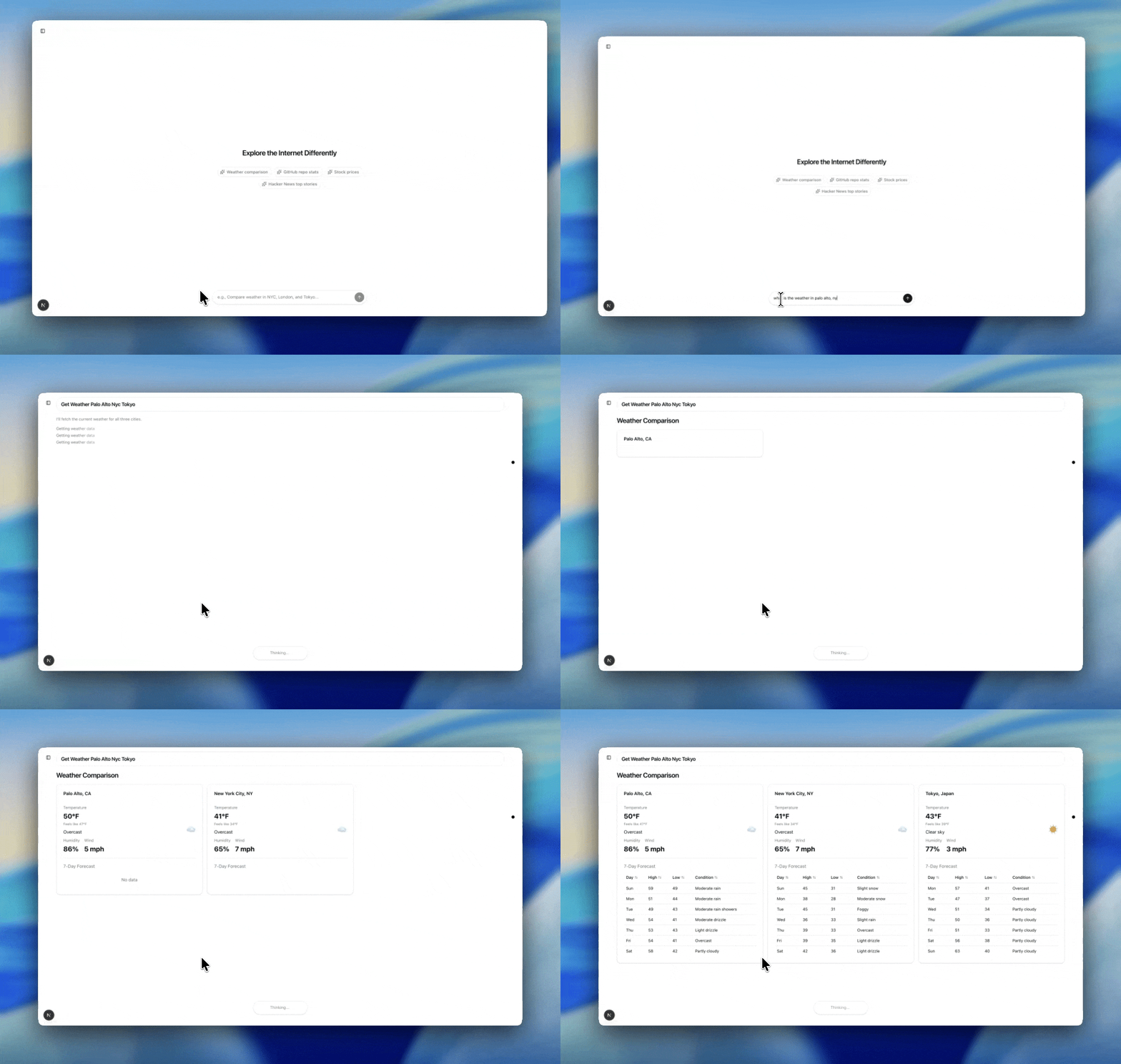
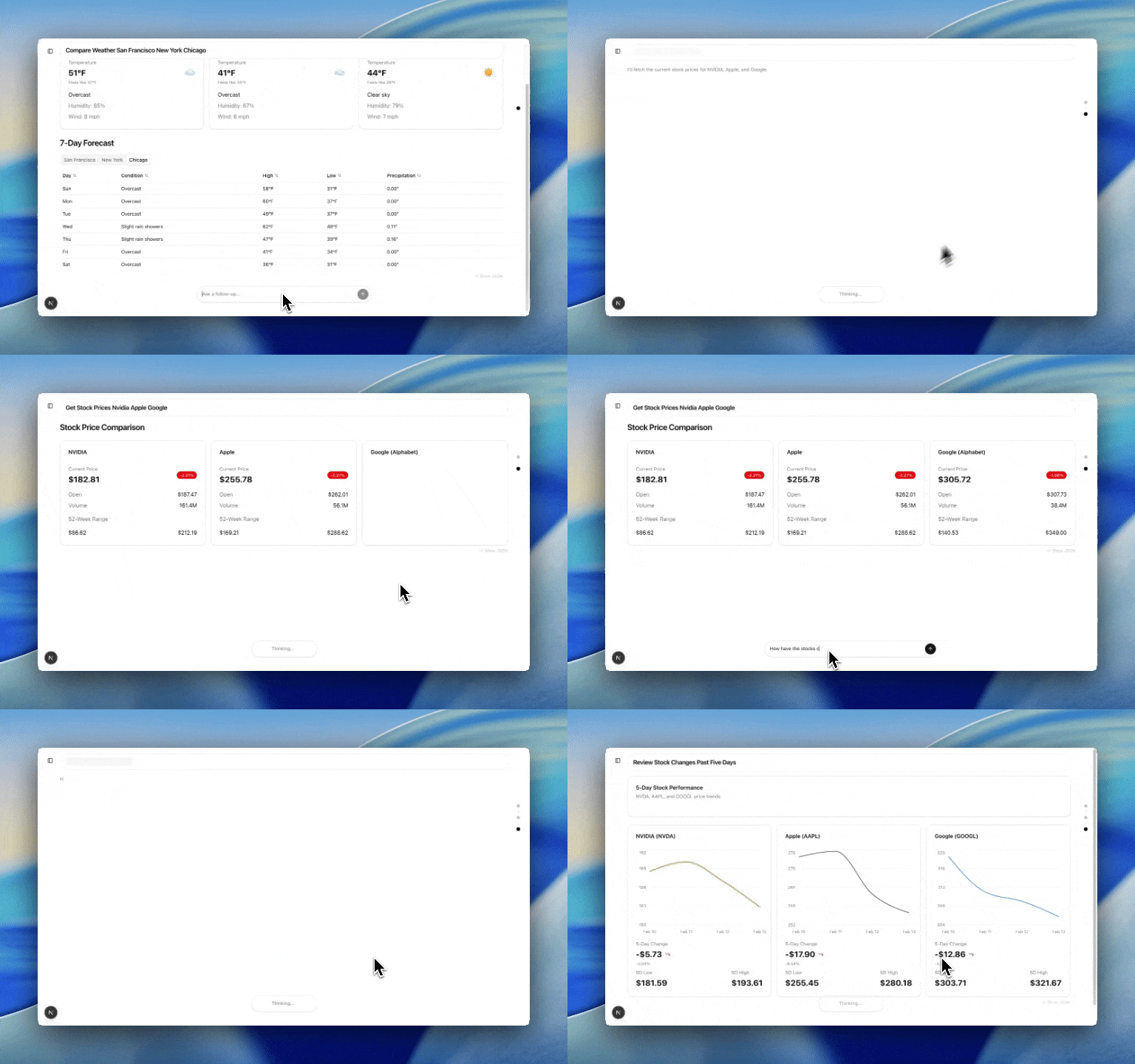
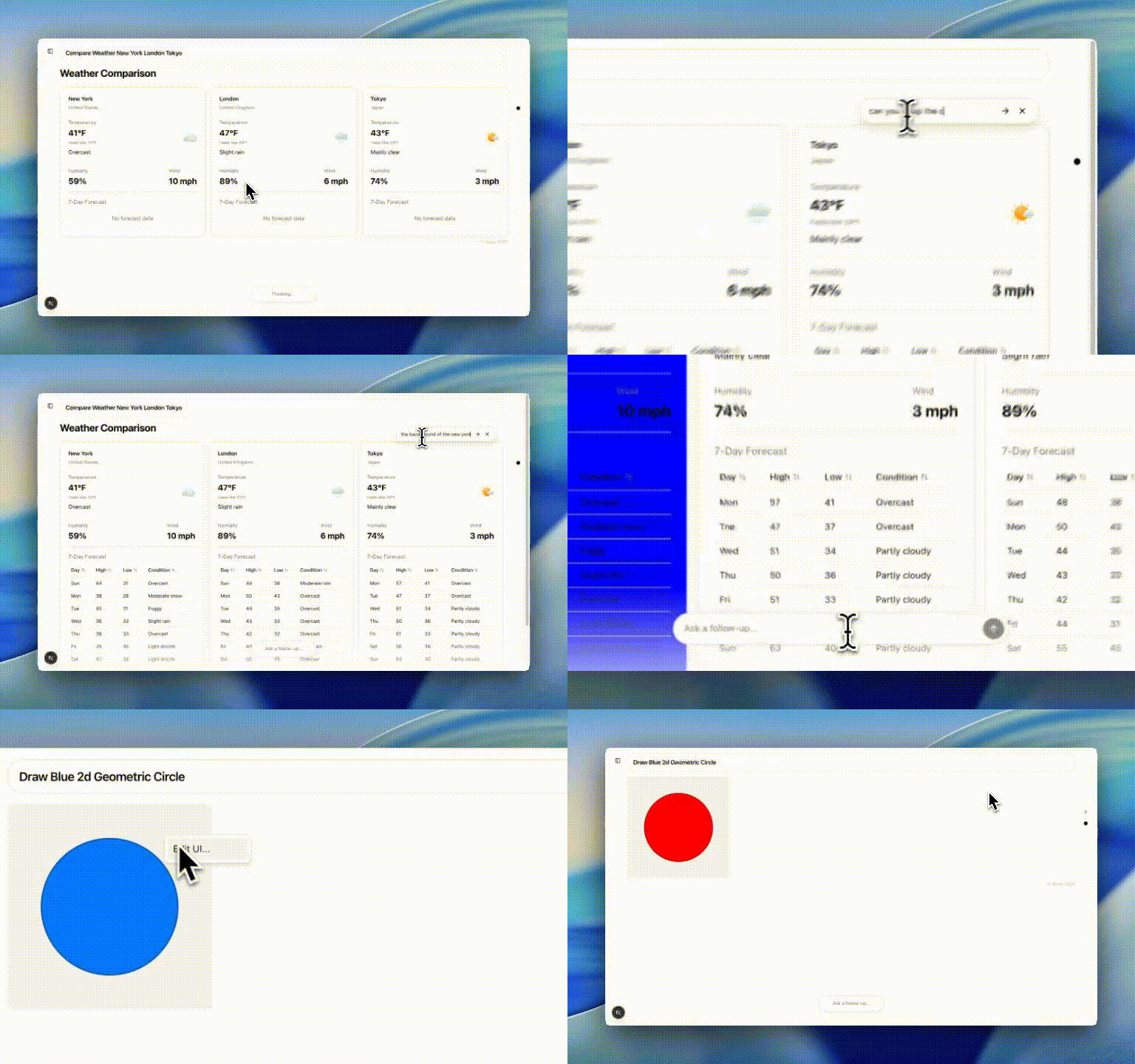
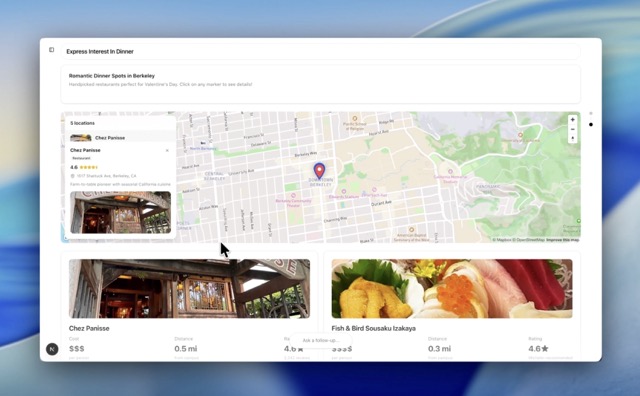
GenUIne is our interpretation of what an AI-Native Browser looks like. At the core, GenUIne is an agent that gathers information, and generates a custom interfaces to help convey it as clearly as possible. This often means tables, graphs, maps and interactive diagrams, and customized versions of sites. This allows the user to interact with the rest of the internet in the way they're most comfortable with — whether it be buying headphones from various sites, learning physics with diagrams, or planning the full trip logistics — all without having to leave the window, or our AI.
For example, GenUIne can webscrape and query many different storefronts to identify the best match products for users to buy, so that users don't waste time with an array of different websites, filters, and reviews.
How we built it
GenUIne is a multi-layer application. At the top layer, we have a UI agent that is able to convert information gathered into a visually appealing UI. This is made possible with json-renderer, which essentially takes in a custom JSON file, and is able to compile it into a full react webapp based on a catalog of components that we created for the agent. Behind the UI agent, we have an information gathering agent, which has various tools from Exa, Stagehand, BrightData, Perplexity, and various other apis / functionalities that allow us to gather as much information as we need to display in order for the user to learn. Beyond that, we have many tailor-made interfaces that make data easy to visualize, such as 2D and 3D graphic renderers, dynamic graph display tools, and more.
Challenges we ran into
We took the longest time to deliberate and finalize what the flow of the UI should look like as the user continues to make new prompts and interact with the agent. We had many different ideas and no formal UI/UX design experience prior to this project. We wanted a UI that would clearly link together related ideas, be appropriately modular for separating different kinds and levels of information, and easy to interact with. We ended up deciding on the current format of our project, which separates each distinct user query into a fresh page to display information clearly, with the ability to trace your own "chain-of-thought" along a conversation history sidebar and easily jump between thoughts, which we preferred over the current infinite-scroll format that most chatbots use. In addition, we made the UI's components able to be altered on the fly by user prompts after a user sees the version that the AI creates.
Accomplishments that we're proud of
We're proud of the UI that we created for GenUIne, especially since none of have prior UI/UX experience; its ability to address complex questions and create detailed UI for users to interact with; its ability to dynamically predict and adjust UI formats based on user queries; extensive web search tool; and how our UI handles unique and vastly different questions.
Working on GenUIne as a team was also a great experience; we were able to optimize our workflow together and find different parts of the project that each member could work on simultaneously that best fit their strengths. We're glad that we were able to combine our different takes on optimal UI into one focused tool.
What we learned
We learned how to implement BrowserUse agents, optimize UI and UX, dynamically load in UI, and create multi-agent workflows.
What's next for GenUIne
GenUIne can be taken in a lot of directions. We hope that we can optimize the shopping exploration tool to revolutionize the future of commerce and user experience with purchases. We also plan to create a mobile application for GenUIne -- especially useful due to mobile browser difficulties -- and integrate other types of inputs (photo, audio) to make the UI more accessible. In addition, there are many aspects of the UI that can be further optimized; in fact, another future direction would be allowing users to customize their own AI interfaces.

Built With
- browserbase
- claude
- css
- exa
- javascript
- openai
- stagehand
- typescript
- vercel


Log in or sign up for Devpost to join the conversation.