Inspiration
The inspiration behind GenQuery 2 came from the growing complexity of data management and the challenges beginners face when learning SQL. We wanted to create a tool that simplifies the process of querying databases using natural language, making it accessible to everyone, especially those new to SQL.
What it does
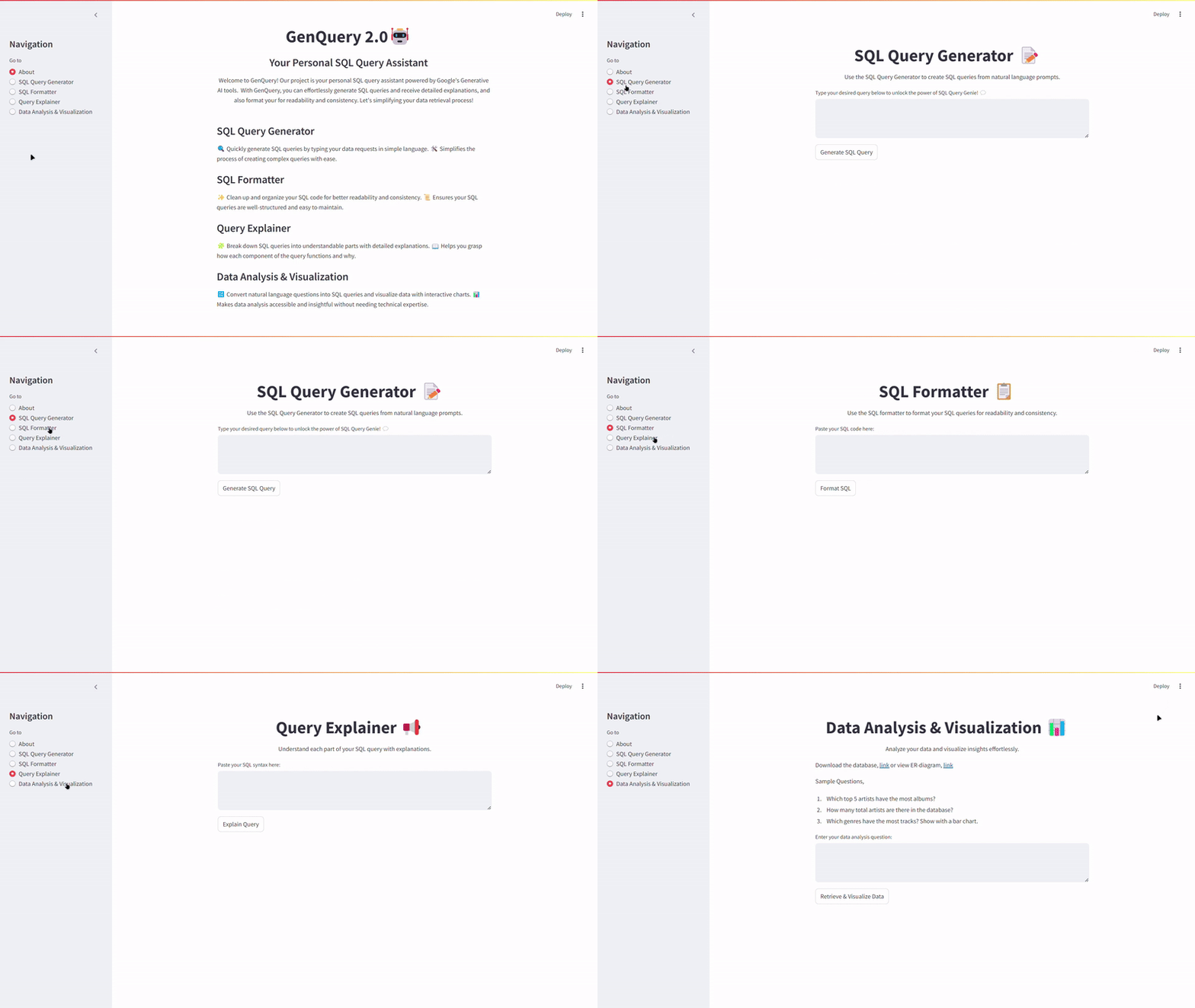
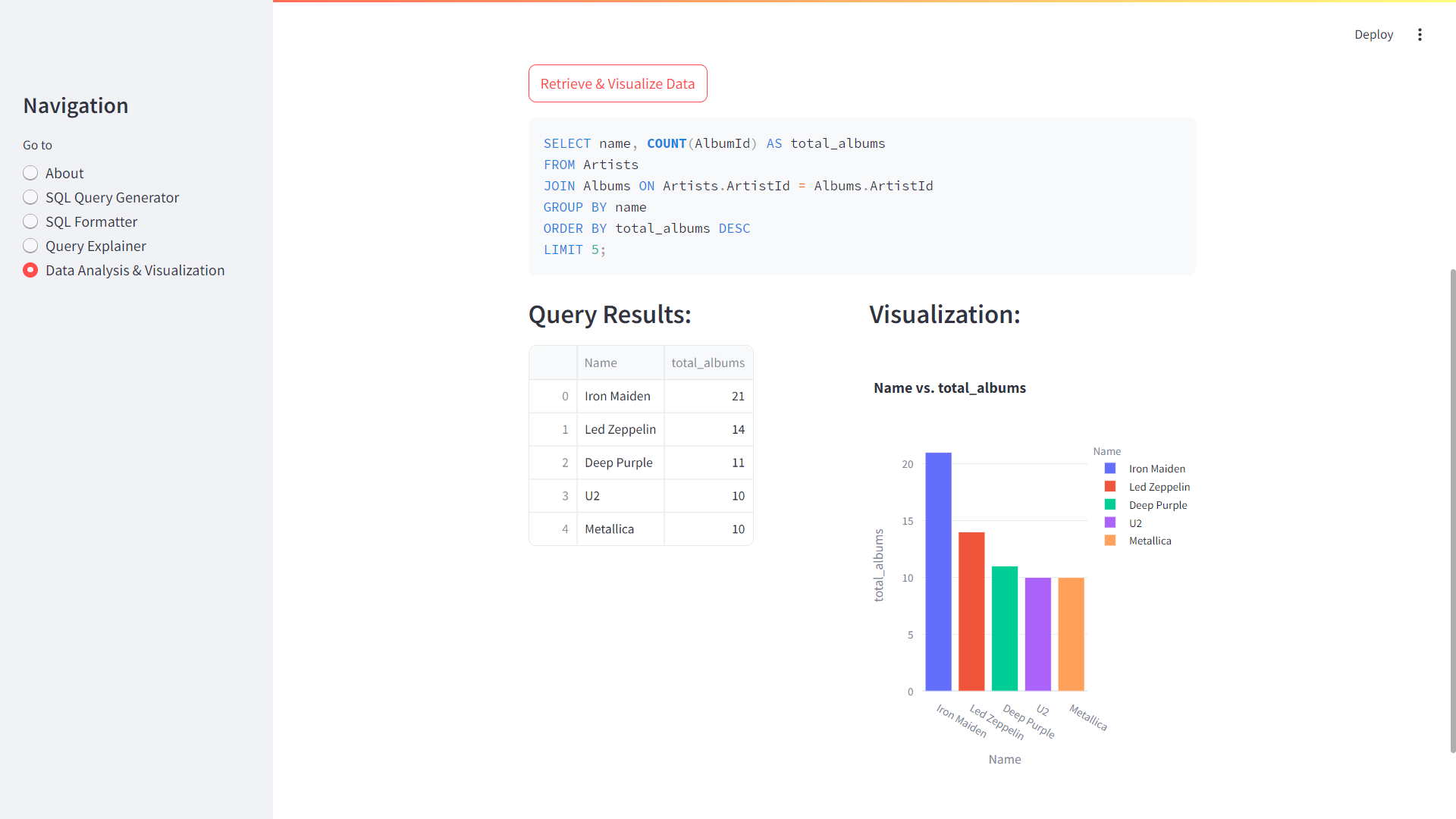
GenQuery 2 empowers users to interact with SQL databases using plain English commands. It offers several powerful features, including Natural Language Queries, a SQL Formatter, Query Explainer, and Data Analysis & Visualization tools. These features help users write, understand, and visualize SQL queries more effectively.
How we built it
We built GenQuery 2 using Python, Streamlit, and SQLite for backend functionality. The AI capabilities were integrated using Google's Gemini 1.5 Pro API and other Generative AI tools. For data visualization, we used Plotly Express to create interactive charts that provide insights into data trends.
Challenges we ran into
One of the main challenges was ensuring that the natural language processing accurately translated user queries into SQL syntax. Additionally, integrating the AI model to handle both simple and complex queries required careful tuning and optimization. Handling different data types and ensuring quick response times were also significant challenges.
Accomplishments that we're proud of
We are proud of creating a tool that not only simplifies SQL learning but also enhances the efficiency of data access and management. Successfully integrating AI to interpret natural language queries and providing detailed explanations of complex SQL syntax are major accomplishments.
What we learned
Throughout the development of GenQuery 2, we learned the importance of user-friendly design in making technical tools accessible to beginners. We also deepened our understanding of AI integration in database management and the challenges of scaling a project to handle varied user inputs.
What's next for GenQuery 2
The next steps for GenQuery 2 include adding the ability for users to upload and query their own databases. We also plan to enhance the AI's capabilities to handle more complex queries and to expand the educational features to further assist beginners in learning SQL. We envision GenQuery 2 becoming a go-to tool for both SQL learners and professionals.
Technical Difficulty
I faced many technical challenges that were both interesting and difficult. One significant struggle was deploying the app on Streamlit. The most interesting part was how the Gemini API provided tabular data from our backend. A critical lesson learned during deployment was that the requirements.txt file should only include libraries used in the app. Streamlit Cloud does not support deployment with unused libraries listed. This troubleshooting process was a valuable learning experience.
Originality
This project is entirely original and built by me. You won’t find it anywhere on the internet. GenQuery takes a fresh approach to solving the problem of making SQL accessible and easy to learn for both students and industry professionals. It’s not just another generic app; it’s a novel tool that simplifies SQL learning through AI-powered natural language queries.
User Experience
The user experience of GenQuery is smooth and intuitive. Designed on the user-friendly Streamlit platform, the app is easy to navigate and use. This makes it highly effective for both beginners and advanced users. The app is well-designed, with features like query input, result display, and visualizations streamlined for ease of use, ensuring a positive experience for all users.


Log in or sign up for Devpost to join the conversation.