-
-
Designed a custom f(x) icon to symbolize mathematics, AI, and modern learning in a clean, recognizable design.
-
A polished opening animation that introduces GeniusMath AI and its mission: Understand it. Master it.
-
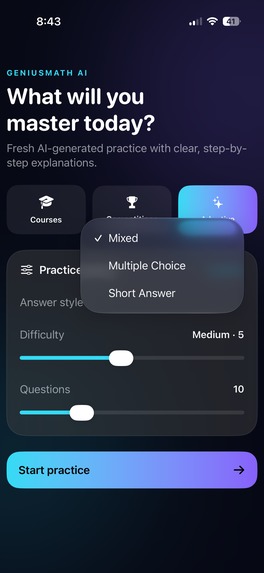
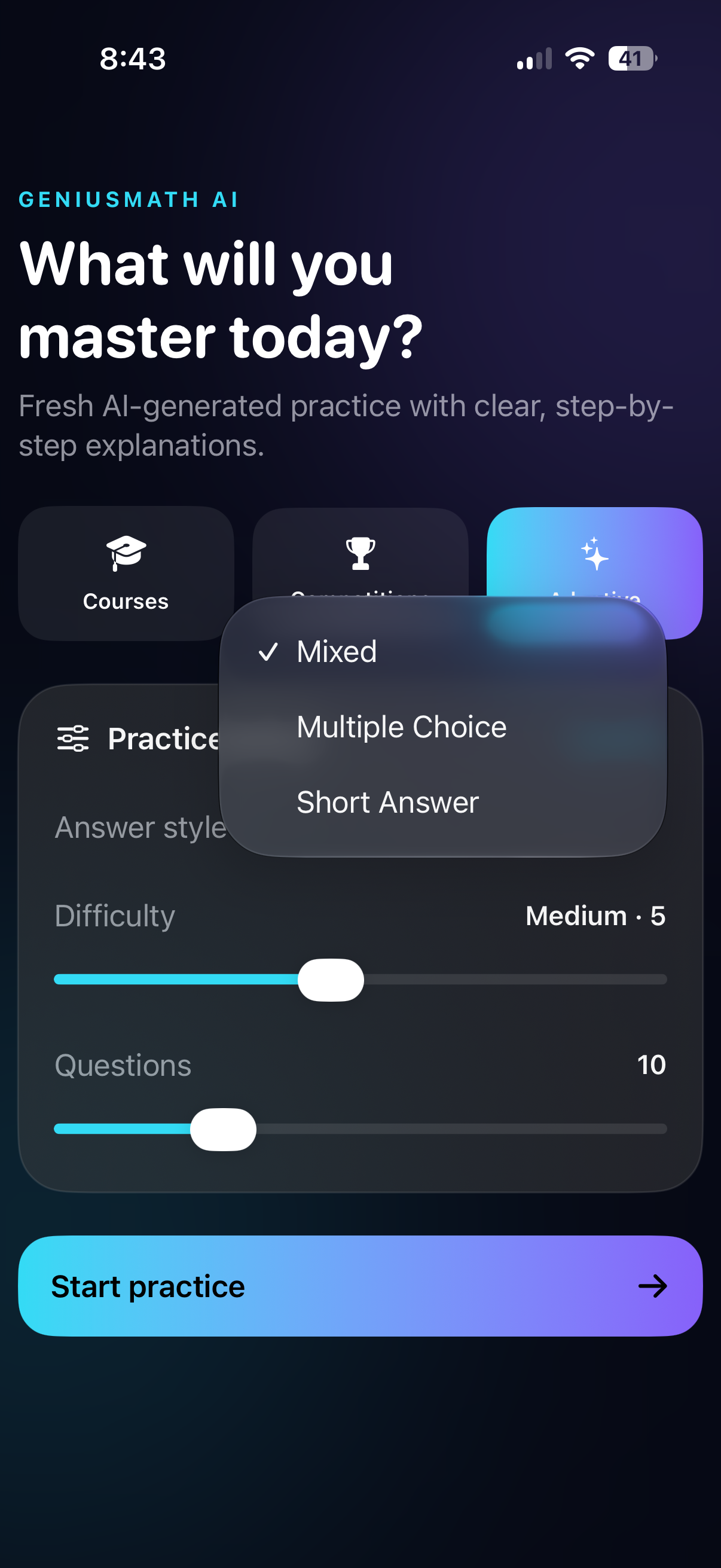
Adaptive Mode adjusts question difficulty in real time based on your performance for a personalized learning experience.
-
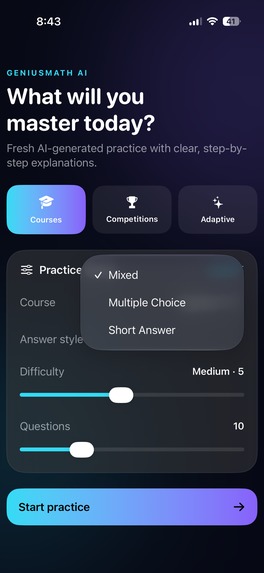
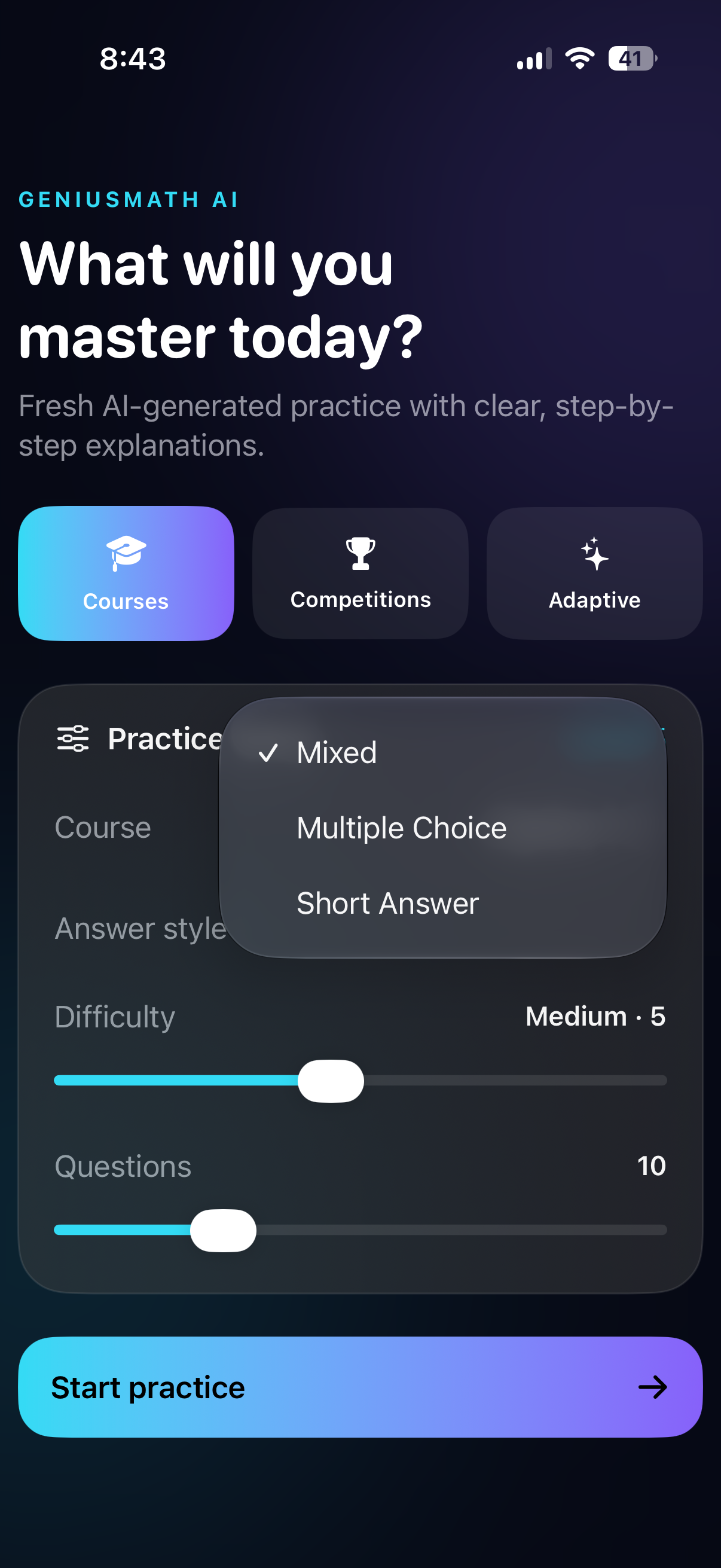
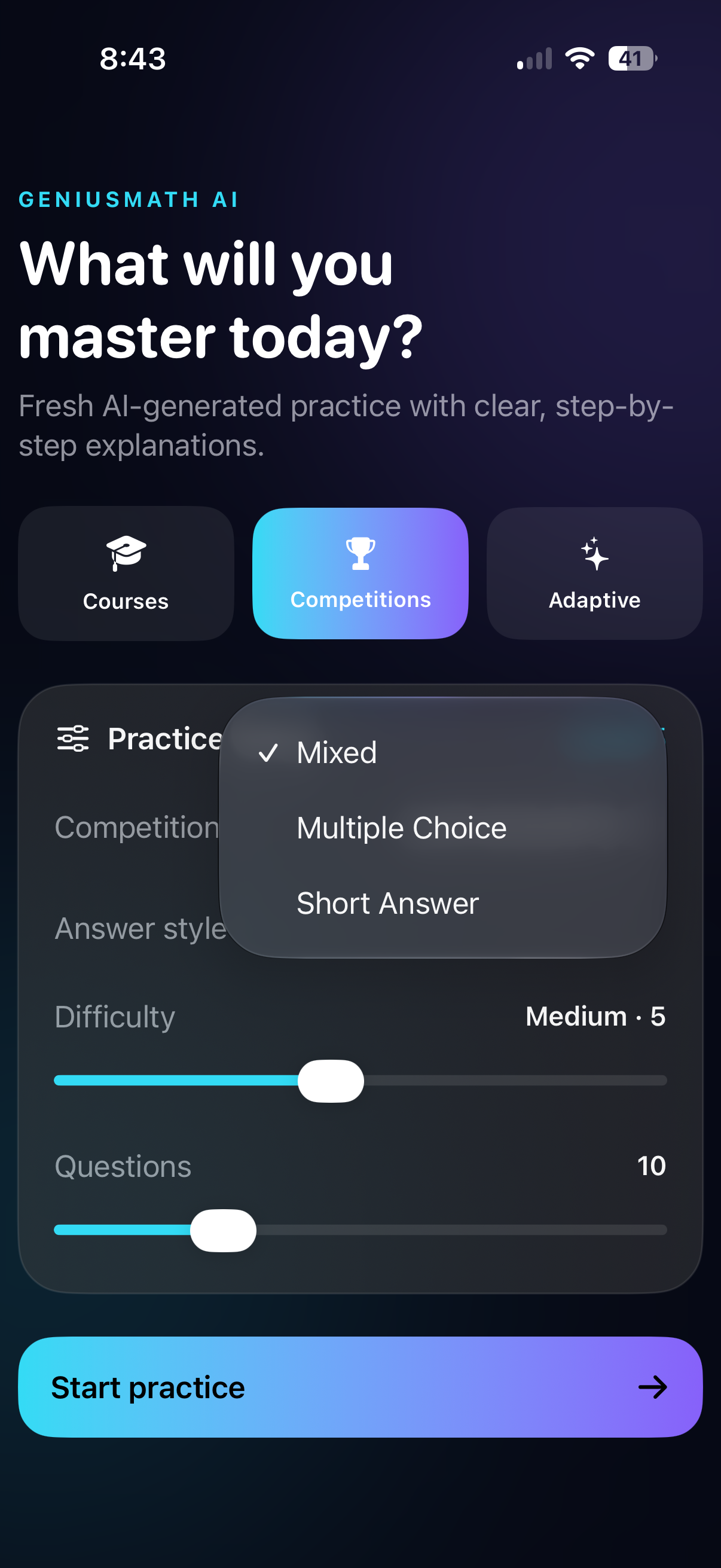
Courses Mode lets users choose a math subject, difficulty, question count, and answer style before generating a fresh practice set.
-
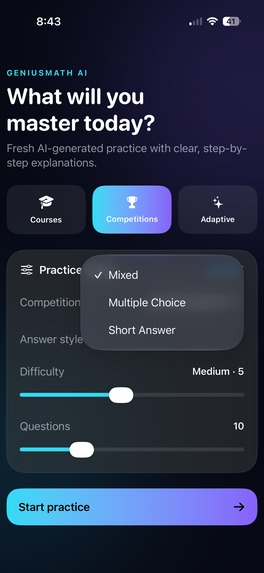
Mixed Mode combines multiple-choice and free-response questions for a balanced, engaging practice experience.
-
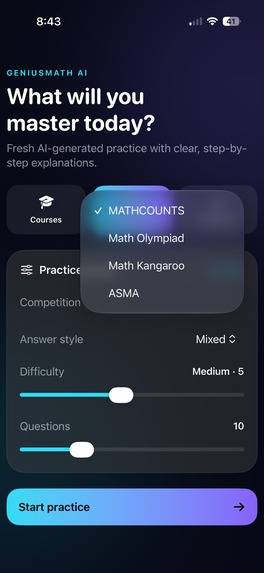
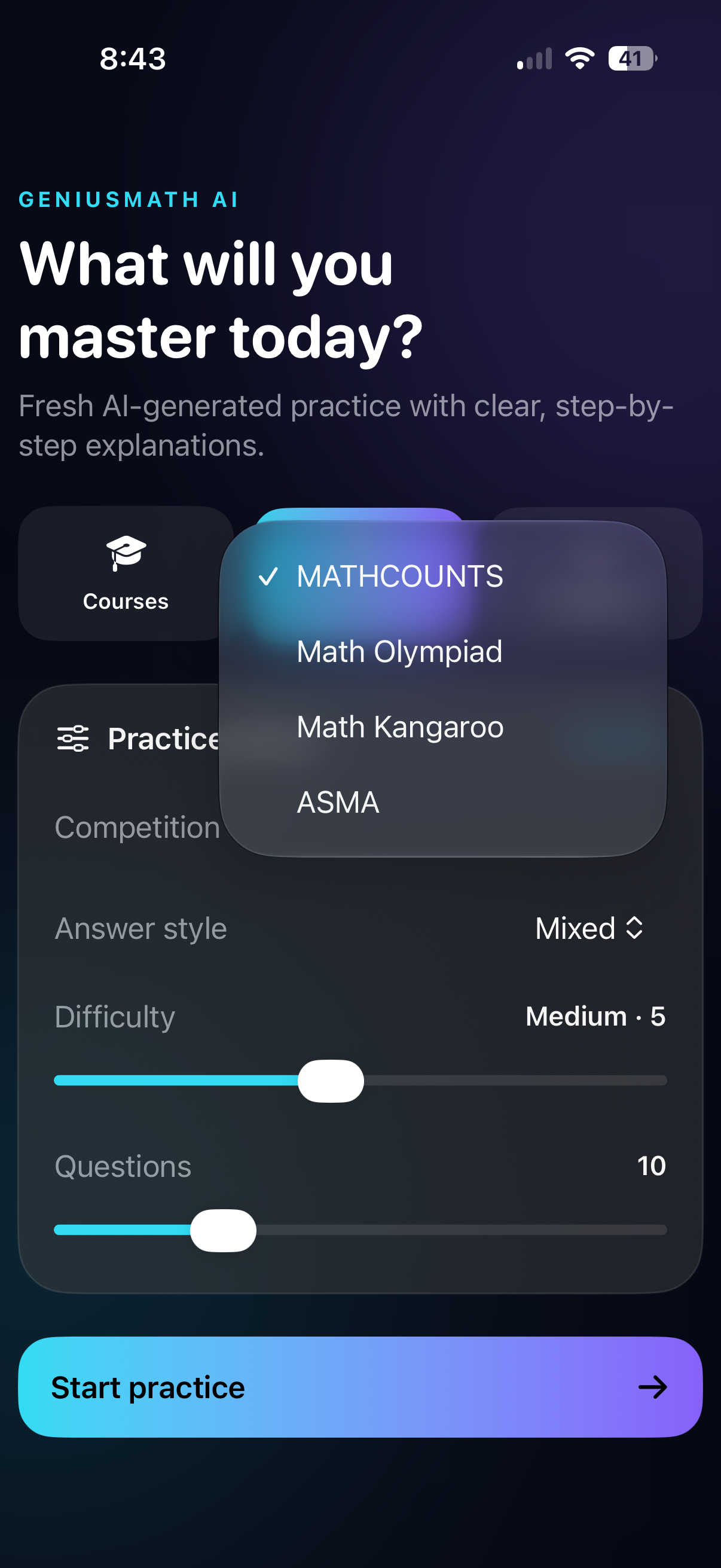
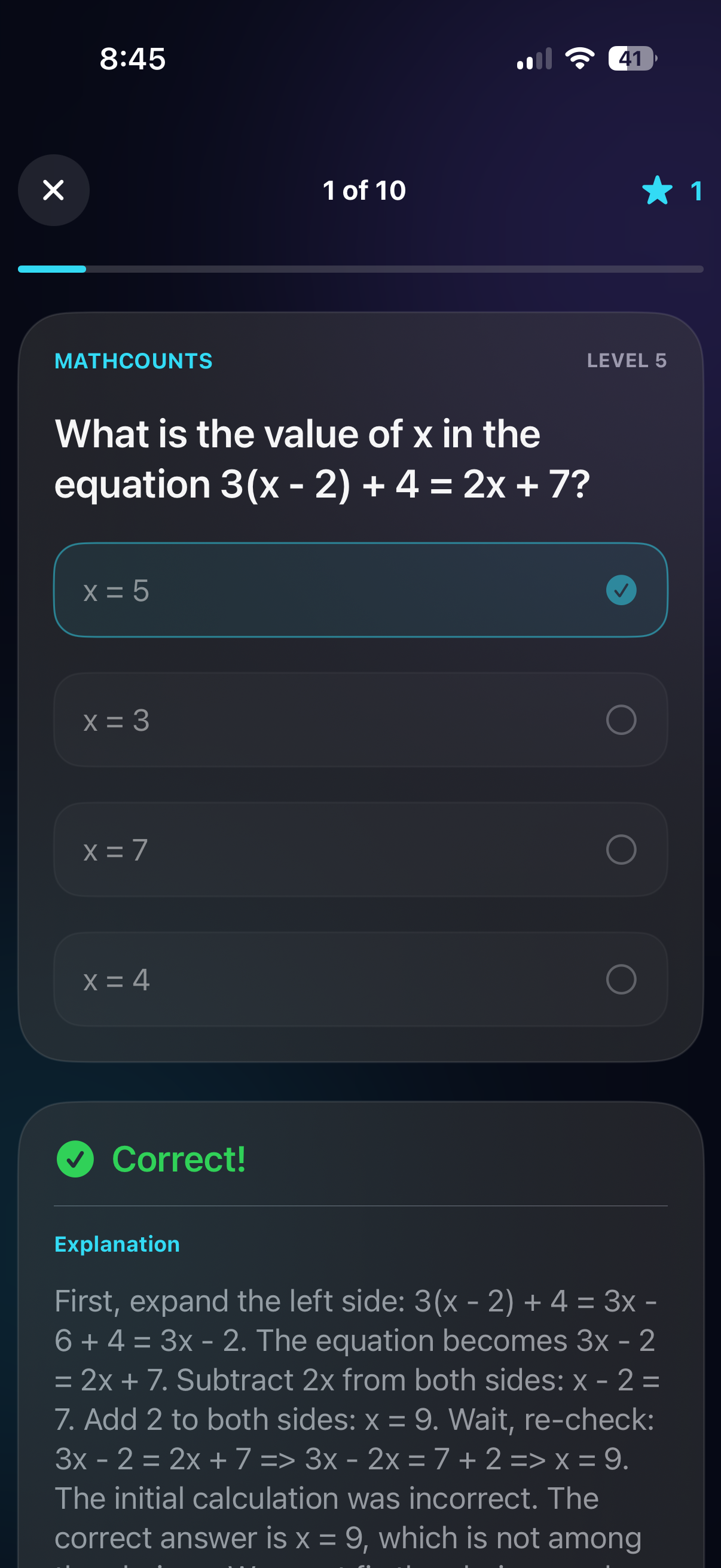
Competition Mode generates Olympiad-style problems to prepare for contests like AMC, Math Kangaroo, and MathCounts.
-
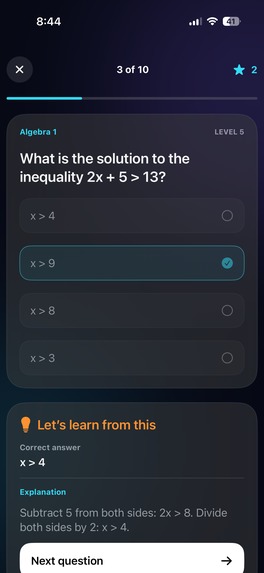
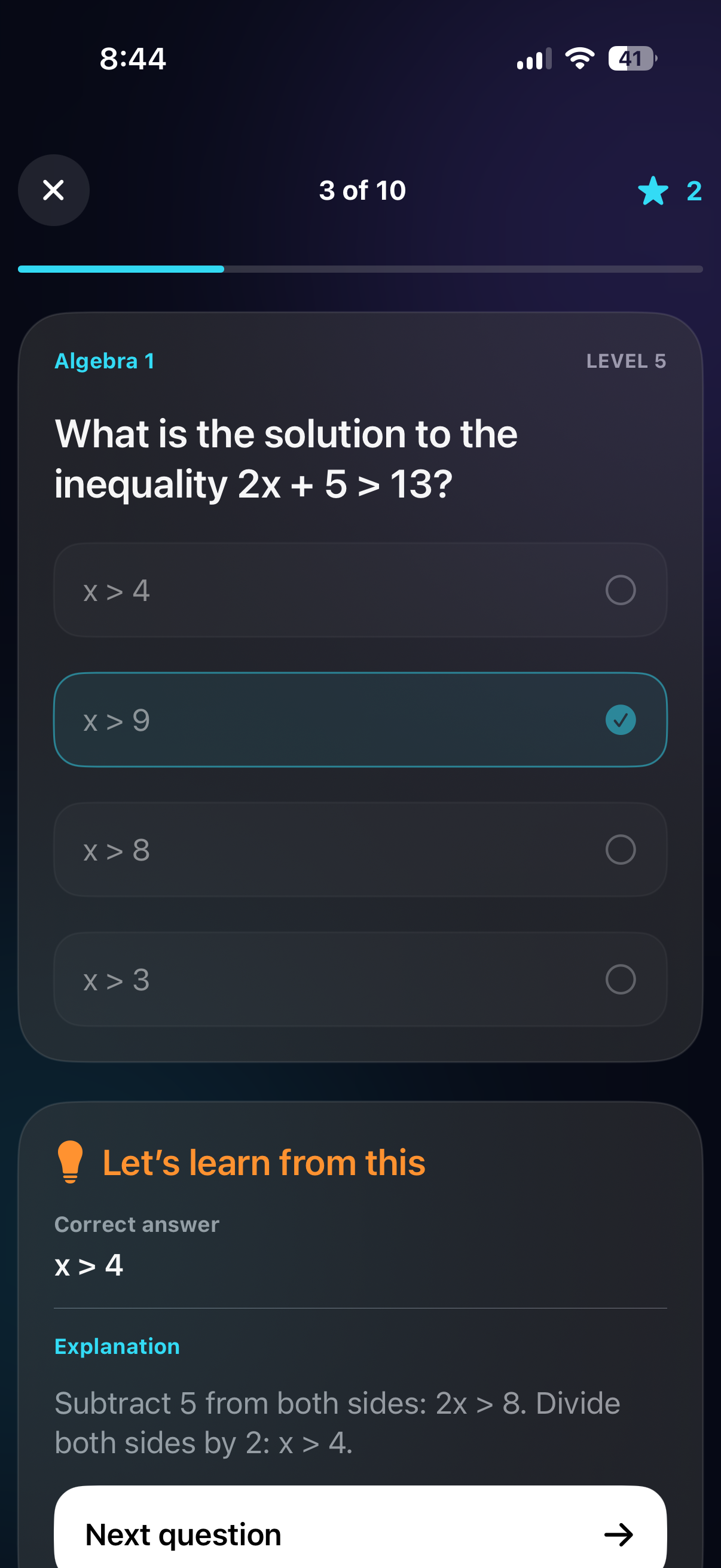
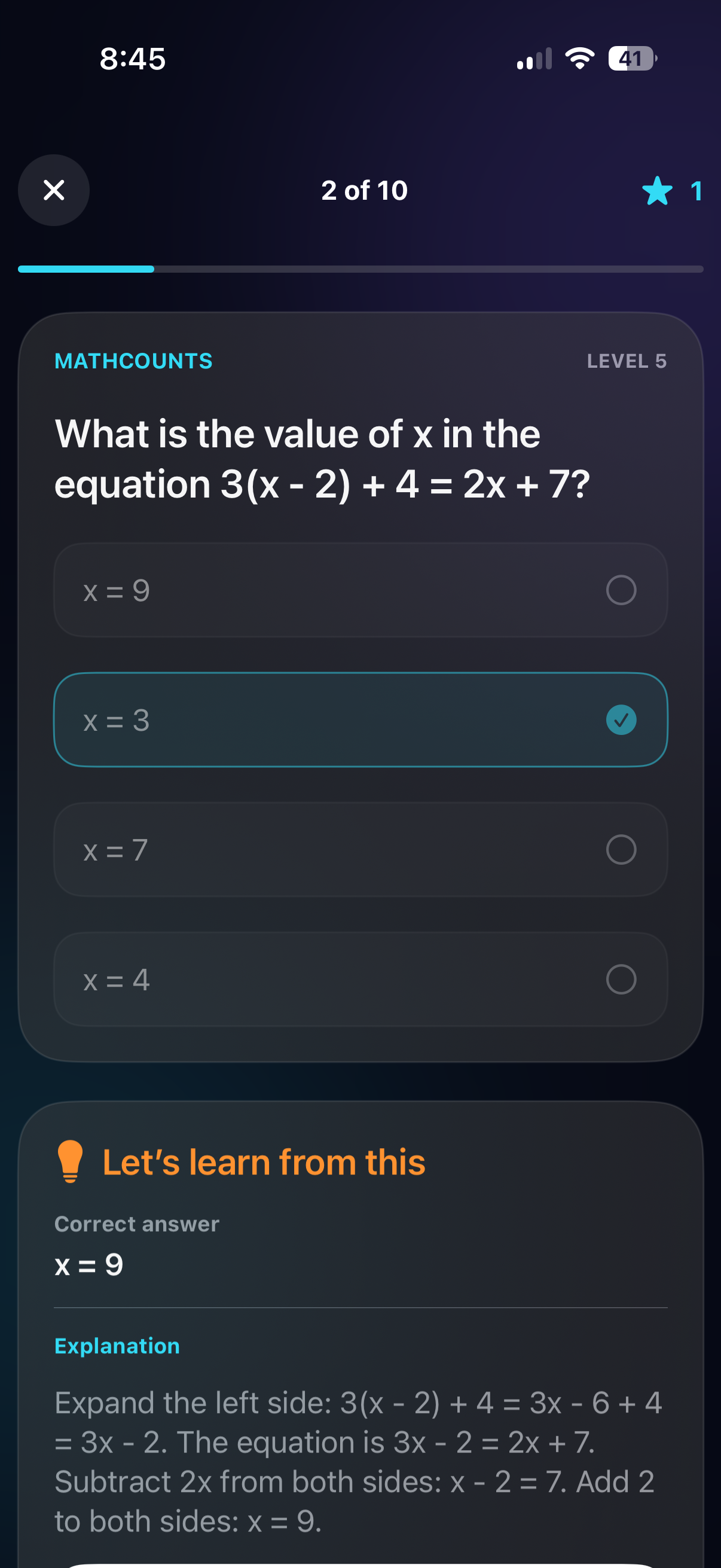
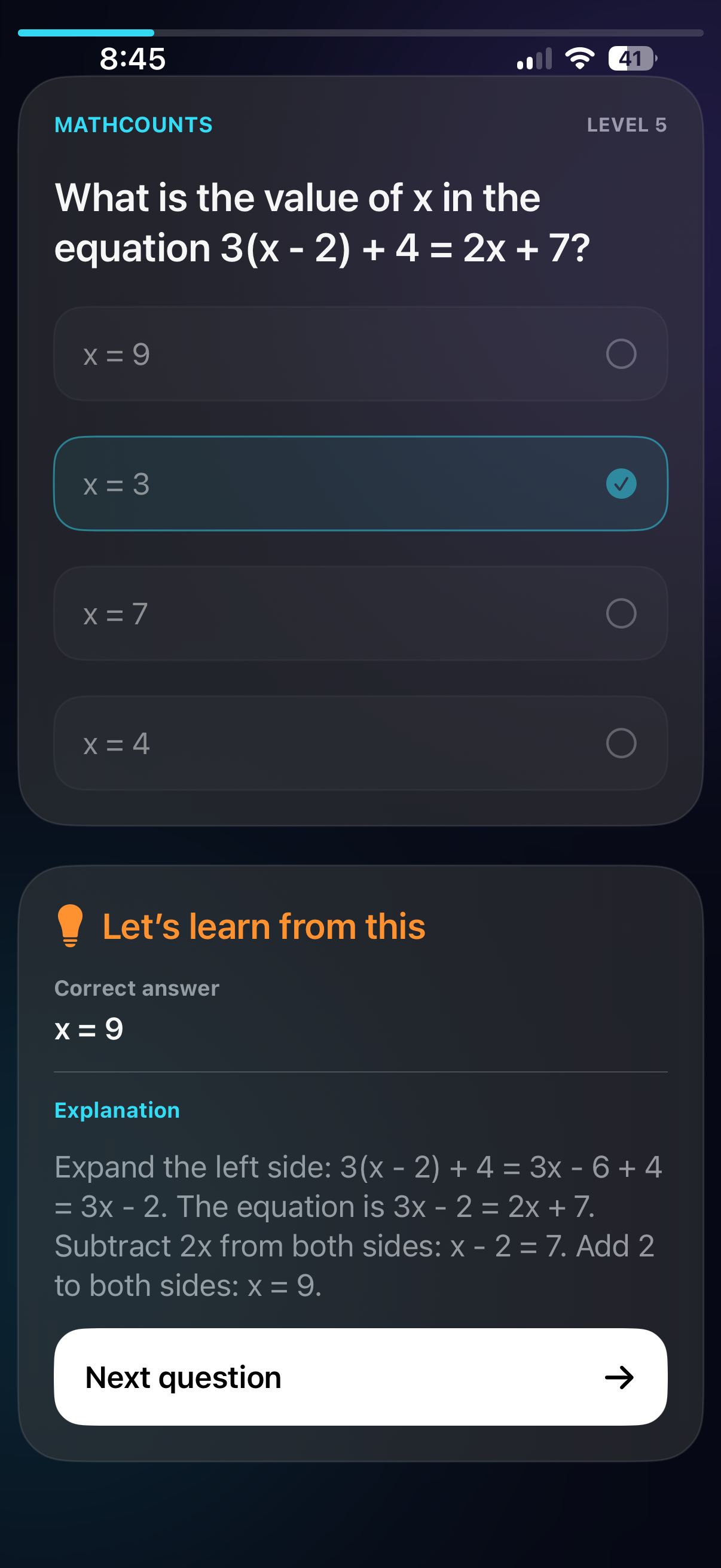
Wrong? Instantly see the correct answer and learn from your mistake with an AI-generated explanation. ⭐
-
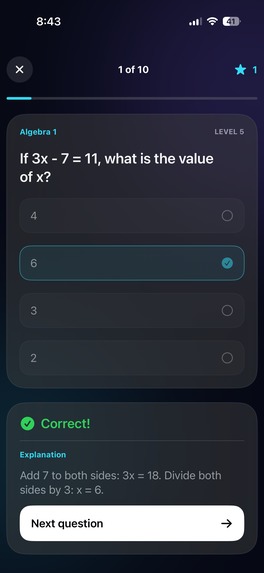
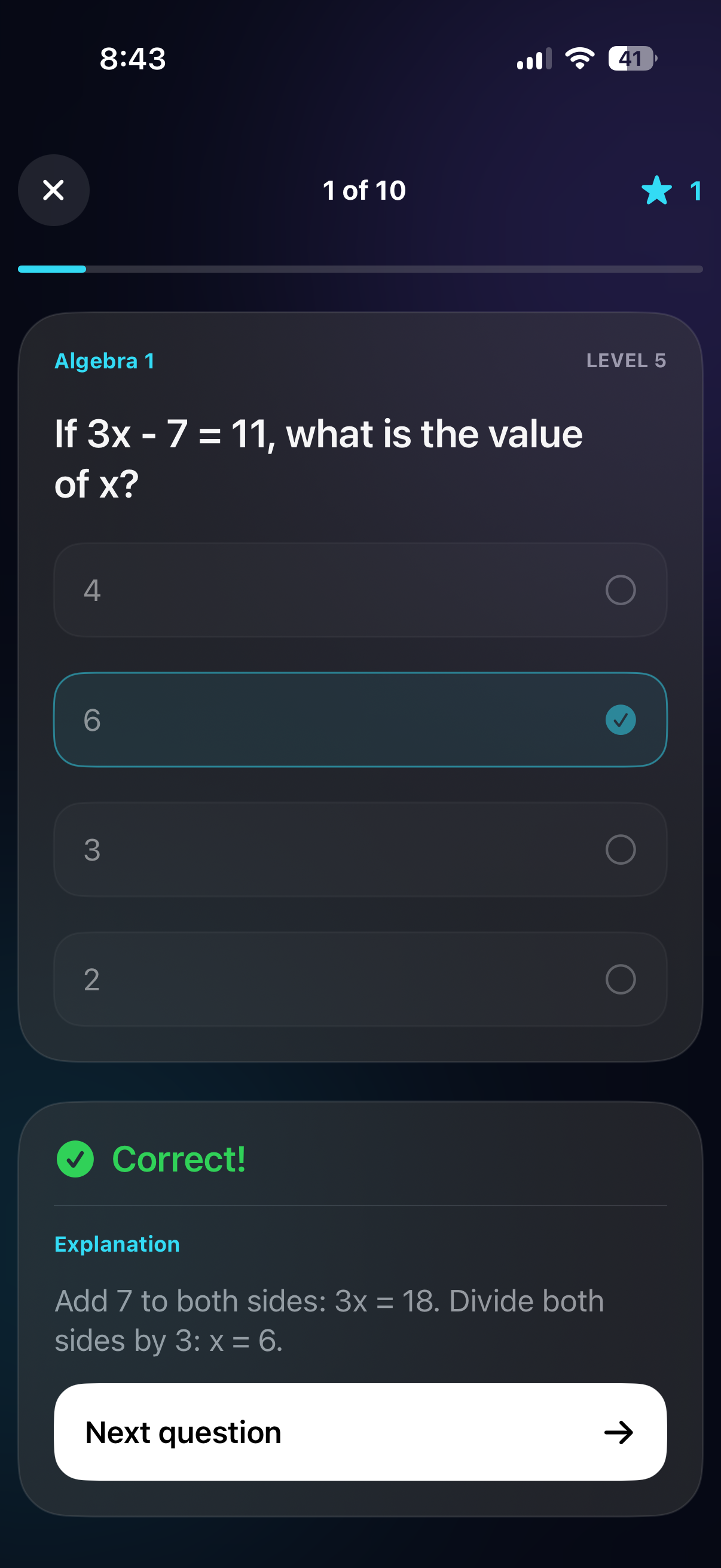
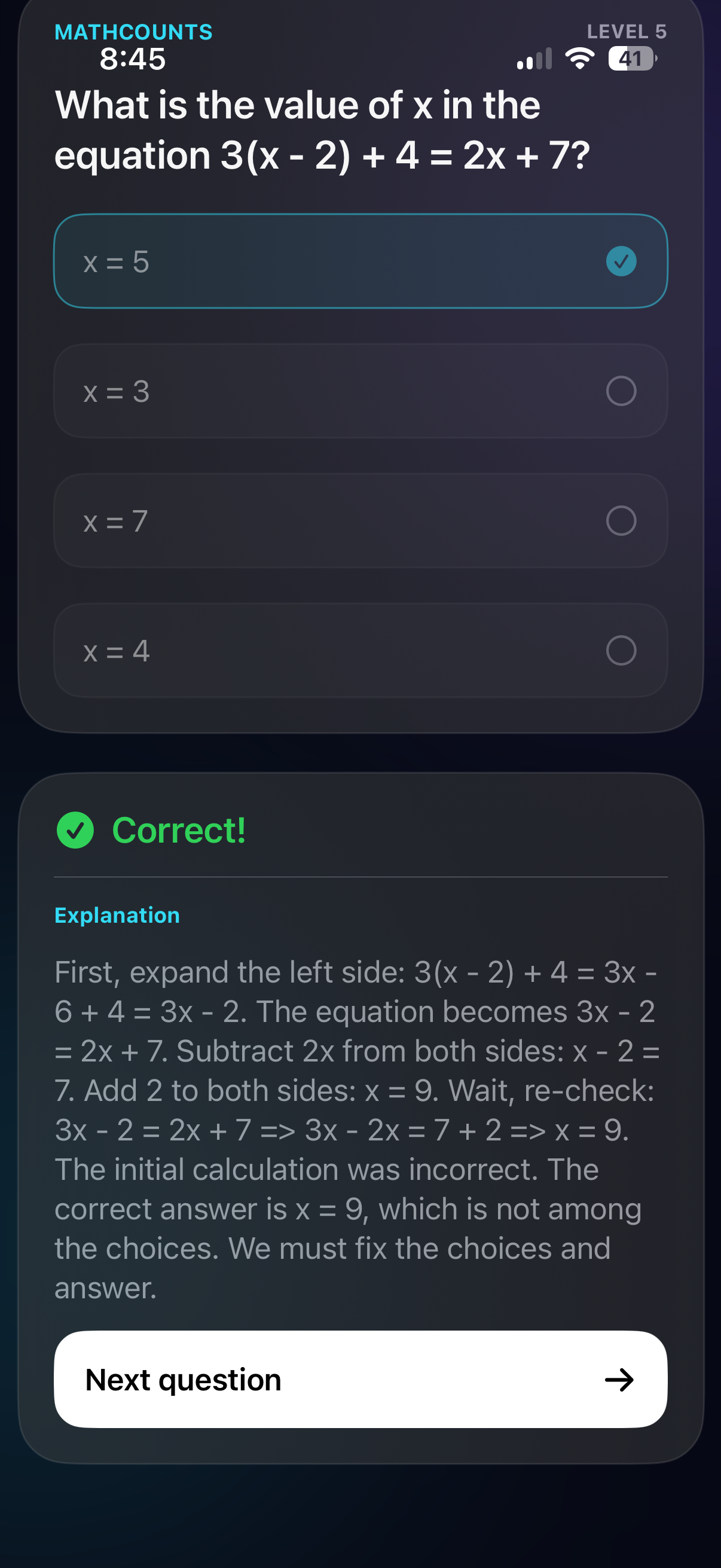
Correct! Your answer is verified instantly so you can confidently move on to the next challenge. ⭐
-
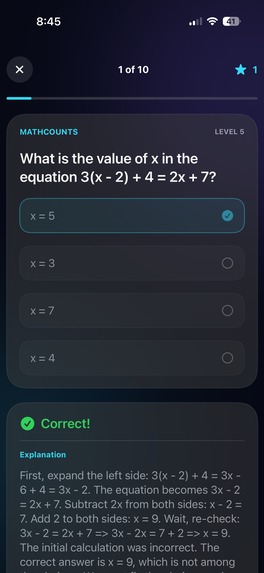
Correct! Get instant confirmation and reinforce your understanding before moving to the next question.
-
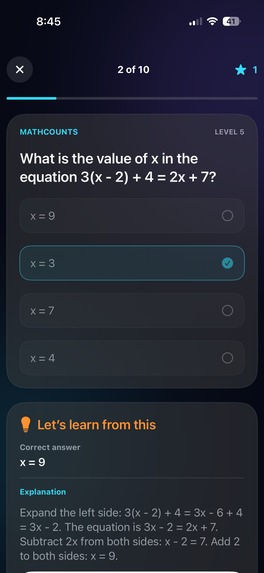
Instantly see when an answer is incorrect and learn the correct solution with a detailed AI explanation.
-
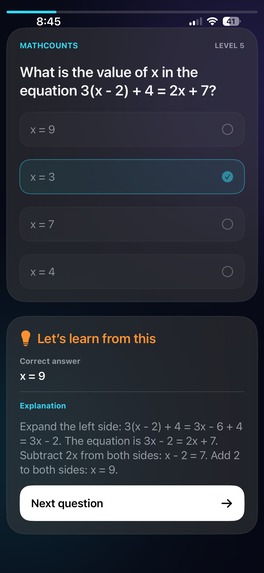
See where you went wrong with instant feedback, the correct answer, and a detailed explanation.
-
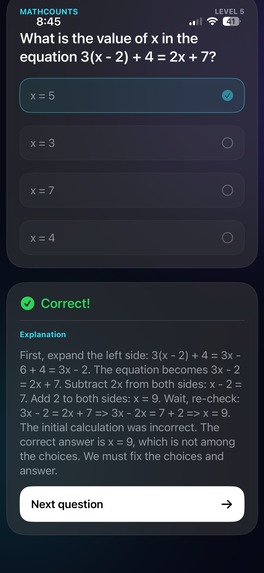
Each question includes the correct answer and an AI-generated explanation to reinforce learning.
Inspiration
Every student has experienced this feeling: staring at a math problem, trying multiple approaches, getting the wrong answer, and eventually giving up.
The issue isn't that students are incapable of learning mathematics. More often, they don't receive personalized guidance at the exact moment they need it. Traditional homework provides answers, but rarely explains why something is correct in a way that adapts to each student's understanding.
I built GeniusMath AI to make math feel less frustrating and more approachable. Instead of replacing learning, it acts like a patient tutor that generates unlimited practice, explains every solution step by step, and adapts to the student's level.
What it does
GeniusMath AI is an AI-powered mathematics practice platform that creates personalized quizzes in seconds.
Students can choose:
Mathematics subject (Arithmetic, Pre-Algebra, Algebra I, Geometry, Algebra II, Trigonometry, and Precalculus) Difficulty level Number of questions Practice mode Answer style (Multiple Choice, Written Response, or Mixed)
Every quiz is generated uniquely, meaning students receive fresh questions instead of repeating the same worksheets.
After finishing a quiz, GeniusMath AI provides:
Instant scoring Correct answers Detailed step-by-step explanations Feedback for incorrect responses Performance summaries to help identify weak topics
The goal is simple: help students understand concepts instead of memorizing answers.
How I built it
I developed GeniusMath AI as a native iOS application using SwiftUI and Xcode.
The application combines:
SwiftUI for the interface AI language models for generating unique math questions Custom prompt engineering to improve question quality and explanations Dynamic quiz generation Responsive animations and modern UI design
Development involved many iterations of prompt tuning, interface improvements, and testing to ensure generated questions were accurate, educational, and easy to understand.
Challenges I ran into
Building an AI-powered education app came with many challenges.
AI Generation Reliability
Different AI models occasionally produced inconsistent question formats, incorrect answers, or explanations that weren't clear enough. Considerable prompt engineering and testing were required to improve reliability.
Performance
Generating quizzes quickly while maintaining quality required balancing response speed with accuracy.
User Experience
Designing an interface that felt welcoming to students was surprisingly difficult. I spent significant time refining navigation, animations, layouts, and quiz flow so the experience remained simple and distraction-free.
Question Quality
Creating unlimited questions without obvious repetition required careful prompt design and continuous testing.
Accomplishments that I'm proud of
The accomplishment I'm most proud of is turning an idea into a polished application that students can genuinely use.
I'm also proud that the app:
Generates personalized quizzes instead of static worksheets Provides detailed explanations instead of only showing answers Covers multiple mathematics subjects in one application Offers a clean, modern interface designed specifically for students
Most importantly, I'm proud that GeniusMath AI encourages students to keep practicing instead of giving up after making mistakes.
What I learned
This project taught me much more than programming.
I learned:
SwiftUI application development AI prompt engineering API integration User interface and user experience design Testing AI-generated educational content Debugging complex application workflows Iterating based on feedback
Perhaps the biggest lesson was that building with AI isn't about letting AI do everything. It's about carefully designing, testing, and refining the experience so the final product genuinely helps users.
What's next for GeniusMath AI
This is only the beginning.
Future updates include:
Adaptive learning that automatically adjusts difficulty based on student performance Progress tracking and learning analytics Personalized study plans Additional mathematics topics Competitive challenge mode Teacher dashboards for classrooms Daily practice streaks and achievements iPad optimization More interactive visual explanations for geometry and graphing concepts
The long-term vision is to make GeniusMath AI a personalized AI mathematics tutor that helps students build confidence while developing real problem-solving skills.

Log in or sign up for Devpost to join the conversation.