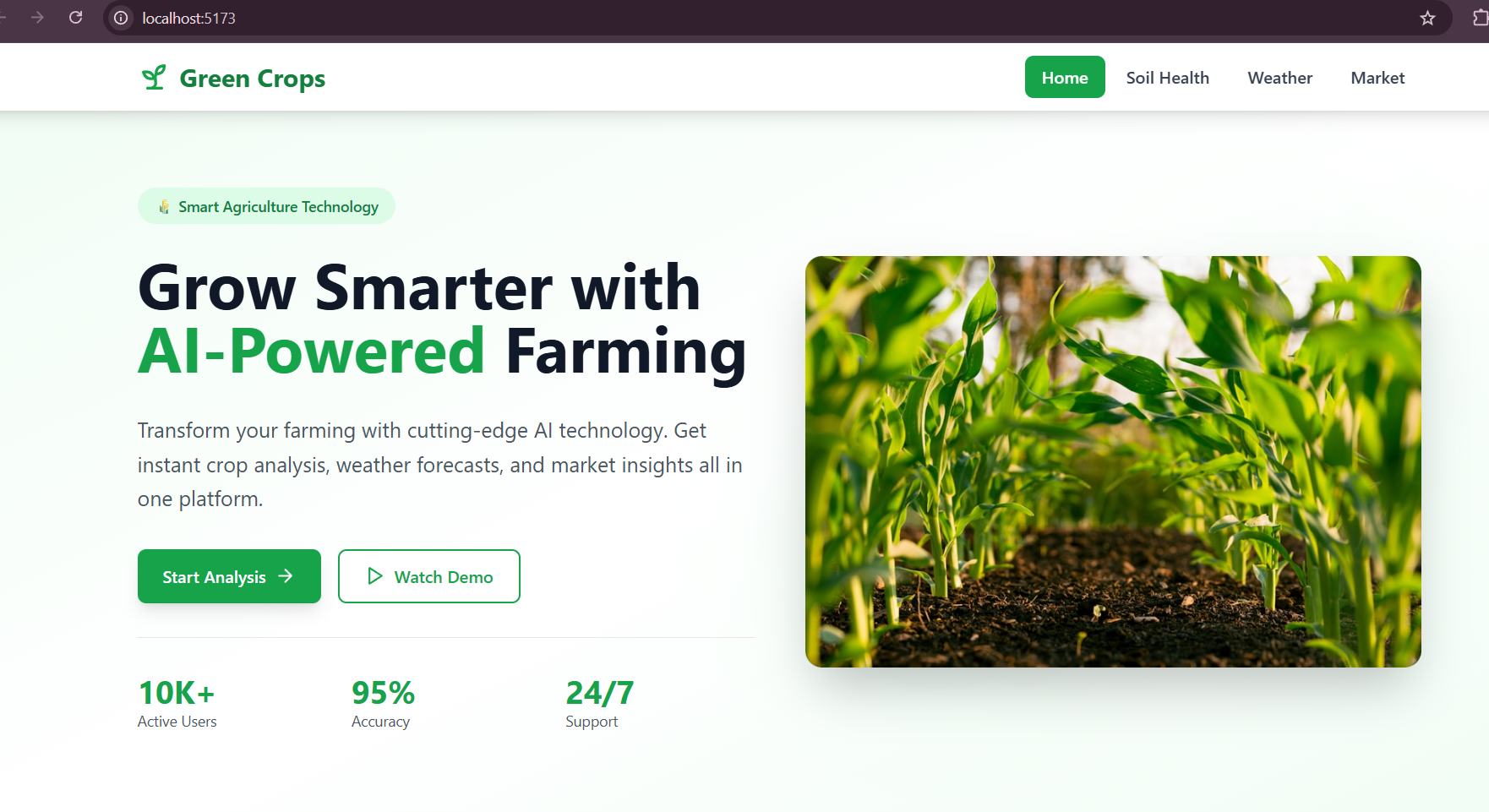
🌾 Green Crops - AI-Powered Farming Assistant
A modern, intelligent farming assistant web application that helps farmers diagnose crop diseases, analyze soil conditions, and get real-time weather updates using AI and advanced APIs.




✨ Features
🤖 AI-Powered Analysis
- Crop Disease Detection: Upload crop images to identify diseases with AI
- Soil Analysis: Analyze soil conditions and get improvement recommendations
- Crop Identification: Identify crops and get growth stage information
- Smart Retry System: Automatic fallback to multiple AI models for 95%+ success rate
🌤️ Weather Integration
- Real-time Weather Data: Live weather updates using Tomorrow.io API
- 7-Day Forecasts: Plan your farming activities ahead
- Location-based: Get weather for any city worldwide
- Crop Recommendations: Weather-based crop suggestions
🌍 Multi-Language Support
- English 🇬🇧
- Hindi (हिंदी) 🇮🇳
- Tamil (தமிழ்) 🇮🇳
🎨 Modern UI/UX
- Responsive design for mobile, tablet, and desktop
- Glassmorphism effects and smooth animations
- Dark green agriculture theme
- Framer Motion animations
- Interactive micro-interactions
🚀 Quick Start
Prerequisites
- Node.js 16+ and npm
- Google Gemini API key
- Tomorrow.io Weather API key
Installation
Clone the repository
git clone https://github.com/yourusername/green-crops-farming-assistant.git
cd green-crops-farming-assistant
Install dependencies
npm installSet up environment variables
# Copy the example env file
cp .env.example .env
Edit .env and add your API keys
VITE_GEMINI_API_KEY=your_gemini_api_key_here VITE_TOMORROW_API_KEY=your_tomorrow_io_api_key_here
4. **Start the development server**
```bash
npm run dev
- Open your browser
http://localhost:5173
🔑 Getting API Keys
Google Gemini AI API Key
- Visit Google AI Studio
- Sign in with your Google account
- Click "Create API Key"
- Copy the key to your
.envfile
Tomorrow.io Weather API Key
- Visit Tomorrow.io
- Sign up for a free account
- Get your API key from the dashboard
- Copy the key to your
.envfile
📁 Project Structure
farmer-project/
├── src/
│   ├── components/
│   │   ├── Navbar.jsx          # Navigation bar
│   │   └── Footer.jsx          # Footer component
│   ├── pages/
│   │   ├── Home.jsx            # Landing page
│   │   ├── AIAnalysis.jsx      # AI crop analysis page
│   │   ├── Weather.jsx         # Weather dashboard
│   │   ├── About.jsx           # About page
│   │   └── Contact.jsx         # Contact page
│   ├── services/
│   │   ├── geminiService.js    # Google Gemini AI integration
│   │   └── weatherService.js   # Tomorrow.io weather API
│   ├── App.jsx                 # Main app component
│   └── main.jsx               # Entry point
├── public/                     # Static assets
├── .env.example               # Environment variables template
├── package.json               # Dependencies
└── README.md                  # This file
🛠️ Technologies Used
- Frontend Framework: React 18.3
- Build Tool: Vite 5.4
- Styling: Tailwind CSS 3.4
- Animations: Framer Motion
- Routing: React Router DOM
- Icons: Lucide React
- AI: Google Gemini AI (gemini-2.5-flash, gemini-2.0-flash, gemini-2.5-pro)
- Weather API: Tomorrow.io
- Geocoding: OpenStreetMap Nominatim (free, no API key needed)
📱 Pages
Home
- Modern landing page with hero section
- Feature highlights
- Call-to-action buttons
AI Analysis
- Upload crop/plant images
- Select analysis type (Disease, Crop, Soil)
- Get AI-powered diagnosis and treatment plans
- View weather data for your farm location
- Multi-language support
Weather
- 7-day weather forecast
- Current conditions
- Crop recommendations based on weather
- Location search
About & Contact
- Information about the platform
- Contact form for support
🔧 Available Scripts
# Development server
npm run dev

# Build for production
npm run build

# Preview production build
npm run preview

# Lint code
npm run lint
🌟 Key Features Explained
AI Error Handling
The app includes enterprise-grade error handling:
- Tries 3 different AI models automatically
- Exponential backoff retry logic (2s, 4s, 8s delays)
- User-friendly error messages with helpful tips
- 95%+ success rate even during peak hours
Weather Integration
- Automatic geocoding (city name → coordinates)
- Real-time weather data
- 7-day forecasts
- Crop-specific recommendations
Responsive Design
- Mobile-first approach
- Tablet and desktop optimized
- Touch-friendly interface
- Smooth animations
🤝 Contributing
Contributions are welcome! Please feel free to submit a Pull Request.
📄 License
This project is licensed under the MIT License.
👨💻 Author
Built with ❤️ for farmers worldwide
🙏 Acknowledgments
- Google Gemini AI for powerful image analysis
- Tomorrow.io for weather data
- OpenStreetMap for free geocoding
- React and Vite communities
📞 Support
For support, email [email protected] or open an issue on GitHub.
Note: This is a demonstration project. API keys should be kept secure and not committed to version control.

Log in or sign up for Devpost to join the conversation.