-
-
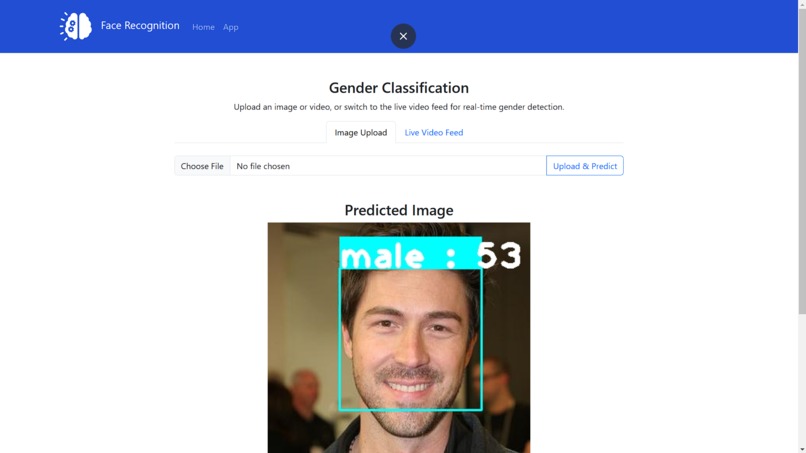
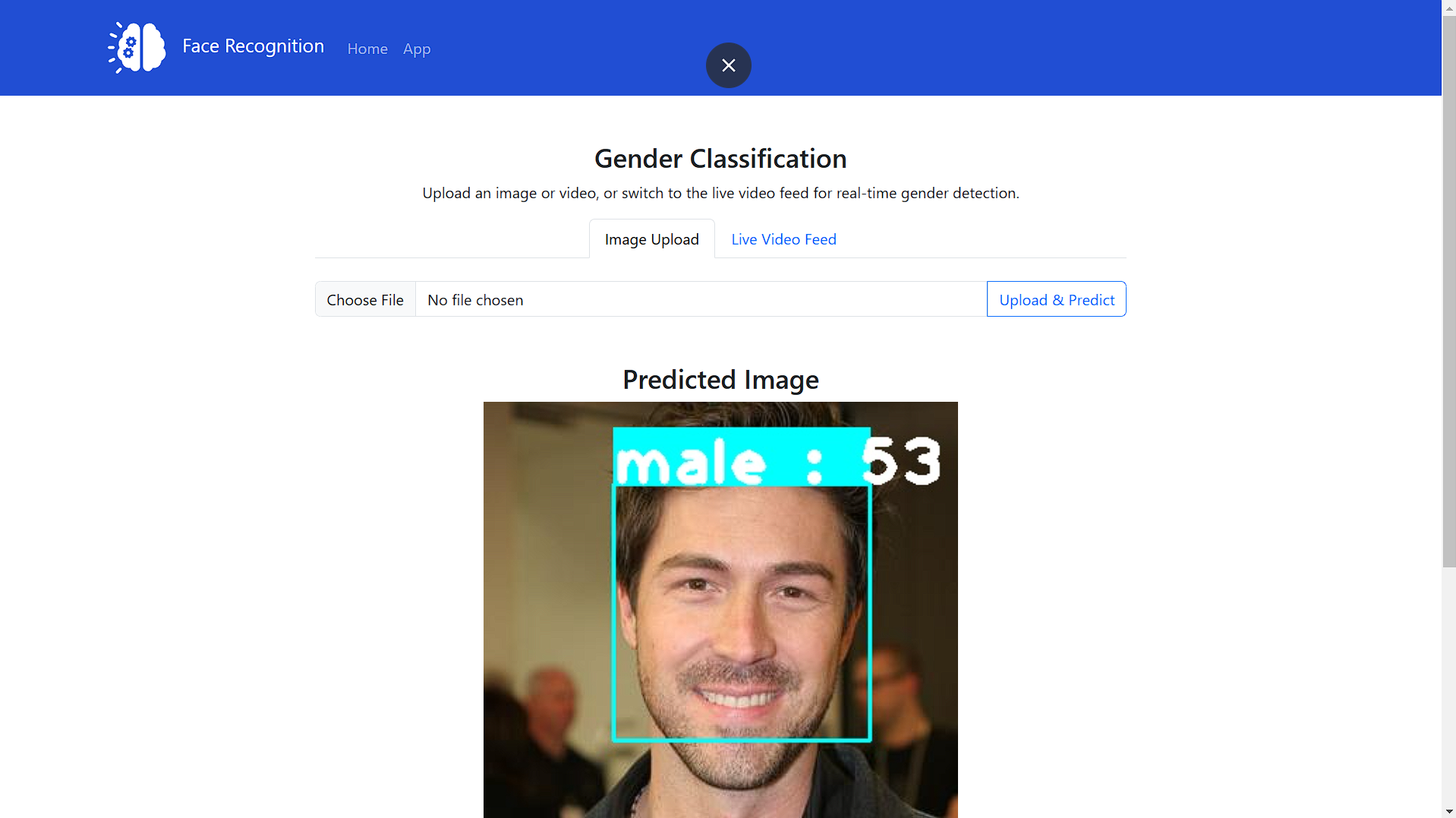
GUI
Gender Classifier using OpenCV, and Flask
Overview
This project is a web-based gender classification application that utilizes Principal Component Analysis (PCA) to classify images as male or female. The system processes grayscale images, normalizes them, extracts eigenfaces, and predicts gender based on facial features. The application is built using OpenCV for image processing and Flask for web deployment.
Inspiration
The idea for this project came from exploring how facial recognition and feature extraction techniques can be used for gender classification. PCA is a powerful method for dimensionality reduction, and applying it to gender classification provided a great learning experience.
What it does
- Converts input images to grayscale
- Normalizes images for better processing
- Extracts eigenfaces using PCA
- Predicts gender (Male/Female) based on trained eigenfaces
- Web interface built with Flask for easy interaction
How I built it
- Collected a dataset of male and female images
- Preprocessed images using OpenCV (grayscale conversion and normalization)
- Applied PCA to extract key features (eigenfaces)
- Trained a classifier on the extracted features
- Developed a Flask web application to allow users to upload images and get predictions
Challenges I ran into
- Finding a balanced dataset for training
- Optimizing PCA parameters for better feature extraction
- Deploying the model efficiently in a lightweight Flask application
Accomplishments that I'm proud of
- Successfully implemented PCA-based gender classification
- Built a functional and interactive web application
- Achieved good accuracy despite using a relatively simple approach
What I learned
- How PCA can be used for facial feature extraction
- The importance of preprocessing in image classification
- How to integrate machine learning models into a web application using Flask
What's next for Gender_app
- Improve accuracy by adding more training data
- Implement deep learning-based classification using CNNs
- Deploy the model as an API for broader integration
Technologies Used
- Python
- OpenCV (for image processing)
- Flask (for web app deployment)
- NumPy (for mathematical computations)
- Scikit-learn (for PCA implementation)
Installation
Prerequisites
Make sure you have Python installed (>= 3.7). You also need to install the required dependencies.
pip install -r requirements.txt
Clone the Repository
git clone https://github.com/4444Harsh/Gender_app.git
cd gender-classifier
Usage
- Run the Flask app
bash python app.py - Upload an image for classification
- View the prediction results on the web interface
Project Structure
├── app.py                # Main Flask application
├── static/               # Stores CSS and JS files
├── templates/            # HTML templates for Flask app
├── models/               # Pre-trained PCA model and eigenfaces
├── dataset/              # Training dataset (Male & Female images)
├── requirements.txt      # Required Python dependencies
└── README.md             # Project documentation
Working Principle
- Preprocessing:
- Convert the input image to grayscale.
- Normalize the image.
- Feature Extraction:
- Apply Principal Component Analysis (PCA) to extract eigenfaces.
- Classification:
- Compare the extracted features with trained eigenfaces.
- Predict whether the input image belongs to a male or female.
Prediction: Male
Confidence Score: 85%
Contributors
- Harsh Gupta - GitHub Profile
License
This project is licensed under the MIT License - see the LICENSE file for details.


Log in or sign up for Devpost to join the conversation.