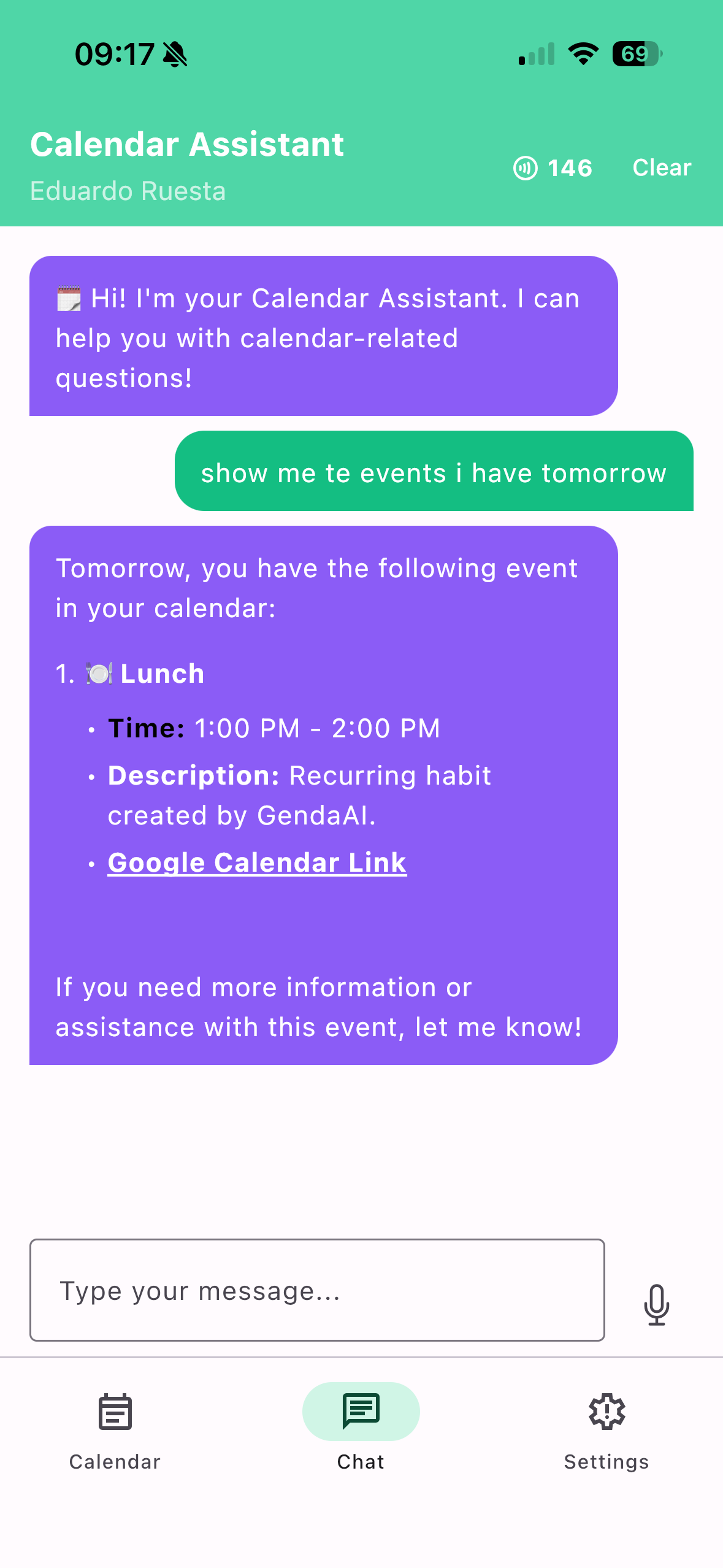
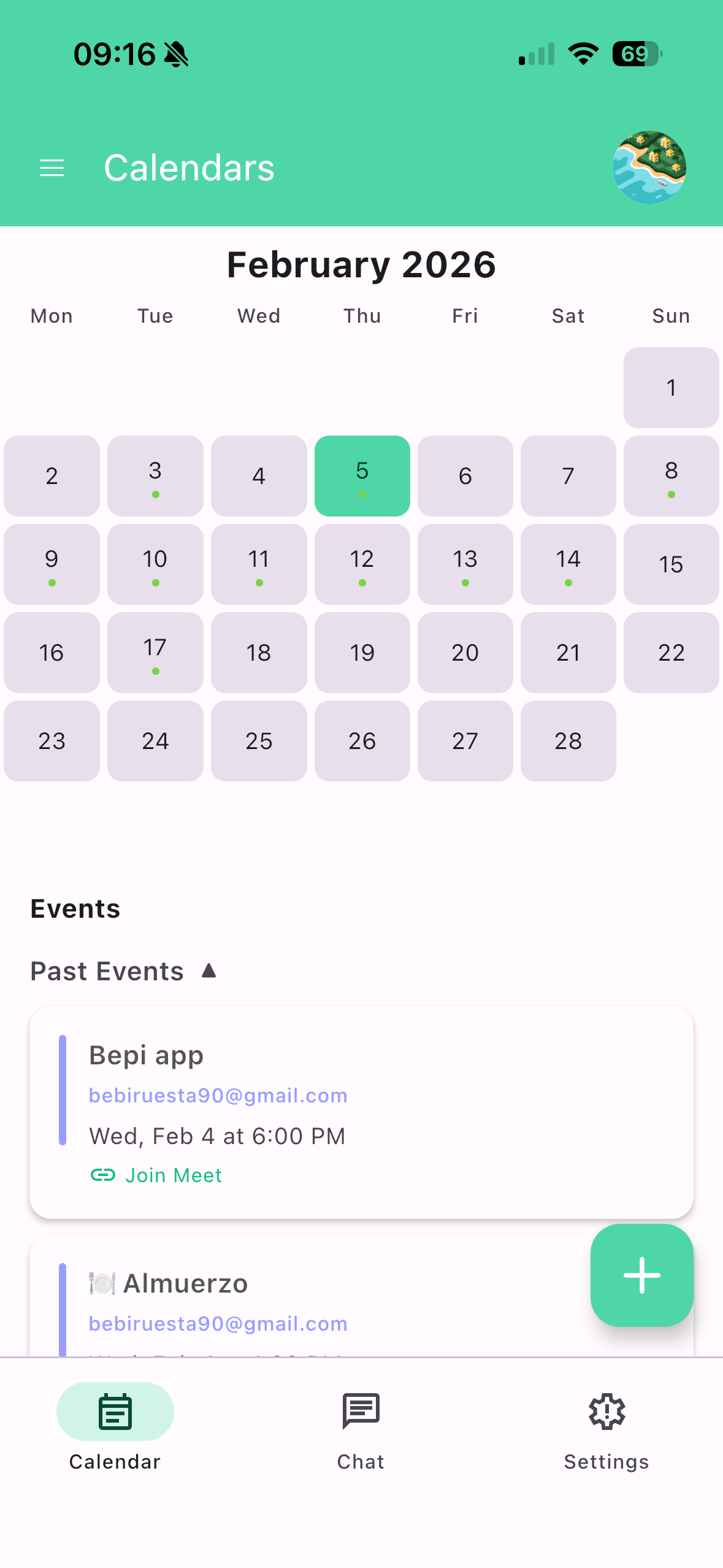
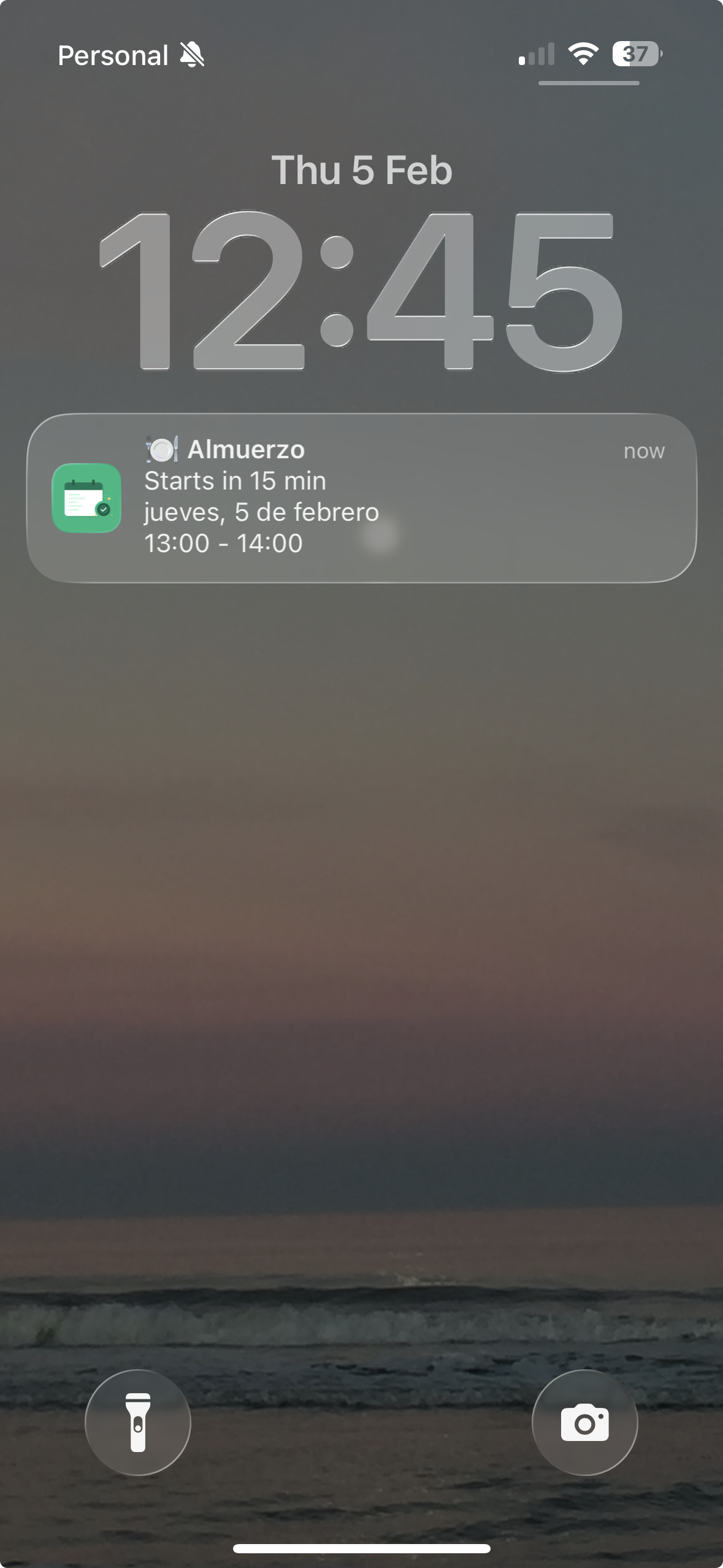
SmartCalAI
Your Intelligent Calendar Assistant Powered by AI
💡 What Inspired Me
Managing time effectively is one of the biggest challenges we face in our daily lives. I noticed how people struggle to keep track of their schedules across multiple platforms, often missing important events or double-booking themselves. The idea for SmartCalAI came from a simple question: What if your calendar could understand you?
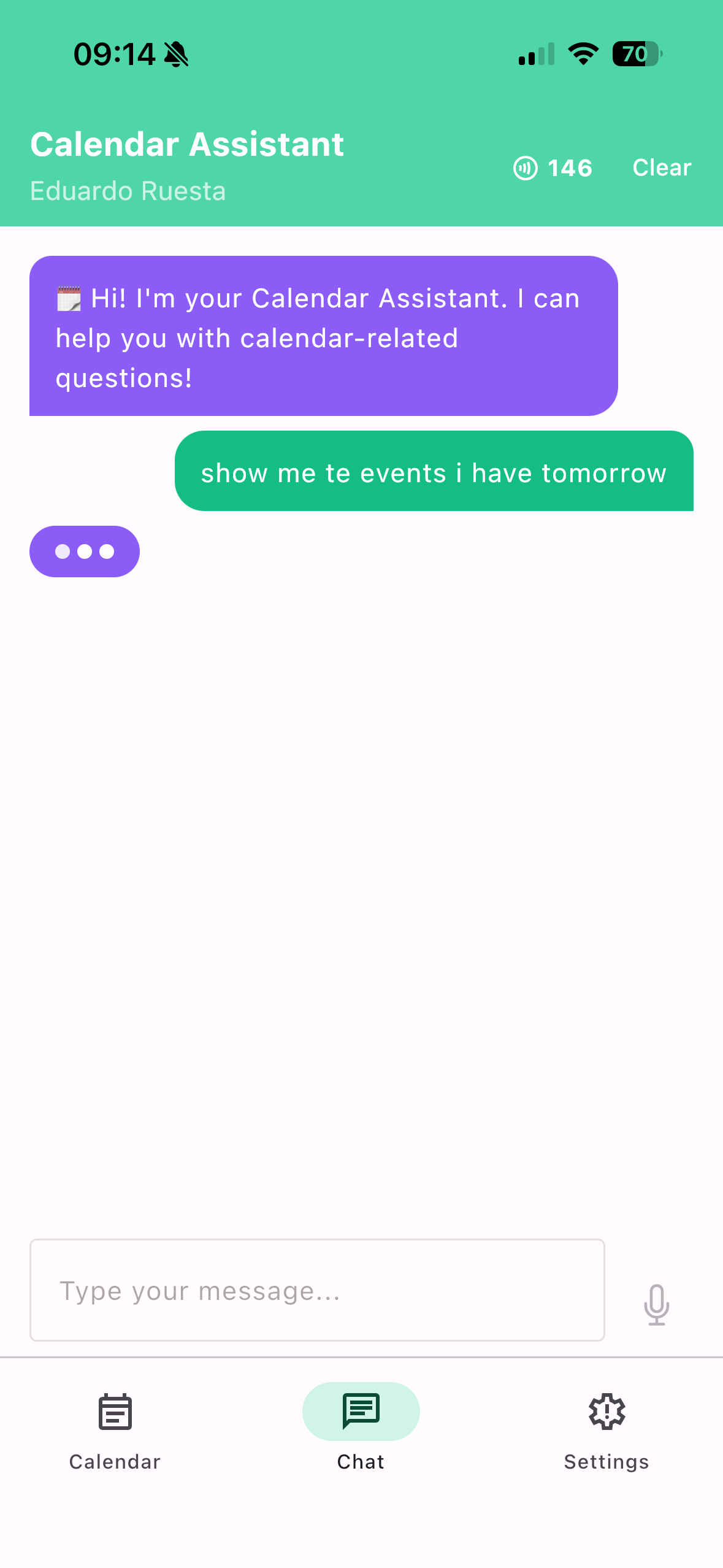
I wanted to create an app that goes beyond basic calendar management. An assistant that can intelligently help you organize your life, suggest optimal times for meetings, and interact with your schedule using natural language. The goal was to make calendar management feel less like a chore and more like having a personal assistant.
✨ Key Features
🗓️ Core Calendar Management
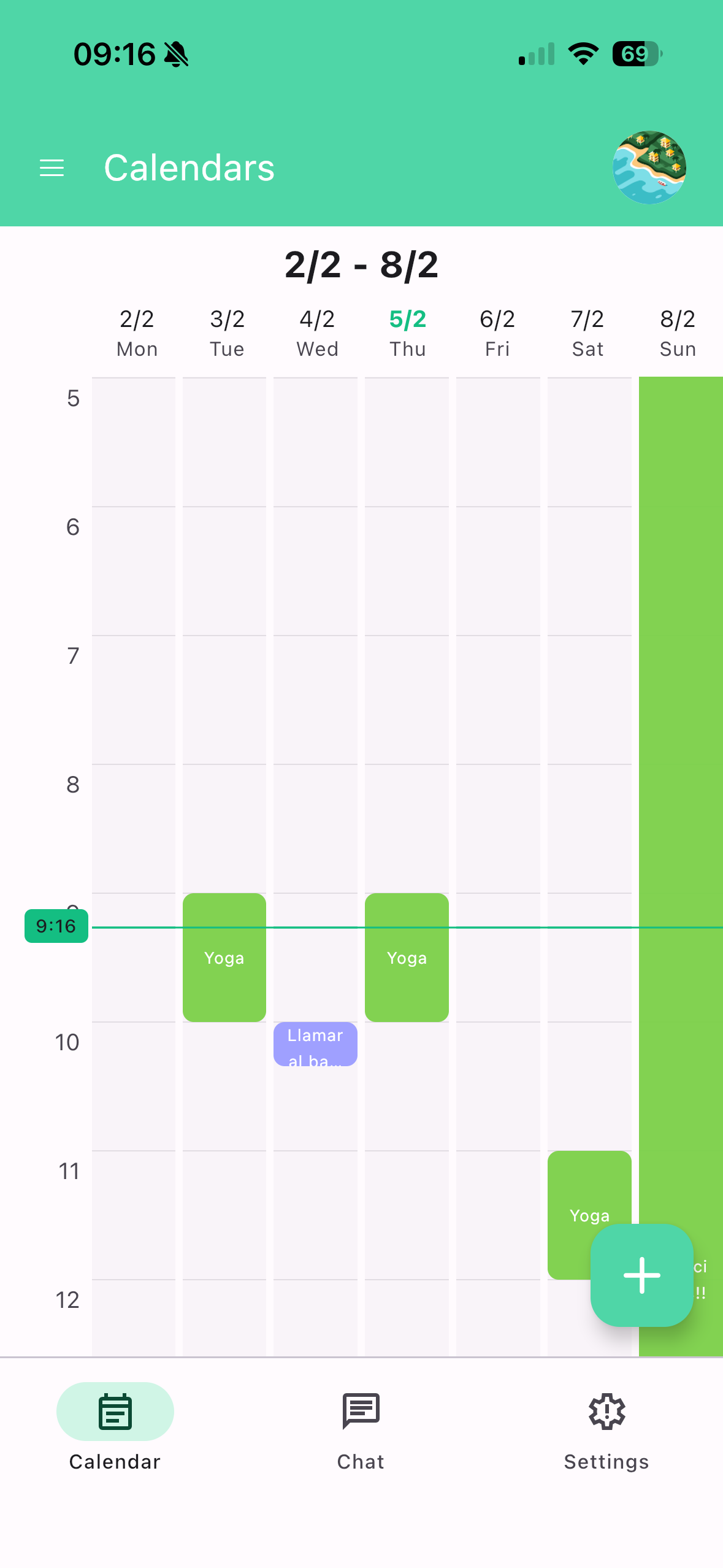
- List Calendars - View all your connected Google calendars
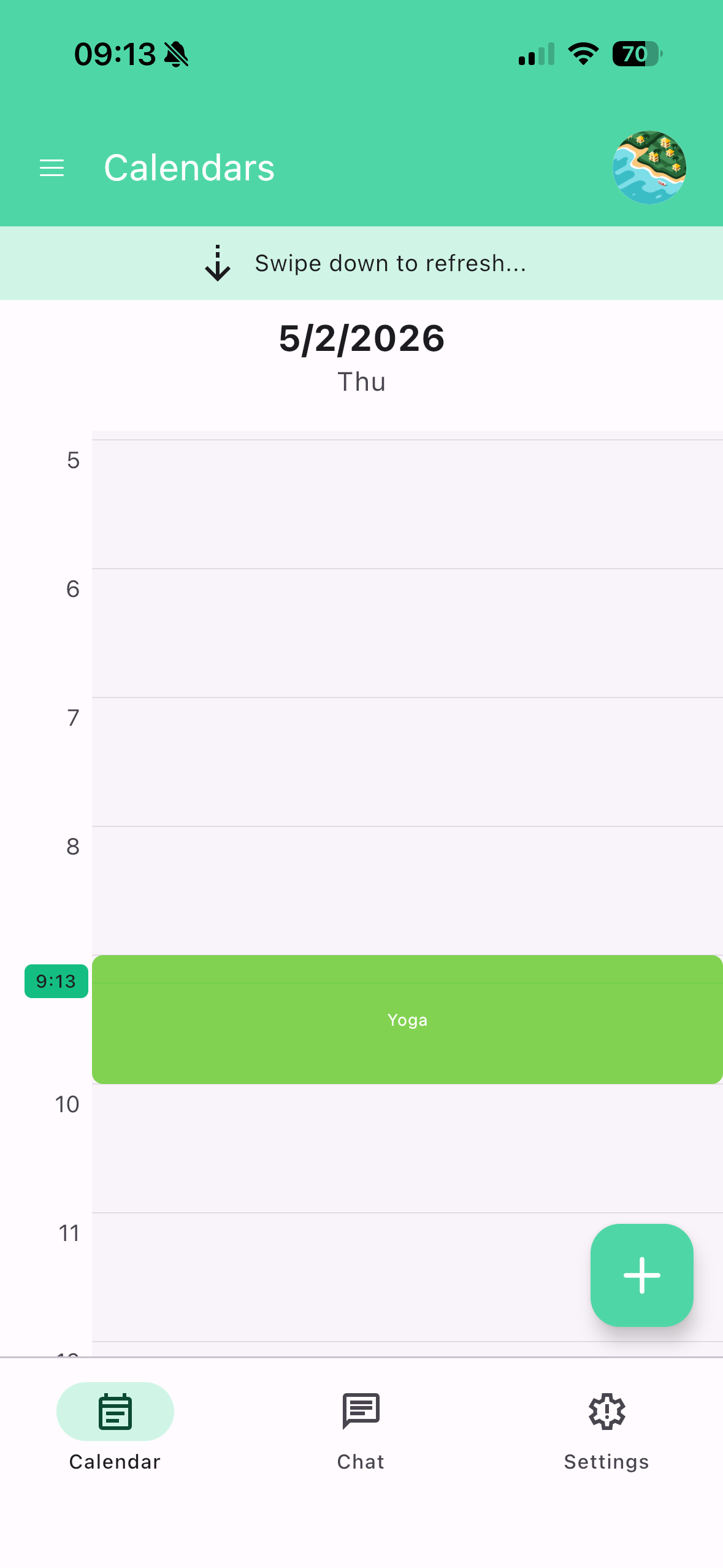
- List Events - Browse events with smart date filtering
- Create Event - Create new events with automatic overlap detection and warnings
- Update Event - Modify existing event details (time, title, description, location)
- Delete Event - Remove single events from your calendar
🤖 Smart Scheduling (AI-Powered)
- Find Available Slots - AI-powered time slot suggestions based on your preferences (morning/afternoon, working hours, weekend exclusion)
- Auto-Schedule Task - Give us a task with duration and deadline, we'll find the optimal time and schedule it automatically
- Check Overlapping Events - Detect scheduling conflicts before they happen
- Get Free/Busy Info - View availability windows across multiple calendars
🔄 Recurring Events & Habits
- Create Recurring Event - Set up events with custom recurrence patterns (daily, weekly, monthly)
- Delete Recurring Event - Remove recurring events with scope options (single, future, or all)
- Create Habit - Build healthy routines with protected time blocks (exercise, meals, learning, wellness)
- List Habits - View all your personal recurring blocks
- Update Habit - Modify habit schedules or temporarily pause them
- Delete Habit - Remove habits and all future occurrences
⚡ Productivity Features
- Focus Time / Deep Work Blocks - Create distraction-free work blocks that are automatically protected in your calendar
- Break Scheduling - Automatic breaks after long meetings to prevent burnout
- Set Out of Office - Mark vacation or unavailable periods
- Set Working Location - Indicate where you're working (home, office, remote)
- Smart Reminders - Add reminders with natural language ("15 minutes before", "1 hour before")
🚗 Travel Intelligence
- Add Travel Buffer - Automatically calculate and block travel time using Google Maps integration
- Analyze Travel Times - Get suggestions for events that need travel time added
- Set Default Location - Configure your home/office for accurate travel calculations
📊 Analytics & Insights
- Analyze Meetings - Get insights about your meeting patterns and time allocation
- Time Distribution - See how your time is split between meetings, deep work, and personal activities
- Check Calendar Access - Verify permissions and calendar details
🏆 What Makes SmartCalAI Different
| Feature | Motion ($29/mo) | Reclaim AI | SmartCalAI |
|---|---|---|---|
| Auto-scheduling | ✅ | ✅ | ✅ |
| Focus Time | ✅ | ✅ | ✅ |
| Habits scheduling | ❌ | ✅ | ✅ |
| Break scheduling | ✅ | ✅ | ✅ |
| Travel time buffers | ✅ | ✅ | ✅ |
| Analytics | ✅ | ✅ | ✅ |
| Native iOS & Android app | ✅ | ❌ (web only) | ✅ |
| Conversational AI interface | ❌ | ❌ | ✅ |
| Freemium option | ❌ | ✅ | ✅ |
SmartCalAI combines the best features of Motion and Reclaim with a truly conversational AI interface — at a fraction of the price.
📚 What I Learned
Building SmartCalAI was an incredible learning journey that pushed me to master several technologies and overcome complex challenges:
Cross-Platform Development: I learned how to build a truly cross-platform application using Kotlin and Compose Multiplatform, sharing code between iOS and Android while respecting each platform's unique requirements.
OAuth & API Integration: Implementing Google OAuth verification taught me the intricacies of secure authentication, privacy policy compliance, and working with Google's rigorous verification process.
MCP (Model Context Protocol): I explored cutting-edge AI integration patterns, implementing MCP servers to enable seamless communication between the AI and Google Calendar APIs.
App Store Compliance: Navigating both Apple App Store and Google Play Console requirements taught me about subscription management, privacy policies, domain verification, and the importance of clear user communication.
Subscription Systems: Integrating RevenueCat for cross-platform subscription management showed me how to build sustainable monetization while providing value to users.
🛠️ How I Built It
Tech Stack
| Layer | Technology |
|---|---|
| Frontend | Kotlin + Compose Multiplatform (iOS & Android) |
| Backend | Ktor framework with MongoDB |
| AI Integration | MCP (Model Context Protocol) servers |
| Authentication | Google OAuth 2.0 |
| Maps/Travel | Google Maps API for travel time calculations |
| Payments | RevenueCat for unified subscriptions |
Architecture
┌─────────────────────────────────────────────────────────────┐
│                    MOBILE APP (Compose)                      │
│  ┌─────────────┐  ┌─────────────┐  ┌─────────────────────┐  │
│  │  Calendar   │  │   Habits    │  │   AI Chat           │  │
│  │  View       │  │   Manager   │  │   Interface         │  │
│  └─────────────┘  └─────────────┘  └─────────────────────┘  │
└─────────────────────────────────────────────────────────────┘
                            │
                            ▼
┌─────────────────────────────────────────────────────────────┐
│                    BACKEND (Ktor)                            │
│  ┌─────────────┐  ┌─────────────┐  ┌─────────────────────┐  │
│  │  API        │  │  Scheduler  │  │   Analytics         │  │
│  │  Endpoints  │  │  Engine     │  │   Service           │  │
│  └─────────────┘  └─────────────┘  └─────────────────────┘  │
└─────────────────────────────────────────────────────────────┘
                            │
              ┌─────────────┼─────────────┐
              ▼             ▼             ▼
       ┌───────────┐ ┌───────────┐ ┌───────────┐
       │  MongoDB  │ │  MCP      │ │  Google   │
       │           │ │  Server   │ │  APIs     │
       └───────────┘ └───────────┘ └───────────┘
🚧 Challenges I Faced
The road to launching SmartCalAI was filled with unexpected obstacles that tested my persistence and problem-solving skills:
🔐 Google OAuth Verification
One of the most challenging aspects was getting Google OAuth verification. Google requires verified domain ownership, comprehensive privacy policies, and detailed documentation of how user data is accessed and stored.
I had to:
- Purchase the
gendaai.comdomain - Configure DNS records and SSL certificates
- Create detailed privacy policies in multiple languages
- Go through multiple review cycles with Google's verification team
Each rejection taught me something new about compliance requirements.
🔧 Cross-Platform Build Issues
Compose Multiplatform is powerful but comes with its own challenges:
- Xcode build failures due to SDK incompatibilities
- CocoaPods conflicts with Google Sign-In
- Kotlin/Native cinterop issues with Firebase
- New Xcode versions breaking builds completely
Debugging required understanding both the Kotlin and iOS ecosystems, often switching between Gradle and Xcode toolchains to identify root causes.
🌍 Timezone Handling
Calendar apps live and die by correct timezone handling. I discovered early that events were being created at wrong times because of timezone mismatches between the API, server, and client. Implementing proper timezone support required careful attention to how Google Calendar API handles time.
🚗 Travel Time Integration
Integrating Google Maps API for travel time calculations added complexity:
- Handling different transportation modes
- Dealing with traffic variations
- Calculating accurate buffer times for back-to-back meetings
💰 Payment Integration Verification
Setting up merchant accounts and subscription products across both platforms was complex. Google Play Console even threatened to remove my developer account due to payment verification issues, giving me a deadline to resolve merchant payment method verification.
RevenueCat helped unify the subscription logic, but configuring products correctly on both platforms while maintaining feature parity required meticulous attention to detail.
💳 Pricing
| Plan | Price | Features |
|---|---|---|
| Free | $0 | Basic calendar management, limited AI interactions |
| Starter | $4.99/mo | 40 AI credits/month, all core features |
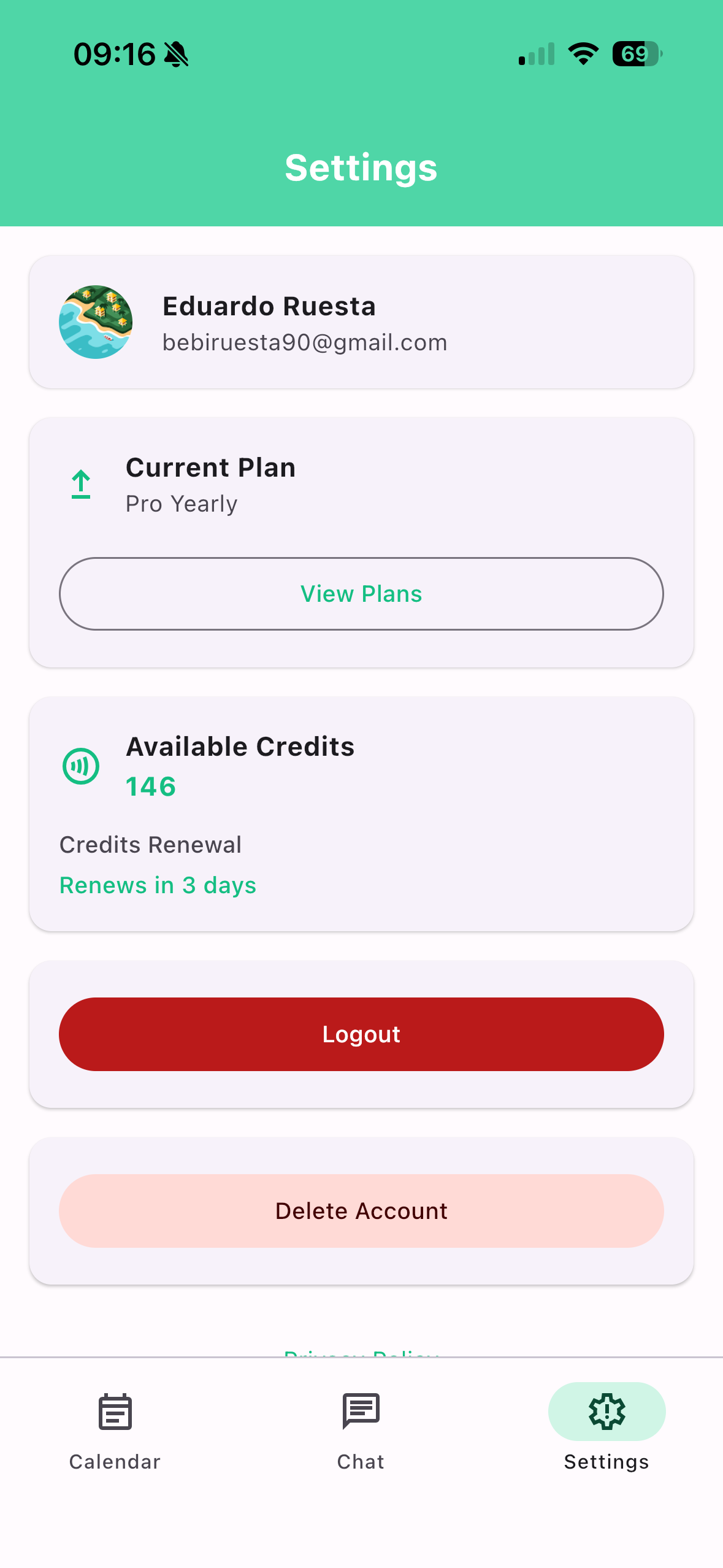
| Pro | $9.99/mo | 200 AI credits/month, priority support, advanced analytics |
🚀 Looking Forward
SmartCalAI represents my vision of what calendar management can become. The challenges I faced made the product stronger and taught me invaluable lessons about building production-ready applications.
Future plans include:
- 📧 Microsoft Outlook Integration - Support for Office 365 calendars
- 🔗 Scheduling Links - Calendly-style booking pages for external meetings
- 🔄 Multi-Calendar Sync - Sync between personal and work calendars
- 🧠 Enhanced AI - Smarter scheduling suggestions based on your patterns
- 📱 Widgets - iOS and Android home screen widgets for quick access
🔗 Links
- 📱 App Store: SmartCalAI for iOS
- 🤖 Play Store: SmartCalAI for Android
Built with passion by **Eduardo Ruesta* 🇦🇷*
Thank you for taking the time to learn about SmartCalAI!
Built With
- ai
- android
- assistant
- calendar
- compose
- gmail
- google-calendar
- ios
- jetpack
- koog
- kotlin
- ktor
- mcp
- multiplatform


Log in or sign up for Devpost to join the conversation.