-
-
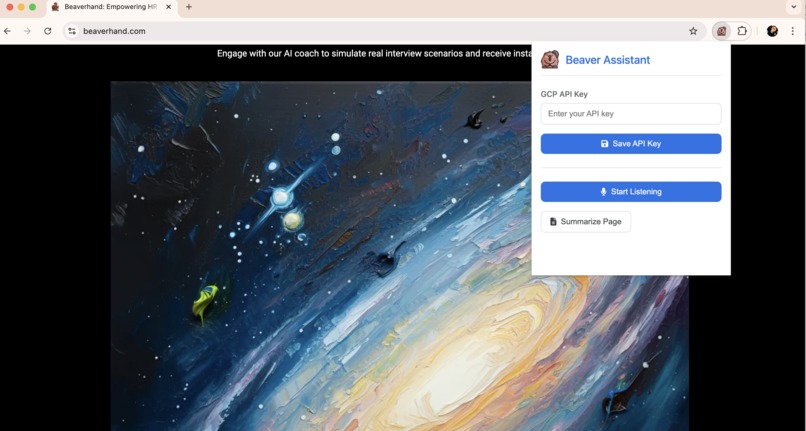
Launching interface
-
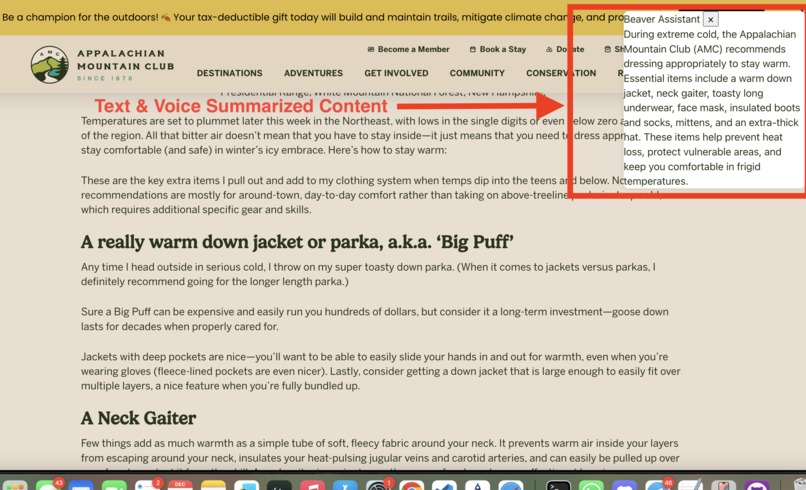
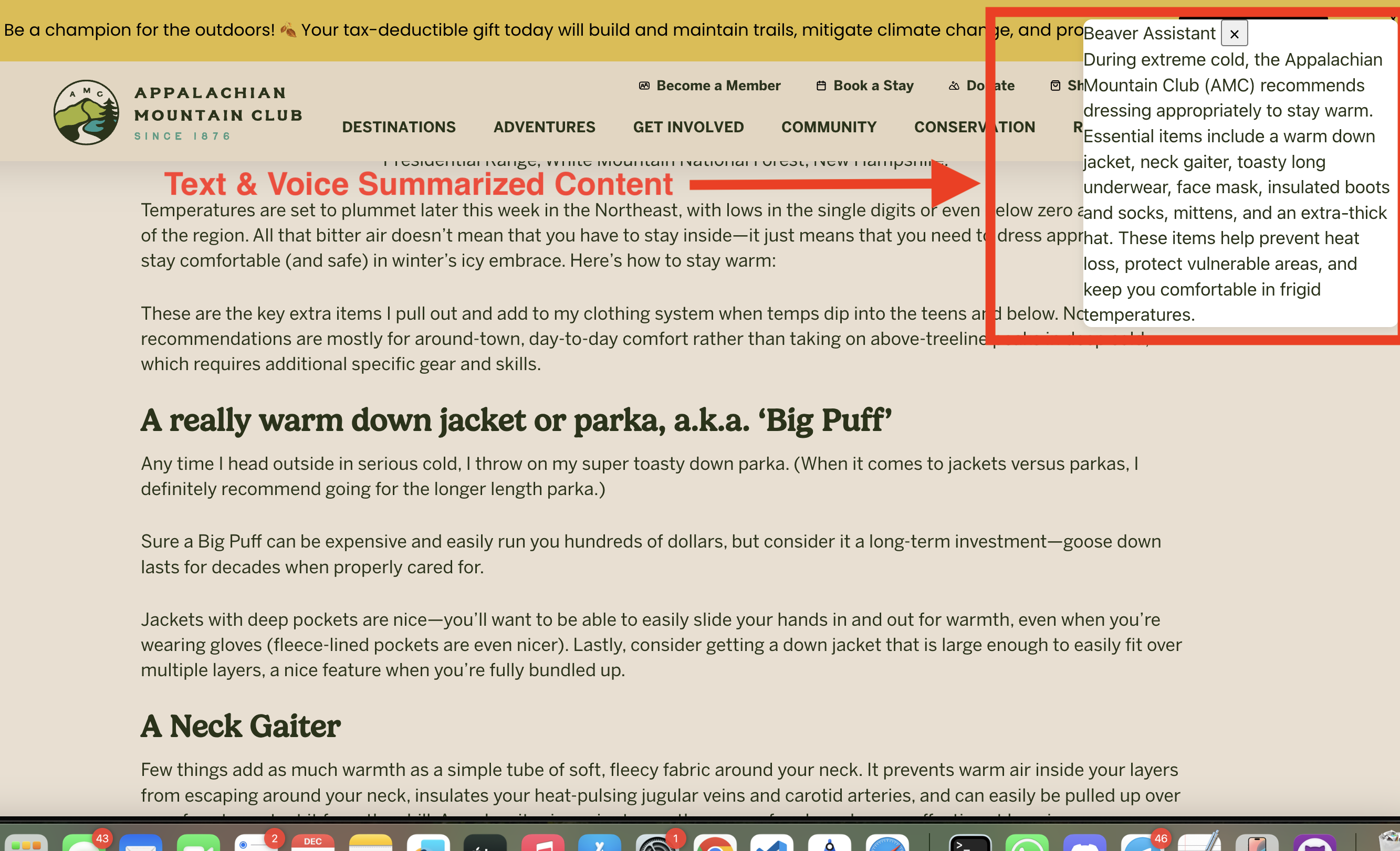
summary popup
-
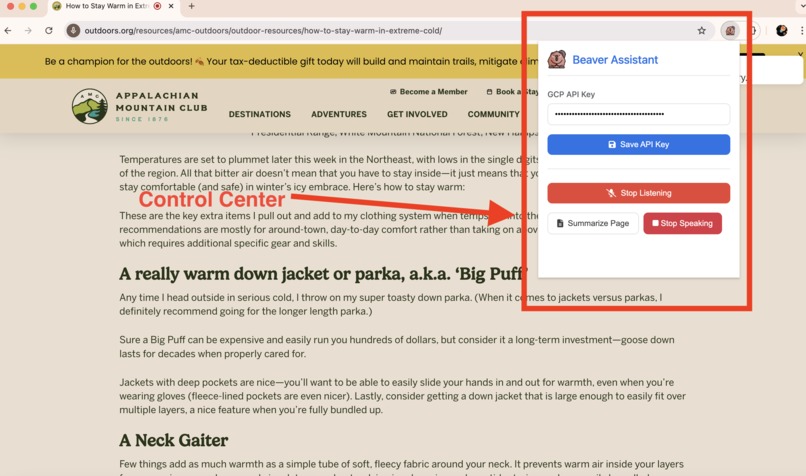
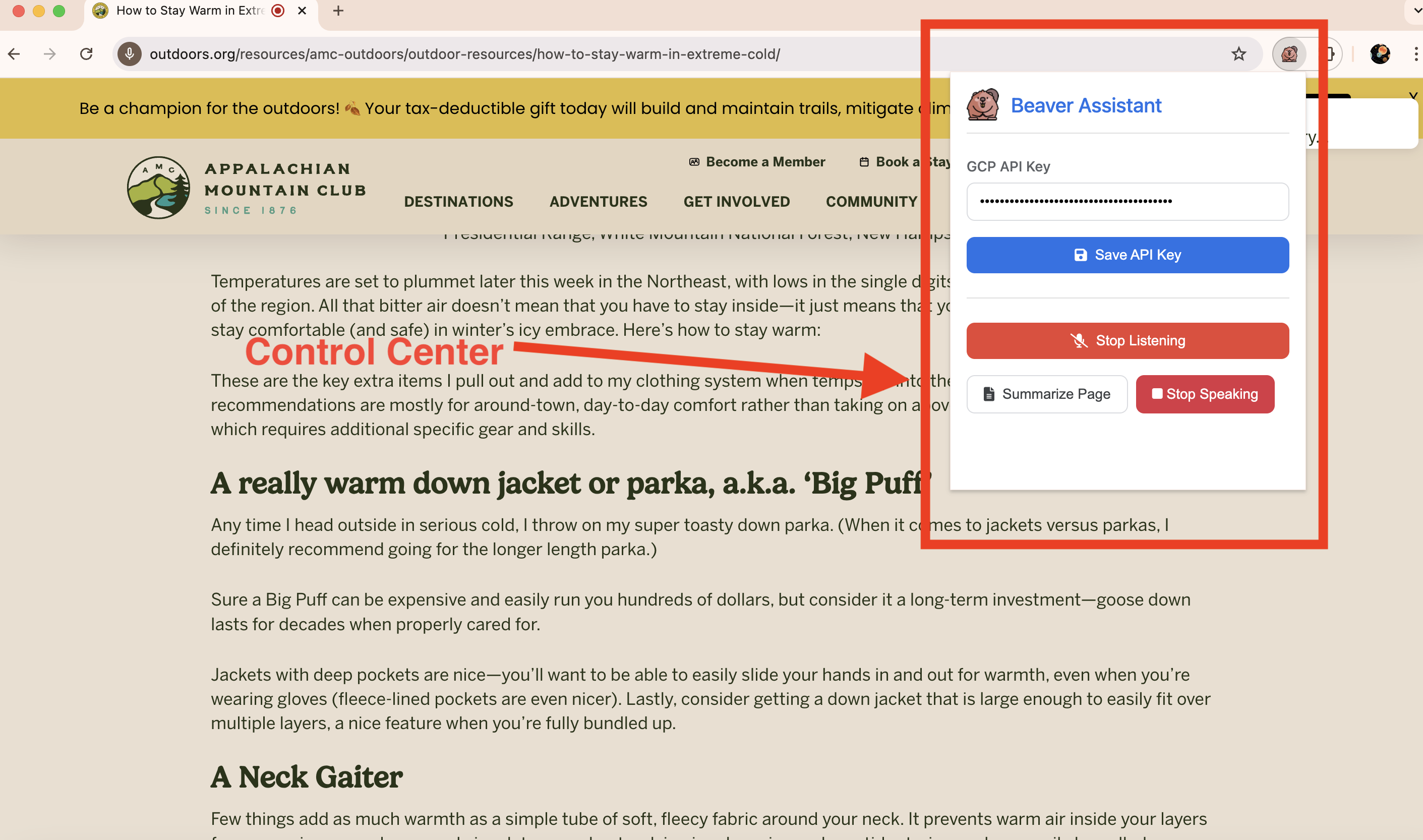
control center
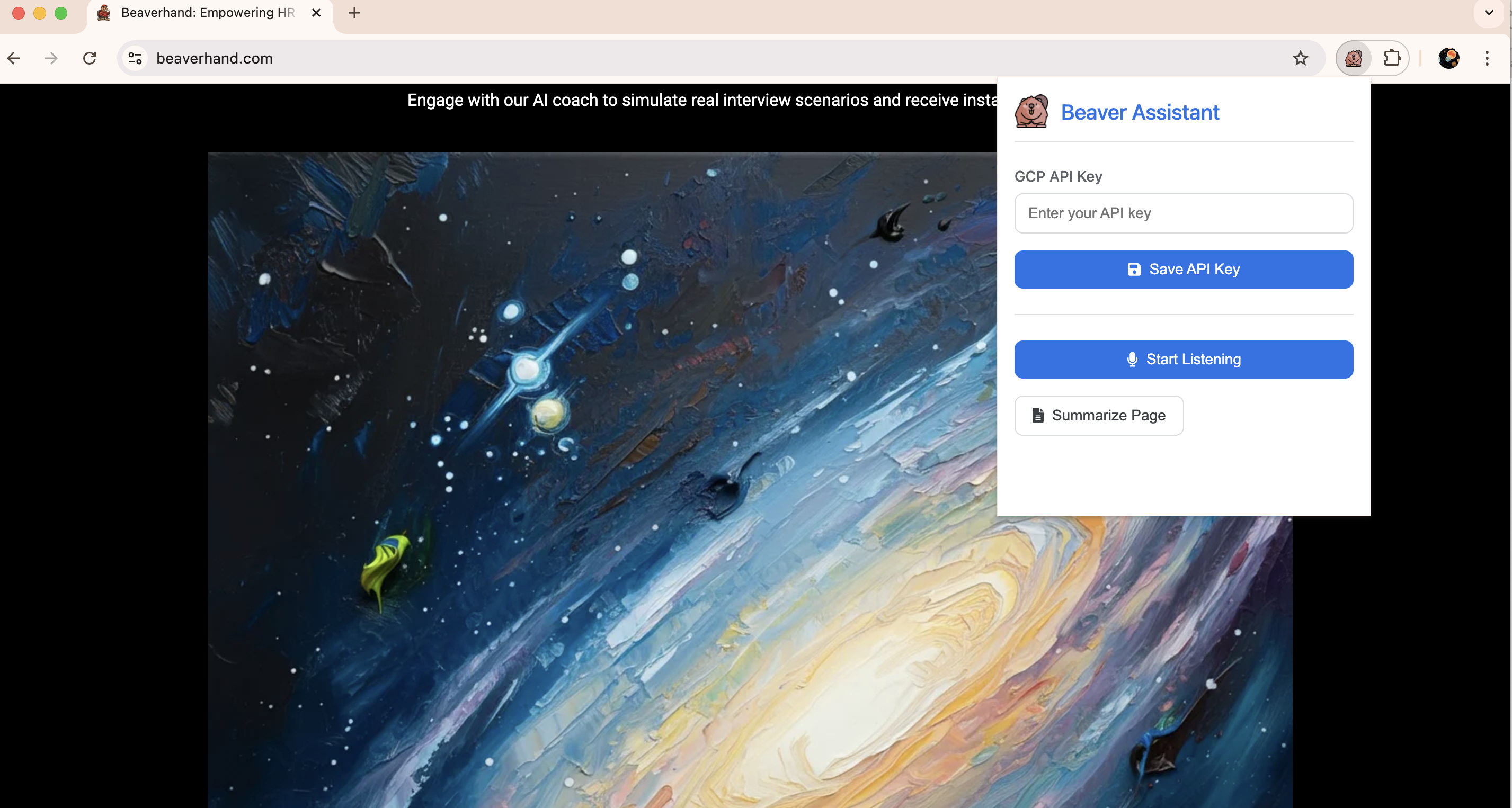
Inspiration
The inspiration behind the Beaver Assistant extension came from the desire to efficiently browse and process large volumes of articles without being overwhelmed. The goal was to create a hands-free, voice-activated tool that could quickly summarize content, streamline navigation, and assist with multitasking. By combining conversational AI with intuitive controls, Beaver Assistant aims to transform the browsing experience into one that is both seamless and highly productive.
What it does
Beaver Assistant is a browser extension that:
- Activates voice commands with a simple toggle.
- Summarizes webpage content concisely using AI.
- Processes user inputs via Google Cloud TTS and Speech-to-Text, offering natural-sounding interactions.
- Provides real-time feedback through a popup UI for status and controls.
- Integrates smart speech synthesis for lifelike conversations.
How we built it
The extension was developed using:
- HTML, CSS, and JavaScript: For building the popup interface and managing interactivity.
- Chrome Extensions API: To communicate with active browser tabs and inject content scripts dynamically.
- Google Cloud APIs: For Speech-to-Text, Text-to-Speech, and summarization tasks, utilizing advanced AI models like Wavenet voices for realistic speech.
- Content Script: Handles core functionalities like voice recognition, speech synthesis, and task execution within the context of the webpage.
Challenges we ran into
- Script Injection: Ensuring the content script loaded reliably across diverse webpages and handling browser limitations for special URLs.
- Voice Recognition: Maintaining accuracy and minimizing latency in real-time voice processing.
- Cross-Component Communication: Coordinating smooth interactions between the popup, content scripts, and background scripts.
- Error Handling: Dealing with API connectivity issues and unsupported features gracefully.
- UI Design: Making a compact, user-friendly interface that integrates seamlessly into the browser.
Accomplishments that we're proud of
- Successfully integrating Google Cloud TTS for lifelike speech output.
- Developing a robust toggle mechanism for real-time voice activation.
- Implementing a summarization feature powered by advanced AI.
- Creating a polished and responsive UI that simplifies complex workflows.
What we learned
- The importance of robust error handling to ensure a smooth user experience.
- How to optimize API usage for minimal latency in real-time applications.
- Advanced usage of the Chrome Extensions API for dynamic script injection.
- Designing intuitive user interactions for a productivity-focused tool.
What's next for Abbrev Voice Assistant
- Enhanced AI Capabilities: Integrating conversational AI like Gemini for smarter interactions.
- Customization: Allowing users to adjust voice settings, hotwords, and command preferences.
- Multi-Language Support: Adding voices and recognition for multiple languages to expand usability.
- Offline Mode: Incorporating local processing to minimize reliance on cloud services.
- Mobile Version: Extending the assistant to mobile browsers for greater accessibility.
Built With
- api
- gemini
- google-cloud
- google-web-speech-api
- speech-to-text
- text-to-speech


Log in or sign up for Devpost to join the conversation.