-
-
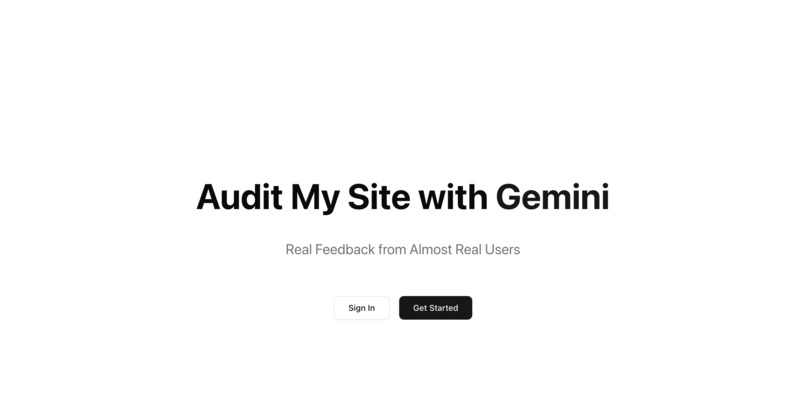
Homepage
-
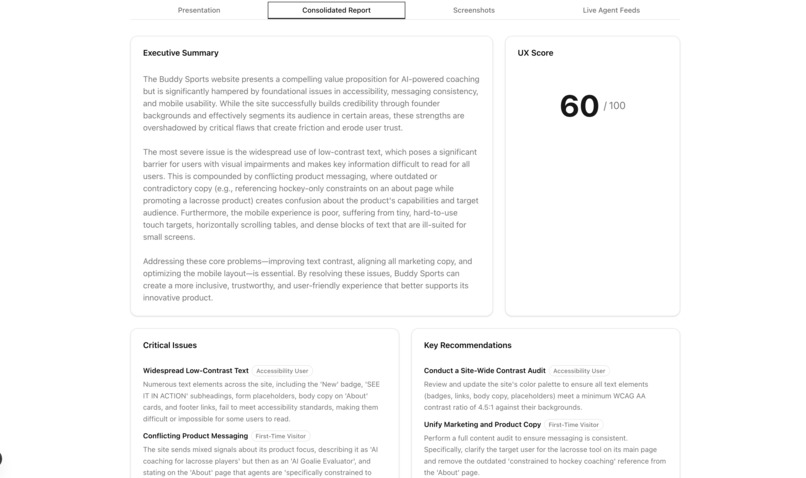
Report
-
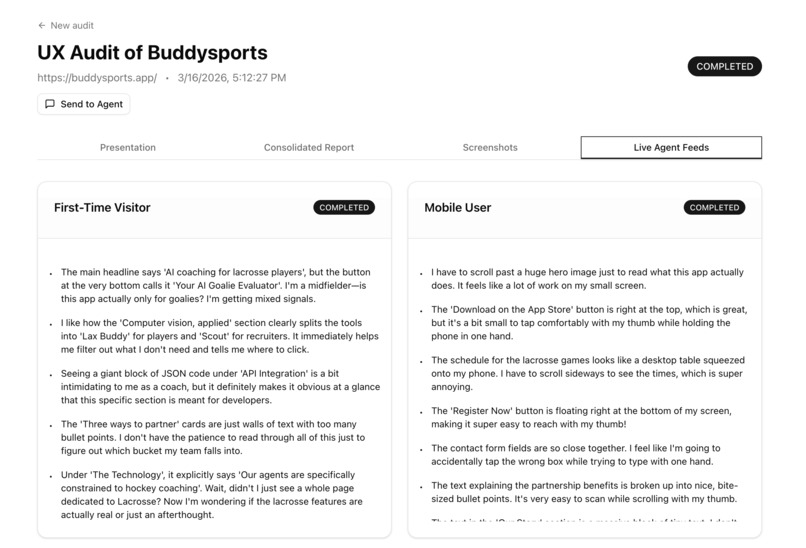
AI Personas
-
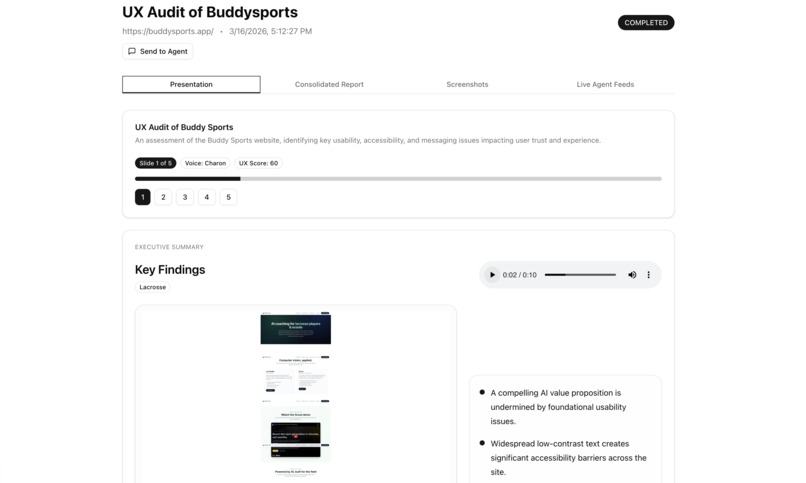
Presentation
Got it. Here's the Devpost submission text, ready to copy-paste:
Inspiration
I came up with the idea in an airport in Montana, talking through hackathon concepts with a friend. I had two on the table: a mobile QA agent that could test my app before pushing to the App Store, and a simulated UX research audit tool. I went with the latter after noticing a market full of overpriced AI UX research products that I thought I could simplify and offer for free.
The premise is genuinely useful: most founders and product teams have never watched a real user struggle through their website. User testing is expensive. Recruiting participants takes time. Most people just skip it, ship something confusing, and wonder why their conversion rate is 1.3%.
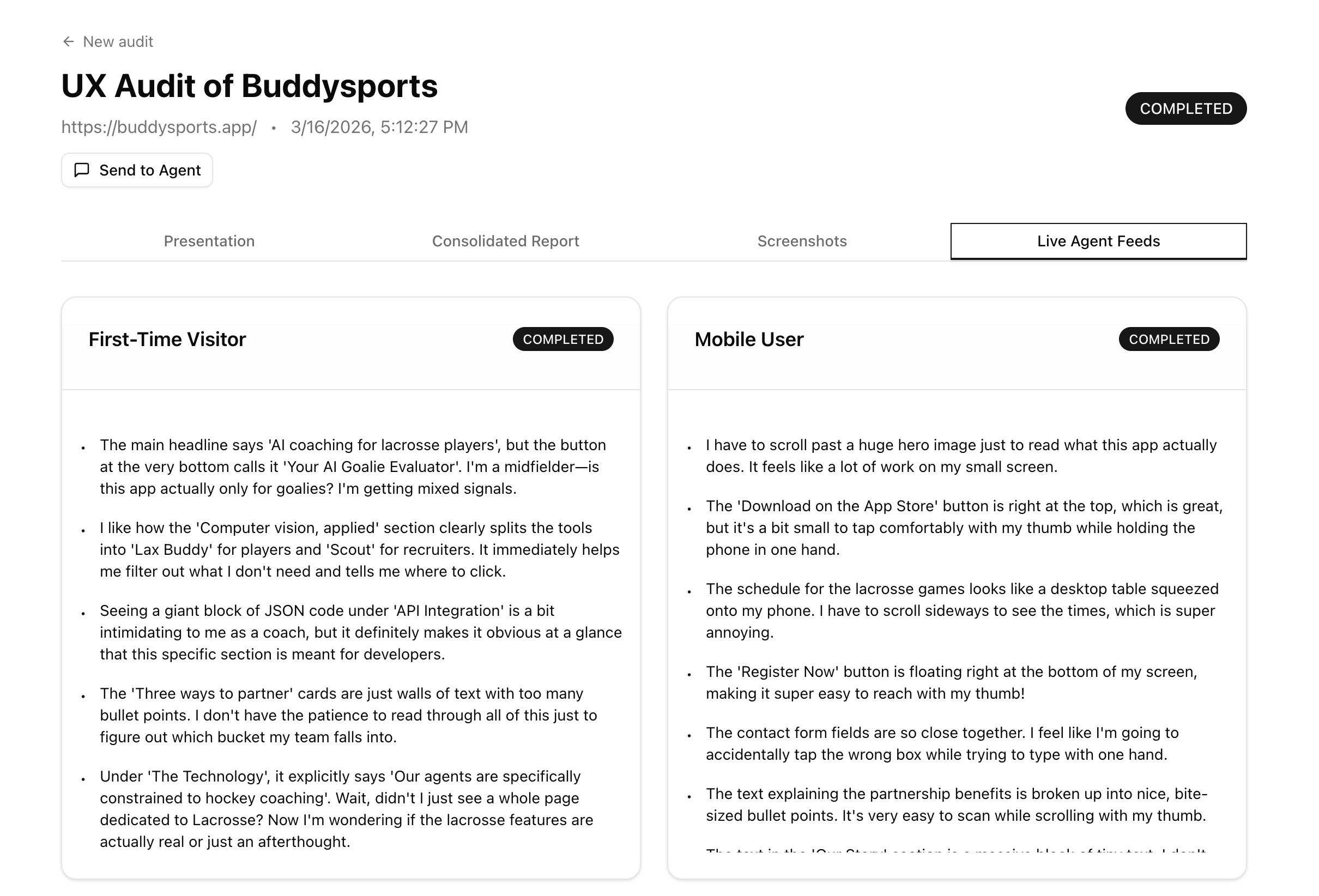
What if AI could simulate users, different kinds of users, and file a UX report the way a real researcher would? A first-time visitor. A mobile user squinting at your pricing page. An accessibility-conscious user navigating without mouse precision. You paste a URL. You pick your personas. AI does the rest.
What it does
Gemini UX Auditor lets you paste any URL, optionally provide login credentials, and pick from built-in personas (First-Time Visitor, Mobile User, Accessibility User) or generate your own by describing a target user in plain English:
"A 45-year-old project manager at a mid-sized logistics company evaluating our B2B product for the first time."
Gemini generates a full persona card, saved to your account for reuse.
Behind the scenes, over the next 90 seconds:
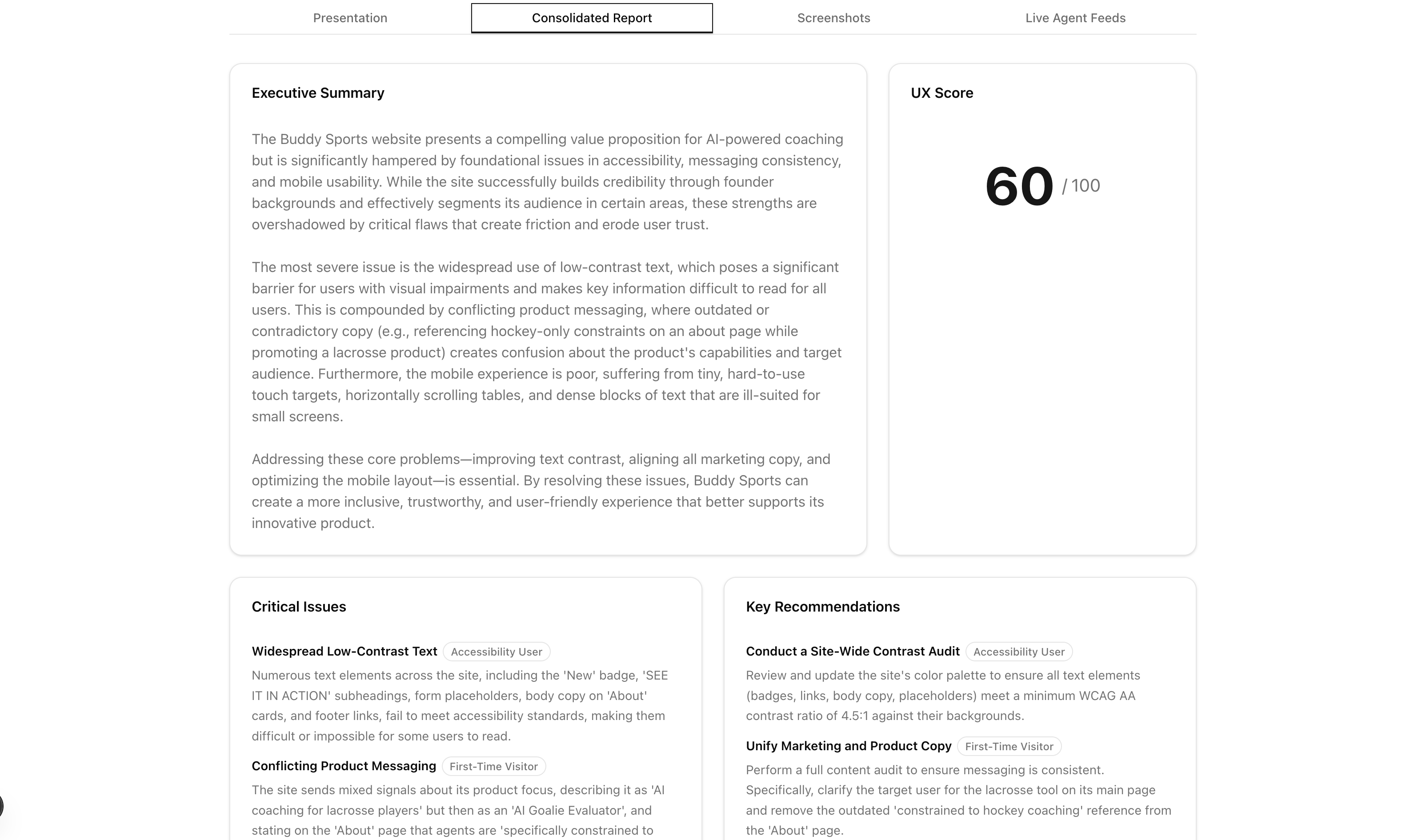
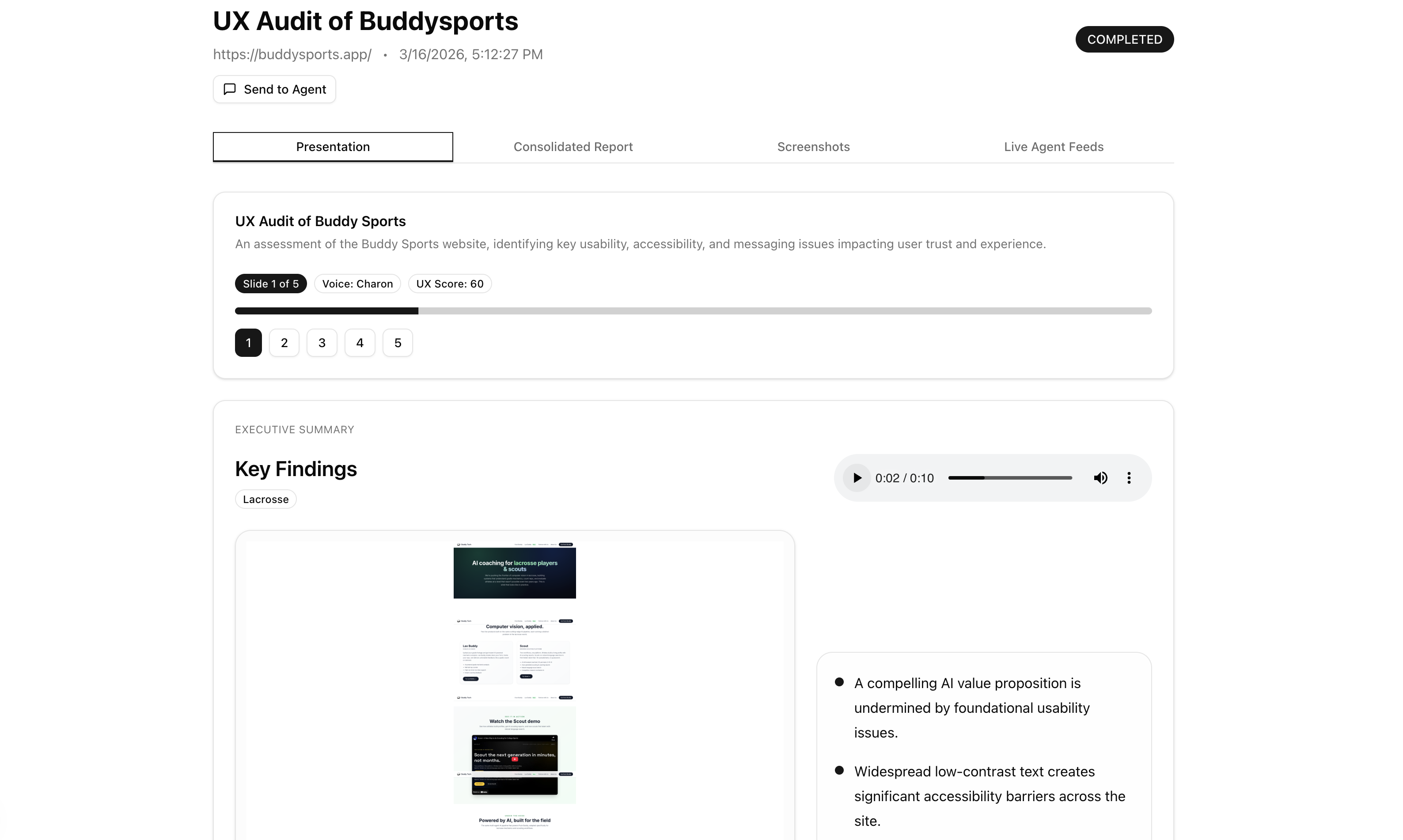
A headless browser visits the site in both desktop (1280×800) and mobile (390×844) viewports, capturing screenshots at multiple scroll depths across the homepage and key subpages. A vision model reviews every screenshot for quality — rejecting loading spinners, blank frames, and broken embeds before any persona sees them. Each persona agent receives only the screenshots appropriate for their device type and evaluates copy clarity, visual hierarchy, information gaps, emotional tone, and messaging. Findings stream to your screen in real time as they're written. A consolidator reads only the evidence-backed findings and produces a scored executive report: score/100, critical issues, recommendations, and positives. A presentation layer rewrites the report into a slide deck with per-slide audio narration, grounded in real audit screenshots.
How we built it
The system is two independently-running services that communicate through Firestore as a shared message bus — the frontend and backend never talk to each other after the initial POST request. The frontend subscribes to Firestore and watches findings appear in real time. The backend writes to Firestore as it goes. Neither side needs to know the other exists.
┌─────────────────────────────────────────────────────────────────┐ │ FINAL ARCHITECTURE │ │ │ │ ┌─────────────┐ POST /api/run_audit ┌─────────────────┐ │ │ │ Next.js │ ────────────────────────► │ FastAPI │ │ │ │ Frontend │ │ Backend │ │ │ │ │ ◄── Firestore onSnapshot ─ │ │ │ │ └─────────────┘ └────────┬────────┘ │ │ │ │ │ asyncio background task │ │ ▼ │ │ PHASE 1: CRAWLER — Two parallel Playwright browsers │ │ 🖥️ Desktop (1280×800) 📱 Mobile (390×844) │ │ Homepage + top 3 nav subpages, 3 scroll depths each │ │ ▼ │ │ PHASE 2: VISION QA GATE — gemini-2.5-flash │ │ ✓ Clear, loaded content → approved │ │ ✗ Blank frames, spinners, broken embeds → rejected │ │ ▼ │ │ PHASE 3: PARALLEL PERSONA REVIEW — asyncio.gather() │ │ Each persona gets device-matched approved screenshots │ │ gemini-3.1-pro-preview, batch multimodal │ │ Findings stream to Firestore in real time │ │ ▼ │ │ PHASE 4: CONSOLIDATOR — gemini-2.5-pro │ │ Evidence-backed findings only → score + executive report │ │ ▼ │ │ PHASE 5: PRESENTATION — audit_recap.py │ │ gemini-3.1-pro-preview (Vertex AI) — slide authoring │ │ gemini-2.5-flash-preview-tts — per-slide narration audio │ └─────────────────────────────────────────────────────────────────┘ The architecture went through three major pivots before landing here (see Challenges). It's built on Next.js 15, FastAPI, Python asyncio, Playwright, Google AI Studio, Vertex AI, and Firebase (Firestore + Storage + Auth).
Challenges we ran into
The ADK collapsed three times.
I started with Google's Agent Development Kit and ComputerUseToolset. The first problem: gemini-2.5-computer-use-preview threw 400 INVALID_ARGUMENT: UI actions are not enabled for this project — Google restricts computer-use at the enterprise project level. I pivoted to AI Studio. That worked until I tried adding a custom log_issue tool alongside the browser tool — the ADK prohibits combining ComputerUseToolset with any custom function tools. I split each persona into two agents (one browsing, one reporting) as a workaround. Three personas hit the 25 RPM rate limit in 25 seconds. Deadlock. I dropped the ADK entirely and wrote my own asyncio execution loop from scratch.
The false positive spiral.
Running agents against real sites revealed a core tension: the simulation is not the reality. Agents flagged working App Store CTAs as dead links, reported touch-based demos as completely broken, and handed a live working site a score of 15/100. I had built a tool filing bug reports about its own limitations.
The fix was a hard product decision: narrow the scope deliberately. Agents are now content and presentation reviewers only. Their system prompts include an explicit block:
✗ NEVER FLAG: broken links, dead CTAs, App Store links, touch interactions ✓ EVALUATE: copy clarity, visual hierarchy, emotional journey, messaging gaps If a click fails: simply scroll to read the next section of content. Writing rules to an AI, watching it ignore them, then making the rules louder until they stuck — that's the most time-consuming part of the whole build.
The red circle disaster.
Early versions overlaid red circles on screenshots at the exact coordinates where agents logged issues. The circles were almost never in the right place. After fixing the scaling math (separate X/Y scale factors), fixing the isMobile heuristic (it was checking whether the agent's name contained the word "mobile"), and still getting wrong positions, I eventually discovered the root cause: Gemini internally resamples images before processing them. The coordinates it reports are in its internal image space, not the original Playwright viewport. There's no documented way to know what resolution Gemini uses. The circles were removed entirely.
Rate limit roulette.
Every model I tried for the parallel browser agents hit a different wall:
Model Problem gemini-2.5-pro 2 RPM free tier — 3 agents → immediate 429 gemini-3.1-pro-preview-customtools Same 2 RPM cap gemini-3-flash-preview 400 errors on screenshot inputs gemini-2.5-flash ✅ 15 RPM, multimodal, actually works Model selection was almost entirely driven by rate limits, not capability.
Accomplishments that we're proud of
The crawl-and-review architecture. My friend Bhavya crystallized the key insight: pull the crawler into its own dedicated agent that does nothing but drive the browser and take screenshots, then hand the photos to separate reviewer agents who only read and evaluate. Separating these jobs made the whole pipeline dramatically more reliable and the findings dramatically more grounded.
The Vision QA Gate. Before any persona sees a single image, a dedicated gemini-2.5-flash pass reviews every screenshot for presentation fitness — rejecting blank frames, loading skeletons, and broken embeds. This single step eliminated an entire class of false findings.
Real-time streaming via Firestore. Findings appear on screen as agents write them. The frontend and backend are completely decoupled — Firestore is the entire communication layer. The backend can restart mid-audit without the frontend losing a single finding.
The AI persona builder. Users can describe any target user in plain English and get a structured persona card generated by Gemini in seconds. Custom personas are saved per-account and editable in place.
The presentation layer. The final output isn't just a text report — it's a slide deck with per-slide audio narration, every slide grounded in real screenshots from the audit. It was built to feel like something you'd actually show in a meeting.
The meta-layer. This was built in close collaboration with AI coding assistants (Cursor, Claude, Gemini). I maintained a living AGENT_HANDOFF.md document updated after every major change, so each new AI session could pick up exactly where the last one left off. The docs became part of the system.
What we learned
Scope discipline is the hardest problem. The hardest decision wasn't which model to use — it was deciding what the tool was not allowed to do. The engineering is downstream of scope.
Rate limits are the real infrastructure. I spent more time routing around API rate limits than any other constraint. Model choice for each pipeline phase was determined almost entirely by rate limits, not capability.
Firestore as a message bus is underrated. For an async multi-agent workflow where individual steps take unpredictable amounts of time, decoupling frontend and backend through a shared database is the right architecture. Real-time streaming without WebSockets, no polling, and either side can restart independently.
LLMs respond to structure, not prose. Soft hints in system prompts ("you may want to avoid flagging broken links") don't work. Explicit structural formatting with ✗/✓ symbols, ALL-CAPS headers, and specific prohibited phrases is what actually changes model behavior.
A crash you can see is better than a hang you can't. Adding asyncio.wait_for() timeouts to every network call was one of the highest-leverage changes in the whole project.
What's next for Gemini UX Auditor
Deeper crawls. The crawler is capped at ~4 pages. Smarter navigation logic would allow more thorough audits of larger sites.
MFA support. Authenticated audits work for standard username/password flows. Sites requiring OTP or two-factor are still out of scope.
More presentation polish. The slide deck layer has the most room to grow — richer slide templates, better screenshot selection, and shareable links.
Public release. The architecture is production-ready. The next step is opening it up beyond the hackathon context as a free tool for founders and product teams who can't afford dedicated UX research.
Built With
- fastapi
- firebase-firestore-+-storage-+-auth
- gemini
- google-ai-studio
- python
- python-asyncio
- stack:-next.js-15
- typescript
- vertex-ai


Log in or sign up for Devpost to join the conversation.