-
-
-
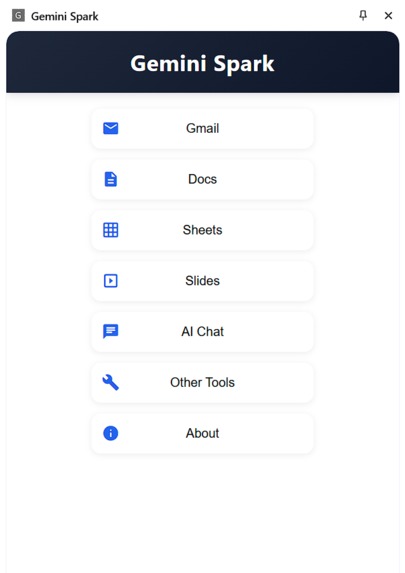
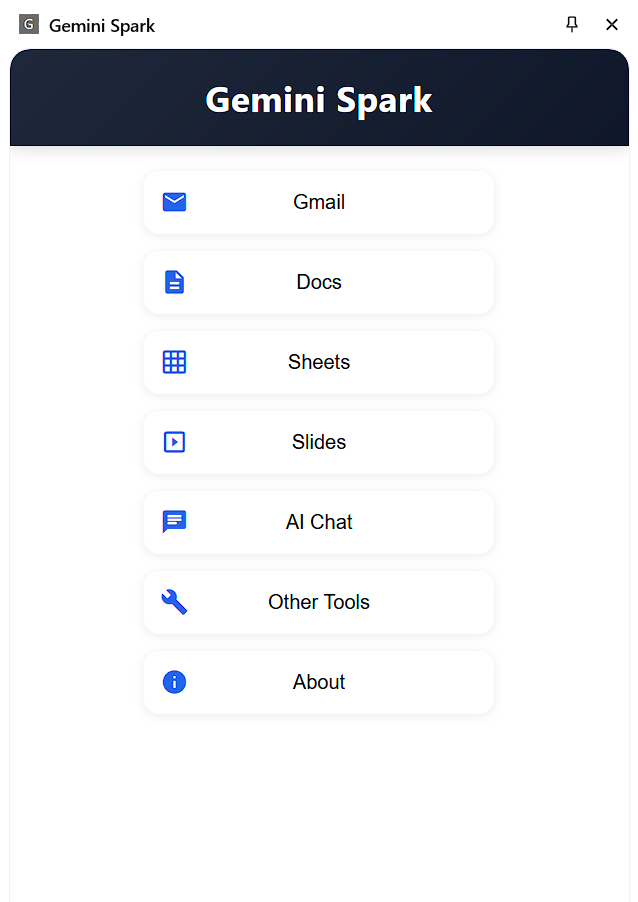
Main Menu
-
Proper guide given for each of the features
-
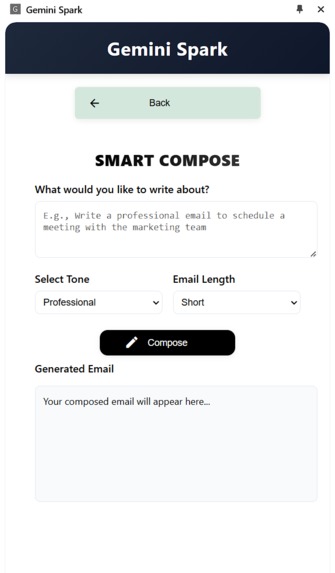
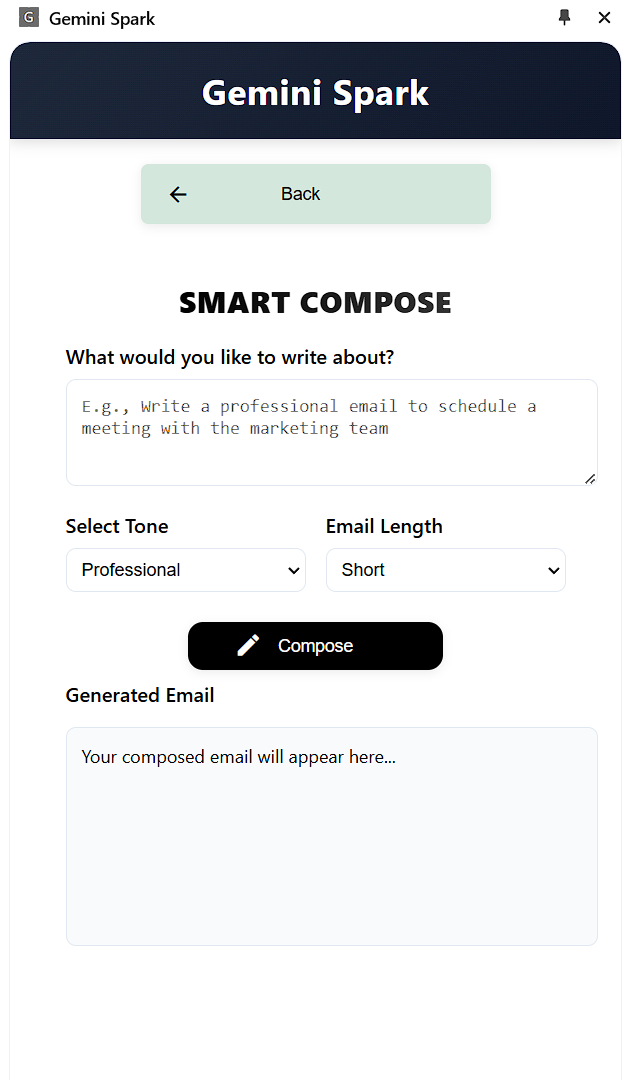
Example of a feature (Smart Compose)
-
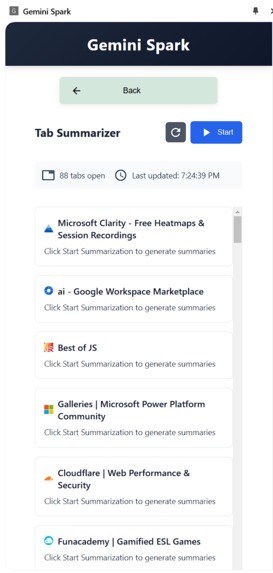
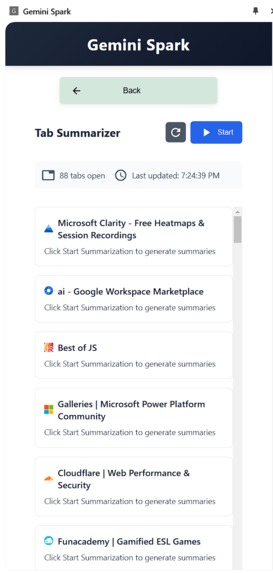
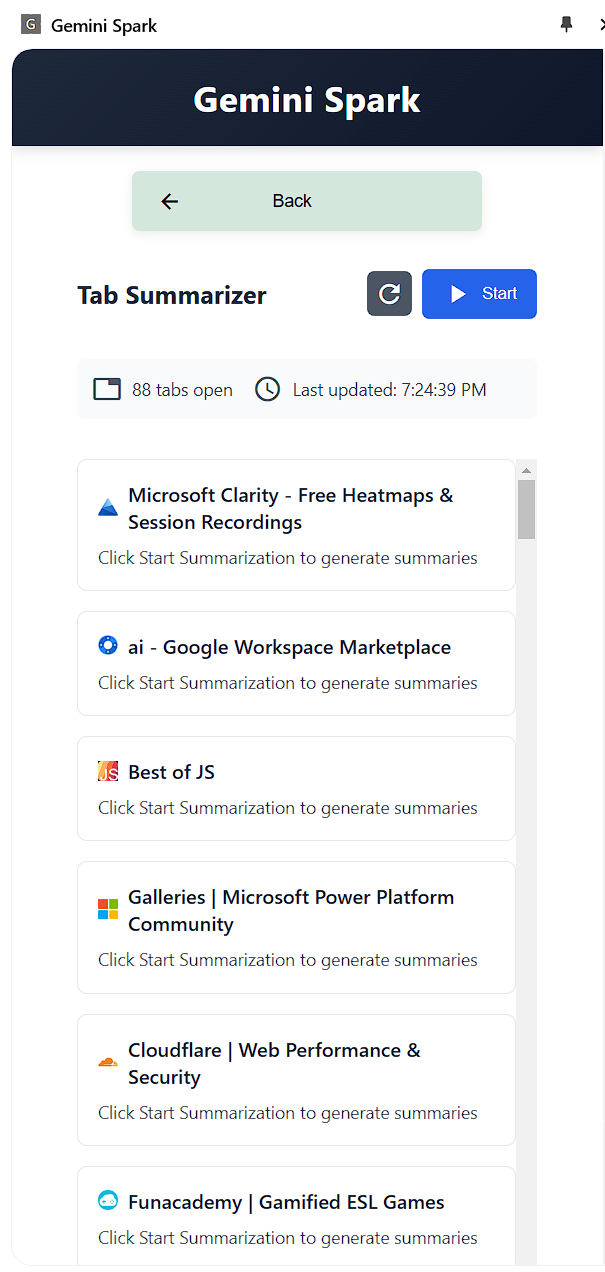
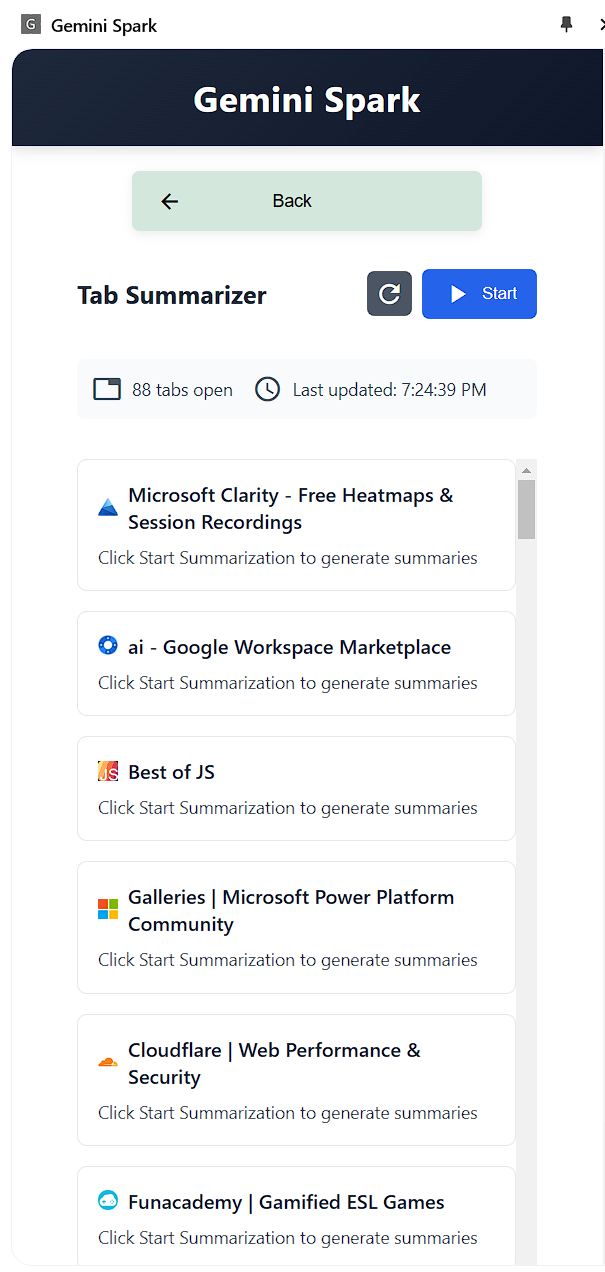
Example of a feature (tab summarizer)
Inspiration
As a developer who had recently ventured into Chrome extension development, I was immediately intrigued when Chrome announced their Built-in AI capabilities. Having already created two basic extensions, I saw this as an opportunity to push my boundaries and create something more ambitious. The idea of Gemini Spark was born from a simple question: "How can we make Google Workspace more powerful with AI?"
What it does
Gemini Spark is a Chrome extension that enhances Google Workspace applications using Chrome's native AI capabilities. It's designed to be a comprehensive productivity tool that seamlessly integrates with:
- Gmail Integration: Smart compose, Smart Reply, Auto Reply, Smart Summarize, Smart Translate
- Google Docs: AI Writer, Paraphrasing Tools, Document Insights, Translation
- Google Sheets: Generate Formula and Formula Explainer
- Google Slides: Slide Content Generator and Presentation Outline Creator
- AI Chat: Generate text, write stories, and chat with AI
- Other Tools: Tab summarizer, right-click summarizer
How I Built It
I started by thoroughly studying Chrome's Built-in AI Early Preview Program documentation to understand the capabilities and limitations of the available APIs. My development journey began with implementing core features using Chrome's AI APIs, focusing mainly on the Gemini Nano Model for on-device processing.
For Gmail integration, I developed smart compose and automated response features using the various API , which required careful handling of real-time streaming responses. I implemented specific URL detection functions to ensure the right-click popup menu only appears when users are on Gmail's website and have text highlighted.
In Google Docs, I implemented paraphrasing tools and real-time translation features. This required creating a modular architecture that could handle different types of text transformations while maintaining document formatting. The translation feature was particularly challenging, requiring specific language pack implementations for English ↔ Spanish and English ↔ Japanese pairs.
I used Rollup.js for bundling our JavaScript modules and @mozilla/readability for processing text content. Also implemented a robust error handling throughout the application to manage experimental API behaviors and ensure a smooth user experience.
The development process was iterative, with continuous testing and refinement
Challenges I ran into
Initial Setup and Configuration Challenges
- The beginning was particularly challenging with Gemini Nano installation and API configuration. However, I found invaluable resources: The Built-in AI Early Preview Program Context Index (https://docs.google.com/document/d/18otm-D9xhn_XyObbQrc1v7SI-7lBX3ynZkjEpiS1V04/) provided detailed installation guides and troubleshooting steps. The Chrome Built-in AI Early Preview Program Discussions group (https://groups.google.com/a/chromium.org/g/chrome-ai-dev-preview-discuss) helped resolve numerous implementation issues
Language Model Challenges
- Attempted to implement Chinese and Spanish responses but discovered these weren't fully supported
- Learned through the developer group that the model was recently updated to focus on English response for better security and quality
- Had to limit our scope to supported language pairs (English ↔ Spanish and English ↔ Japanese) after understanding the current limitations
Language API Implementation Issues
- Initially attempted to implement translation across multiple language pairs without reading the documentation thoroughly
- Discovered we needed to enable specific language pack limits
- Finally implemented a working solution with default English ↔ Spanish and English ↔ Japanese language pairs
- Learned the importance of thorough documentation review before implementation
Untested Language Error
- Encountered "model attempted to output text in an untested language" error frequently
- One example is that text length affected the error (12-word summaries failed, while 60+ words worked)
- AppScript code generation particularly suffered from this issue
- Discovered through the community that this is a known limitation being actively addressed
- Had to remove certain features from the final submission due to Gemini Nano's current limitations with code generation, but the code is kept for future implementation.
- Observed that the model sometimes hallucinated while generating code, producing incorrect results
Model Execution Issues
- Encountered "The model was available but there was not an execution config available" error
- Resolved by performing a clean installation of Chrome Canary
- Learned the importance of maintaining a clean development environment
API Availability Constraints
- Initially planned to use the Writer-ReWriter API
- Discovered through announcements that these APIs are not yet available for direct use but will be available later.
- Had to pivot and modify our feature set accordingly
Accomplishments I'm proud of
- Successful API Integration: Successfully integrated multiple Chrome AI APIs into a cohesive product
- User Experience: Created an intuitive interface for complex AI features
- Performance Optimization: Achieved fast response times using on-device processing
- Error Handling: Developed robust error handling for experimental APIs
- Community Contribution: Learned a lot from the Chrome AI developer community
What I learned
Technical Skills
- Deep understanding of Chrome's AI APIs
- Experience with real-time streaming responses
- Expertise in content script injection and management
- Advanced Chrome extension architecture design
- Error handling for machine learning models
Best Practices
- Documentation-first approach
- Community engagement importance
- Feature prioritization strategies
- Robust error handling
- User-centric design
What's next for Gemini Spark: AI-Powered Chrome Extension with 15+ Features
Enhanced Language Support
- Expand to more language pairs
- Implement robust translation features
New Features
- Integration with more Google Workspace applications
- Advanced code generation capabilities
- better fine-tuning options
Technical Improvements
- Performance optimization for larger documents and text
- Offline capability enhancements
- Better error handling and recovery
User Experience
- More customization options
- Enhanced accessibility features
RAG Implementation
- Retrieval-Augmented Generation for accurate responses
- Custom knowledge bases support
- Document-specific context awareness
- Google Drive integration
Advanced Features
- Context-aware template and chat generation
- Advanced formatting options for generated content


Log in or sign up for Devpost to join the conversation.