-
-
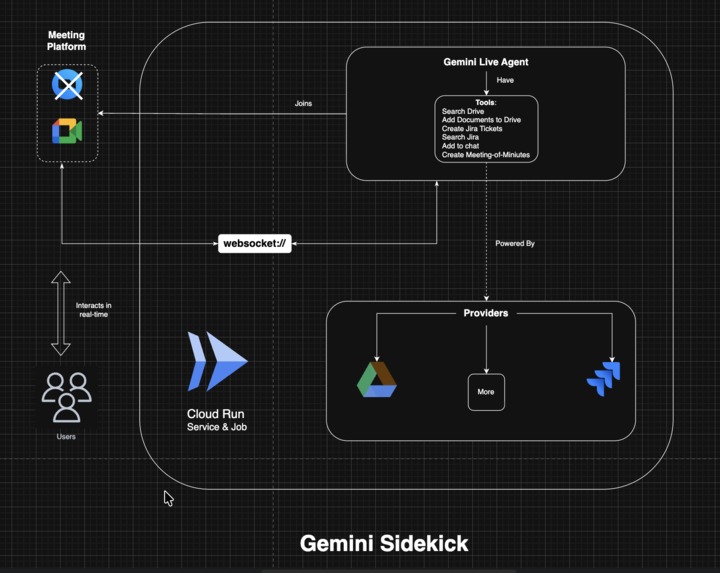
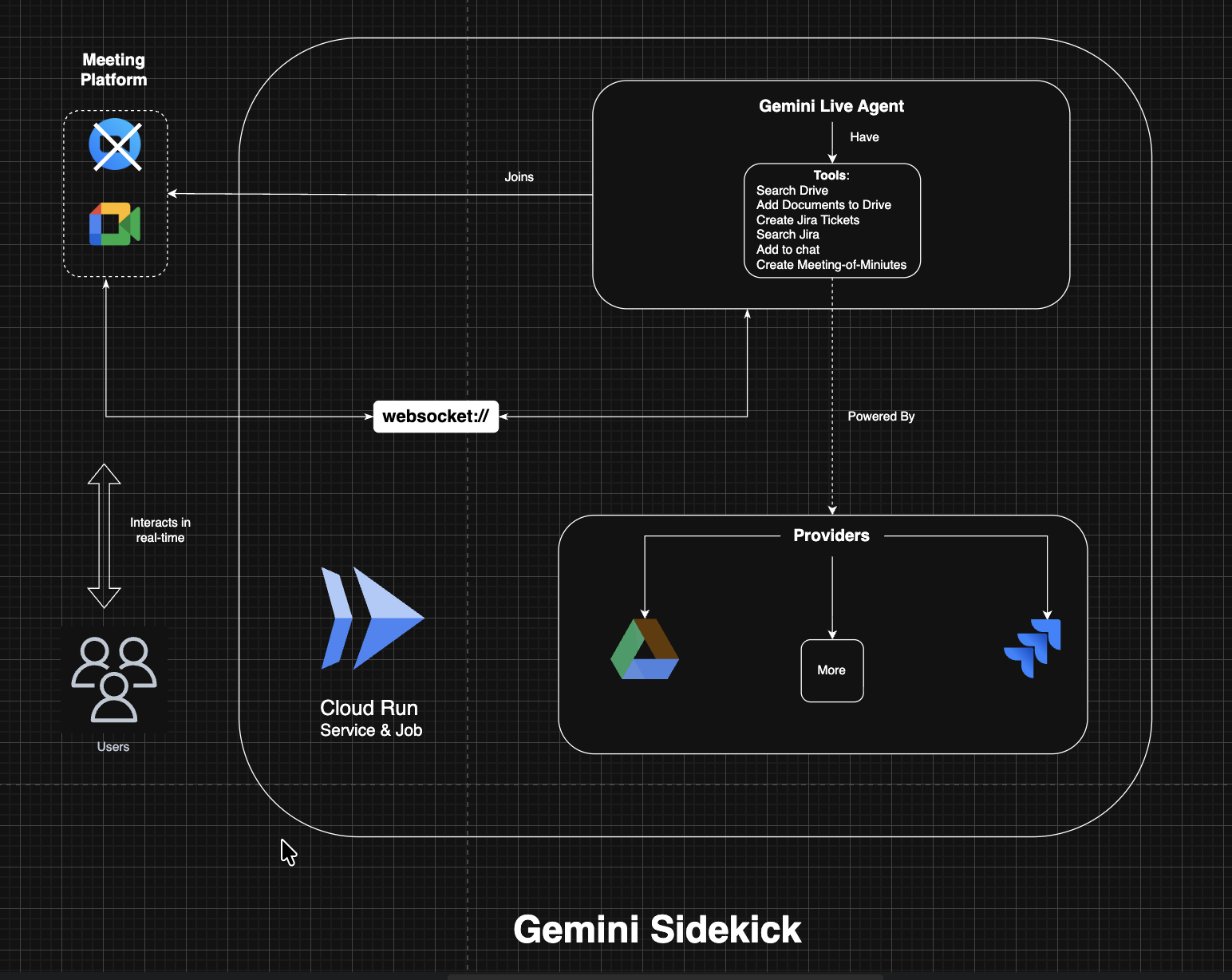
Architechture
-
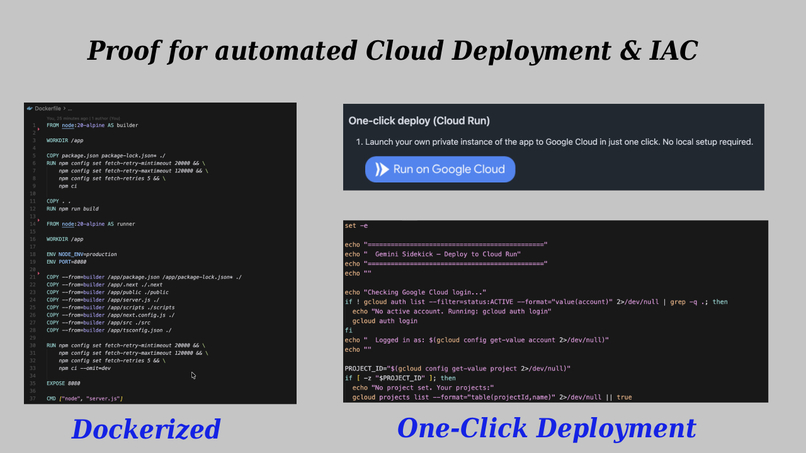
Automated deployment and Infra as Code
-
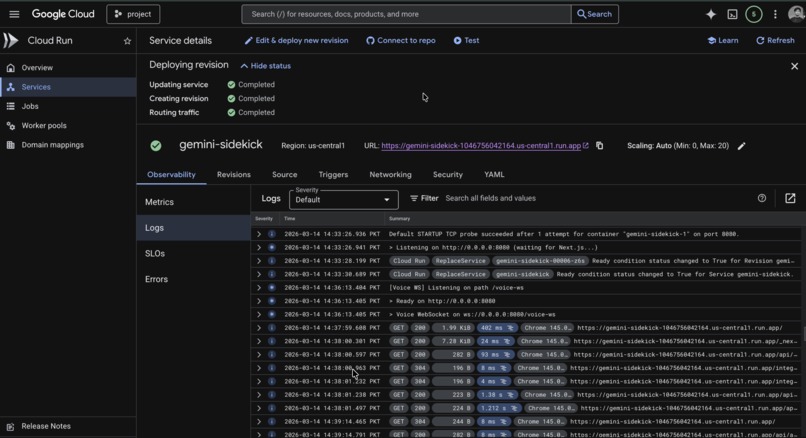
Proof of Deployment
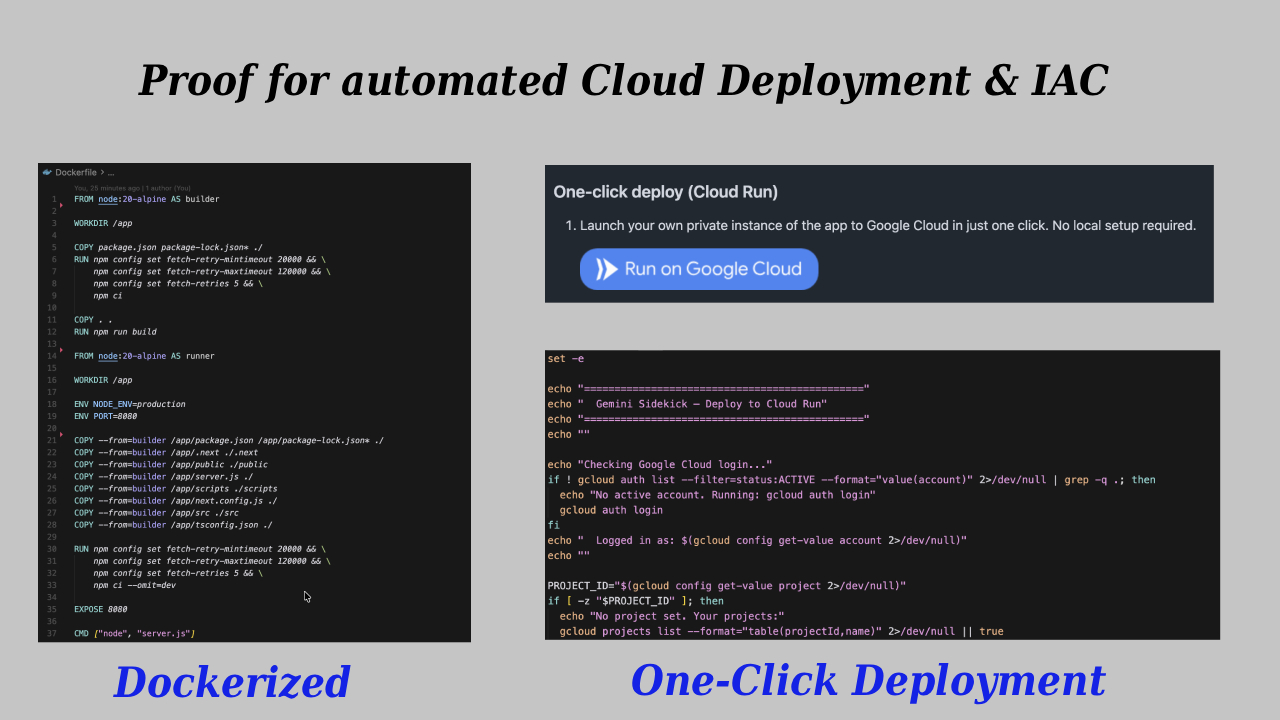
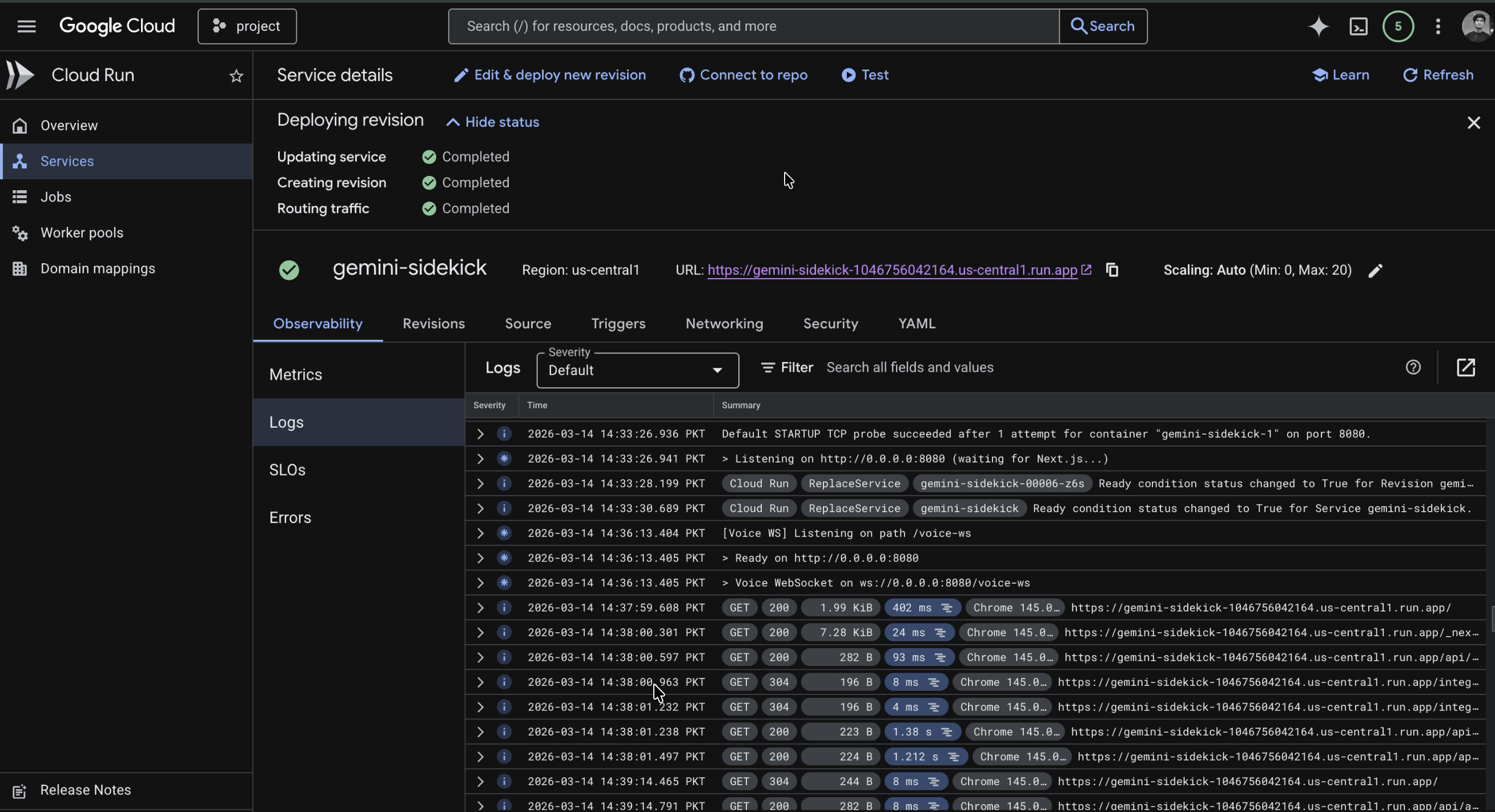
Proof of Deployment: https://youtu.be/gfz9U0UU8VU
Inspiration and Idea
We wanted to build a voice agent that can actually join meetings — one that listens, responds when called by name, and helps the team stay productive during discussions.
In many office meetings, we often need to search for documents, tickets, or references while talking about a topic. This usually forces someone to switch between multiple tools, which interrupts the flow of the meeting and sometimes causes us to lose context.
Our idea was to create an assistant that stays in the meeting with the team. It can search workspace tools, retrieve information, create meeting minutes, and even generate Jira tickets — all through voice commands.
The goal is to reduce context switching and help teams quickly access information or perform tasks without leaving the meeting conversation.
What it does
Live Agent that join meetings, interact in realtime using voice and helps users by performing tasks within the meeting, such as:
- Reading Workspace Documents.
- Searching for relevant tickets on Jira.
- Creating Tickets on Jira.
- Creating Meeting minutes.
- Providing summaries.
How we built it
The app has three main parts.
First, a meeting bot that joins the Zoom call, captures meeting audio, plays back the assistant’s voice, and can post to the meeting chat.
Second, a WebSocket server that sits between the bot and Gemini Live. It streams audio from the meeting to the Live API and streams the model’s voice back to the bot.
Third, a Next.js app that handles auth, Drive/Jira API calls, and the UI for launching the bot and managing settings. The voice agent is driven entirely by Gemini Live: it decides when to reply, when to call tools, and what to say.
Tools
- Gemini SDK
- Gemini Live API.
- Cloud Run
- Google Drive API
Others:
- Next.js
- Docker
- Playwright
- Jira API
Challenges we ran into
While having multiple participants in meeting it keeps on interfering without being asked. But we controlled it with better prompting and controlled interruptions.
Accomplishments that we're proud of
- Seamless execution of calling and tool calling.
- Processing and injecting realtime audio to meetings.
What we learned
For long running tasks we should go with CloudRun Jobs called by Service, otherwise the request on cloud run instance timeouts.
What's next for Gemini Sidekick
- Better implementation to control Agent Interference.
- More tool integrations.
- Hopefully add support of Google Meet if it starts supporting applications/bots in meeting (right now we used zoom for demonstration purpose).
Built With
- cloudrun
- docker
- geminilive
- google-drive
- next.js


Log in or sign up for Devpost to join the conversation.