-
-
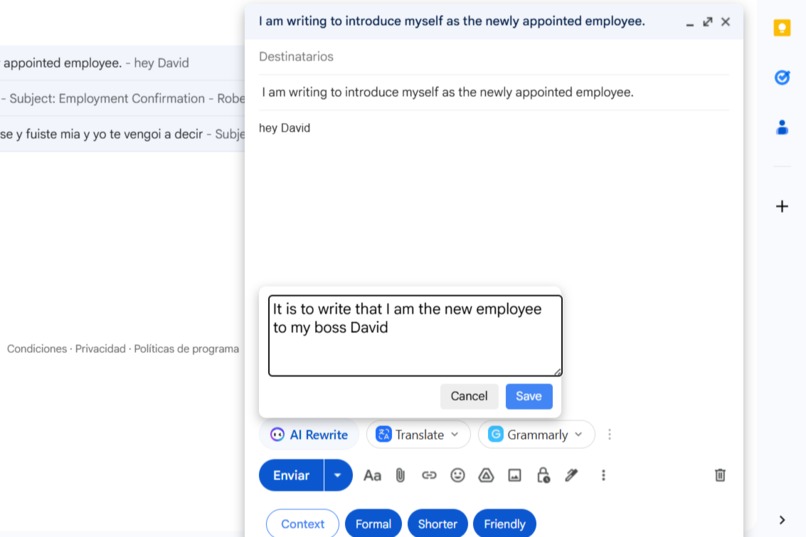
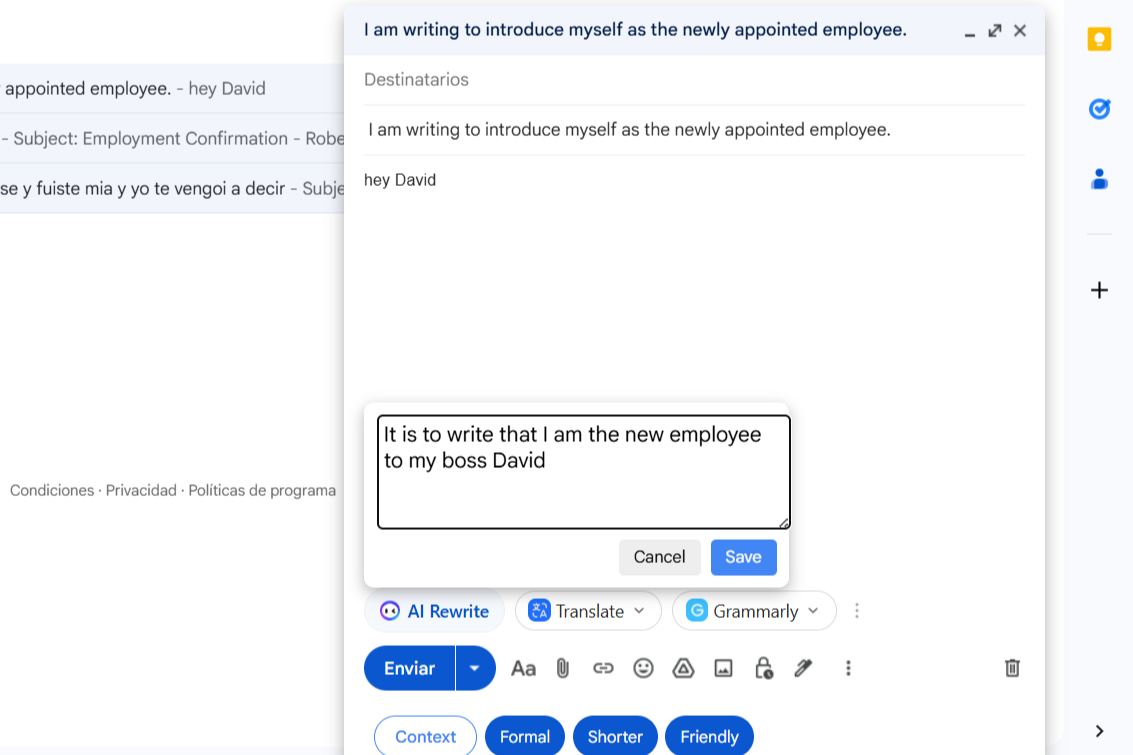
Show Core Value: Displays the Gmail compose window with the Context modal window open
-
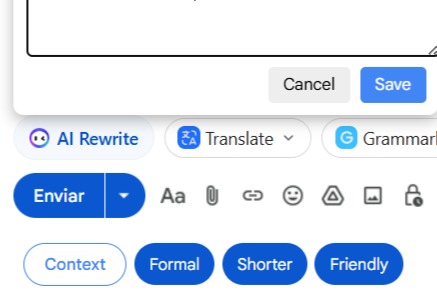
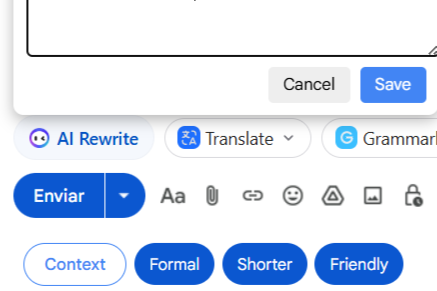
interface is clean and well integrated.
-
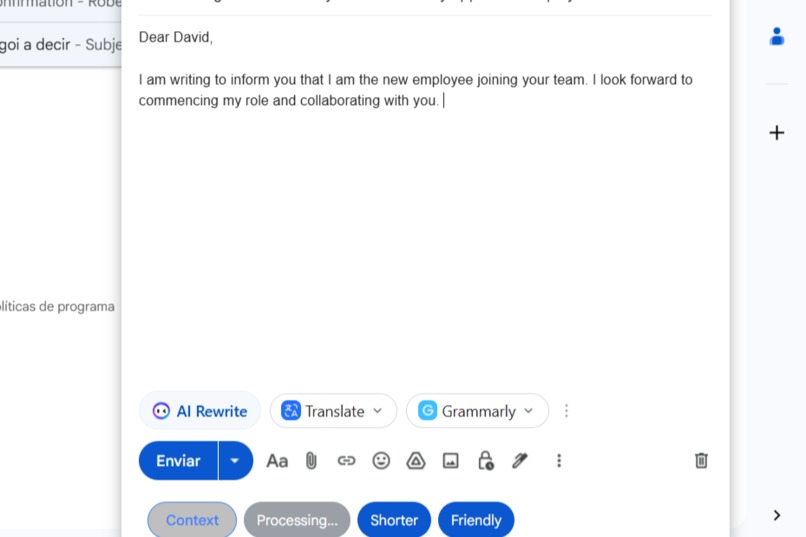
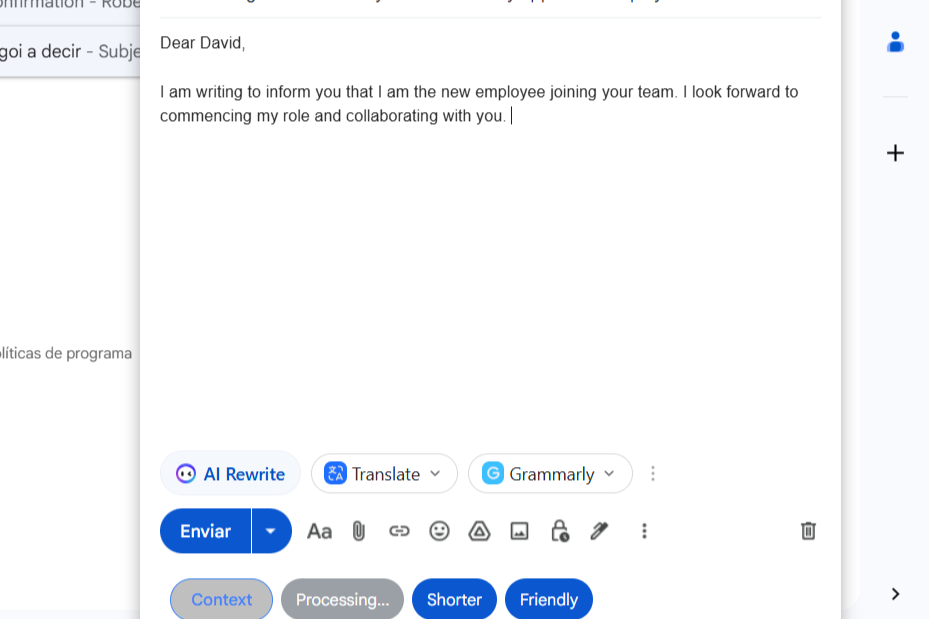
shows the Processing... button and the text appearing in the body.
-
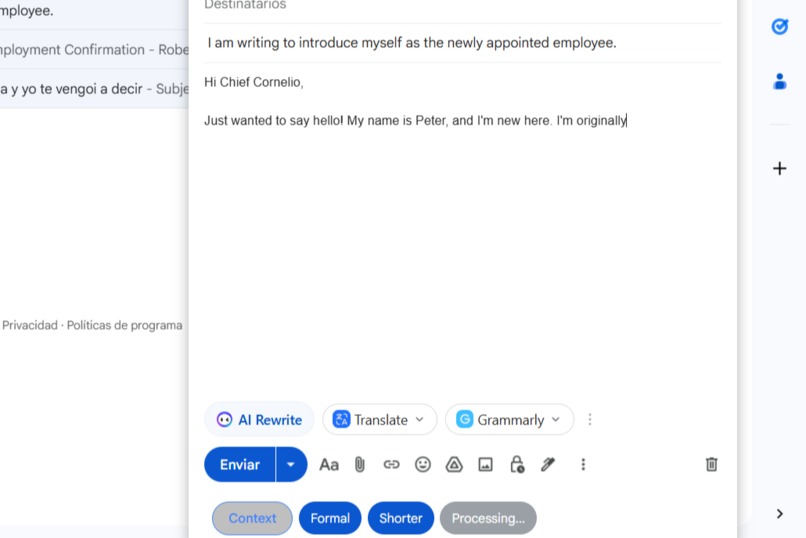
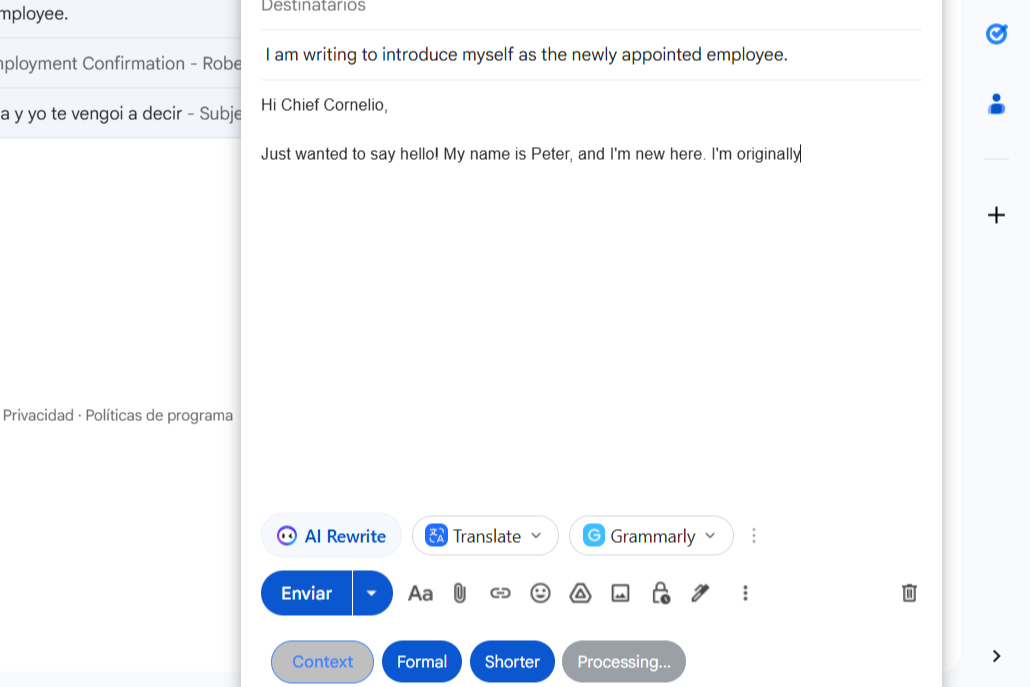
shows the Processing... button and the text appearing in the body.
🌟 Inspiration
The main inspiration was tackling the everyday hurdle of email writing. We noticed how users often struggle to quickly find the right tone or length for a message—whether it's making a draft sound more professional for a boss or more concise for a quick internal reply.
We sought to embed powerful, on-device AI directly where it’s most needed: the Gmail composition window. By using the experimental Rewriter API powered by Gemini Nano, we could provide instant, context-aware rewriting without requiring any copy-pasting into external tools.
💡 What It Does
Gemini Rewriter for Gmail is a Chrome extension that embeds an AI-powered text assistant directly into the Gmail compose toolbar. It offers several one-click actions:
- Tone Adjustment: Changes text to be
Formal(more formal) orFriendly(more casual). - Length Control: The
Abreviar (Shorter)option quickly summarizes selected text using thelength: 'shorter'parameter. - Streaming Output: Rewritten text is inserted chunk by chunk into the email body, providing a real-time typing effect for a modern user experience.
- Custom Context: Includes a floating "Context" modal where users can input specific instructions (e.g., "Respond to an angry customer with empathy"). This custom context is passed to the AI for highly tailored results and is visually marked on the button when active.
🛠️ How We Built It
The extension was built using Vanilla JavaScript, CSS, and the Chrome Extension API (Manifest V3).
🧩 Origin Trial Setup
We successfully enabled the use of the local AI by injecting the required Origin Trial Token into the <head> of the Gmail page upon load.
🎨 UI Injection
We employed a MutationObserver to reliably detect when Gmail's dynamic "Compose" dialog box is opened, allowing us to insert our custom UI elements next to native Gmail buttons.
⚙️ Core AI Call
The rewriting process reads the user's selection (or the entire body/subject) and calls the API with custom parameters, including the user-defined context:
const tempRewriter = await Rewriter.create({
  tone: option.tone,
  context: userContext.trim() ? userContext.trim() : undefined,
  length: option.length,
});
🔁 Streaming Integration
For the main body, we process the output using the asynchronous iterator pattern to stream the result instantly:
Copiar código
for await (const chunk of stream) {
  document.execCommand("insertText", false, chunk);
}
⚠️ Challenges We Ran Into
The main difficulty lay in working within Gmail's complex Single-Page Application (SPA) environment.
DOM Reliability
Gmail’s ever-changing DOM required careful targeting using MutationObserver to ensure our buttons were always injected into the correct toolbar container.
Text Insertion
Integrating the streaming output flawlessly was tricky. Standard methods often broke Gmail’s internal editor state.
Using the native document.execCommand("insertText") for each small text chunk proved to be the most reliable technique for simulating user typing.
API Compatibility
Debugging initial errors such as the TypeError caused by incorrect tone values required careful validation of the Rewriter API’s expected enums.
🏆 Accomplishments We’re Proud Of
- Seamless Streaming: Implemented real-time text streaming for instant, natural AI interaction — a major UX differentiator.
- Robust Context Feature: The custom context modal with Save and Cancel buttons provides explicit state management.
The visual indicator on the main “Context” button keeps users aware of active prompts. - Minimal Intrusion: Achieved a clean, native-looking Gmail UI that enhances productivity without clutter.
📚 What We Learned
This project provided invaluable learning in several areas:
- SPA Resilience: Mastered building Chrome extensions that maintain functionality and state (like the
data-ai-contextattribute) in dynamic web apps. - Modern Asynchronous JS: Gained proficiency in using the
for await...ofloop to handle streaming data from experimental Web APIs. - Advanced API Usage: Learned to structure the
Rewriter.create()call to fully leverage optional parameters likecontextfor highly tailored AI results.
🚀 What’s Next for Gemini Rewriter for Gmail
- Expanded Tones: Add more expressive tones (e.g., Sarcastic, Assertive, Enthusiastic).
- Translation Integration: Explore one-click translation and rephrasing capabilities.
- User Profile Presets: Allow users to save and reuse predefined context templates (e.g., “Sales Pitch Context”) for faster workflows.
Built With
- chrome
- css
- html
- javascript
- rewriter

Log in or sign up for Devpost to join the conversation.