Inspiration
The inspiration for this project was Github's copilot extension. The copilot extension provides a sidebar that allows users to ask the AI service questions within their workspace, without having to navigate to a different service every time.
What it does
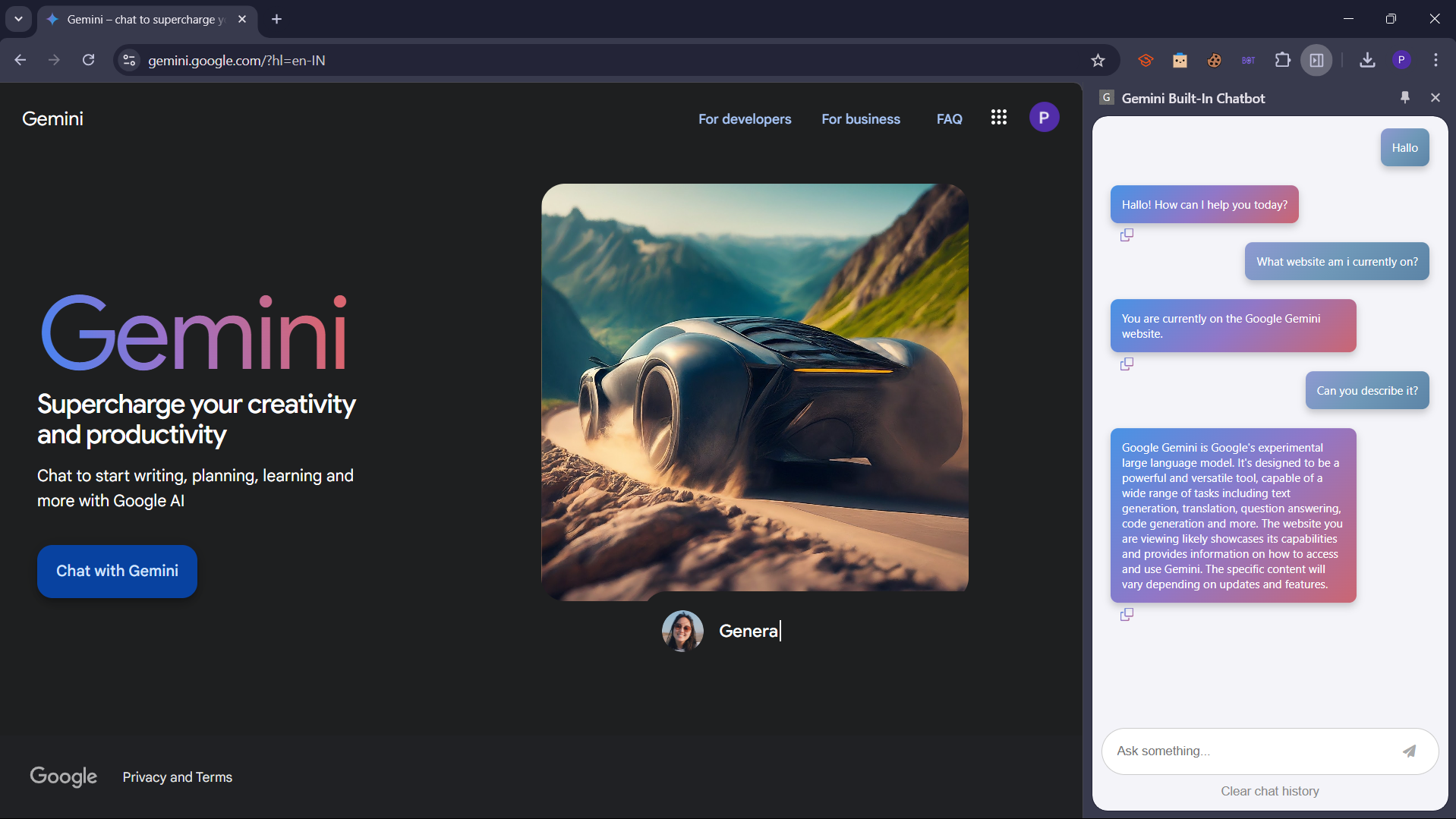
The Gemini built-in chatbot creates a togglable sidebar in chrome based web browsers that allows users to query Google's Gemini model and receive a response. The chat history is saved to the users browser and can be cleared.
How we built it
The extension was build using Javascript to access chrome's API's to build the logic behind the sidepanel, as well as its design. The requests were forwarded to a azure function to ensure the Gemini API key was stored safely and could bot be exploited.
Challenges we ran into
The biggest challenge we ran into was being unable to create a file upload system. Although we were able to get the basics setup, we struggled with having the files saved to history, and being sent to the gemini model.
Accomplishments that we're proud of
We are proud of the progress we made in this project and everything that we learnt in regards to building chrome extensions and accessing Gemini's API system.
What we learned
We learnt how to build prompts to send to Gemini and create complex chrome extensions.
What's next for Gemini built-in chatbot
We aim to build a file upload system as this is one of the most useful features of Generative AI models.


Log in or sign up for Devpost to join the conversation.