-
-
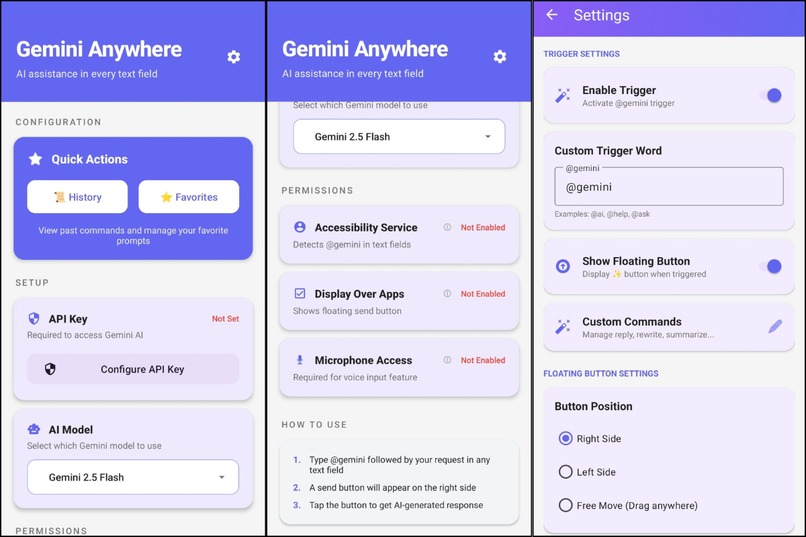
Overview of Gemini Anywhere’s interface, permissions, and trigger settings that enable AI across all Android apps.
-
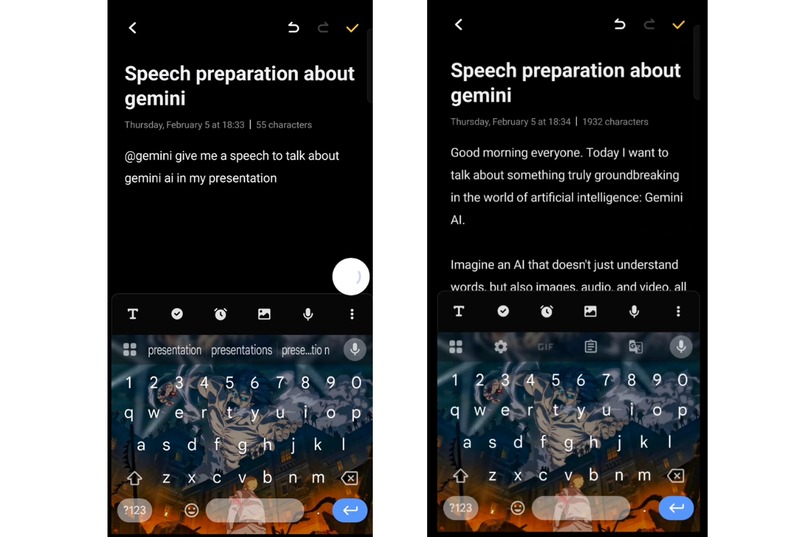
Live demonstration of @gemini in Notepad, showing Gemini AI generating a context-aware response directly inside a regular text field.
-
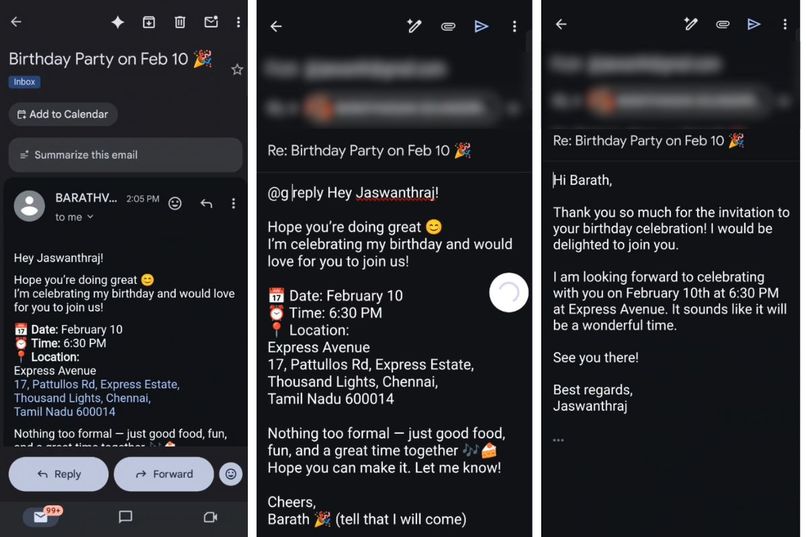
End-to-end demonstration of a custom trigger (@g) and reply command generating an AI-powered email response natively within Gmail.
-
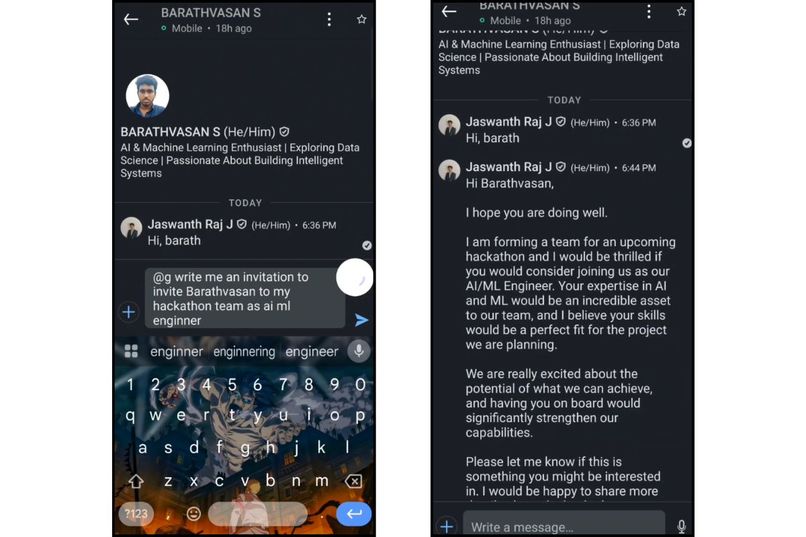
Custom trigger (@g) generating a professional AI-written LinkedIn invitation to join a hackathon team as an AI/ML engineer.
-
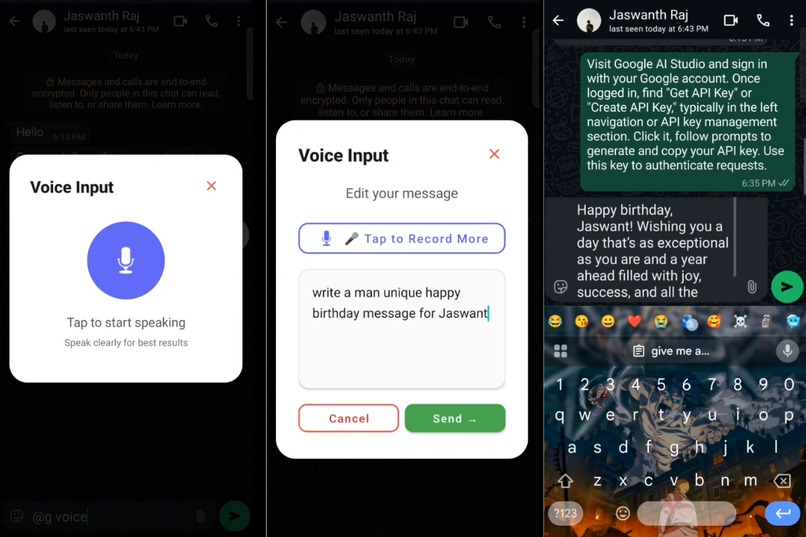
User activating @gemini voice to speak a prompt, edit the transcribed text, and receive a Gemini AI response directly inside any app.
-
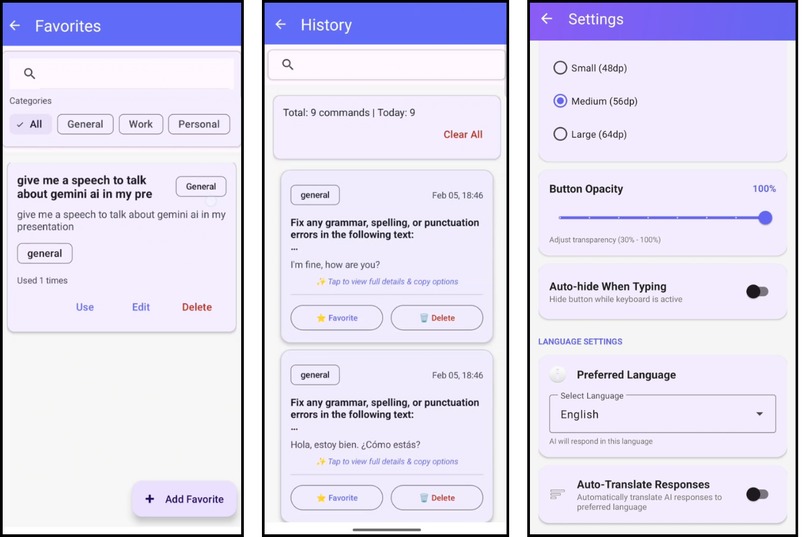
History, favorites, and auto-language tools for reusing commands, saving prompts, and getting automatic translations.


Inspiration
AI has become incredibly powerful, but accessing it is still slow and disruptive. Every time users want help, they must leave their app, copy text, open a chatbot, paste it, and return. This breaks focus and wastes time.
We wanted AI to feel like a native superpower — always available exactly where people type. That vision led to Gemini Anywhere: bringing Gemini directly into every text field on Android.
What it does
Gemini Anywhere turns any text field on Android into a Gemini-powered AI assistant.
By typing @gemini inside any app — WhatsApp, Gmail, Chrome, Notion, or anywhere you can type — users instantly get access to Google’s Gemini 3 models for:
- Writing and rewriting
- Smart replies
- Summarization
- Translation
- Grammar and tone fixes
- Content generation
- Explanations
All without switching apps or losing context.
How we built it
Gemini Anywhere is implemented as a system-level Android assistant using:
- Android Accessibility Services to detect text fields and input
- A floating overlay UI for seamless interaction
- Gemini 3 API for real-time AI generation
- Encrypted local storage for secure API key handling
- MVVM architecture, Kotlin Coroutines, and streaming network calls
When a user types @gemini, the app captures the current text, sends it to Gemini, streams back the response, and inserts it directly into the active app — creating a smooth, native experience.
Challenges we ran into
The hardest problems were:
- Reliably detecting text fields across all Android apps
- Keeping responses fast and fluid
- Handling permissions safely without harming user trust
- Designing a floating UI that feels powerful but not intrusive
We solved these by carefully using Accessibility APIs, optimizing streaming responses, encrypting all local data, and building a minimal Material Design interface.
Accomplishments that we're proud of
- Built a true universal AI assistant that works across every Android app
- Integrated multiple Gemini 3 models with real-time streaming
- Designed a voice-first interface with waveform animations
- Implemented privacy-first local data handling
- Created a system that feels like a native OS feature, not just another app
What we learned
We learned that the most powerful AI experiences happen when AI disappears into the workflow. Users don’t want another app — they want intelligence wherever they already work.
We also gained deep experience in Android system services, secure data handling, real-time AI streaming, and building human-centered AI tools.
What's next for Gemini Anywhere
We plan to expand Gemini Anywhere with:
- Tablet and landscape optimization
- Widgets and quick-access controls
- Cloud-optional sync for custom commands
- Plugin system for new AI tools
- Wear OS integration
Our goal is to make Gemini Anywhere the default way people interact with AI on Android.
Built With
- android
- android-accessibility-service
- android-overlay-(display-over-apps)
- androidx-security-crypto
- gemini-3-api
- gemini-3-pro-&-flash-api
- kotlin
- kotlin-coroutines
- kotlin-coroutines-&-flow
- material-design-3
- mvvm-architecture
- okhttp
- recognition
- retrofit
- retrofit-2
- speech
- view-binding
