-
-
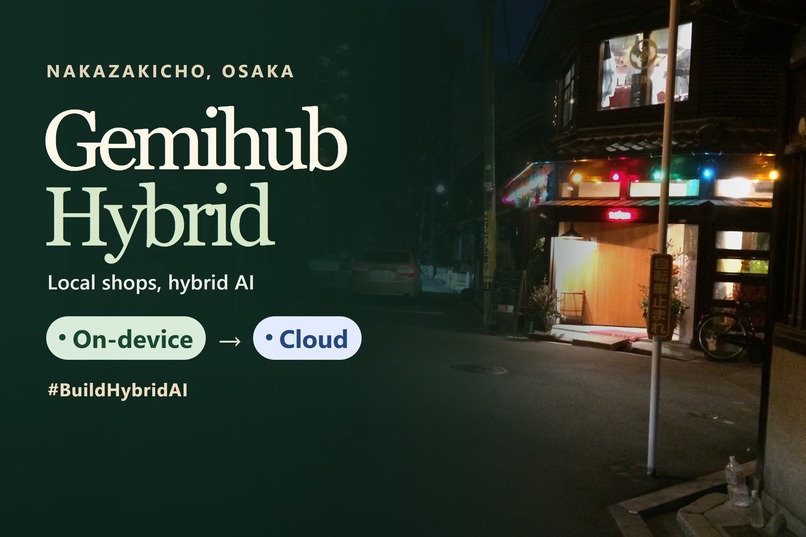
Gemihub Hybrid: an AI town guide inspired by Nakazakicho, Osaka, pairing on-device Gemini Nano with cloud Gemini 3.5 Flash-Lite.
-
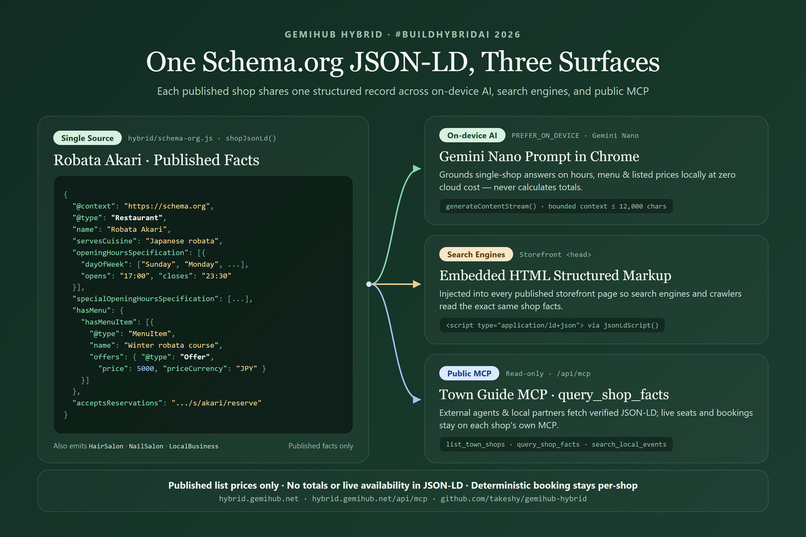
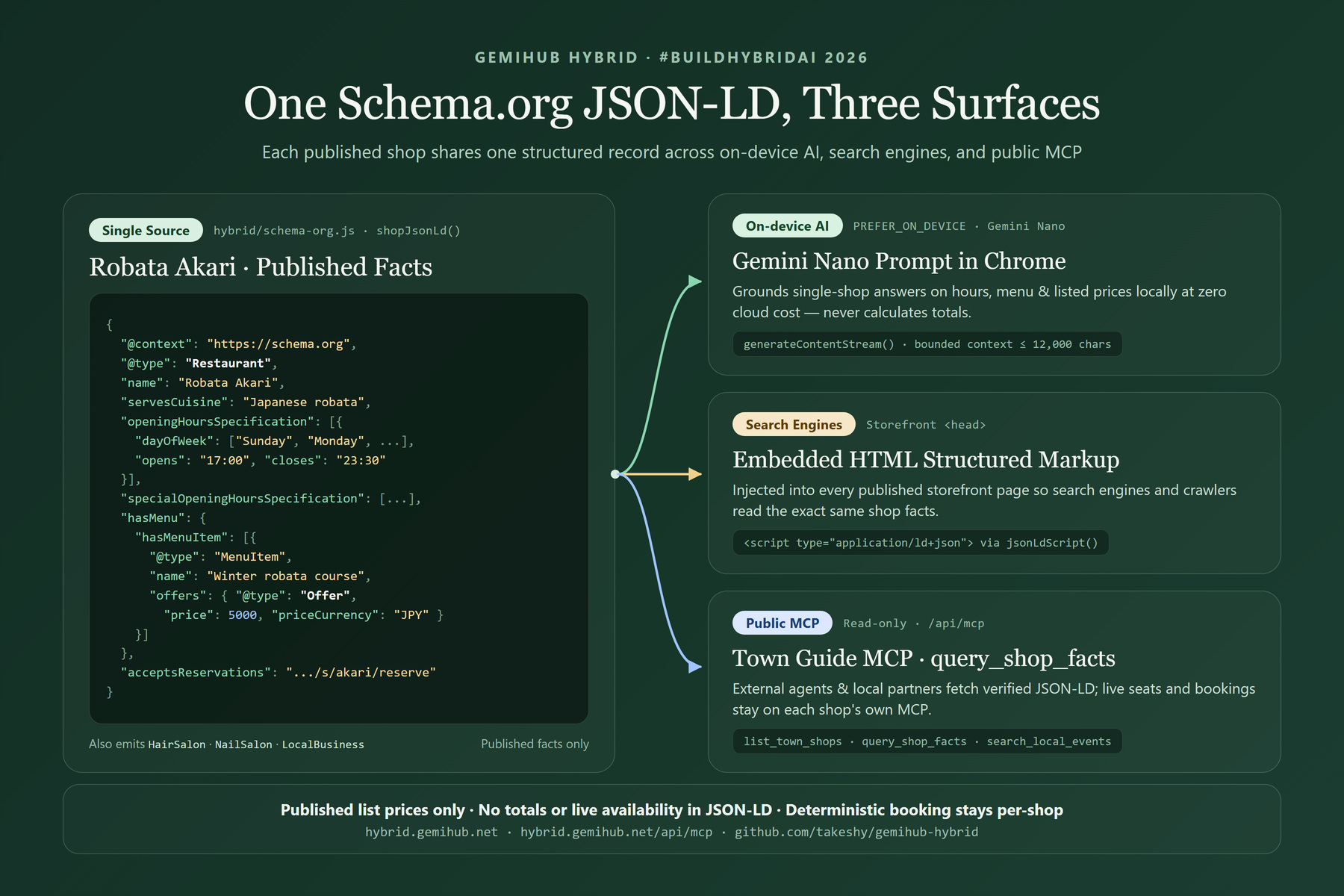
One schema.org JSON-LD record per shop powers on-device Nano answers, search-engine markup, and the public /api/mcp endpoint.
-
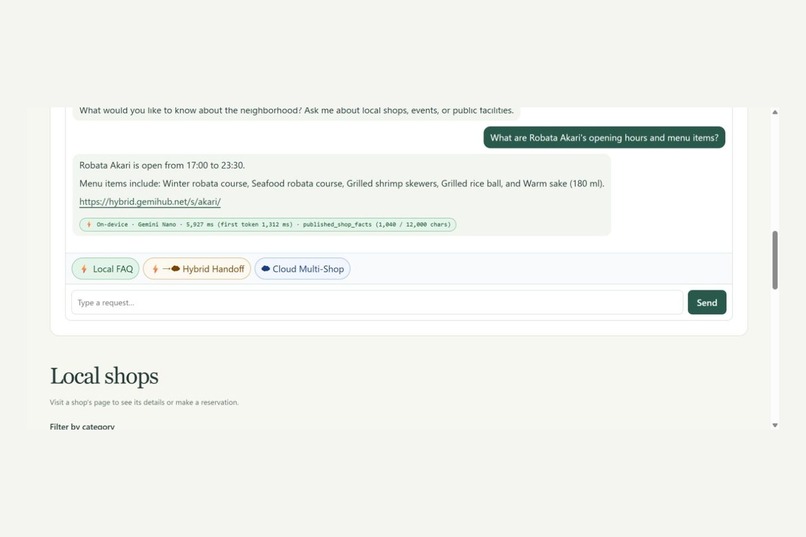
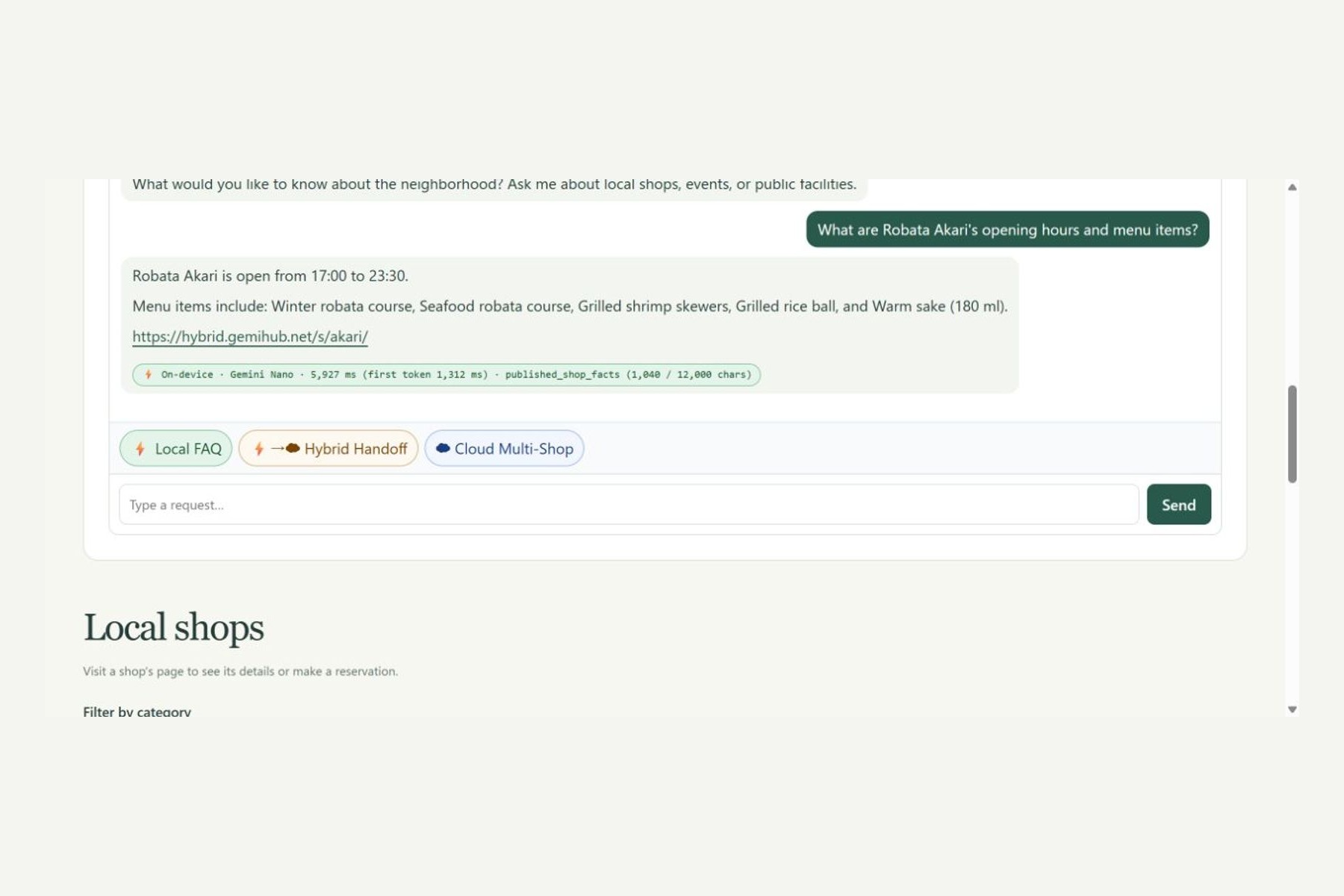
On-device streaming answer with Gemini Nano via Firebase AI Logic, showing the live telemetry pill (model, latency, and routing reason).
-
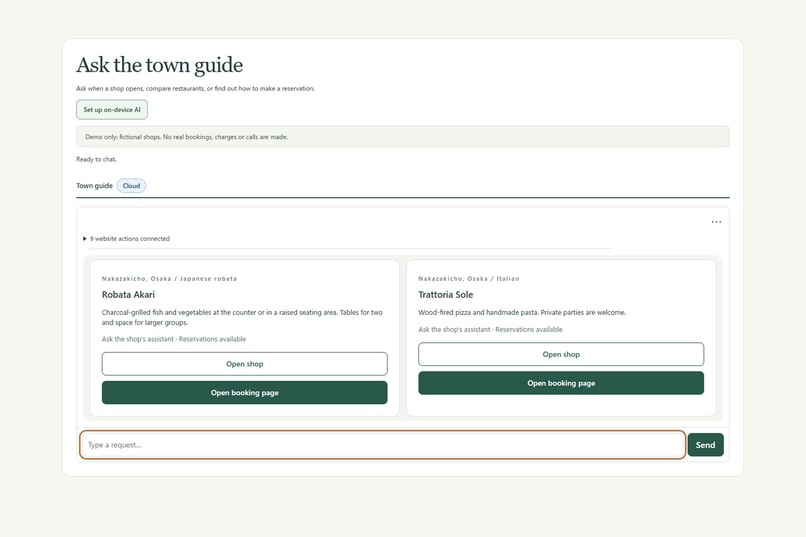
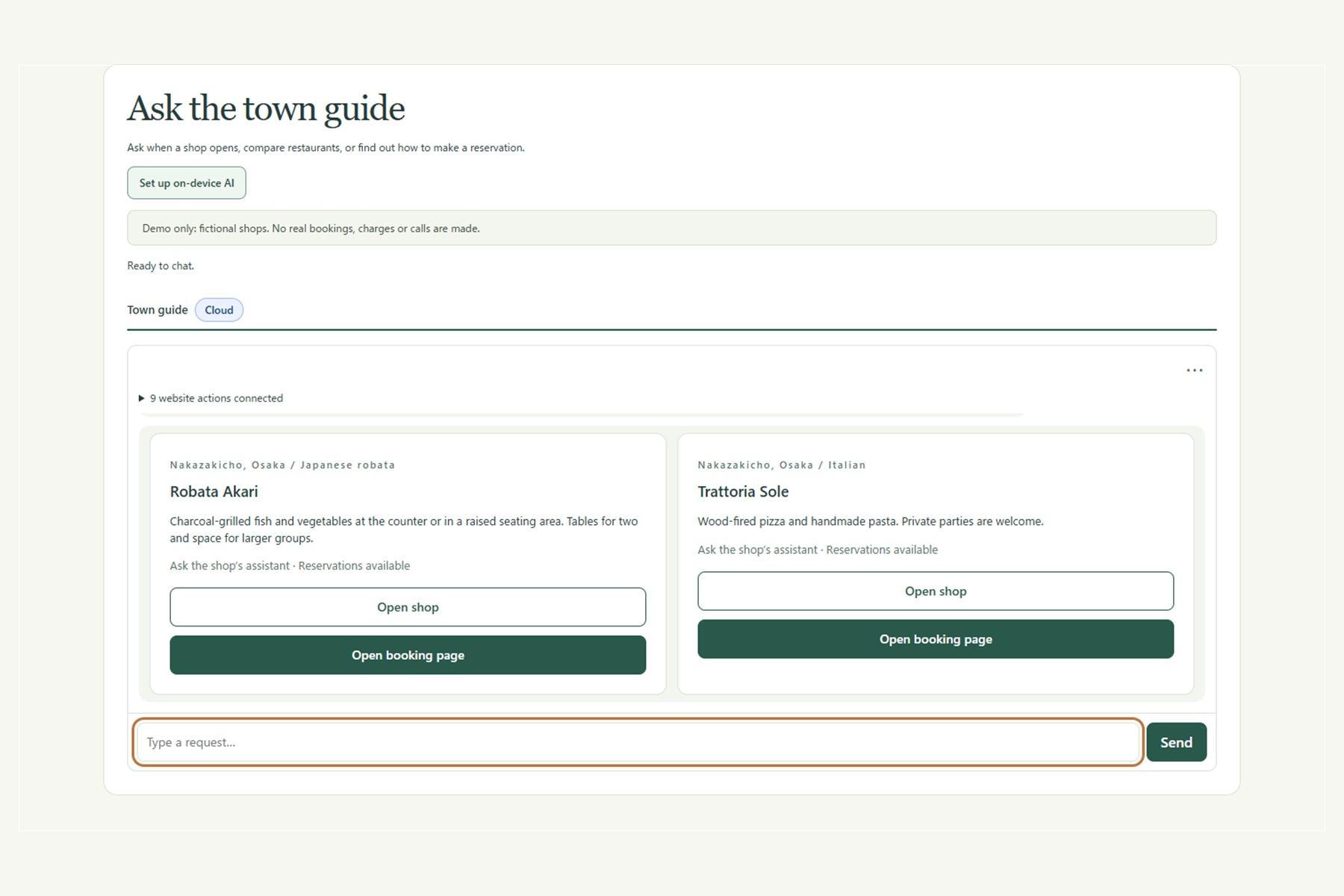
Cross-shop comparison in the cloud: comparing two Nakazakicho restaurants routes to Gemini 3.5 Flash-Lite, shown by the Cloud badge.
-
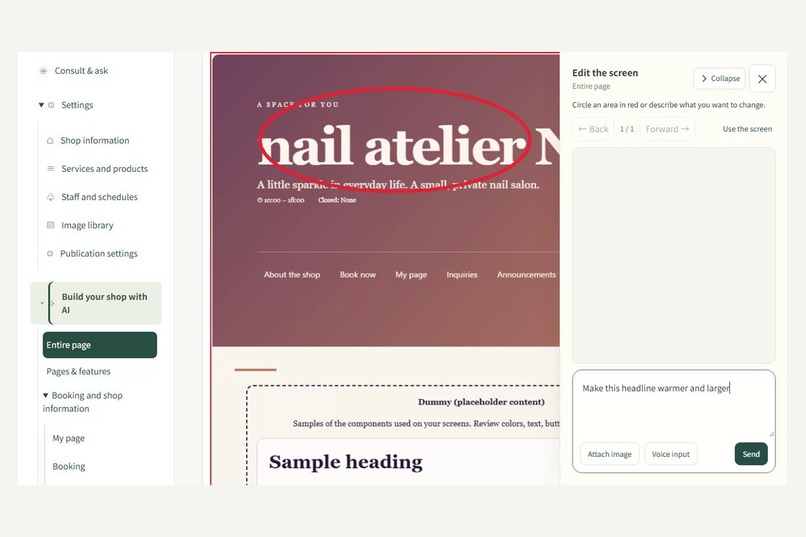
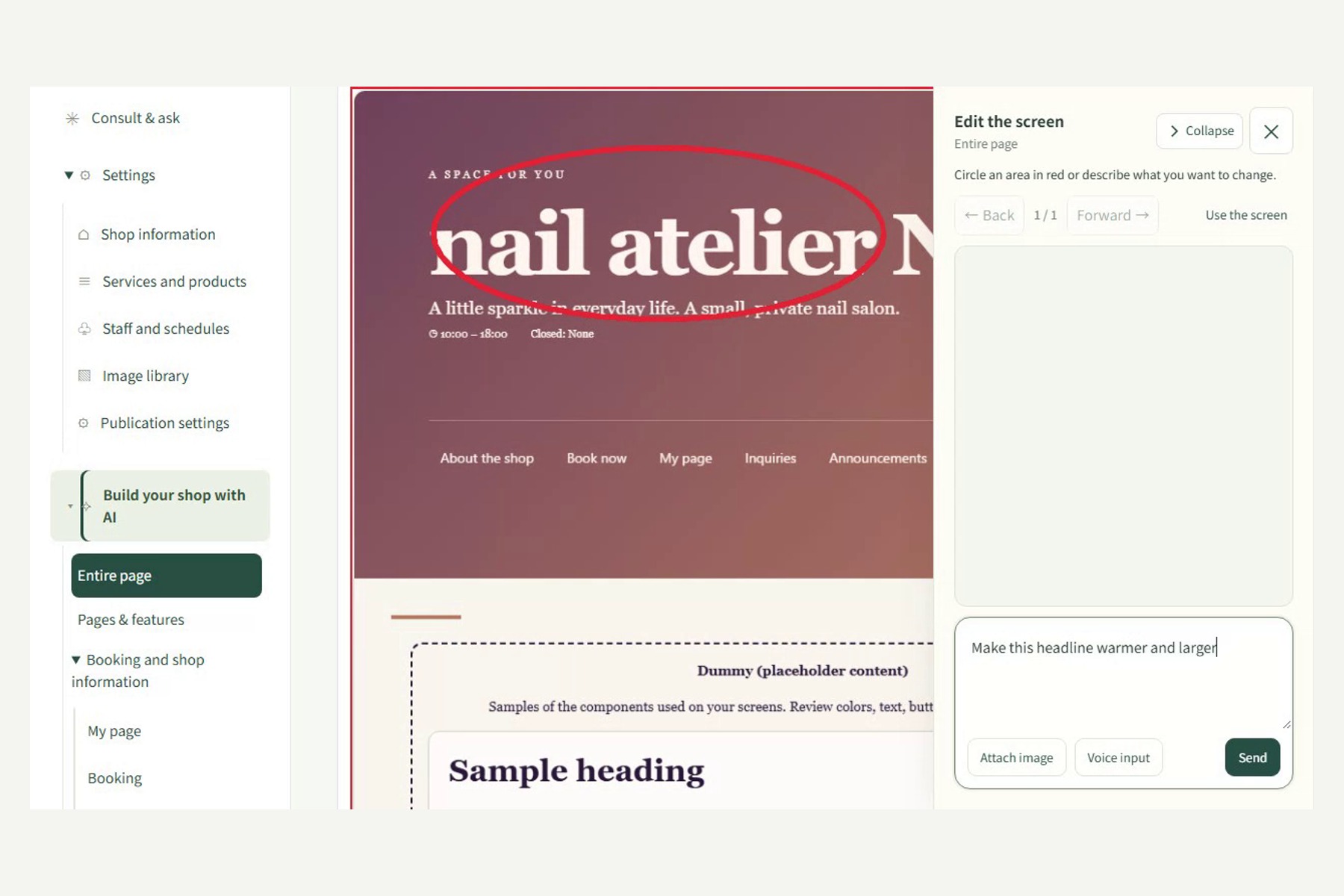
Visual storefront editing in the Gemihub shop builder: circle any area with the red pen and describe changes in natural language.
-
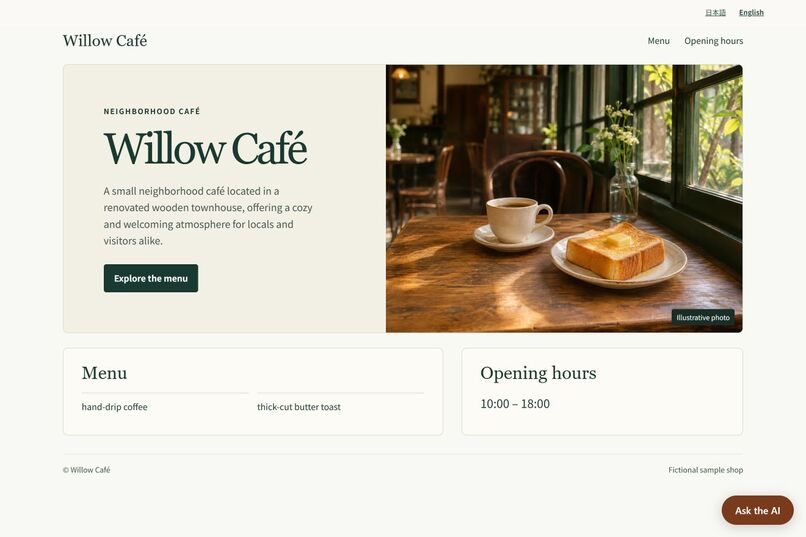
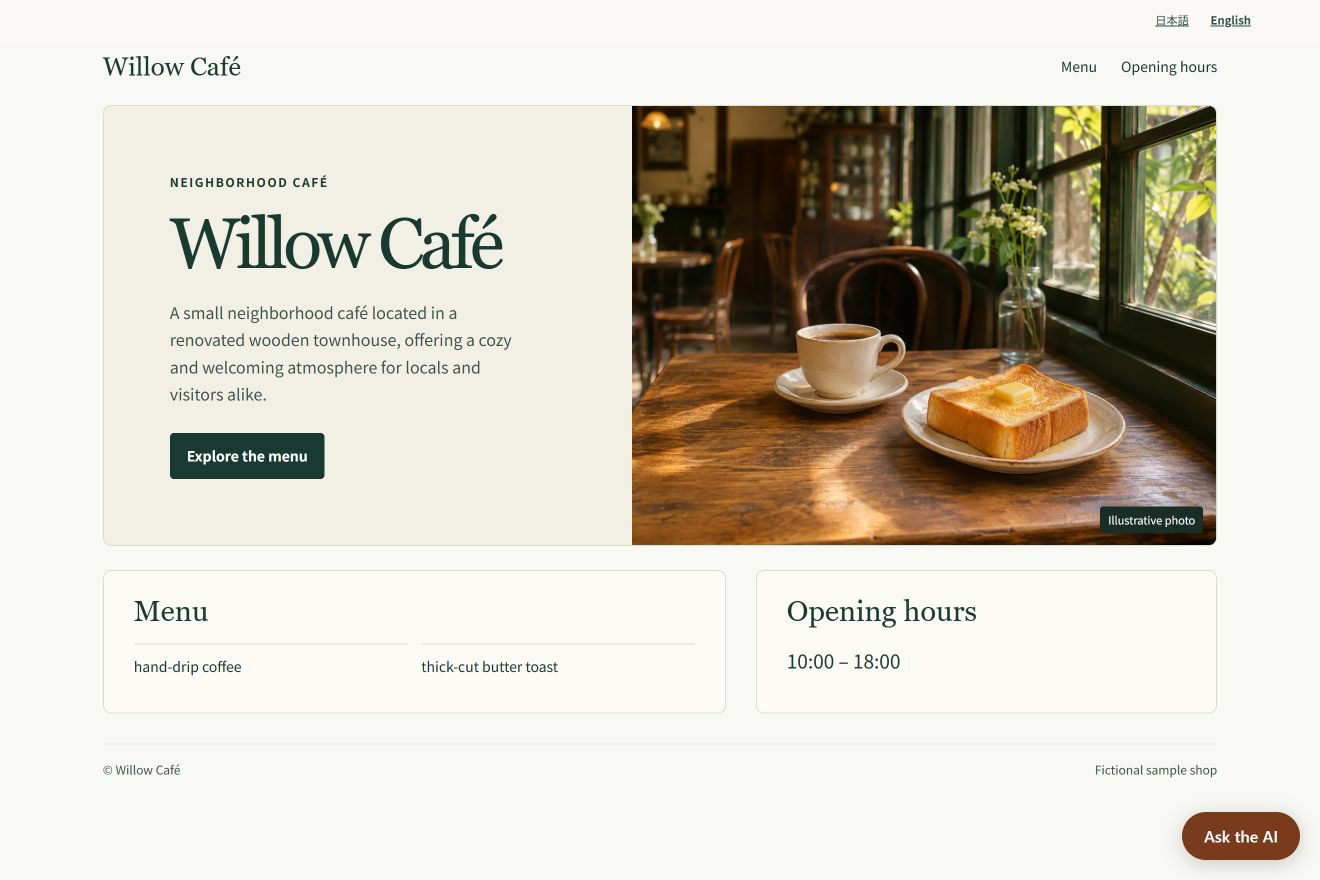
Published sample storefront for Willow Café with menu, opening hours, and a shop AI assistant grounded only in its published facts.
-
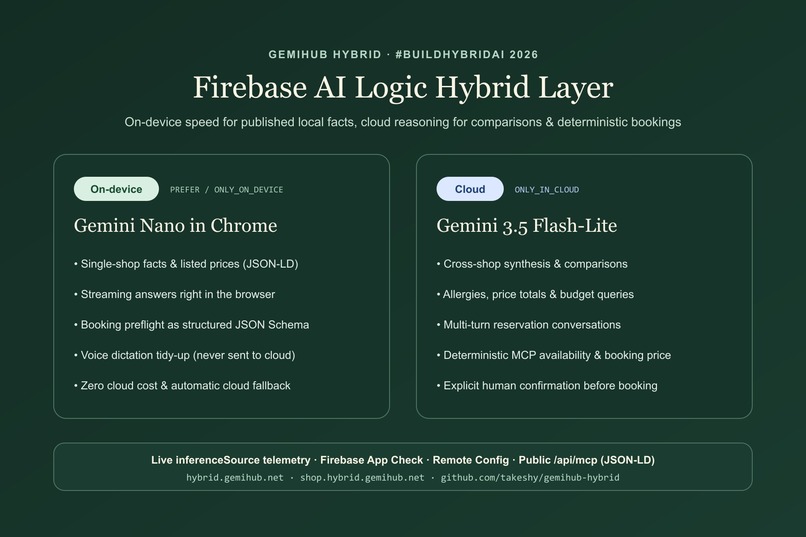
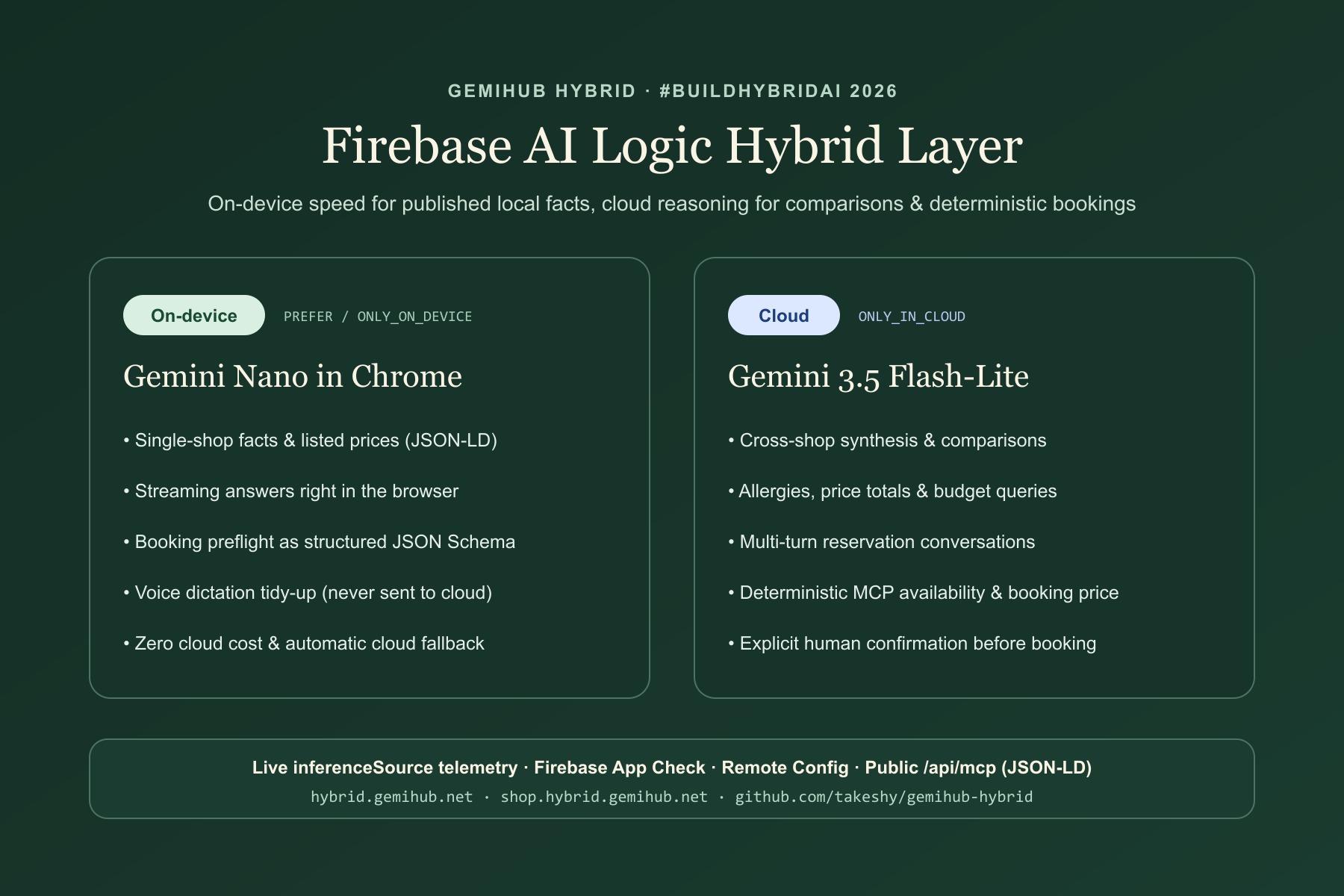
Hybrid routing: Nano runs JSON-LD FAQs, listed prices, booking preflight & dictation tidy-up on-device; Flash-Lite runs comparisons & MCP.
-
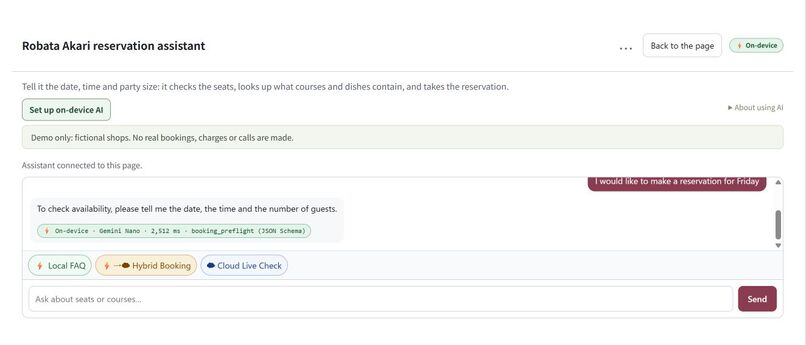
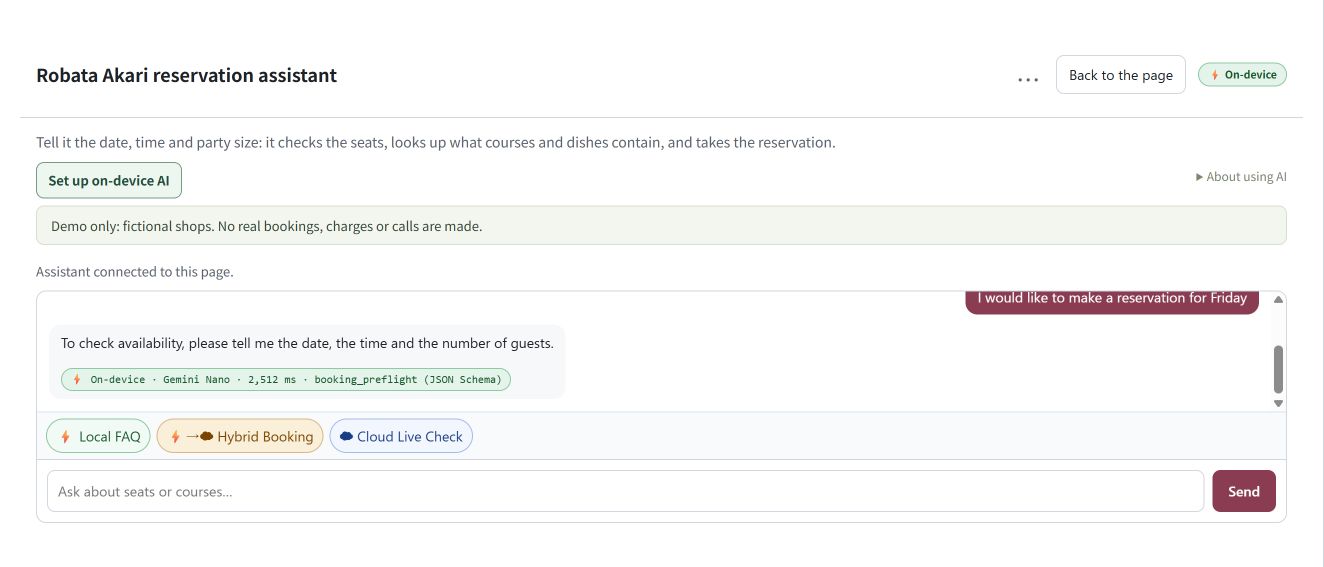
Shop assistant running on-device booking preflight (Gemini Nano structured JSON) before any cloud call
-
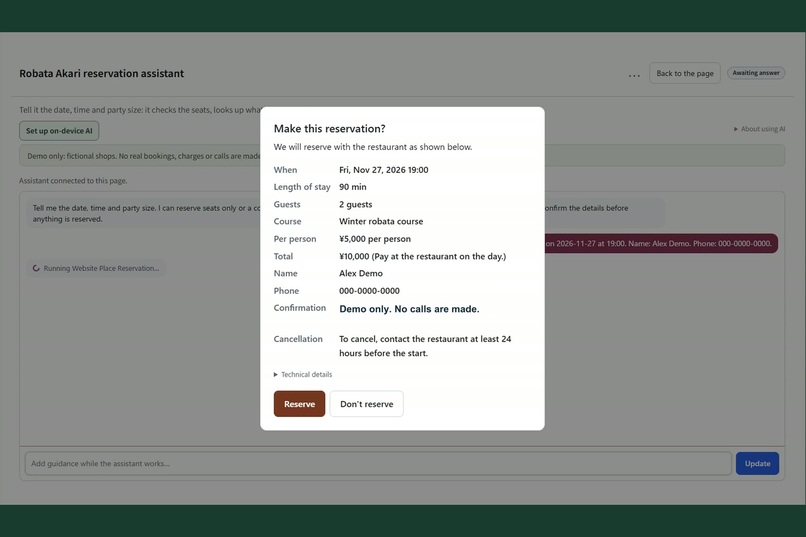
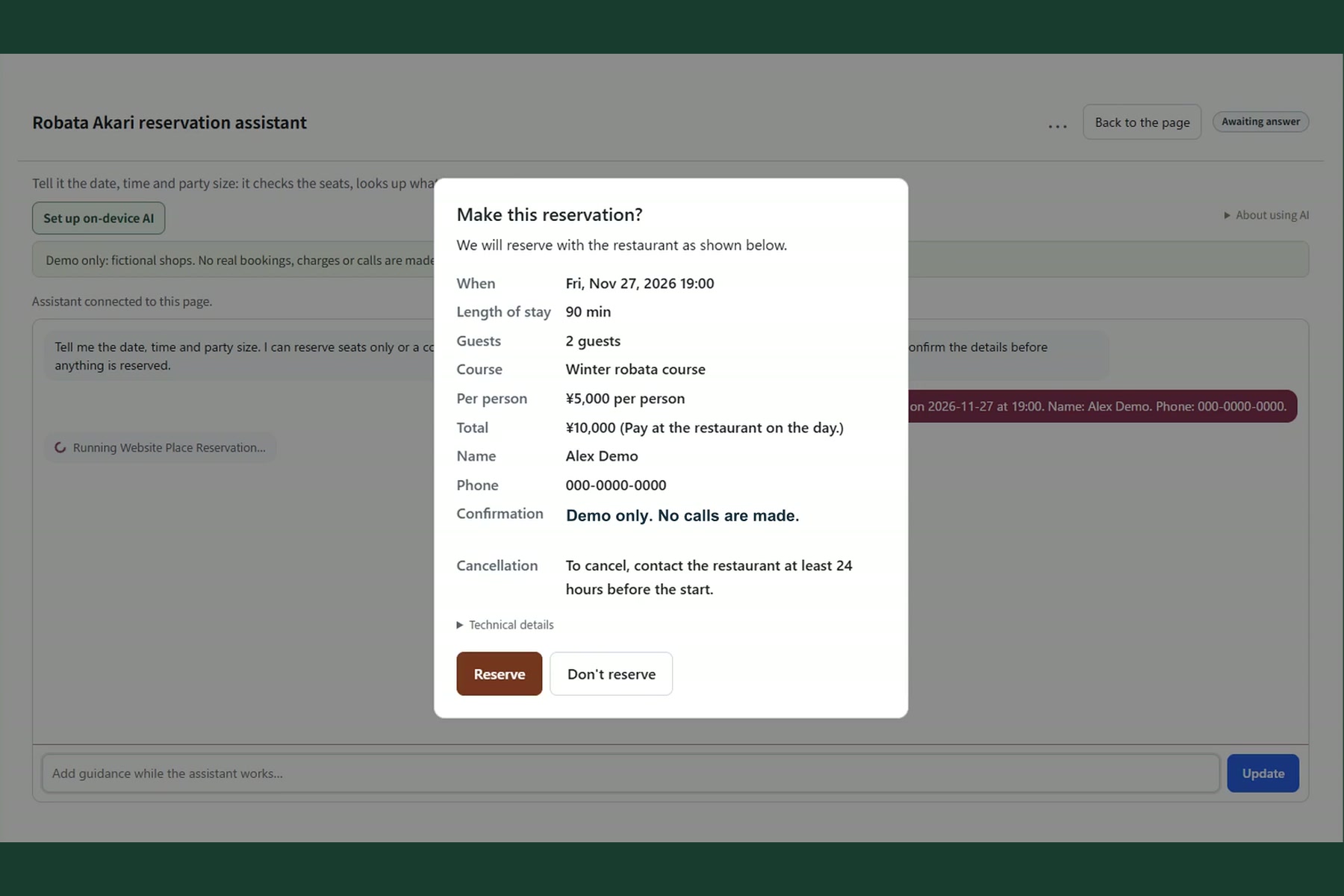
Deterministic reservation confirmation: booking tools check live availability and calculate pricing before the visitor confirms.
-
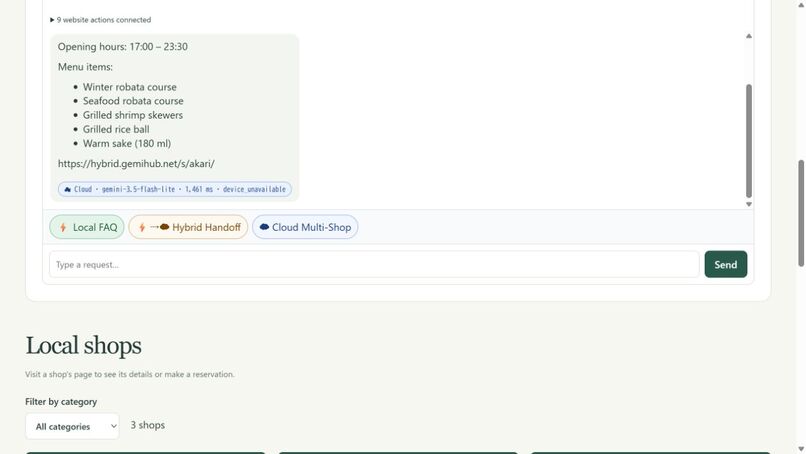
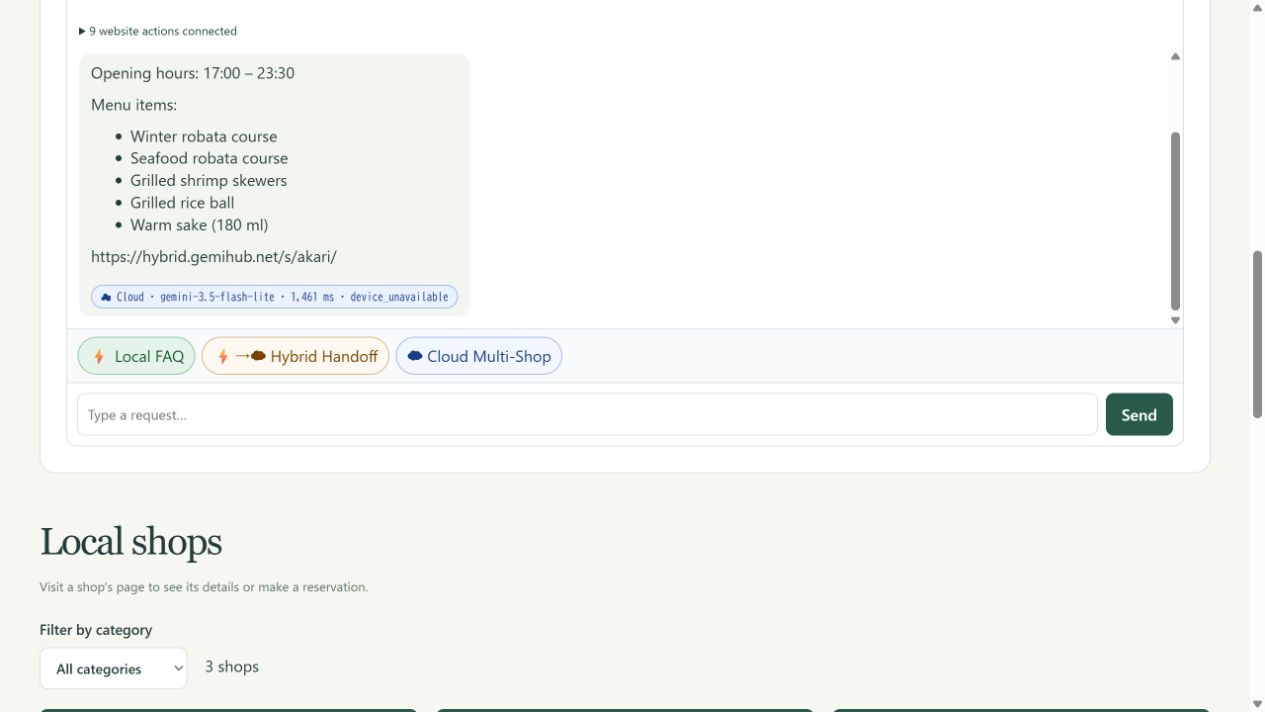
Graceful cloud fallback on a browser without Gemini Nano, labeled honestly as Cloud (device_unavailable)
Inspiration
When I was a student, Nakazakicho in Osaka was a quiet neighborhood of old row houses. Affordable rents drew young creatives, and cafés and small shops opened in those old homes. Over time, Nakazakicho became a popular neighborhood with a culture of its own.
Most of what I see about Nakazakicho online is articles about individual shops. I wondered what would happen if shopkeepers could tell their neighborhood's story together. Could a website give visitors a sense of what it feels like to walk those streets?
With AI, an independent shopkeeper can build a website that feels like their own just by having a conversation. A town guide can bring together what each shop chooses to publish and help visitors discover things they might miss when looking up shops one by one.
If every question about opening hours goes to a cloud model, costs can grow with traffic. It's hard for a small shop to budget for traffic it can't predict, especially if the service is misused. On supported devices, AI in the visitor's browser can answer common questions using what the shop has already published. Visitors can find out what they need before they go, without waiting for someone at the shop to reply. That's the kind of town guide I wanted to build.
What it does
Gemihub Hybrid is a town guide for independent shops, with an AI assistant on each shop's page. Shop owners build and publish their storefronts through conversation, and visitors can browse the town guide or chat with any shop's assistant without entering an API key.
- On-device answers for published facts. Questions about one shop's published information — hours, address, menu, dietary labels as listed — run on Gemini Nano in Chrome at no cost to the shop, and fall back to the cloud on browsers without Nano.
- Three-tier hybrid routing. Each request is routed on-device or to the cloud based on what it needs (see below). Single-shop facts stay on the device, while cross-shop comparisons, safety-sensitive questions such as allergies, and live availability and booking use the cloud with each shop's own deterministic booking MCP tools.
- On-device booking preflight. Gemini Nano collects booking details before any cloud call is made.
- Voice dictation with on-device tidy-up. Visitors can dictate questions
with the microphone (saying “over” to send), and when Gemini Nano is ready it
tidies the spoken transcript in
ONLY_ON_DEVICEmode without sending drafts to the cloud. - Inference details on every reply. Each answer shows where it ran (SDK-reported), which model answered, latency, why it was routed there, and which MCP tools were called.
- Public read-only Town Guide MCP & schema.org JSON-LD. Published shop facts
share one schema.org JSON-LD vocabulary (
Restaurant,HairSalon,NailSalon, orLocalBusiness, withOpeningHoursSpecification,specialOpeningHoursSpecification, and published list prices asOffer) across on-device prompts, embedded storefront markup for search engines, and the public/api/mcpendpoint (list_town_shops,query_shop_facts,search_local_events). Bookings stay on each shop's page using each shop's own booking MCP tools.
How we built it
Both the town guide assistant and each individual shop's assistant share one routing pipeline on the Firebase AI Logic Web SDK.
- On-device: understanding the request. Gemini Nano classifies the request and, for bookings, extracts what the visitor has given so far (date, time, party size) as structured JSON. If something is missing, code — not model text — asks for it. No cloud call happens until a live availability check is actually possible.
- On-device: answering from published facts (
PREFER_ON_DEVICE). A first-turn question about one shop — hours, address, menu, listed prices, dietary labels as listed — is answered by Gemini Nano from that shop's published schema.org JSON-LD facts (with date-specific hours overriding weekly hours), with streaming. Remote Config sets the size limits (1,200 characters for the question, 12,000 for the context), routing oversized fact sets safely to the cloud. - Cloud: reasoning and live data (
ONLY_IN_CLOUD). Comparisons across shops, community document search, allergy questions, totals and budgets, follow-ups that depend on earlier turns, and availability checks and bookings go to Gemini 3.5 Flash-Lite. Allergy questions and price calculations go to the cloud on purpose: an on-device guess there could mislead a visitor. Gemini Nano may quote a published list price or dietary label exactly as listed, while judging whether a dish is safe for an allergy always goes to the cloud. Each shop's own booking MCP tools remain the only source of truth for availability, booking price, and confirmation.
Common first-turn questions (hours, address, menu) and incomplete booking requests stay on the device, reserving cloud calls for comparisons, follow-ups, live availability checks, and reservation confirmation.
Challenges we ran into
Chrome needs a user action to download Gemini Nano. Early on, a race between preparing the model and sending the first message sent even browsers that already had Nano to the cloud on the first turn. Checking availability at startup, which needs no user action, and waiting up to 250 ms fixed this while allowing cloud chat during the download. Each tab allows 40 cloud calls per rolling 10 minutes. One question may use several calls. On-device calls are unlimited. The cap is deliberate: designed not to interrupt a typical visit, and its presence gives visitors a reason to enable the free, unlimited on-device AI.
Starting the first on-device chat also took noticeable time because Chrome had
to load Gemini Nano into memory on the first prompt, and while Nano begins
responding quickly once loaded, generating a full reply is slower than in the
cloud. To make chat feel responsive, the app warms up Gemini Nano in the
background as soon as it is available (keeping an idle session loaded while
actual inference still runs through Firebase AI Logic) and streams on-device
answers with generateContentStream so words appear right away.
Accomplishments that we're proud of
A shop owner who builds a storefront by conversation can now offer visitors an AI assistant at a low, predictable cost. And because each shop's assistant works from the same structured facts, the shops come together as one town guide while each keeps its own voice.
What we learned
Free-form natural language makes the app much easier for people to use, whether they are shopkeepers setting up a page or visitors asking questions in their own words. Underneath, though, defining clear schemas and bounded facts is what makes a small on-device model like Gemini Nano practical. That structure lets us switch between on-device and cloud models per request and connect separate shop systems together.
Finding the right balance between user-facing freedom and strict schemas underneath turned out to be the most important part of building a hybrid app.
What's next for Gemihub Hybrid
- Connect local partners such as hotels and transit guides to the Town Guide MCP endpoint, so their assistants can plan across sites — for example, a hotel concierge AI combining a Nakazakicho café and a hair salon into a tailored half-day itinerary from each shop's published facts.
- Add on-device multimodal features, such as understanding menu photos, as Chrome's built-in AI matures.
