-
-
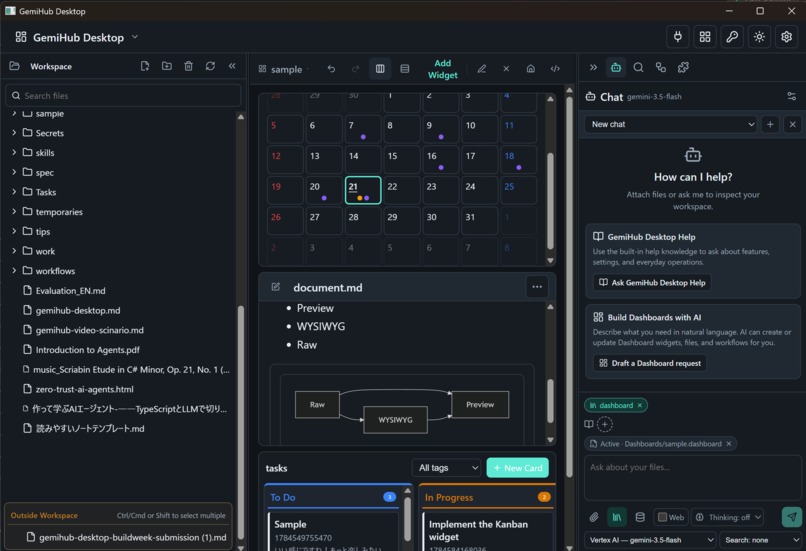
dashboard
-
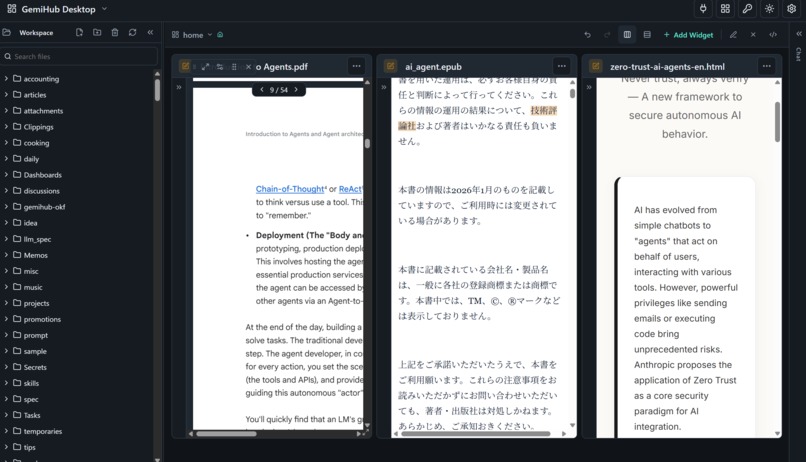
PDF,EPUB,HTML
-
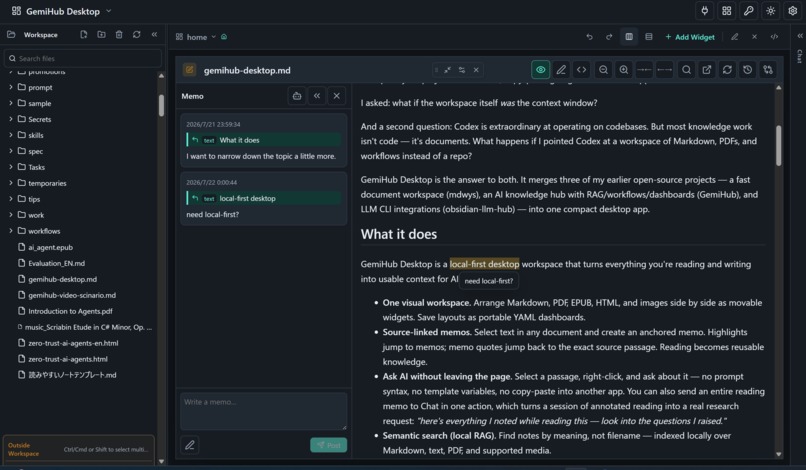
memo
-
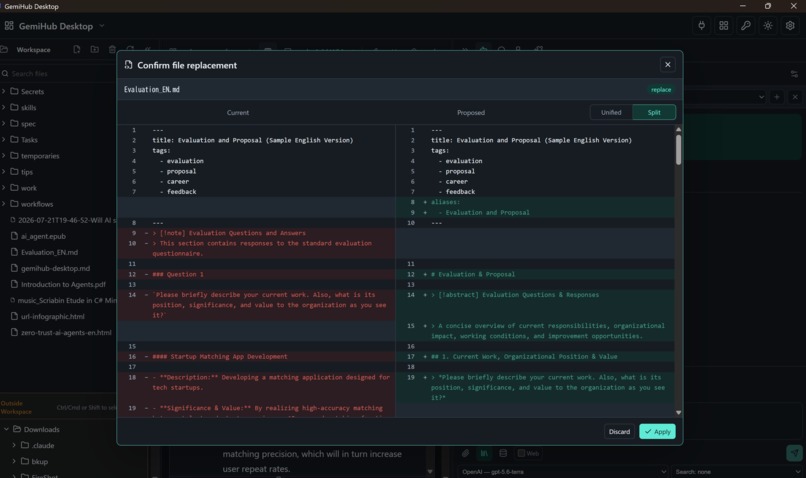
confirm file replacement
-
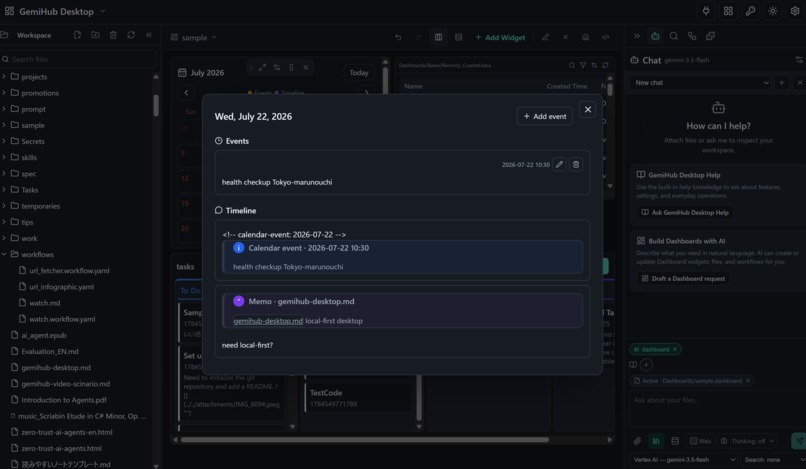
calendar,memo,timeline relation
-
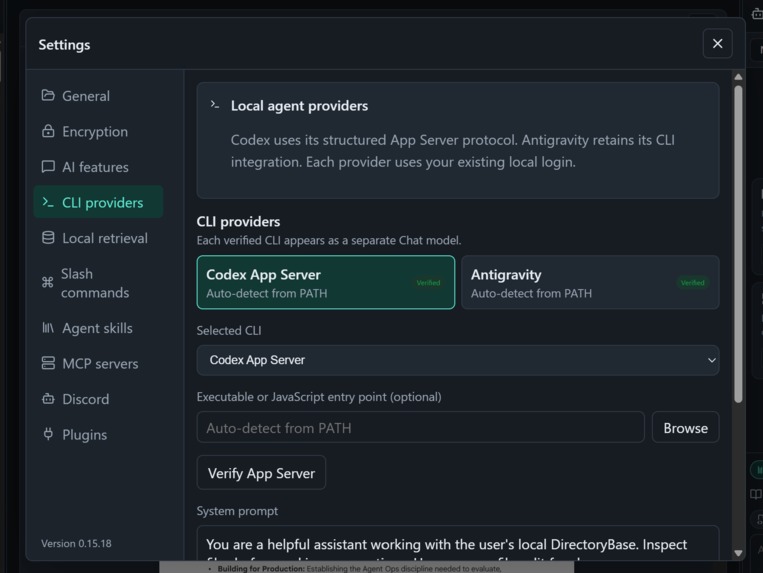
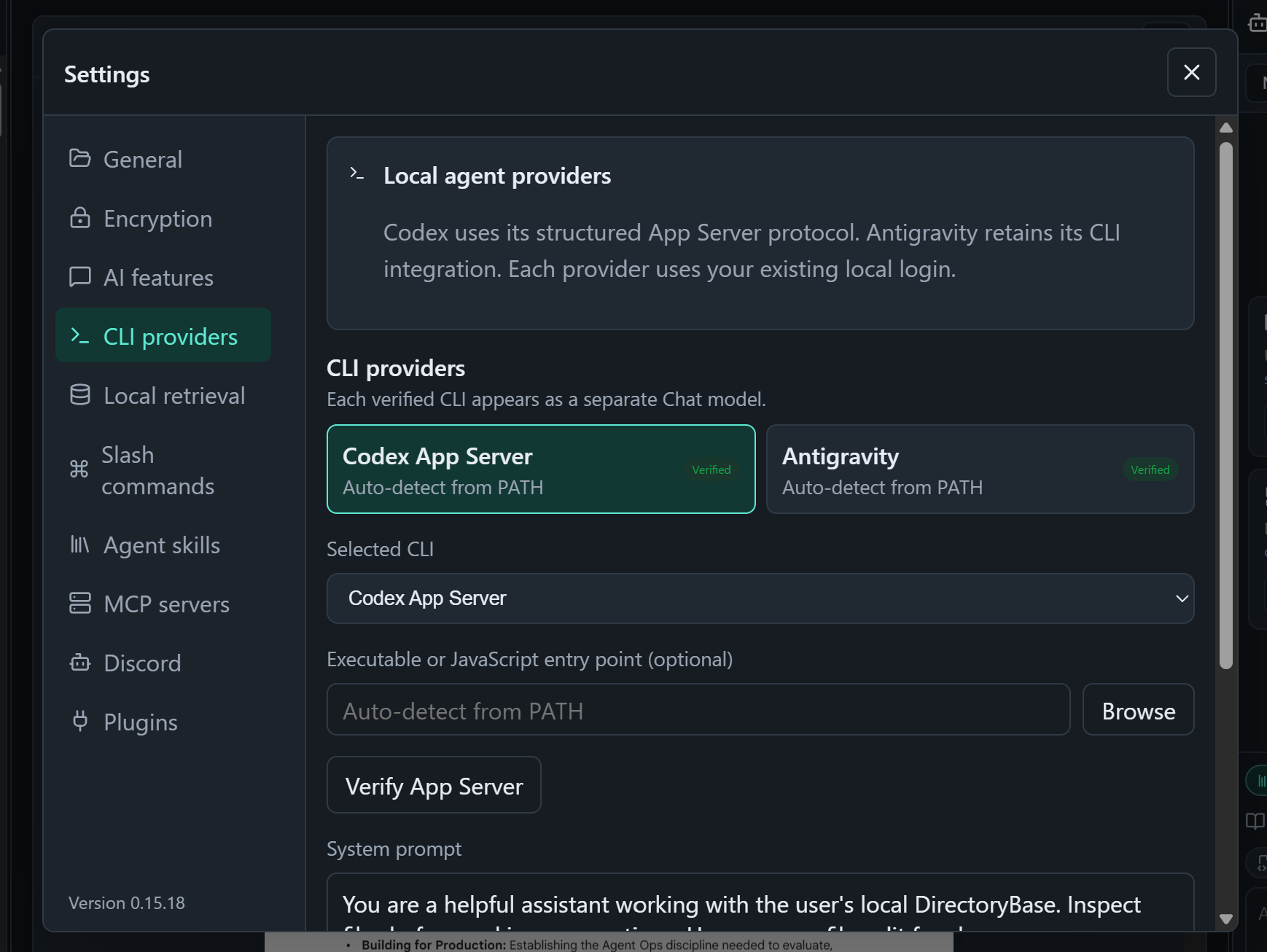
setting LLM CLI
-
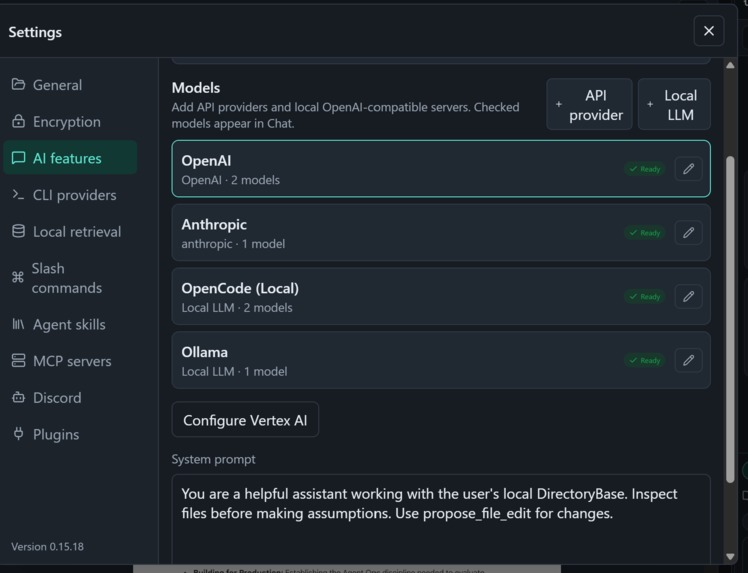
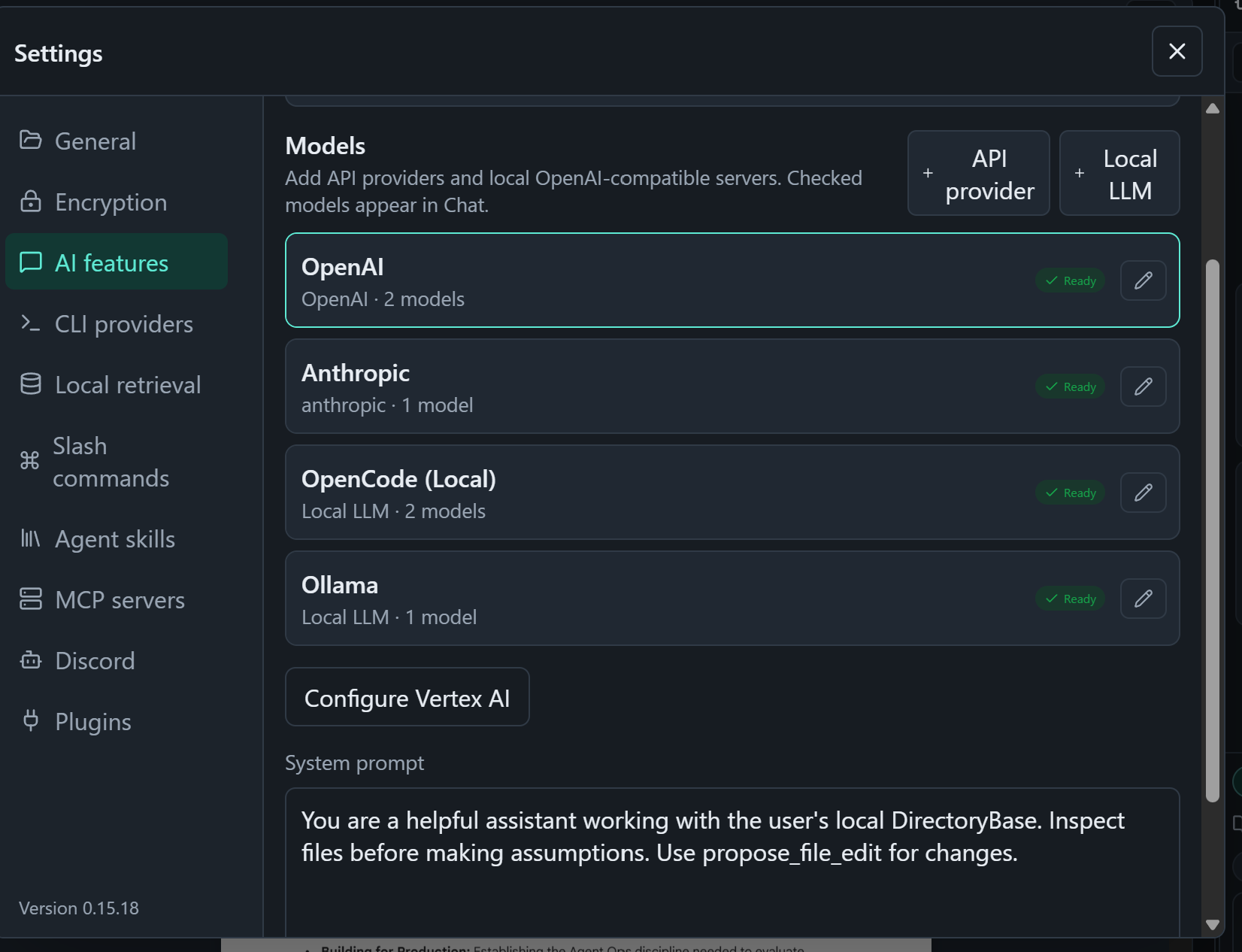
AI Provider
-
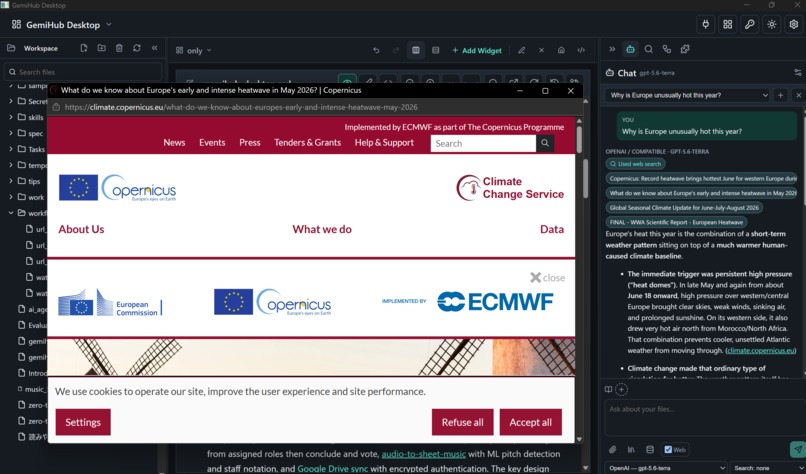
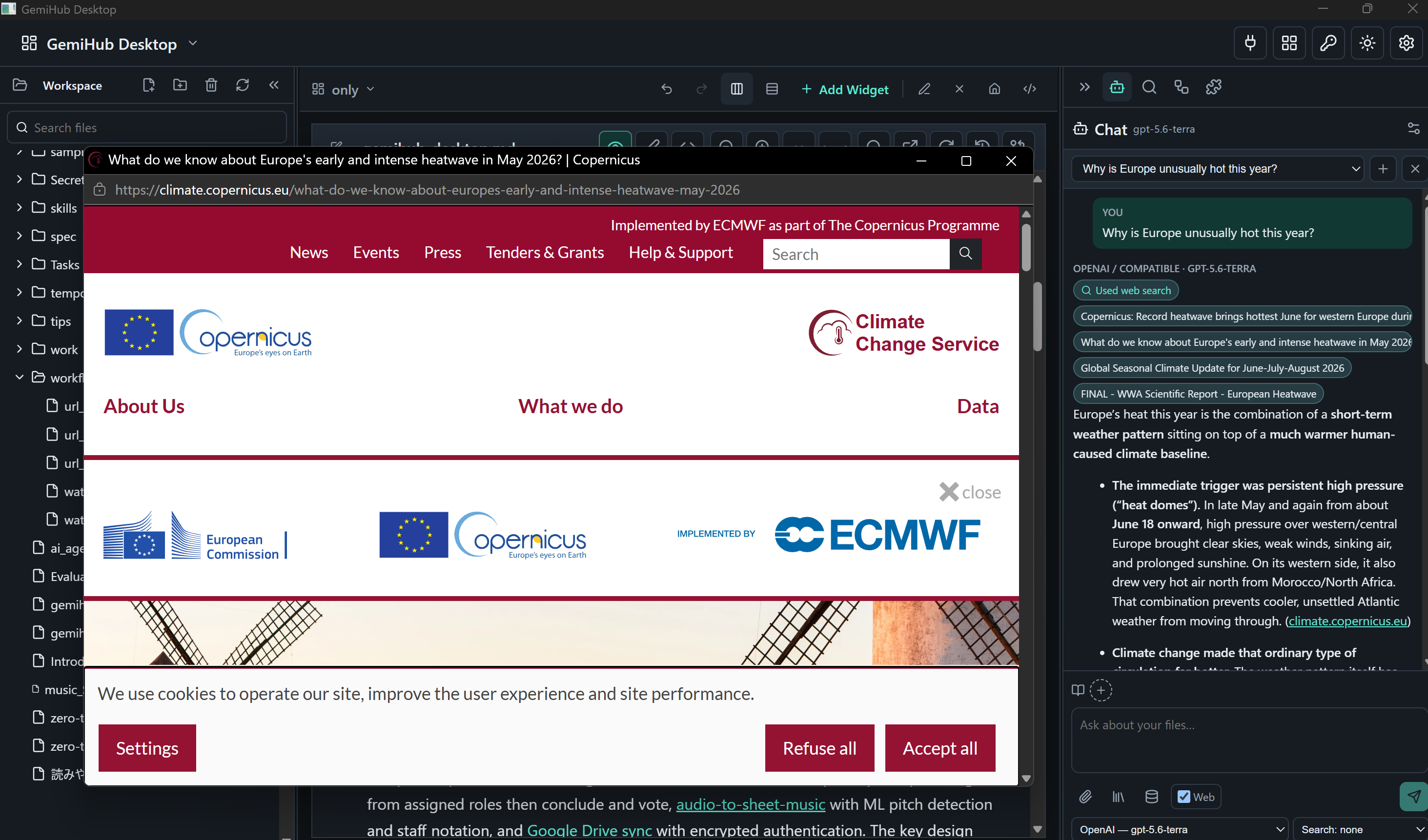
web search
-
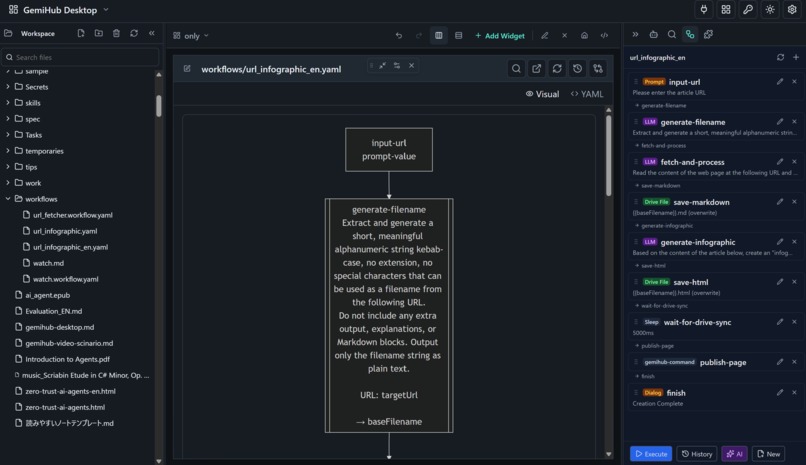
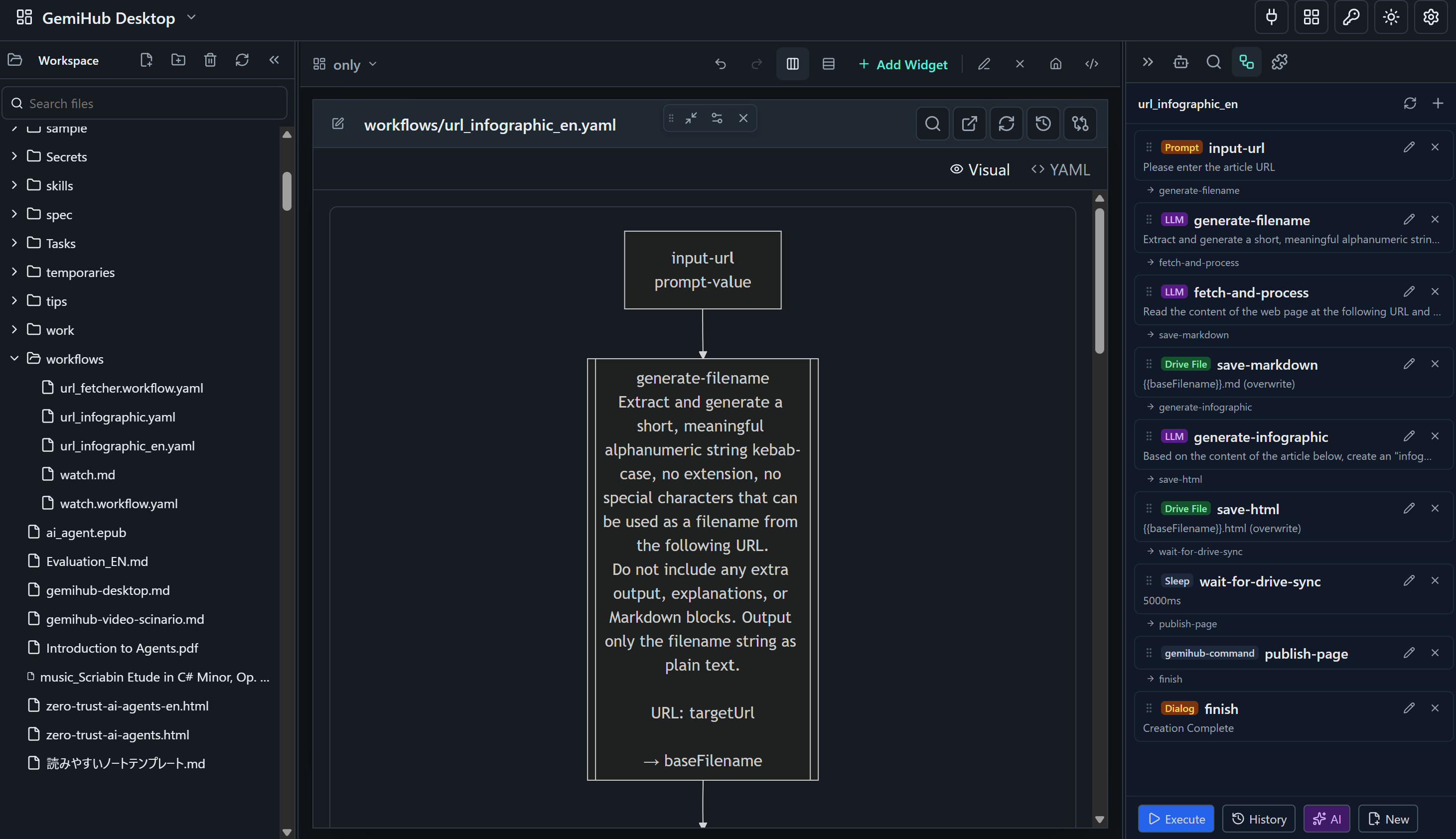
workflow
-
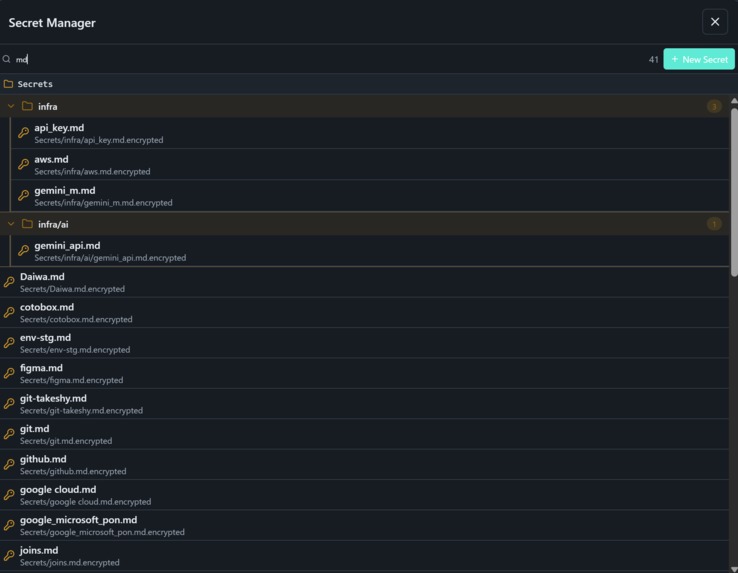
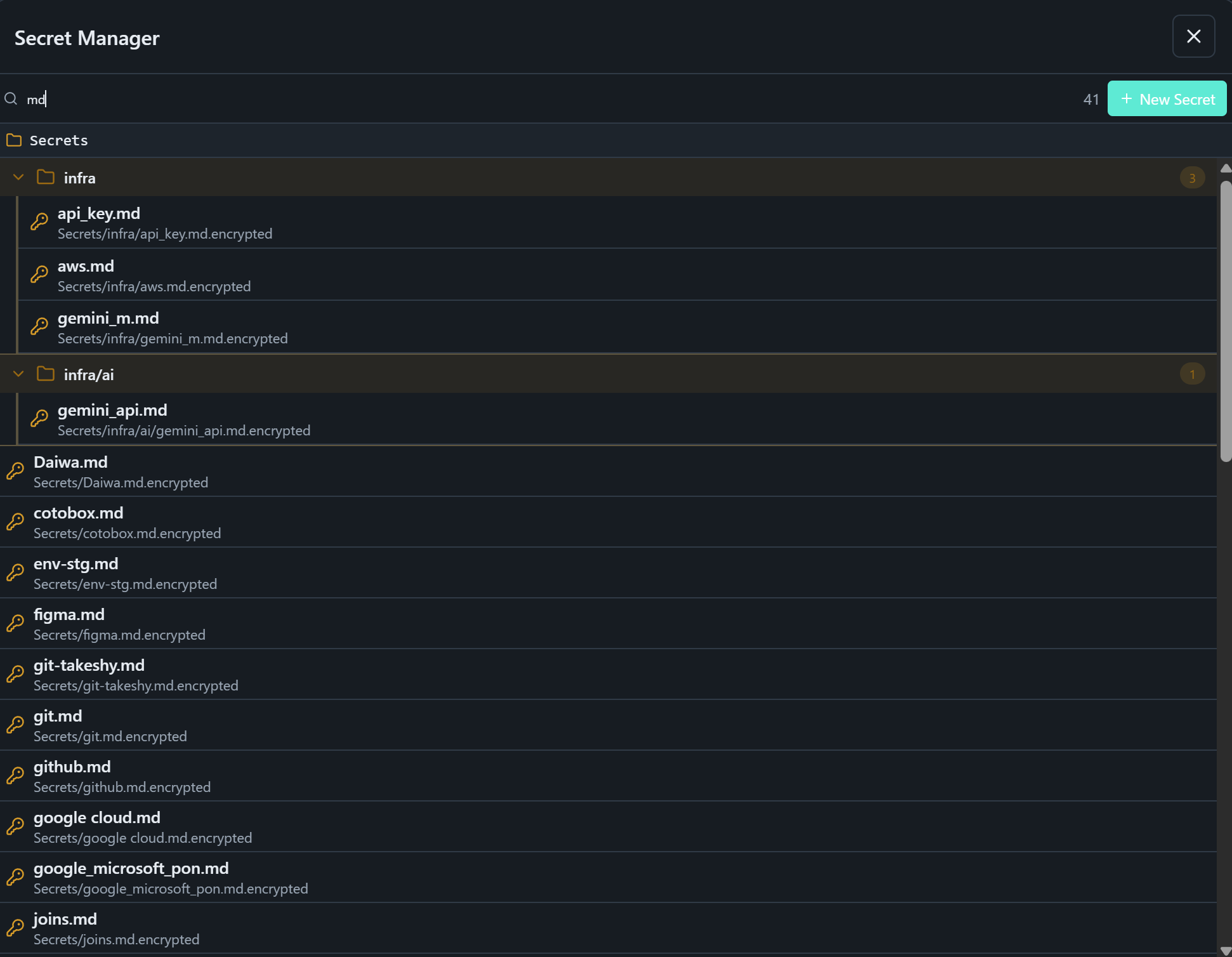
secret manager
-
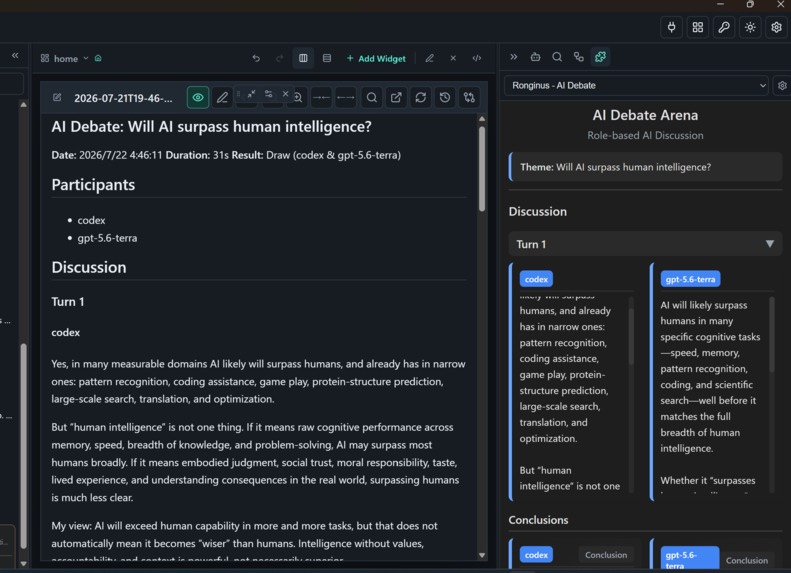
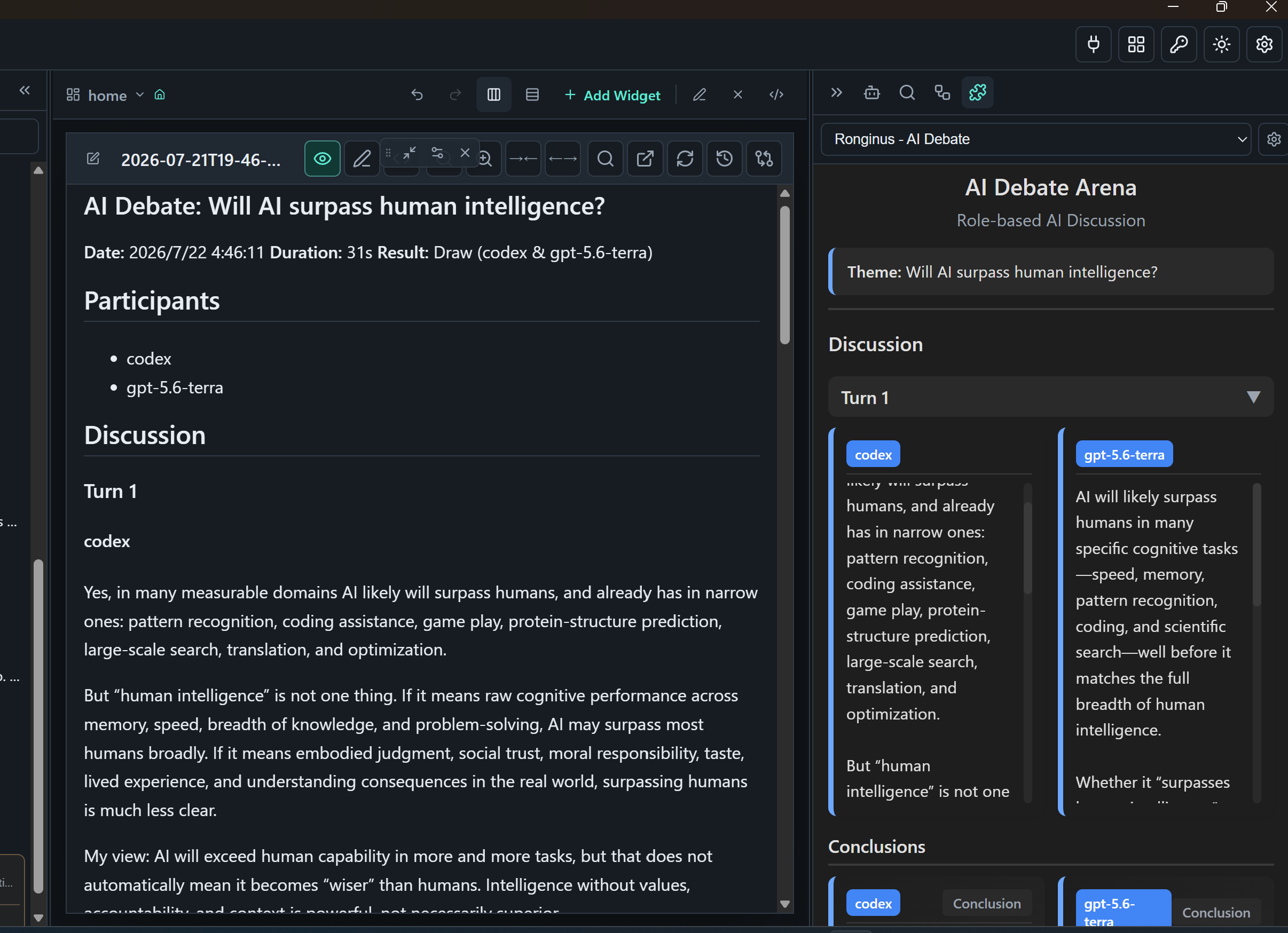
Plugin AI Debete
-
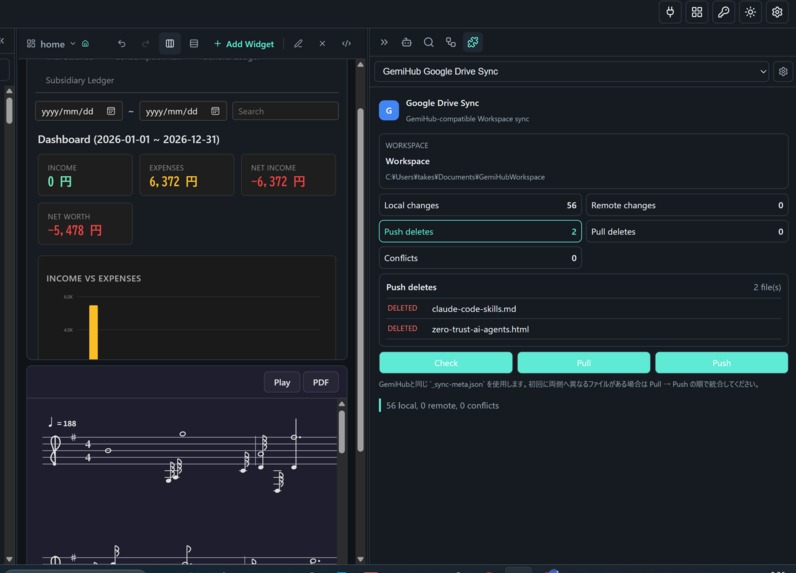
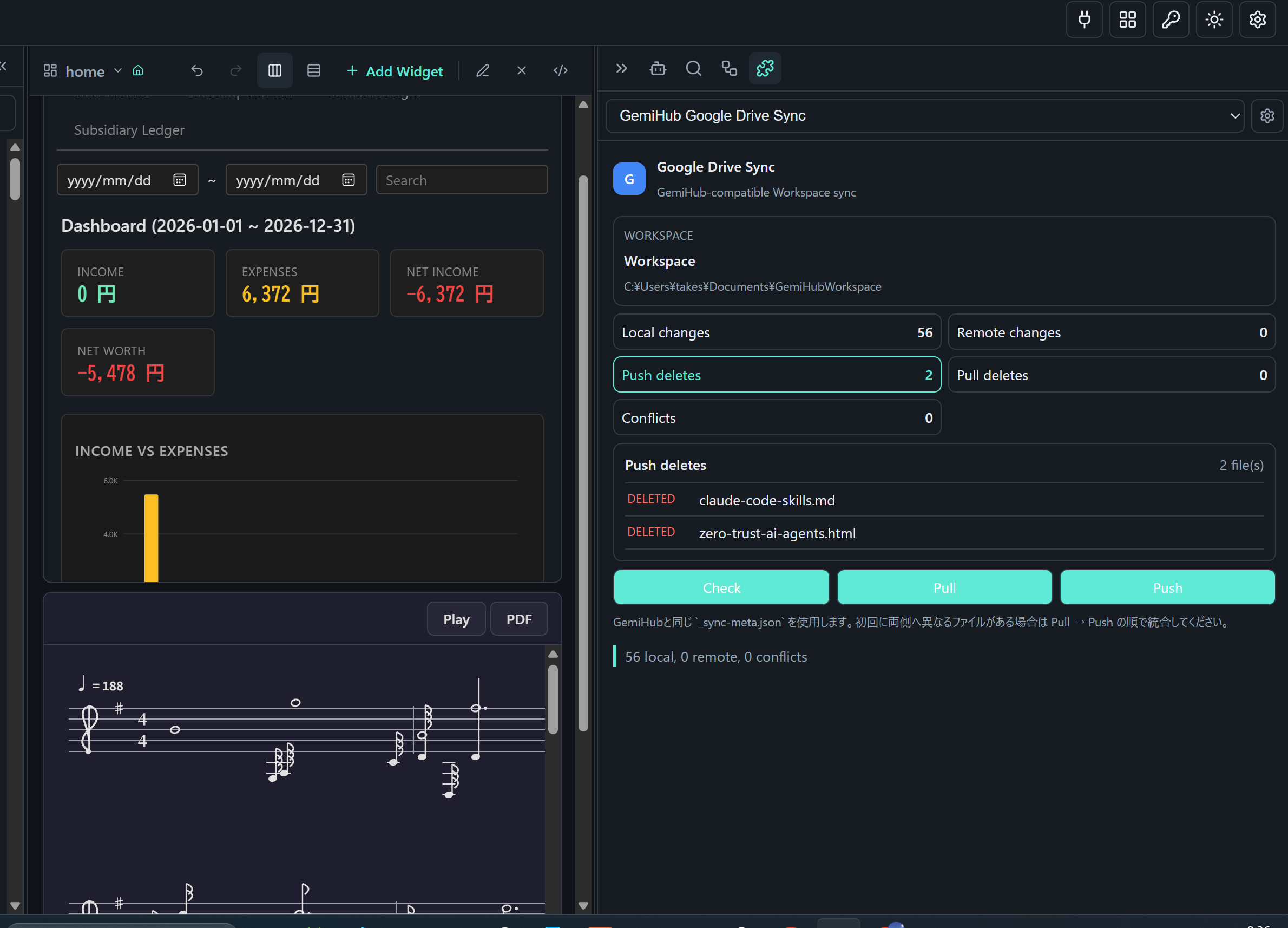
plugin(accouting,audio-score,gdrive-sync)
-
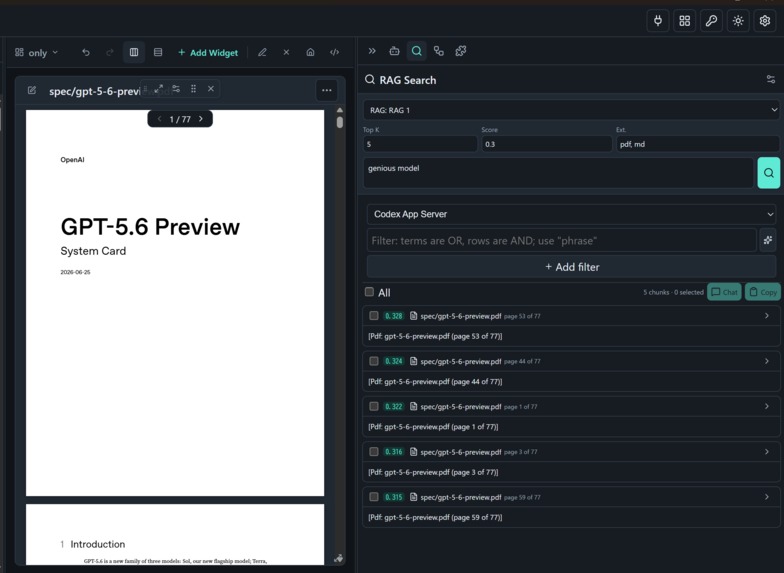
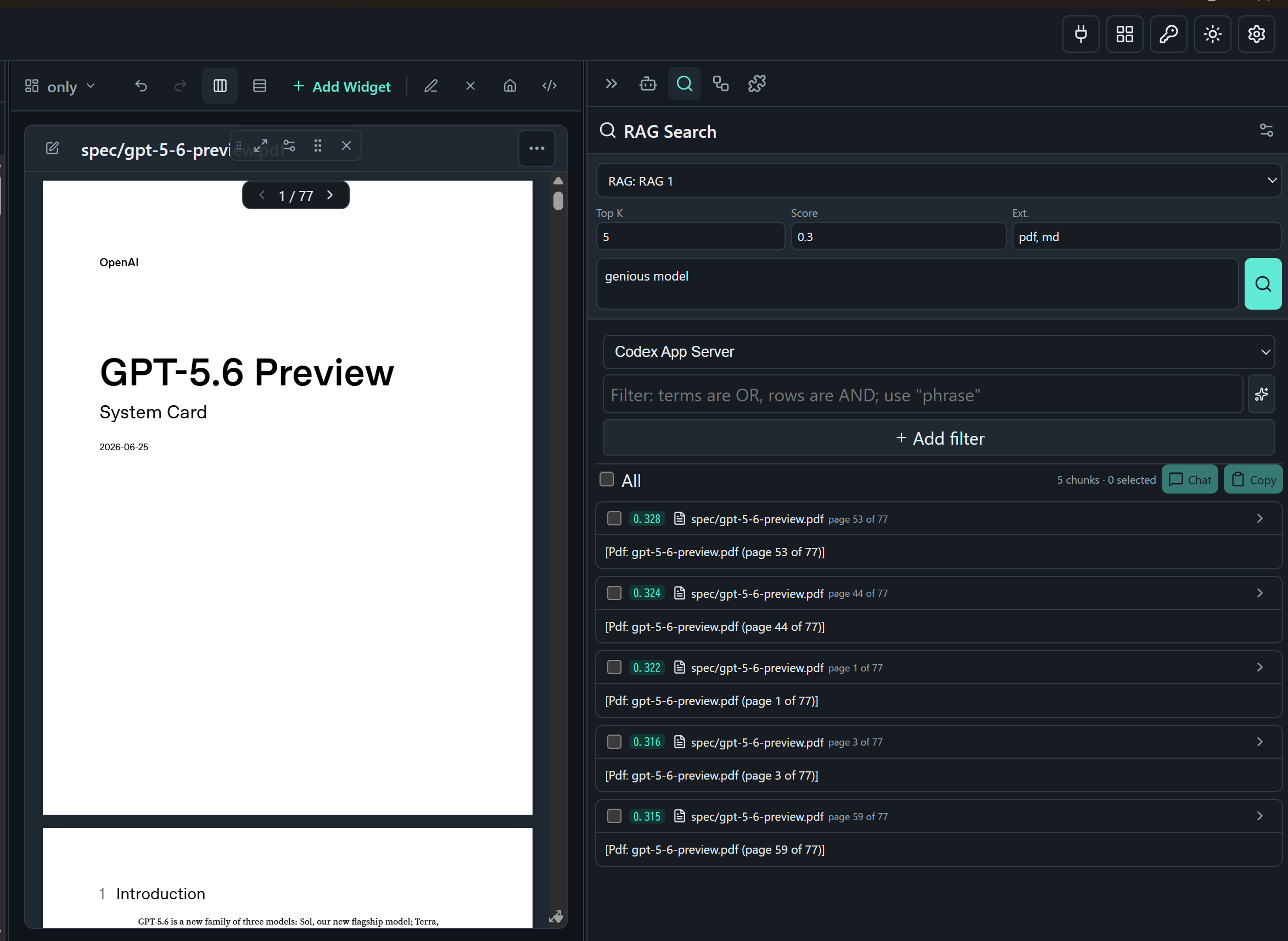
RAG Search
-
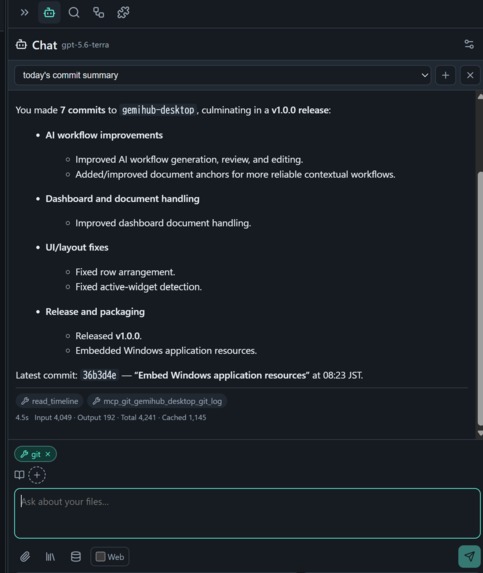
mcp (git)
-
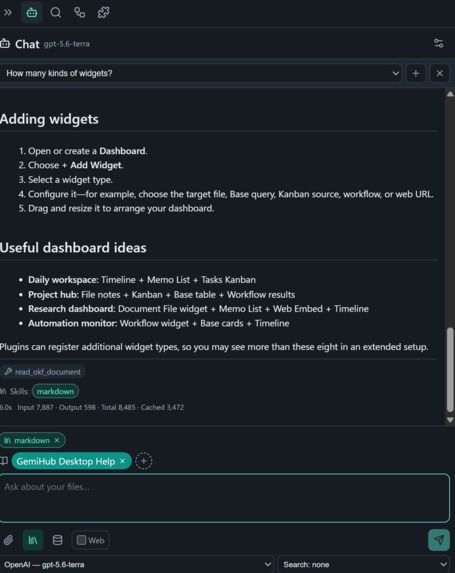
okf(Gemini Desktop Help)
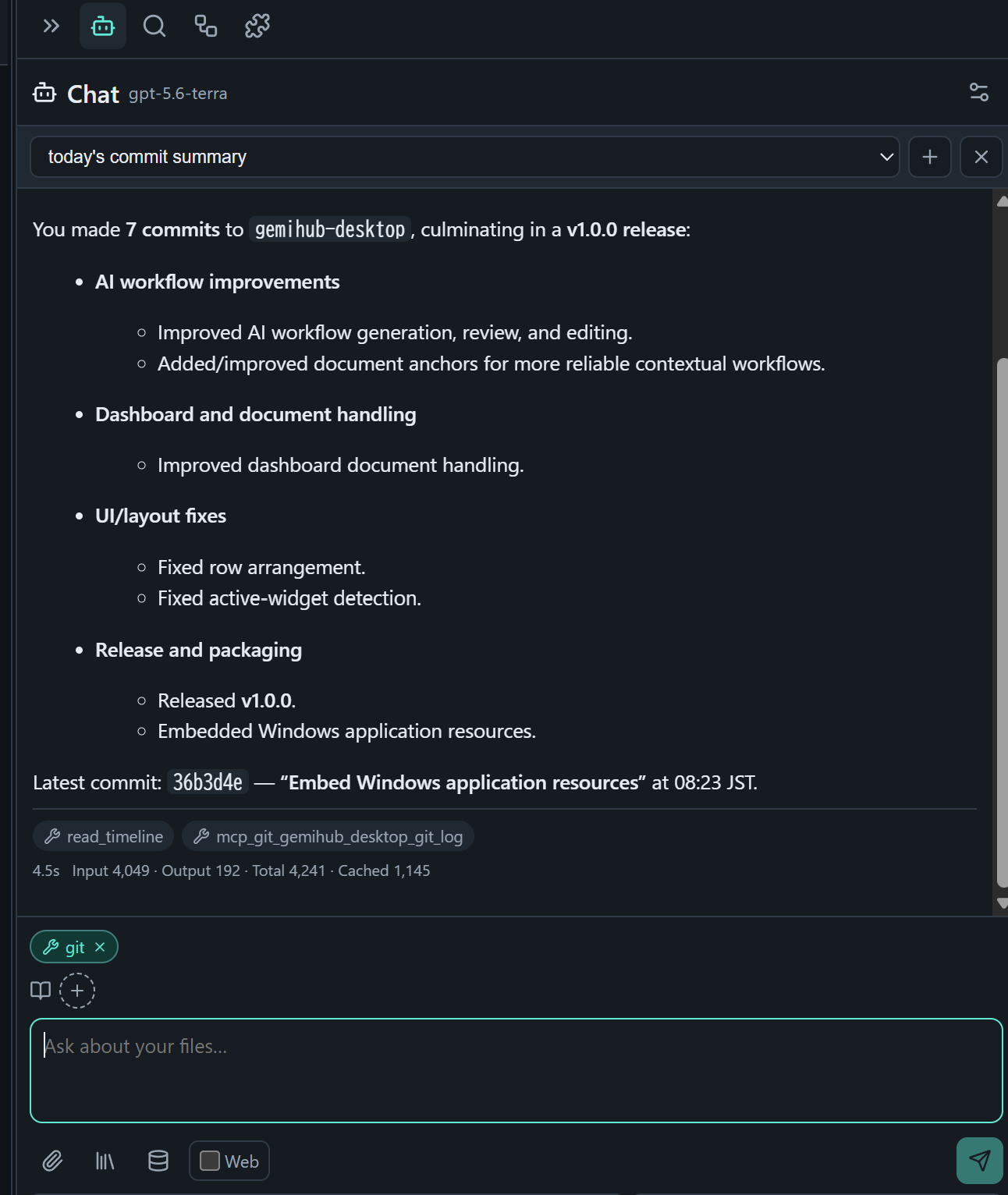
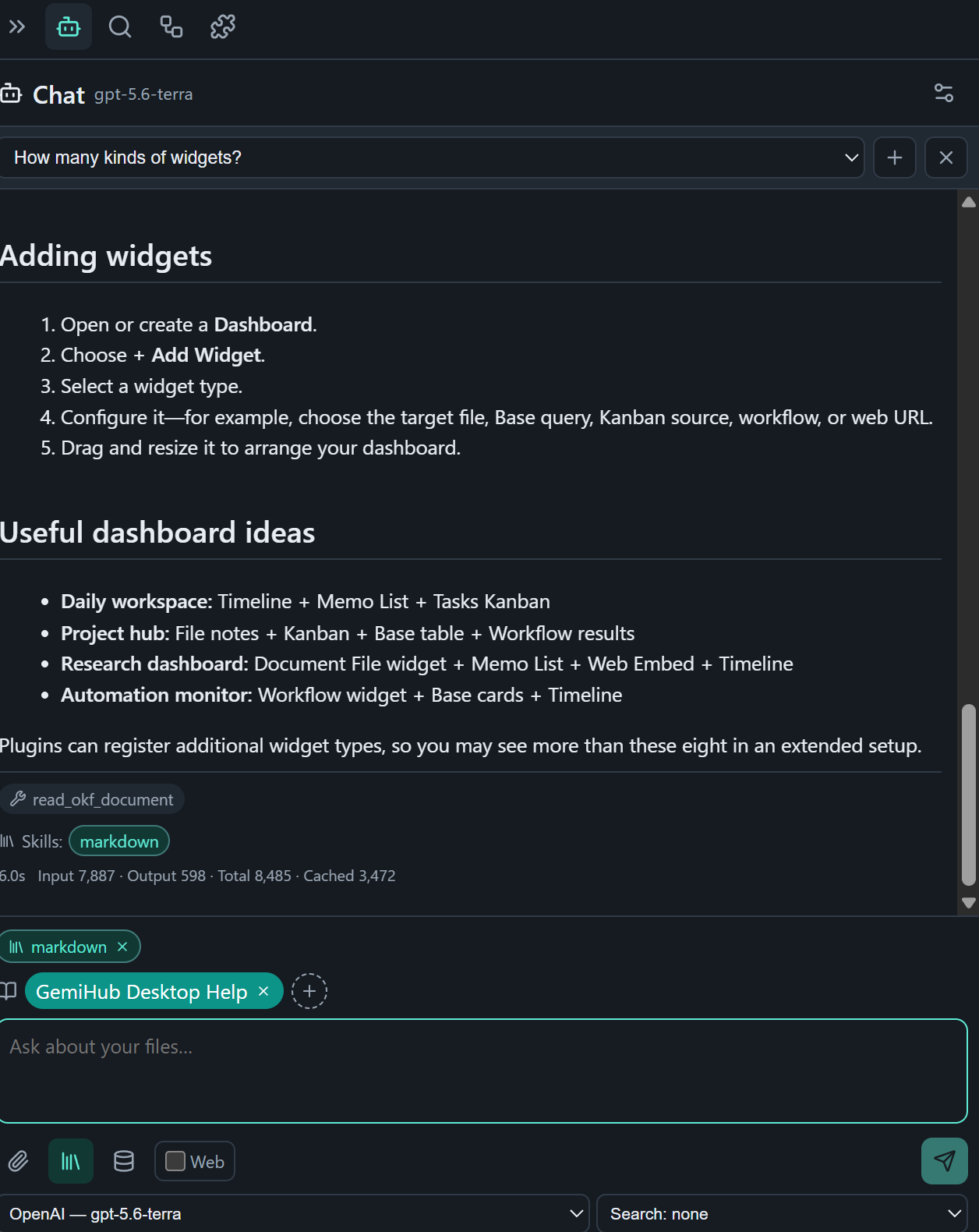
Inspiration
This app exists because three of my own tools kept failing me in the same place.
I use GemiHub daily — an AI knowledge hub that syncs between my phone and my PC. But reading in it was painful: Markdown that other AIs had generated was awkward to review, and I couldn't annotate a PDF at all. So I built mdwys, a local viewer for Markdown (with wikilinks), PDF, and EPUB that stays fast. Separately, I pay for Codex and OpenCode, and wanted them maintaining my documentation — so I built obsidian-llm-hub to wire coding agents into my notes.
Three tools. One workflow, cut into three pieces: the knowledge lived in one, the reading happened in another, the agent ran in a third. Every AI session began by manually carrying context across the gaps.
Build Week was the excuse to find out what happens if they become one app. The answer turned out to be more than the sum: once reading, memos, and Codex share a workspace, the knowledge is already on your disk and the AI can finally see it.
What it does
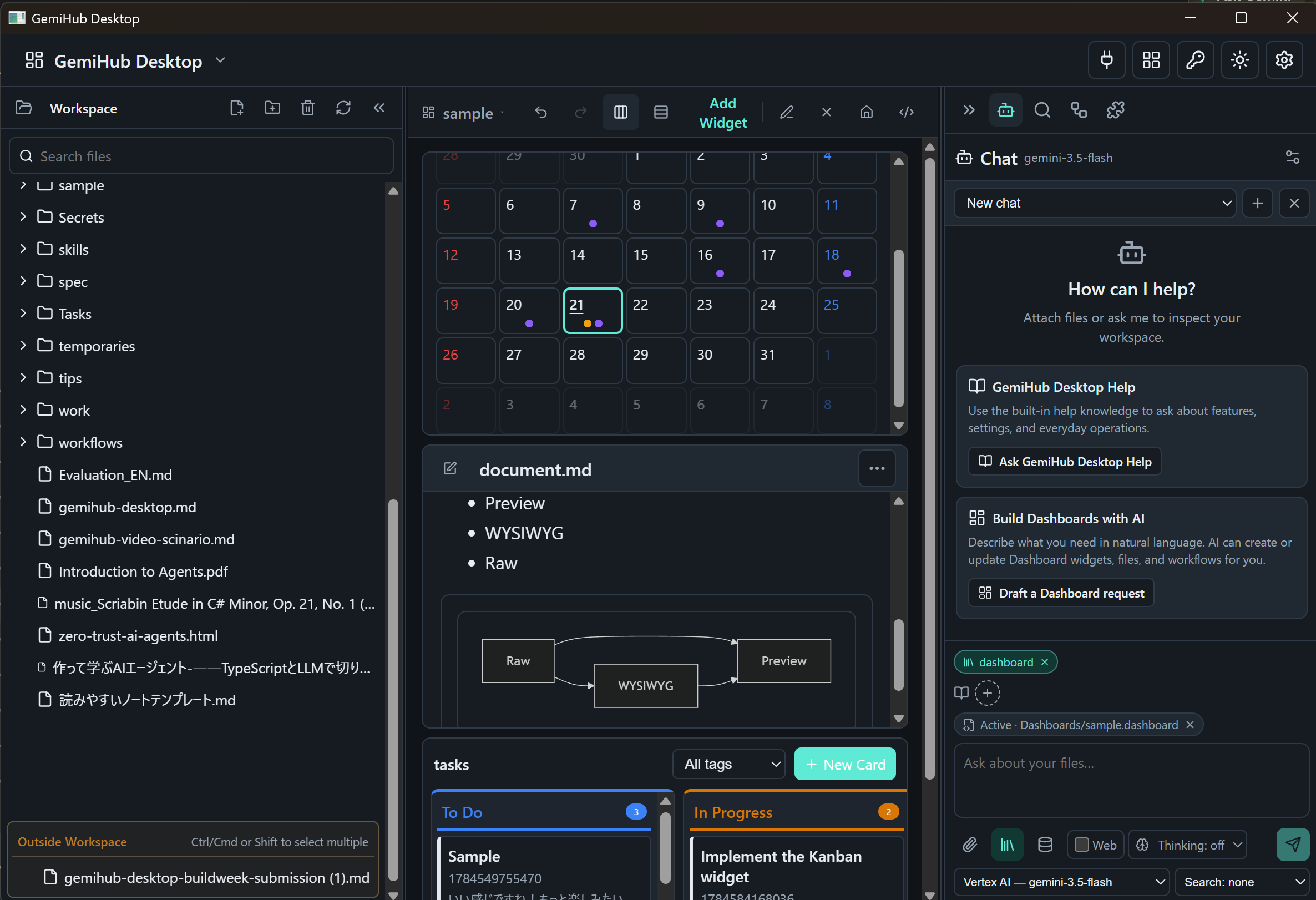
GemiHub Desktop is a local-first desktop workspace that turns reading into AI-ready context. One flow, five steps:
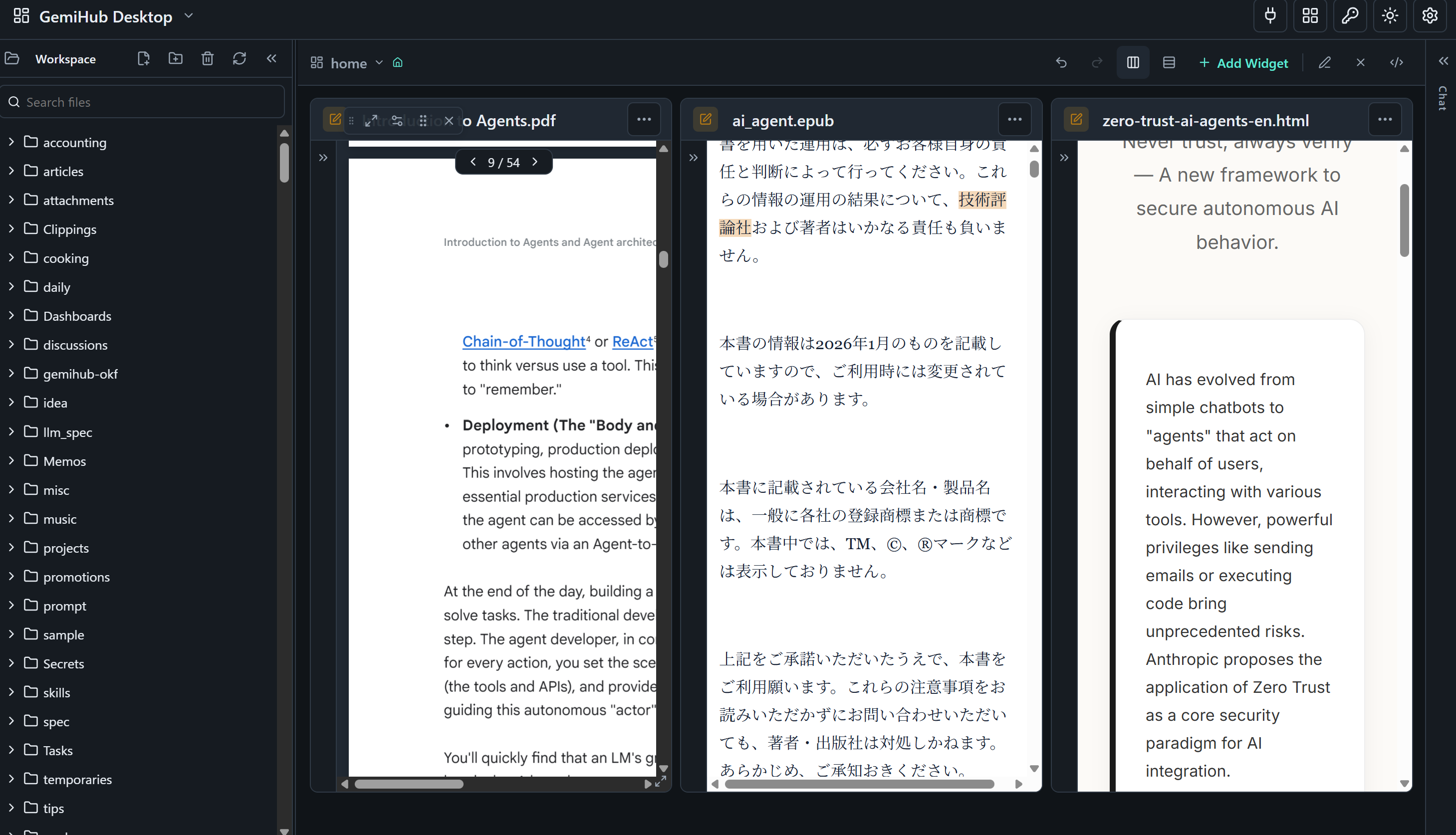
1. Read — Open PDFs, EPUBs, Markdown, HTML, and images side by side as movable widgets. Save any arrangement as a portable YAML dashboard.
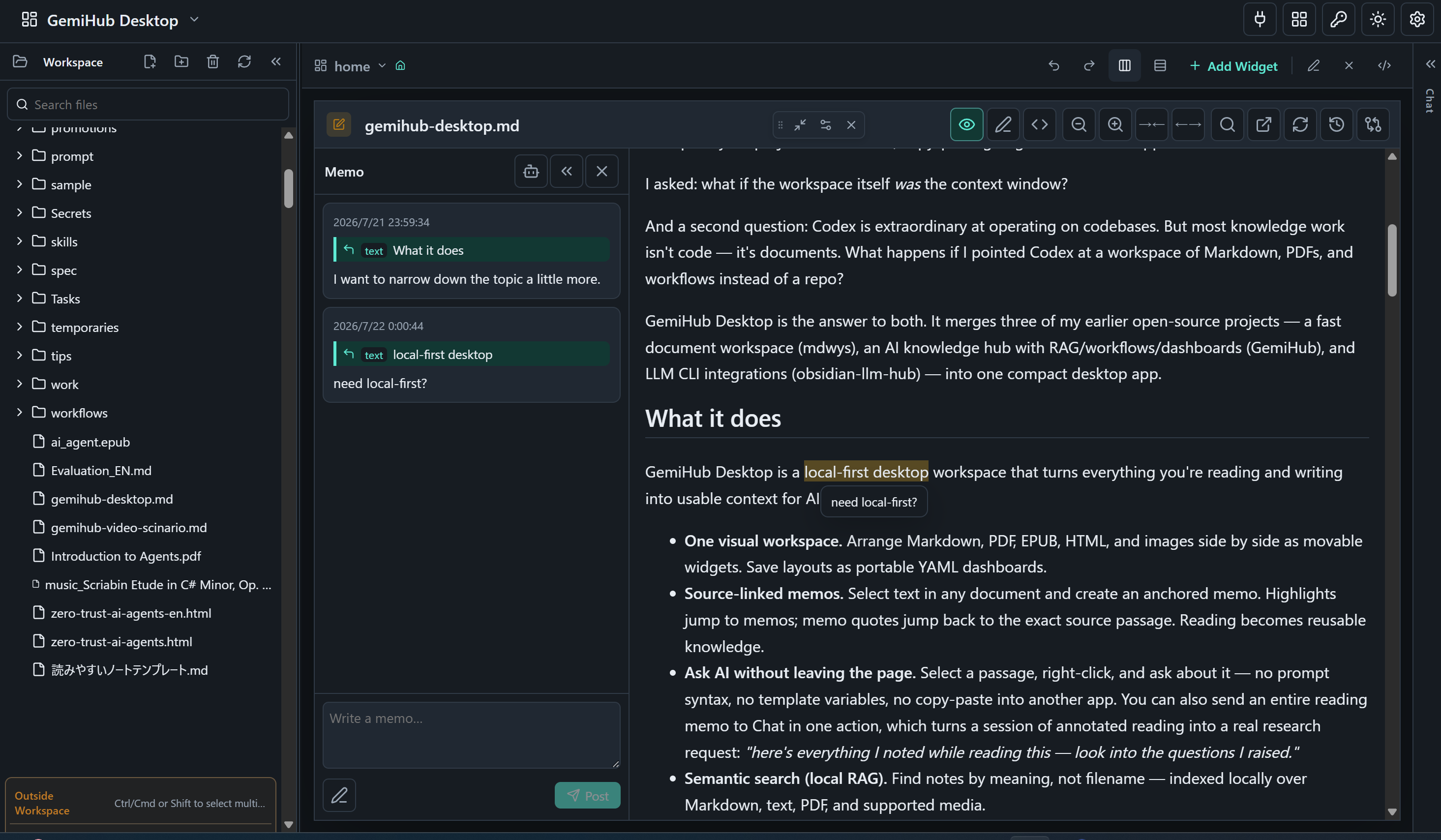
2. Capture — Highlight anything and create a source-linked memo. Highlights jump to memos; memo quotes jump back to the exact source passage, across formats.
3. Ask — Highlight a passage, right-click, Add to memo, and jot down what you're wondering. One click on the memo's AI icon loads it into Chat with its source attached — no prompt syntax, no copy-paste. Then tell the AI to remember the answer, and it's saved back to your Timeline.
4. Automate — When a question becomes routine, turn it into a reusable YAML workflow (English article → translate → infographic note). Codex drafts the workflows themselves and runs the LLM steps inside them.
5. Extend — Plugins add capabilities without ever dealing with AI providers; the host manages credentials and model selection. Shipping today: accounting, AI debates, audio-to-sheet-music, and Drive sync. Codex can even generate new plugins using reusable Agent Skills.
Semantic search ties it together — find any note by meaning, not filename.
AI is optional. Without a network, an API key, or even an account, GemiHub remains a complete document workspace. If GemiHub disappeared tomorrow, your knowledge wouldn't.
Instead of reconstructing context for every AI session, your workspace continuously becomes better context. Reading becomes reusable knowledge, and knowledge becomes something Codex can act on.
How we built it
Architecture. Go + Wails desktop shell, Deno + Vite + React frontend, a lightweight WYSIWYG Markdown editor fork and pdf.js for rendering. A single self-contained binary under 20 MB, no runtime required, shipping for Windows (amd64/arm64), macOS (arm64), and Linux (amd64/arm64).
Codex at runtime. Codex powers Chat, writes the workflows, and executes them. A dedicated app-server bridge (codex_app_server.go) drives the Codex CLI as a first-class provider; OpenAI-compatible endpoints, including local ones, also work.
Codex at development time. Much of the app was built by specifying what a feature should do and letting the agent propose how, then filtering results through review. GemiHub is built with Codex, built for Codex, and extensible by Codex.
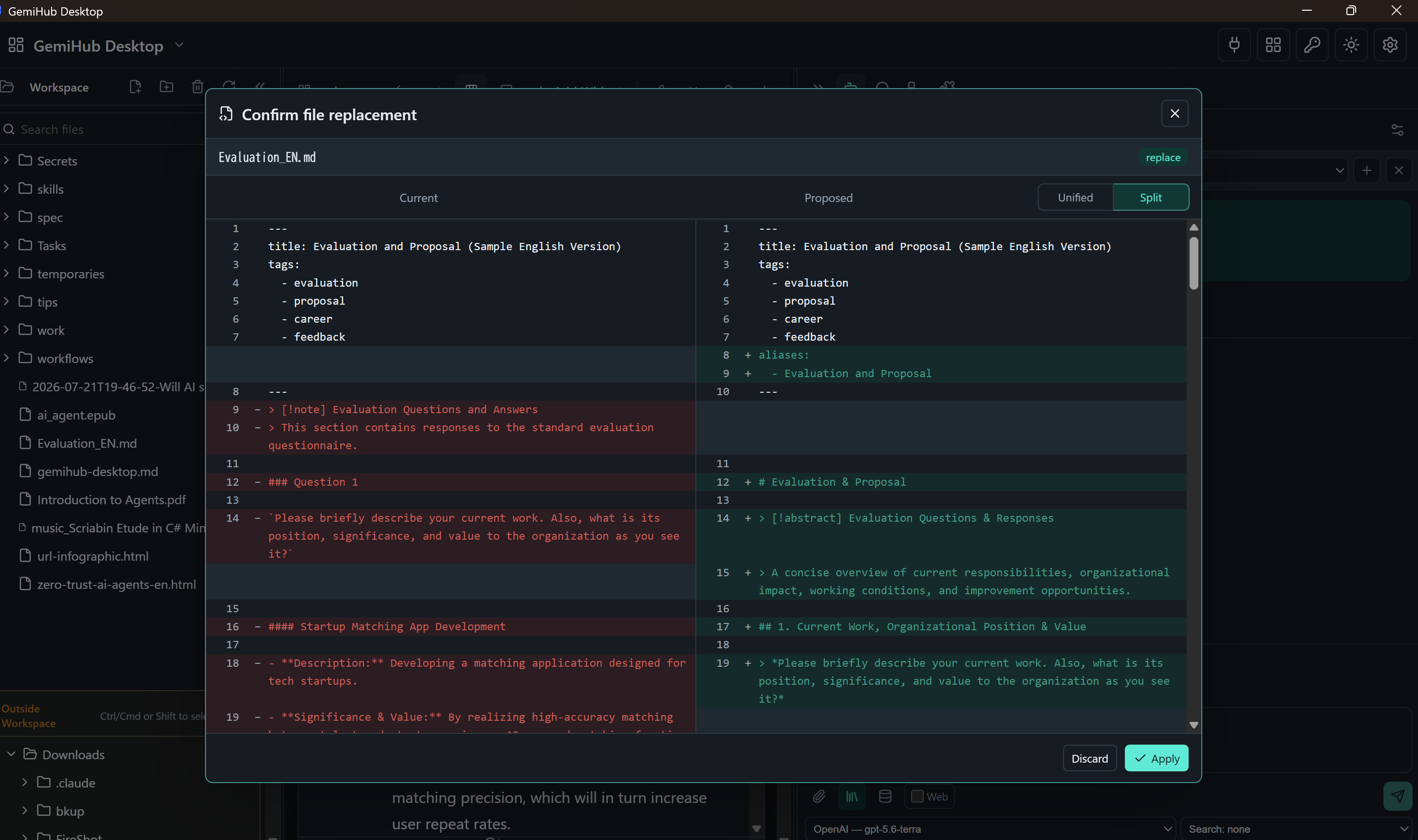
Safety — the hard part. Code has Git. Personal documents don't. An agent that mangles a repo is an undo away from harmless; an agent that mangles your notes is not. So I built the missing safety net: workspace APIs and AI file tools are sandboxed to the selected directory (.. traversal and symlink escapes rejected), up to 50 versions are kept before overwrite, deletions go to Trash, and every AI-proposed edit or rename requires confirmation. For plugins I currently recommend official or manually reviewed ones; a permission-declaration sandbox is next.
And then Codex changed a build decision.
I needed exactly two PDF features: page splitting and text extraction. Importing pdfcpu added 4 MB to a binary with a 20 MB budget.
So I asked Codex to build a purpose-specific library instead.
One hour later I had minipdfsplit — dependency-free, standard library only, a few hundred kilobytes. Not a toy: xref streams, object streams, RC4/AES-128/AES-256 encrypted PDFs, Form XObjects, Japanese text via ToUnicode CMaps, with a test suite covering encryption, malformed input, and inherited page attributes.
Codex didn't just help me write code faster. Codex made "build instead of buy" a one-hour decision.
Challenges we ran into
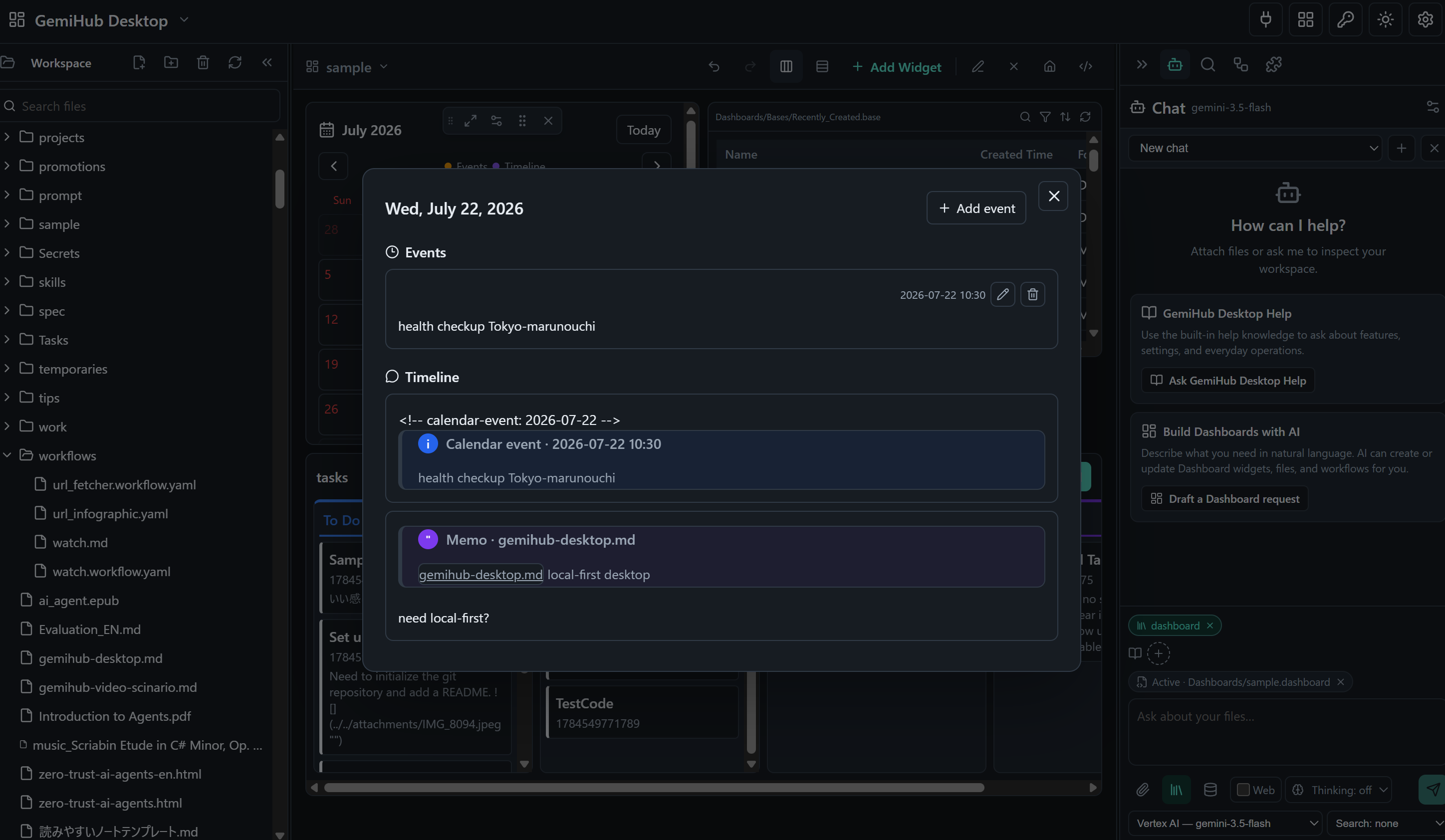
Giving the AI a sense of time. Merging three apps left me with rich material — memos, calendar entries, chat threads — but all of it was addressed by file, not by when. So everything now attaches to a single Timeline: memos, calendar events, Chat answers, even messages sent through the Discord bot. That one change means Codex can answer questions no folder structure can: what I was working on last Tuesday, which questions I raised while reading a paper and never resolved, how a decision evolved over three weeks. Chronology turned out to be the context that was missing.
One plugin API across two very different hosts. GemiHub already ran on phone and PC; GemiHub Desktop is a native app. Rather than fork the extension model, both hosts share it — a plugin written once behaves the same in either. I also built a Google Drive plugin so the two keep each other's files in sync with encrypted auth. Read a PDF and annotate it on the desktop, then pick the thread back up on your phone.
Fitting all of it into 20 MB. A React frontend, semantic indexing, PDF/EPUB rendering, and multi-provider AI bridges in one dependency-free binary meant auditing every import. The PDF library was the breaking point — and where Codex changed my mind about what to do about it.
Accomplishments that we're proud of
- Reframing Codex as a knowledge-work engine, not a coding assistant. Same CLI, entirely different audience.
- Making document editing safe enough for an autonomous agent. Sandboxing, versioning, and confirm-before-apply are what make it responsible to point an agent at someone's personal files.
- Shipping a production desktop app with zero runtime dependencies — five platform targets, under 20 MB, as a solo developer.
- An extension model that hides AI entirely from plugin authors. Bookkeeping, debate simulation, audio transcription, and Drive sync all reach the same LLM through one host-managed interface.
What we learned
Pointing a code agent at documents works — but only if the app supplies the guardrails a repo normally provides for free.
And I learned to stop asking users to learn syntax. An earlier build used a {selection} template variable to pass highlighted text into prompts. Powerful, but you had to know it existed. I removed it entirely in favor of select → right-click → ask.
The best interface to an AI isn't syntax. It's intent.
What's next for gemihub-desktop
- A plugin permission sandbox (declared
files/storage/network/llmaccess). - A marketplace for sharing plugins, workflows, and dashboards safely — secrets management and log masking are already built.
- Long-term memory synthesis across the memo timeline.
Try it
- Repo: https://github.com/takeshy/gemihub-desktop
- Download: https://github.com/takeshy/gemihub-desktop/releases — one binary for your OS. No installer, no Go, no Deno, no Node. Download and run.
Quick start
- Run the downloaded binary. A default workspace is ready immediately — nothing to configure.
- To open a document you already have, use your OS's Open with and choose the downloaded
gemihub-desktopexecutable. It opens as an outside-workspace file: fully viewable as a widget, annotatable, no import step. - Keeping it? Drag it onto the workspace in the file tree and it joins your indexed knowledge.
- Optionally enable Codex in Settings. Then run the loop the whole app is built around:
Highlight → right-click → *Add to memo* → write down what you're wondering about → click the AI icon on the memo (its contents load straight into Chat) → send → and when the answer is good, just tell the AI to remember it. The note lands on your Timeline, dated and linked back to the passage that started it.
No prompt syntax, no copy-paste, no separate app. A question you had while reading ends the day as part of your knowledge base.
Built With
- deno
- go
- pdf.js
- react
- typescript
- vite
- wails
- wysimark-lite
