-
-
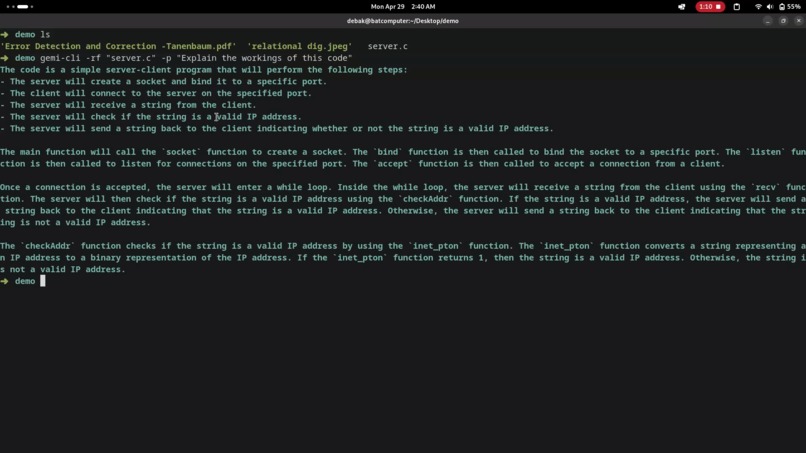
Gemi cli explaining a C code from a c file
-
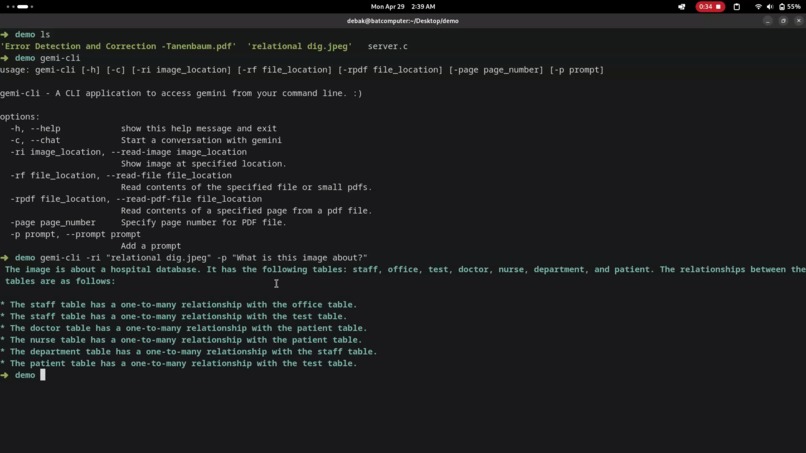
Gemi cli in action


Inspiration
My inspiration for this project came from the movie 'The Matrix'. I wanted to harness the power of Gemini in my cli so that I could just type the command and boom Gemini appears in my terminal.
What it does
Gemi CLI is a cli application that lets you use Gemini from the command line. You can chat with it, ask questions on a text file, code file, small pdf file, or an image, or ask to summarize a specific page of pdf.
How I built it
I built it using Python and some modules to parse the arguments from the command line, to read an image, and to read a pdf.
Challenges I ran into
While doing this project I faced a lot of trouble in reading a PDF file. PDF files can be very large so I was unable to extract the entire text from it. For now, this application has the ability to extract text from a small PDF (within 10 pages) or a specific page from a PDF (which also cannot be too big like a book or something). I have tested my application with various 4-8 pages pdf but big ones cause a lot of trouble.
Accomplishments that we're proud of
I am proud of the whole application because I made it from scratch. I built it to test out the Gemini API as I had a different project idea in my mind but couldn't make it because I did not have enough time due to my college exams. So I just improved this CLI project because I had already covered most of the functionalities I had in mind so I added more functionalities to it and made it user-friendly.
What I learned
I learned a lot about LLMs, and how they work. While finding a solution to the pdf problem I came across langchain and vector databases and how I can use them to extract texts from the pdf and find similarities by embedding each word but unfortunately I was not able to apply that knowledge to this project because there are a lot of things I need to cover before I can apply it.
What's next for Gemi CLI
I want to improve on the pdf functionality and make it possible to understand any pdf of any size.

Log in or sign up for Devpost to join the conversation.