-
-
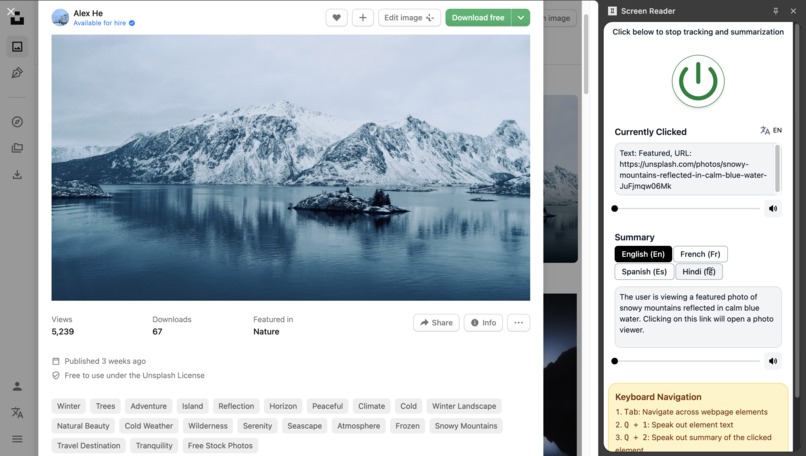
Demo
-
Gem
Inspiration
Imagine trying to access the web when traditional accessibility tools fail to convey meaningful content. For millions of people with visual impairments, ADHD, or dyslexia, navigating websites isn’t just inconvenient—it’s a daily challenge. Most screen readers rely heavily on ARIA attributes, yet around 80% of websites lack proper accessibility markup. Even well-intentioned developers can’t always provide accurate alt text or semantic structure.
Enter Gem — named after the hidden treasures that are hard to find but incredibly valuable. Just as a gem reveals its beauty when properly understood, our AI-powered Chrome extension reveals the full meaning of web content, going beyond traditional accessibility tags to provide semantically rich summaries for text, images, and navigation elements.
What it does
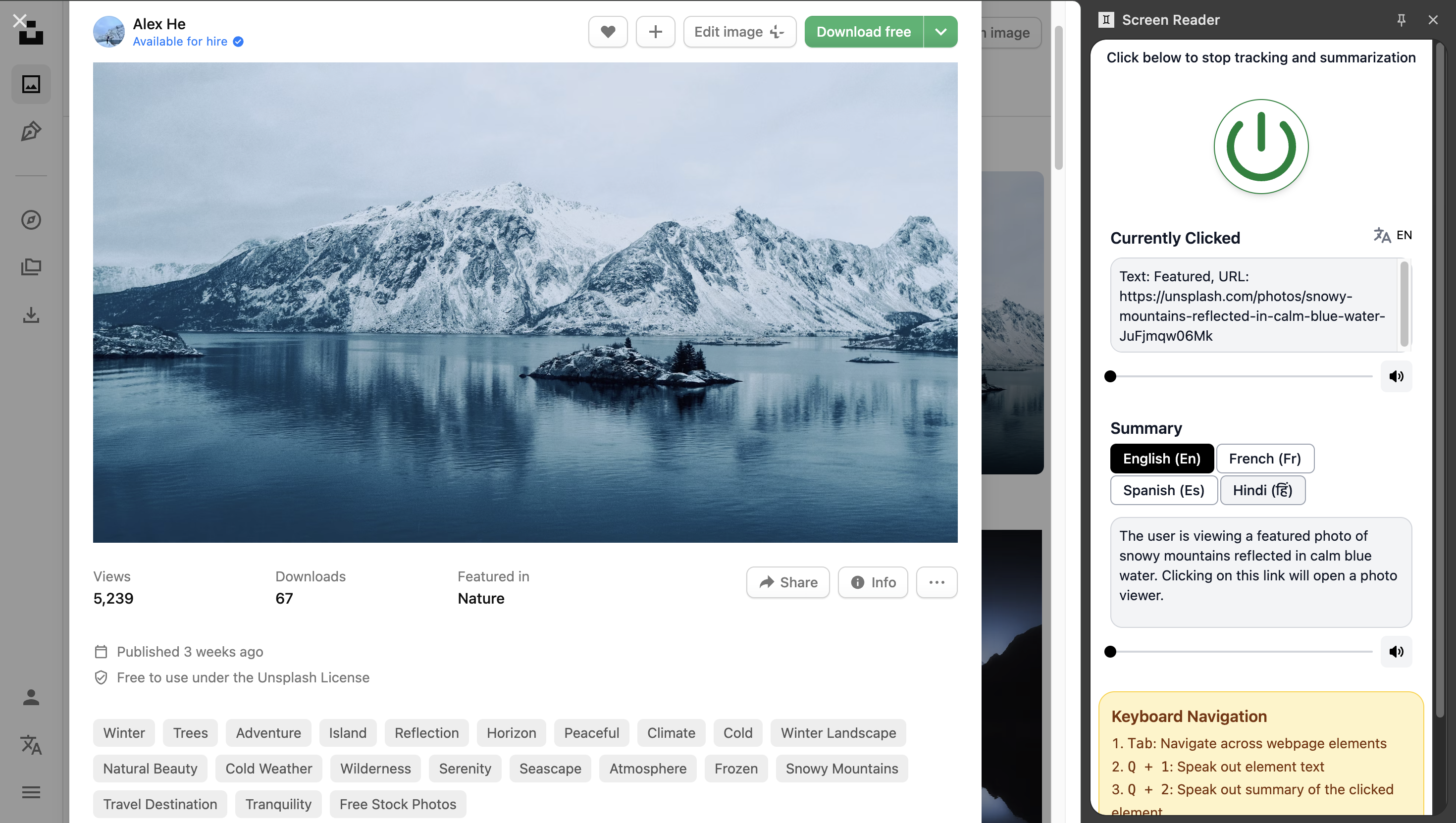
Gem transforms web accessibility by combining AI understanding with a familiar screen reader interface:
- Users can click on any element or navigate via Tab to select content.
- The extension gathers the HTML of the selected element and its surrounding context, then uses Chrome’s Built-in Gemini Nano AI to generate human-readable summaries.
- Even elements without proper HTML markup are understood semantically. For instance, a navigation link labeled “About Us” that isn’t wrapped in a header will still be recognized as part of the site’s navigation.
Key features include:
- Image Summarization: Describe visual content, even without alt text
- Text Summarization: Provide concise, meaningful summaries of paragraphs
- Semantic Navigation: Understand links, headings, and other structural elements
- Keyboard Accessibility: Fully navigable for users relying on keyboard input
- Privacy-First: Local processing ensures all data stays on the user’s device
How I built it
Gem is built entirely using React and JavaScript, leveraging Chrome’s built-in AI APIs:
- Prompt API for intelligent content interpretation and summarization
- Translator API for translating summary into different labguages.
- Speech Synthesis API for text-to-speech functionality
The system:
- Analyzes and collects content from the selected element and its parent context
- Processes the data with Gemini Nano for semantic understanding
- Generates accurate summaries while preserving original meaning
- Speaks or displays results in a familiar screen reader interface
Every feature was designed with cognitive accessibility and privacy as core principles.
Challenges and Breakthroughs
Building Gem involved navigating both technical and accessibility challenges:
- Fine-tuning Gemini Nano for real-time semantic summarization
- Handling diverse webpage structures that lacked proper ARIA or HTML semantics
- Balancing concise summaries with content preservation
- Designing a keyboard-friendly interface that remains intuitive
Through iteration and testing, I developed novel approaches to making web content semantically meaningful and accessible beyond traditional screen readers.
Impact and Future
Gem represents a step forward in web accessibility:
- First AI screen reader leveraging Chrome’s built-in APIs for semantic understanding
- Provides accurate descriptions of text and images that traditional screen readers miss
- Privacy-first, offline processing ensures sensitive content never leaves the user’s device
Future plans include:
- Support for additional languages
- Enhanced user customization (voice, summary length, highlighting)
- Collaboration with accessibility advocacy groups
- Integration with ChromeOS for system-wide accessibility improvements
Technical Innovation
Gem demonstrates the power of local AI in the browser:
- Semantic content parsing beyond ARIA tags
- Offline, privacy-preserving processing
- Cross-site compatibility
- Intelligent content chunking for optimal summarization
- Adaptive prompting tailored to the type of content
By combining AI expertise with accessibility-first design, Gem makes the web more inclusive—one click, one element, and one summary at a time.
Built With
- chrome
- gemini
- gemini-nano
- javascript
- react
- side-panel
- tailwind


Log in or sign up for Devpost to join the conversation.