Inspiration
Gear trains and four-bar linkages are usually taught on paper, and the moment that makes them click is turning a crank and watching the whole machine move. VR is the right place for that: a workbench that sits in your lap, parts you can pinch, and a path you can see in the air. Gearbench is that bench, built for the seated, hands-first, two-foot-radius brief.
What it does
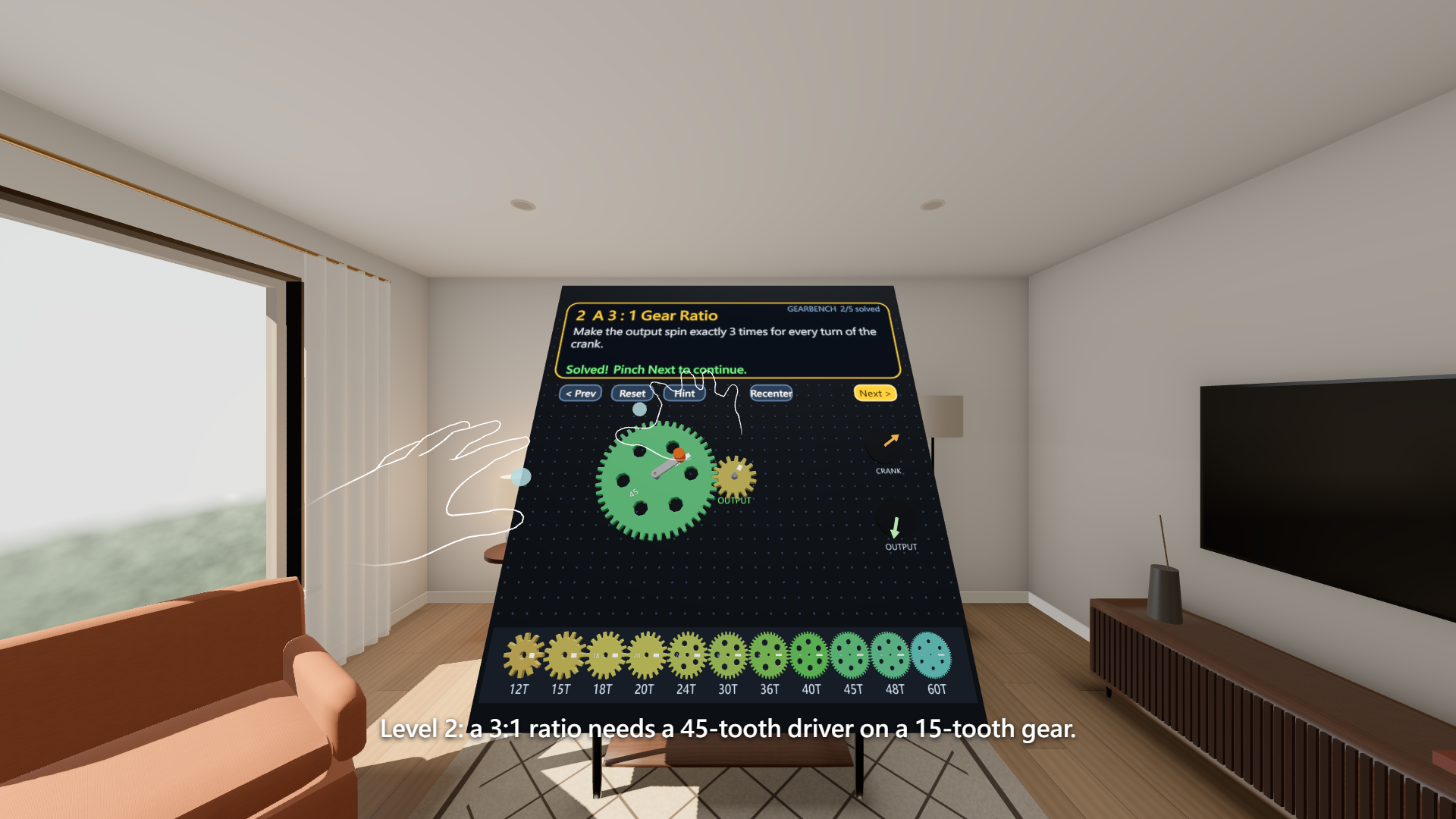
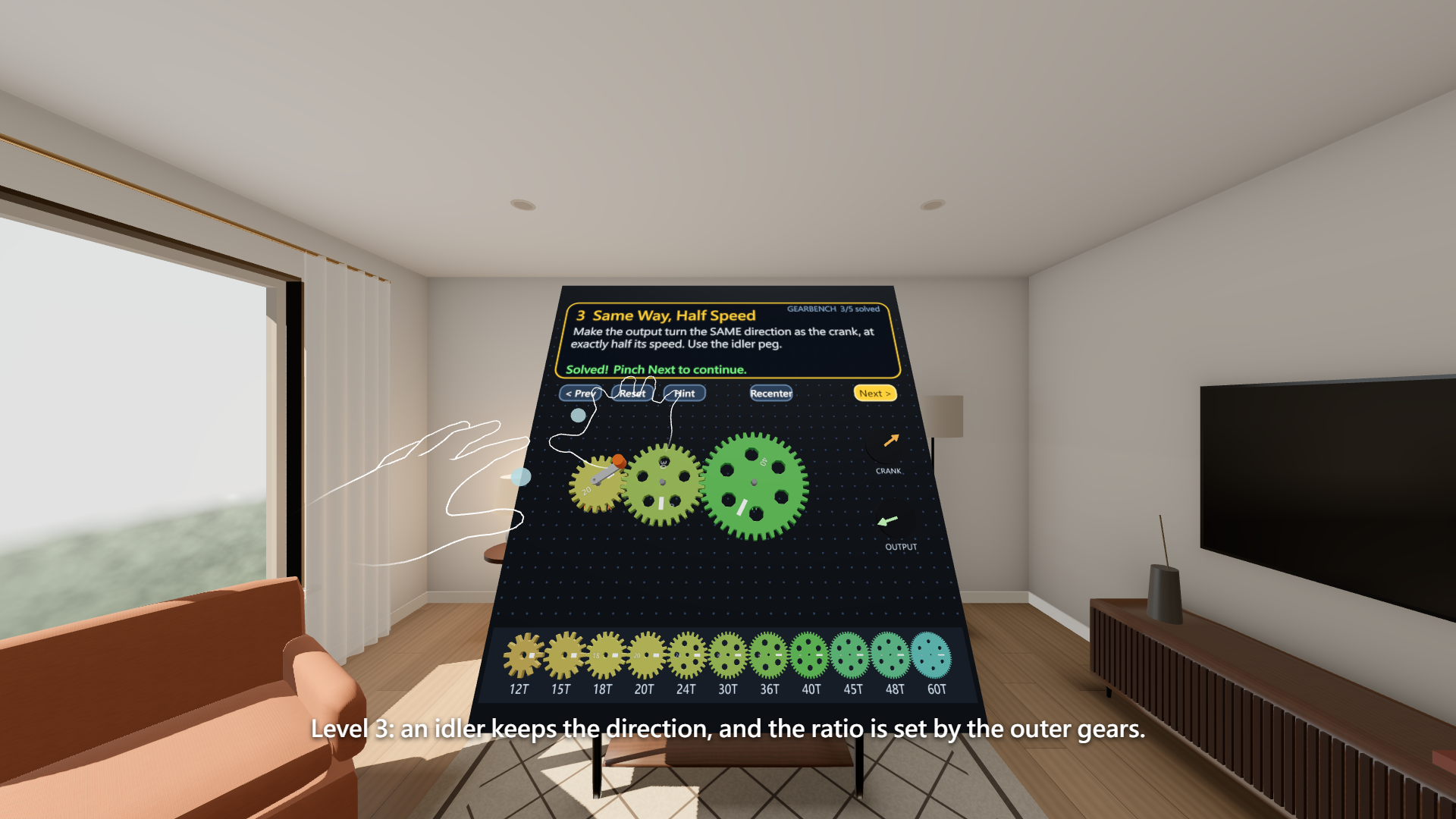
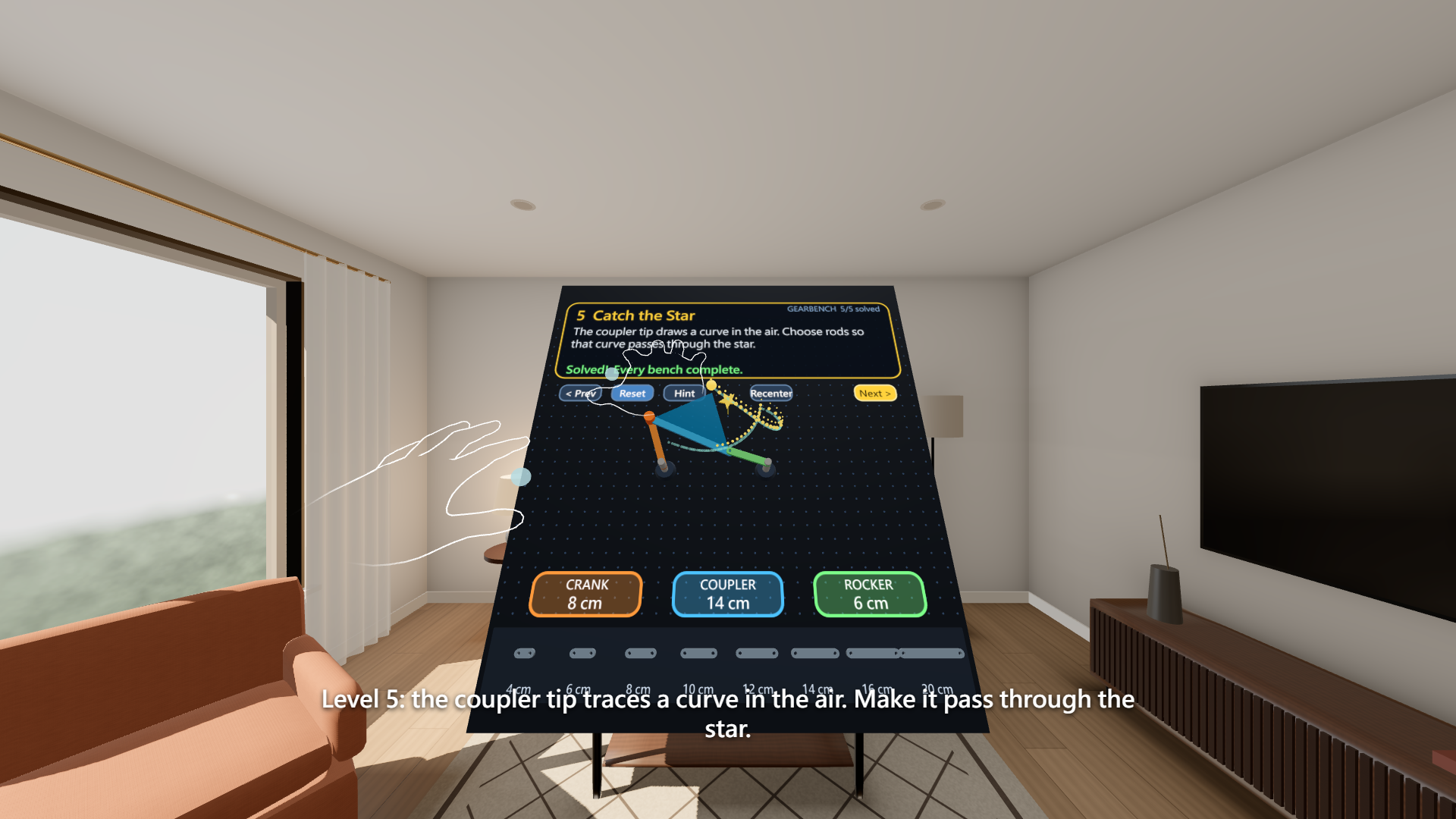
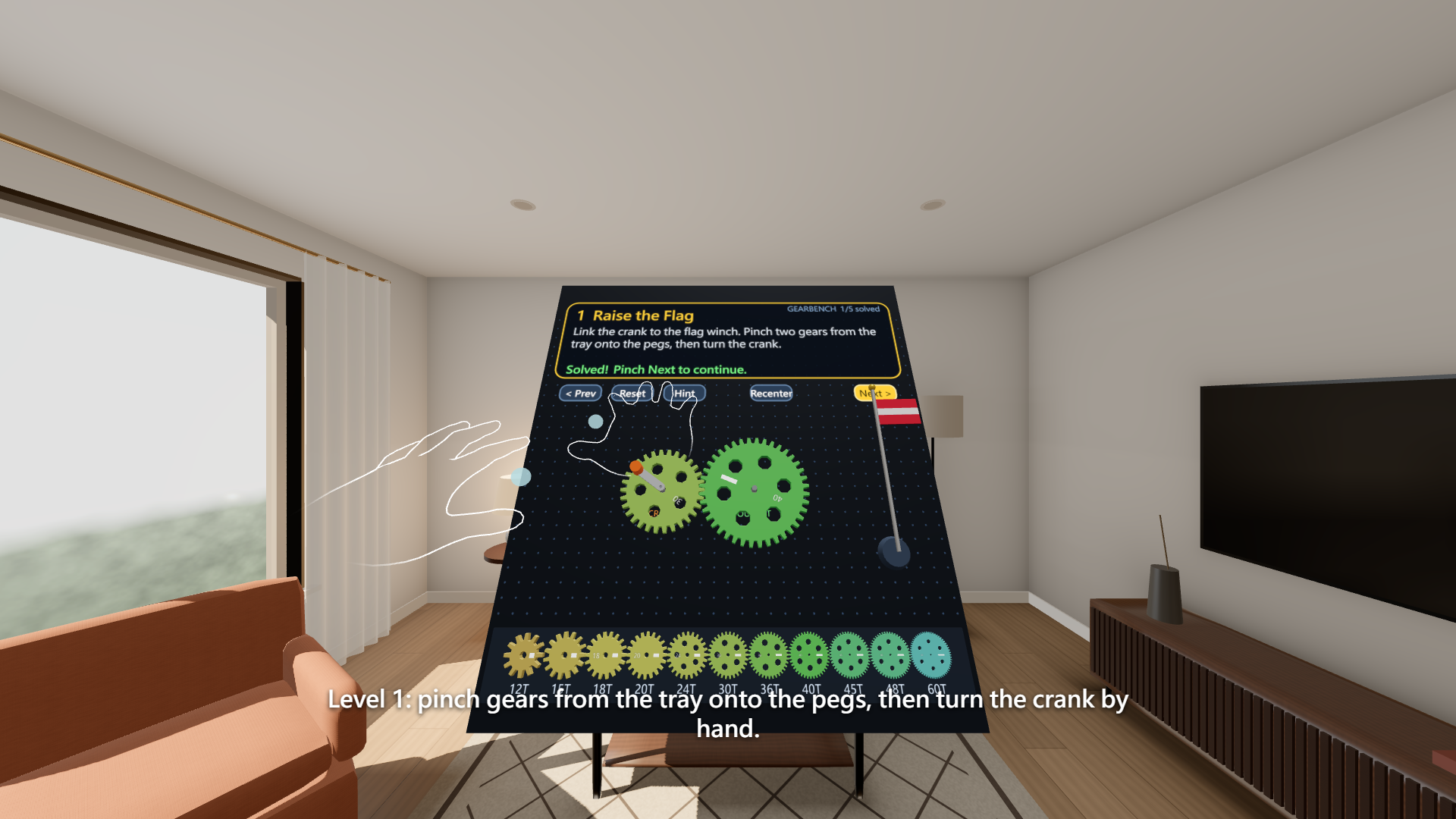
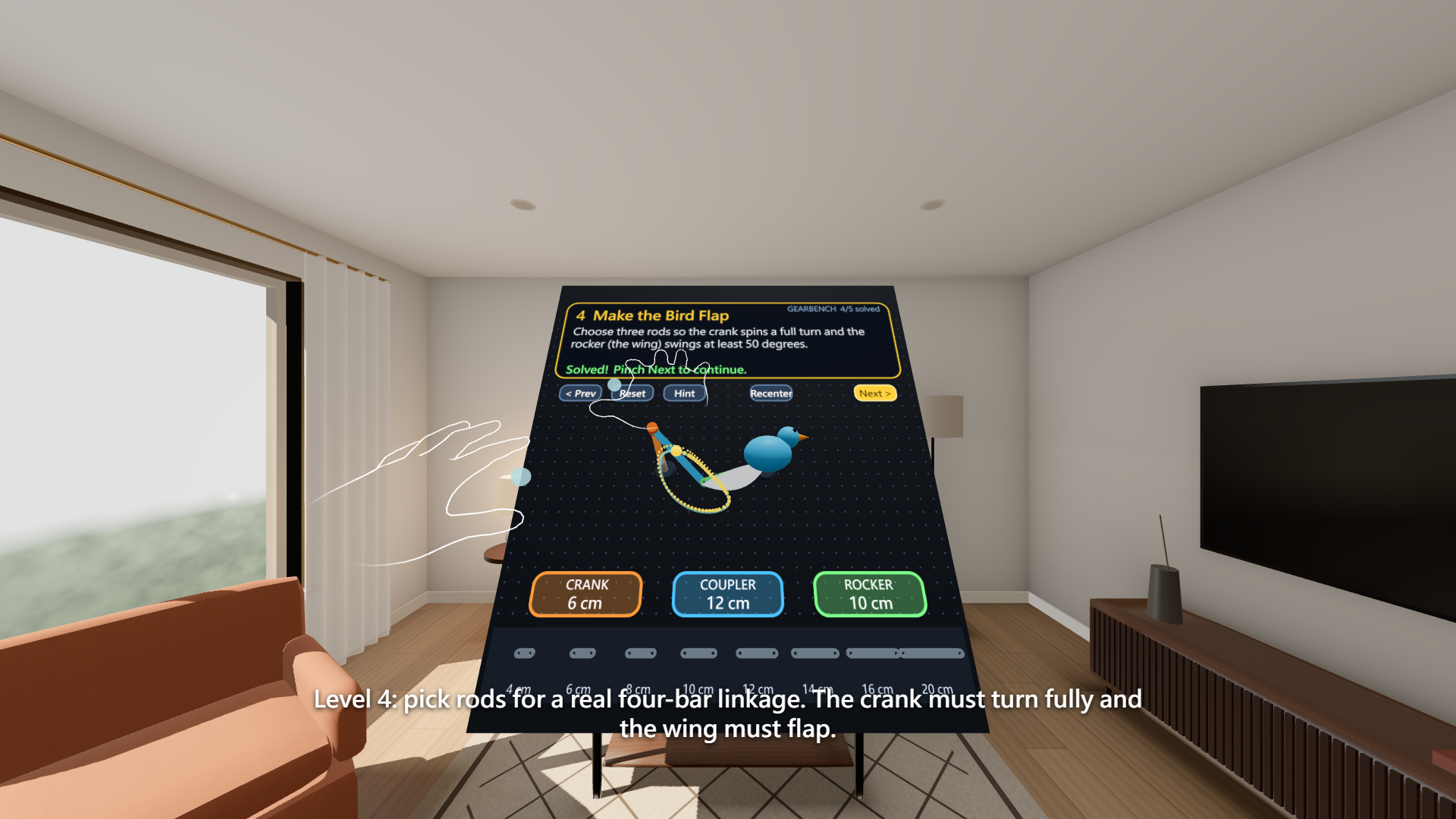
Each of five benches is a short goal that fits in a few minutes. Pinch gears out of the parts tray and drop them on pegs, or pick rods for a four-bar linkage. Then grab the crank handle and turn it with your own hand. Raise a flag. Hit exactly 3:1. Keep the output turning the same way at half speed using an idler. Make a bird flap by choosing a crank-rocker linkage. Catch a star with the tip of the coupler as it draws its curve in the air. Nothing is scripted: every result comes from the mechanism you built.
The physics is real, and that is the point. Gears mesh only when the centre distance equals the sum of their pitch radii, and the output speed follows the gear law, including the sign flip through each gear and the idler that cancels out of the ratio. Teeth are phased so a tooth always meets a gap, and overlapping gears that do not mesh jam the crank. The four-bar linkage is solved exactly (circle-circle intersection for the coupler joint); a linkage that cannot close stops the crank, and a Grashof crank-rocker spins freely. The kinematics module is pure TypeScript with 15 unit tests, including a check of the Grashof rule across all 512 rod combinations (excluding the numerically ambiguous change-point cases) and an exhaustive check that levels 2 and 3 each have exactly one solution among the offered gears.
How I built it
WebXR with Meta's Immersive Web SDK (three.js based), immersive-ar for passthrough, WebXR hand tracking as the primary input. Everything is procedural: gears are extruded from generated tooth profiles, labels are canvas textures, sounds are synthesised with WebAudio. There are no downloaded assets. I tested the full experience through the Immersive Web Emulation Runtime with emulated Quest 3 hands: an automated script plays all five levels with real pinch, drag and crank gestures, and that script produced the demo footage.
Hand interactions
Pinch is thumb tip to index tip with hysteresis (close below 2.4 cm, open above 3.8 cm), taken from the XR joint poses. Pinch a tray token to pull out a part at true size, drag it to a peg or socket and release to snap, pinch a placed part to pick it up again, pinch the crank knob and sweep your hand around it to turn it. Buttons are pinch targets too. The release position is taken from the last closed frame, so opening your fingers does not throw the part. No controller is needed; controllers work as a fallback.
Seated by design
The bench is anchored in front of you, slightly below your gaze and tilted toward you, about 55 cm away at 85 percent scale, so everything is within easy seated reach and nothing needs standing or turning. Each level is a short session of a few minutes.
What is next
Hands-first passthrough turns the room into a place where abstract engineering becomes something you can touch. Next: more mechanisms (cams, belts, planetary gear sets, Geneva drives), a sandbox with free placement and shareable machines, and a classroom mode where an instructor sets a motion goal and students build the linkage that produces it. Horizon Store PWA packaging is planned after that.
Playable now: https://0smallcat0.github.io/gearbench/ (open in Quest Browser and press "Enter XR"; also runs on desktop with a mouse). Source: https://github.com/0Smallcat0/gearbench
Built With
- immersive-web-sdk
- three.js
- typescript
- webxr
